2003 CHEVROLET SILVERADO instrument cluster
[x] Cancel search: instrument clusterPage 66 of 556
A rear seat is a safer place to secure a forward facing
child restraint. SeeWhere to Put the Restraint on
page 1-41. If you need to secure a forward-facing child
restraint in the right front seat position, move the
seat as far back as it will go before securing a
forward-facing child restraint. See
Manual Seats on
page 1-3orPower Seats on page 1-4.
{CAUTION:
If the air bag readiness light in the instrument
panel cluster ever comes on when you have
turned off the air bag, it means that something
may be wrong with the air bag system. The
right front passenger's air bag could in¯ate
even though the switch is off. If this ever
happens, have the vehicle serviced promptly.
Until you have the vehicle serviced, do not let
CAUTION: (Continued)
CAUTION: (Continued)
anyone whom the national government has
identi®ed as a member of a passenger air bag
risk group sit in the right front passenger's
position (for example, do not secure a
rear-facing child restraint in the right front
passenger's seat). See²Air Bag Off Switch²in
the Index.
In addition to the AIR BAG OFF switch, your vehicle
may have the passenger sensing system. See
Passenger Sensing System on page 1-76for more on
this, including important safety information.
If your child restraint is equipped with the LATCH
system, see
Lower Anchorages and Top Tethers for
Children (LATCH System) on page 1-47. SeeTop Strap
on page 1-42if your child restraint has one.
1-60
Page 72 of 556
{CAUTION:
Anyone who is up against, or very close to,
any air bag when it in¯ates can be seriously
injured or killed. Air bags plus lap-shoulder
belts offer the best protection for adults, but
not for young children and infants. Neither
thevehicle's safety belt system nor its air bag
system is designed for them. Young children
and infants need the protection that a child
restraint system can provide. Always secure
children properly in your vehicle. To read how,
see
Older Children on page 1-31andInfants
and Young Children on page 1-34
.
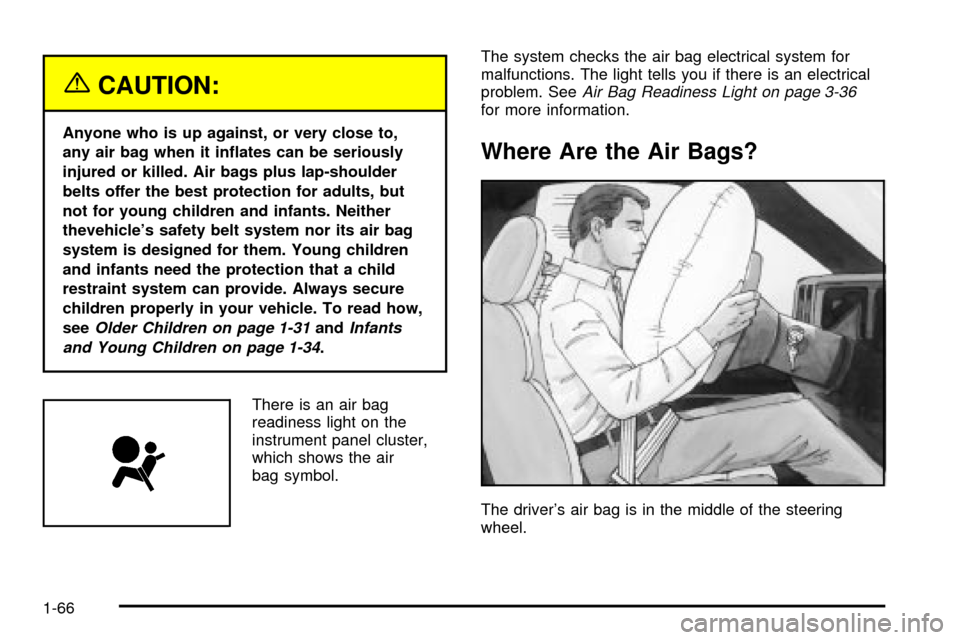
There is an air bag
readiness light on the
instrument panel cluster,
which shows the air
bag symbol.The system checks the air bag electrical system for
malfunctions. The light tells you if there is an electrical
problem. See
Air Bag Readiness Light on page 3-36for more information.
Where Are the Air Bags?
The driver's air bag is in the middle of the steering
wheel.
1-66
Page 85 of 556
{CAUTION:
If the air bag readiness light in the instrument
panel cluster ever comes on and stays on, it
means that something may be wrong with the
air bag system. If this ever happens, have the
CAUTION: (Continued)
CAUTION: (Continued)
vehicle serviced promptly, because an
adult-size person sitting in the right front
passenger's seat may not have the protection
of the frontal air bag. See ªAir Bag Readiness
Lightº in the Index for more on this, including
important safety information.
Aftermarket equipment, such as seat covers, can affect
how well the passenger sensing system operates.
You may want to consider not using seat covers or other
aftermarket equipment if your vehicle has the passenger
sensing system.
{CAUTION:
Stowing of articles under the passenger's seat
or between the passenger's seat cushion and
seatback may interfere with the proper
operation of the passenger sensing system.
1-79
Page 113 of 556
Automatic Transmission Operation
If your vehicle is equipped with an automatic
transmission, it features an electronic shift position
indicator within the instrument panel cluster. This display
must be powered anytime the shift lever is capable of
being moved out of PARK (P). See
Fuses and Circuit
Breakers on page 5-110.
There are several different positions for your shift lever.
PARK (P):This position locks your rear wheels. It's the
best position to use when you start your engine because
your vehicle can't move easily. If your vehicle is equipped
with the Allison
žTransmission, use park for stationary
operation of the Power Takeoff (PTO) (if equipped).
{CAUTION:
It is dangerous to get out of your vehicle if the
shift lever is not fully in PARK (P) with the
parking brake ®rmly set. Your vehicle can roll.
Do not leave your vehicle when the engine is
running unless you have to. If you have left the
engine running, the vehicle can move suddenly.
CAUTION: (Continued)
CAUTION: (Continued)
You or others could be injured. To be sure
your vehicle will not move, even when you are
on fairly level ground, always set your parking
brake and move the shift lever to PARK (P).
See ªShifting Into Park (P)º in the Index. If you
are pulling a trailer, see ªTowing a Trailerº in
the Index.
{CAUTION:
If you have four-wheel drive, your vehicle will be
free to roll Ð even if your shift lever is in PARK
(P) Ð if your transfer case is in NEUTRAL. So,
be sure the transfer case is in a drive gear,
two-wheel high (2H) or four-wheel high (4H) or
four-wheel low (4L) Ð not in NEUTRAL. See
ªShifting into Park (P)º in the index.
2-25
Page 125 of 556
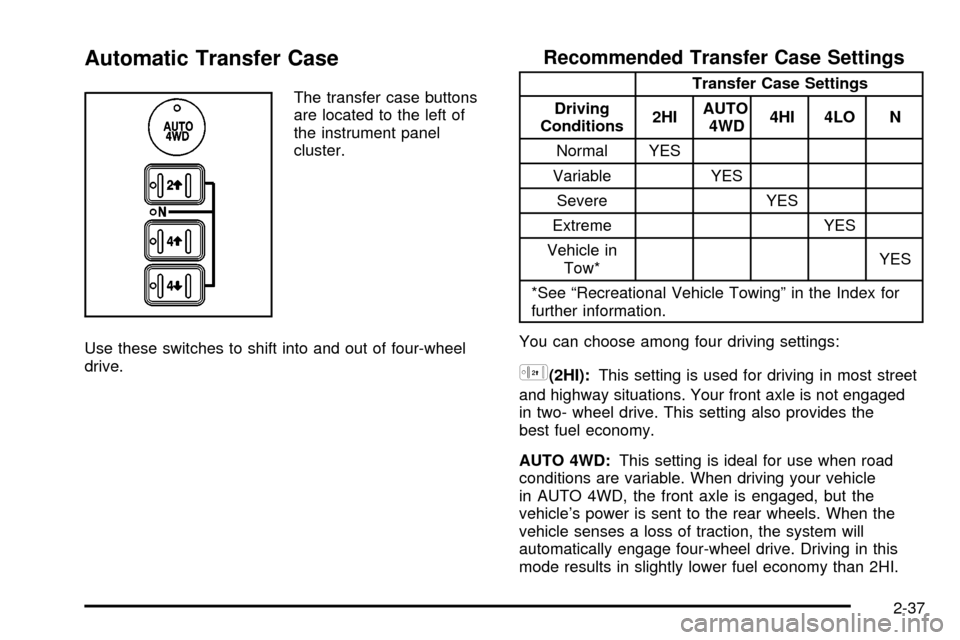
Automatic Transfer Case
The transfer case buttons
are located to the left of
the instrument panel
cluster.
Use these switches to shift into and out of four-wheel
drive.
Recommended Transfer Case Settings
Transfer Case Settings
Driving
Conditions2HIAUTO
4WD4HI 4LO N
Normal YES
Variable YES
Severe YES
Extreme YES
Vehicle in
Tow*YES
*See ªRecreational Vehicle Towingº in the Index for
further information.
You can choose among four driving settings:
h(2HI):This setting is used for driving in most street
and highway situations. Your front axle is not engaged
in two- wheel drive. This setting also provides the
best fuel economy.
AUTO 4WD:This setting is ideal for use when road
conditions are variable. When driving your vehicle
in AUTO 4WD, the front axle is engaged, but the
vehicle's power is sent to the rear wheels. When the
vehicle senses a loss of traction, the system will
automatically engage four-wheel drive. Driving in this
mode results in slightly lower fuel economy than 2HI.
2-37
Page 129 of 556
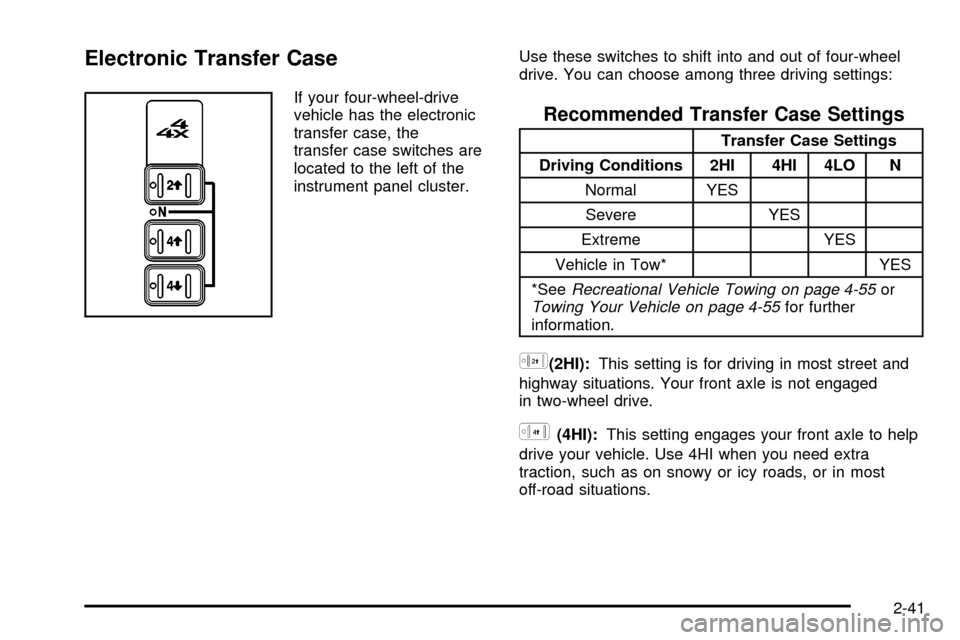
Electronic Transfer Case
If your four-wheel-drive
vehicle has the electronic
transfer case, the
transfer case switches are
located to the left of the
instrument panel cluster.Use these switches to shift into and out of four-wheel
drive. You can choose among three driving settings:
Recommended Transfer Case Settings
Transfer Case Settings
Driving Conditions 2HI 4HI 4LO N
Normal YES
Severe YES
Extreme YES
Vehicle in Tow* YES
*See
Recreational Vehicle Towing on page 4-55orTowing Your Vehicle on page 4-55for further
information.
h(2HI):This setting is for driving in most street and
highway situations. Your front axle is not engaged
in two-wheel drive.
G(4HI):This setting engages your front axle to help
drive your vehicle. Use 4HI when you need extra
traction, such as on snowy or icy roads, or in most
off-road situations.
2-41
Page 157 of 556

Instrument Panel Overview...............................3-4
Hazard Warning Flashers................................3-6
Other Warning Devices...................................3-6
Horn.............................................................3-7
Tilt Wheel.....................................................3-7
Turn Signal/Multifunction Lever.........................3-7
Exterior Lamps.............................................3-14
Interior Lamps..............................................3-18
Accessory Power Outlets...............................3-19
Ashtrays and Cigarette Lighter........................3-20
Climate Controls............................................3-20
Climate Control System.................................3-20
Dual Climate Control System..........................3-22
Dual Automatic Climate Control System...........3-25
Warning Lights, Gages and Indicators.............3-33
Instrument Panel Cluster................................3-34
Speedometer and Odometer...........................3-35
Tachometer.................................................3-35
Safety Belt Reminder Light.............................3-36
Air Bag Readiness Light................................3-36
Air Bag Off Light..........................................3-37Passenger Air Bag Status Indicator.................3-40
Battery Warning Light....................................3-42
Voltmeter Gage............................................3-42
Up-Shift Light...............................................3-43
Brake System Warning Light..........................3-44
Anti-Lock Brake System Warning Light.............3-45
Traction Off Light..........................................3-46
Engine Coolant Temperature Gage..................3-47
Transmission Temperature Gage.....................3-47
Malfunction Indicator Lamp.............................3-49
Oil Pressure Gage........................................3-51
Cruise Control Light......................................3-52
Four-Wheel-Drive Light..................................3-52
Tow/Haul Mode Light....................................3-53
Overdrive Disable.........................................3-53
Fuel Gage...................................................3-53
Low Fuel Warning Light.................................3-54
Driver Information Center (DIC).......................3-54
DIC Operation and Displays...........................3-55
DIC Warnings and Messages.........................3-65
Section 3 Instrument Panel
3-1
Page 161 of 556

The main components of your instrument panel are the
following:
A. Dome Lamp Button. See ªDome Lampsº under
Interior Lamps on page 3-18.
B. Exterior Lamp Controls. See
Exterior Lamps on
page 3-14.
C. Air Outlets. See ªClimate Controlsº in Section 3.
D. Automatic Transfer Case/Electronic Transfer
Case/Traction Assist System (TAS). See
Four-Wheel
Drive on page 2-33.
E. Multifunction Lever. See
Turn Signal/Multifunction
Lever on page 3-7.
F. Instrument Panel Cluster. See
Instrument Panel
Cluster on page 3-34.
G. Gearshift Lever (Automatic Transmission). See
Automatic Transmission Operation on page 2-25.
H. Tow/Haul Selector and Overdrive Disable (Allison
Transmission
žOnly) Button (If Equipped). SeeAutomatic Transmission Operation on page 2-25.
I. Audio System. See
Audio System(s) on page 3-71.
J. Comfort Control System. See
Climate Control
System on page 3-20.
K. Instrument Panel Fuse Block.
Fuses and Circuit
Breakers on page 5-110.L. Hood Release. See
Hood Release on page 5-9.
M. Steering Wheel Control Buttons (If Equipped). See
Driver Information Center (DIC) on page 3-54.
N. Center Instrument Panel Utility Block. See
Fuses
and Circuit Breakers on page 5-110.
O. Parking Brake Release. See
Parking Brake on
page 2-44.
P. Tilt Wheel Lever. See
Tilt Wheel on page 3-7.
Q. Lighter and Accessory Power Outlet. See
Accessory
Power Outlets on page 3-19, andAshtrays and
Cigarette Lighter on page 3-20.
R. Storage Area. See ªStorage Areasº in Section 2.
S. Ashtray. See
Ashtrays and Cigarette Lighter
on page 3-20.
T. Manual Selectable Ride Control (If Equipped). See
Manual Selectable Ride on page 4-12.
U. 4WS Switch (If Equipped). See
QUADRASTEERŸ
on page 4-15.
V. Passenger Air Bag Off Switch. See
Air Bag Off
Switch on page 1-71.
W. Glove Box. See
Glove Box on page 2-64.
3-5