2003 CHEVROLET BLAZER wheel
[x] Cancel search: wheelPage 140 of 420

There is a delay in the transition between the daytime
and nighttime operation of the Daytime Running
Lamps (DRL) and the automatic headlamp systems so
that driving under bridges or bright overhead street
lights does not affect the system. The DRL and
automatic headlamp system will only be affected when
the light sensor sees a change in lighting lasting
longer than the delay.
To idle your vehicle with the automatic headlamp
system off, set the parking brake while the ignition is off.
Then start your vehicle. The automatic headlamp
system will stay off until you release the parking brake.
As with any vehicle, you should turn on the regular
headlamps when you need them.
You may be able to turn off your automatic headlamp
system. See ªDaytime Running Lamps (DRL)º later
in this section for more information.
If you start your vehicle in a dark garage, the automatic
headlamp system will come on immediately. Once
you leave the garage, it will take approximately
one minute for the automatic headlamp system to
change to DRL if it is light outside. During that delay,
your instrument panel cluster may not be as bright
as usual. Make sure your instrument panel brightness
control is in the full bright position. See ªInstrument
Panel Brightness Controlº under
Interior Lamps
on page 3-14.
Lamps On Reminder
A reminder chime will sound when your headlamps or
parking lamps are manually turned on, the driver's door
is opened and your ignition is in OFF, LOCK or
ACCESSORY. To turn the chime off, turn the control
counterclockwise or turn the instrument panel brightness
thumbwheel down to the fully dimmed position. In the
automatic mode, the headlamps turn off once the ignition
key is in OFF.
Daytime Running Lamps
Daytime Running Lamps (DRL) can make it easier for
others to see the front of your vehicle during the
day. DRL can be helpful in many different driving
conditions, but they can be especially helpful in the short
periods after dawn and before sunset. Fully functional
daytime running lamps are required on all vehicles
®rst sold in Canada.
The DRL system will make your headlamps come on
at reduced brightness when the following conditions
are met:
·The ignition is on,
·the exterior lamp control is in OFF,
·the sensor detects daytime light,
·an automatic transmission is not in PARK (P), and
·the parking brake is released.
3-12
Page 142 of 420

Press the button to turn the fog lamps on. Press the
button again to turn them off. A light will glow in
the button when the fog lamps are on.
Fog lamps will go off whenever your high-beam
headlamps come on. When the high-beams go off, the
fog lamps will come on again.
Interior Lamps
Instrumental Panel Brightness
The thumbwheel for this feature is located on the
driver's side of the instrument panel next to the exterior
lamps control.
Turn the thumbwheel up to make your instrument panel
lights brighter. Turn the thumbwheel all the way up to
turn on the interior lamps. To dim the instrument
panel lights, turn the thumbwheel down.
Entry Lighting
Your vehicle is equipped with an illuminated entry feature.
When a door is opened, the dome lamps will come
on if the DOME OVERRIDE button is in the out position.
When the doors are closed, the lamps will stay on for
a short period of time and will turn off automatically.
If you use your keyless entry transmitter, if equipped, to
unlock your vehicle, the interior lamps will come on
for a short time whether or not the DOME OVERRIDE
button is in the out position.
Exit Lighting
With exit lighting, the interior lamps will come on when
you remove the key from the ignition to help you
see while exiting the vehicle. If the DOME OVERRIDE
button is in the out position, these lamps will stay
on for a short period of time and then will go out.
Front Reading Lamps
Press the button located near each lamp on the
overhead console to turn a reading lamp on and off.
The lamps can be swiveled to point in the desired
direction.
If you have the mini console, press the lens on each
lamp to turn it on or off.
Front Map Lamps
If your vehicle has front map lamps, they are located on
the inside rearview mirror. They will automatically
come on for about 40 seconds when the doors are
unlocked with the keyless entry transmitter, if equipped,
or until the ignition key is turned to RUN or
ACCESSORY. The lamps will also stay on for about
40 seconds after you exit the vehicle unless you lock the
doors with the keyless entry transmitter.
You can also turn the lamps on and off by pressing the
button near each lamp.
3-14
Page 143 of 420

Dome Lamps
The dome lamps will come on when you open a door.
You can also turn the dome lamps on by turning
the thumbwheel, located next to the exterior lamps
control, all the way up to the top position. In this
position, the dome lamps will remain on until they are
turned off.
You can press the DOME OVERRIDE button, located
below the exterior lamp control. This will override
the entry lighting feature, unless you use your keyless
entry transmitter (if equipped) to unlock the vehicle.
Battery Run-Down Protection
This feature shuts off the dome, courtesy, vanity,
reading, glove box and underhood lamps if they are left
on for more than 20 minutes when the ignition is off.
This will keep your battery from running down.
If the battery run-down protection shuts off the interior
lamps, it may be necessary to do one of the following to
return to normal operation:
·Shut off all lamps and close all doors.
·Turn the ignition key to RUN.
Accessory Power Outlets
Your vehicle may be equipped with accessory power
outlets.
With accessory power outlets you can plug in auxiliary
electrical equipment such as a cellular telephone or
CB radio.
There maybe two accessory power outlets located near
the center of the vehicle on the lower part of the
instrument panel. There may also be additional
accessory power outlets located behind the front storage
area for rear seat passengers. A small cap must be
pulled down to access an accessory power outlet. When
not using an outlet be sure to cover it with the
protective cap.
Notice:When using an accessory power outlet,
maximum electrical load must not exceed 20 amps.
Always turn off any electrical equipment when
not in use. Leaving electrical equipment on for
extended periods will drain your battery.
3-15
Page 148 of 420
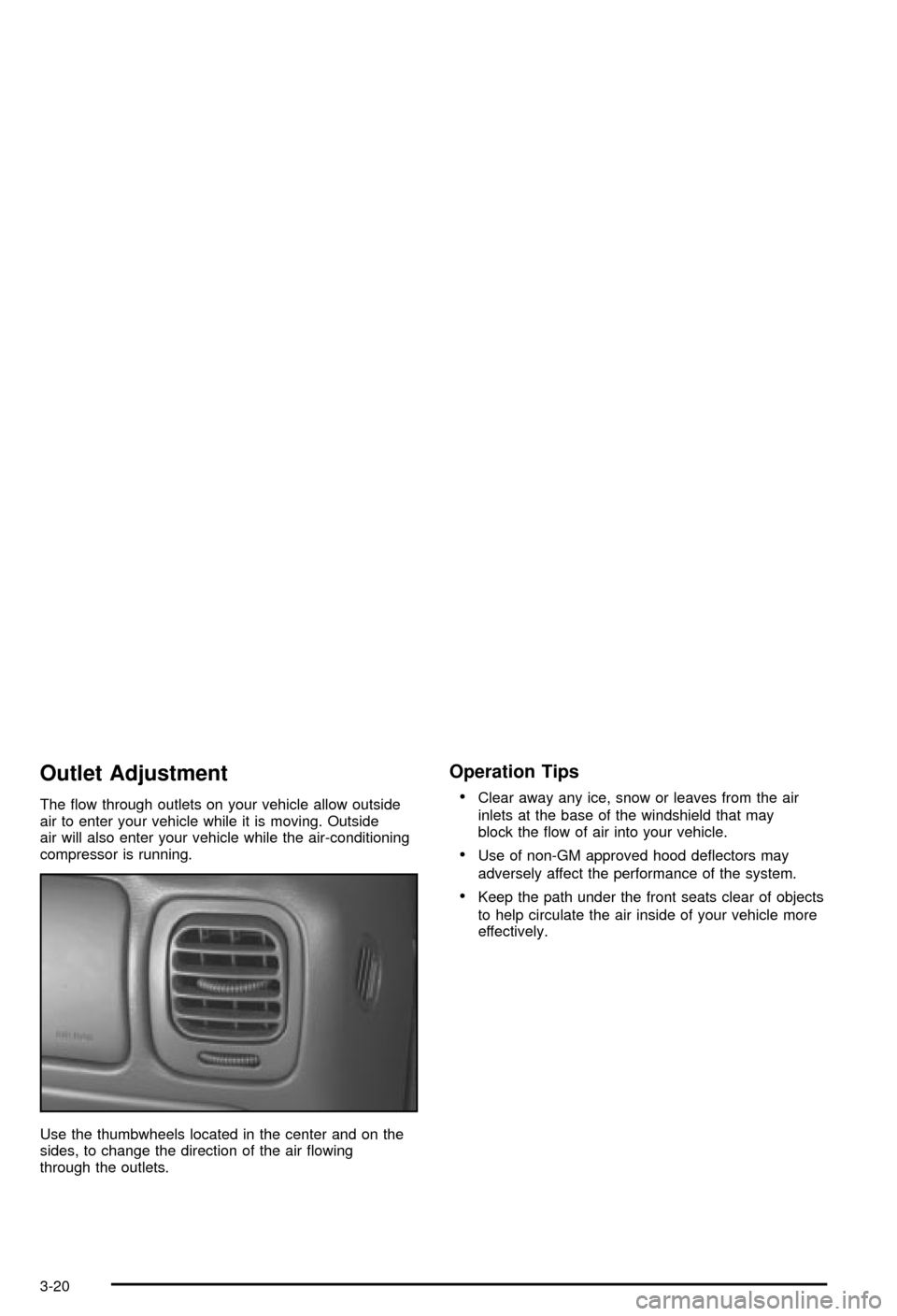
Outlet Adjustment
The ¯ow through outlets on your vehicle allow outside
air to enter your vehicle while it is moving. Outside
air will also enter your vehicle while the air-conditioning
compressor is running.
Use the thumbwheels located in the center and on the
sides, to change the direction of the air ¯owing
through the outlets.
Operation Tips
·
Clear away any ice, snow or leaves from the air
inlets at the base of the windshield that may
block the ¯ow of air into your vehicle.
·Use of non-GM approved hood de¯ectors may
adversely affect the performance of the system.
·Keep the path under the front seats clear of objects
to help circulate the air inside of your vehicle more
effectively.
3-20
Page 162 of 420

Security Light
This light will come on
brie¯y when you turn the
key toward START.
The light will stay on until
the engine starts.
If the light ¯ashes, the Passlock
žsystem has entered a
tamper mode. If the vehicle fails to start, seePasslockž
on page 2-18.
If the light comes on continuously while driving and
stays on, there may be a problem with the Passlock
ž
system. Your vehicle will not be protected by Passlockž,
and you should see your dealer.
Also, see
Content Theft-Deterrent on page 2-17for
additional information regarding the SECURITY light.
Service Four-Wheel Drive
Warning Light
If you have this light, it
should come on brie¯y
when you turn on the
ignition, as a check
to show you it is working.
The SERVICE 4WD light comes on to indicate that
there may be a problem with the four-wheel drive system
and service is required. Malfunctions can be indicated
by the system before any problem is apparent,
which may prevent serious damage to the vehicle. This
system is also designed to assist your service
technician in correctly diagnosing a malfunction.
3-34
Page 199 of 420

Your Driving, the Road, and Your Vehicle..........4-2
Driver Behavior..............................................4-2
Driving Environment........................................4-3
Vehicle Design...............................................4-3
Defensive Driving...........................................4-3
Drunken Driving.............................................4-4
Control of a Vehicle........................................4-7
Braking.........................................................4-8
Locking Rear Axle........................................4-10
Steering......................................................4-10
Off-Road Recovery.......................................4-12
Passing.......................................................4-13
Loss of Control.............................................4-14
Off-Road Driving with Your Four-Wheel-Drive
Vehicle....................................................4-15Driving at Night............................................4-28
Driving in Rain and on Wet Roads..................4-30
City Driving..................................................4-33
Freeway Driving...........................................4-34
Before Leaving on a Long Trip.......................4-35
Highway Hypnosis........................................4-36
Hill and Mountain Roads................................4-36
Winter Driving..............................................4-38
If You Are Stuck: In Sand, Mud,
Ice or Snow..............................................4-42
Towing..........................................................4-45
Towing Your Vehicle.....................................4-45
Recreational Vehicle Towing...........................4-45
Loading Your Vehicle....................................4-52
Towing a Trailer...........................................4-54
Section 4 Driving Your Vehicle
4-1
Page 201 of 420

Driving Environment
You can also help avoid a rollover or other type of crash
by being prepared for driving in inclement weather, at
night, or during other times where visibility or traction
may be limited (such as on curves, slippery roads or hilly
terrain). Unfamiliar surroundings can also have hidden
hazards.
To help you learn more about driving in different
conditions, this section contains information about city,
freeway and off-road driving, as well as other hints
for driving in various weather conditions.
Vehicle Design
According to the U.S. Department of Transportation,
utility vehicles have a signi®cantly higher rollover
rate than other types of vehicles. Utility vehicles do
have higher ground clearance and a narrower track or
shorter wheelbase than passenger cars, to make
them more capable for off-road driving. Speci®c design
characteristics like these give the driver a better
view of the road, but also give utility vehicles a higher
center of gravity than other types of vehicles. This
means that you shouldn't expect a utility vehicle
to handle the same way a vehicle with a lower center of
gravity, like a car, would in similar situations.But driver behavior factors are far more often the cause
of a utility vehicle rollover than are environmental or
vehicle factors. Safe driver behavior and understanding
the environment in which you'll be driving can help
avoid a rollover crash in any type of vehicle, including
utility vehicles.
Defensive Driving
The best advice anyone can give about driving is: Drive
defensively.
Please start with a very important safety device in your
vehicle: Buckle up. See
Safety Belts: They Are for
Everyone on page 1-9.
Defensive driving really means ªbe ready for anything.º
On city streets, rural roads or freeways, it means
ªalways expect the unexpected.º
Assume that pedestrians or other drivers are going to
be careless and make mistakes. Anticipate what
they might do. Be ready for their mistakes.
Rear-end collisions are about the most preventable of
accidents. Yet they are common. Allow enough following
distance. It's the best defensive driving maneuver, in
both city and rural driving. You never know when
the vehicle in front of you is going to brake or turn
suddenly.
4-3
Page 207 of 420
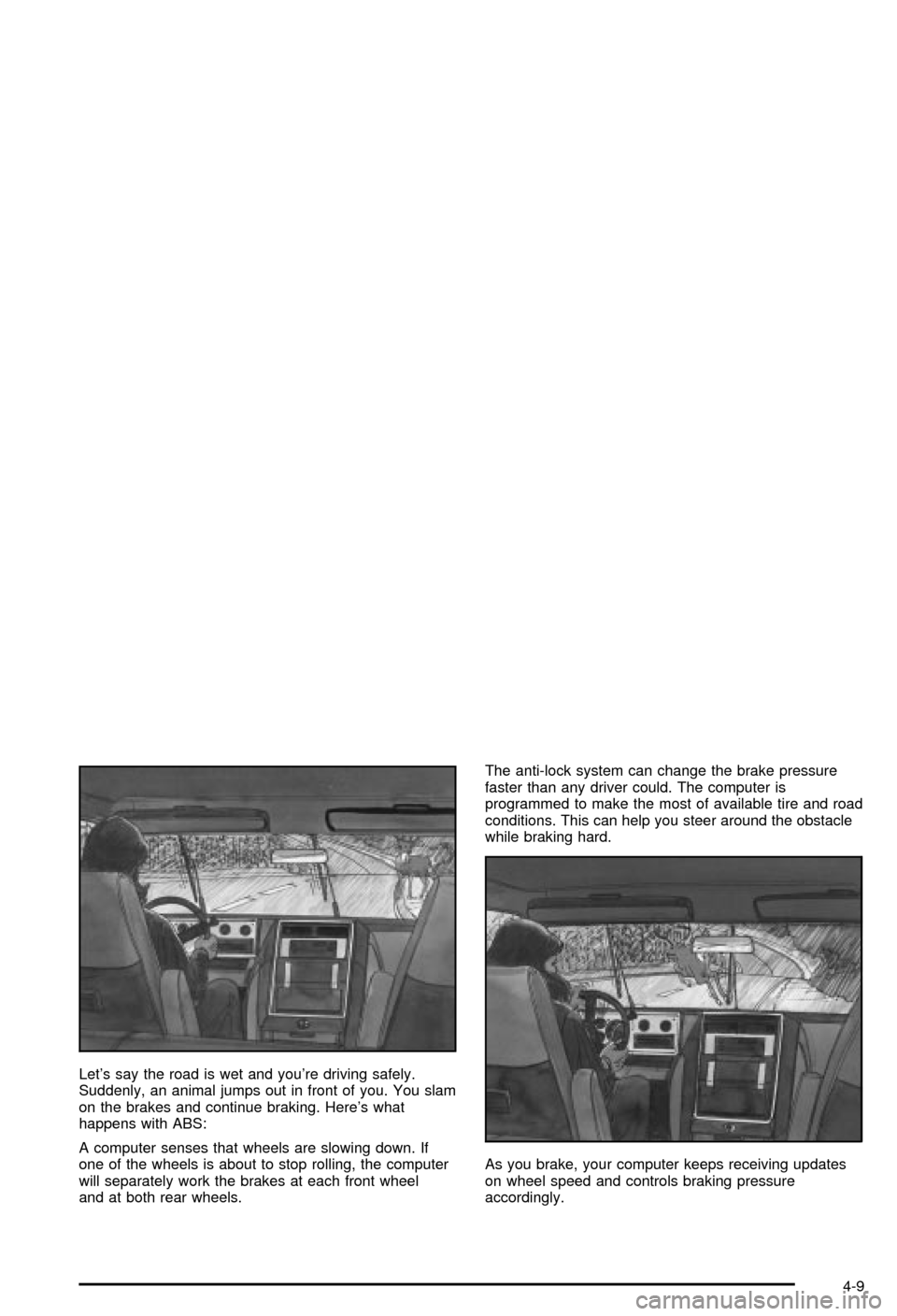
Let's say the road is wet and you're driving safely.
Suddenly, an animal jumps out in front of you. You slam
on the brakes and continue braking. Here's what
happens with ABS:
A computer senses that wheels are slowing down. If
one of the wheels is about to stop rolling, the computer
will separately work the brakes at each front wheel
and at both rear wheels.The anti-lock system can change the brake pressure
faster than any driver could. The computer is
programmed to make the most of available tire and road
conditions. This can help you steer around the obstacle
while braking hard.
As you brake, your computer keeps receiving updates
on wheel speed and controls braking pressure
accordingly.
4-9