2003 CHEVROLET BLAZER wheel
[x] Cancel search: wheelPage 98 of 420

Indicator lights in the buttons show which setting you
are in. The indicator lights will come on brie¯y when you
turn on the ignition and one will stay on. If the lights
do not come on, you should take your vehicle to your
dealer for service. An indicator light will ¯ash while
shifting the transfer case. It will remain illuminated when
the shift is complete. If for some reason the transfer
case cannot make a requested shift, it will return to the
last chosen setting.
If the SERVICE 4WD light stays on, you should take
your vehicle to your dealer for service. See
Service
Four-Wheel Drive Warning Light on page 3-34for further
information.
Shifting to 4HI or AUTO 4WD
Press and release the 4HI or AUTO 4WD button. This
can be done at any speed, and the indicator light
will ¯ash while shifting. It will remain illuminated when
the shift is complete.
Shifting to 2HI
Press and release the 2HI button. This can be done at
any speed.
Shifting to 4LO
To shift to 4LO, the vehicle's engine must be running
and the vehicle must be stopped or moving less
than 3 mph (4.8 km/h) with the transmission in
NEUTRAL (N) or with the clutch pedal pressed for
vehicles with manual transmission. The preferred
method for shifting into 4LO is to have your vehicle
moving 1 or 2 mph (1.6 to 3.2 km/h). Press and release
the 4LO button. You must wait for the 4LO indicator
light to stop ¯ashing and remain illuminated before
shifting your transmission into gear.
If the 4LO button is pressed when your vehicle is in
gear and/or moving, the 4LO indicator light will ¯ash for
30 seconds and not complete the shift unless your
vehicle is moving less than 3 mph (4.8 km/h) and the
transmission is in NEUTRAL (N) or with the clutch pedal
pressed for vehicles with manual transmission. After
30 seconds, the transfer case will return to the setting
last chosen.
2-32
Page 101 of 420
Shifting Into Park (P)
{CAUTION:
It can be dangerous to get out of your vehicle
if the shift lever is not fully in PARK (P) with
the parking brake ®rmly set. Your vehicle can
roll. If you have left the engine running, the
vehicle can move suddenly. You or others
could be injured. To be sure your vehicle won't
move, even when you're on fairly level ground,
use the steps that follow. With four-wheel
drive, your vehicle will be free to roll Ð even if
your shift lever is in PARK (P) Ð if your
transfer case is in NEUTRAL. So, be sure the
transfer case is in a drive gear Ð not in
NEUTRAL. See ªFour-Wheel Driveº in the
Index. Always put the shift lever fully in
PARK (P) with the parking brake ®rmly set. If
you're pulling a trailer, see ªTowing a Trailerº
in the Index.
Column Shift Lever
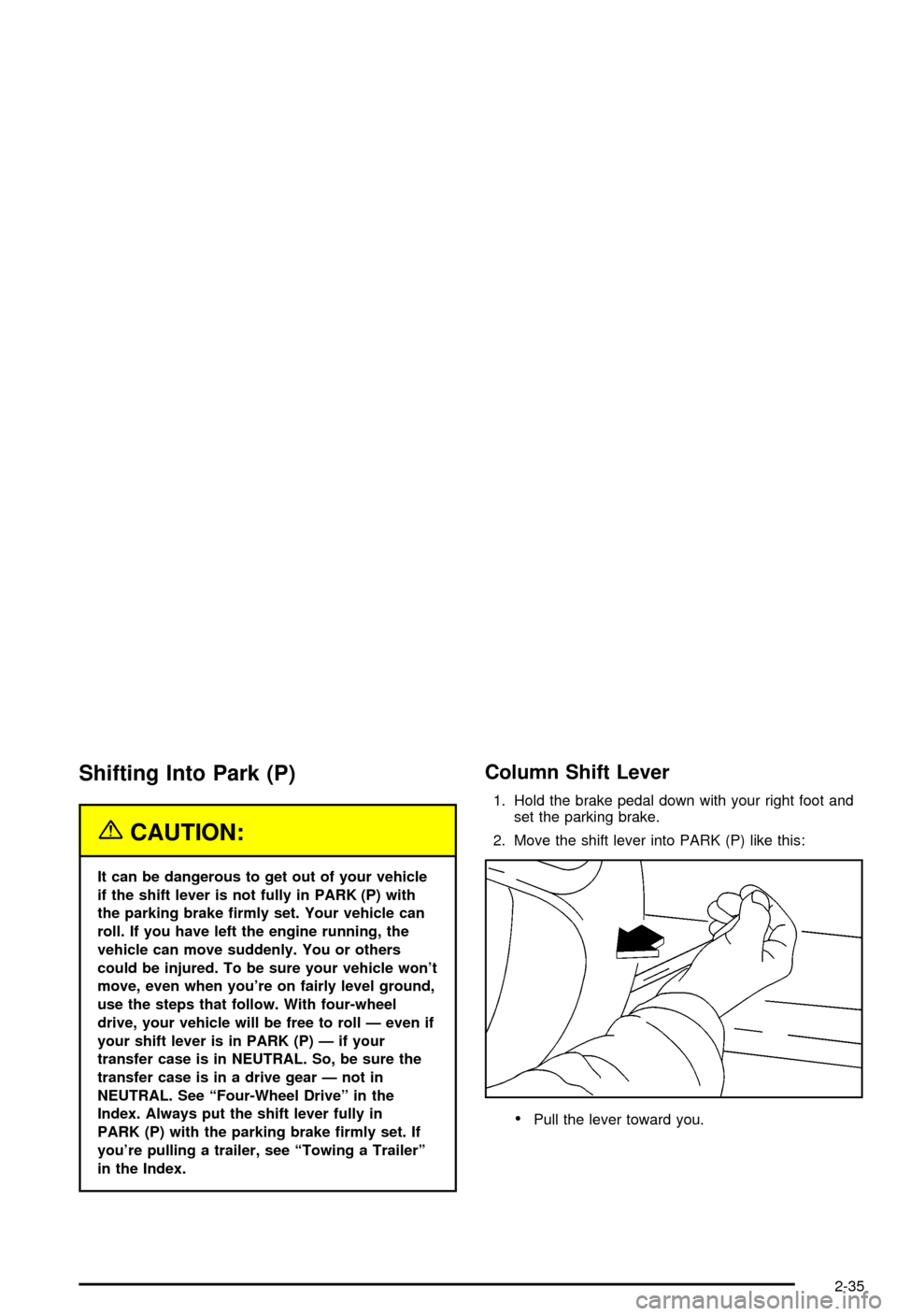
1. Hold the brake pedal down with your right foot and
set the parking brake.
2. Move the shift lever into PARK (P) like this:
·Pull the lever toward you.
2-35
Page 103 of 420

Leaving Your Vehicle With the Engine
Running
{CAUTION:
It can be dangerous to leave your vehicle
with the engine running. Your vehicle could
move suddenly if the shift lever is not fully in
PARK (P) with the parking brake ®rmly set.
If you have four-wheel drive, your vehicle
will be free to roll ± even if your lever is in
PARK (P) ± if your transfer case is in
NEUTRAL. So be sure the transfer case is in a
drive gear ± not NEUTRAL. See ªFour-Wheel
Drive (Automatic Transfer Case)º in the Index.
And, if you leave the vehicle with the engine
running, it could overheat and even catch ®re.
You or others could be injured. Don't leave
your vehicle with the engine running unless
you have to.
If you have to leave your vehicle with the engine
running, be sure your vehicle is in PARK (P) and your
parking brake is ®rmly set before you leave it. After
you've moved the shift lever into PARK (P), holdthe regular brake pedal down. Then, see if you can
move the shift lever away from PARK (P) without ®rst
pulling it toward you (or pressing the button on a console
shift lever). If you can, it means that the shift lever
wasn't fully locked into PARK (P).
Torque Lock
If you are parking on a hill and you don't shift your
transmission into PARK (P) properly, the weight of the
vehicle may put too much force on the parking pawl in the
transmission. You may ®nd it difficult to pull the shift lever
out of PARK (P). This is called torque lock. To prevent
torque lock, set the parking brake and then shift into
PARK (P) properly before you leave the driver's seat. To
®nd out how, see
Shifting Into Park (P) on page 2-35.
When you are ready to drive, move the shift lever out of
PARK (P)
beforeyou release the parking brake.
If torque lock does occur, you may need to have another
vehicle push yours a little uphill to take some of the
pressure from the parking pawl in the transmission, so
you can pull the shift lever out of PARK (P).
Shifting Out of Park (P)
Your vehicle has an automatic transmission shift lock
control system. You have to fully apply the regular
brakes before you can shift from PARK (P) when the
ignition is in RUN. See
Automatic Transmission
Operation on page 2-23.
2-37
Page 106 of 420
{CAUTION:
It can be dangerous to get out of your vehicle
if the shift lever is not fully in PARK (P) with
the parking brake ®rmly set. Your vehicle can
roll. Don't leave your vehicle when the engine
is running unless you have to. If you've left the
engine running, the vehicle can move
suddenly. You or others could be injured. To
be sure your vehicle won't move, even when
you're on fairly level ground, always set your
parking brake and move the shift lever to
PARK (P).
{CAUTION:
If you have four-wheel drive, your vehicle will
be free to roll Ð even if your shift lever is in
PARK (P) Ð if your transfer case is in
NEUTRAL. So be sure the transfer case is in a
drive gear Ð not in NEUTRAL. See
ªFour-Wheel Drive (Automatic Transfer case)º
in the Index.
Follow the proper steps to be sure your vehicle won't
move. See
Shifting Into Park (P) on page 2-35.
If you're pulling a trailer, see
Towing a Trailer on
page 4-54.
2-40
Page 129 of 420

Instrument Panel Overview...............................3-2
Hazard Warning Flashers................................3-3
Other Warning Devices...................................3-4
Horn.............................................................3-4
Tilt Wheel.....................................................3-4
Turn Signal/Multifunction Lever.........................3-5
Exterior Lamps.............................................3-11
Interior Lamps..............................................3-14
Accessory Power Outlets...............................3-15
Ashtrays and Cigarette Lighter........................3-16
Climate Controls............................................3-17
Climate Control System.................................3-17
Outlet Adjustment.........................................3-20
Warning Lights, Gages and Indicators.............3-21
Instrument Panel Cluster................................3-22
Speedometer and Odometer...........................3-24
Trip Odometer..............................................3-24
Tachometer.................................................3-24
Safety Belt Reminder Light.............................3-25
Air Bag Readiness Light................................3-25
Charging System Light..................................3-26
Voltmeter Gage............................................3-27
Up-Shift Light...............................................3-27
Brake System Warning Light..........................3-28
Anti-Lock Brake System Warning Light.............3-29
Engine Coolant Temperature Gage..................3-29Malfunction Indicator Lamp.............................3-30
Oil Pressure Gage........................................3-33
Security Light...............................................3-34
Service Four-Wheel Drive Warning Light..........3-34
Tow/Haul Mode Light....................................3-35
Check Gages Warning Light...........................3-35
Gate Ajar Light.............................................3-35
Fuel Gage...................................................3-35
Low Fuel Warning Light.................................3-36
Audio System(s).............................................3-37
Setting the Time for Radios without Radio
Data Systems (RDS)..................................3-37
Setting the Time for Radios with Radio Data
Systems (RDS).........................................3-38
AM-FM Radio...............................................3-38
Radio with CD..............................................3-41
Radio with Cassette and CD..........................3-48
Radio with Six-Disc CD.................................3-58
Theft-Deterrent Feature (Non-RDS Radios).......3-68
Theft-Deterrent Feature (RDS Radios).............3-68
Understanding Radio Reception......................3-69
Care of Your Cassette Tape Player.................3-69
Care of Your CDs.........................................3-70
Care of Your CD Player................................3-70
Fixed Mast Antenna......................................3-70
Section 3 Instrument Panel
3-1
Page 132 of 420
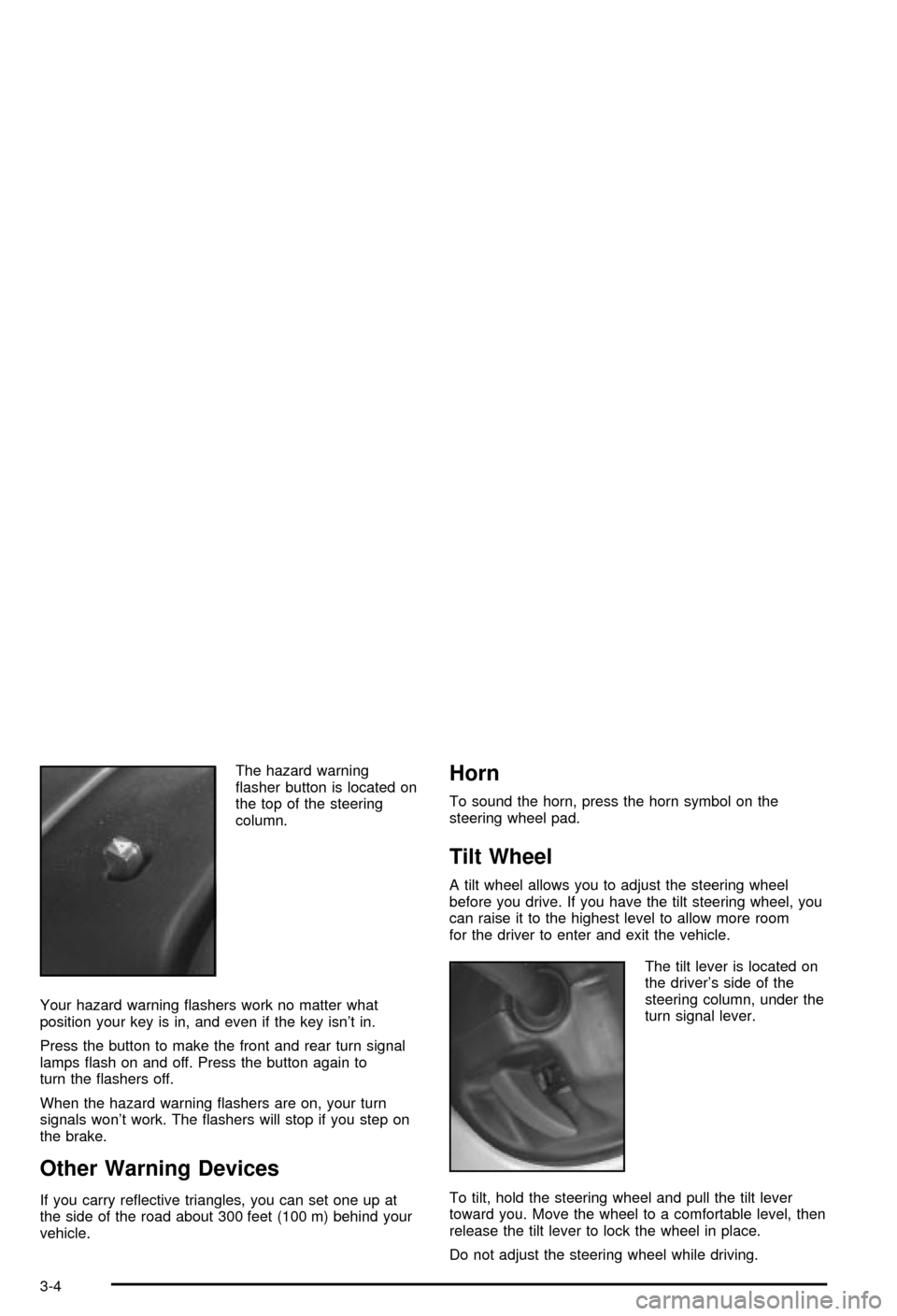
The hazard warning
¯asher button is located on
the top of the steering
column.
Your hazard warning ¯ashers work no matter what
position your key is in, and even if the key isn't in.
Press the button to make the front and rear turn signal
lamps ¯ash on and off. Press the button again to
turn the ¯ashers off.
When the hazard warning ¯ashers are on, your turn
signals won't work. The ¯ashers will stop if you step on
the brake.
Other Warning Devices
If you carry re¯ective triangles, you can set one up at
the side of the road about 300 feet (100 m) behind your
vehicle.
Horn
To sound the horn, press the horn symbol on the
steering wheel pad.
Tilt Wheel
A tilt wheel allows you to adjust the steering wheel
before you drive. If you have the tilt steering wheel, you
can raise it to the highest level to allow more room
for the driver to enter and exit the vehicle.
The tilt lever is located on
the driver's side of the
steering column, under the
turn signal lever.
To tilt, hold the steering wheel and pull the tilt lever
toward you. Move the wheel to a comfortable level, then
release the tilt lever to lock the wheel in place.
Do not adjust the steering wheel while driving.
3-4
Page 135 of 420
LO (Low Speed):Turn the band away from you to LO
and past the delay settings for steady wiping at low
speed.
HI (High Speed):Turn the band away from you, to HI,
and past the delay settings for wiping steady at high
speed.
Delayed Wiping:You can set the wiper speed for a
long or short delay between wipes. Turn the band
to choose the delay time. The closer to LO, the shorter
the delay.
JPUSH (Windshield Washer):There is a paddle
marked with the windshield washer symbol at the top of
the multifunction lever. To spray washer ¯uid on the
windshield, push the paddle. The wipers will clear the
window and then either stop or return to your preset
speed.
Be sure to clear ice and snow from the wiper blades
before using them. If they're frozen to the windshield,
carefully loosen or thaw them. If your blades do become
worn or damaged, get new blades or blade inserts.
Heavy snow or ice can overload your wipers. A circuit
breaker will stop them until the motor cools. Clear away
snow or ice to prevent an overload.
{CAUTION:
In freezing weather, don't use your washer
until the windshield is warmed. Otherwise the
washer ¯uid can form ice on the windshield,
blocking your vision.
Rear Window Washer/Wiper
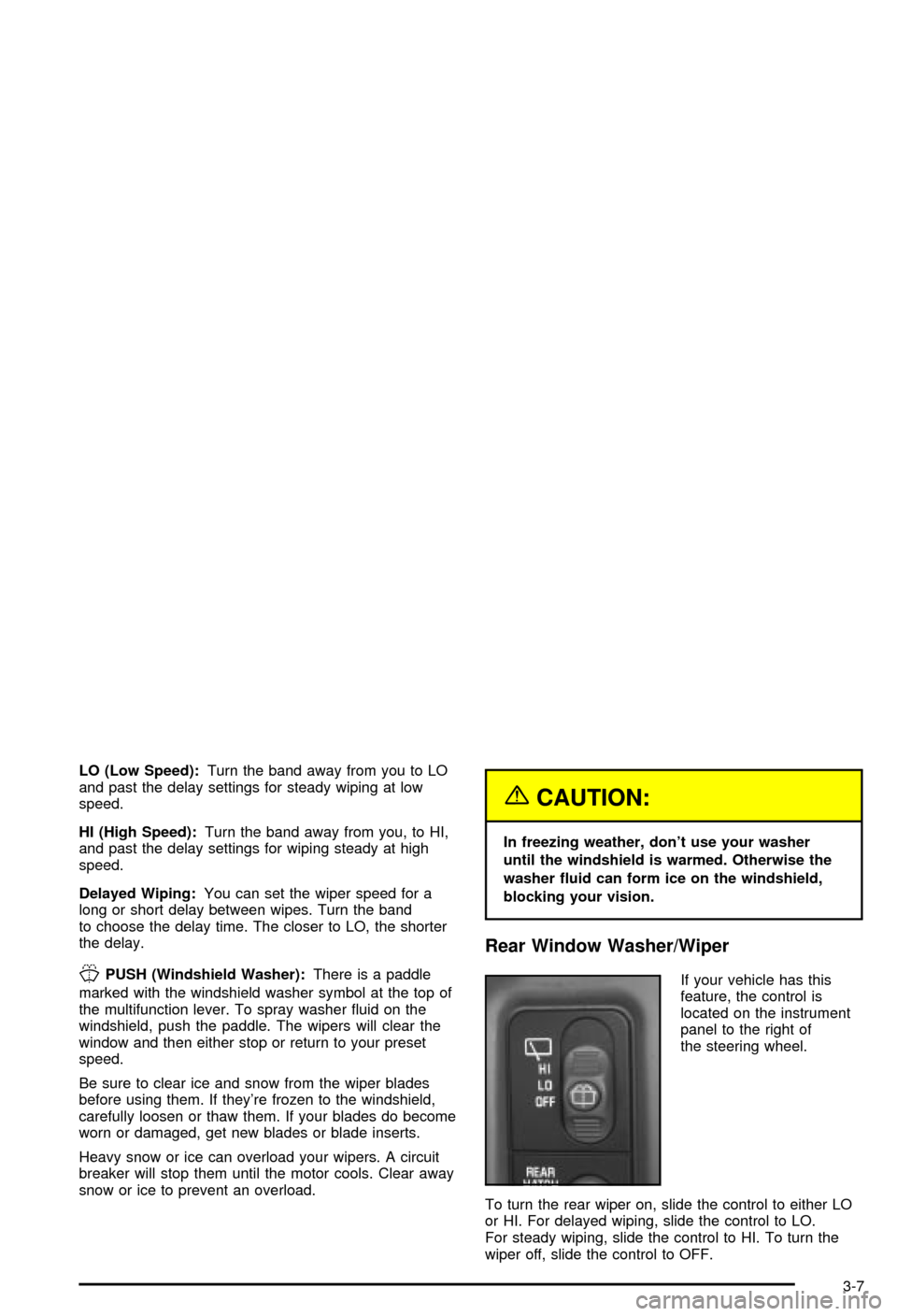
If your vehicle has this
feature, the control is
located on the instrument
panel to the right of
the steering wheel.
To turn the rear wiper on, slide the control to either LO
or HI. For delayed wiping, slide the control to LO.
For steady wiping, slide the control to HI. To turn the
wiper off, slide the control to OFF.
3-7
Page 136 of 420

To wash the window, press the wash button located on
the control. The control must be in either LO or HI.
The rear window washer uses the same ¯uid bottle as
the windshield washer. However, the rear window
washer will run out of ¯uid before the windshield washer.
If you can wash your windshield but not your rear
window, check your ¯uid level.
Cruise Control
With cruise control, you can maintain a speed of about
25 mph (40 km/h) or more without keeping your foot
on the accelerator. This can really help on long
trips. Cruise control does not work at speeds below
about 25 mph (40 km/h).
If you have an automatic transmission and you apply
your brakes, the cruise control will shut off.If you have a manual transmission and you apply your
brakes or push the clutch pedal, the cruise control
will shut off.
{CAUTION:
·Cruise control can be dangerous where
you can't drive safely at a steady speed.
So, don't use your cruise control on
winding roads or in heavy traffic.
·Cruise control can be dangerous on
slippery roads. On such roads, fast
changes in tire traction can cause
needless wheel spinning, and you could
lose control. Don't use cruise control on
slippery roads.
3-8