2003 BUICK REGAL wheel
[x] Cancel search: wheelPage 141 of 344

Control Buttons
The Driver Information Center has three buttons that
control its functions.
The English/Metric (E/M), RESET and MODE buttons
for the Driver Information Center are located to the left of
the steering wheel, just below the instrument panel
cluster.
MODE:Press this button to change the mode being
displayed.
RESET:Press this button to reset the mode displayed.
E/M (English/Metric):Press this button to change
the display from English to metric. 3800 V6 Supercharged Engine
3-43
2003 - Regal OM
Page 155 of 344

Audio Steering Wheel Controls
If your vehicle has this feature, you can control certain
radio functions using the buttons on your steering
wheel.
wSEEKx:Press the up or the down arrow to seek
to the next or the previous radio station.
If a cassette tape or compact disc is playing, the player
will advance to the next or the previous selection.
SCAN:Press this button and SCAN will appear on the
display. The radio will scan to thefirst preset station
on your pushbuttons, play for a few seconds, then go to
the next preset station. The radio will scan preset
stations with a strong signal only. Press SCAN again to
stop scanning.AM FM:Press this button to choose AM, FM1 or FM2.
If a cassette tape or compact disc is playing, press
this button to listen to the radio.
SRCE (Source):Press this button to change to playing
a cassette tape or compact disc when listening to the
radio.
MUTE:Press this button to silence the audio system.
Press it again to turn on the sound.
wVOL (Volume)x:Press the up or the down arrow
to increase or to decrease volume.
Understanding Radio Reception
AM
The range for most AM stations is greater than for FM,
especially at night. The longer range, however, can
cause stations to interfere with each other. AM can pick
up noise from things like storms and power lines. Try
reducing the treble to reduce this noise if you ever get it.
FM
FM stereo will give you the best sound, but FM signals
will reach only about 10 to 40 miles (16 to 65 km).
Tall buildings or hills can interfere with FM signals,
causing the sound to come and go.
3-57
2003 - Regal OM
Page 165 of 344

Anti-lock Brake System (ABS)
Your vehicle may have anti-lock brakes. ABS is an
advanced electronic braking system that will help
prevent a braking skid.
If your vehicle has anti-lock brakes, this warning light on
the instrument panel will come on briey when you
start your vehicle.
When you start your engine, or when you begin to drive
away, your anti-lock brake system will check itself.
You may hear a momentary motor or clicking noise while
this test is going on, and you may even notice that
your brake pedal moves or pulses a little. This is normal.Let’s say the road is wet and you’re driving safely.
Suddenly, an animal jumps out in front of you. You slam
on the brakes and continue braking. Here’s what
happens with ABS:
A computer senses that wheels are slowing down. If
one of the wheels is about to stop rolling, the computer
will separately work the brakes at each wheel. United States
Canada
4-7
2003 - Regal OM
Page 166 of 344
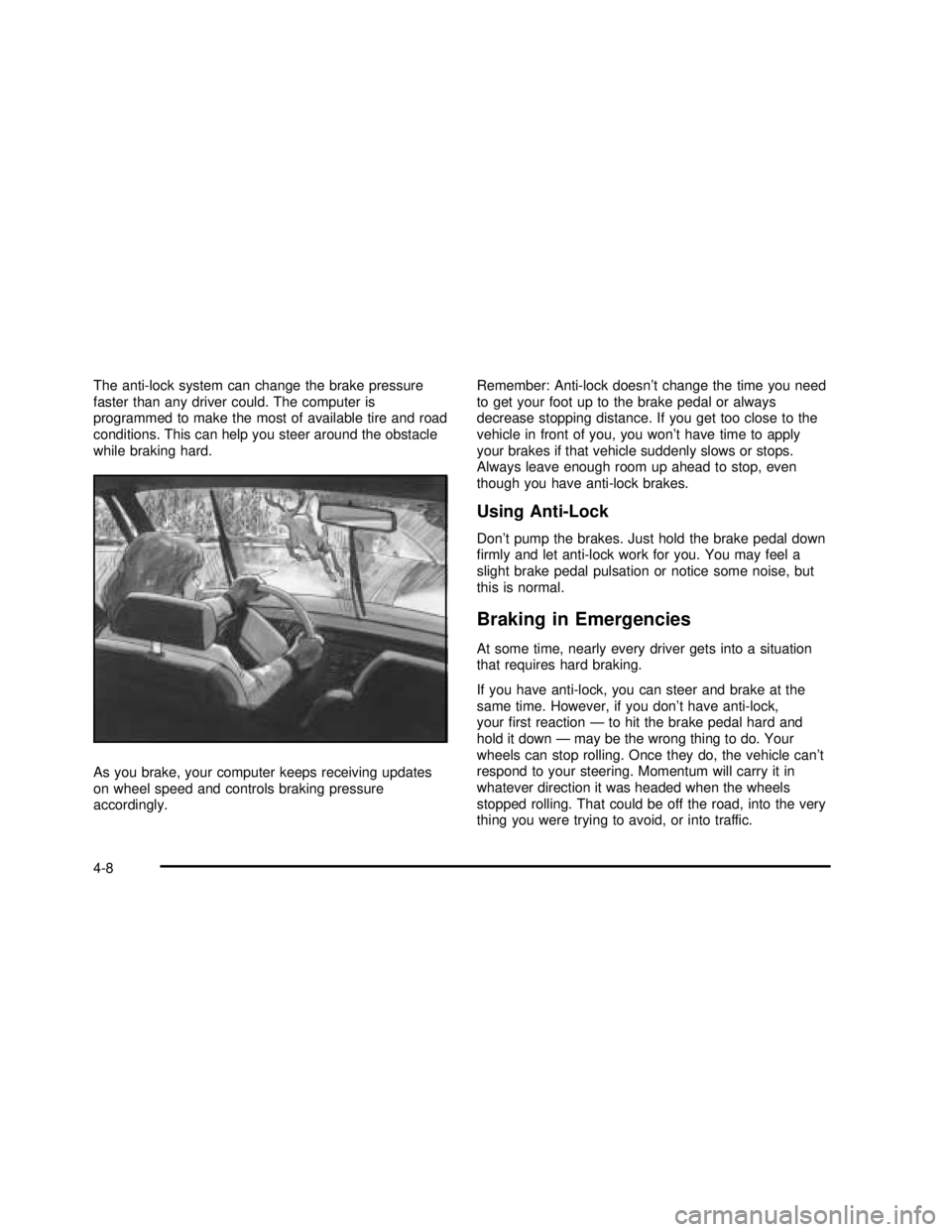
The anti-lock system can change the brake pressure
faster than any driver could. The computer is
programmed to make the most of available tire and road
conditions. This can help you steer around the obstacle
while braking hard.
As you brake, your computer keeps receiving updates
on wheel speed and controls braking pressure
accordingly.Remember: Anti-lock doesn’t change the time you need
to get your foot up to the brake pedal or always
decrease stopping distance. If you get too close to the
vehicle in front of you, you won’t have time to apply
your brakes if that vehicle suddenly slows or stops.
Always leave enough room up ahead to stop, even
though you have anti-lock brakes.
Using Anti-Lock
Don’t pump the brakes. Just hold the brake pedal down
rmly and let anti-lock work for you. You may feel a
slight brake pedal pulsation or notice some noise, but
this is normal.
Braking in Emergencies
At some time, nearly every driver gets into a situation
that requires hard braking.
If you have anti-lock, you can steer and brake at the
same time. However, if you don’t have anti-lock,
yourrst reaction—to hit the brake pedal hard and
hold it down—may be the wrong thing to do. Your
wheels can stop rolling. Once they do, the vehicle can’t
respond to your steering. Momentum will carry it in
whatever direction it was headed when the wheels
stopped rolling. That could be off the road, into the very
thing you were trying to avoid, or into traffic.
4-8
2003 - Regal OM
Page 167 of 344

If you don’t have anti-lock, use a“squeeze”braking
technique. This will give you maximum braking while
maintaining steering control. You can do this by pushing
on the brake pedal with steadily increasing pressure.
In an emergency, you will probably want to squeeze the
brakes hard without locking the wheels. If you hear or
feel the wheels sliding, ease off the brake pedal.
This will help you retain steering control. If youdohave
anti-lock, it’s different. See“Anti-Lock Brakes.”
In many emergencies, steering can help you more than
even the very best braking.
Full-Range Traction Control System
Your vehicle may have a Full Range Traction Control
System that limits wheel spin. This is especially useful in
slippery road conditions. The system operates only if
it senses that one or both of the front wheels are
spinning or beginning to lose traction. When this
happens, the system works the front brakes and reduces
engine power to limit wheel spin.The low traction light will
come on when the traction
control system is limiting
wheel spin. SeeLow
Traction Light on
page 3-33.
You may feel or hear the system working, but this is
normal.
If your vehicle is in cruise control when the traction
control system begins to limit wheel spin, the cruise
control will automatically disengage. When road
conditions allow you to safely use it again, you may
reengage the cruise control. See“Cruise Control”under
Turn Signal/Multifunction Lever on page 3-5.
This light should come on
briey when you start the
engine. If it stays on or
comes on while you
are driving, there’sa
problem with your traction
control system.
SeeTraction Control System (TCS) Warning Light on
page 3-33. When this warning light is on, the system will
not limit wheel spin. Adjust your driving accordingly.
4-9
2003 - Regal OM
Page 168 of 344

The traction control system automatically comes on
whenever you start your vehicle. To limit wheel
spin, especially in slippery road conditions, you should
always leave the system on. But you can turn the
traction control system off if you ever need to. You
should turn the system off if your vehicle ever gets stuck
in sand, mud or snow and rocking the vehicle is
required. See“Rocking Your Vehicle to Get It Out”
underIf You Are Stuck: In Sand, Mud, Ice or Snow on
page 4-30.
To turn the system off,
press the TRACTION
button on the panel located
directly behind your
automatic transaxle shift
lever.
The traction control system warning light will come on
and stay on.
You can turn the system back on at any time by
pressing the button again. The traction control system
warning light should go off.Traction Control System (TCS)
Your vehicle may be equipped with a Traction Control
System that limits wheel spin. This is especially useful in
slippery road conditions. The system operates only if
it senses that one or both of the front wheels are
spinning or beginning to lose traction. When this
happens, the system reduces engine power and may
also upshift the transaxle to limit wheel spin.
This light will come on
when your Traction Control
System is limiting wheel
spin. SeeLow Traction
Light on page 3-33.
You may feel or hear the system working, but this is
normal.
If your vehicle is in cruise control when the traction
control system begins to limit wheel spin, the cruise
control will automatically disengage. When road
conditions allow you to safely use it again, you may
re-engage the cruise control. See“Cruise Control”under
Turn Signal/Multifunction Lever on page 3-5.
4-10
2003 - Regal OM
Page 169 of 344

The Traction Control System operates in all transaxle
shift lever positions. But the system can upshift the
transaxle only as high as the shift lever position you’ve
chosen, so you should use the lower gears only
when necessary. SeeAutomatic Transaxle Operation on
page 2-21.
When the system is on,
this warning light will come
on to let you know if
there’s a problem.
SeeTraction Control System (TCS) Warning Light on
page 3-33. When this warning light is on, the system will
not limit wheel spin. Adjust your driving accordingly.
To limit wheel spin, especially in slippery road
conditions, you should always leave the Traction Control
System on. But you can turn the system off if you
ever need to. You should turn the system off if your
vehicle ever gets stuck in sand, mud or snow and
rocking the vehicle is required. SeeRocking Your
VehicleinIf You Are Stuck: In Sand, Mud, Ice or Snow
on page 4-30.To turn the system on or
off, press the TRACTION
button on the panel
located directly behind
your automatic transaxle
shift lever.
When you turn the system off, the Traction Control
System warning light will come on and stay on. If the
Traction Control System is limiting wheel spin when you
press the button to turn the system off, the warning
light will come on and the system will turn off right away.
You can turn the system back on at any time by
pressing the button again. The Traction Control System
warning light should go off.
4-11
2003 - Regal OM
Page 170 of 344

Steering
Power Steering
If you lose power steering assist because the engine
stops or the system is not functioning, you can steer but
it will take much more effort.
Steering Tips
Driving on Curves
It’s important to take curves at a reasonable speed.
A lot of the“driver lost control”accidents mentioned on
the news happen on curves. Here’s why:
Experienced driver or beginner, each of us is subject to
the same laws of physics when driving on curves. The
traction of the tires against the road surface makes it
possible for the vehicle to change its path when you turn
the front wheels. If there’s no traction, inertia will keep the
vehicle going in the same direction. If you’ve ever tried to
steer a vehicle on wet ice, you’ll understand this.
The traction you can get in a curve depends on the
condition of your tires and the road surface, the angle
at which the curve is banked, and your speed. While
you’re in a curve, speed is the one factor you can
control.
Suppose you’re steering through a sharp curve.
Then you suddenly apply the brakes. Both control
systems—steering and braking—have to do theirwork where the tires meet the road. Unless you have
four-wheel anti-lock brakes, adding the hard braking can
demand too much of those places. You can lose
control.
The same thing can happen if you’re steering through a
sharp curve and you suddenly accelerate. Those two
control systems—steering and acceleration—can
overwhelm those places where the tires meet the road
and make you lose control. SeeFull-Range Traction
Control System on page 4-9orTraction Control System
(TCS) on page 4-10.
What should you do if this ever happens? Ease up on
the brake or accelerator pedal, steer the vehicle the way
you want it to go, and slow down.
Speed limit signs near curves warn that you should
adjust your speed. Of course, the posted speeds
are based on good weather and road conditions. Under
less favorable conditions you’ll want to go slower.
If you need to reduce your speed as you approach a
curve, do it before you enter the curve, while your front
wheels are straight ahead.
Try to adjust your speed so you can“drive”through the
curve. Maintain a reasonable, steady speed. Wait to
accelerate until you are out of the curve, and then
accelerate gently into the straightaway.
4-12
2003 - Regal OM