2003 BUICK CENTURY ignition lock
[x] Cancel search: ignition lockPage 119 of 344

Delayed Headlamps
Delayed headlamp illumination provides a period of
exterior lighting as you leave your vehicle's area. The
feature is activated when your vehicle's headlamps
are on due to the automatic headlamp control feature
described previously in this section, and when your
vehicle's ignition is turned off. Your headlamps will then
remain on until the exterior lamps control is moved
from OFF to the parking lamp position or until a
90 second lighting period has ended.
If you turn off the ignition with the exterior lamps control
in the parking lamp or headlamp position, the delayed
headlamp illumination cycle will not occur.
You can customize the vehicle to activate delayed
headlamp illumination when your vehicle's ignition is
turned off under the conditions described above, or you
may choose not to activate this feature under any
conditions.
You can turn the feature on and off when you perform
the following sequence:
1. Turn the ignition key to RUN.
2. Close all the doors.3. Press and hold the power door lock switch. While
holding the door lock switch, cycle the exterior
lamps control on and then off two times.
4. Release the power door lock switch. These steps
must be carried out in a time period of less than
10 seconds, followed by a delay period of no more
than 10 seconds.
5. Then, press and hold the power door unlock switch.
While holding the door unlock switch, turn the
exterior lamps control on and then off two times.
Release the courtesy door unlock switch. These
operations must be carried out in a time period of
less than 10 seconds.
After releasing the door unlock switch, a single chime
will be heard if the delayed headlamp illumination
function has been disabled; two chimes will be heard if
the feature has been enabled. Disconnecting the
vehicle's battery for up to a year will not change the
programmed operation for this feature.
3-13
Page 120 of 344

Interior Lamps
Instrument Panel Brightness
You can brighten or dim the instrument panel lights by
turning the exterior lamps control.
Turning the control all the way clockwise turns on the
courtesy lamps. If the control is turned all the way
counterclockwise, the lamps and lights will turn off.
Courtesy Lamps
When any door is opened, several courtesy lamps come
on. They make it easy for you to enter and leave your
vehicle. You can also turn these lamps on by turning the
exterior lamps control all the way clockwise to MAX.
Entry Lighting
The courtesy lamps will come on and stay on for a set
time whenever you press UNLOCK on the remote
keyless entry transmitter.
If you open a door, the lamps will stay on while it's open
and then turn off automatically about 25 seconds after
you close it. If you press UNLOCK and don't open
a door, the lamps will turn off after about 40 seconds.Entry lighting includes a feature called theater dimming.
With theater dimming, the lamps don't just turn off at
the end of the delay time. Instead, they slowly dim after
the delay time until they go out. The delay time is
canceled if you turn the ignition key to RUN or START.
When the ignition is on, entry lighing is inactive,
which means the courtesy lamps won't come on unless
a door is opened.
Delayed Entry Lighting
Delayed entry lighting lights your vehicle's interior for a
period of time after all the doors have been closed.
The ignition must be off for delayed entry lighting
to work. Just after all the doors have been closed, the
delayed entry lighting feature will continue to work
until one of the following occurs:
·The ignition is in RUN, or
·the doors are locked, or
·an illumination period of 25 seconds has elapsed.
If during the illumination period a door is opened,
the timed illumination period will be canceled and the
interior lamps will remain on.
3-14
Page 121 of 344

Delayed Exit Lighting
This feature illuminates the interior for a period of time
after the ignition key is removed from the ignition.
The ignition must be off for delayed exit lighting to work.
When the ignition key is removed, interior illumination
will activate and remain on until one of the following
occurs:
·The ignition is in RUN, or
·the power door locks are activated, or
·an illumination period of 25 seconds has elapsed.
If during the illumination period a door is opened,
the timed illumination period will be canceled and the
interior lamps will remain on.
Reading Lamps
The reading lamps are located on the underside of the
rearview mirror.
Press the button next to each lamp to turn it on and off.
Dome Lamp
The dome lamp will come on when you open a door.
Battery Rundown Protection
The vehicle has a feature to help prevent draining the
battery in case the interior courtesy lamps, reading
lamps, visor vanity lamps, trunk lamp, underhood lamp
or glove box lamps are left on when the ignition is in
OFF. If any of these lamps are left on, they will
automatically turn off after 20 minutes. The lamps won't
come back on again until you do one of the following:
·Turn the ignition on,
·turn the exterior lamps control off, then on, or
·open a door.
If your vehicle has less than 15 miles (25 km) on the
odometer, the battery saver will turn off the lamps after
only three minutes.
3-15
Page 126 of 344
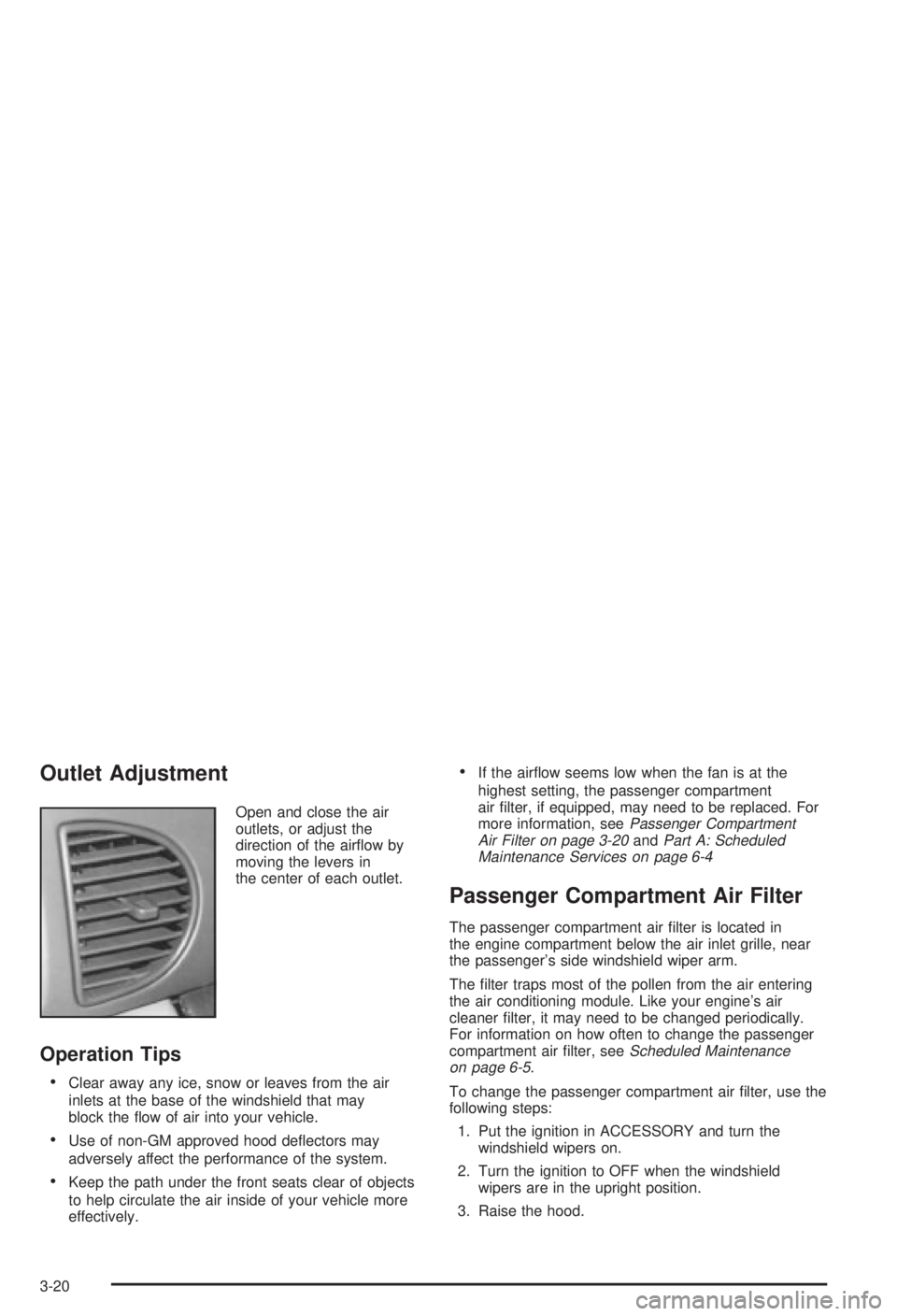
Outlet Adjustment
Open and close the air
outlets, or adjust the
direction of the air¯ow by
moving the levers in
the center of each outlet.
Operation Tips
·Clear away any ice, snow or leaves from the air
inlets at the base of the windshield that may
block the ¯ow of air into your vehicle.
·Use of non-GM approved hood de¯ectors may
adversely affect the performance of the system.
·Keep the path under the front seats clear of objects
to help circulate the air inside of your vehicle more
effectively.
·If the air¯ow seems low when the fan is at the
highest setting, the passenger compartment
air ®lter, if equipped, may need to be replaced. For
more information, see
Passenger Compartment
Air Filter on page 3-20andPart A: Scheduled
Maintenance Services on page 6-4
Passenger Compartment Air Filter
The passenger compartment air ®lter is located in
the engine compartment below the air inlet grille, near
the passenger's side windshield wiper arm.
The ®lter traps most of the pollen from the air entering
the air conditioning module. Like your engine's air
cleaner ®lter, it may need to be changed periodically.
For information on how often to change the passenger
compartment air ®lter, see
Scheduled Maintenance
on page 6-5.
To change the passenger compartment air ®lter, use the
following steps:
1. Put the ignition in ACCESSORY and turn the
windshield wipers on.
2. Turn the ignition to OFF when the windshield
wipers are in the upright position.
3. Raise the hood.
3-20
Page 134 of 344

Anti-Lock Brake System Warning
Light
If your vehicle has anti-lock brakes, this warning light
will come on for a few seconds when you turn the
ignition key to RUN. If the anti-lock brake system
warning light stays on longer than normal after you've
started your engine, turn the ignition off. Or, if the
light comes on and stays on when you're driving, stop
as soon as possible and turn the ignition off. Then
start the engine again to reset the system. If the light
still stays on, or comes on again while you're driving, the
anti-lock brake system needs service. If the light is on
and the regular brake system warning light isn't on, you
still have brakes, but you don't have anti-lock brakes.
The anti-lock brake system warning light will come
on brie¯y when you turn the ignition key to RUN. This is
normal. If the light doesn't come on then, have it
®xed so it will be ready to warn you if there is a problem.
Enhanced Traction System Warning
Light
If your vehicle has the
Enhanced Traction
System, the warning light
may come on for the
following reasons:
·If you turn the system off by shifting to SECOND (2)
or FIRST (1), the warning light will come on and
stay on. To turn the system back on, shift to
THIRD (3) or AUTOMATIC OVERDRIVE (
X). See
Enhanced Traction System (ETS) on page 4-10.
·If the Enhanced Traction System warning light
comes on and stays on for an extended period
of time when the system is turned on, your vehicle
needs service. Adjust your driving accordingly.
·The warning light will come on when you set your
parking brake with the engine running, and it will
stay on if your parking brake doesn't release fully. United States
Canada
3-28
Page 146 of 344

AM-FM Radio
Playing the Radio
ON/OFF:Press this knob to turn the system on and off.
VOLUME:Turn the knob to increase or to decrease
volume.RECALL:Push this knob to display the station being
played or to display the clock. To change what is
normally shown on the display (station or time), push
the knob until you see the display you want, then
hold the knob until the display ¯ashes. Push this knob
while the ignition if off to display the clock.
Finding a Station
AM FM:Press this button to switch between AM, FM1
and FM2. The display will show your selection.
TUNE:Turn this knob to choose radio stations.
qSEEKr:Press the right or the left arrow to go to
the next or to the previous station and stay there.
To scan stations, press one of the SEEK arrows for two
seconds, and SCAN will appear on the display. The
radio will go to a station, play for a few seconds, then go
on to the next station. Press one of the SEEK arrows
again to stop scanning.
The radio will seek only to stations that are in the
selected band and only to those with a strong signal.
3-40
Page 154 of 344

Theft-Deterrent Feature
THEFTLOCKžis designed to discourage theft of your
radio. It works by using a secret code to disable all radio
functions whenever battery power is interrupted.
If THEFTLOCK
žis active, the THEFTLOCKžindicator
will ¯ash when the ignition is off.
The THEFTLOCK
žfeature for the radio may be used or
ignored. If ignored, the system plays normally and the
radio is not protected by the feature. If THEFTLOCK
žis
activated, your radio will not operate if stolen.
When THEFTLOCK
žis activated, the radio will display
LOC to indicate a locked condition anytime battery
power is removed. If your battery loses power for any
reason, you must unlock the radio with the secret
code before it will operate.
Activating the Theft-Deterrent Feature
The instructions which follow explain how to enter your
secret code to activate the THEFTLOCKžsystem. Read
through all nine steps before starting the procedure.
If you allow more than 15 seconds to elapse between
any steps, the radio automatically reverts to time
and you must start the procedure over at Step 4.1. Write down any three or four-digit number from 000
to 1999 and keep it in a safe place separate from
the vehicle.
2. Turn the ignition on.
3. Turn the radio off.
4. Press the 1 and 4 pushbuttons at the same time.
Hold them down until --- shows on the display.
Next you will use the secret code number which you
have written down.
5. Press MIN and 000 will appear on the display.
6. Press MIN again to make the last two digits agree
with your code.
7. Press HRS to make the ®rst one or two digits agree
with your code.
8. Press AM-FM after you have con®rmed that the
code matches the secret code you have written
down. The display will show REP to let you know
that you need to repeat Steps 5 through 7 to con®rm
your secret code.
9. Press AM-FM and this time the display will show
SEC to let you know that your radio is secure.
3-48
Page 155 of 344

Unlocking the Theft-Deterrent Feature
After a Power Loss
Enter your secret code as follows; pause no more than
15 seconds between steps:
1. Turn the ignition on. LOC will appear on the
display.
2. Press MIN and 000 will appear on the display.
3. Press MIN again to make the last two digits agree
with your code.
4. Press HRS to make the ®rst one or two digits agree
with your code.
5. Press AM-FM after you have con®rmed that the
code matches the secret code you have written
down. The display will show SEC, indicating
the radio is now operable and secure.
If you enter the wrong code eight times, INOP will
appear on the display. You will have to wait an hour
with the ignition on before you can try again. When you
try again, you will only have three more chances
(eight tries per chance) to enter the correct code before
INOP appears.
If you lose or forget your code, contact your dealership.
Disabling the Theft-Deterrent Feature
Enter your secret code as follows; pause no more than
15 seconds between steps:
1. Turn the ignition on.
2. Turn the radio off.
3. Press the 1 and 4 pushbuttons at the same time.
Hold them down until SEC shows on the display.
4. Press MIN and 000 will appear on the display.
5. Press MIN again to make the last two digits agree
with your code.
6. Press HRS to make the ®rst one or two digits agree
with your code.
7. Press AM-FM after you have con®rmed that the
code matches the secret code you have written
down. The display will show ---, indicating that the
radio is no longer secured.
If the code entered is incorrect, SEC will appear on the
display. The radio will remain secured until the correct
code is entered.
When battery power is removed and later applied to a
secured radio, the radio won't turn on and LOC will
appear on the display.
To unlock a secured radio see ªUnlocking the
Theft-Deterrent Feature After a Power Lossº earlier in
this section.
3-49