Page 41 of 158

41
Opening and closingWith the ignition key in position 1 or
higher
>Slide the switch until you feel resis-
tance: the sunroof opens or closes as
long as you hold the switch
>Slide the switch past the pressure
point: the sunroof moves automati-
cally.
Tapping the switch again stops the
motion immediately.
The headliner retracts with the sunroof
while it is opening.
After the ignition has been switched off,
you can still operate the sunroof for up
to 15 minutes, as long as no one opens
any of the doors.
For convenience closing via the door
lock or the remote control, refer to
pages 32 and 33.Raising the sunroofWith the ignition key in position 1 or
higher: tap the switch.
Tapping the switch again stops the
motion immediately.
If you briefly press the switch in the
raise direction while the sunroof is
open, the sunroof will rise to its upper-
most position.
After the ignition has been switched off,
you can still operate the sunroof for up
to 15 minutes, as long as no one opens
any of the doors.
The headliner insert slides back some-
what when you raise the roof.
Do not use force to close the
headliner insert while the sunroof
is in its raised position, as damage to
the mechanism could result.
resistance
>when it is closing from the raised
position
>when it is closing from a point
roughly past the middle of its travel,
the closing cycle is interrupted and the
sliding/tilt sunroof will open again
slightly.
Despite this safety feature, be
extremely careful to ensure that
the closing path of the sunroof is not
obstructed. Remember that the safety
mechanism may not be able to detect
obstructions – very thin objects, for
instance, under all circumstances.
You can override this safety feature by
pressing the switch beyond the pres-
sure point and holding it.<
Sliding/tilt sunroof*
OverviewControlsMaintenanceRepairsDataIndex
handbook.book Page 41 Saturday, July 27, 2002 1:12 PM
Page 44 of 158
44
SeatsWhen adjusting your seat, always
observe the following precautions
Never try to adjust your seat while
operating the vehicle. The seat
could respond with an unexpected
movement, and the ensuing loss of
vehicle control could lead to an acci-
dent. Never ride with the backrest
reclined to an extreme angle. This is
especially important for the front pas-
senger to remember. If you do so, there
is a risk that you will slide under the
safety belt in an accident, thus reducing
the protection provided by the safety
belt.<
Seat adjustment>Manual seat adjustment, refer to
page 44
>Power seat adjustment, refer to
page 45
>Head restraint, refer to page 46.
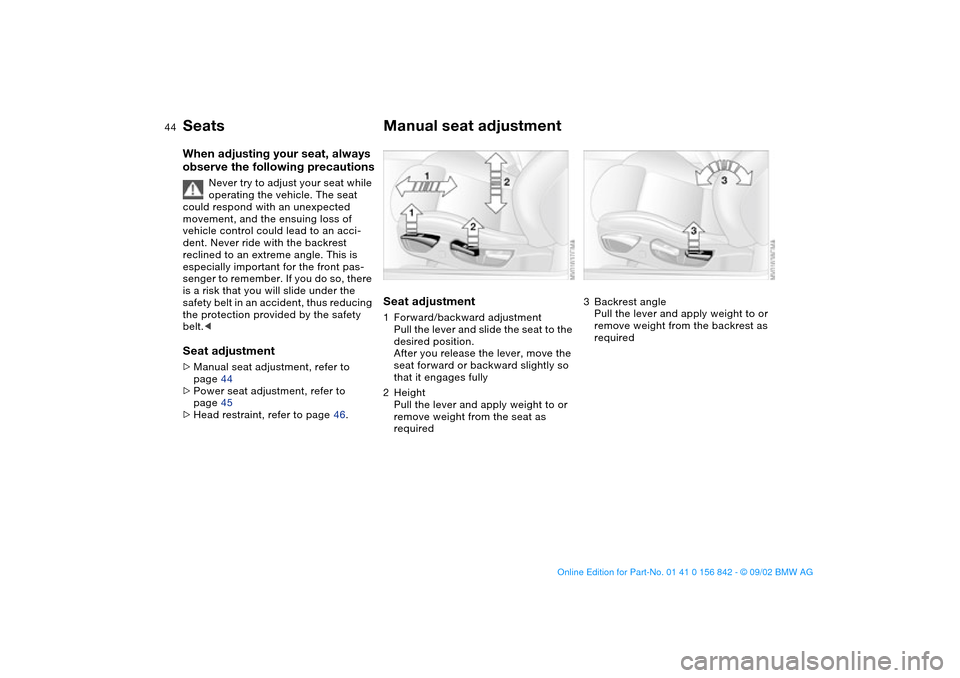
Manual seat adjustmentSeat adjustment1Forward/backward adjustment
Pull the lever and slide the seat to the
desired position.
After you release the lever, move the
seat forward or backward slightly so
that it engages fully
2Height
Pull the lever and apply weight to or
remove weight from the seat as
required
3Backrest angle
Pull the lever and apply weight to or
remove weight from the backrest as
required
handbook.book Page 44 Saturday, July 27, 2002 1:12 PM
Page 49 of 158

49
Seat and mirror memory*You can store and recall three different
driver's seat and outside mirror posi-
tions.
Memory will not retain the adjust-
ments made to the lumbar sup-
ports or the width of the backrests.
2. Adjust your seat and outside mirrors
to the desired position
3. Press the MEMORY button: the indi-
cator lamp in the button lights up
4. Press memory button 1, 2 or 3, as
desired. The indicator lamp goes out.
To select a stored setting
Do not select a memory position
while the vehicle is moving. If you
do so, there is a risk of accident from
unexpected seat movement.<
Driver's door open after unlocking or
ignition key in position 1:
>Briefly press memory button 1, 2 or 3,
as desired.
Movement stops immediately when
one of the seat-adjustment or mem-
ory buttons is activated during the
adjustment process.
With the driver's door closed and the
ignition key either removed or in posi-
tion 0 or 2:
>Press and hold the desired memory
button – 1, 2 or 3 – until the adjust-
ment process is completed.
If you press the MEMORY button
accidentally: press the button
again; the indicator lamp goes out.<
You can have this feature pro-
grammed so that when you use
the remote control from your personal-
ized key to unlock your door, your seat
and the exterior mirrors will move into
your own preferred positions.<
Before activating the programmed
adjustment feature, ensure that
the footwell behind the driver's seat is
empty and unobstructed. If you fail to
do so, any persons, animals or objects
behind the seat could be injured or
damaged if the seat should move back-
ward.<
OverviewControlsMaintenanceRepairsDataIndex
handbook.book Page 49 Saturday, July 27, 2002 1:12 PM
Page 50 of 158
50
Passenger-side exterior mirror tilt
functionAutomatic curb monitor*
1. Move mirror selector switch 1 to the
driver's mirror position
2. When shifting into Reverse or placing
the selector lever in position R, the
passenger-side mirror tilts down-
ward. This allows the driver to see
the area directly adjacent to the vehi-
cle during parking – curbs, etc.
How far the passenger mirror tilts
can be set individually for each
ignition key.<
You can deactivate this automatic fea-
ture by setting the mirror selection
switch to the passenger side position.
Seat heating*The seat cushion and backrest can be
heated with the ignition key in
position 2.
You can call up different heating modes
by repeatedly pressing the buttons.
You can also switch the higher heating
modes off directly:
Press the button and hold it slightly
longer.
Seat and mirror memory*
handbook.book Page 50 Saturday, July 27, 2002 1:12 PM
Page 52 of 158
52
Interior rearview mirror with
automatic dimming featureThis mirror automatically dims through
an infinitely variable range and switches
automatically to its clear, undimmed
mode whenever you engage reverse
gear.
There are two photocells for automatic
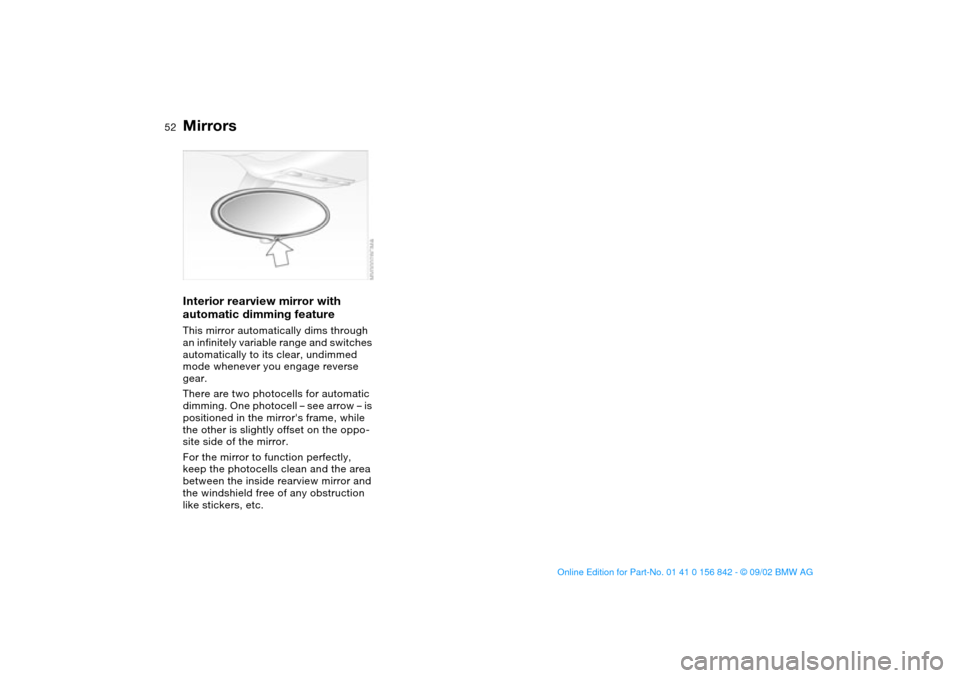
dimming. One photocell – see arrow – is
positioned in the mirror's frame, while
the other is slightly offset on the oppo-
site side of the mirror.
For the mirror to function perfectly,
keep the photocells clean and the area
between the inside rearview mirror and
the windshield free of any obstruction
like stickers, etc.Mirrors
handbook.book Page 52 Saturday, July 27, 2002 1:12 PM
Page 54 of 158
54
properly positioned at all times and not
place their heads on or near the side
airbag. Therefore, we recommend that
the rear seat side airbags, if provided,
be deactivated if you plan to transport
children in the rear seat.
The rear seat side airbags may already
have been deactivated, either at the
time of manufacture or by a BMW cen-
ter. Labels in the door opening should
indicate the status of your rear-seat
side airbags. If you are uncertain of
their status, or wish to have the airbags
activated or deactivated, please con-
tact your BMW center.<
Even when all these guidelines are
observed, there is still a small residual
risk of injuries to the face, hands and
arms occurring from airbag deployment
in isolated instances.
The ignition and inflation noise may
provoke a mild temporary hearing loss
in extremely sensitive individuals.
Airbag warning information is also pro-
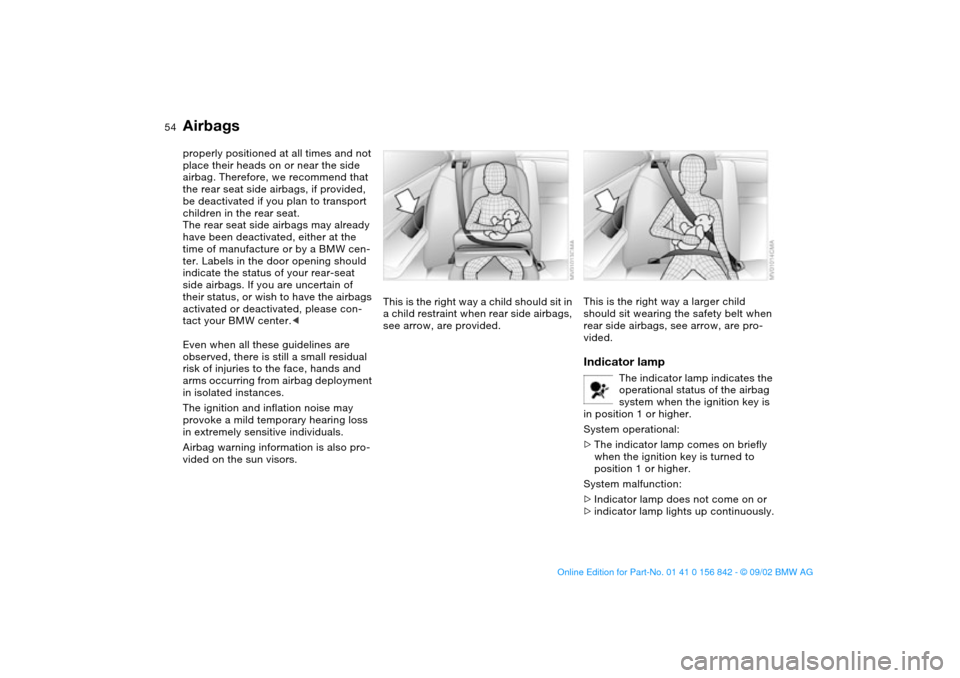
vided on the sun visors.This is the right way a child should sit in
a child restraint when rear side airbags,
see arrow, are provided.
This is the right way a larger child
should sit wearing the safety belt when
rear side airbags, see arrow, are pro-
vided.Indicator lamp
The indicator lamp indicates the
operational status of the airbag
system when the ignition key is
in position 1 or higher.
System operational:
>The indicator lamp comes on briefly
when the ignition key is turned to
position 1 or higher.
System malfunction:
>Indicator lamp does not come on or
>indicator lamp lights up continuously.
Airbags
handbook.book Page 54 Saturday, July 27, 2002 1:12 PM
Page 60 of 158
60Driving
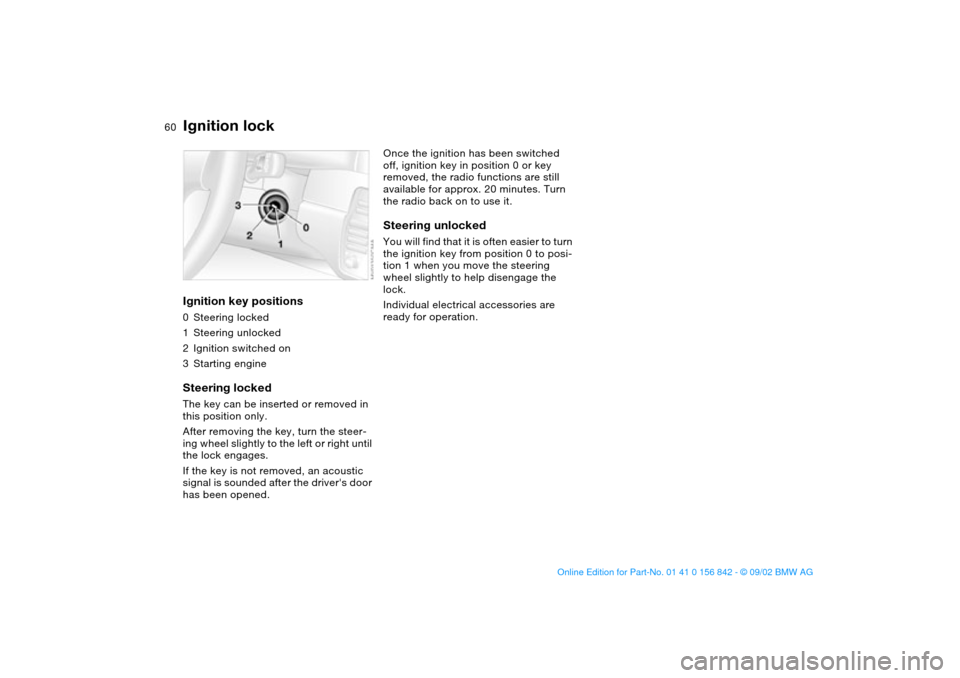
Ignition lockIgnition key positions0Steering locked
1Steering unlocked
2Ignition switched on
3Starting engineSteering lockedThe key can be inserted or removed in
this position only.
After removing the key, turn the steer-
ing wheel slightly to the left or right until
the lock engages.
If the key is not removed, an acoustic
signal is sounded after the driver's door
has been opened.
Once the ignition has been switched
off, ignition key in position 0 or key
removed, the radio functions are still
available for approx. 20 minutes. Turn
the radio back on to use it.Steering unlockedYou will find that it is often easier to turn
the ignition key from position 0 to posi-
tion 1 when you move the steering
wheel slightly to help disengage the
lock.
Individual electrical accessories are
ready for operation.
handbook.book Page 60 Saturday, July 27, 2002 1:12 PM
Page 63 of 158

63
Switching off the engine
You should never remove the igni-
tion key when the vehicle is in
motion, as the steering lock could
engage.
When you leave the vehicle, always
remove the ignition key and engage the
steering lock.<
Always engage the parking brake
when parking on downhill roads.
Engaging a gear may not sufficiently
secure the vehicle against rolling.<
Manual transmissionTurn the ignition key to position 1 or 0.Sequential M gearbox SMG IIIf you turn the ignition key to position 1
or 0 with the selector lever in the for-
ward or reverse position, a gear auto-
matically remains engaged.
If you turn the ignition key to position 1
or 0 with the selector lever in position 0,
a warning tone and the flashing gear
indicator in the SMG display remind you
that the vehicle is not secured against
rolling.
The warning stops after approx.
10 seconds. If you move the selector
lever into a forward or reverse position
during this time, a gear is automatically
engaged.
Parking brakeThe parking brake is designed primarily
to prevent the vehicle from rolling when
it is parked. It operates against the rear
wheels.To engageThe detent engages automatically, and
the indicator lamp in the instrument
cluster comes on when the ignition key
is in position 2, refer to page 18.To releasePull up slightly on the lever, press the
button – see arrow – and lower the
lever.
OverviewControlsMaintenanceRepairsDataIndex
handbook.book Page 63 Saturday, July 27, 2002 1:12 PM