Page 116 of 258

103
Hybrid transaxle
Your hybrid transaxle has a shift lock sys-
tem to minimize the possibility of incorrect
operation. This means you can only shift
out of “P” position when the brake pedal
is depressed (with the ignition switch in
“ON” position and the lock release button
depressed).
(a) Selector lever
The shift position is also displayed on the
instrument cluster.
P:Parking, hybrid system starting and
key removal position
R: Reverse position
N: Neutral position
D: Normal driving position
B: Engine braking position
When the cruise control is being used
even if you shift the selector lever to “B”
position, engine braking will not be applied
because the cruise control is not can-
celled. For ways to decrease the vehicle
speed, see “Cruise control” on page 107.
25p002fWith the brake pedal de-
pressed, shift while holding
the lock release button in.
(The ignition switch must be
in the “ON” position.)
Shift while holding the lock
release button in.
Shift normally.
Lock release button
To prevent misshifting
Selector lever
Page 118 of 258

105
If the driver ’s door is opened when the
the “READY” light is on and the the selec-
tor lever is at a position other than “P”
with the parking brake applied, you will
hear beeps to warn you to shift the selec-
tor lever to the “P” position.
CAUTION
While the vehicle is moving, never
attempt to move the running mode
selector lever into “P” position under
any circumstances. Serious mechani-
cal damage and loss of vehicle con-
trol may result.
NOTICE
Be sure to put the selector lever in
“P” position when parking. With the
selector lever in “N” position, the hy-
brid vehicle battery will not be
charged even the gasoline engine op-
erates. You cannot start your vehicle
if the selector lever is left in “N”
position for a long time because the
hybrid vehicle battery will discharge.
(f) Vehicle driving characteristics
Creeping
In order to hold the vehicle properly on an
incline and for better accelerator pedal
operation at starting, vehicle is designed
like an ordinary automatic transmission
vehicle which tends to move without de-
pressing the accelerator pedal with the
selector lever in a position other than “P”
or “N”.
With the selector lever in a position other
than “P” or “N”, depress the brake pedal
firmly even when stopped and apply the
parking brake as required.
When moving in a restricted area or dur-
ing traffic jam, it is an effective way to
control the speed using only the brake
pedal operation without depressing the ac-
celerator pedal.
Regenerative brake
When the accelerator pedal is released or
the brake pedal is depressed, the electric
motor acts as a generator and converts
kinetic energy to electric energy to provide
deceleration and recover the electric ener-
gy to charge the hybrid vehicle battery.
At this time, the electric motor running
noise becomes larger.The operation is the same as an ordinary
gasoline powered vehicle.
You may experience the following condi-
tions while braking. As they do not indi-
cate the malfunction, perform braking as
usual:
�When you turn the ignition switch to
“ON” with the brake pedal depressed,
you may feel a little push from the
brake pedal.
�When you turn the ignition switch to
“ACC” or “LOCK” from “ON”, the brake
pedal may move a little.
Page 119 of 258

106
Hybrid driving
This vehicle runs in combination with the
gasoline engine and electric motor.
If the “READY” light is on, you can start
your vehicle even with the gasoline engine
stopped.
When the hybrid vehicle battery tempera-
ture is low or high, or the hybrid vehicle
battery capacity is decreased with the run-
ning mode selector lever at “R” during
driving, the output control warning light is
on and the output power may be limited.
If the output control warning light is on,
drive your vehicle without hard accelera-
tion. The output power will be limited par-
ticularly when backing up.
(g) If you cannot shift lever out of “P”position
If you cannot shift the selector lever from
the “P” position even though the brake
pedal is depressed, use the shift lock
override button. For instructions, see “If
you cannot shift running mode selector
lever” on page 182 in Section 5.
25p008
Vehicles sold in U.S.A.
25p009
Vehicles sold in Canada
When parking, firmly apply the parking
brake to avoid inadvertent creeping.
To set: Fully depress the parking brake
pedal. For better holding power, first de-
press the brake pedal and hold it while
setting the parking brake.
To release: Depress the parking brake
pedal while depressing the brake pedal.
To remind you that the parking brake is
set, the parking brake reminder light in
the instrument panel remains on until you
release the parking brake.
CAUTION
�Driving with the parking brake en-
gaged can reduce braking power.
�Before driving, be sure the parking
brake is fully released and the park-
ing brake reminder light is off.
Parking brake
Page 132 of 258
11 9
This section describes some of the basic
features on Toyota audio systems. Some
information may not pertain to your sys-
tem.
Your audio system works when the ignition
key is in the “ACC” or “ON” position.
TURNING THE SYSTEM ON AND OFF
Push “PWR” to turn the audio system on
and off.
Push “AUDIO” to display switches for au-
dio system.
Push “AM”, “FM” or “TAPE” to turn on that
function without pushing “PWR”.
You can turn on each player by inserting
a cassette tape.
You can turn off each player by ejecting
the cassette tape. If the audio system was
previously off, then the entire audio sys-
tem will be turned off when you eject the
cassette tape. If another function was pre-
viously playing, it will come on again.
SWITCHING BETWEEN FUNCTIONS
Push “AM”, “FM” or “TAPE” if the system
is already on but you want to switch from
one function to another.VOLUME CONTROL
To adjust the volume, turn the “VOL”.
YOUR RADIO ANTENNA
To remove an antenna on the roof, care-
fully turn it counterclockwise.
NOTICE
To prevent damage to the antenna,
make sure to remove it before driving
your Toyota through an automatic car
wash.
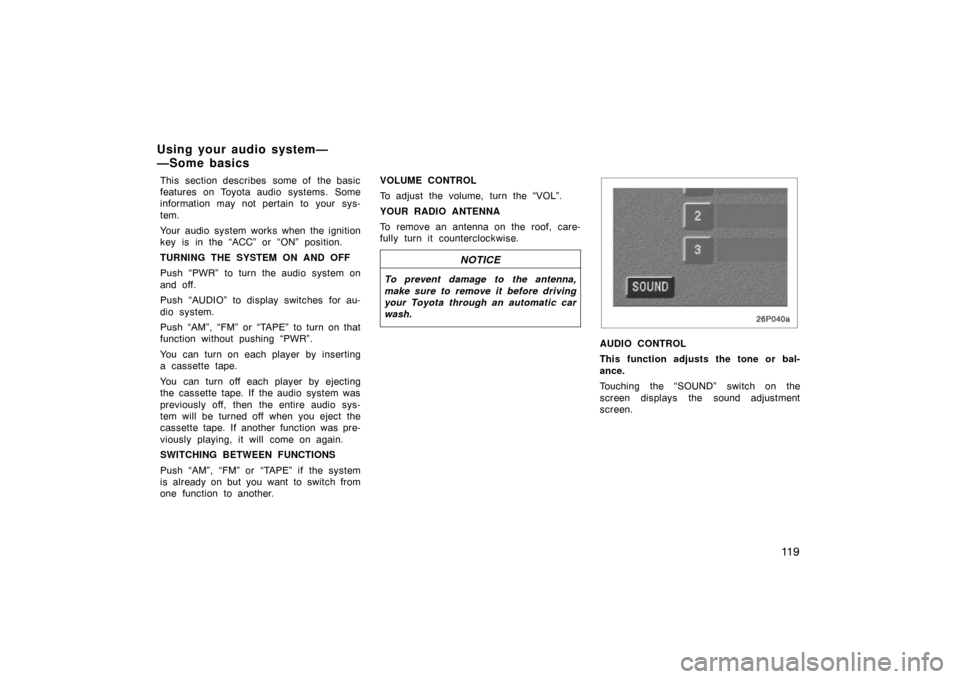
26p040a
AUDIO CONTROL
This function adjusts the tone or bal-
ance.
Touching the “SOUND” switch on the
screen displays the sound adjustment
screen.
Using your audio system—
—Some basics
Page 142 of 258

129
NOTICE
To ensure correct audio system op-
erations:
�Be careful not to spill beverages
over the audio system.
� Do not put anything other than a
cassette tape into the cassette tape
slot.
� The use of a cellular phone inside
or near the vehicle may cause a
noise from the speakers of the au-
dio system which you are listening
to. However, this does not indicate
a malfunction.
RADIO RECEPTION
FM broadcasts have a range of about 40
km or 25 miles. When driving away from
a station, you may have to fine −tune your
radio and turn up the volume as the sta-
tion gets weaker. Because FM uses a
line −of −sight signal, tall buildings or hills
may sometimes block reception. These
are all normal characteristics of FM recep-
tion and do not indicate any problem with
the radio itself. CARING FOR YOUR CASSETTE PLAYER
AND TAPES
For the best performance for your cas-
sette player and tapes:
Clean the tape head and other parts regu-
larly.
�A dirty tape head or tape path can
decrease sound quality and tangle your
cassette tapes. The easiest way to
clean them is by using a cleaning tape.
(A wet type is recommended.)
Use high −quality cassettes:
�Low −quality cassette tapes can cause
many problems, including poor sound,
inconsistent playing speed, and
constant auto −reversing. They can also
get stuck or tangled in the cassette
player.
�Do not use a cassette if it has been
damaged or tangled or if its label is
peeling off.
�Do not leave a cassette in the player
if you are not listening to it, especially
if it is hot outside.
�Store cassettes in their cases and out
of direct sunlight.
�Avoid using cassettes with a total play-
ing time longer than 100 minutes (50
minutes per side). The tape used in
these cassettes is thin and could get
stuck or tangled in the cassette player.
Car audio system operating
hints
Page 149 of 258
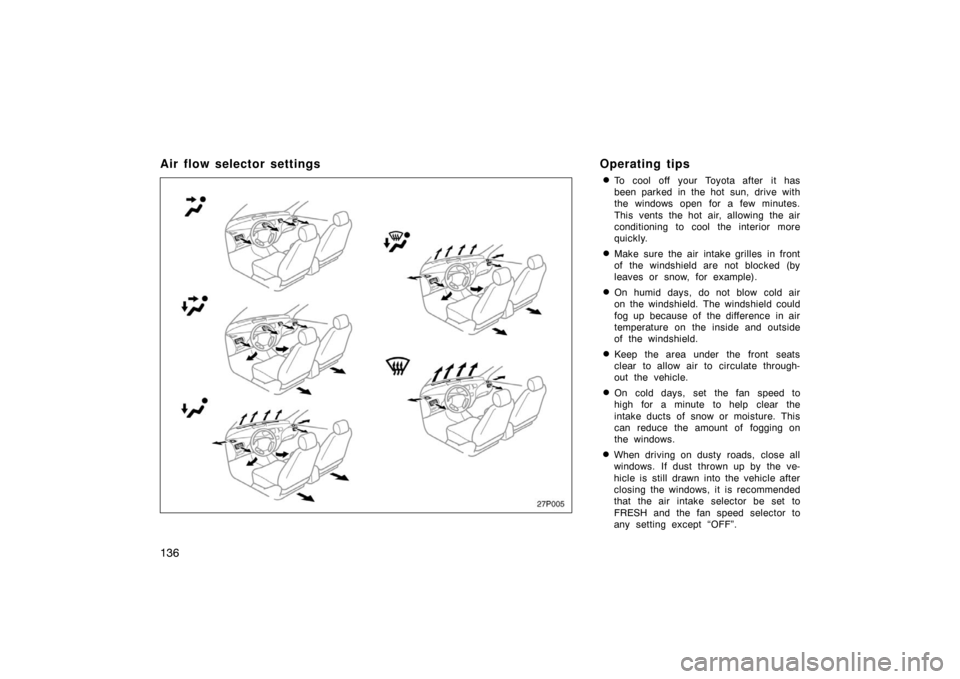
136
Air flow selector settingsOperating tips
�To cool off your Toyota after it has
been parked in the hot sun, drive with
the windows open for a few minutes.
This vents the hot air, allowing the air
conditioning to cool the interior more
quickly.
�Make sure the air intake grilles in front
of the windshield are not blocked (by
leaves or snow, for example).
�On humid days, do not blow cold air
on the windshield. The windshield could
fog up because of the difference in air
temperature on the inside and outside
of the windshield.
�Keep the area under the front seats
clear to allow air to circulate through-
out the vehicle.
�On cold days, set the fan speed to
high for a minute to help clear the
intake ducts of snow or moisture. This
can reduce the amount of fogging on
the windows.
�When driving on dusty roads, close all
windows. If dust thrown up by the ve-
hicle is still drawn into the vehicle after
closing the windows, it is recommended
that the air intake selector be set to
FRESH and the fan speed selector to
any setting except “OFF”.
27p005
Page 152 of 258
139
OPERATION OF INSTRUMENTS AND
CONTROLS
Other equipment
Clock140
. . . . . . . . . . . . . . . . . . . . . . . . . . . . . . . . . . . . .\
. . . . . . . . . . . . . . . . .
Power outlett 140
. . . . . . . . . . . . . . . . . . . . . . . . . . . . . . . . . . . . \
. . . . . . . . . .
Rear console box 141
. . . . . . . . . . . . . . . . . . . . . . . . . . . . . . . . . . . . \
. . . . . . .
Glove box 141
. . . . . . . . . . . . . . . . . . . . . . . . . . . . . . . . . . . . \
. . . . . . . . . . . . . .
Auxiliary boxes 141
. . . . . . . . . . . . . . . . . . . . . . . . . . . . . . . . . . . . \
. . . . . . . . .
Cup holders 142
. . . . . . . . . . . . . . . . . . . . . . . . . . . . . . . . . . . . \
. . . . . . . . . . . .
Floor mat 143
. . . . . . . . . . . . . . . . . . . . . . . . . . . . . . . . . . . . \
. . . . . . . . . . . . . .
SECTION 2– 9
Page 153 of 258
140
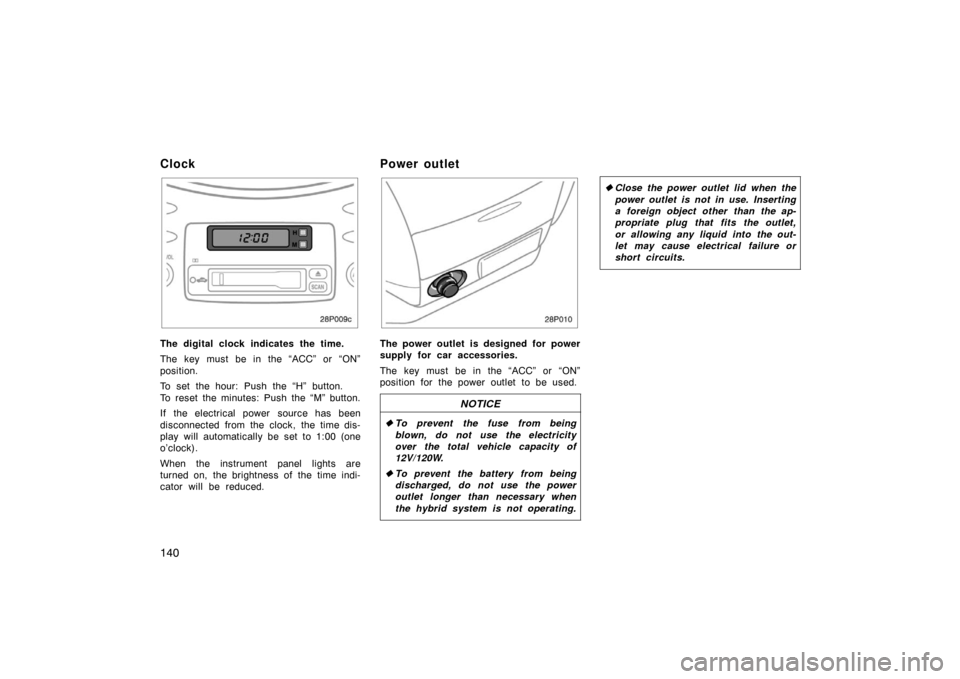
Clock
28p009c
The digital clock indicates the time.
The key must be in the “ACC” or “ON”
position.
To set the hour: Push the “H” button.
To reset the minutes: Push the “M” button.
If the electrical power source has been
disconnected from the clock, the time dis-
play will automatically be set to 1:00 (one
o’clock).
When the instrument panel lights are
turned on, the brightness of the time indi-
cator will be reduced.
Power outlet
28p010
The power outlet is designed for power
supply for car accessories.
The key must be in the “ACC” or “ON”
position for the power outlet to be used.
NOTICE
�To prevent the fuse from being
blown, do not use the electricity
over the total vehicle capacity of
12V/120W.
� To prevent the battery from being
discharged, do not use the power
outlet longer than necessary when
the hybrid system is not operating.
�Close the power outlet lid when the
power outlet is not in use. Inserting
a foreign object other than the ap-
propriate plug that fits the outlet,
or allowing any liquid into the out-
let may cause electrical failure or
short circuits.
