2002 NISSAN ALTIMA lights
[x] Cancel search: lightsPage 93 of 249

Unlocking doors
1. Push the UNLOCK button on the keyfob
once.
cOnly the driver's door unlocks
cThe hazard indicator flashes once if all
doors are completely closed with the
ignition key in any position except the ON
position.
cThe interior light turns on and the light
timer activates for 30 seconds when the
switch is in the centerjposition with the
ignition key in any position except the ON
position.2. Push the UNLOCK button on the keyfob
again within 5 seconds.
cAll doors unlock
cThe hazard indicator flashes once if all
doors are completely closed.
If the following operation is not carried
out within 1 minute after pressing the
ªUNLOCKº button, all doors will be
locked automatically.
cWhen any door is not opened.
cWhen the ignition key is not set in the
ON position.
The interior light can be turned off without
waiting for 30 seconds by turning the igni-
tion switch to the ON position or by locking
the doors with the keyfob.
Releasing the trunk lid
1. Push the trunk button on the keyfob for
longer than 0.5 second. The trunk re-
lease button on the keyfob will not oper-
ate when the ignition switch is in the ON
position.
2. The trunk lid opens.The trunk lid will not open with the trunk
lid release cancel switch turned to OFF.
See ªTrunk lidº later in this section for
cancel switch. It can be opened only with
the key.
Using the panic alarm
If you are near your vehicle and feel threat-
ened, you may activate the alarm to call
attention as follows:
1. Push and hold the PANIC button on the
keyfob forlonger than 0.5 seconds.
2. The theft warning alarm and headlights
will stay on for 25 seconds.
3. The panic alarm stops when:
cit has run for 25 seconds, or
cany button is pressed on the keyfob.
LPD0071
3-6Pre-driving checks and adjustments
ZX
Page 94 of 249

Silencing the horn beep feature
If desired, the horn beep feature can be
deactivated using the keyfob. The instruc-
tions are on the back of the keyfob.
To deactivate:Press and hold the
and
buttonsfor at least two seconds.
The hazard lights will flash three times to
confirm that the horn beep feature has been
deactivated.
To activate:Press and hold the
and
buttonsfor at least two seconds
once more.The hazard lights will flash once and the
horn will sound once to confirm that the horn
beep feature has been reactivated.
Deactivating the horn feature does not si-
lence the horn if the alarm is triggered.
Using the interior light
The interior light can be turned off without
waiting 30 seconds by inserting the key into
the ignition or locking the doors with the
multi-remote controller or pushing the inte-
rior light button to OFF.
Opening windows (if so equipped)
The keyfob allows you to open the front
windows simultaneously.
cTo open the front windows, press the
UNLOCK button on the keyfob forlonger
than 3 secondsafter the door is un-
locked.
The door windows will open while pressing
the UNLOCK button on the keyfob. This
function will operate for 45 seconds after the
ignition switch is turned off unless either
front door is opened.
This opening windows function of the key-
fob can be suspended using a CONSULT-IIdiagnostic tool. Please contact an autho-
rized NISSAN dealer.
The door windows cannot be closed by
using the keyfob.
LIC0168
Pre-driving checks and adjustments3-7
ZX
Page 95 of 249

BATTERY REPLACEMENT
Replace the battery in the keyfob as follows:
1. Open the lid using a coin.
2. Replace the battery with a new one.Recommended battery: Sanyo CR2025
or equivalent.
3. Close the lid securely.
4. Press the
button, then thebut-
ton two or three times to check thekeyfob operation.
Each time the
button is pressed, the
hazard lights flash once.
If the battery is removed for any reason
other than replacement, perform step 4.
cAn improperly disposed battery can
hurt the environment. Always confirm
local regulations for battery disposal.
cThe keyfob is water-resistant; how-
ever, if it does get wet, immediately
wipe completely dry.
cThe operational range of the keyfob
extends to approximately 33 ft (10 m)
from the vehicle. This range may vary
with conditions.
FCC Notice:
Changes or modifications not expressly
approved by the manufacturer for com-
pliance could void the user's authority to
operate the equipment.
This device complies with part 15 of the
FCC Rules and RSS-210 of Industry
Canada.
Operation is subject to the following two
conditions: (1) This device may not
LPD0081
3-8Pre-driving checks and adjustments
ZX
Page 102 of 249
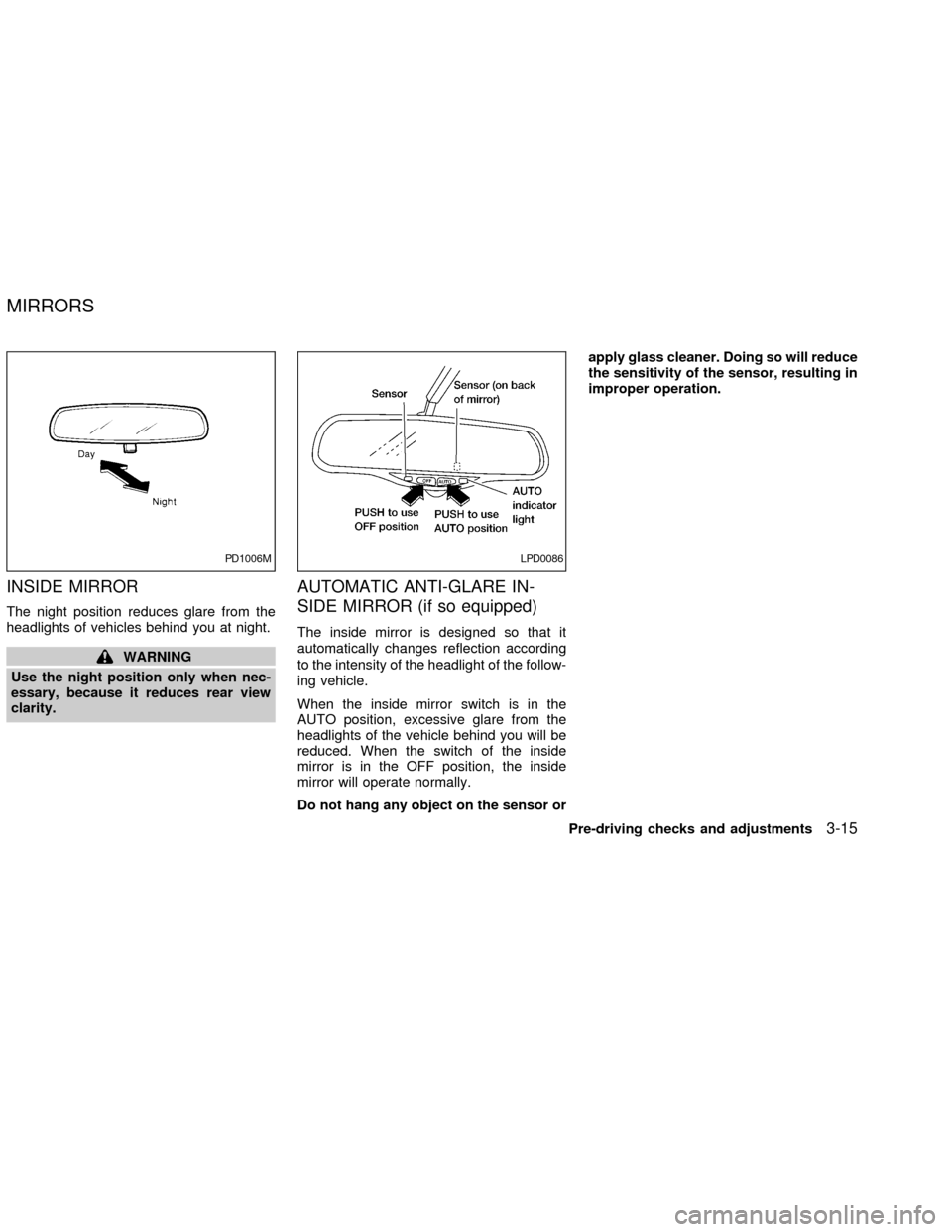
INSIDE MIRROR
The night position reduces glare from the
headlights of vehicles behind you at night.
WARNING
Use the night position only when nec-
essary, because it reduces rear view
clarity.
AUTOMATIC ANTI-GLARE IN-
SIDE MIRROR (if so equipped)
The inside mirror is designed so that it
automatically changes reflection according
to the intensity of the headlight of the follow-
ing vehicle.
When the inside mirror switch is in the
AUTO position, excessive glare from the
headlights of the vehicle behind you will be
reduced. When the switch of the inside
mirror is in the OFF position, the inside
mirror will operate normally.
Do not hang any object on the sensor orapply glass cleaner. Doing so will reduce
the sensitivity of the sensor, resulting in
improper operation.
PD1006MLPD0086
MIRRORS
Pre-driving checks and adjustments3-15
ZX
Page 116 of 249

power lines, electric signs and even traffic
lights.
AUDIO OPERATION PRECAU-
TIONS
Compact Disc (CD) Player
cOnly use high quality 4.7 inches (12
cm) round discs that have the ``COM-
PACT disc DIGITAL AUDIO'' logo on
the disc or packaging.cDuring cold weather or rainy days, the
player may malfunction due to the
humidity. If this occurs, remove the
CD and dehumidify or ventilate the
player completely.
cThe player may skip while driving on
rough roads.
cThe CD player sometimes cannot
function when the compartment tem-
perature is extremely high. Decrease
the temperature before use.
cDo not expose the CD to direct sun-
light.
cCDs that are of poor quality, dirty,
scratched, covered with fingerprints,
or that have pin holes may not work
properly.
cDo not use the following CDs as they
may cause the CD player to malfunc-
tion:
c8 cm (3.1 in) discs with an adapter
cRecordable compact discs (CD-R)
cRewritable compact discs (CD-RW)
cCDs that are not round
LHA0099
Heater, air conditioner and audio systems4-13
ZX
Page 139 of 249

START (4)
This position activates the starter motor,
which starts the engine.
NISSAN VEHICLE IMMOBILIZER
SYSTEM (NVIS)
The Nissan Vehicle Immobilizer System
(NVIS) will not allow the engine to run
without the use of the registered NVIS key.
If the engine fails to run using the registered
NVIS key, it may be due to interference
caused by another NVIS key, an automated
toll road device or automated payment de-
vice on the key ring. Restart the engine
using the following procedures:
1. Leave the ignition switch in the ON posi-
tion for approximately 5 seconds.
2. Turn the ignition switch to the OFF or
LOCK position and wait approximately 5
seconds.
3. Repeat step 1 and 2 again.
4. Restart the engine while holding the de-
vice (which may have caused the inter-
ference) separate from the registered
NVIS key.If this procedure allows the engine to run,
NISSAN recommends placing the regis-
tered NVIS key on a separate key ring to
avoid interference from other devices.cMake sure the area around the vehicle is
clear.
cMaintenance items listed here should be
checked periodically, for example, each
time you check engine oil.
cCheck that all windows and lights are
clean.
cVisually inspect tires for their appearance
and condition. Also check tires for proper
inflation.
cLock all doors.
cPosition seat and adjust head restraints.
cAdjust inside and outside mirrors.
cFasten seat belts and ask all passengers
to do likewise.
cCheck the operation of warning lights
when key is turned to the ON (3) position.
See ``Warning/Indicator lights and au-
dible reminders'' in the ``Instruments and
controls'' section.
BEFORE STARTING THE
ENGINE
5-6Starting and driving
ZX
Page 141 of 249
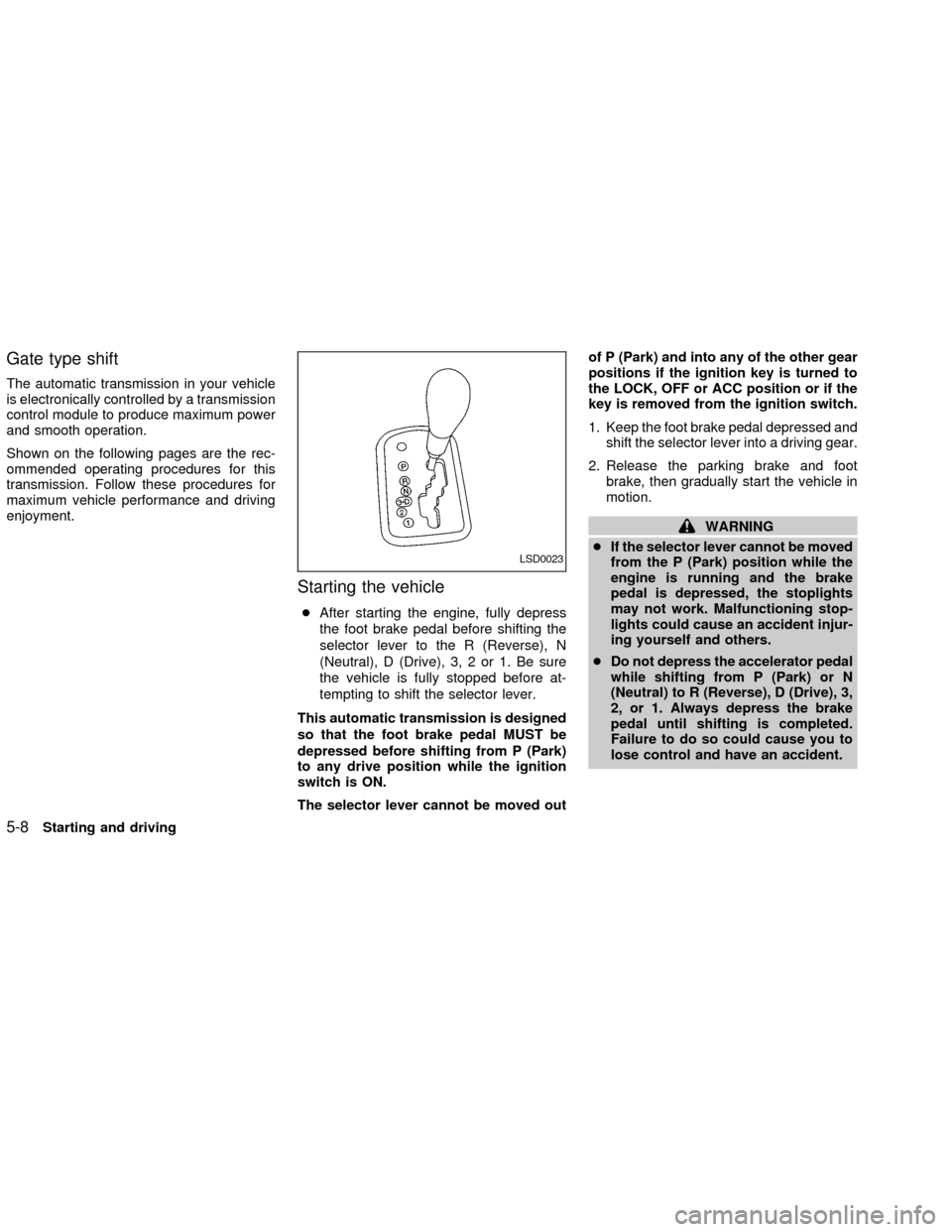
Gate type shift
The automatic transmission in your vehicle
is electronically controlled by a transmission
control module to produce maximum power
and smooth operation.
Shown on the following pages are the rec-
ommended operating procedures for this
transmission. Follow these procedures for
maximum vehicle performance and driving
enjoyment.
Starting the vehicle
cAfter starting the engine, fully depress
the foot brake pedal before shifting the
selector lever to the R (Reverse), N
(Neutral), D (Drive), 3, 2 or 1. Be sure
the vehicle is fully stopped before at-
tempting to shift the selector lever.
This automatic transmission is designed
so that the foot brake pedal MUST be
depressed before shifting from P (Park)
to any drive position while the ignition
switch is ON.
The selector lever cannot be moved outof P (Park) and into any of the other gear
positions if the ignition key is turned to
the LOCK, OFF or ACC position or if the
key is removed from the ignition switch.
1. Keep the foot brake pedal depressed and
shift the selector lever into a driving gear.
2. Release the parking brake and foot
brake, then gradually start the vehicle in
motion.
WARNING
cIf the selector lever cannot be moved
from the P (Park) position while the
engine is running and the brake
pedal is depressed, the stoplights
may not work. Malfunctioning stop-
lights could cause an accident injur-
ing yourself and others.
cDo not depress the accelerator pedal
while shifting from P (Park) or N
(Neutral) to R (Reverse), D (Drive), 3,
2, or 1. Always depress the brake
pedal until shifting is completed.
Failure to do so could cause you to
lose control and have an accident.
LSD0023
5-8Starting and driving
ZX
Page 144 of 249
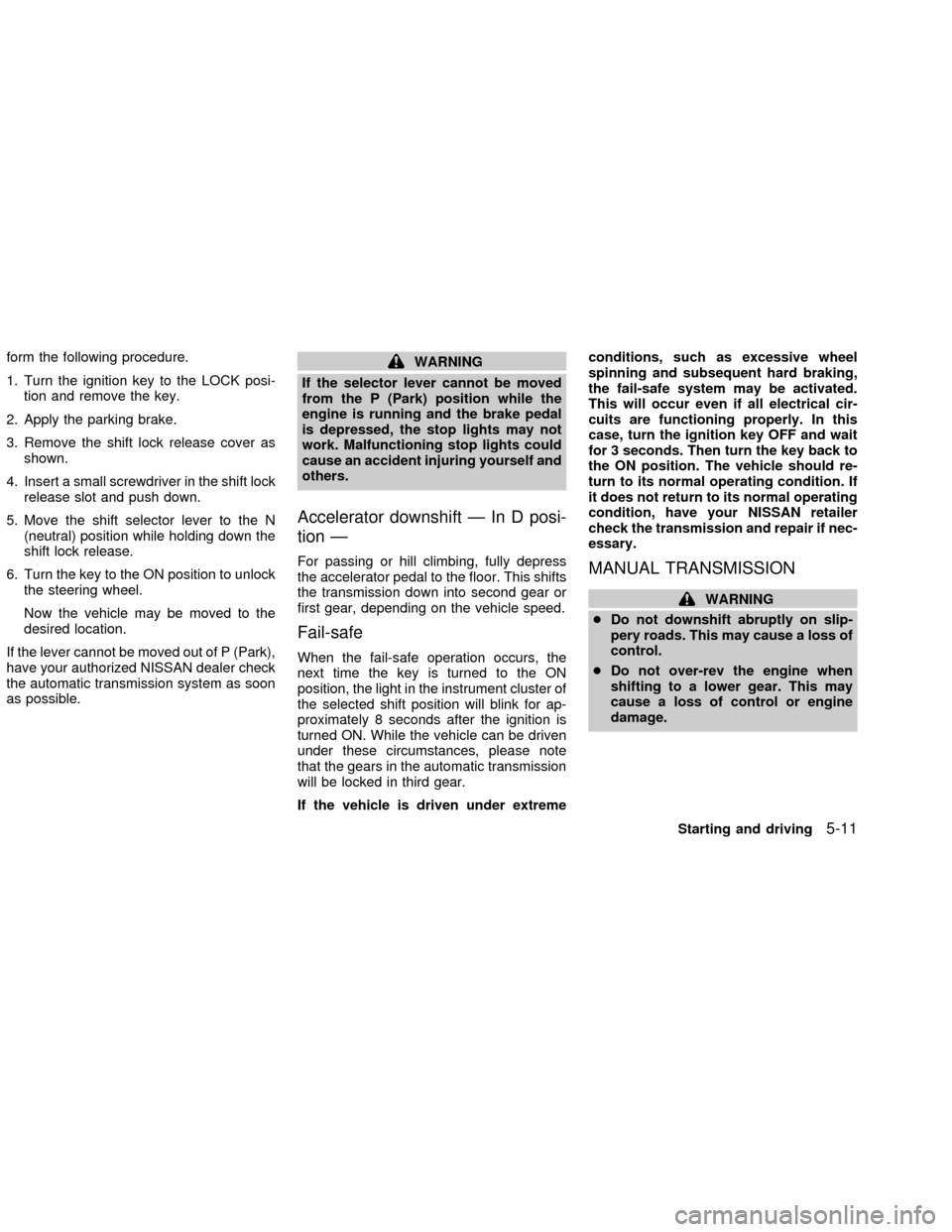
form the following procedure.
1. Turn the ignition key to the LOCK posi-
tion and remove the key.
2. Apply the parking brake.
3. Remove the shift lock release cover as
shown.
4. Insert a small screwdriver in the shift lock
release slot and push down.
5. Move the shift selector lever to the N
(neutral) position while holding down the
shift lock release.
6. Turn the key to the ON position to unlock
the steering wheel.
Now the vehicle may be moved to the
desired location.
If the lever cannot be moved out of P (Park),
have your authorized NISSAN dealer check
the automatic transmission system as soon
as possible.WARNING
If the selector lever cannot be moved
from the P (Park) position while the
engine is running and the brake pedal
is depressed, the stop lights may not
work. Malfunctioning stop lights could
cause an accident injuring yourself and
others.
Accelerator downshift Ð In D posi-
tion Ð
For passing or hill climbing, fully depress
the accelerator pedal to the floor. This shifts
the transmission down into second gear or
first gear, depending on the vehicle speed.
Fail-safe
When the fail-safe operation occurs, the
next time the key is turned to the ON
position, the light in the instrument cluster of
the selected shift position will blink for ap-
proximately 8 seconds after the ignition is
turned ON. While the vehicle can be driven
under these circumstances, please note
that the gears in the automatic transmission
will be locked in third gear.
If the vehicle is driven under extremeconditions, such as excessive wheel
spinning and subsequent hard braking,
the fail-safe system may be activated.
This will occur even if all electrical cir-
cuits are functioning properly. In this
case, turn the ignition key OFF and wait
for 3 seconds. Then turn the key back to
the ON position. The vehicle should re-
turn to its normal operating condition. If
it does not return to its normal operating
condition, have your NISSAN retailer
check the transmission and repair if nec-
essary.
MANUAL TRANSMISSION
WARNING
cDo not downshift abruptly on slip-
pery roads. This may cause a loss of
control.
cDo not over-rev the engine when
shifting to a lower gear. This may
cause a loss of control or engine
damage.
Starting and driving
5-11
ZX