Page 174 of 354
171 Interior equipment
Te ch n i c a l
data Instruments
and controlsOperationDrivingInstrument
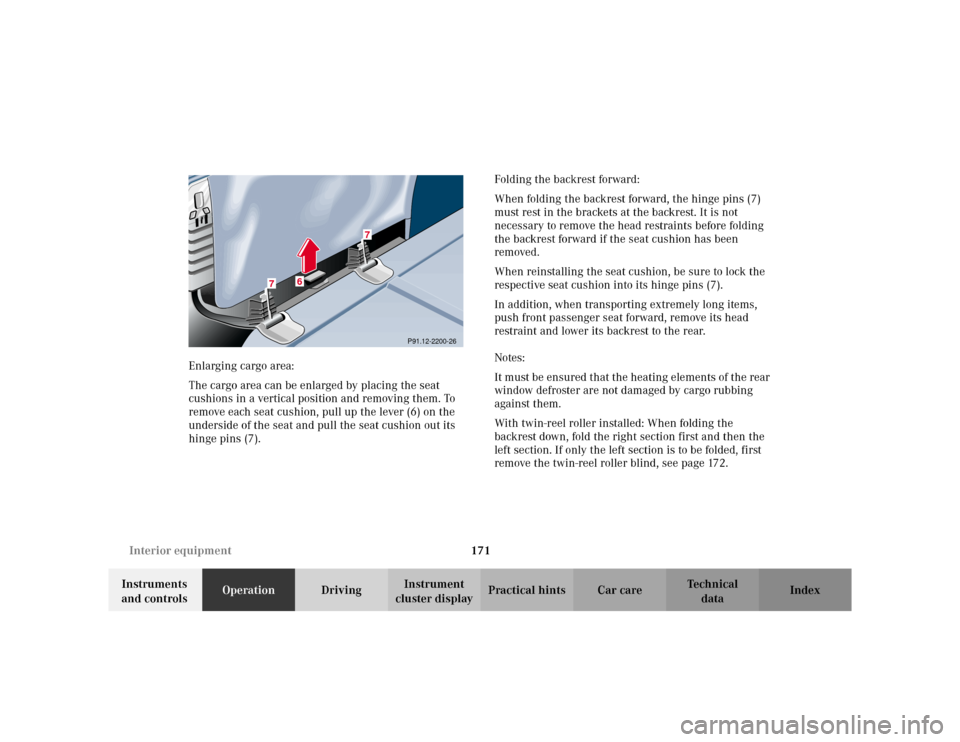
cluster displayPractical hints Car care Index Enlarging cargo area:
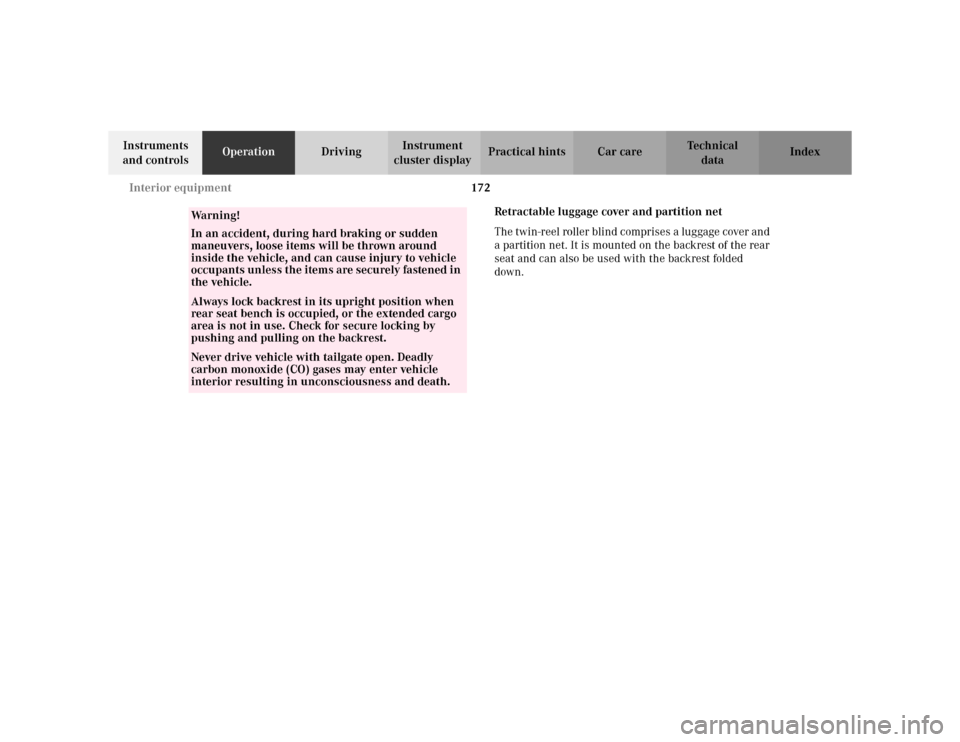
The cargo area can be enlarged by placing the seat
cushions in a vertical position and removing them. To
remove each seat cushion, pull up the lever (6) on the
underside of the seat and pull the seat cushion out its
hinge pins (7).Folding the backrest forward:
When folding the backrest forward, the hinge pins (7)
must rest in the brackets at the backrest. It is not
necessary to remove the head restraints before folding
the backrest forward if the seat cushion has been
removed.
When reinstalling the seat cushion, be sure to lock the
respective seat cushion into its hinge pins (7).
In addition, when transporting extremely long items,
push front passenger seat forward, remove its head
restraint and lower its backrest to the rear.
Notes:
It must be ensured that the heating elements of the rear
window defroster are not damaged by cargo rubbing
against them.
With twin-reel roller installed: When folding the
backrest down, fold the right section first and then the
left section. If only the left section is to be folded, first
remove the twin-reel roller blind, see page 172.
P91.12-2200-26
6
7
7
Page 175 of 354
172 Interior equipment
Te ch n i c a l
data Instruments
and controlsOperationDrivingInstrument
cluster displayPractical hints Car care Index
Retractable luggage cover and partition net
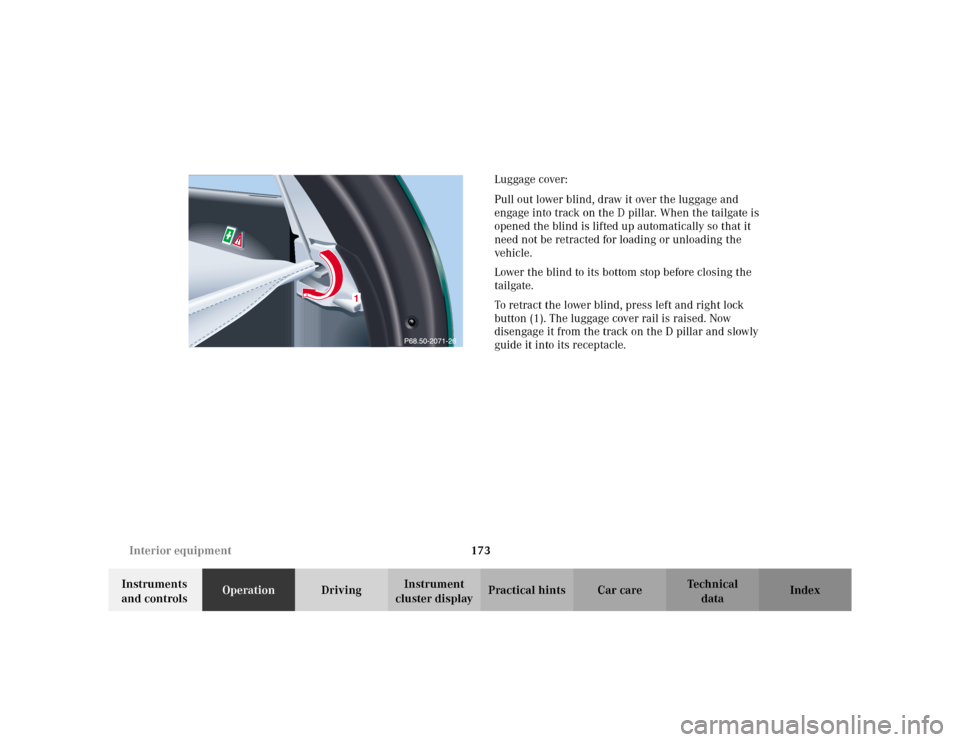
The twin-reel roller blind comprises a luggage cover and
a partition net. It is mounted on the backrest of the rear
seat and can also be used with the backrest folded
down.
Wa r n i n g !
In an accident, during hard braking or sudden
maneuvers, loose items will be thrown around
inside the vehicle, and can cause injury to vehicle
occupants unless the items are securely fastened in
the vehicle.Always lock backrest in its upright position when
rear seat bench is occupied, or the extended cargo
area is not in use. Check for secure locking by
pushing and pulling on the backrest.Never drive vehicle with tailgate open. Deadly
carbon monoxide (CO) gases may enter vehicle
interior resulting in unconsciousness and death.
Page 176 of 354
173 Interior equipment
Te ch n i c a l
data Instruments
and controlsOperationDrivingInstrument
cluster displayPractical hints Car care IndexLuggage cover:
Pull out lower blind, draw it over the luggage and
engage into track on the D pillar. When the tailgate is
opened the blind is lifted up automatically so that it
need not be retracted for loading or unloading the
vehicle.
Lower the blind to its bottom stop before closing the
tailgate.
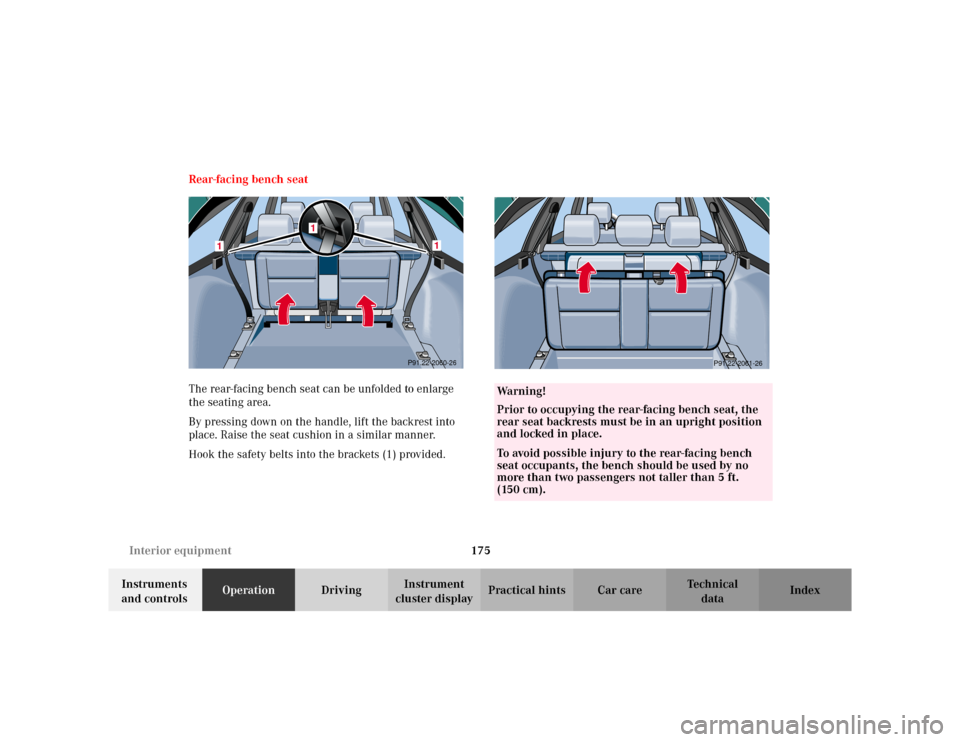
To retract the lower blind, press left and right lock
button (1). The luggage cover rail is raised. Now
disengage it from the track on the D pillar and slowly
guide it into its receptacle.
1
Page 178 of 354
175 Interior equipment
Te ch n i c a l
data Instruments
and controlsOperationDrivingInstrument
cluster displayPractical hints Car care Index Rear-facing bench seat
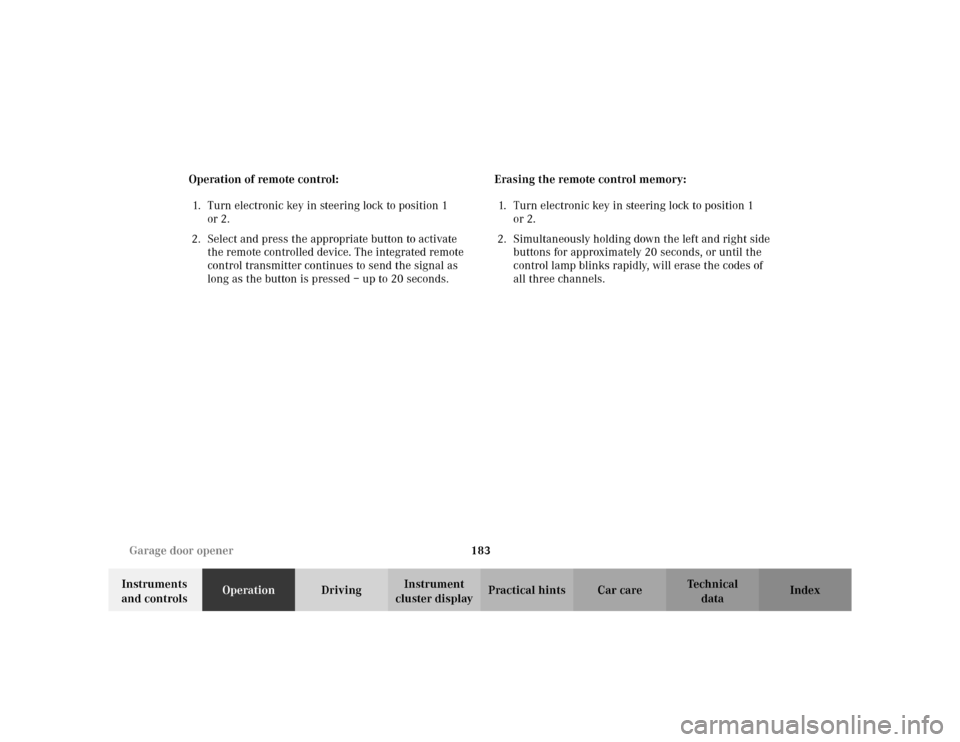
The rear-facing bench seat can be unfolded to enlarge
the seating area.
By pressing down on the handle, lift the backrest into
place. Raise the seat cushion in a similar manner.
Hook the safety belts into the brackets (1) provided.
1
1
P91.22-2060-26
1
Wa r n i n g !
Prior to occupying the rear-facing bench seat, the
rear seat backrests must be in an upright position
and locked in place.To avoid possible injury to the rear-facing bench
seat occupants, the bench should be used by no
more than two passengers not taller than 5 ft.
(150 cm).
P91.22-2061-26
Page 184 of 354
181 Garage door opener
Te ch n i c a l
data Instruments
and controlsOperationDrivingInstrument
cluster displayPractical hints Car care Index Programming or reprogramming the integrated
remote control:
1. Turn electronic key in steering lock to position 1
or 2.
2. Hold the end of the hand-held transmitter of the
device you wish to train approximately 2 to 5 inches
(5 cm to 12 cm) away from the surface of the
integrated remote control located on the inside rear
view mirror, keeping the indicator lamp in view.
3. Using both hands, simultaneously push the hand-
held transmitter button and the desired integrated
remote control button. Do not release the buttons
until completing step 4.4. The indicator lamp on the integrated remote control
will flash, first slowly and then rapidly. When the
indicator lamp flashes rapidly, both buttons may be
released (the rapid flashing lamp indicates
successful programming of the new frequency
signal). To program the remaining two buttons,
follow steps 1 through 4.
Note:
If, after repeated attempts, you do not successfully
program the integrated remote control device to learn
the signal of the hand-held transmitter, the garage door
opener could be equipped with the “rolling code
feature”.
Page 186 of 354
183 Garage door opener
Te ch n i c a l
data Instruments
and controlsOperationDrivingInstrument
cluster displayPractical hints Car care Index Operation of remote control:
1. Turn electronic key in steering lock to position 1
or 2.
2. Select and press the appropriate button to activate
the remote controlled device. The integrated remote
control transmitter continues to send the signal as
long as the button is pressed – up to 20 seconds.Erasing the remote control memory:
1. Turn electronic key in steering lock to position 1
or 2.
2. Simultaneously holding down the left and right side
buttons for approximately 20 seconds, or until the
control lamp blinks rapidly, will erase the codes of
all three channels.
Page 188 of 354

185 Contents – Driving
Te ch n i c a l
data Instruments
and controlsOperationDrivingInstrument
cluster displayPractical hints Car care Index
DrivingControl and operation
of radio transmitters ................ 186
The first 1 000 miles
(1 500 km) ................................. 187
Maintenance ................................... 187
Tele Aid ........................................... 188
Catalytic converter ........................ 198
Emission control ............................ 199
Steering lock ...................................200
Starting and turning
off the engine ............................202
Automatic transmission ...............203
Parking brake ................................. 212Driving instructions .......................213
Drive sensibly - Save Fuel .........213
Drinking and Driving ................213
Pedals ...........................................213
Power assistance .........................214
Brakes ...........................................214
Driving off ....................................215
Parking ......................................... 216
Tires .............................................. 216
Snow chains ................................ 219
Winter driving instructions ...... 219
Block heater ................................ 221
Deep water .................................. 221
Passenger compartment ........... 221
Traveling abroad ........................ 221Cruise control .................................222
Brake assist system
(BAS) ...........................................225
Antilock brake system
(ABS) ...........................................227
Four wheel electronic traction
system (4MATIC) ......................229
Electronic stability program
(ESP) ...........................................230
Parking assist
(Parktronic) ................................234
What you should know
at the gas station .......................239
Check regularly and
before a long trip ...................... 241
Page 191 of 354

188 Tele Aid
Te ch n i c a l
data Instruments
and controlsOperationDrivingInstrument
cluster displayPractical hints Car care Index
Tele Aid (optional for Canada)
Important!
The initial activation of the Tele Aid system may only be
performed by completing the subscriber agreement and
placing an acquaintance call using the “SOS” button.
Failure to complete either of these steps will result in a
system that is not activated. If the system is not
activated the indicator lamp in the “SOS” button stays
on after turning electronic key in steering lock to
position 2 and the message “TELE AID – NOT
ACTIVATED” will be shown in the multifunction display
for approx. 10 seconds.
If you have any questions regarding activation, please
call the Response Center at 1-800-756-9018 (in the USA)
or 1-888-923-8367 (in Canada).
(Te l ematic Alarm Identification on Demand)
The Tele Aid system consists of three types of response;
automatic and manual emergency, roadside assistance
and information.
The Tele Aid system is operational providing that the
vehicle’s battery is charged, properly connected, not
damaged and cellular and GPS coverage is available.The speaker volume of a Tele Aid call can be adjusted
when using the volume control on the multifunction
steering wheel, for raising press buttonæand for
lowering press buttonç.
To activate, press the “SOS” button, the Roadside
Assistance button• or the Information button¡,
depending on the type of response required.
Shortly after the completion of your Acquaintance Call,
you will receive a user ID and password via first call
mail. By visiting www.mbusa.com and selecting
“Tele Aid” (USA only), you will have access to account
information, remote door unlock, Info Services
* profile
and more.
* Optional – available only with COMAND System self-check
Initially, after turning the electronic key in steering lock
to position 2, malfunctions are detected and indicated
(the indicator lamps in the “SOS” button, the Roadside
Assistance button• and the Information
button¡ stay on longer than 10 seconds or do not
come on). The message “TELE AID – VISIT
WORKSHOP” appears for approx. 10 seconds in the
multifunction display.