2002 Hyundai Grandeur clock
[x] Cancel search: clockPage 10 of 230
YOUR VEHICLE AT A GLANCE
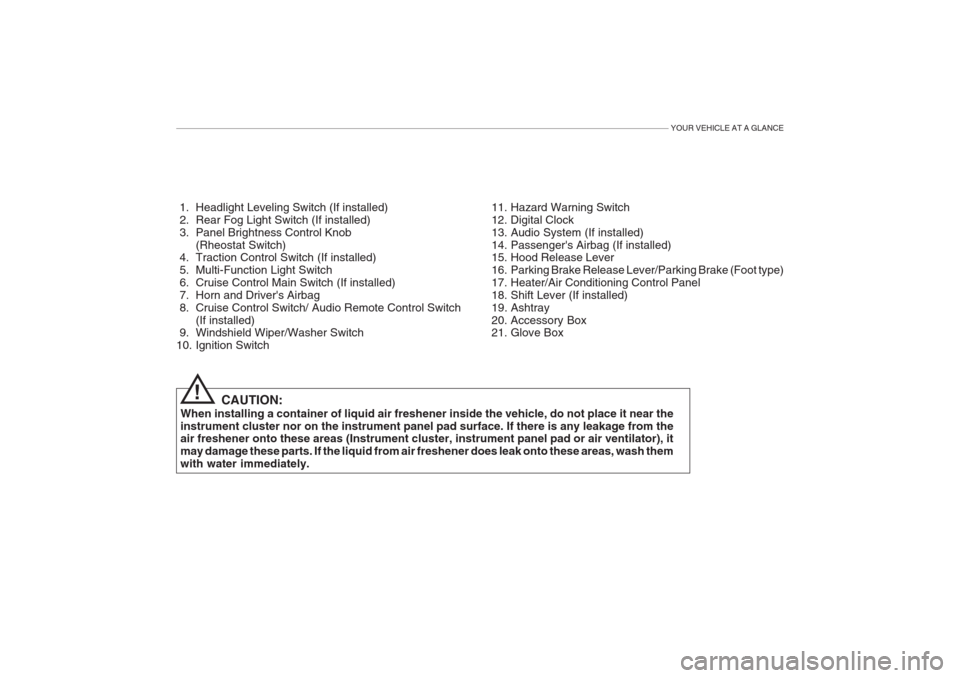
1. Headlight Leveling Switch (If installed)
2. Rear Fog Light Switch (If installed)
3. Panel Brightness Control Knob(Rheostat Switch)
4. Traction Control Switch (If installed)
5. Multi-Function Light Switch
6. Cruise Control Main Switch (If installed)
7. Horn and Driver's Airbag
8. Cruise Control Switch/ Audio Remote Control Switch
(If installed)
9. Windshield Wiper/Washer Switch
10. Ignition Switch
CAUTION:
When installing a container of liquid air freshener inside the vehicle, do not place it near theinstrument cluster nor on the instrument panel pad surface. If there is any leakage from the air freshener onto these areas (Instrument cluster, instrument panel pad or air ventilator), it may damage these parts. If the liquid from air freshener does leak onto these areas, wash themwith water immediately. 11. Hazard Warning Switch
12. Digital Clock
13. Audio System (If installed)
14. Passenger's Airbag (If installed)
15. Hood Release Lever
16. Parking Brake Release Lever/Parking Brake (Foot type)
17. Heater/Air Conditioning Control Panel
18. Shift Lever (If installed)
19. Ashtray
20. Accessory Box
21. Glove Box
!
Page 12 of 230
YOUR VEHICLE AT A GLANCE
1. Passenger's Airbag (If installed)
2. Digital Clock
3. Hazard Warning Switch
4. Cruise Control Main Switch (If installed)
5. Multi-Function Light Switch
6. Traction Control Switch (If installed)
7. Horn and Driver's Airbag
8. Cruise Control Switch/ Audio Remote Control Switch(If installed)
9. Ignition Switch
10. Windshield Wiper/Washer Switch 11. Panel Brightness Control Knob
(Rheostat Switch)
12. Rear Fog Light Switch (If installed)
13. Headlight Leveling Switch (If installed)
14. Glove Box
15. Audio System (If installed)
16. Heater/Air Conditioning Control Panel
17. Shift Lever (If installed)
18. Ashtray
19. Accessory Box
20. Parking Brake Release Lever/Parking Brake
(Foot type)
21. Hood Release Lever
CAUTION:
When installing a container of liquid air freshener inside the vehicle, do not place it near theinstrument cluster nor on the instrument panel pad surface. If there is any leakage from theair freshener onto these areas (Instrument cluster, instrument panel pad or air ventilator), itmay damage these parts. If the liquid from air freshener does leak onto these areas, wash them with water immediately.
!
Page 50 of 230

FEATURES OF YOUR HYUNDAI 1- 37
B240C02Y-GAT SRS Care The SRS is virtually maintenance-free and there are no parts you can safelyservice by yourself. The entire SRSsystem must be inspected by an au-thorized Hyundai dealer 10 years after the date that the vehicle was manufac- tured. Any work on the SRS system, such as removing, installing, repairing, or anywork on the steering wheel must be performed by a qualified Hyundai tech- nician. Improper handling of the SRSsystem may result in serious personalinjury.
o Do not place any objects (an
umbrella, bag, etc.) between thefront door and the front seat.Such objects may become dan-gerous projectiles and cause in-jury if the supplemental side im- pact air bag inflates.
o To prevent unexpected deploy- ment of the side impact air bag that may result in personal in-jury, avoid impact to the sideairbag sensor when the ignition key is on.
o For best protection from the side
airbag system and to avoid being injured by the deploying sideimpact airbag, both front seatoccupants should sit in an up- right position with the seat belt properly fastened. The driver'shands should be placed on thesteering wheel at the 9:00 and3:00 o'clock positions. Thepassenger's arms and hands should be placed in their laps.
o Do not use any accessory seat
covers.
o Use of seat covers could reduce
or prevent the effectiveness of the system.
o Do not install any accessories on
the side or near the side impactairbag.
o Do not use excessive force on
the side of the seat.
o Do not place any objects over the airbag or between the airbag andyourself.
Page 66 of 230
FEATURES OF YOUR HYUNDAI 1- 53
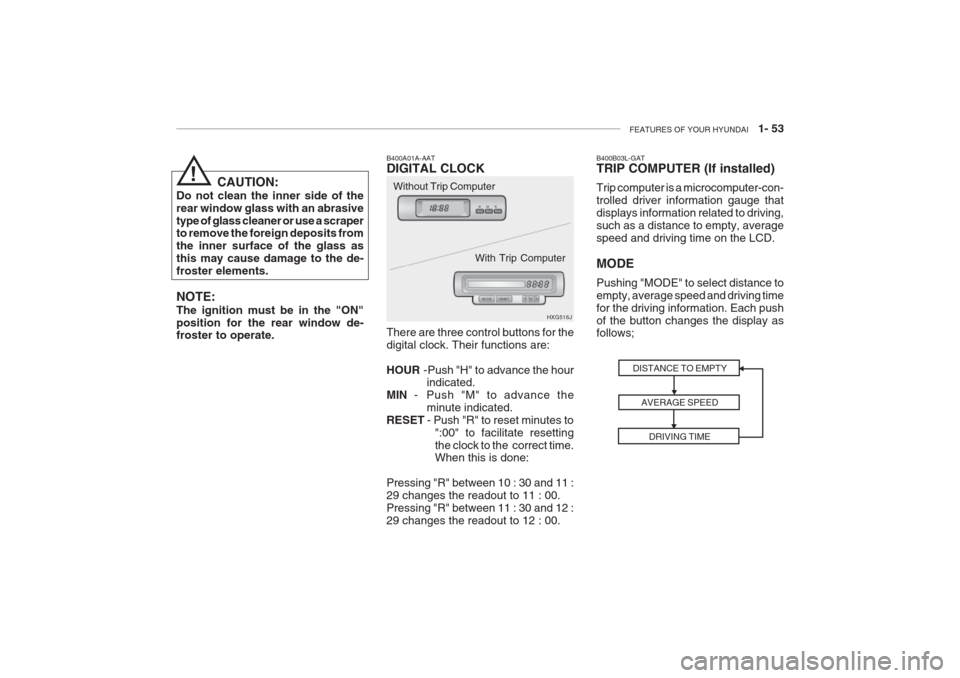
B400A01A-AAT DIGITAL CLOCK There are three control buttons for the digital clock. Their functions are: HOUR -Push "H" to advance the hour
indicated.
MIN - Push "M" to advance the
minute indicated.
RESET - Push "R" to reset minutes to
":00" to facilitate resetting the clock to the correct time. When this is done:
Pressing "R" between 10 : 30 and 11 : 29 changes the readout to 11 : 00.Pressing "R" between 11 : 30 and 12 :29 changes the readout to 12 : 00. HXG516J
CAUTION:
Do not clean the inner side of therear window glass with an abrasivetype of glass cleaner or use a scraper to remove the foreign deposits from the inner surface of the glass asthis may cause damage to the de-froster elements. NOTE: The ignition must be in the "ON" position for the rear window de- froster to operate. Without Trip Computer
With Trip Computer
!
DISTANCE TO EMPTYAVERAGE SPEEDDRIVING TIME
B400B03L-GAT TRIP COMPUTER (If installed) Trip computer is a microcomputer-con- trolled driver information gauge thatdisplays information related to driving,such as a distance to empty, averagespeed and driving time on the LCD. MODE Pushing "MODE" to select distance to empty, average speed and driving timefor the driving information. Each pushof the button changes the display as follows;
Page 72 of 230
FEATURES OF YOUR HYUNDAI 1- 59
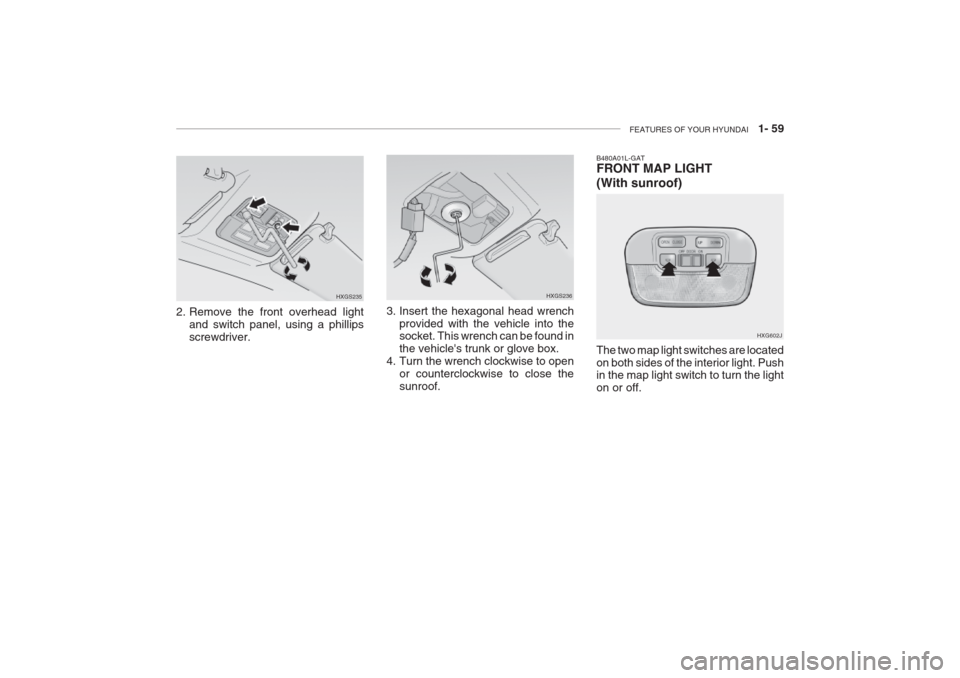
2. Remove the front overhead light
and switch panel, using a phillips screwdriver. HXGS235
HXGS236
3. Insert the hexagonal head wrench provided with the vehicle into the socket. This wrench can be found in the vehicle's trunk or glove box.
4. Turn the wrench clockwise to open or counterclockwise to close thesunroof.
B480A01L-GAT FRONT MAP LIGHT
(With sunroof) The two map light switches are located on both sides of the interior light. Push in the map light switch to turn the light on or off. HXG602J
Page 79 of 230
1- 66 FEATURES OF YOUR HYUNDAI
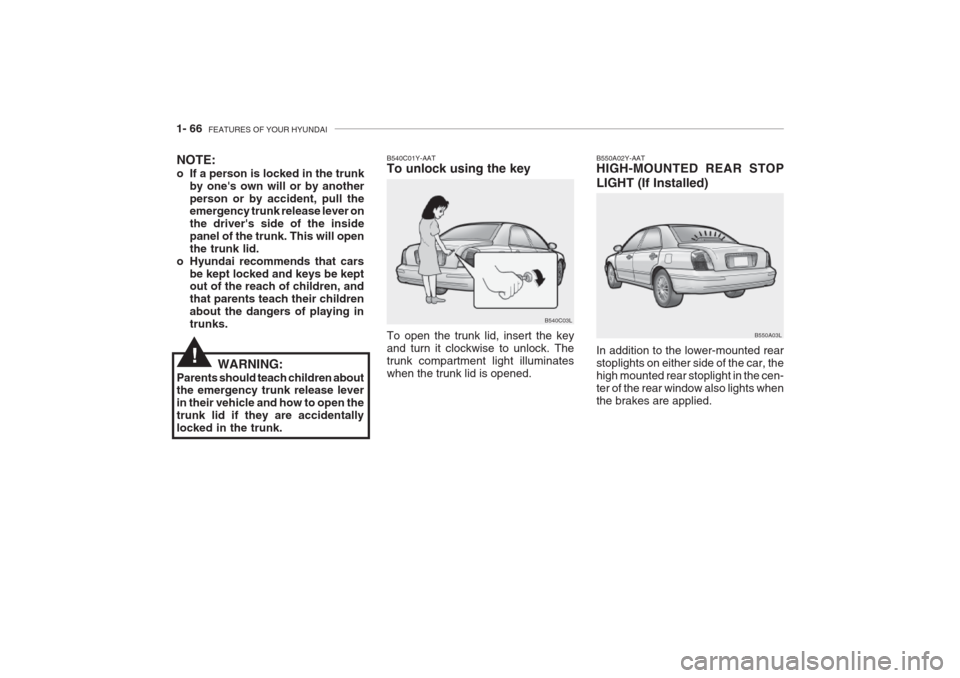
B550A02Y-AAT HIGH-MOUNTED REAR STOP LIGHT (If Installed) In addition to the lower-mounted rear stoplights on either side of the car, thehigh mounted rear stoplight in the cen-ter of the rear window also lights whenthe brakes are applied. B550A03L
To open the trunk lid, insert the key and turn it clockwise to unlock. Thetrunk compartment light illuminateswhen the trunk lid is opened.
NOTE:
o If a person is locked in the trunk
by one's own will or by another person or by accident, pull the emergency trunk release lever on the driver's side of the insidepanel of the trunk. This will openthe trunk lid.
o Hyundai recommends that cars be kept locked and keys be kept out of the reach of children, and that parents teach their childrenabout the dangers of playing intrunks. B540C01Y-AAT To unlock using the key
B540C03L
WARNING:
Parents should teach children about the emergency trunk release lever in their vehicle and how to open thetrunk lid if they are accidentallylocked in the trunk.
!
Page 107 of 230
1- 94 FEATURES OF YOUR HYUNDAI
B940B02L-GAT
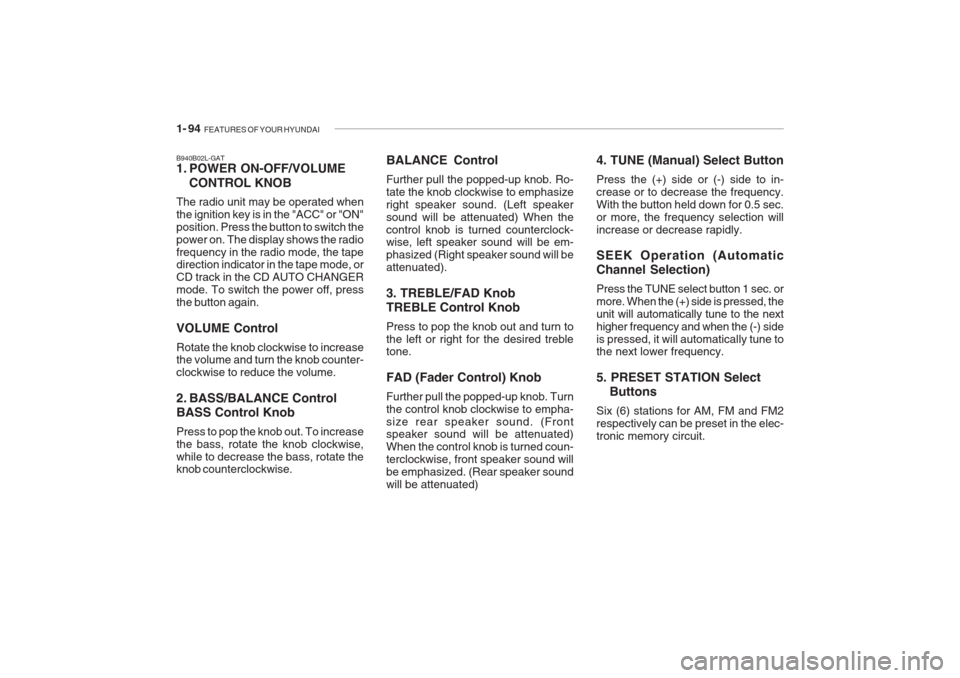
1. POWER ON-OFF/VOLUME
CONTROL KNOB
The radio unit may be operated when the ignition key is in the "ACC" or "ON"position. Press the button to switch thepower on. The display shows the radiofrequency in the radio mode, the tape direction indicator in the tape mode, or CD track in the CD AUTO CHANGERmode. To switch the power off, pressthe button again. VOLUME Control Rotate the knob clockwise to increase the volume and turn the knob counter- clockwise to reduce the volume.
2. BASS/BALANCE Control BASS Control Knob Press to pop the knob out. To increase the bass, rotate the knob clockwise,while to decrease the bass, rotate the knob counterclockwise. 4. TUNE (Manual) Select Button Press the (+) side or (-) side to in- crease or to decrease the frequency.With the button held down for 0.5 sec.or more, the frequency selection willincrease or decrease rapidly. SEEK Operation (Automatic Channel Selection) Press the TUNE select button 1 sec. or more. When the (+) side is pressed, theunit will automatically tune to the nexthigher frequency and when
the (-) side
is pressed, it will automatically tune to the next lower frequency. 5. PRESET STATION Select
Buttons
Six (6) stations for AM, FM and FM2 respectively can be preset in the elec-tronic memory circuit.
BALANCE Control Further pull the popped-up knob. Ro- tate the knob clockwise to emphasizeright speaker sound. (Left speakersound will be attenuated) When thecontrol knob is turned counterclock- wise, left speaker sound will be em- phasized (Right speaker sound will beattenuated). 3. TREBLE/FAD Knob TREBLE Control Knob Press to pop the knob out and turn to the left or right for the desired treble tone. FAD (Fader Control) Knob Further pull the popped-up knob. Turn the control knob clockwise to empha-size rear speaker sound. (Front speaker sound will be attenuated) When the control knob is turned coun-terclockwise, front speaker sound willbe emphasized. (Rear speaker soundwill be attenuated)
Page 115 of 230
1- 102 FEATURES OF YOUR HYUNDAI
B940H02L-GAT
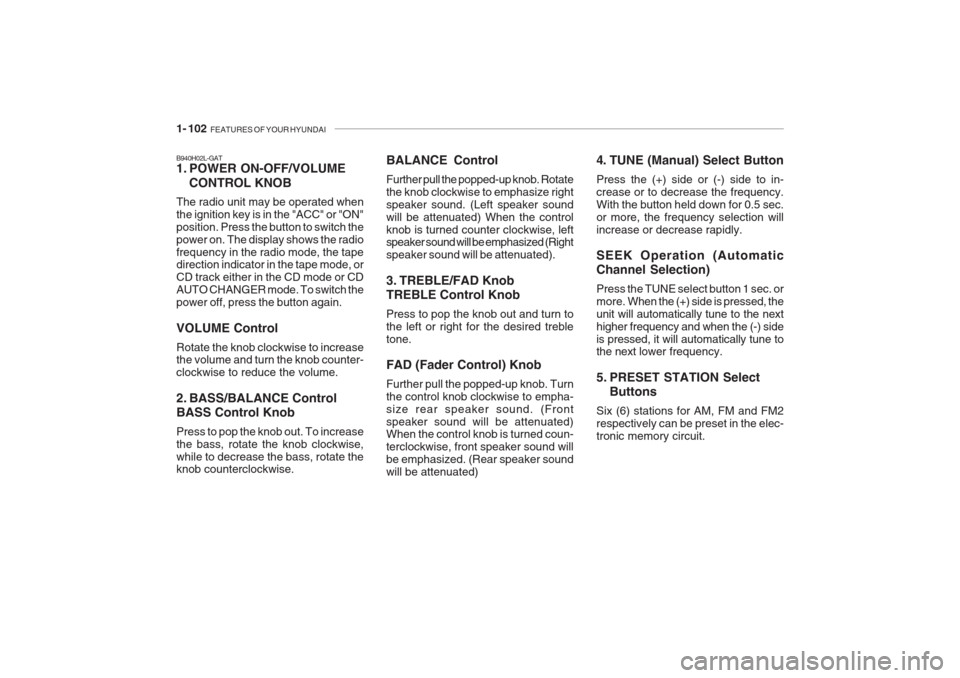
1. POWER ON-OFF/VOLUME
CONTROL KNOB
The radio unit may be operated when the ignition key is in the "ACC" or "ON"position. Press the button to switch thepower on. The display shows the radiofrequency in the radio mode, the tape direction indicator in the tape mode, or CD track either in the CD mode or CDAUTO CHANGER mode. To switch thepower off, press the button again. VOLUME Control Rotate the knob clockwise to increase the volume and turn the knob counter- clockwise to reduce the volume.
2. BASS/BALANCE Control BASS Control Knob Press to pop the knob out. To increase the bass, rotate the knob clockwise,while to decrease the bass, rotate the knob counterclockwise. BALANCE Control Further pull the popped-up knob. Rotate the knob clockwise to emphasize rightspeaker sound. (Left speaker soundwill be attenuated) When the controlknob is turned counter clockwise, left speaker sound will be emphasized (Right speaker sound will be attenuated).
3. TREBLE/FAD Knob TREBLE Control Knob Press to pop the knob out and turn to the left or right for the desired trebletone. FAD (Fader Control) Knob Further pull the popped-up knob. Turn the control knob clockwise to empha-size rear speaker sound. (Frontspeaker sound will be attenuated) When the control knob is turned coun- terclockwise, front speaker sound willbe emphasized. (Rear speaker soundwill be attenuated) 4. TUNE (Manual) Select Button Press the (+) side or (-) side to in- crease or to decrease the frequency.With the button held down for 0.5 sec.or more, the frequency selection willincrease or decrease rapidly. SEEK Operation (Automatic Channel Selection) Press the TUNE select button 1 sec. or more.
When the (+) side is pressed, the
unit will automatically tune to the nexthigher frequency and when the (-) sideis pressed, it will automatically tune to
the next lower frequency.
5. PRESET STATION Select Buttons
Six (6) stations for AM, FM and FM2 respectively can be preset in the elec-tronic memory circuit.