2002 Hyundai Coupe light
[x] Cancel search: lightPage 50 of 140

CONTROLS AND EQUIPMENT
1- 42 SB380A1-E PARKING BRAKE The parking brake must always be set when the vehicle is to be left unattended. When the parking brake is applied, and the ignition key is at the "ON" position, the parking brake warning lamp will be illuminated. Before driving the vehicle, the parking brake must be fully released and the warning lamp extinguished.
o To set the parking brake, apply the foot brake
and pull the parking brake lever up with the button depressed. Release the button when the brake is fully applied.
o To release the parking brake, apply the foot
brake and pull up the parking brake lever slightly. Depress the button and lower the lever.
SB370A1-E INTERIOR REAR VIEW MIRROR The interior mirror is of the day/night type to enable the glare of headlamps from following vehicles to be eliminated during night time driv- ing. The tab located at the bottom of the mirror should be set to the position nearest the windscreen for normal day time driving, and flipped towards the rear of the vehicle to eliminate glare during night time driving. To adjust the field of vision, the mirror may be moved by hand upon the mount- ing. NOTE: The mirror should always be adjusted prior to setting the vehicle in motion.
B520A01GK
B520B01O-GAT DAY/NIGHT REAR VIEW MIRROR (Electric type) (Not all models) The electric type day/night inside rearview mirror automatically controls the glare of headlights of the car behind you. Adjust the rearview mirror to the desired position.
B520B01GK
Sensor
HGK178
Page 51 of 140

CONTROLS AND EQUIPMENT1- 43
B550A02S-DAT HIGH-MOUNTED REAR STOPLIGHT
In addition to the lower-mounted rear stoplights on either side of the car, the high mounted rear stoplight in the centre of the rear window or inserted in the rear spoiler also comes on when the brakes are applied.
B360B01GK-GAT REAR FOG LIGHT SWITCH (Not all models)
HGK183
To turn on the rear fog lights, push the switch. They will come on when the headlights are turned on.
B550A02GK
A Type B Type
YB800A2-A FRONT FOG LIGHT SWITCH (Not all models) To turn on the front fog lights, push the switch. They will come on when the headlights are turned on.
HGK142
Page 53 of 140

CONTROLS AND EQUIPMENT1- 45
SB450A2-E HATCHBACK DOOR Remote Hatchback door Release The hatchback door may be opened by pulling the lever to release the lock. The hatchback door should be closed by depressing the lid firmly until the latch engages. Ensure that hatchback door is securely latched before setting the vehicle in motion. WARNING: The hatchback door should always be closed whilst the vehicle is in motion to prevent exhaust gases from being drawn into the passenger compartment.
HGK103-D
SB440A1-E REMOTE FUEL FILLER LID RELEASE (Not all models) The fuel filler lid may be opened from inside the vehicle by pulling up on the fuel filler lid release. NOTE: If the fuel filler lid will not open because ice has formed around it, tap lightly or push on the lid to break the ice and release the lid. Do not pry on the lid. If necessary, spray around the lid with an approved de-icer fluid (do not use radiator anti-freeze) or move the vehicle to a warm place and allow the ice to melt.
HGK105-D
HGK124
WARNING: Fuel vapours are dangerous. Before refuel- ling, turn off the engine and never allow sparks, lit cigarettes or open flames near the filler area. When releasing the filler cap, a small amount of residual pressure may gen- erate a slight hissing sound which is not indicative of an abnormality. In the event of the fuel filler cap requiring replacement, only a Genuine Hyundai replacement part should be used to prevent fuel leakage.
Page 56 of 140

CONTROLS AND EQUIPMENT
1- 48
SB700A1-E CRUISE CONTROL (Not all models) The cruise control system provides automatic speed control for your comfort when driving on freeways, tollroads, or other noncongested high- ways. This is designed to function above approximately 25 mph (40 km/h).
B660A01GK
Main switch
Some objects can be kept in the net at the luggage compartment. Use the luggage net on the floor(Not all models) or at the back of the luggage compartment to prevent the objects from slipping. WARNING: To avoid eye injury. DO NOT overstretch. ALWAYS keep face and body out of recoil path. DO NOT use when strap has visible signs of wear or damage.
B660B01GK
B660B01E-AAT To Set the Cruise Speed
1. Push in the cruise control main switch on the
end of the barrel. The "CRUISE" indicator light in the instrument cluster will be illumi- nated. This turns the system on.
2. Accelerate to the desired cruising speed above
25 mph (40 km/h).
3. Push the control switch downward to "SET
(COAST)" and release it.
4. Remove your foot from the accelerator pedal
and the desired speed will automatically be maintained.
5. To increase speed, depress the accelerator pedal enough for the vehicle to exceed the preset speed. When you remove your foot from the accelerator pedal, the vehicle will return to the speed you have set.
B660C01GK
B660C01E-AAT To Cancel the Cruise Speed Do one of the followings:
o Pull the control switch toward steering wheel
to "CANCEL" position.
o Depress the brake pedal.
o Depress the clutch pedal (Manual transaxle).
o Shift the selector lever in "N" position (Auto-
matic transaxle).
o Decrease the vehicle speed lower than mem-
orized speed by 12 mph (20 km/h).
o Decrease the vehicle speed approximately to
less than 25 mph (40 km/h).
o Release the main switch.
WARNING: To avoid accidental cruise control engage- ment, keep the cruise control main switch off when not using the cruise control
Page 60 of 140

CONTROLS AND EQUIPMENT
1- 52
HGK016 B670D01GK-EAT Air Flow Control This is used to direct the flow of air. Air can be directed to the floor, dashboard outlets, or windscreen. Five symbols are used to represent Face, Bi-Level, Floor, Floor-Defrost and Defrost air position.HGK005
B670C01FC-EAT Air Intake Control This is used to select fresh outside air or recircu- lation inside air. To change the air intake control mode, (Fresh mode, Recirculation mode) push the control but- ton. FRESH MODE ( ) : The indicator light on the button goes off when the air intake control is fresh mode. RECIRCULATION MODE ( ): The indicator light on the button is illuminated when the air intake control is recirculation mode. With the "Fresh" mode selected, air enters the
vehicle from the outside and is heated or cooled according to the function selected. With the "Recirculation" mode selected, air from within the passenger compartment
will be drawn
through the heating system and heated or cooledaccording to the function selected. NOTE:
o It should be noted that prolonged opera- tion of the heating in "Recirculation" modewill give rise to fogging of the windscreen and side windows and the air within the passenger compartment will become stale. In addition, prolonged use of the air con- ditioning with the "Recirculation" mode selected may result in the air within the passenger compartment becoming exces- sively dry.
o When the ignition switch is turned "ON" the air intake control will change to "Re- circulation" mode (regardless of switch position). It is normal operation.
Page 62 of 140

CONTROLS AND EQUIPMENT
1- 54
B740A01S-AAT AIR CONDITIONING SYSTEM (Not all models)Air Conditioning Switch
HGK018
The air conditioning is turned on or off by pushing the A/C button on the heating/air conditioning control panel.
HGK002
B740B01S-AAT Air Conditioning Operation Cooling To use the air conditioning to cool the interior:
o Set the side vent control to "OFF", to shut off outside air entry.
o Turn on the fan control switch.
o Turn on the air conditioning switch by pushing in on the switch. The air conditioning indicator lightshould come on at the same time.
o Set the air intake control to "Fresh" mode ( ).
o Set the temperature control to "Cool". ("Cool" provides maximum cooling. The temperature may be moderated by moving the control toward "Warm".)
o Adjust the fan control to the desired speed. For greater cooling, turn the fan control to one of the higher speeds or temporarily select the "Recirculation" position on the air intake control.B690A01S-AAT HEATING CONTROLS For normal heating operation, set the air intake control to the "Fresh" position and the air flow control to "Floor". For faster heating, the air intake control should be in the "Recirculation" position. If the windows fog up, move the air flow control to the "Def" (defroster) position. (The A/C will be on automatically and it will be changed to "Fresh" mode.) For maximum heat, move the temperature con- trol to "Warm". B740C01S-AAT Dehumidified HeatingFor dehumidified heating:
o Turn on the fan control switch.
o Turn on the air conditioning switch. The airconditioning indicator light should come on atthe same time.
o Set the air intake control to "Fresh" mode
( ).
o Set the air flow control to "Face".
o Adjust the fan control to the desired speed.
o For more rapid action, set the fan at one of the
higher speeds.
o Adjust the temperature control to provide the
desired amount of warmth.
Page 65 of 140
CONTROLS AND EQUIPMENT1- 57
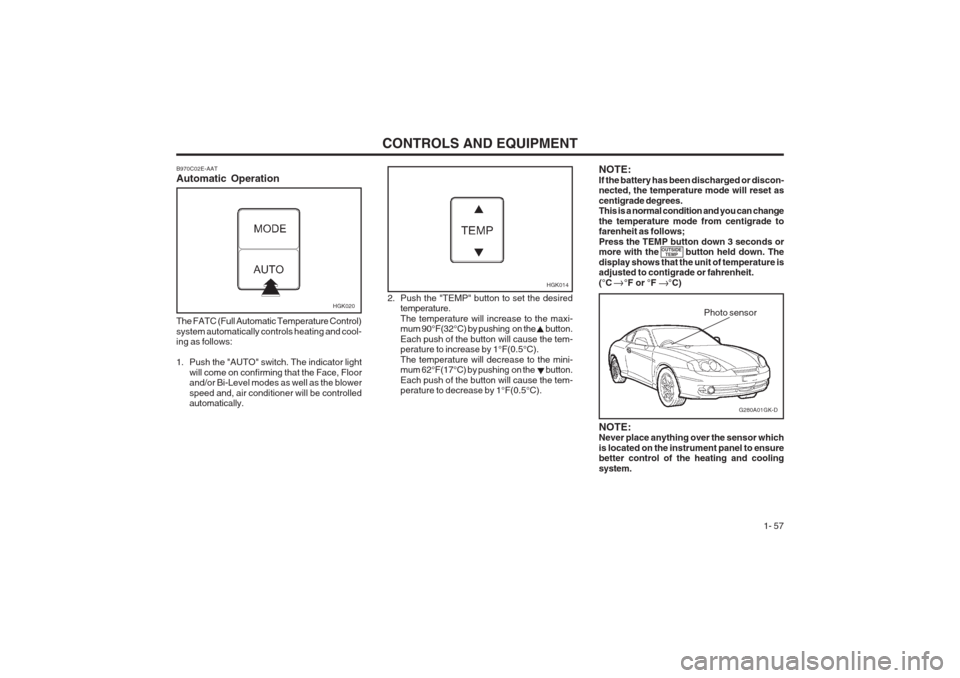
B970C02E-AAT Automatic Operation
HGK020
The FATC (Full Automatic Temperature Control) system automatically controls heating and cool- ing as follows:
1. Push the "AUTO" switch. The indicator light will come on confirming that the Face, Floor and/or Bi-Level modes as well as the blower speed and, air conditioner will be controlled automatically. 2. Push the "TEMP" button to set the desired
temperature. The temperature will increase to the maxi- mum 90°F(32°C) by pushing on the button. Each push of the button will cause the tem- perature to increase by 1°F(0.5°C). The temperature will decrease to the mini- mum 62°F(17°C) by pushing on the button. Each push of the button will cause the tem- perature to decrease by 1°F(0.5°C).
G280A01GK-D
Photo sensor
HGK014
NOTE: Never place anything over the sensor which is located on the instrument panel to ensure better control of the heating and cooling system.
NOTE:If the battery has been discharged or discon- nected, the temperature mode will reset as centigrade degrees. This is a normal condition and you can change the temperature mode from centigrade to farenheit as follows; Press the TEMP button down 3 seconds or more with the button held down. The display shows that the unit of temperature is adjusted to contigrade or fahrenheit. (°C °F or °F °C)
OUTSIDE
TEMP
Page 66 of 140

CONTROLS AND EQUIPMENT
1- 58 B980B01Y-AAT Fan Speed Control Switch
HGK015
The fan speed can be set to the desired speed by pressing the appropriate fan speed control but- ton. The higher the fan speed is, the more air is delivered. Pressing the "OFF" button turns off the fan.
B980A01Y-AAT MANUAL OPERATION The heating and cooling system can be con- trolled manually as well by pushing buttons other than the "AUTO" button. In this state, the system sequentially works according to the order of buttons selected. The function of the buttons which are not select- ed will be controlled automatically. Press the "AUTO" button in order to convert to automatic control of the system.
Pressing the button displays the amb- ient temperature on the LCD.
B995A01Y-GAT AMBIENT SWITCHHGK009
B670C01GK-EAT Air Intake Control Switch (Without A.Q.S)
HGK008
This is used to select fresh outside air or recircu- lation inside air. To change the air intake control mode, (Fresh mode, Recirculation mode) push the control but- ton. FRESH MODE ( ) : The indicator light on the button goes on when the air intake control is fresh mode. RECIRCULATION MODE ( ) : The indica- tor light on the button is illuminated when the air intake control is recirculation mode. With the "Fresh" mode selected, air enters the vehicle from the outside and is heated or cooled according to the function selected.OUTSIDE TEMP