Page 65 of 264

²Do not disassemble the player. The laser used in
disc playback is extremely harmful to the eyes.
Do not insert any promotional (odd shaped or
sized) discs, or discs with removable labels into
the CD player as jamming may occur. Damage
incurred by adhesive materials of any kind or
non-standard discs may void the warranty.
CLEANING CASSETTE PLAYER (IF EQUIPPED)
Clean the tape player head with a cassette cleaning
cartridge after 10 to 12 hours of play in order to
maintain the best sound and operation.
CASSETTE AND CASSETTE PLAYER CARE
²Use only cassettes that are 90 minutes long or
less.
²Do not expose tapes to direct sunlight, high
humidity, extreme heat or extreme cold. Allow
tapes that may have been exposed to extreme
temperatures to reach a moderate temperature
before playing.
²Tighten very loose tapes by inserting a finger or
pencil into the hole and turning the hub.
²Remove loose labels before inserting tapes.
²Do not leave tapes in the cassette player for a
long time when not being played.
RADIO FREQUENCY INFORMATION
The Federal Communications Commission (FCC)
and the Canadian Radio and Telecommunications
Commission(CRTC) establish the frequencies AM
and FM stations may use for their broadcasts.
Allowable frequencies are:
AM 530, 540±1600, 1610 kHz
FM 87.7, 87.9±107.7, 107.9 MHz
Not all frequencies are used in a given area.
Entertainment Systems
65
Page 67 of 264
MANUAL HEATING AND AIR CONDITIONING
SYSTEM
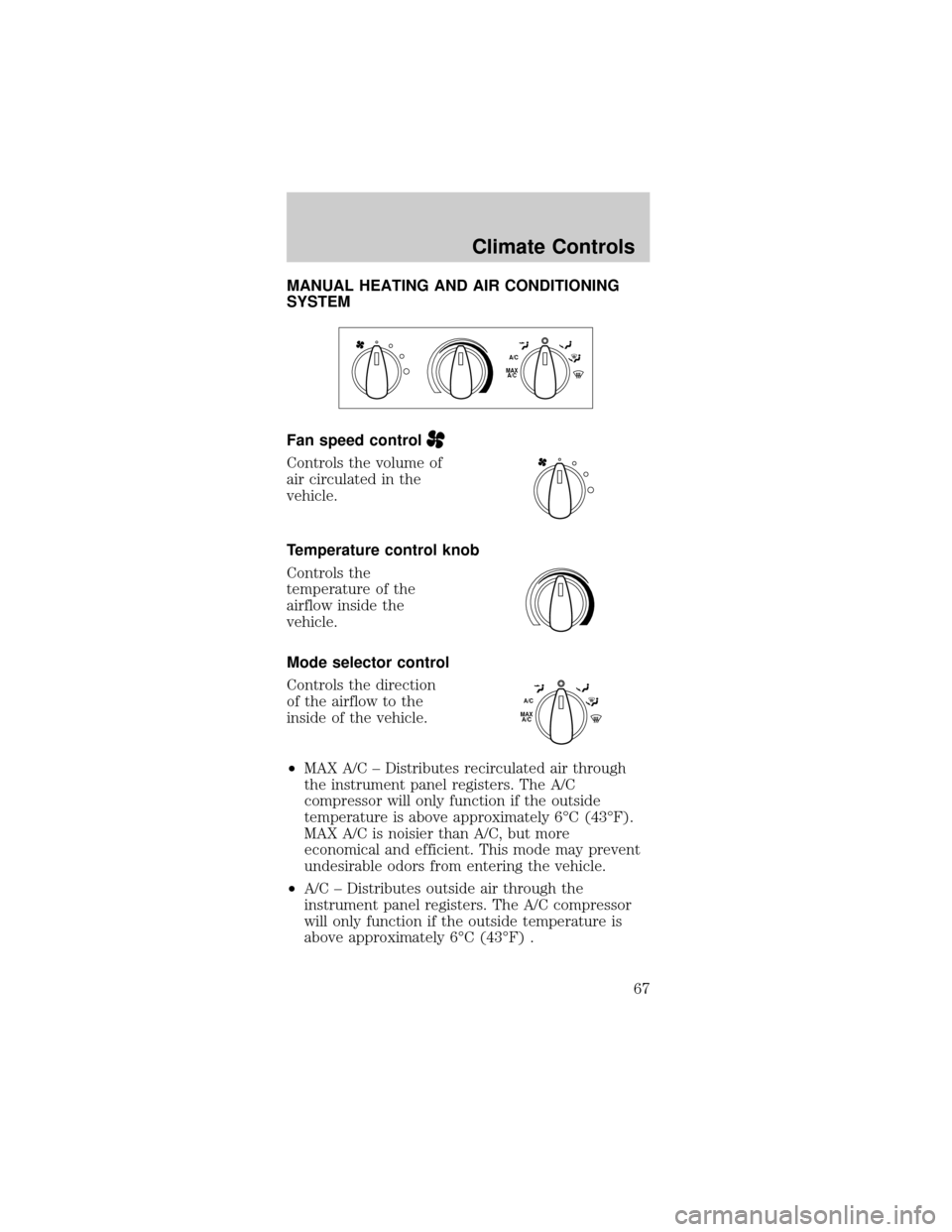
Fan speed control
Controls the volume of
air circulated in the
vehicle.
Temperature control knob
Controls the
temperature of the
airflow inside the
vehicle.
Mode selector control
Controls the direction
of the airflow to the
inside of the vehicle.
²MAX A/C ± Distributes recirculated air through
the instrument panel registers. The A/C
compressor will only function if the outside
temperature is above approximately 6ÉC (43ÉF).
MAX A/C is noisier than A/C, but more
economical and efficient. This mode may prevent
undesirable odors from entering the vehicle.
²A/C ± Distributes outside air through the
instrument panel registers. The A/C compressor
will only function if the outside temperature is
above approximately 6ÉC (43ÉF) .
MAX
A/CA/C
MAX
A/CA/C
Climate Controls
67
Page 69 of 264

Operating tips
²To reduce fogging in humid weather, place the
climate control system in Defrost and Rear
Defrost mode (if equipped) before driving.
²To reduce humidity buildup inside the vehicle
under warm weather conditions, do not drive with
the climate control system in the Off mode.
²To reduce humidity buildup inside the vehicle
under cold weather conditions, do not drive with
the climate control system in Max A/C (if
equipped), recirculation mode (if equipped) or
Off mode.
²Under normal weather conditions, do not leave
your vehicle in the Max A/C (if equipped),
recirculation mode (if equipped) or Off mode
when turning off the vehicle.
²Under snowy or dirty weather conditions, leave
your vehicle in the Max A/C (if equipped),
recirculation mode (if equipped) or Off mode
when turning off the ignition.
²Remove any snow, ice or leaves from the exterior
base of the windshield.
²To increase the efficiency of the A/C (if
equipped), drive with the windows slightly open
for two to three minutes. or until the vehicle has
been ªaired outº.
²Do not place objects under the front seat or over
the defroster ducts. They may reduce visibility,
fall into the ducts, or degrade the performance of
your climate control system.
Do not place objects on top of the
instrument panel, as these objects may
become projectiles in a collision or sudden stop.
Climate Controls
69
Page 89 of 264
OVERDRIVE CONTROL (IF EQUIPPED)
Activating overdrive
(Overdrive) is the normal drive position for the
best fuel economy.
The overdrive function allows automatic upshifts and
downshifts through all available gears.
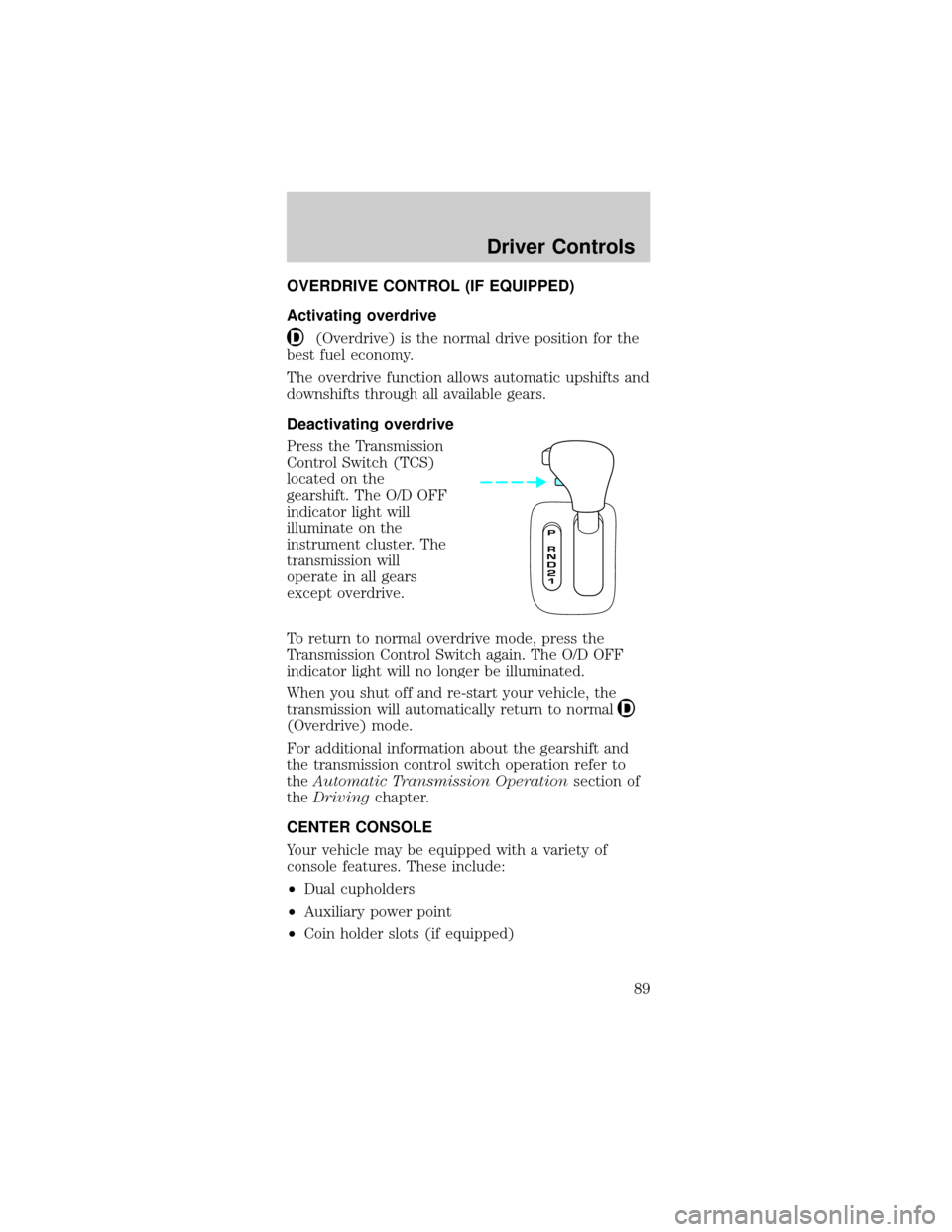
Deactivating overdrive
Press the Transmission
Control Switch (TCS)
located on the
gearshift. The O/D OFF
indicator light will
illuminate on the
instrument cluster. The
transmission will
operate in all gears
except overdrive.
To return to normal overdrive mode, press the
Transmission Control Switch again. The O/D OFF
indicator light will no longer be illuminated.
When you shut off and re-start your vehicle, the
transmission will automatically return to normal
(Overdrive) mode.
For additional information about the gearshift and
the transmission control switch operation refer to
theAutomatic Transmission Operationsection of
theDrivingchapter.
CENTER CONSOLE
Your vehicle may be equipped with a variety of
console features. These include:
²Dual cupholders
²Auxiliary power point
²Coin holder slots (if equipped)
Driver Controls
89
Page 113 of 264

How to disengage the automatic locking mode
Ford Motor Company recommends that all
safety belt assemblies and attaching
hardware should be inspected by a qualified
technician after any collision. Safety belt
assemblies not in use during a collision should also
be inspected and replaced if either damage or
improper operation is noted.
Disconnect the combination lap/shoulder belt and
allow it to retract completely to disengage the
automatic locking mode and activate the vehicle
sensitive (emergency) locking mode.
After any vehicle collision, the front
passenger and rear outboard seat belt
systems must be checked by a qualified technician
to verify that the ªautomatic locking retractorº
feature for child seats is still functioning properly.
In addition, all seat belts should be checked for
proper function.
BELT AND RETRACTOR ASSEMBLY MUST
BE REPLACED if the seat belt assembly
ªautomatic locking retractorº feature or any other
seat belt function is not operating properly when
checked according to the procedures in Workshop
Manual.
Failure to replace the Belt and Retractor
assembly could increase the risk of injury in
collisions.
Safety belt warning light and indicator
chime
The seat belt warning light illuminates in the
instrument cluster and a chime sounds to remind
the occupants to fasten their safety belts.
Seating and Safety Restraints
113
Page 129 of 264
²Keep the buckle release button pointing up and
away from the safety seat, with the tongue
between the child seat and the release button, to
prevent accidental unbuckling.
²Place seat back in upright position.
²Put the safety belt in the automatic locking mode.
Refer toAutomatic locking mode(passenger
side front and outboard rear seating positions)
(if equipped) section in this chapter.
Ford recommends the use of a child safety seat
having a top tether strap. Install the child safety seat
in a seating position which is capable of providing a
tether anchorage. For more information on top
tether straps, refer toAttaching child safety seats
with tether straps.in this chapter.
Carefully follow all of the manufacturer's
instructions included with the safety seat
you put in your vehicle. If you do not install and
use the safety seat properly, the child may be
injured in a sudden stop or collision.
Installing child safety seats in combination lap
and shoulder belt seating positions
If you must use a
forward facing child
seat in the front seat
(reminder - children 12
years old and under
should always be
properly restrained in
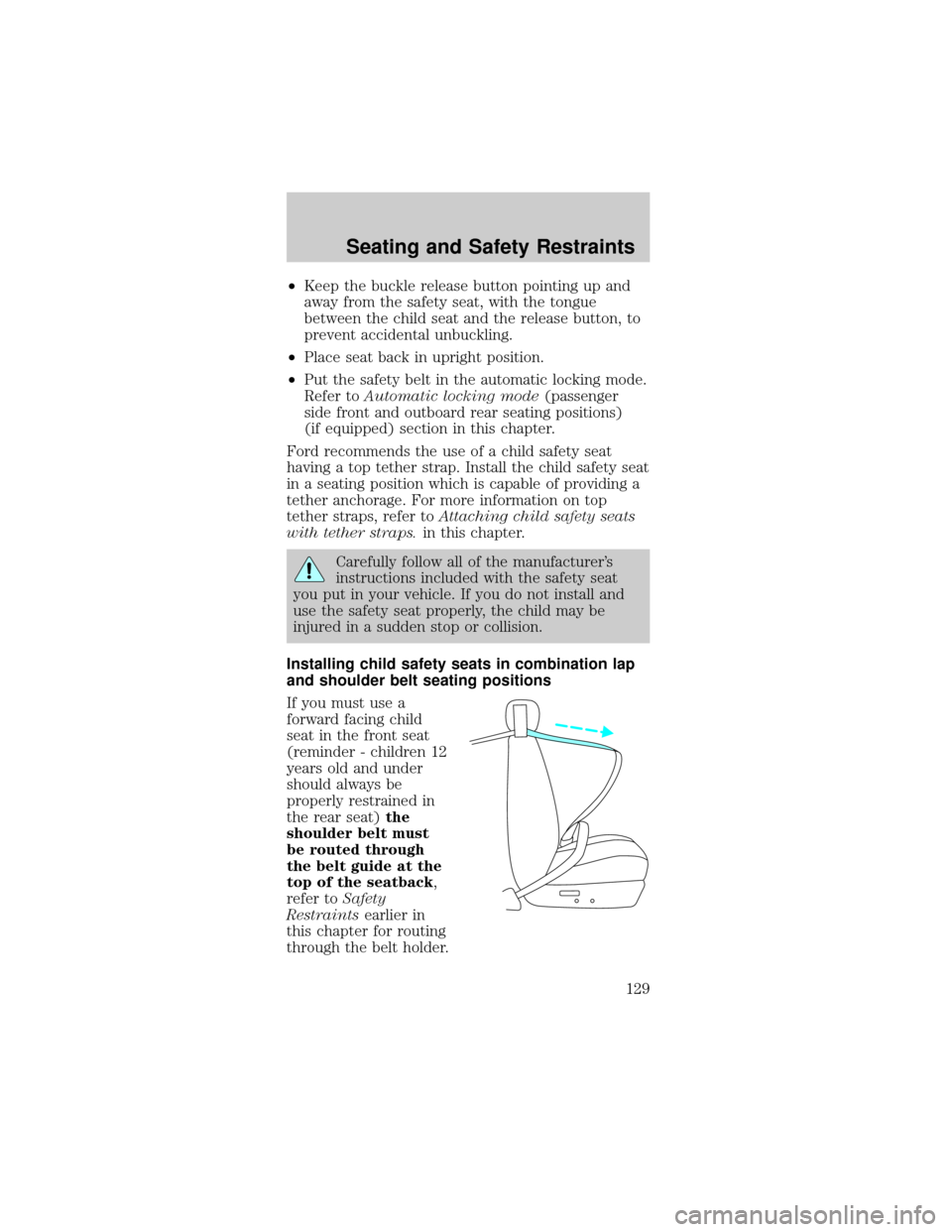
the rear seat)the
shoulder belt must
be routed through
the belt guide at the
top of the seatback,
refer toSafety
Restraintsearlier in
this chapter for routing
through the belt holder.
Seating and Safety Restraints
129
Page 153 of 264
To return to(Overdrive) mode, press the
transmission control switch. The O/D OFF indicator
will no longer be illuminated.
Each time the vehicle is started, the transmission
will automatically return to normal overdrive mode.
Every time the vehicle is shut off and restarted, you
must press the transmission control switch to cancel
overdrive operation if driving in overdrive is not
desired.
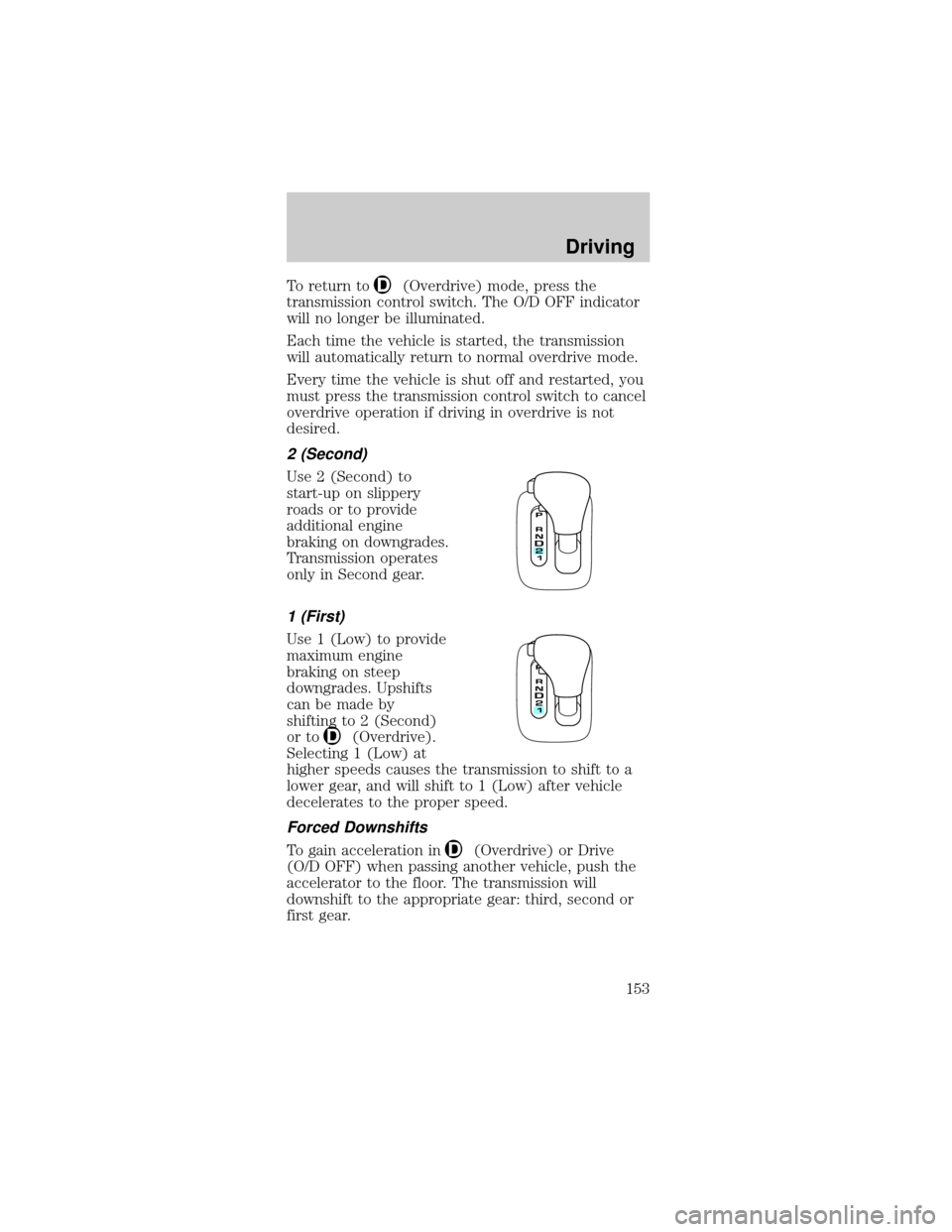
2 (Second)
Use 2 (Second) to
start-up on slippery
roads or to provide
additional engine
braking on downgrades.
Transmission operates
only in Second gear.
1 (First)
Use 1 (Low) to provide
maximum engine
braking on steep
downgrades. Upshifts
can be made by
shifting to 2 (Second)
or to
(Overdrive).
Selecting 1 (Low) at
higher speeds causes the transmission to shift to a
lower gear, and will shift to 1 (Low) after vehicle
decelerates to the proper speed.
Forced Downshifts
To gain acceleration in(Overdrive) or Drive
(O/D OFF) when passing another vehicle, push the
accelerator to the floor. The transmission will
downshift to the appropriate gear: third, second or
first gear.
Driving
153
Page 177 of 264
Do not connect the end of the second cable
to the negative (-) terminal of the battery to
be jumped. A spark may cause an explosion of the
gases that surround the battery.
5. Ensure that the cables are clear of fan blades,
belts, moving parts of both engines, or any fuel
delivery system parts.
Jump starting
1. Start the engine of the booster vehicle and run
the engine at moderately increased speed.
2. Start the engine of the disabled vehicle.
3. Once the disabled vehicle has been started, run
both engines for an additional three minutes before
disconnecting the jumper cables.
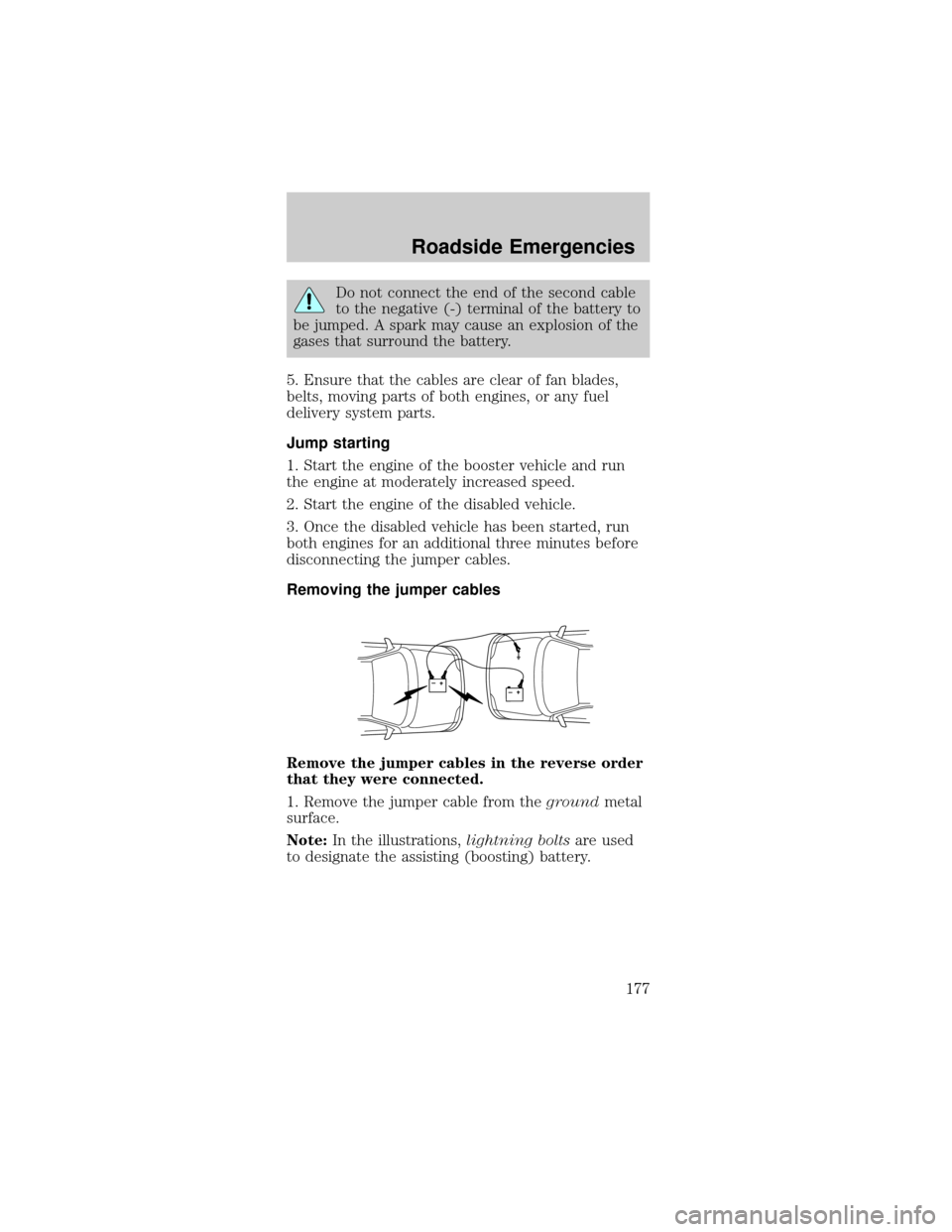
Removing the jumper cables
Remove the jumper cables in the reverse order
that they were connected.
1. Remove the jumper cable from thegroundmetal
surface.
Note:In the illustrations,lightning boltsare used
to designate the assisting (boosting) battery.
+–+–
Roadside Emergencies
177