2002 FORD ESCAPE light
[x] Cancel search: lightPage 161 of 280

The parking brake is not recommended to stop a moving vehicle.
However, if the normal brakes fail, the parking brake can be used to stop
your vehicle in an emergency. Since the parking brake applies only the
rear brakes, the vehicle's stopping distance will increase greatly and the
handling of your vehicle will be adversely affected.
To release the parking brake, the
brake handle may need to be pulled
up slightly to release pressure
before pushing in the button.
Push the button on the end of the
parking brake handle and push the
handle down as far as possible.
Driving with the parking brake
applied will cause the brakes to
wear out quickly and reduce fuel
economy.
STEERING
Your vehicle is equipped with power steering. Power steering uses energy
from the engine to decrease the driver's effort in steering the vehicle.
To prevent damage to the power steering pump:
²Never hold the steering wheel to the extreme right or the extreme left
for more than a few seconds when the engine is running.
²Do not operate the vehicle with the power steering pump fluid level
below the MIN mark on the reservoir.
If the power steering system breaks down (or if the engine is turned
off), you can steer the vehicle manually, but it takes more effort.
If the steering wanders or pulls, the condition could be caused by any of
the following:
²underinflated tire(s) on any wheel(s)
²uneven vehicle loading
²high crown in center of road
²high crosswinds
²wheels out of alignment
²loose or worn suspension components
Driving
161
Page 164 of 280

3. Insert a tool (or a screwdriver)
into the right-hand side of the
brake-shift interlock access cover
and remove the cover.
4. Insert a tool (or screw driver)
into the access hole to override the
brake-shift interlock. Apply the
brake and shift into Neutral while
holding down the override tab.
If it is necessary to use the above procedure to move the gearshift lever,
it is possible that a fuse has blown or the vehicle's brakelamps are not
operating properly. Refer toFuses and relaysin theRoadside
emergencieschapter.
Do not drive your vehicle until you verify that the brakelamps
are working.
If your vehicle gets stuck in mud or snow it may be rocked out by
shifting between forward and reverse gears, stopping between shifts, in a
steady pattern. Press lightly on the accelerator in each gear.
Driving
164
Page 167 of 280
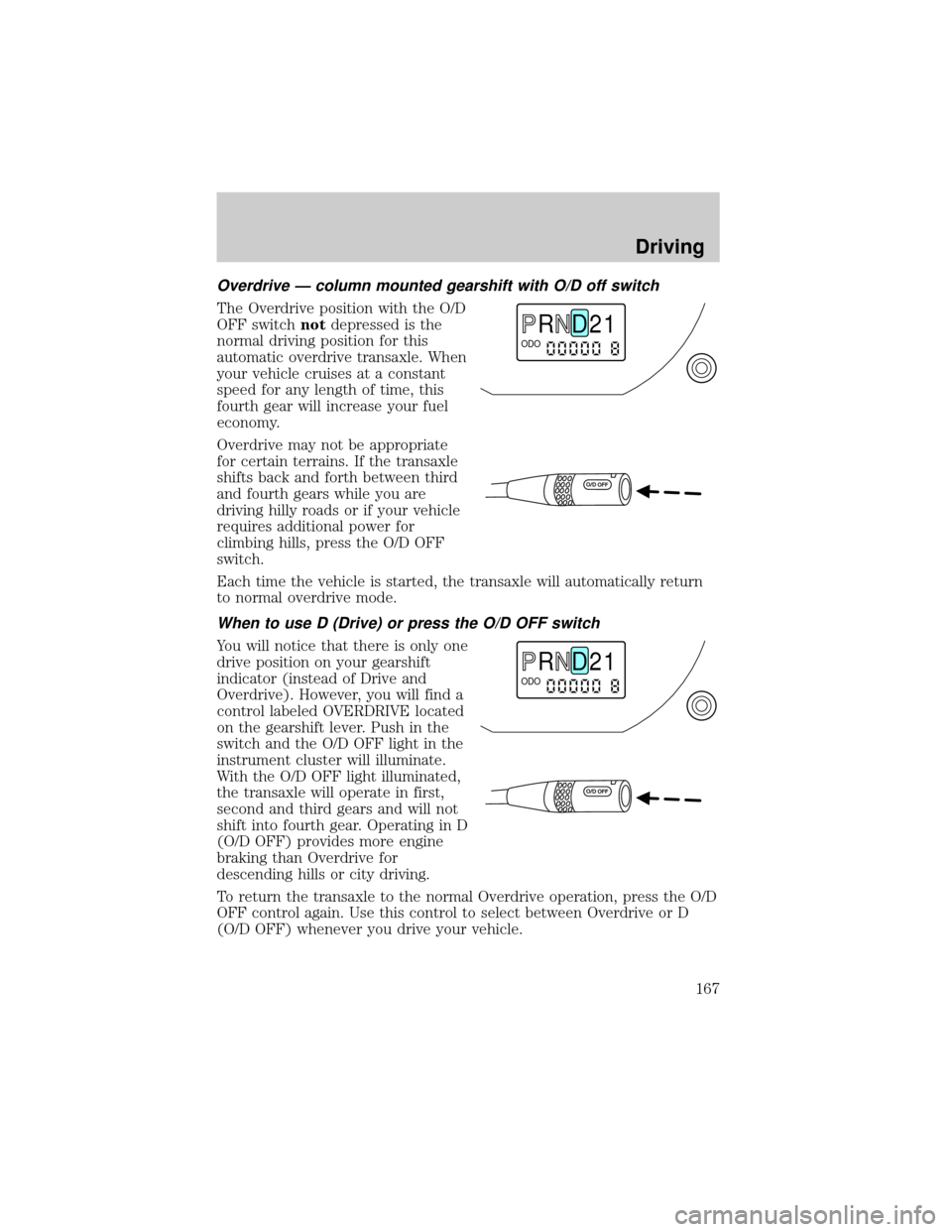
Overdrive Ð column mounted gearshift with O/D off switch
The Overdrive position with the O/D
OFF switchnotdepressed is the
normal driving position for this
automatic overdrive transaxle. When
your vehicle cruises at a constant
speed for any length of time, this
fourth gear will increase your fuel
economy.
Overdrive may not be appropriate
for certain terrains. If the transaxle
shifts back and forth between third
and fourth gears while you are
driving hilly roads or if your vehicle
requires additional power for
climbing hills, press the O/D OFF
switch.
Each time the vehicle is started, the transaxle will automatically return
to normal overdrive mode.
When to use D (Drive) or press the O/D OFF switch
You will notice that there is only one
drive position on your gearshift
indicator (instead of Drive and
Overdrive). However, you will find a
control labeled OVERDRIVE located
on the gearshift lever. Push in the
switch and the O/D OFF light in the
instrument cluster will illuminate.
With the O/D OFF light illuminated,
the transaxle will operate in first,
second and third gears and will not
shift into fourth gear. Operating in D
(O/D OFF) provides more engine
braking than Overdrive for
descending hills or city driving.
To return the transaxle to the normal Overdrive operation, press the O/D
OFF control again. Use this control to select between Overdrive or D
(O/D OFF) whenever you drive your vehicle.
R D 2 1ODO
R D 2 1ODO
Driving
167
Page 168 of 280
If the O/D OFF indicator light is flashing on and off repeatedly when the
vehicle is started or does not come on when the O/D OFF control is
pressed, there may be a transaxle electronic system malfunction. You
should contact your dealer as soon as possible or damage to the
transaxle could occur.
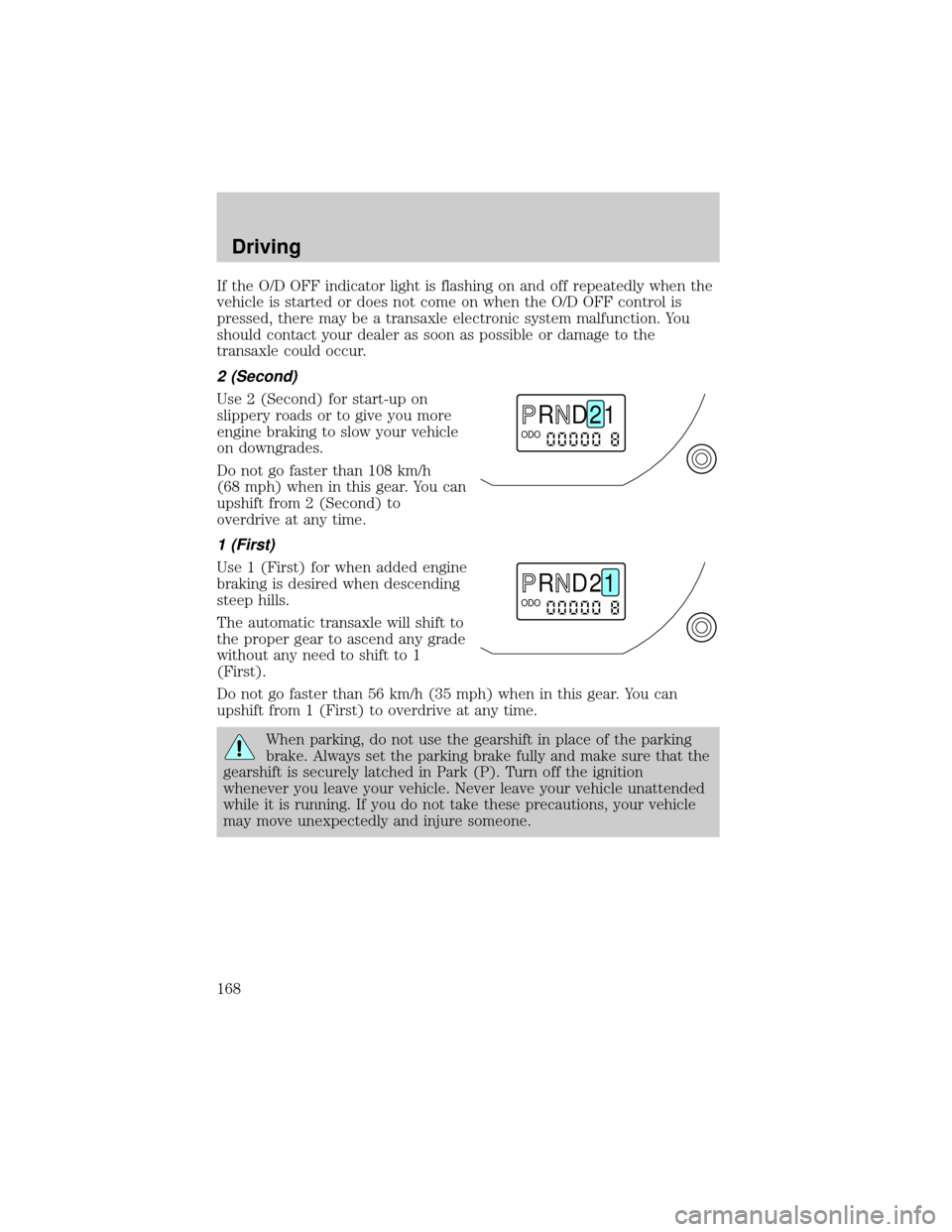
2 (Second)
Use 2 (Second) for start-up on
slippery roads or to give you more
engine braking to slow your vehicle
on downgrades.
Do not go faster than 108 km/h
(68 mph) when in this gear. You can
upshift from 2 (Second) to
overdrive at any time.
1 (First)
Use 1 (First) for when added engine
braking is desired when descending
steep hills.
The automatic transaxle will shift to
the proper gear to ascend any grade
without any need to shift to 1
(First).
Do not go faster than 56 km/h (35 mph) when in this gear. You can
upshift from 1 (First) to overdrive at any time.
When parking, do not use the gearshift in place of the parking
brake. Always set the parking brake fully and make sure that the
gearshift is securely latched in Park (P). Turn off the ignition
whenever you leave your vehicle. Never leave your vehicle unattended
while it is running. If you do not take these precautions, your vehicle
may move unexpectedly and injure someone.
R D 2 1ODO
R D 2 1ODO
Driving
168
Page 170 of 280
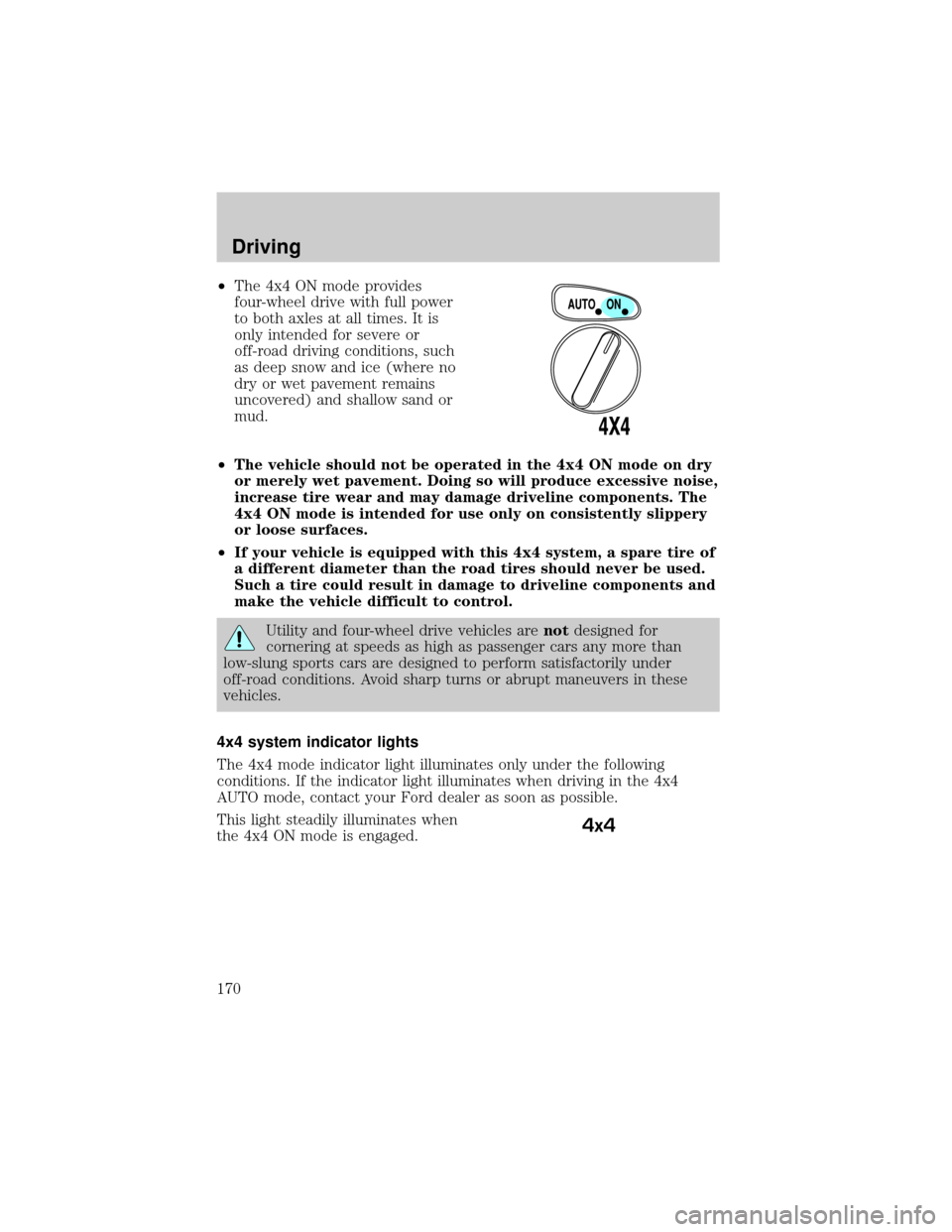
²The 4x4 ON mode provides
four-wheel drive with full power
to both axles at all times. It is
only intended for severe or
off-road driving conditions, such
as deep snow and ice (where no
dry or wet pavement remains
uncovered) and shallow sand or
mud.
²The vehicle should not be operated in the 4x4 ON mode on dry
or merely wet pavement. Doing so will produce excessive noise,
increase tire wear and may damage driveline components. The
4x4 ON mode is intended for use only on consistently slippery
or loose surfaces.
²If your vehicle is equipped with this 4x4 system, a spare tire of
a different diameter than the road tires should never be used.
Such a tire could result in damage to driveline components and
make the vehicle difficult to control.
Utility and four-wheel drive vehicles arenotdesigned for
cornering at speeds as high as passenger cars any more than
low-slung sports cars are designed to perform satisfactorily under
off-road conditions. Avoid sharp turns or abrupt maneuvers in these
vehicles.
4x4 system indicator lights
The 4x4 mode indicator light illuminates only under the following
conditions. If the indicator light illuminates when driving in the 4x4
AUTO mode, contact your Ford dealer as soon as possible.
This light steadily illuminates when
the 4x4 ON mode is engaged.
4x4
Driving
170
Page 171 of 280

Shifting between 4x4 Auto and ON modes
Switch the four-wheel drive control
to 4x4 ON to apply power to both
axles. When you activate the control
to 4x4 ON, the indicator light will
illuminate in the instrument cluster.
When you switch the control back
to 4x4 AUTO for normal on-road
operating conditions, the indicator
light is activated and will turn off.
Either shift can be done at a stop or
while driving at any speed.
Driving off-road with truck and utility vehicles
4x4 vehicles are specially equipped for driving on sand, snow, mud and
rough terrain and have operating characteristics that are somewhat
different from conventional vehicles, both on and off the road.
How your vehicle differs from other vehicles
Truck and utility vehicles can differ from some other vehicles. Your
vehicle may be higher to allow it to travel over rough terrain without
getting hung up or damaging underbody components.
The differences that make your vehicle so versatile also make it handle
differently than an ordinary passenger car.
Maintain steering wheel control at all times, especially in rough terrain.
Since sudden changes in terrain can result in abrupt steering wheel
motion, make sure you grip the steering wheel from the outside. Do not
grip the spokes.
Drive cautiously to avoid vehicle damage from concealed objects such as
rocks and stumps.
You should either know the terrain or examine maps of the area before
driving. Map out your route before driving in the area. To maintain
steering and braking control of your vehicle, you must have all four
wheels on the ground and they must be rolling, not sliding or spinning.
Basic operating principles
²Drive slower in strong crosswinds which can affect the normal steering
characteristics of your vehicle.
Driving
171
Page 172 of 280
²Be extremely careful when driving on pavement made slippery by
loose sand, water, gravel, snow or ice.
If your vehicle goes off the edge of the pavement
²If your vehicle goes off the edge of the pavement, slow down, but
avoid severe brake application, ease the vehicle back onto the
pavement only after reducing your speed. Do not turn the steering
wheel too sharply while returning to the road surface.
²It may be safer to stay on the apron or shoulder of the road and slow
down gradually before returning to the pavement. You may loose
control if you do not slow down or if you turn the steering wheel too
sharply or abruptly.
²It often may be less risky to strike small inanimate objects, such as
highway reflectors, with minor damage to your vehicle rather than
attempt a sudden return to the pavement which could cause the
vehicle to slide sideways out of control or roll over. Remember, your
safety and the safety of others should be your primary concern.
If your vehicle gets stuck
If the vehicle is stuck it may be rocked out by shifting from forward and
reverse gears, stopping between shifts, in a steady pattern. Press lightly
on the accelerator in each gear.
Do not rock the vehicle for more than a few minutes or damage
to the transmission and tires may occur or the engine may
overheat.
Do not spin the wheels at over 56 km/h (35 mph). The tires may
fail and injure a passenger or bystander.
Emergency maneuvers
²In an unavoidable emergency situation where a sudden sharp turn
must be made, remember to avoid ªover-drivingº your vehicle, i.e.,
turn the steering wheel only as rapidly and as far as required to avoid
the emergency. Excessive steering will result in less vehicle control,
not more. Additionally, smooth variations of the accelerator and/or
brake pedal pressure should be utilized if changes in vehicle speed are
called for. Avoid abrupt steering, acceleration or braking. Use all
available road surface to return the vehicle to a safe direction of
travel.
Driving
172
Page 173 of 280

²In the event of an emergency stop, avoid skidding the tires and do not
attempt any sharp steering wheel movements.
²If the vehicle goes from one type of surface to another (i.e., from
concrete to gravel) there will be a change in the way the vehicle
responds to a maneuver (steering, acceleration or barking). Again,
avoid these abrupt inputs.
Sand
When driving over sand, try to keep all four wheels on the most solid
area of the trail. Avoid reducing the tire pressures but shift to a lower
gear and drive steadily through the terrain. Apply the accelerator slowly
and avoid spinning the wheels.
If you must reduce the tire pressure for whatever reason in sand, make
sure you re-inflate the tires as soon as possible.
Avoid excessive speed because vehicle momentum can work against you
and cause the vehicle to become stuck to the point that assistance may
be required from another vehicle. Remember, you may be able to back
out the way you came if you proceed with caution.
Mud and water
If you must drive through high
water, drive slowly. Traction or
brake capability may be limited.
When driving through water,
determine the depth; avoid water
higher than the bottom of the hubs
(if possible) and proceed slowly. If
the ignition system gets wet, the
vehicle may stall.
Once through water, always try the brakes. Wet brakes do not stop the
vehicle as effectively as dry brakes. Drying can be improved by moving
your vehicle slowly while applying light pressure on the brake pedal.
Be cautious of sudden changes in vehicle speed or direction when you
are driving in mud. Even 4x4 vehicles can lose traction in slick mud. As
when you are driving over sand, apply the accelerator slowly and avoid
spinning your wheels. If the vehicle does slide, steer in the direction of
the slide until you regain control of the vehicle.
Driving
173