CONNECT Nav
30
RADIO MODE
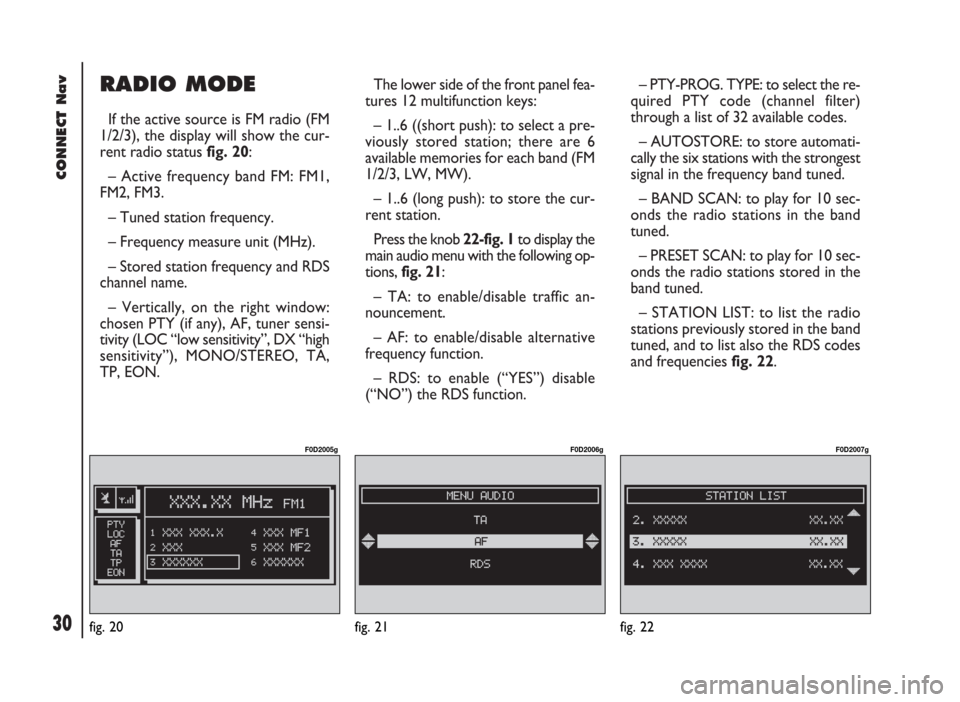
If the active source is FM radio (FM
1/2/3), the display will show the cur-
rent radio status fig. 20:
– Active frequency band FM: FM1,
FM2, FM3.
– Tuned station frequency.
– Frequency measure unit (MHz).
– Stored station frequency and RDS
channel name.
– Vertically, on the right window:
chosen PTY (if any), AF, tuner sensi-
tivity (LOC “low sensitivity”, DX “high
sensitivity”), MONO/STEREO, TA,
TP, EON.The lower side of the front panel fea-
tures 12 multifunction keys:
– 1..6 ((short push): to select a pre-
viously stored station; there are 6
available memories for each band (FM
1/2/3, LW, MW).
– 1..6 (long push): to store the cur-
rent station.
Press the knob 22-fig. 1to display the
main audio menu with the following op-
tions, fig. 21:
– TA: to enable/disable traffic an-
nouncement.
– AF: to enable/disable alternative
frequency function.
– RDS: to enable (“YES”) disable
(“NO”) the RDS function.– PTY-PROG. TYPE: to select the re-
quired PTY code (channel filter)
through a list of 32 available codes.
– AUTOSTORE: to store automati-
cally the six stations with the strongest
signal in the frequency band tuned.
– BAND SCAN: to play for 10 sec-
onds the radio stations in the band
tuned.
– PRESET SCAN: to play for 10 sec-
onds the radio stations stored in the
band tuned.
– STATION LIST: to list the radio
stations previously stored in the band
tuned, and to list also the RDS codes
and frequencies fig. 22.
fig. 20
F0D2005g
fig. 21
F0D2006g
fig. 22
F0D2007g
31
CONNECT Nav
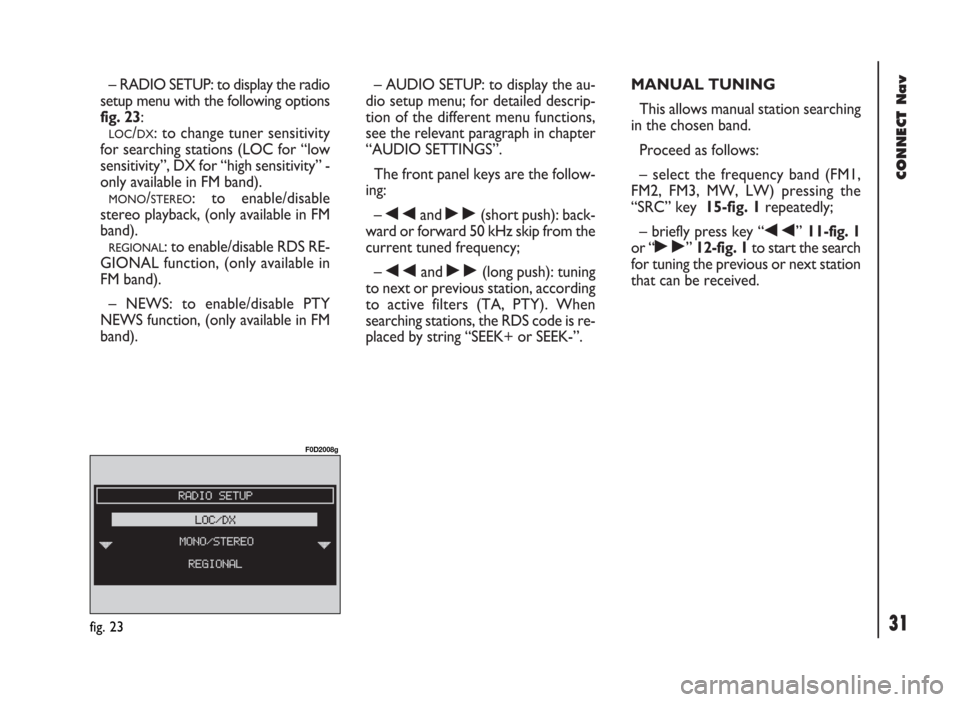
– RADIO SETUP: to display the radio
setup menu with the following options
fig. 23:
LOC/DX: to change tuner sensitivity
for searching stations (LOC for “low
sensitivity”, DX for “high sensitivity” -
only available in FM band).
MONO/STEREO: to enable/disable
stereo playback, (only available in FM
band).
REGIONAL: to enable/disable RDS RE-
GIONAL function, (only available in
FM band).
– NEWS: to enable/disable PTY
NEWS function, (only available in FM
band).– AUDIO SETUP: to display the au-
dio setup menu; for detailed descrip-
tion of the different menu functions,
see the relevant paragraph in chapter
“AUDIO SETTINGS”.
The front panel keys are the follow-
ing:
–
÷and ˜(short push): back-
ward or forward 50 kHz skip from the
current tuned frequency;
–
÷and ˜(long push): tuning
to next or previous station, according
to active filters (TA, PTY). When
searching stations, the RDS code is re-
placed by string “SEEK+ or SEEK-”.MANUAL TUNING
This allows manual station searching
in the chosen band.
Proceed as follows:
– select the frequency band (FM1,
FM2, FM3, MW, LW) pressing the
“SRC” key 15-fig. 1repeatedly;
– briefly press key “
÷” 11-fig. 1
or “
˜” 12-fig. 1to start the search
for tuning the previous or next station
that can be received.
fig. 23
F0D2008g