Page 5 of 432
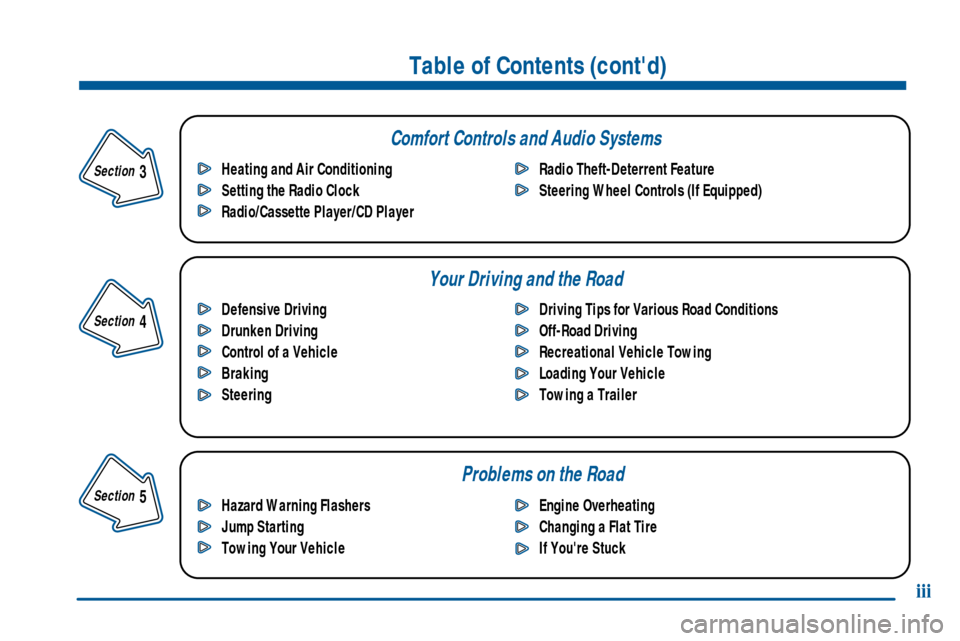
Comfort Controls and Audio Systems
Your Driving and the Road
Table of Contents (cont'd)
Defensive Driving
Drunken Driving
Control of a Vehicle
Braking
SteeringDriving Tips for Various Road Conditions
Off-Road Driving
Recreational Vehicle Towing
Loading Your Vehicle
Towing a Trailer Heating and Air Conditioning
Setting the Radio Clock
Radio/Cassette Player/CD PlayerRadio Theft-Deterrent Feature
Steering Wheel Controls (If Equipped)
Hazard Warning Flashers
Jump Starting
Towing Your VehicleEngine Overheating
Changing a Flat Tire
If You're Stuck
Problems on the Road
iii
Section
5
Section
4
Section
3
Page 82 of 432
2-13
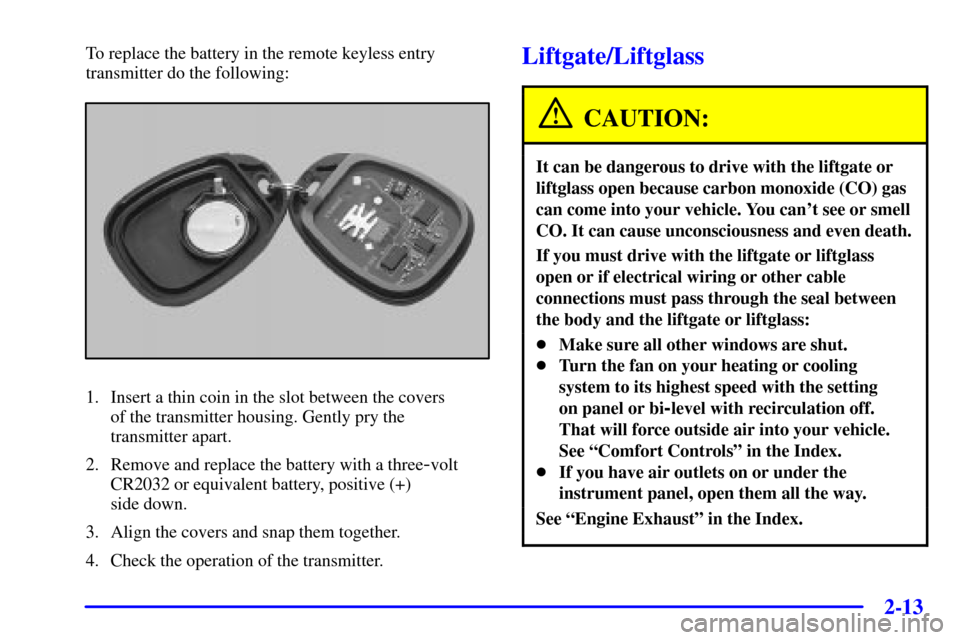
To replace the battery in the remote keyless entry
transmitter do the following:
1. Insert a thin coin in the slot between the covers
of the transmitter housing. Gently pry the
transmitter apart.
2. Remove and replace the battery with a three
-volt
CR2032 or equivalent battery, positive (+)
side down.
3. Align the covers and snap them together.
4. Check the operation of the transmitter.
Liftgate/Liftglass
CAUTION:
It can be dangerous to drive with the liftgate or
liftglass open because carbon monoxide (CO) gas
can come into your vehicle. You can't see or smell
CO. It can cause unconsciousness and even death.
If you must drive with the liftgate or liftglass
open or if electrical wiring or other cable
connections must pass through the seal between
the body and the liftgate or liftglass:
�Make sure all other windows are shut.
�Turn the fan on your heating or cooling
system to its highest speed with the setting
on panel or bi
-level with recirculation off.
That will force outside air into your vehicle.
See ªComfort Controlsº in the Index.
�If you have air outlets on or under the
instrument panel, open them all the way.
See ªEngine Exhaustº in the Index.
Page 130 of 432
2-61
To prevent damage or loss of cargo as you're driving,
check now and then to make sure the luggage carrier is
locked and cargo is still securely fastened.
Ashtrays and Cigarette Lighter
The front ashtray is removable and fits into the
front cupholder.
NOTICE:
Don't put papers and other things that burn into
your ashtray. If you do, cigarettes or other
smoking materials could set them on fire,
causing damage.
To remove the front ashtray, pull the covered bin out of
the cupholder.
To use the lighter, press it in all the way, and let go.
When it's ready, it will pop back out by itself.
NOTICE:
Don't hold a cigarette lighter in with your hand
while it is heating. If you do, it won't be able to
back away from the heating element when it's
ready. That can make it overload, damaging the
lighter and the heating element.
Sun Visors
To block out glare, you can pull the visor down. You can
also swing the visor from side
-to-side.
Visor Vanity Mirror
Pull the sun visor down to expose the vanity mirror.
Illuminated Visor Vanity Mirror
(If Equipped)
Pull the sun visor down and lift the mirror cover to turn
on the lamps.
Page 148 of 432
2-79
Engine Coolant Temperature Gage
United States Canada
This gage shows the engine coolant temperature. If the
gage pointer moves into the red area, it means that your
engine coolant has overheated. If you have been
operating your vehicle under normal driving conditions,
you should pull off the road, stop your vehicle and turn
off the engine as soon as possible.
See ªEngine Overheatingº in the Index for
more information.
Malfunction Indicator Lamp (Service
Engine Soon Light in the United States
or Check Engine Light in Canada)
United States Canada
Your vehicle is equipped with a computer which
monitors operation of the fuel, ignition and emission
control systems.
Page 173 of 432
3-
3-1
Section 3 Comfort Controls and Audio Systems
In this section, you'll find out how to operate the comfort control and audio systems offered with your vehicle.
Be sure to read about the particular systems supplied with your vehicle.
3
-2 Comfort Controls
3
-8 Air Conditioning
3
-8 Heating
3
-8 Defogging and Defrosting
3
-9 Rear Window Defogger
3
-11 Ventilation System
3
-13 Audio Systems
3
-13 Setting the Clock
3
-13 AM-FM Stereo with Cassette Tape Player
with Radio Data System (RDS) and Automatic
Tone Control
3
-24 AM-FM Stereo with Compact Disc Player
with Radio Data System (RDS) and Automatic
Tone Control (If Equipped)
3
-32 AM-FM Stereo with Cassette Tape and
Compact Disc Player with Radio Data
System (RDS) and Automatic Tone Control
(If Equipped)3
-44 AM-FM Stereo with 6-Disc Compact Disc
Player with Programmable Equalization and
Radio Data System (RDS) (If Equipped)
3
-55 Rear Seat Audio (If Equipped)
3
-56 Theft-Deterrent Feature RDS Radios
3
-56 Audio Steering Wheel Controls (If Equipped)
3
-57 Understanding Radio Reception
3
-57 Tips About Your Audio System
3
-58 Care of Your Cassette Tape Player
3
-60 Care of Your Compact Discs
3
-60 Care of Your Compact Disc Player
3
-60 Fixed Mast Antenna
3
-60 Chime Level Adjustment
Page 174 of 432
3-2
Comfort Controls
This section tells you how to use the comfort controls.
With these systems, you can control the heating, cooling
and ventilation in your vehicle.
Comfort Controls Personalization
(If Equipped)
If your vehicle is equipped with the automatic comfort
control system and memory seats and mirrors, you
can store and recall the climate control settings for
temperature, air delivery mode and fan speed for
two different drivers. The personal choice settings
recalled are determined by the transmitter used to enter
the vehicle. After the button with the unlock symbol on
a remote keyless entry transmitter is pressed, the climate
control will adjust to the last settings of the identified
driver. The settings can also be changed by pressing one
of the memory buttons (1 or 2) located on the driver's
door. When adjustments are made, the new settings are
automatically saved for that driver.
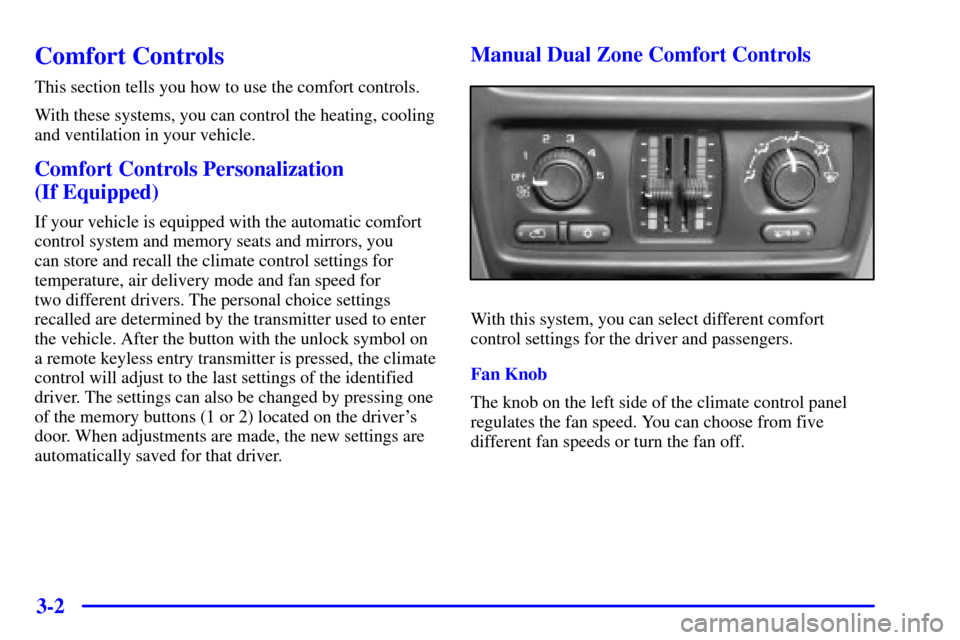
Manual Dual Zone Comfort Controls
With this system, you can select different comfort
control settings for the driver and passengers.
Fan Knob
The knob on the left side of the climate control panel
regulates the fan speed. You can choose from five
different fan speeds or turn the fan off.
Page 180 of 432

3-8 Air Conditioning
On hot days, open the windows long enough to let hot
inside air escape. This reduces the time it takes for your
vehicle to cool down. Then keep your windows closed
for the air conditioner to work its best.
If your vehicle has the manual system, for quick
cool
-down on very hot days, use the airflow from the
panel outlets, press recirculation and air conditioning
with the temperature control in the blue area. If this max
air conditioning setting is used for long periods of time,
the air in your vehicle may become too cold and dry.
For normal cooling on hot days, use air conditioning
without recirculation with the temperature control in the
blue area.
If your vehicle has the automatic system, press the
AUTO button and the system will cool and dehumidify
the air inside the vehicle. Also while in this mode, the
system will maximize its performance by using
recirculation as necessary.
On cool, but sunny days, with the manual system or
through manual operation of the automatic system,
use bi
-level to deliver warm air to the floor and cooler
air to the instrument panel outlets. To warm or cool
the air delivered, turn the temperature control to the
desired setting.
Heating
If you have the manual system, on cold days use floor
with the temperature lever in the red area. If you have
the automatic system, press AUTO and adjust the
temperature by turning the temperature knob clockwise
or counterclockwise. You may also adjust the automatic
system manually by pressing the MODE button and
selecting floor. Again, adjust the temperature by turning
the temperature knob clockwise or counterclockwise.
With either system, outside air will be heated and sent
through the floor outlets. The heater works best if you
keep the windows closed while using it.
Defogging and Defrosting
On cool, humid days, use defog to keep the windshield
and side windows clear. Use the FRONT defrost button
to remove fog or ice from the windshield quickly in
extremely humid or cold conditions.
If your vehicle has the manual system, select defog and
adjust the fan speed to your comfort level. Turn the air
conditioning on to help dehumidify the air. Use front
defrost with the temperature toward the red area and the
fan control toward high.
Page 181 of 432
3-9
If your vehicle has the automatic system and you select
FRONT defrost or defog from AUTO, the system will
control the fan speed. Adjust the temperature and fan
speed to your comfort level. After the windshield is
clear, adjust the temperature to your normal setting and
select the AUTO button and return to AUTO mode and
fan control.
For maximum front defrost performance under extreme
icing or frosting conditions, increase the temperature
setting to 90�F (32�C) and increase the fan speed
to high.
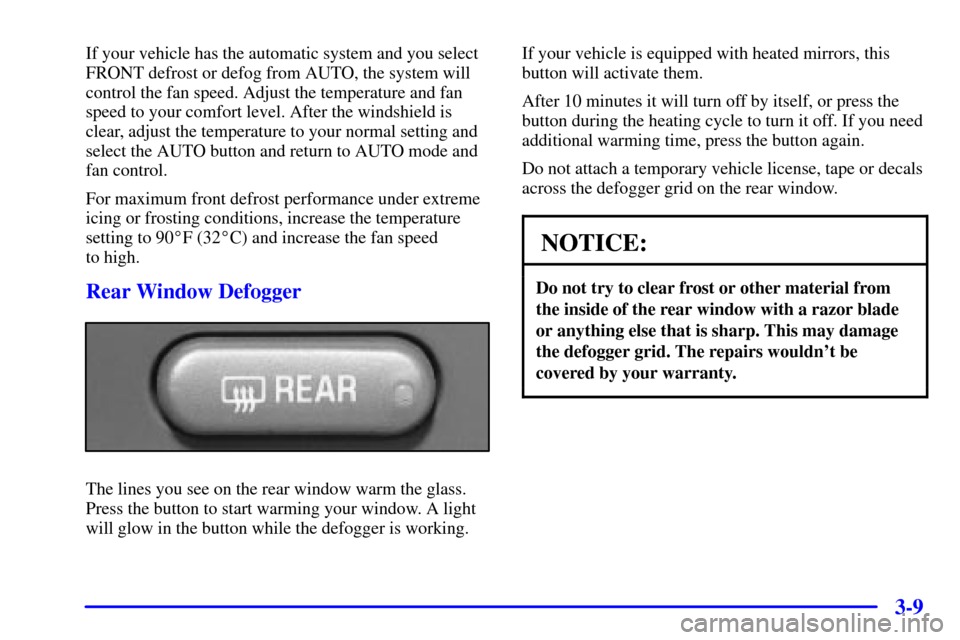
Rear Window Defogger
The lines you see on the rear window warm the glass.
Press the button to start warming your window. A light
will glow in the button while the defogger is working.If your vehicle is equipped with heated mirrors, this
button will activate them.
After 10 minutes it will turn off by itself, or press the
button during the heating cycle to turn it off. If you need
additional warming time, press the button again.
Do not attach a temporary vehicle license, tape or decals
across the defogger grid on the rear window.
NOTICE:
Do not try to clear frost or other material from
the inside of the rear window with a razor blade
or anything else that is sharp. This may damage
the defogger grid. The repairs wouldn't be
covered by your warranty.