Page 156 of 432
2-87
Gate Ajar
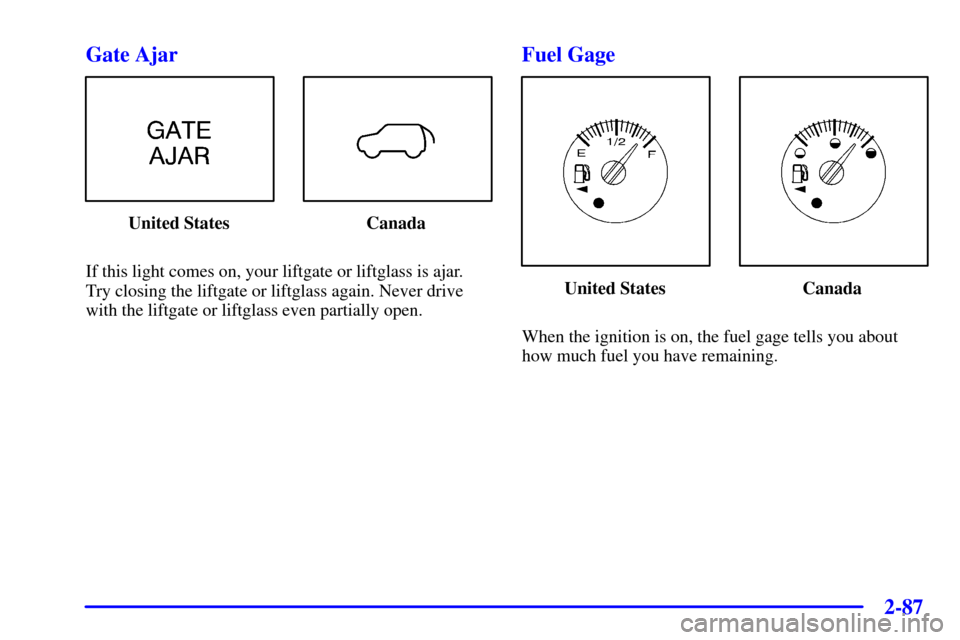
United States Canada
If this light comes on, your liftgate or liftglass is ajar.
Try closing the liftgate or liftglass again. Never drive
with the liftgate or liftglass even partially open.
Fuel Gage
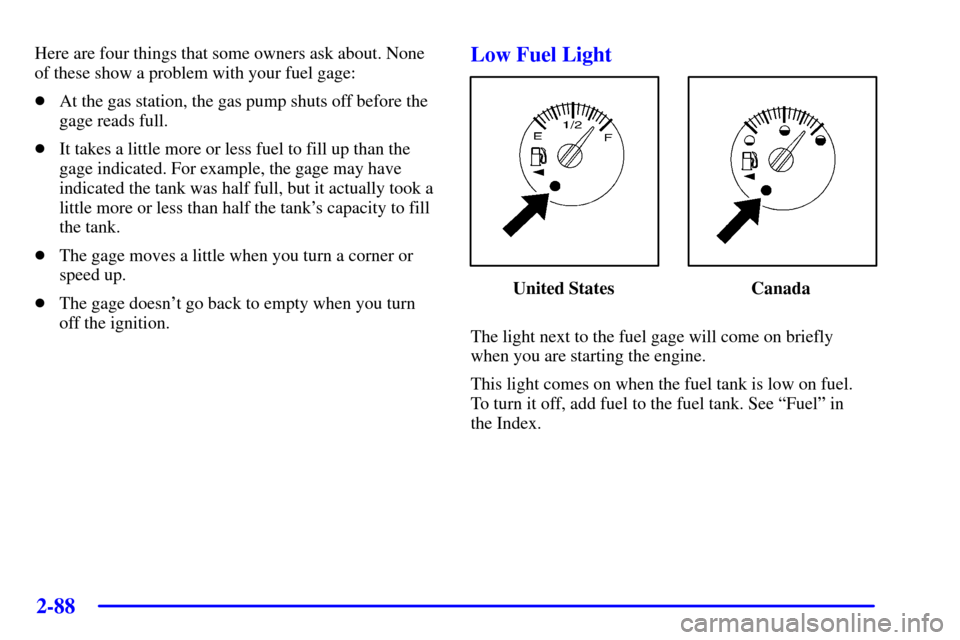
United States Canada
When the ignition is on, the fuel gage tells you about
how much fuel you have remaining.
Page 157 of 432
2-88
Here are four things that some owners ask about. None
of these show a problem with your fuel gage:
�At the gas station, the gas pump shuts off before the
gage reads full.
�It takes a little more or less fuel to fill up than the
gage indicated. For example, the gage may have
indicated the tank was half full, but it actually took a
little more or less than half the tank's capacity to fill
the tank.
�The gage moves a little when you turn a corner or
speed up.
�The gage doesn't go back to empty when you turn
off the ignition.Low Fuel Light
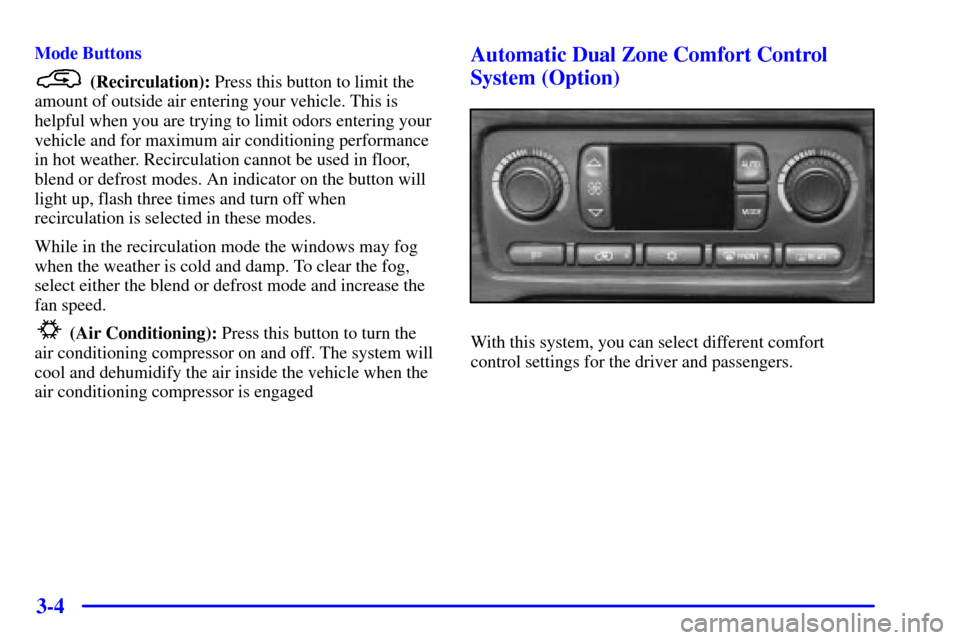
United States Canada
The light next to the fuel gage will come on briefly
when you are starting the engine.
This light comes on when the fuel tank is low on fuel.
To turn it off, add fuel to the fuel tank. See ªFuelº in
the Index.
Page 161 of 432

2-92
The DIC does not replace the need to maintain your
vehicle as recommended in the Maintenance Schedule
in this manual. Also, the oil change reminder will not
detect dusty conditions or engine malfunctions that may
affect the oil. If you drive in dusty areas, change your
oil after every 3,000 miles (5 000 km) or three months,
whichever occurs first, unless the DIC instructs you to
do so sooner. Also, the oil change reminder does not
measure how much oil you have in your engine. So, be
sure to check your oil level often. See ªEngine Oilº in
the Index.
Personalization Button
You can program certain features to a preferred setting
for up to two people. Press the personalization button to
scroll through the following personalization features. All
of the personalization options may not be available on
your vehicle. Only the options available will be
displayed on your DIC.
�ALARM WARNING TYPE
�AUTOMATIC LOCKING
�AUTOMATIC UNLOCKING�SEAT POSITION RECALL (If Equipped)
�PERIMETER LIGHTING
�REMOTE LOCK FEEDBACK
�REMOTE UNLOCK FEEDBACK
�HEADLAMPS ON AT EXIT
�TILT MIRROR IN REVERSE (If Equipped)
�EASY EXIT SEAT (If Equipped)
�DISPLAY UNITS (E/M)
�DISPLAY LANGUAGE
The driver's preferences are recalled by pressing the
unlock button on the remote keyless entry transmitter
or by pressing the appropriate memory button 1 or 2
located on the driver's door.
Page 164 of 432
2-95
Choose one of the three options and press the
personalization button while it is displayed on the DIC
to select it and move on to the next feature. For more
information on seat position recall see ªMemory Seat
and Mirrorsº in the Index.
Perimeter Lighting
Press the personalization button until PERIMETER
LIGHTING appears in the display. To select your
personalization for perimeter lighting, press the select
button while PERIMETER LIGHTING is displayed on
the DIC. Pressing the select button will scroll through
the following choices:
�PERIMETER LIGHTING ON (default)
�PERIMETER LIGHTING OFF
If you choose for perimeter lighting to be on, the
headlamps and back
-up lamps will come on for
40 seconds, if it is dark enough outside, when you
unlock the vehicle with the remote keyless entry
transmitter.
Choose one of the two options and press the
personalization button while it is displayed on the
DIC to select it and move on to the next feature.Remote Lock Feedback
Press the personalization button until REMOTE LOCK
FEEDBACK appears in the display. To select your
personalization for the feedback you will receive when
locking the vehicle with the remote keyless entry
transmitter, press the select button while REMOTE
LOCK FEEDBACK is displayed on the DIC.
Pressing the select button will scroll through the
following choices:
�LOCK FEEDBACK: BOTH (default)
�LOCK FEEDBACK: OFF
�LOCK FEEDBACK: HORN
�LOCK FEEDBACK: LAMPS
If you choose both, the parking lamps will flash each
time you press the button with the lock symbol on the
remote keyless entry transmitter and the horn will chirp
the second time you press the lock button.
If you choose off, there will be no feedback when
locking the vehicle.
If you choose horn, the horn will chirp the second time
you press the button with the lock symbol on the remote
keyless entry transmitter.
Page 176 of 432
3-4
Mode Buttons
(Recirculation): Press this button to limit the
amount of outside air entering your vehicle. This is
helpful when you are trying to limit odors entering your
vehicle and for maximum air conditioning performance
in hot weather. Recirculation cannot be used in floor,
blend or defrost modes. An indicator on the button will
light up, flash three times and turn off when
recirculation is selected in these modes.
While in the recirculation mode the windows may fog
when the weather is cold and damp. To clear the fog,
select either the blend or defrost mode and increase the
fan speed.
(Air Conditioning): Press this button to turn the
air conditioning compressor on and off. The system will
cool and dehumidify the air inside the vehicle when the
air conditioning compressor is engaged
Automatic Dual Zone Comfort Control
System (Option)
With this system, you can select different comfort
control settings for the driver and passengers.
Page 179 of 432

3-7
Manual Operation
You may manually adjust the air delivery mode or
fan speed. Use the mode button to cycle through the
following four air delivery modes:
(Panel): This setting will deliver air to the
instrument panel outlets.
(Bi-Level): This setting will deliver warmer air to
the floor and cooler air to the instrument panel outlets.
(Floor): This setting will deliver air to the
floor outlets.
(Defog): This setting will deliver air to the floor
and windshield outlets.
OFF: Press this button to turn the system off. Some
fresh air will continue to flow through the vehicle from
the floor outlets. The system will try to maintain the
previously chosen temperature setting.
(Recirculation): Press this button to limit the
amount of outside air entering your vehicle. This is
helpful when you are trying to limit odors entering your
vehicle and for maximum air conditioning performance
in hot weather. Press this button again to allow outside
air to enter the vehicleIf you select recirculation while in defrost, defog or
floor, the light on the button will flash and go out to let
you know this is not allowed. This is to prevent fogging.
When the weather is cool or damp, operating the system
in recirculation for extended periods of time may cause
fogging of the vehicle's windows. To clear the fog,
select either defog or FRONT defrost. Be sure A/C OFF
is not selected to allow the air conditioning compressor
to run automatically and help dehumidify the air.
(Air Conditioning): Press this button to turn
the air conditioning compressor on and off. When air
conditioning is selected or in AUTO mode, the system
will run the air conditioning automatically to cool and
dehumidify the air entering the vehicle. If you select
A/C OFF while in FRONT defrost, the A/C OFF text
will flash to let you know this is not allowed. This is to
prevent fogging.
FRONT (Defrost): Press this button to defrost
the windshield. The system will automatically control
the fan speed if you select defrost from AUTO. If the
outside temperature is 40�F (4�C) or warmer, your air
conditioning compressor will automatically run to help
dehumidify the air and dry the windshield.
Page 181 of 432
3-9
If your vehicle has the automatic system and you select
FRONT defrost or defog from AUTO, the system will
control the fan speed. Adjust the temperature and fan
speed to your comfort level. After the windshield is
clear, adjust the temperature to your normal setting and
select the AUTO button and return to AUTO mode and
fan control.
For maximum front defrost performance under extreme
icing or frosting conditions, increase the temperature
setting to 90�F (32�C) and increase the fan speed
to high.
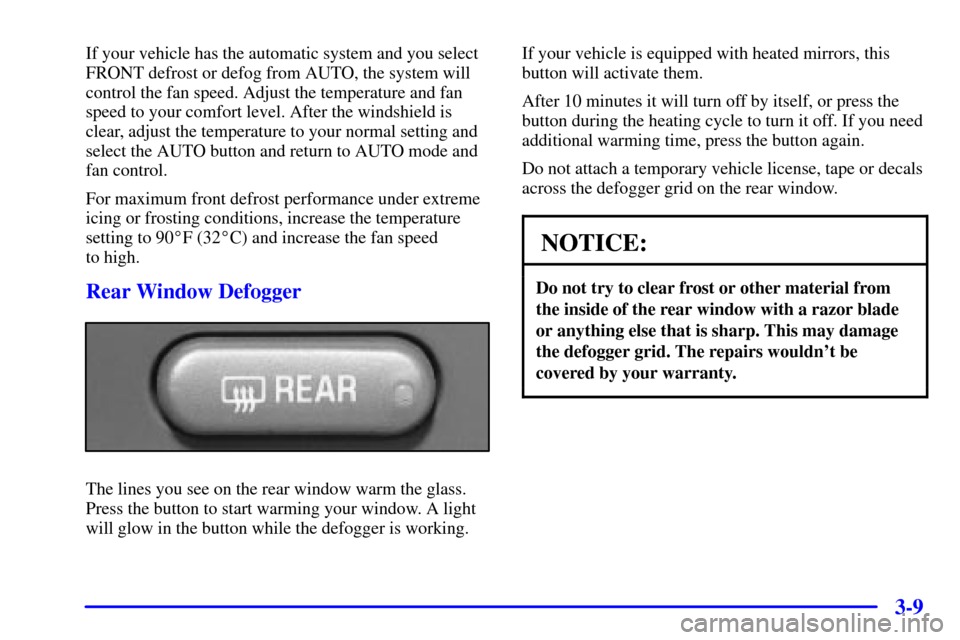
Rear Window Defogger
The lines you see on the rear window warm the glass.
Press the button to start warming your window. A light
will glow in the button while the defogger is working.If your vehicle is equipped with heated mirrors, this
button will activate them.
After 10 minutes it will turn off by itself, or press the
button during the heating cycle to turn it off. If you need
additional warming time, press the button again.
Do not attach a temporary vehicle license, tape or decals
across the defogger grid on the rear window.
NOTICE:
Do not try to clear frost or other material from
the inside of the rear window with a razor blade
or anything else that is sharp. This may damage
the defogger grid. The repairs wouldn't be
covered by your warranty.
Page 220 of 432

3-48
Using RDS
Your audio system is equipped with a Radio Data
System (RDS). RDS mode gives you many useful new
features. With RDS, the radio can do the following:
�Seek only to stations with the types of programs you
want to listen to,
�seek to stations with traffic announcements,
�receive announcements concerning local and
national emergencies, and
�receive and display messages from radio stations.
RDS features are only available for use on FM stations
which broadcast RDS information. The RDS features of
your radio rely upon receiving specific RDS information
from these stations. These features will only work when
the RDS information is available. In rare cases, a radio
station may broadcast incorrect information that will
cause the radio features to work improperly. If this
happens, please contact the radio station.
When you are tuned to an RDS station, the station
name will appear on the display, instead of the
frequency. Most RDS stations provide their station
name, the time of day and a Program Type (PTY) for
their current programming.P-TYPE: This button is used to turn on and off
Program Type (PTY) selections. PTY and the light next
to the button will turn on. The last selected PTY will
appear on the display for five seconds.
Turn the TUNE RCL P
-TYPE control to select the PTY
you want to listen to. Press the SEEK SCAN arrows to
find radio stations for the PTY you want to listen to. The
last PTY selected will be used for seek or scan modes.
If a station with the selected PTY is not found, NONE
FOUND will appear on the display. If both P
-TYPE and
TRAF are on, the radio will search for stations with
traffic announcements and the selected PTY.
To use the P
-TYPE interrupt feature, press and hold the
P
-TYPE button until you hear a beep on the PTY you
want to interrupt on. When you are listening to a compact
disc, the last selected RDS FM station will interrupt play
if that selected program type format is broadcast.
AM FM: The AM FM button operates the alternate
frequency feature. Alternate frequency allows the radio
to switch to a stronger station with the same program
type. Press and hold AM FM for two seconds to turn
alternate frequency on. AF ON will appear on the
display. The radio may switch to stronger stations.
Press and hold AM FM again for two seconds to turn
alternate frequency off. AF OFF will appear on the
display. The radio will not switch to other stations.