Page 200 of 384
3-24 Trunk-Mounted CD Changer (Option)
If your vehicle has the optional trunk-mounted
CD changer it is located in the rear center storage
compartment. See ªRear Storage Compartmentsº in
the Index for more information.
With the trunk
-mounted CD changer you can play up to
12 discs continuously. Normal size discs may be played
using the trays supplied in the magazine. The small discs
(8 cm) can be played only with specially designed trays.
NOTICE:
Heavy objects in the center storage area which
may shift or slide while driving could damage
your CD changer. Protect your CD changer by
not placing heavy, moveable objects in the center
storage area.You must first load the magazine with discs before you
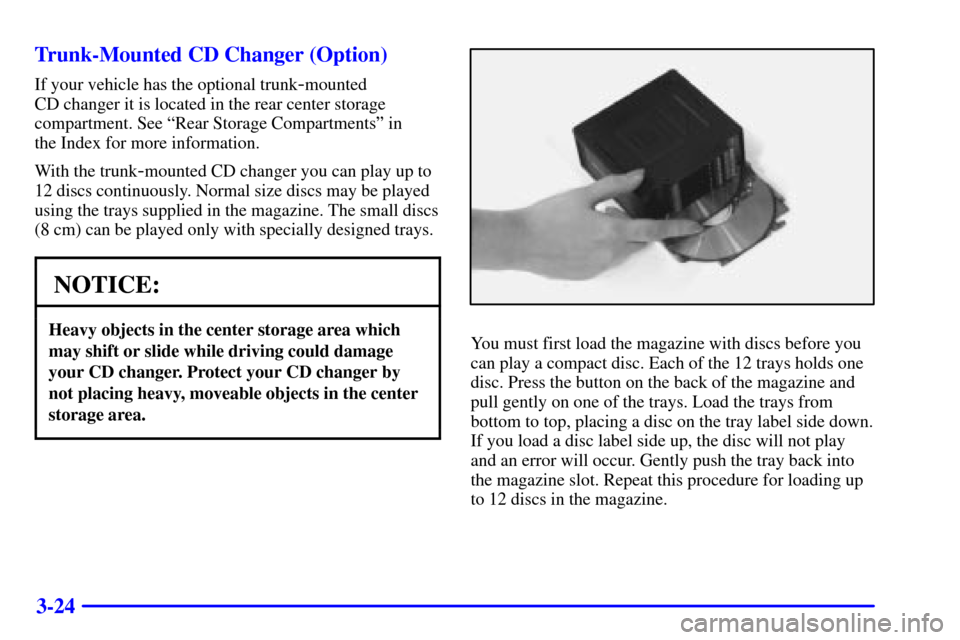
can play a compact disc. Each of the 12 trays holds one
disc. Press the button on the back of the magazine and
pull gently on one of the trays. Load the trays from
bottom to top, placing a disc on the tray label side down.
If you load a disc label side up, the disc will not play
and an error will occur. Gently push the tray back into
the magazine slot. Repeat this procedure for loading up
to 12 discs in the magazine.
Page 202 of 384

3-26
To eject the magazine from the player, slide the CD
changer door all the way open. The magazine will
automatically eject. Remember to keep the door closed
whenever possible to keep dirt and dust from getting
inside the changer.
Whenever a CD magazine with discs is loaded in the
changer, the compact disc symbol will appear on the
radio display. If the CD changer is checking the magazine
for CDs, the compact disc symbol will flash on the
display until the changer is ready to play. When a CD
begins playing, CD will appear in the bottom left corner
and a disc and track number will be displayed. The disc
numbers are listed on the front of the magazine.
All of the CD functions are controlled by the radio
pushbuttons except for ejecting the magazine.Operating the Trunk-Mounted CD Changer with
the AM
-FM Stereo with Cassette Tape Player and
Automatic Tone Control
If an error appears on the display, see ªCompact Disc
Messagesº later in this section.
The following pushbuttons are used for the
trunk
-mounted CD changer.
1 PREV (Previous): Press this pushbutton to go to
the previous track if the current track has been playing
for less than eight seconds. If this pushbutton is pressed
and the current track has been playing for more than
eight seconds, it will go to the beginning of the current
track. If you hold or press this pushbutton more than
once, the player will continue moving back through the
disc. The sound will mute while seeking.
2 PROG (Program): Press this pushbutton to select
the next disc in the magazine. If a CD cannot be played,
its number will be skipped when selecting discs while
using this pushbutton.
Page 203 of 384

3-27
3 NEXT: Press this pushbutton to advance to the next
track. If you press and hold this pushbutton or press it
more than once, the player will continue moving forward
through the disc. The sound will mute while seeking.
REV 4 (Reverse): Press and hold this pushbutton to
quickly reverse within a track. Release this pushbutton
to resume play.
� 5 (Dolby): This pushbutton has no function when
playing a CD.
FWD 6 (Forward): Press and hold this pushbutton to
quickly advance within a track. Release this pushbutton
to resume play.
RECALL: Press this button to see what track is
currently playing. Press it again within five seconds to
see how long the track has been playing. When a new
track starts to play, the track number will also appear.
Press it a third time and the time of day will be displayed.SEEK: The left arrow works the same as the
PREV pushbutton and the right arrow works the same
as the NEXT pushbutton.
P.SCAN (Preset Scan): Press this button to play the
compact discs in random, rather than sequential order.
RDM will appear on the display. Press this button again
to turn off random play.
AM/FM: Press this button to listen to the radio when
playing a cassette tape or a compact disc.
Tape AUX (Auxiliary): Press this button to play a
CD when listening to the radio. You can also press this
button to switch between playing a tape in the cassette
tape player and playing a CD in the trunk
-mounted
CD changer, if both are loaded.
Page 204 of 384

3-28
Operating the Trunk-Mounted CD Changer with
the AM
-FM Stereo with Compact Disc Player and
Automatic Tone Control
If an error appears on the display, see ªCompact Disc
Messagesº later in this section.
The following pushbuttons are used for the
trunk
-mounted CD changer.
1 PREV (Previous): Press this pushbutton to go to
the previous track if the current track has been playing
for less than eight seconds. If this pushbutton is pressed
and the current track has been playing for more than
eight seconds, it will go to the beginning of the current
track. If you hold or press this pushbutton more than
once, the player will continue moving back through the
disc. The sound will mute while seeking.
2 RDM (Random): Press this pushbutton to play the
compact discs in random, rather than sequential order.
RDM will appear on the display. Press this pushbutton
again to turn off random play.
3 NEXT: Press this pushbutton to advance to the next
track. If you press and hold this pushbutton or press it
more than once, the player will continue moving forward
through the disc. The sound will mute while seeking.REV 4 (Reverse): Press and hold this pushbutton to
quickly reverse within a track. Release this pushbutton
to resume play.
5: Press this pushbutton to select the next disc in the
magazine. If a CD cannot be played, its number will be
skipped when selecting discs while using this pushbutton.
FWD 6 (Forward): Press and hold this pushbutton to
quickly advance within a track. Release this pushbutton
to resume play.
RECALL: Press this button to see what track is
currently playing. Press it again within five seconds to
see how long the track has been playing. When a new
track starts to play, the track number will also appear.
Press it a third time and the time of day will be displayed.
SEEK: The left arrow works the same as the
PREV pushbutton and the right arrow works the same
as the NEXT pushbutton.
AM/FM: Press this button to listen to the radio when
playing a compact disc.
CD AUX (Auxiliary): Press this button to play a CD
when listening to the radio. You can also press this
button to switch between playing a CD in the compact
disc player and playing a CD in the trunk
-mounted CD
changer, if both are loaded.
Page 269 of 384
5-24
NOTICE:
Do not allow the air compressor to operate
continuously for more than six minutes to help
prevent damage from overheating.
NOTICE:
If 26 psi (179 kPa) tire pressure cannot be
reached after six minutes, the vehicle should not
be driven further. Damage to the tire is severe
and the sealant will not be effective. Remove the
air compressor plug from the accessory power
outlet and unscrew the inflating hose from
the tire valve. See ªRoadside Assistanceº in
the Index.
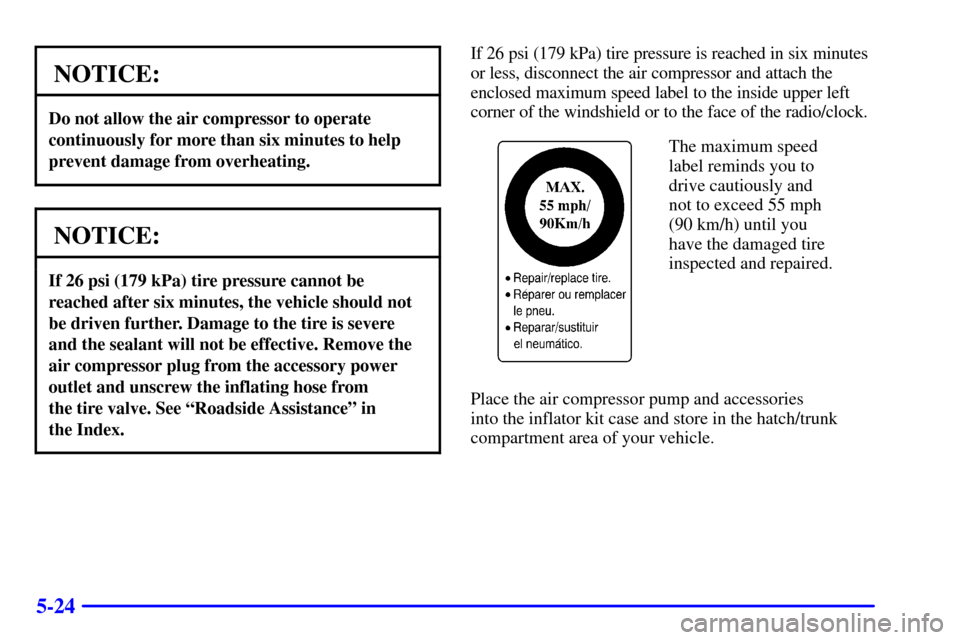
If 26 psi (179 kPa) tire pressure is reached in six minutes
or less, disconnect the air compressor and attach the
enclosed maximum speed label to the inside upper left
corner of the windshield or to the face of the radio/clock.
The maximum speed
label reminds you to
drive cautiously and
not to exceed 55 mph
(90 km/h) until you
have the damaged tire
inspected and repaired.
Place the air compressor pump and accessories
into the inflator kit case and store in the hatch/trunk
compartment area of your vehicle.
Page 270 of 384
5-25 Tire Inflator Kit Storage
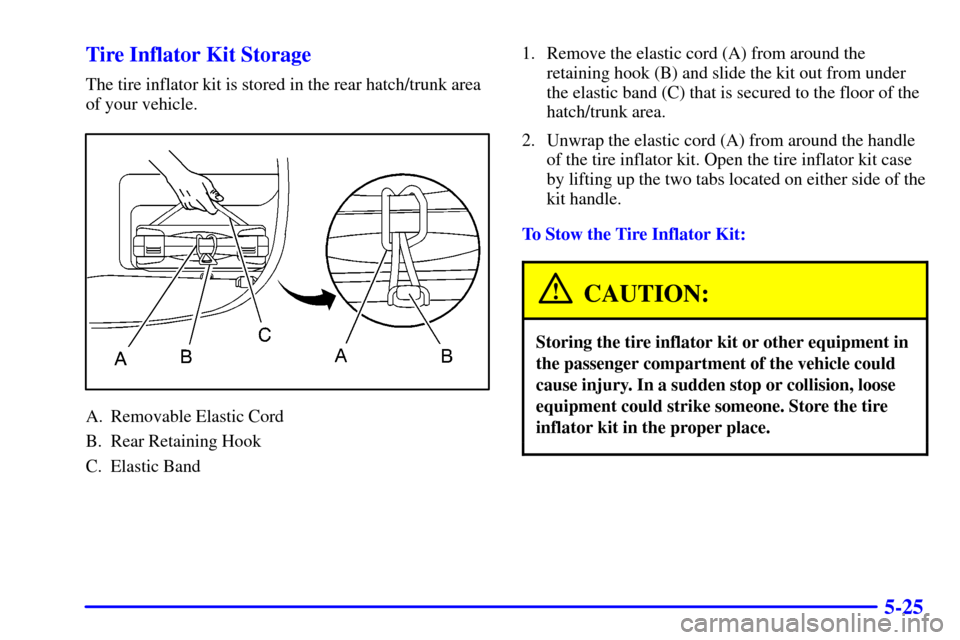
The tire inflator kit is stored in the rear hatch/trunk area
of your vehicle.
A. Removable Elastic Cord
B. Rear Retaining Hook
C. Elastic Band1. Remove the elastic cord (A) from around the
retaining hook (B) and slide the kit out from under
the elastic band (C) that is secured to the floor of the
hatch/trunk area.
2. Unwrap the elastic cord (A) from around the handle
of the tire inflator kit. Open the tire inflator kit case
by lifting up the two tabs located on either side of the
kit handle.
To Stow the Tire Inflator Kit:
CAUTION:
Storing the tire inflator kit or other equipment in
the passenger compartment of the vehicle could
cause injury. In a sudden stop or collision, loose
equipment could strike someone. Store the tire
inflator kit in the proper place.
Page 271 of 384
5-26
A. Removable Elastic Cord
B. Tire Inflator Kit
1. Loop the elastic cord (A) around the handle of the
tire inflator kit.A. Removable Elastic Cord
B. Rear Retaining Hook
C. Elastic Band
2. Insert the tire inflator kit under the elastic band (C)
that is secured to the floor of the hatch/trunk area
of your vehicle.
3. Wrap the elastic cord (A) around the retaining hook (B).
Page 281 of 384
6-9
Filling a Portable Fuel Container
CAUTION:
Never fill a portable fuel container while it is in
your vehicle. Static electricity discharge from the
container can ignite the gasoline vapor. You can
be badly burned and your vehicle damaged if this
occurs. To help avoid injury to you and others:
�Dispense gasoline only into
approved containers.
�Do not fill a container while it is inside a
vehicle, in a vehicle's trunk, pickup bed
or on any surface other than the ground.
�Bring the fill nozzle in contact with the
inside of the fill opening before operating
the nozzle. Contact should be maintained
until the filling is complete.
�Don't smoke while pumping gasoline.
Checking Things Under the Hood
CAUTION:
An electric fan under the hood can start up and
injure you even when the engine is not running.
Keep hands, clothing and tools away from any
underhood electric fan.
CAUTION:
Things that burn can get on hot engine parts and
start a fire. These include liquids like gasoline,
oil, coolant, brake fluid, windshield washer and
other fluids, and plastic or rubber. You or others
could be burned. Be careful not to drop or spill
things that will burn onto a hot engine.