Page 10 of 488
1-3 Manual Lumbar Support (If Equipped)
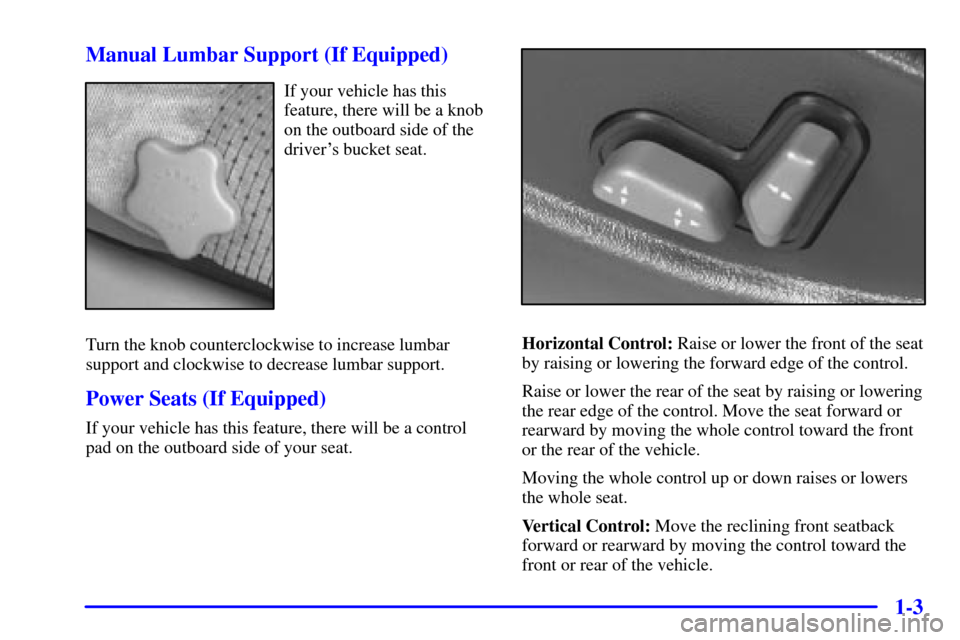
If your vehicle has this
feature, there will be a knob
on the outboard side of the
driver's bucket seat.
Turn the knob counterclockwise to increase lumbar
support and clockwise to decrease lumbar support.
Power Seats (If Equipped)
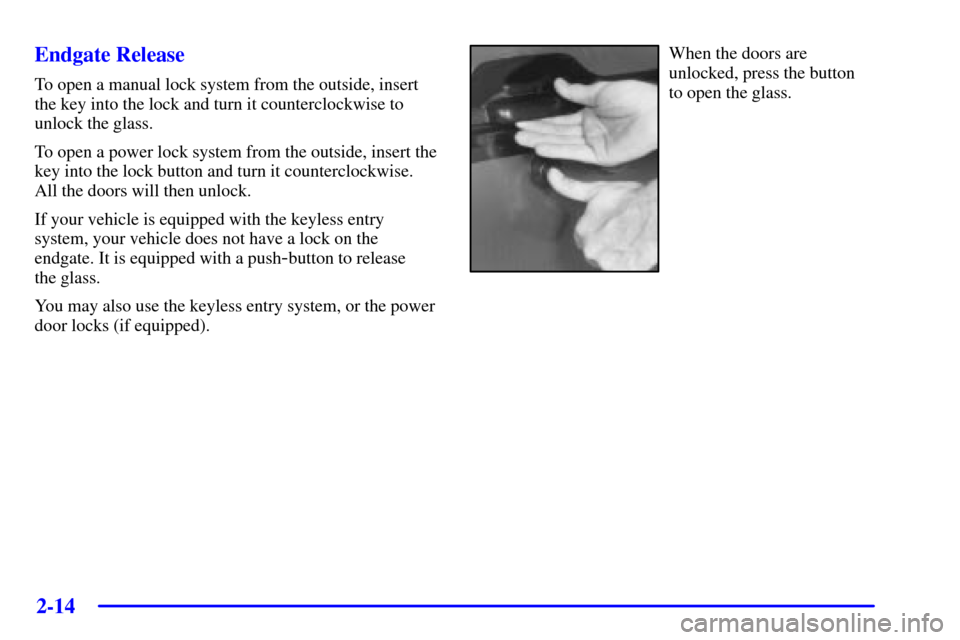
If your vehicle has this feature, there will be a control
pad on the outboard side of your seat.
Horizontal Control: Raise or lower the front of the seat
by raising or lowering the forward edge of the control.
Raise or lower the rear of the seat by raising or lowering
the rear edge of the control. Move the seat forward or
rearward by moving the whole control toward the front
or the rear of the vehicle.
Moving the whole control up or down raises or lowers
the whole seat.
Vertical Control: Move the reclining front seatback
forward or rearward by moving the control toward the
front or rear of the vehicle.
Page 80 of 488
2-14
Endgate Release
To open a manual lock system from the outside, insert
the key into the lock and turn it counterclockwise to
unlock the glass.
To open a power lock system from the outside, insert the
key into the lock button and turn it counterclockwise.
All the doors will then unlock.
If your vehicle is equipped with the keyless entry
system, your vehicle does not have a lock on the
endgate. It is equipped with a push
-button to release
the glass.
You may also use the keyless entry system, or the power
door locks (if equipped).
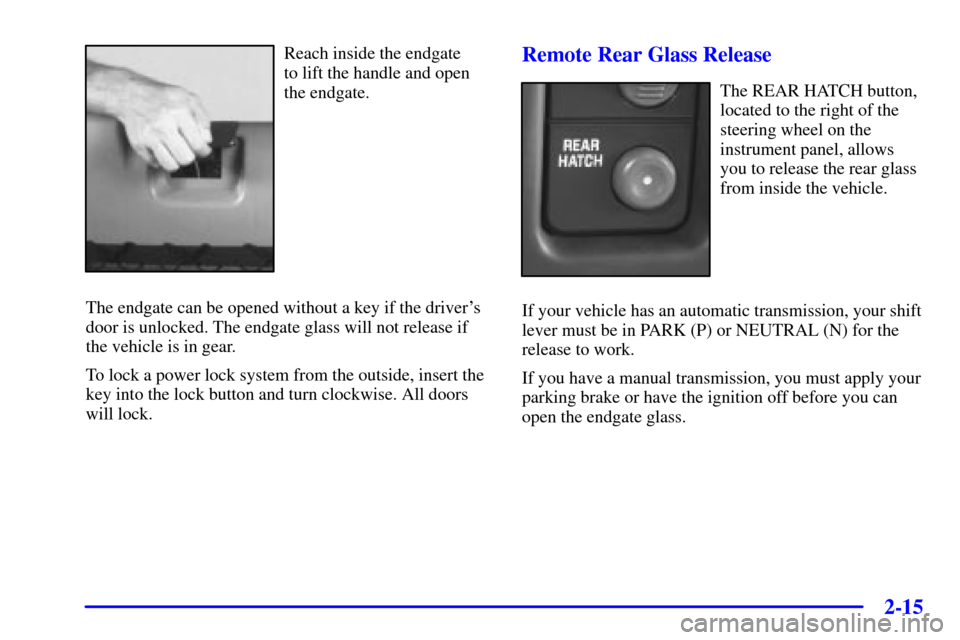
When the doors are
unlocked, press the button
to open the glass.
Page 81 of 488
2-15
Reach inside the endgate
to lift the handle and open
the endgate.
The endgate can be opened without a key if the driver's
door is unlocked. The endgate glass will not release if
the vehicle is in gear.
To lock a power lock system from the outside, insert the
key into the lock button and turn clockwise. All doors
will lock.Remote Rear Glass Release
The REAR HATCH button,
located to the right of the
steering wheel on the
instrument panel, allows
you to release the rear glass
from inside the vehicle.
If your vehicle has an automatic transmission, your shift
lever must be in PARK (P) or NEUTRAL (N) for the
release to work.
If you have a manual transmission, you must apply your
parking brake or have the ignition off before you can
open the endgate glass.
Page 121 of 488
2-55
Exterior Lamps
The control on the driver's side of the instrument panel
operates the exterior lampsThe exterior lamps control has three positions:
(Parking Lamps): Turning the exterior lamps
control to this position turns on the parking lamps
together with the following:
�Parking Lamps
�Sidemarker Lamps
�Taillamps
�License Plate Lamps
�Instrument Panel Lights
(Headlamps): Turning the exterior lamps control
to this position turns on the headlamps, together with the
previously listed lamps and lights.
(Off): Turn the exterior lamps control all the way
counterclockwise to turn off the lamps and put the
system in automatic headlamp mode.
Page 168 of 488
3-
3-1
Section 3 Comfort Controls and Audio Systems
In this section, you'll find out how to operate the comfort control and audio systems offered with your vehicle.
Be sure to read about the particular systems supplied with your vehicle.
3
-2 Comfort Controls
3-2 Standard Climate Control System
3-3 Air Conditioning
3-4 Heating
3-4 Defogging and Defrosting
3-4 Rear Window Defogger (If Equipped)
3-5 Ventilation System
3-6 Audio Systems
3-6 Setting the Clock for Systems with SET Button
3-6 Setting the Clock for Systems with HR and
MN Buttons
3
-7 Setting the Clock for Systems with Radio
Data System
3
-7AM-FM Stereo
3-9AM-FM Stereo
3-12 AM-FM Stereo with Cassette Tape Player
(If Equipped)
3
-15 AM-FM Stereo with Cassette Tape Player and
Automatic Tone Control (If Equipped)
3
-20 AM-FM Stereo with Cassette Tape
Player (Bose�) (If Equipped)
3-24 AM-FM Stereo with Compact Disc Player and
Automatic Tone Control (If Equipped)3
-29 AM-FM Stereo with Compact Disc Player
with Radio Data System (RDS) and Automatic
Tone Control (If Equipped)
3
-37 AM-FM Stereo with Compact Disc Player
(Bose�) (If Equipped)
3-41 AM-FM Stereo with Cassette Tape and Compact
Disc Player with Radio Data System (RDS) and
Automatic Tone Control (If Equipped)
3
-51 AM-FM Stereo with Six-Disc Compact Disc
Player with Programmable Equalization and
Radio Data System (RDS) (If Equipped)
3
-62 Rear Seat Audio (RSA) (If Equipped)
3-64 Remote Cassette Tape Player (If Equipped)
3-66 Console-Mounted CD Changer (If Equipped)
3-70 Theft-Deterrent Feature (If Equipped)
3-73 Theft-Deterrent Feature RDS Radios (If Equipped)
3-73 Audio Steering Wheel Controls (If Equipped)
3-74 Understanding Radio Reception
3-75 Tips About Your Audio System
3-76 Care of Your Cassette Tape Player
3-77 Care of Your Remote Cassette Tape Player
3-78 Care of Your Compact Discs
3-78 Care of Your Compact Disc Player
3-78 Fixed Mast Antenna
Page 169 of 488
3-2
Comfort Controls
With this system, you can control the heating, cooling
and ventilation in your vehicle.
Standard Climate Control System
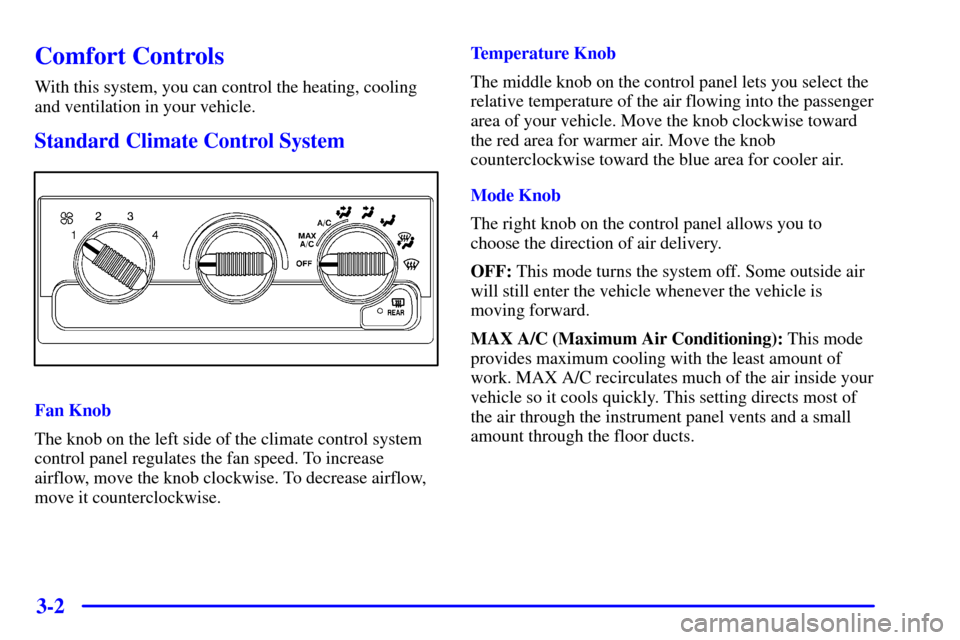
Fan Knob
The knob on the left side of the climate control system
control panel regulates the fan speed. To increase
airflow, move the knob clockwise. To decrease airflow,
move it counterclockwise.Temperature Knob
The middle knob on the control panel lets you select the
relative temperature of the air flowing into the passenger
area of your vehicle. Move the knob clockwise toward
the red area for warmer air. Move the knob
counterclockwise toward the blue area for cooler air.
Mode Knob
The right knob on the control panel allows you to
choose the direction of air delivery.
OFF: This mode turns the system off. Some outside air
will still enter the vehicle whenever the vehicle is
moving forward.
MAX A/C (Maximum Air Conditioning): This mode
provides maximum cooling with the least amount of
work. MAX A/C recirculates much of the air inside your
vehicle so it cools quickly. This setting directs most of
the air through the instrument panel vents and a small
amount through the floor ducts.
Page 171 of 488
3-4 Heating
The heater works best if you keep your windows closed
while using it. On cold days, use floor mode with the
temperature knob turned clockwise. Blend mode is
useful in cool weather when you have fog or ice on the
windshield or side windows.
If you use the optional engine coolant heater before
starting your engine, your heating system will produce
warmer air faster to heat the passenger compartment in
cold weather. See ªEngine Coolant Heaterº in the Index.
Defogging and Defrosting
On cool, humid days, use blend mode to keep the
windshield and side windows clear.
Use defrost mode to remove fog or ice from the
windshield quickly in extreme humid or cold conditions.
Turn the temperature knob clockwise and move the fan
knob toward high.
Rear Window Defogger (If Equipped)
If your vehicle has this
feature, the rear window
will have lines that warm
the glass.
For best results, clear the window of as much snow or
ice as possible before using the rear window defogger.
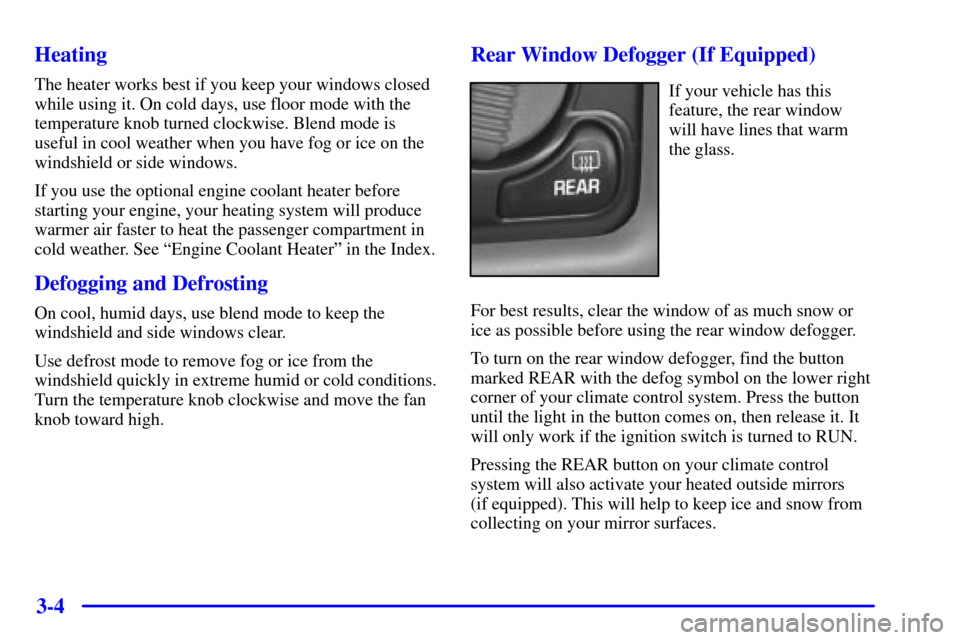
To turn on the rear window defogger, find the button
marked REAR with the defog symbol on the lower right
corner of your climate control system. Press the button
until the light in the button comes on, then release it. It
will only work if the ignition switch is turned to RUN.
Pressing the REAR button on your climate control
system will also activate your heated outside mirrors
(if equipped). This will help to keep ice and snow from
collecting on your mirror surfaces.
Page 173 of 488
3-6
Ventilation Tips
�Keep the hood and front air inlet free of ice, snow or
any other obstruction (such as leaves). The heater
and defroster will work far better, reducing the
chance of fogging the inside of your windows.
�When you enter a vehicle in cold weather, move the
fan knob to high for a few moments before driving
off. This helps clear the intake ducts of snow and
moisture, and reduces the chance of fogging the
inside of your windows.
�Keep the air path under the front seats clear of
objects. This helps air to circulate throughout
your vehicle.Audio Systems
Your audio system has been designed to operate easily
and give years of listening pleasure. You will get the
most enjoyment out of it if you acquaint yourself with it
first. Find out what your audio system can do and how
to operate all of its controls to be sure you're getting the
most out of the advanced engineering that went into it.
Setting the Clock for Systems with the
Set Button
Press SET. Within five seconds, press and hold the right
SEEK arrow until the correct minute appears on the
display. Press and hold the left SEEK arrow until the
correct hour appears on the display.
Setting the Clock for Systems with HR and
MN Buttons
Press and hold HR until the correct hour appears on the
display. Press and hold MN until the correct minute
appears on the display. To display the clock with the
ignition off, press RECALL or HR/MN and the time
will be displayed for a few seconds. There is an initial
two
-second delay before the clock goes into the
time
-set mode.