Page 5 of 488
iv
Vehicle Damage Warnings
Also, in this book you will find these notices:
NOTICE:
These mean there is something that could damage
your vehicle.
In the notice area, we tell you about something that can
damage your vehicle. Many times, this damage would
not be covered by your warranty, and it could be costly.
But the notice will tell you what to do to help avoid
the damage.
When you read other manuals, you might see
CAUTION and NOTICE warnings in different
colors or in different words.
You'll also see warning labels on your vehicle.
They use the same words, CAUTION or NOTICE.
Vehicle Symbols
Your vehicle may be equipped with components and
labels that use symbols instead of text. Symbols,
used on your vehicle, are shown along with the text
describing the operation or information relating to a
specific component, control, message, gage or indicator.
If you need help figuring out a specific name of a
component, gage or indicator reference the following
topics in the Index:
�ªEngine Compartment Overviewº
�ªInstrument Panelº
�ªComfort Controlsº
�ªAudio Systemsº
Also see ªWarning Lights and Gagesº in the Index.
Page 18 of 488
1-11
CAUTION:
It is extremely dangerous to ride in a cargo area,
inside or outside of a vehicle. In a collision,
people riding in these areas are more likely to be
seriously injured or killed. Do not allow people to
ride in any area of your vehicle that is not
equipped with seats and safety belts. Be sure
everyone in your vehicle is in a seat and using a
safety belt properly.
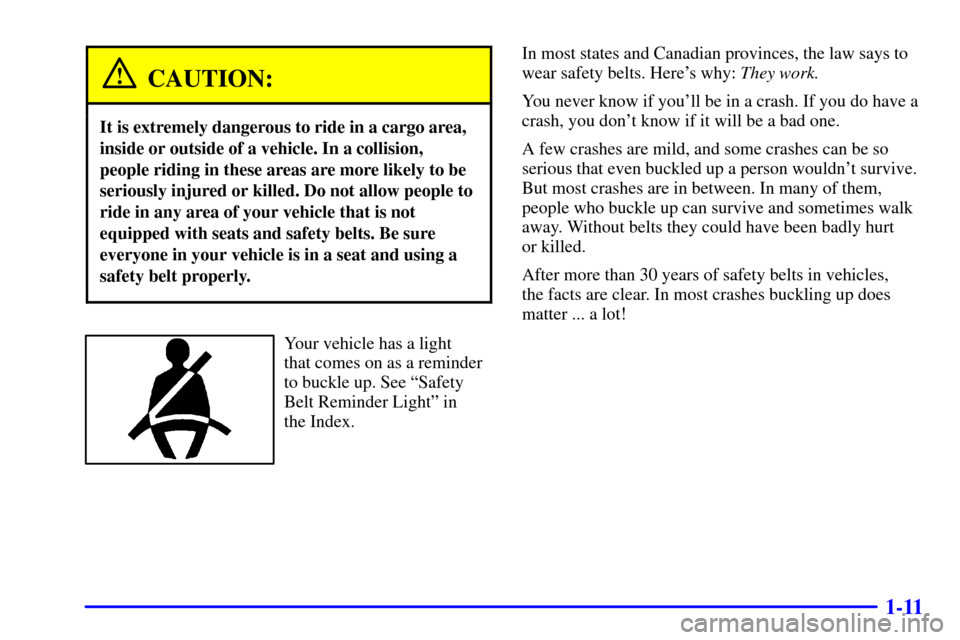
Your vehicle has a light
that comes on as a reminder
to buckle up. See ªSafety
Belt Reminder Lightº in
the Index.In most states and Canadian provinces, the law says to
wear safety belts. Here's why: They work.
You never know if you'll be in a crash. If you do have a
crash, you don't know if it will be a bad one.
A few crashes are mild, and some crashes can be so
serious that even buckled up a person wouldn't survive.
But most crashes are in between. In many of them,
people who buckle up can survive and sometimes walk
away. Without belts they could have been badly hurt
or killed.
After more than 30 years of safety belts in vehicles,
the facts are clear. In most crashes buckling up does
matter ... a lot!
Page 23 of 488
1-16
How to Wear Safety Belts Properly
Adults
This part is only for people of adult size.
Be aware that there are special things to know
about safety belts and children. And there are different
rules for smaller children and babies. If a child will
be riding in your vehicle, see the part of this manual
called ªChildren.º Follow those rules for
everyone's protection.
First, you'll want to know which restraint systems your
vehicle has.
We'll start with the driver position.
Driver Position
This part describes the driver's restraint system.
Lap-Shoulder Belt
The driver has a lap-shoulder belt. Here's how to wear
it properly.
1. Close and lock the door.
2. Adjust the seat so you can sit up straight. To see
how, see ªSeatsº in the Index.
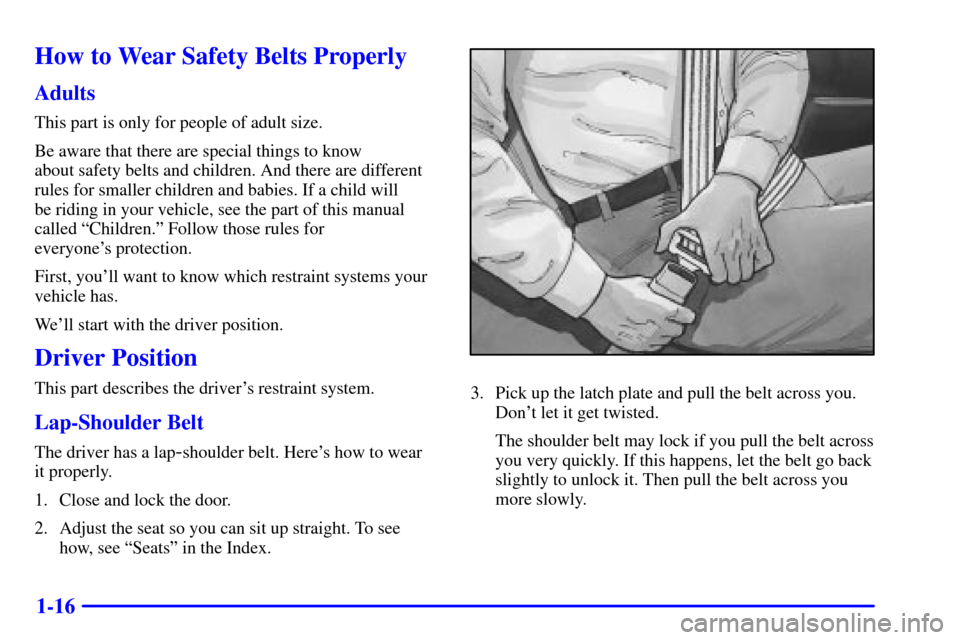
3. Pick up the latch plate and pull the belt across you.
Don't let it get twisted.
The shoulder belt may lock if you pull the belt across
you very quickly. If this happens, let the belt go back
slightly to unlock it. Then pull the belt across you
more slowly.
Page 32 of 488
1-25
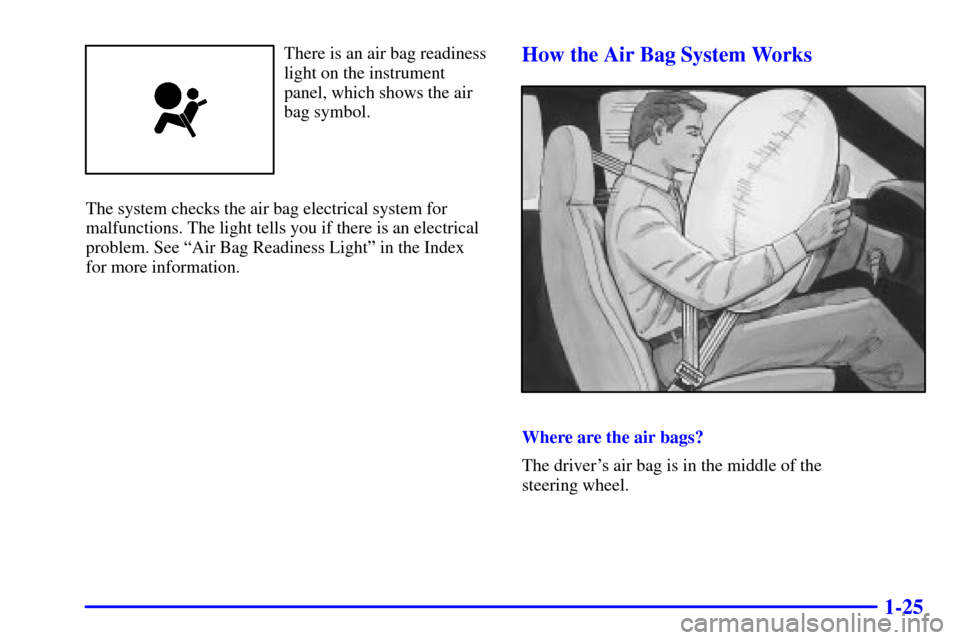
There is an air bag readiness
light on the instrument
panel, which shows the air
bag symbol.
The system checks the air bag electrical system for
malfunctions. The light tells you if there is an electrical
problem. See ªAir Bag Readiness Lightº in the Index
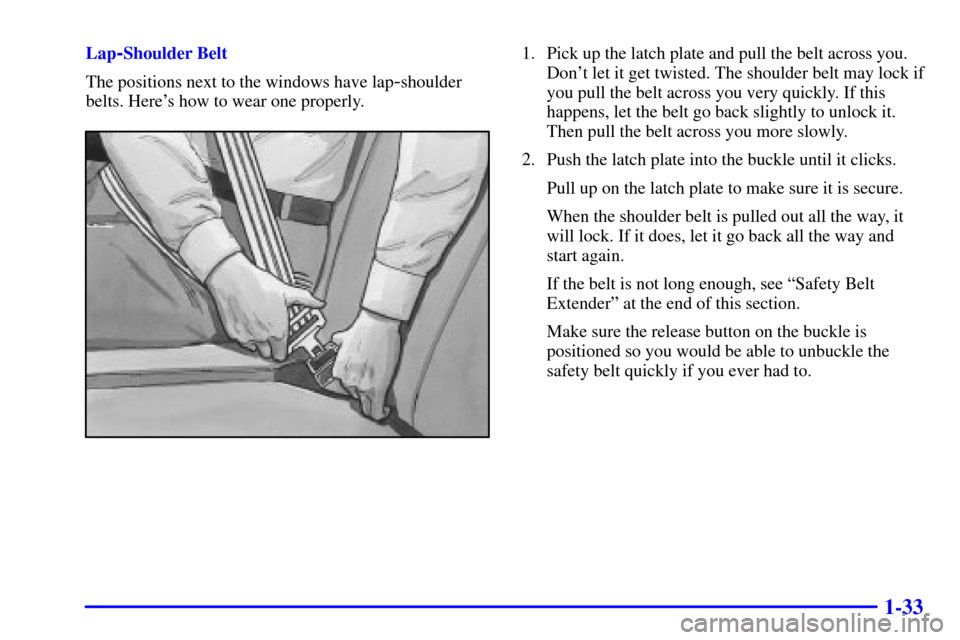
for more information.How the Air Bag System Works
Where are the air bags?
The driver's air bag is in the middle of the
steering wheel.
Page 40 of 488
1-33
Lap-Shoulder Belt
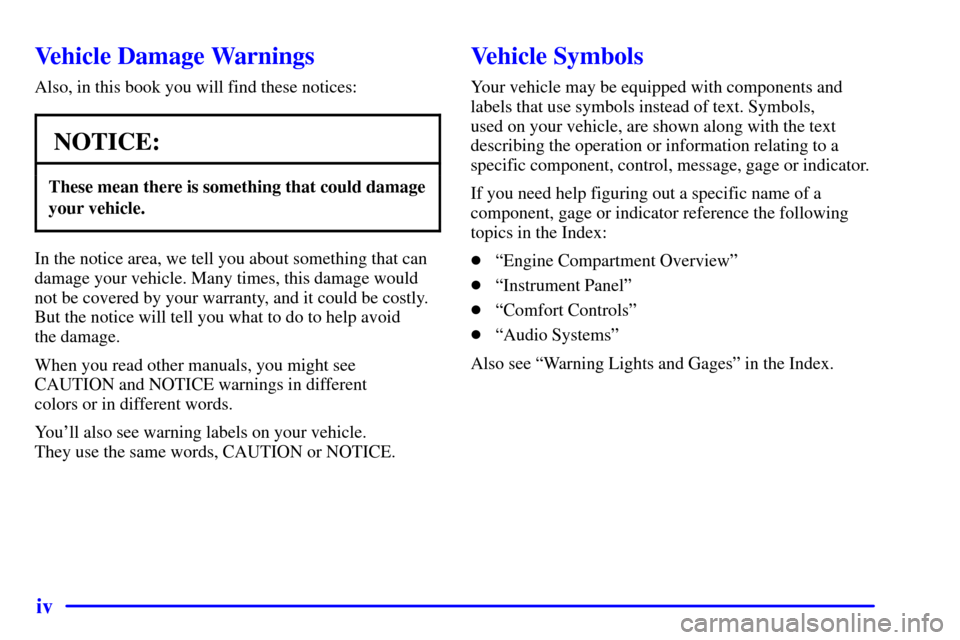
The positions next to the windows have lap
-shoulder
belts. Here's how to wear one properly.
1. Pick up the latch plate and pull the belt across you.
Don't let it get twisted. The shoulder belt may lock if
you pull the belt across you very quickly. If this
happens, let the belt go back slightly to unlock it.
Then pull the belt across you more slowly.
2. Push the latch plate into the buckle until it clicks.
Pull up on the latch plate to make sure it is secure.
When the shoulder belt is pulled out all the way, it
will lock. If it does, let it go back all the way and
start again.
If the belt is not long enough, see ªSafety Belt
Extenderº at the end of this section.
Make sure the release button on the buckle is
positioned so you would be able to unbuckle the
safety belt quickly if you ever had to.
Page 65 of 488

1-58
Safety Belt Extender
If the vehicle's safety belt will fasten around you, you
should use it.
But if a safety belt isn't long enough to fasten, your
dealer will order you an extender. It's free. When you go
in to order it, take the heaviest coat you will wear, so the
extender will be long enough for you. The extender will
be just for you, and just for the seat in your vehicle that
you choose. Don't let someone else use it, and use it
only for the seat it is made to fit. To wear it, just attach it
to the regular safety belt.
Checking Your Restraint Systems
Now and then, make sure the safety belt reminder light
and all your belts, buckles, latch plates, retractors and
anchorages are working properly. Look for any other
loose or damaged safety belt system parts. If you see
anything that might keep a safety belt system from
doing its job, have it repaired.
Torn or frayed safety belts may not protect you in a
crash. They can rip apart under impact forces. If a belt is
torn or frayed, get a new one right away.
Also look for any opened or broken air bag covers, and
have them repaired or replaced. (The air bag system
does not need regular maintenance.)
Page 67 of 488
2-
2-1
Section 2 Features and Controls
Here you can learn about the many standard and optional features on your vehicle, and information on starting,
shifting and braking. Also explained are the instrument panel and the warning systems that tell you if everything is
working properly
-- and what to do if you have a problem.
2
-2 Windows
2-4 Keys
2
-6 Door Locks
2-10 Keyless Entry System (If Equipped)
2
-13 Rear Window
2-17 Theft
2
-18 Content Theft-Deterrent (If Equipped)
2-19 Passlock�
2-20 New Vehicle ªBreak-Inº
2-20 Ignition Positions
2
-23 Starting Your Engine
2-25 Engine Coolant Heater (If Equipped)
2
-26 Automatic Transmission Operation
2-30 Manual Transmission Operation
2
-33 Four-Wheel Drive (If Equipped)
2-40 Parking Brake
2
-41 Shifting Into PARK (P)
(Automatic Transmission Only)2
-44 Shifting Out of PARK (P)
(Automatic Transmission Only)
2
-45 Parking Over Things That Burn
2
-45 Engine Exhaust
2-46 Running Your Engine While You're Parked
(Automatic Transmission)
2
-47 Locking Rear Axle
2-48 Turn Signal/Multifunction Lever
2
-55 Exterior Lamps
2-58 Interior Lamps
2
-60 Mirrors
2-63 Storage Compartments
2
-75 Accessory Power Outlets
2-77 Sunroof (If Equipped)
2
-78 HomeLink� Transmitter (If Equipped)
2- 82 The Instrument Panel--Your
Information System
2
-87 Warning Lights, Gages and Indicators
2-100 Driver Information Center (DIC) (If Equipped)
Page 69 of 488
2-3
Power Windows (If Equipped)
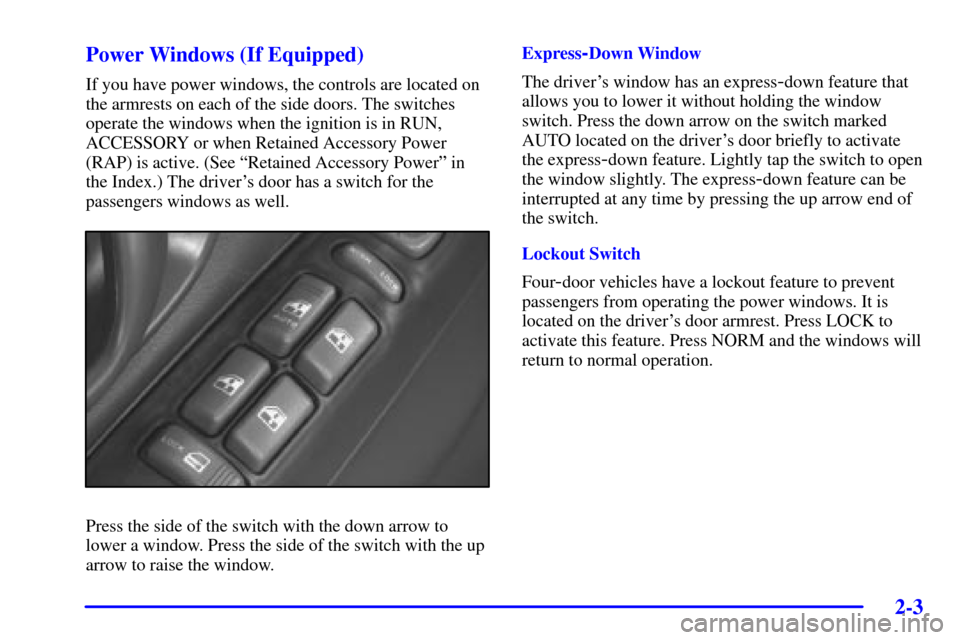
If you have power windows, the controls are located on
the armrests on each of the side doors. The switches
operate the windows when the ignition is in RUN,
ACCESSORY or when Retained Accessory Power
(RAP) is active. (See ªRetained Accessory Powerº in
the Index.) The driver's door has a switch for the
passengers windows as well.
Press the side of the switch with the down arrow to
lower a window. Press the side of the switch with the up
arrow to raise the window.Express
-Down Window
The driver's window has an express
-down feature that
allows you to lower it without holding the window
switch. Press the down arrow on the switch marked
AUTO located on the driver's door briefly to activate
the express
-down feature. Lightly tap the switch to open
the window slightly. The express
-down feature can be
interrupted at any time by pressing the up arrow end of
the switch.
Lockout Switch
Four
-door vehicles have a lockout feature to prevent
passengers from operating the power windows. It is
located on the driver's door armrest. Press LOCK to
activate this feature. Press NORM and the windows will
return to normal operation.