Page 143 of 368

2-79 Low Oil Level Light
Your engine is equipped
with an oil level monitoring
system. When the ignition
key is turned on, the
LOW OIL light will
come on briefly.
If the light does not come on briefly, have it fixed so it
will be ready to warn you if there's a problem.
If the light stays on, stop the vehicle on a level surface
and turn the engine off. Check the oil level using the
engine oil dipstick. (See ªEngine Oilº in the Index.)
If the light does not come on briefly, have the low oil
level sensor system repaired so it will be ready to warn
you if there's a problem.
The oil level monitoring system only checks oil level
during the brief period between key on and engine
crank. It does not monitor engine oil level when the
engine is running. Additionally, an oil level check is
only performed if the engine has been turned off for a
considerable period of time, allowing the oil normally in
circulation to drain back into the oil pan.
Change Oil Soon Light
The CHANGE OIL SOON
light should come on briefly
as a bulb check when you
start the engine. If the
light doesn't come on,
have it serviced.
If the CHANGE OIL SOON light comes on and stays
on after you start the engine, have the oil changed.
For additional information, see ªEngine Oil, When to
Changeº in the Index. To reset the CHANGE OIL
SOON light, seeªOil Life Systemº in the Index.
Page 144 of 368
2-80 Security Light
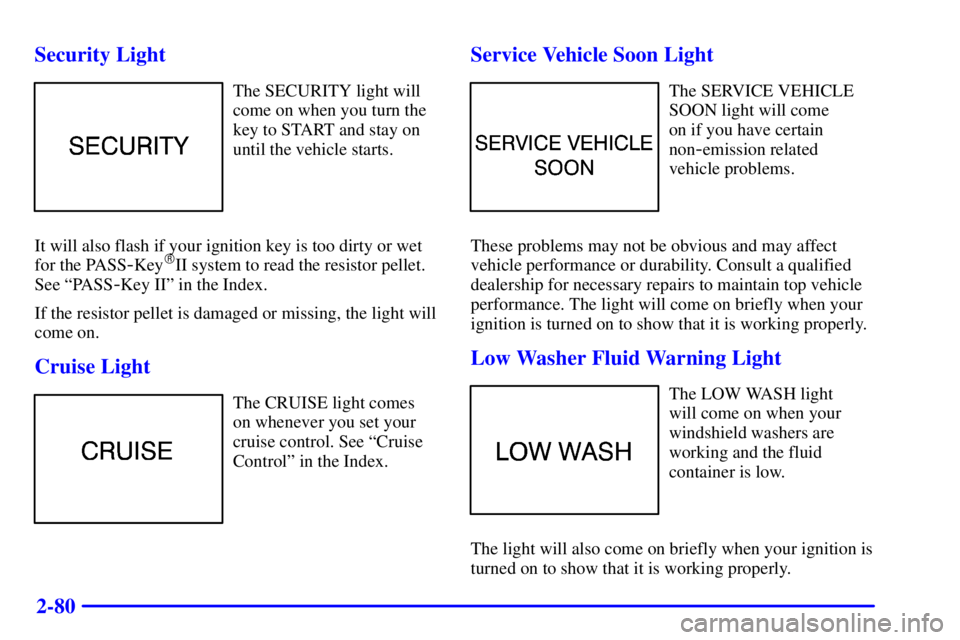
The SECURITY light will
come on when you turn the
key to START and stay on
until the vehicle starts.
It will also flash if your ignition key is too dirty or wet
for the PASS
-Key�II system to read the resistor pellet.
See ªPASS
-Key IIº in the Index.
If the resistor pellet is damaged or missing, the light will
come on.
Cruise Light
The CRUISE light comes
on whenever you set your
cruise control. See ªCruise
Controlº in the Index.
Service Vehicle Soon Light
The SERVICE VEHICLE
SOON light will come
on if you have certain
non
-emission related
vehicle problems.
These problems may not be obvious and may affect
vehicle performance or durability. Consult a qualified
dealership for necessary repairs to maintain top vehicle
performance. The light will come on briefly when your
ignition is turned on to show that it is working properly.
Low Washer Fluid Warning Light
The LOW WASH light
will come on when your
windshield washers are
working and the fluid
container is low.
The light will also come on briefly when your ignition is
turned on to show that it is working properly.
Page 145 of 368
2-81 Door/Trunk Ajar Warning Light
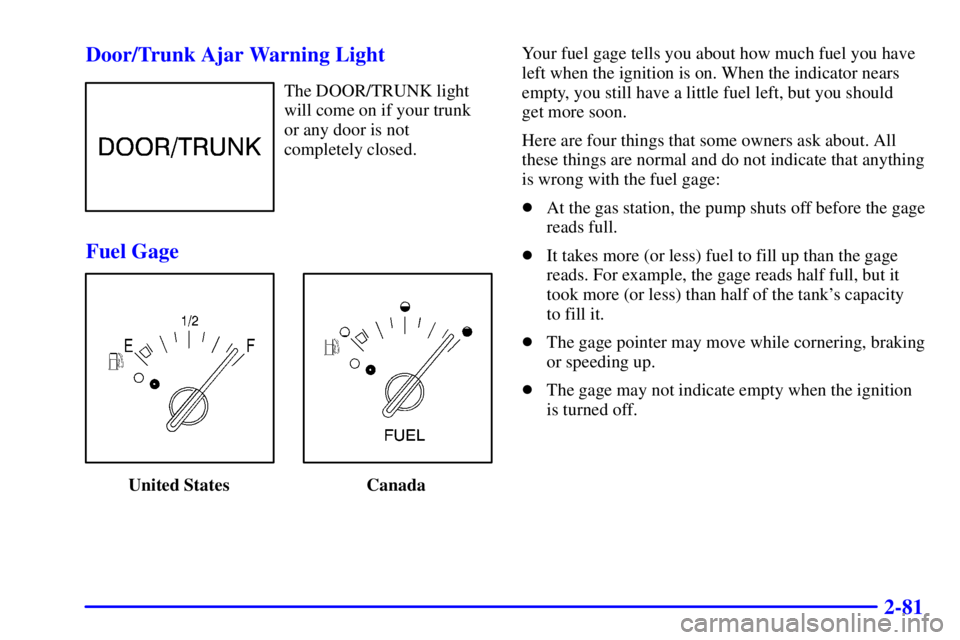
The DOOR/TRUNK light
will come on if your trunk
or any door is not
completely closed.
Fuel Gage
United States CanadaYour fuel gage tells you about how much fuel you have
left when the ignition is on. When the indicator nears
empty, you still have a little fuel left, but you should
get more soon.
Here are four things that some owners ask about. All
these things are normal and do not indicate that anything
is wrong with the fuel gage:
�At the gas station, the pump shuts off before the gage
reads full.
�It takes more (or less) fuel to fill up than the gage
reads. For example, the gage reads half full, but it
took more (or less) than half of the tank's capacity
to fill it.
�The gage pointer may move while cornering, braking
or speeding up.
�The gage may not indicate empty when the ignition
is turned off.
Page 146 of 368
2-82 Low Fuel Light
United States Canada
If your fuel is low, a circular light on your instrument
panel cluster will come on and stay on and a chime will
sound periodically until you add fuel.
It will also come on for a few seconds when you first
turn on the ignition as a check to show you it's working.
If it doesn't come on then, have it fixed.
Driver Information Center (Option)
The Driver Information Center (DIC), located below the
tachometer on the instrument panel cluster, gives you
important safety and maintenance facts. When you turn
the ignition on, the entire center lights up for just a
few seconds.
3800 V6 Engine
Page 158 of 368
3-10
Audio Systems
Your audio system has been designed to operate easily
and give years of listening pleasure. You will get the
most enjoyment out of it if you acquaint yourself with it
first. Find out what your audio system can do and how
to operate all of its controls to be sure you're getting the
most out of the advanced engineering that went into it.
Setting the Clock
Press and hold HRS until the correct hour appears.
Press and hold MIN until the correct minute appears.
You may set the clock with the ignition off if you push
RECALL first.
AM-FM Stereo with Cassette Tape Player
and Automatic Tone Control
Standard Radio --- Monsoon� Not Shown
Your vehicle may be equipped with a Monsoon
sound system, which includes eight speakers and an
eight channel, 200 watt amplifier.
Page 159 of 368

3-11
Playing the Radio
ON/OFF: Push this knob to turn the system on and off.
VOLUME: Turn the knob clockwise to increase volume.
Turn it counterclockwise to decrease the volume.
RECALL: Press this button to display the station being
played or to display the clock. To change what is
normally shown on the display (station or time), press
this button until you see the display you want, then hold
the button until the display flashes. If you press the
button when the ignition is off, the clock will show for a
few seconds.
Finding a Station
AM
-FM: Press this button to switch between AM, FM1
and FM2. The display shows your selection.
TUNE : Press the up or down arrow to choose
radio stations.
SEEK : Press the up or down arrow to go to the
next or previous station and stay there. The radio will
seek to stations with a strong signal only. The sound will
mute while seeking.To scan stations, press and hold one of the SEEK arrows
for two seconds and SCAN will appear on the display.
The radio will go to a station, play for a few seconds,
then go on to the next station. Press one of the SEEK
arrows again to stop scanning. The radio will scan to
stations with a strong signal only. The sound will mute
while scanning.
P SCAN (Preset Scan): Press this button to listen to
each of your preset stations for a few seconds. The radio
will go to the first preset station, play for a few seconds,
then go on to the next preset station. Press P SCAN
again to stop scanning. The radio will scan preset
stations with a strong signal only. The sound will mute
while scanning.
AUTO (Automatic) SET: Press this button and the
system will seek and set the 12 strongest FM or the
6 strongest AM stations on your preset pushbuttons
(depending on which band (AM or FM) you are
listening to). AUTO SET will flash while seeking and
will remain on until this function is complete. To return
to the stations you manually set, press AUTO
SET again.
Page 161 of 368

3-13
Adjusting the Speakers (Balance/Fade)
BAL (Balance): Press this knob lightly so it extends.
Turn the knob to move the sound to the left or right
speakers. The middle position balances the sound
between the speakers.
FADE: Press this knob lightly so it extends. Turn the
knob to move the sound to the front or rear speakers.
The middle position balances the sound between
the speakers.
Push these knobs back into their stored positions when
you're not using them.
Playing a Cassette Tape
The longer side with the tape visible should face to the
right. If the ignition and the radio are on, the tape can be
inserted and will begin playing. If you hear nothing or
hear a garbled sound, the tape may not be in squarely.
Press EJECT to remove the tape and start over.
While the tape is playing, use the VOLUME, SEEK,
FADE, BAL, BASS and TREB controls just as you do
for the radio. Other controls may have different
functions when a tape is inserted. The display will show
an arrow to show which side of the tape is playing.If you want to insert a tape when the ignition or radio is
off, first press EJECT or RECALL. Cassette tape
adapter kits for portable compact disc players will work
in your cassette tape player.
Your tape bias is set automatically.
If an error appears on the display, see ªCassette Tape
Messagesº later in this section.
1 PREV (Previous): Press this pushbutton to search for
the previous selection on the tape. Your tape must have
at least three seconds of silence between each selection
for previous to work. The sound will mute while
seeking.
2 NEXT: Press this pushbutton to search for the next
selection on the tape. Your tape must have at least
three seconds of silence between each selection for
next to work. The sound will mute while seeking.
3
�� (Reverse): Press this pushbutton to reverse the
tape rapidly. Press it again to return to playing speed.
The radio will play while the tape reverses.
4
�� (Forward): Press this pushbutton to advance
quickly to another part of the tape. Press it again to
return to playing speed. The radio will play while the
tape advances.
Page 163 of 368
3-15 AM-FM Stereo with Cassette Tape and
Compact Disc Player with Automatic Tone
Control (If Equipped)
Standard Radio --- Monsoon� Not Shown
Your vehicle may be equipped with a Monsoon
sound system, which includes eight speakers and an
eight channel, 200 watt amplifier.Playing the Radio
ON/OFF: Push this knob to turn the system on and off.
VOLUME: Turn this knob clockwise to increase
volume. Turn it counterclockwise to decrease volume.
RECALL: Press this button to display the station being
played or to display the clock. To change what is
normally shown on the display (station or time), press
this button until you see the display you want, then hold
this button until the display flashes. Press this button
when the ignition is off to display the clock.
Finding a Station
AM
-FM: Press this button to switch between AM, FM1
and FM2. The display shows your selection.
TUNE : Press the up or down arrow to choose
radio stations.