Page 74 of 187

74n
ASC+T Dynamic Stability Control (DSC)*Reactivate the ASC+TPress the button again; the indicator
lamp goes out.
The laws of physics cannot be
repealed, even with ASC+T. It will
always be the driver's responsibility to
drive in a manner that matches road
conditions. We therefore urge you to
avoid using the additional safety margin
of the system as an excuse for taking
risks.<
For additional details concerning
ASC+T, please refer to the chapter,
"Advanced technology," page 165.
The conceptDSC maintains vehicle stability, even in
critical driving situations.
The system optimizes vehicle stability
during acceleration and when starting
from a full stop, as well as optimizing
traction. In addition, it recognizes
unstable vehicle conditions, such as
understeering or oversteering, and, as
far as is possible within the laws of
physics, helps keep the vehicle on a
steady course by reducing the engine
speed and brake applications to the
individual wheels.
The DSC is operational every time you
start the engine. DSC includes the
functions of ADB and CBC, refer to
page 102.
The ADB (Automatic Differential
Braking) copies the function of conven-
tional differential and transverse locks
through brake intervention, and
increases traction whenever conditions
merit, e. g. when driving on snow-
covered roads.
If the DSC is deactivated the ADB is in
ready mode.
Indicator lamp
The indicator lamp in the instru-
ment cluster goes out shortly
after you switch on the ignition,
refer to page 22.
The indicator lamp flashes:
DSC controls the drive and braking
forces.
The indicator lamp stays lit:
DSC has been switched off via the
button; ADB is in ready mode.
ADB control intervention is not indi-
cated.
The indicator lamp and the
brake warning lamp remain on:
The DSC, ADB and DBC have
been switched off via the button
or are defective.
The vehicle will remain completely
operational, however without DSC. In
the event of a fault, please see your
BMW center.
Indicator and warning lamps for
Canadian models.
Page 76 of 187
76n
Parking lamps/Low beams Fog lampsParking lamps (position lamps/
side marker lamps)
Position 1
With the switch in this position,
vehicle lighting on both sides is
on.
Low beams
Position 2
When you switch the ignition off
while the low beams are still on,
only the parking lamps (position lamps/
side marker lamps) remain on.
Instrument panel lightingIn order to adjust the illumination
intensity, turn the pulled switch. 367us021
LIGHTS ON warningWhen you open the driver's door after
turning the ignition key to position 0,
a warning signal sounds for a few
seconds to remind you if the headlamps
have not been switched off.Daytime driving lamps
*
The headlamps are automatically
switched on for daylight driving at
ignition key position 2.
Front fog lamps
*
A green indicator lamp comes
on in the instrument cluster to
indicate that the front fog lamps
are on.
It is not possible to switch on the front
fog lamps together with the high
beams.
367us023
Page 78 of 187
78n
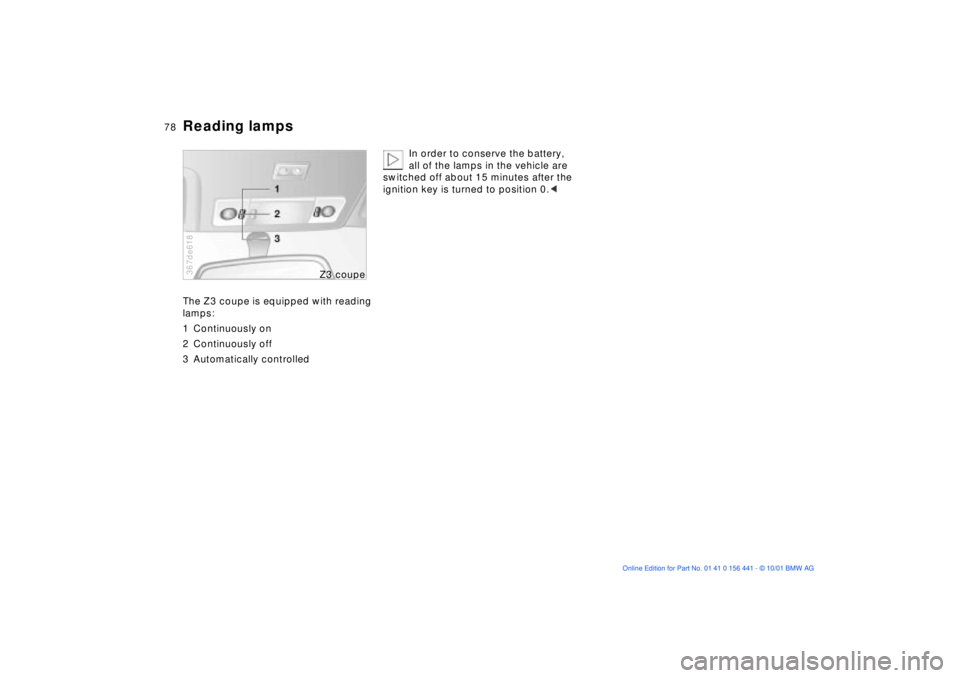
Reading lampsThe Z3 coupe is equipped with reading
lamps:
1 Continuously on
2 Continuously off
3 Automatically controlled367de618
Z3 cou
pe
In order to conserve the battery,
all of the lamps in the vehicle are
switched off about 15 minutes after the
ignition key is turned to position 0.<
Page 89 of 187
89n
IndexDataTechnologyRepairsMaintenanceControlsOverview
Seat heating
*
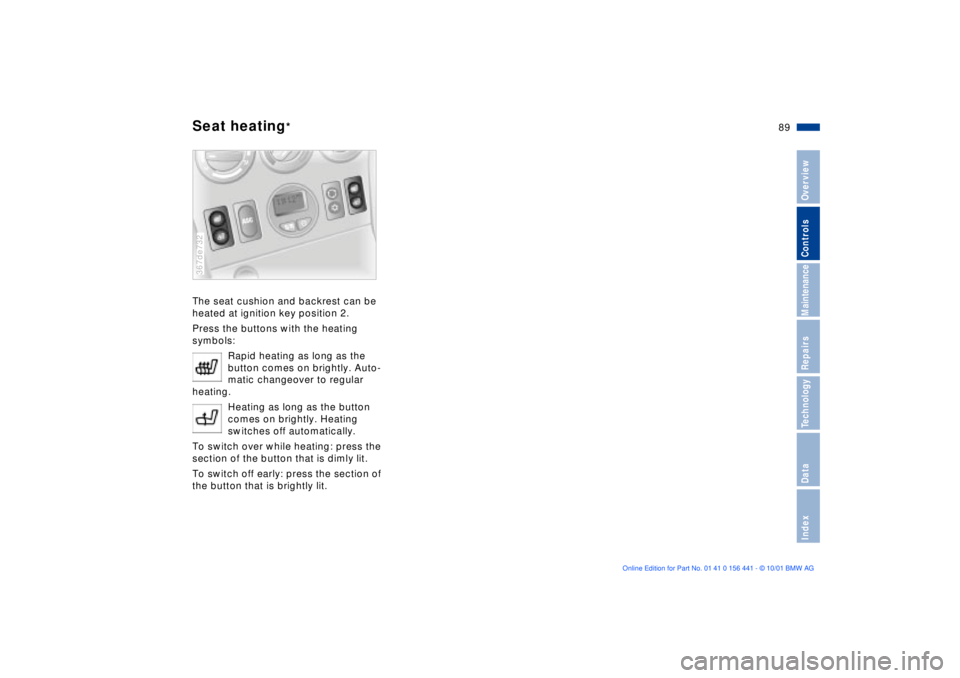
The seat cushion and backrest can be
heated at ignition key position 2.
Press the buttons with the heating
symbols:
Rapid heating as long as the
button comes on brightly. Auto-
matic changeover to regular
heating.
Heating as long as the button
comes on brightly. Heating
switches off automatically.
To switch over while heating: press the
section of the button that is dimly lit.
To switch off early: press the section of
the button that is brightly lit.367de732
Page 92 of 187
92n
Cigarette lighter
*
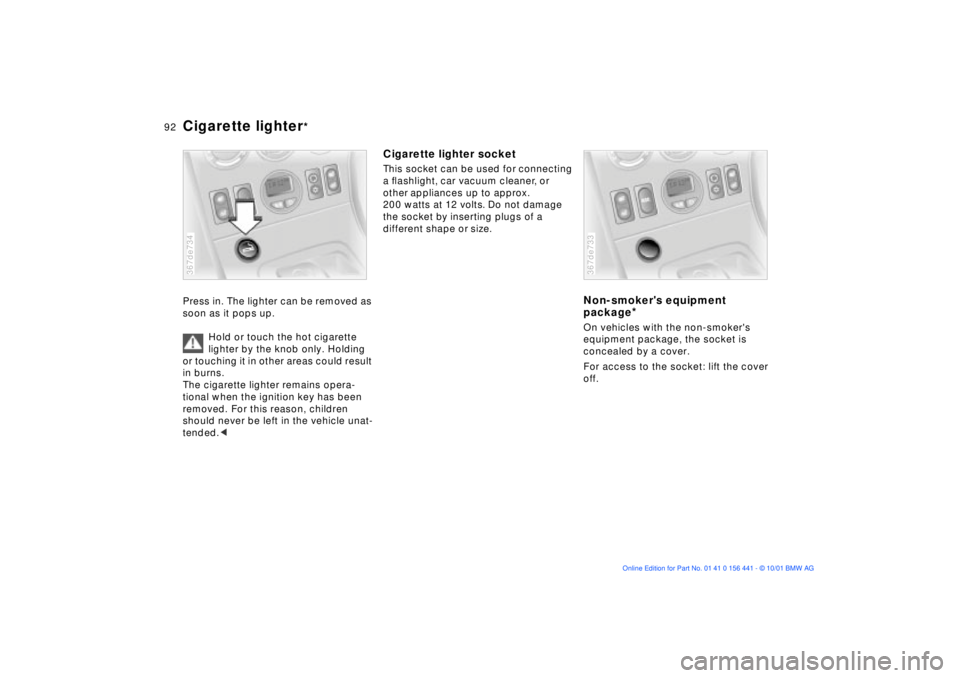
Press in. The lighter can be removed as
soon as it pops up.
Hold or touch the hot cigarette
lighter by the knob only. Holding
or touching it in other areas could result
in burns.
The cigarette lighter remains opera-
tional when the ignition key has been
removed. For this reason, children
should never be left in the vehicle unat-
tended.< 367de734
Cigarette lighter socketThis socket can be used for connecting
a ßashlight, car vacuum cleaner, or
other appliances up to approx.
200 watts at 12 volts. Do not damage
the socket by inserting plugs of a
different shape or size.
Non-smoker's equipment
package
*
On vehicles with the non-smoker's
equipment package, the socket is
concealed by a cover.
For access to the socket: lift the cover
off.367de733
Page 136 of 187
136n
The onboard tool kit is located in the
luggage compartment, under the floor
mat.
Z3 coupe:
Grasp the floor mat by the straps on the
left and right. Pull it upward and remove
it.
Z3 roadster:
Lift the floor mat from the rear by the
strap and fold it forward.
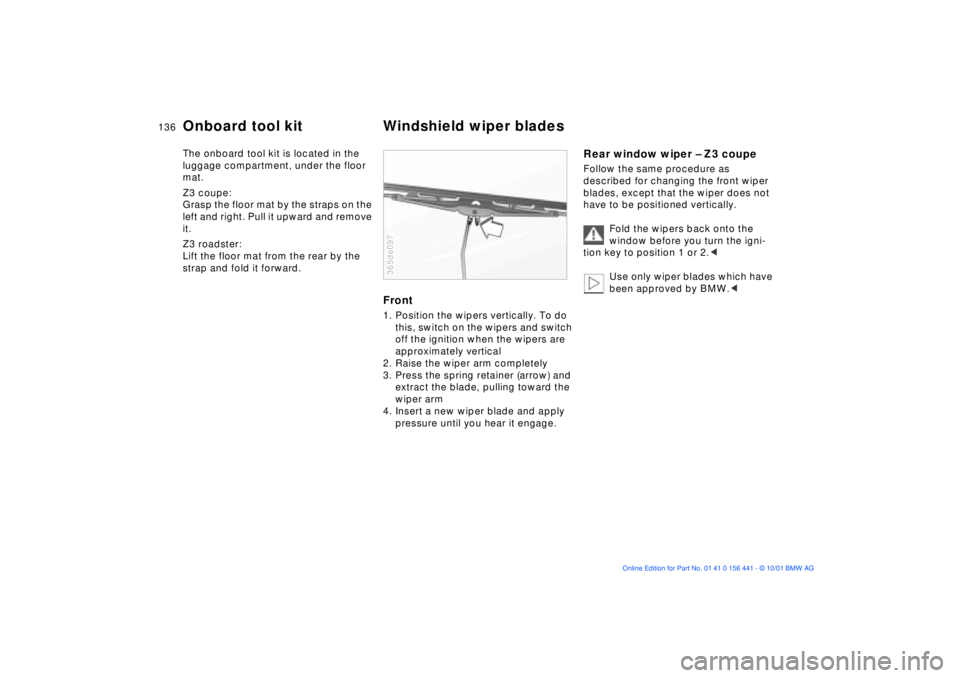
Front1. Position the wipers vertically. To do
this, switch on the wipers and switch
off the ignition when the wipers are
approximately vertical
2. Raise the wiper arm completely
3. Press the spring retainer (arrow) and
extract the blade, pulling toward the
wiper arm
4. Insert a new wiper blade and apply
pressure until you hear it engage.365de097
Rear window wiper Ð Z3 coupeFollow the same procedure as
described for changing the front wiper
blades, except that the wiper does not
have to be positioned vertically.
Fold the wipers back onto the
window before you turn the igni-
tion key to position 1 or 2.<
Use only wiper blades which have
been approved by BMW.<
Onboard tool kit Windshield wiper blades
Page 144 of 187
144n
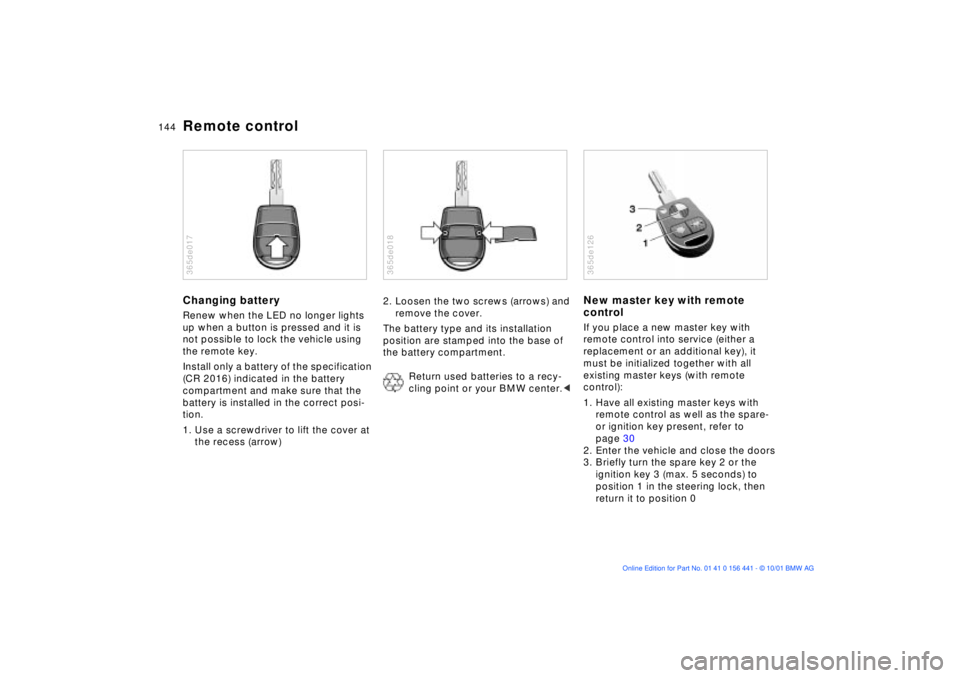
Remote controlChanging batteryRenew when the LED no longer lights
up when a button is pressed and it is
not possible to lock the vehicle using
the remote key.
Install only a battery of the specification
(CR 2016) indicated in the battery
compartment and make sure that the
battery is installed in the correct posi-
tion.
1. Use a screwdriver to lift the cover at
the recess (arrow)365de017
2. Loosen the two screws (arrows) and
remove the cover.
The battery type and its installation
position are stamped into the base of
the battery compartment.
Return used batteries to a recy-
cling point or your BMW center.< 365de018
New master key with remote
controlIf you place a new master key with
remote control into service (either a
replacement or an additional key), it
must be initialized together with all
existing master keys (with remote
control):
1. Have all existing master keys with
remote control as well as the spare-
or ignition key present, refer to
page 30
2. Enter the vehicle and close the doors
3. Briefly turn the spare key 2 or the
ignition key 3 (max. 5 seconds) to
position 1 in the steering lock, then
return it to position 0365de126
Page 145 of 187

145n
IndexDataTechnologyRepairsMaintenanceControlsOverview
Remote control4. Press and hold down button 1 (see
illustration). Maintain pressure on
button 1 while rapidly pressing
button 2 three times in succession
within a period of 10 seconds
5. Release button 1. LED 3 flashes
slowly for a maximum of 10 seconds
6. The central locking system engages
and releases all lock mechanisms in
rapid succession to indicate that the
initialization procedure has been
successfully completed.
If the LED does not flash or if the
central locking system fails to respond,
the initialization procedure will have to
be repeated.
All additional master keys with remote
control for your vehicle (up to a
maximum of four units) must now be
initialized. Make sure that no more than
30 seconds is allowed to elapse
between the individual initialization
procedures. Repeat steps 4 and 5. The
central locking system will respond to
each initialization procedure as
descriped in step 6.
In the event of a system malfunction,
please contact your BMW center, who
can also provide you with replacement
keys.Turn each new master key into
ignition position 2 (ignition
switched on) and back again to allow
the electronic vehicle immobilizer (refer
to page 31) to recognize the new key.
To prevent unauthorized use of the
master key, surrender only the door and
ignition key 3 or the spare key 2 (refer
to page 30) for valet parking, for
instance.<