Page 18 of 128
Temporarily disengaging cruise control
Press 0 to temporarily disengage cruise control. Press "resume" to return to the previously set speed.
Press the brake pedal. Press "resume" to return to the previously set speed..
WARNING!
Cruise control should not be used in heavy traffic or when driving on wet or slippery roads. Cruise control may not
maintain set speed on steep downgrades.
pg. 45 Parking brake, electric socket/ cigarette lighter
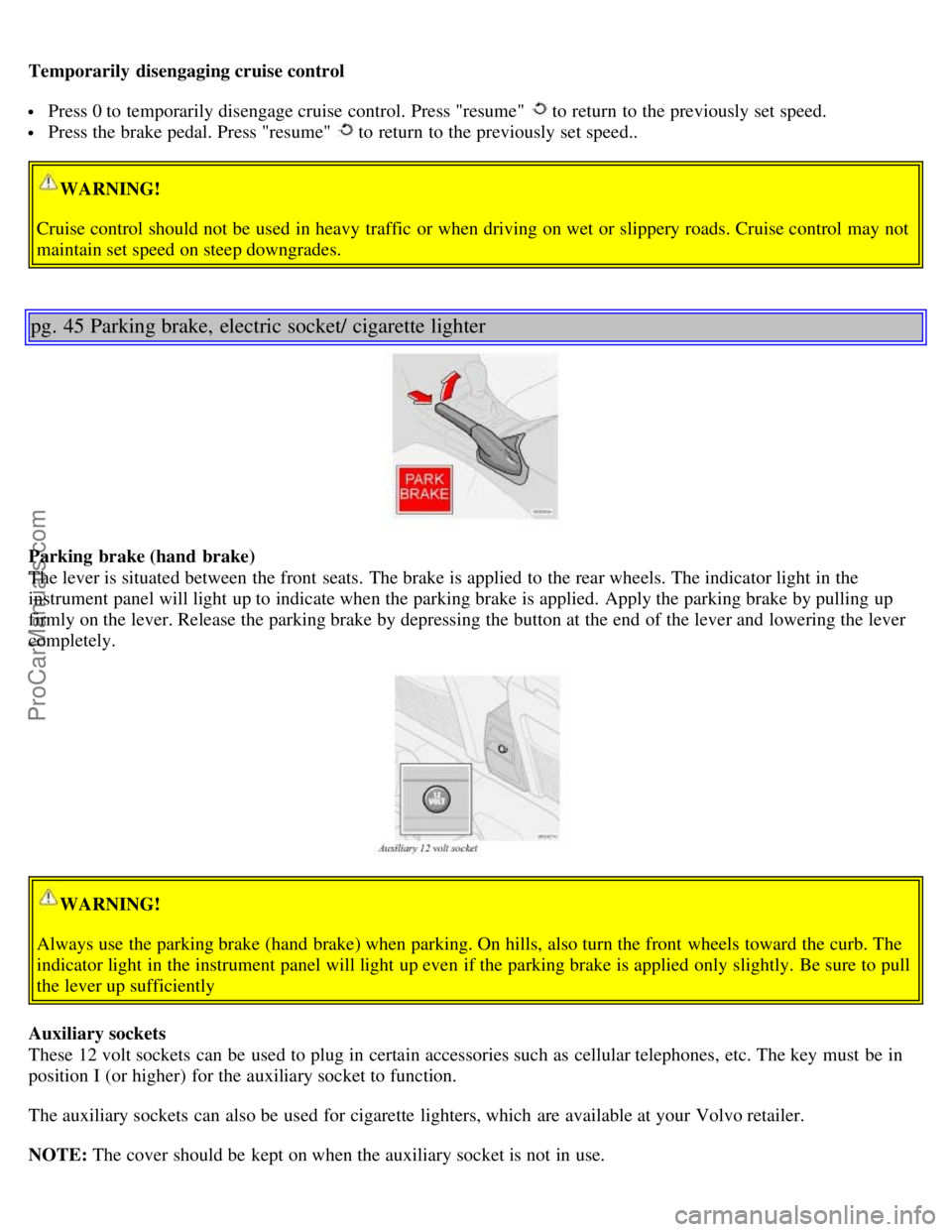
Parking brake (hand brake)
The lever is situated between the front seats. The brake is applied to the rear wheels. The indicator light in the
instrument panel will light up to indicate when the parking brake is applied. Apply the parking brake by pulling up
firmly on the lever. Release the parking brake by depressing the button at the end of the lever and lowering the lever
completely.
WARNING!
Always use the parking brake (hand brake) when parking. On hills, also turn the front wheels toward the curb. The
indicator light in the instrument panel will light up even if the parking brake is applied only slightly. Be sure to pull
the lever up sufficiently
Auxiliary sockets
These 12 volt sockets can be used to plug in certain accessories such as cellular telephones, etc. The key must be in
position I (or higher) for the auxiliary socket to function.
The auxiliary sockets can also be used for cigarette lighters, which are available at your Volvo retailer.
NOTE: The cover should be kept on when the auxiliary socket is not in use.
ProCarManuals.com
Page 24 of 128
2 0 0 1
VOLVO S60
Introduction
Welcome to the world-wide family of Volvo owners. We trust that you will enjoy many years of safe driving in your
Volvo, an automobile designed with your safety and comfort in mind. To help ensure your satisfaction with this
vehicle, we encourage you to familiarize yourself with the equipment descriptions, operating instructions and
maintenance require- ments/ recommendations in this manual. We also urge you and your passengers to wear seat
belts at all times in this (or any other) automobile. And, of course, please do not operate a vehicle if you may be
affected by alcohol, medication or any impairment that could hinder your ability to drive.
Your Volvo is designed to meet all applicable safety and emission standards, as evidenced by the certification labels
attached to the driver's door opening and on the left wheel housing in the engine compartment.
For further information please contact your retailer, or:
In the USA:
Volvo Cars of North America
Customer Relations
P.O. Box 914
Rockleigh, New Jersey 07647-0914
800-458-1552
In Canada:
Volvo Canada Ltd.
175 Gordon Baker Road
Willowdale, Ontario M2H 2N7
800-663-8255
General Information
Shiftlock (automatic transmission)
When your car is parked, the gear selector is locked in the (P) ark position. To release the selector from this position,
turn the ignition key to position II (or start the engine), depress the brake pedal, press the button on the front side of the
gear selector and move the selector from (P) ark.
ProCarManuals.com
Page 28 of 128
Contents
Contents
Safety
Instruments and controls
Climate control
Audiio
Interior
Locks and alarm
Starting and driving
Wheels and tires
Car care
Maintenance and service
Specifications
Index
Contents | Top of Page
ProCarManuals.com
Page 32 of 128

18. Automatic presetting of radio stations
19. Display
pg. 65 Audio systems HU- 413/ HU- 613/ HU- 803
Switch on/off
Press the knob to switch on or turn off the radio.
Volume control
Turn the knob clockwise to increase volume. Volume control is electronic and does not have an end stop. If you have
a key pad in the steering wheel, increase or decrease the volume with the + or - buttons.
Band selector
Turn "SOURCE" knob to select FM or AM. The station and band are displayed. You can also select cassette deck,
CD, or the optional CD changer if connected, with this knob. Active sound control (ASC) The ASC (Active Sound
Control) automatically adapts volume to vehicle speed.
Press the ASC button (HU- 613) for several seconds to switch this function ON or OFF. This function is included in
the Advanced User Mode on the HU - 803 equipped with this feature.
"ASC ON" or "ASC OFF" will be shown in the display for several seconds.
Bass
Adjust the bass by pressing the button to extend the control and turning it to the left (less bass) or to the right (more
bass). A "detent" indicates "equalized" bass. Press the button back in when you have made the adjustment.
Treble
Adjust the treble by pressing the button to extend the control, pulling it out as far as possible, and then turning it to
the left (less treble) or to the right (more treble). A "detent" indicates "equalized" treble. Press the button back in
when you have made the adjustment.
ProCarManuals.com
Page 34 of 128

Steering wheel keypad
If you have a keypad in the steering wheel, press the right or left arrow to select preset stations.
Scan function
Press the SCAN button (HU- 613) or the SOURCE knob (HU- 803) to start the station scan function. When a station
is found, scanning stops for several seconds, after which scanning will continue.
Press the SCAN button or SOURCE knob when a station has been found if you would like to listen to that station and
to discontinue the scan function.
pg. 68 Audio systems HU- 413/ HU- 613/ HU- 803
Automatic station preset
This function seeks and stores up to 10 strong AM or FM stations in a separate memory. This function is especially
useful in areas where you are not familiar with the radio stations.
1. Press in the "AUTO" button. A number of strong signal stations (max. 10) from the currently selected waveband are
now stored automatically in the memory. An "A" and "AUTO" is displayed. If there is no station with sufficient
signal strength "NO STATION" is displayed.
2. Turn "1- 20/ DISC" knob if you wish to change to another of the auto-stored stations.
Another auto-stored station is selected with each turn.
Programming stations
1. Tune in the desired frequency.
2. Press the "1-20/ DISC" knob. Select a number by turning forwards or backwards. Press again to store the selected
frequency and station.
Preset
To choose a pre-set station, turn "1-20/ DISC" knob to the stored number. The currently selected station is displayed.
Radio Data System (RDS, also referred to as RBDS) - HU- 803 only
This feature, which may not work in your area, functions only with FM broadcasts. The HU - 803 radio in your car is
equipped with an advanced system allowing information from broadcasters to be transmitted visually, as text, together
with the audio signal. This information is then decoded by the radio and made available for several new and unique
features. The RDS or Radio Data System operates in the FM band only, and the information transmitted is
supplied exclusively by participating broadcasters. Volvo has no control over the accuracy of the data or
information. Please refer to the following pages regarding specific descriptions and operation of these functions.
ProCarManuals.com
Page 52 of 128
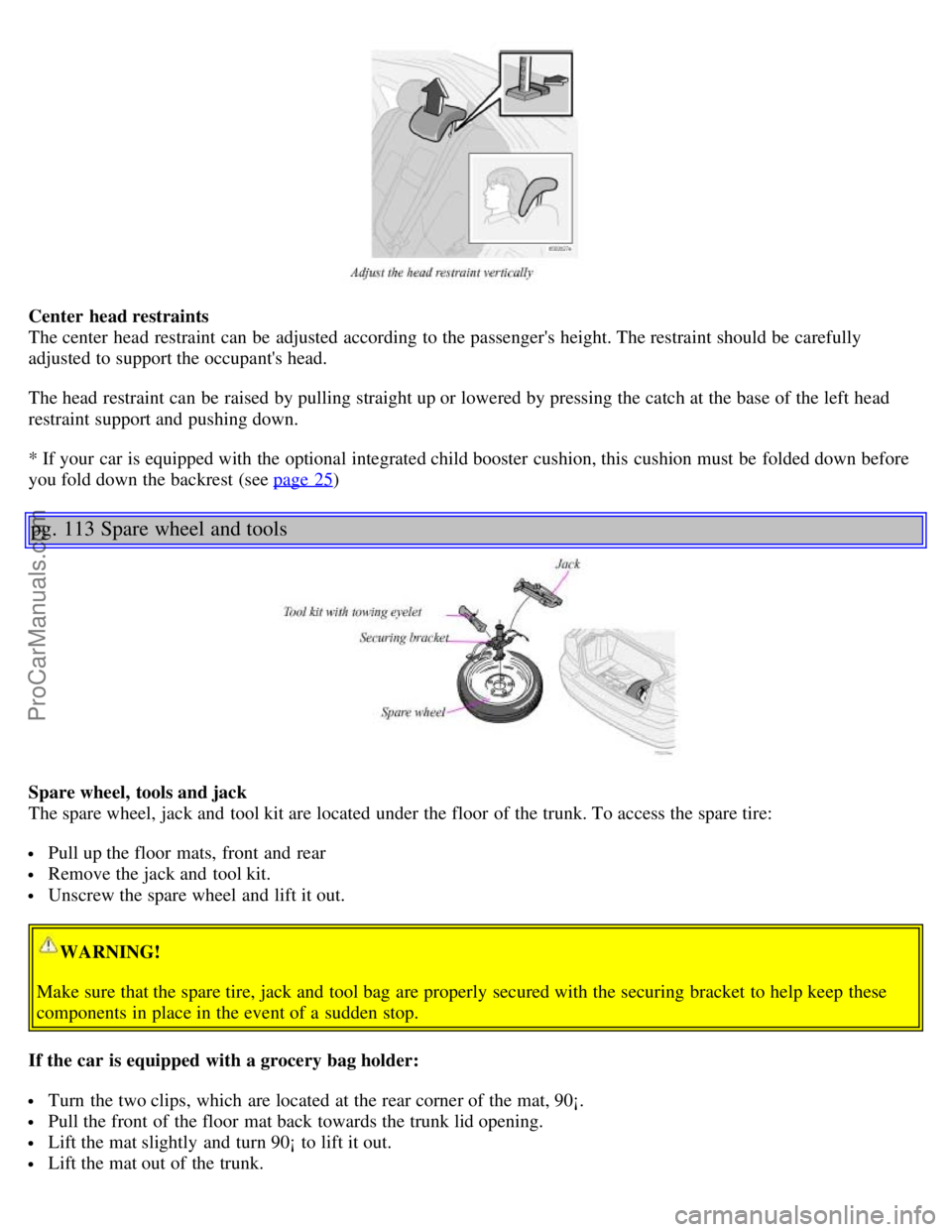
Center head restraints
The center head restraint can be adjusted according to the passenger's height. The restraint should be carefully
adjusted to support the occupant's head.
The head restraint can be raised by pulling straight up or lowered by pressing the catch at the base of the left head
restraint support and pushing down.
* If your car is equipped with the optional integrated child booster cushion, this cushion must be folded down before
you fold down the backrest (see page 25
)
pg. 113 Spare wheel and tools
Spare wheel, tools and jack
The spare wheel, jack and tool kit are located under the floor of the trunk. To access the spare tire:
Pull up the floor mats, front and rear
Remove the jack and tool kit.
Unscrew the spare wheel and lift it out.
WARNING!
Make sure that the spare tire, jack and tool bag are properly secured with the securing bracket to help keep these
components in place in the event of a sudden stop.
If the car is equipped with a grocery bag holder:
Turn the two clips, which are located at the rear corner of the mat, 90¡.
Pull the front of the floor mat back towards the trunk lid opening.
Lift the mat slightly and turn 90¡ to lift it out.
Lift the mat out of the trunk.
ProCarManuals.com
Page 53 of 128
Unscrew the spare tire and lift it out.
Return and secure everything in reverse order.
See also page 157
for more information on using the jack.
pg. 114 Spare wheel and tools
Contents | Top of Page
ProCarManuals.com
Page 54 of 128
2 0 0 1
VOLVO S60
Interior
pg. 99 Interior
Front seats 100
Interior lighting104
Floor mats (option)105
Storage compartments106
Rear seat and trunk111
Spare wheel and tools113
pg. 100 Front seats
Manual height adjustment - front seat
The front edges of the driver and passenger seat cushions can be adjusted to seven different settings and the rear
edges to nine different settings.
Lever (A) - adjusting the front edge of the seat.
Lever (B) - adjusting the rear edge of the seat.
Manual front-rear adjustment
The seat can be moved forward or rearward by pulling up on the front -rear adjustment bar.
Check that the seat is securely locked into position after adjusting.
WARNING!
Do not adjust the seat while driving. The seat should be adjusted so that the brake pedal can be depressed fully. In
addition, position the seat as far rearward as comfort and control allow.
ProCarManuals.com