I17096
Navigation Check
screen switch
Time data
Position data
Measurement Status Satellite
Information
DI±804
± DIAGNOSTICSNAVIGATION SYSTEM
2001 PRIUS (RM778U)
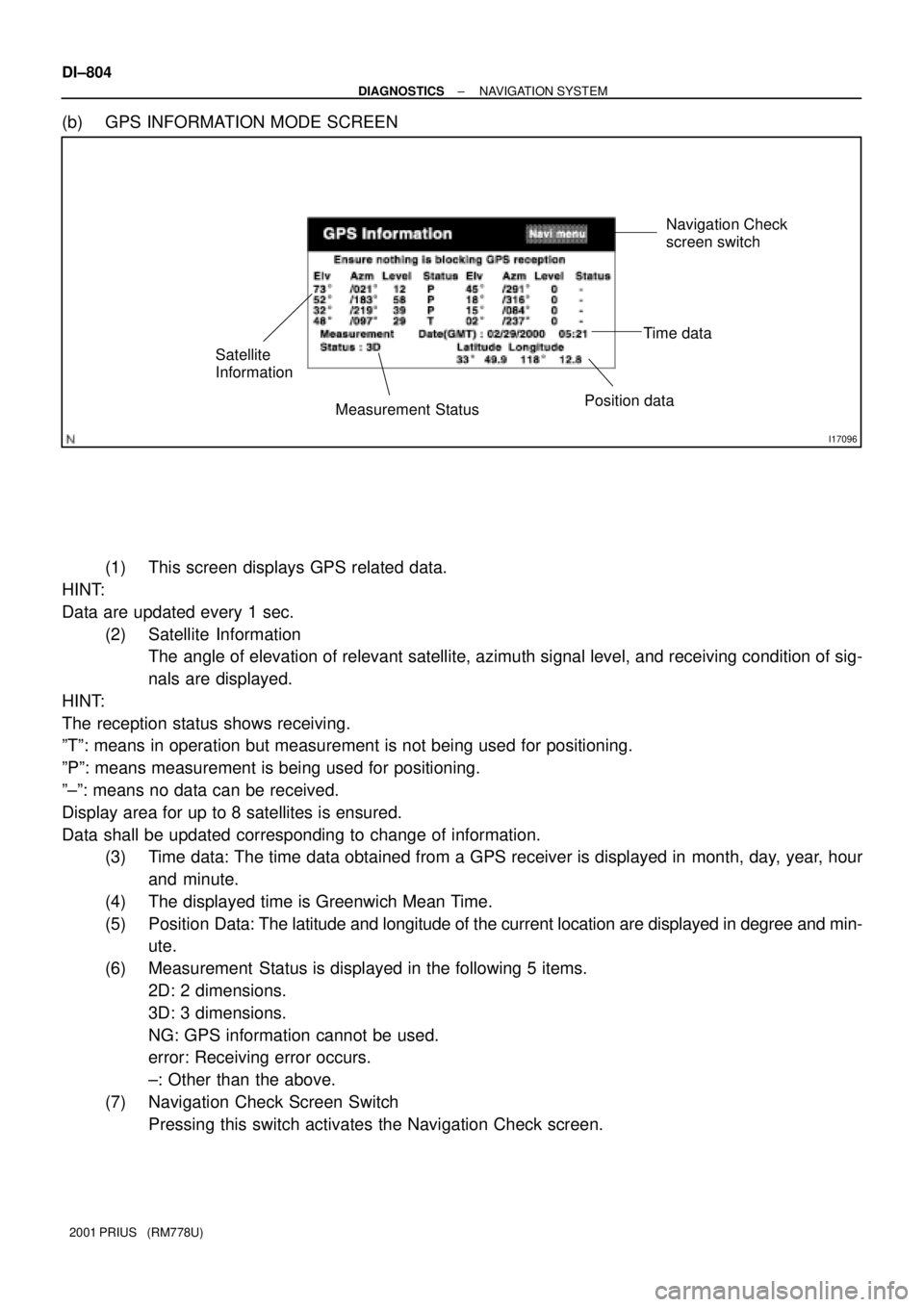
(b) GPS INFORMATION MODE SCREEN
(1) This screen displays GPS related data.
HINT:
Data are updated every 1 sec.
(2) Satellite Information
The angle of elevation of relevant satellite, azimuth signal level, and receiving condition of sig-
nals are displayed.
HINT:
The reception status shows receiving.
ºTº: means in operation but measurement is not being used for positioning.
ºPº: means measurement is being used for positioning.
º±º: means no data can be received.
Display area for up to 8 satellites is ensured.
Data shall be updated corresponding to change of information.
(3) Time data: The time data obtained from a GPS receiver is displayed in month, day, year, hour
and minute.
(4) The displayed time is Greenwich Mean Time.
(5) Position Data: The latitude and longitude of the current location are displayed in degree and min-
ute.
(6) Measurement Status is displayed in the following 5 items.
2D: 2 dimensions.
3D: 3 dimensions.
NG: GPS information cannot be used.
error: Receiving error occurs.
±: Other than the above.
(7) Navigation Check Screen Switch
Pressing this switch activates the Navigation Check screen.
I17097
Navigation check
screen switch
± DIAGNOSTICSNAVIGATION SYSTEM
DI±805
2001 PRIUS (RM778U)
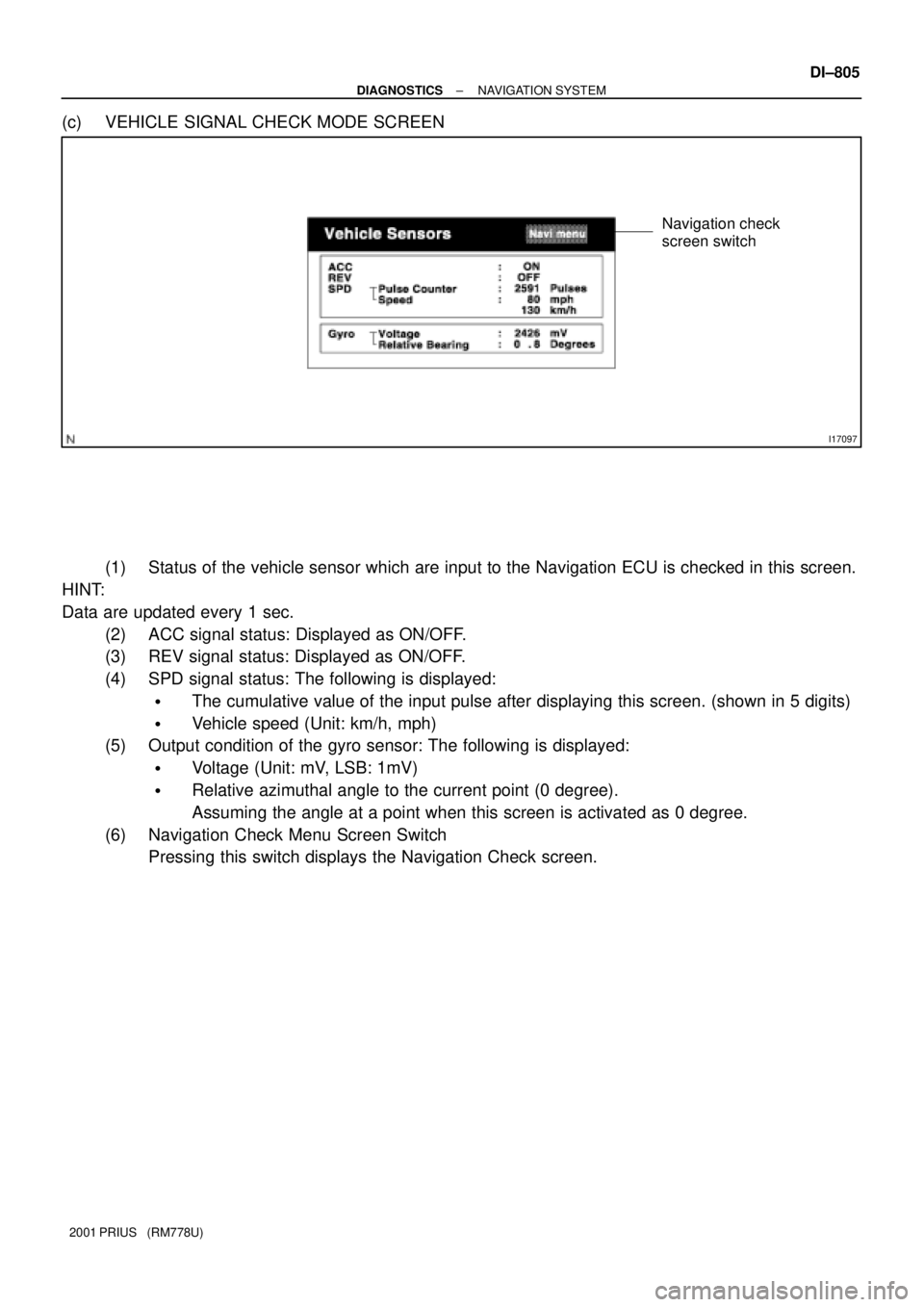
(c) VEHICLE SIGNAL CHECK MODE SCREEN
(1) Status of the vehicle sensor which are input to the Navigation ECU is checked in this screen.
HINT:
Data are updated every 1 sec.
(2) ACC signal status: Displayed as ON/OFF.
(3) REV signal status: Displayed as ON/OFF.
(4) SPD signal status: The following is displayed:
�The cumulative value of the input pulse after displaying this screen. (shown in 5 digits)
�Vehicle speed (Unit: km/h, mph)
(5) Output condition of the gyro sensor: The following is displayed:
�Voltage (Unit: mV, LSB: 1mV)
�Relative azimuthal angle to the current point (0 degree).
Assuming the angle at a point when this screen is activated as 0 degree.
(6) Navigation Check Menu Screen Switch
Pressing this switch displays the Navigation Check screen.