2001 MERCEDES-BENZ E430 Memory
[x] Cancel search: MemoryPage 114 of 341
111 Multifunction steering wheel, multifunction display
Technical
data Instruments
and controlsOperationDrivingInstrument
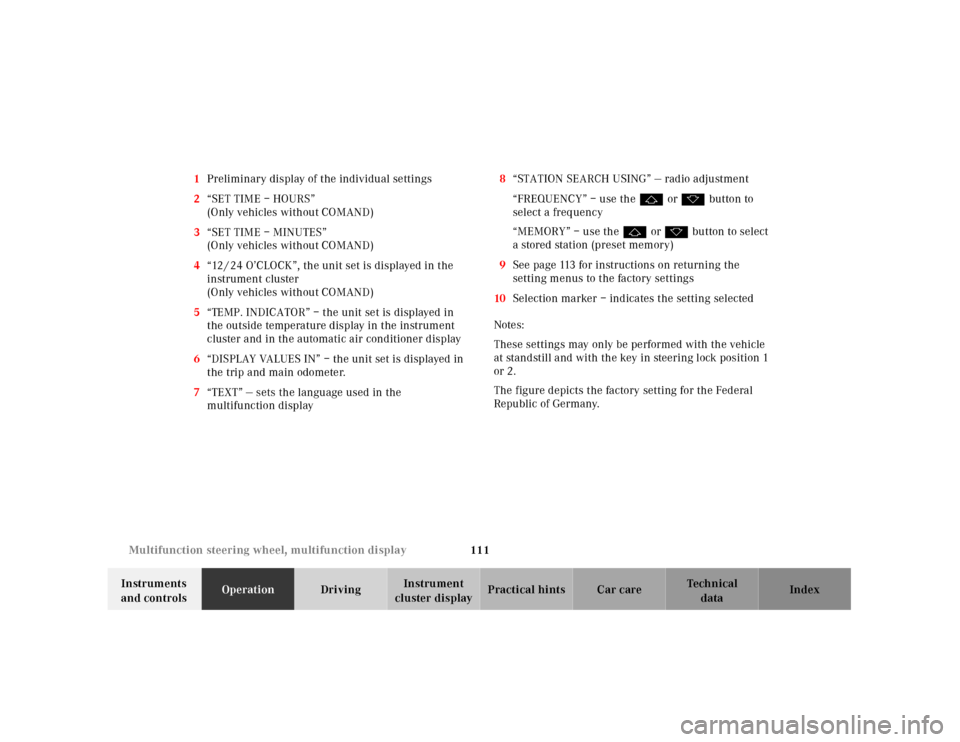
cluster displayPractical hints Car care Index 1Preliminary display of the individual settings
2“SET TIME – HOURS”
(Only vehicles without COMAND)
3“SET TIME – MINUTES”
(Only vehicles without COMAND)
4“12 / 24 O’CLOCK”, the unit set is displayed in the
instrument cluster
(Only vehicles without COMAND)
5“TEMP. INDICATOR” – the unit set is displayed in
the outside temperature display in the instrument
cluster and in the automatic air conditioner display
6“DISPLAY VALUES IN” – the unit set is displayed in
the trip and main odometer.
7“TEXT” — sets the language used in the
multifunction display8“STATION SEARCH USING” — radio adjustment
“FREQUENCY” – use the j or k button to
select a frequency
“MEMORY” – use the j or k button to select
a stored station (preset memory)
9See page 113 for instructions on returning the
setting menus to the factory settings
10Selection marker – indicates the setting selected
Notes:
These settings may only be performed with the vehicle
at standstill and with the key in steering lock position 1
or 2.
The figure depicts the factory setting for the Federal
Republic of Germany.
Page 145 of 341
142 Audio system
Technical
data Instruments
and controlsOperationDrivingInstrument
cluster displayPractical hints Car care Index
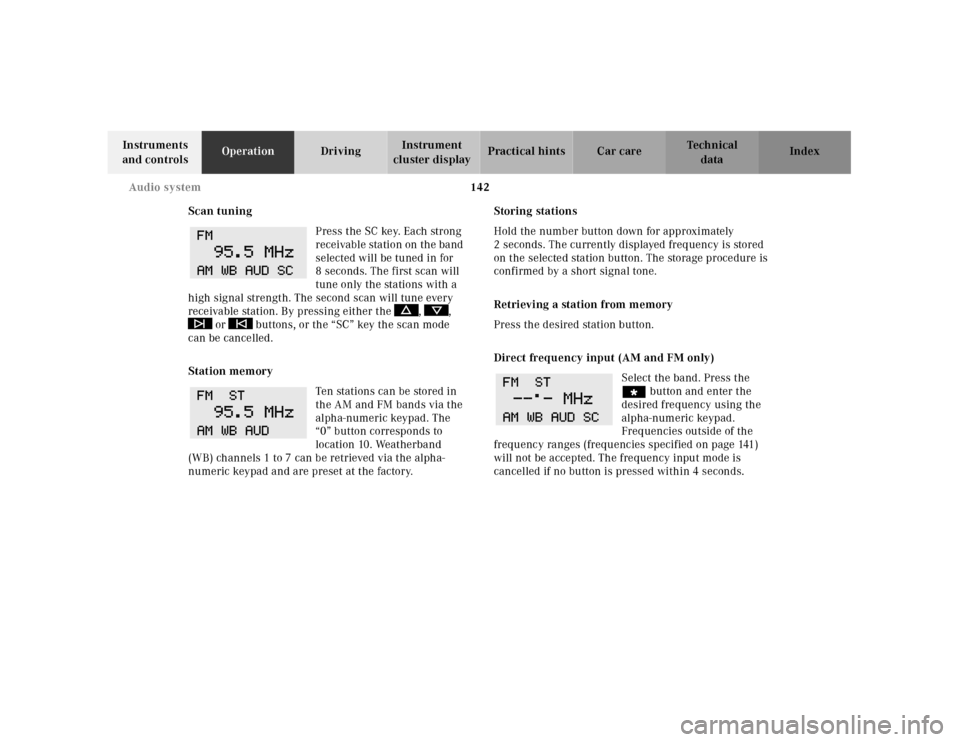
Scan tuning
Press the SC key. Each strong
receivable station on the band
selected will be tuned in for
8 seconds. The first scan will
tune only the stations with a
high signal strength. The second scan will tune every
receivable station. By pressing either the , ,
or buttons, or the “SC” key the scan mode
can be cancelled.
Station memory
Ten stations can be stored in
the AM and FM bands via the
alpha-numeric keypad. The
“0” button corresponds to
location 10. Weatherband
(WB) channels 1 to 7 can be retrieved via the alpha-
numeric keypad and are preset at the factory.Storing stations
Hold the number button down for approximately
2 seconds. The currently displayed frequency is stored
on the selected station button. The storage procedure is
confirmed by a short signal tone.
Retrieving a station from memory
Press the desired station button.
Direct frequency input (AM and FM only)
Select the band. Press the
“ button and enter the
desired frequency using the
alpha-numeric keypad.
Frequencies outside of the
frequency ranges (frequencies specified on page 141)
will not be accepted. The frequency input mode is
cancelled if no button is pressed within 4 seconds.
Page 154 of 341
151 Audio system
Technical
data Instruments
and controlsOperationDrivingInstrument
cluster displayPractical hints Car care Index Telephone operation
Various functions of the Mercedes-Benz integrated
cellular telephone
1 can be performed and displayed via
the car radio. Further instructions for operating the car
telephone can be found in the operation guide for the
cellular telephone1.
Switching the telephone on and off
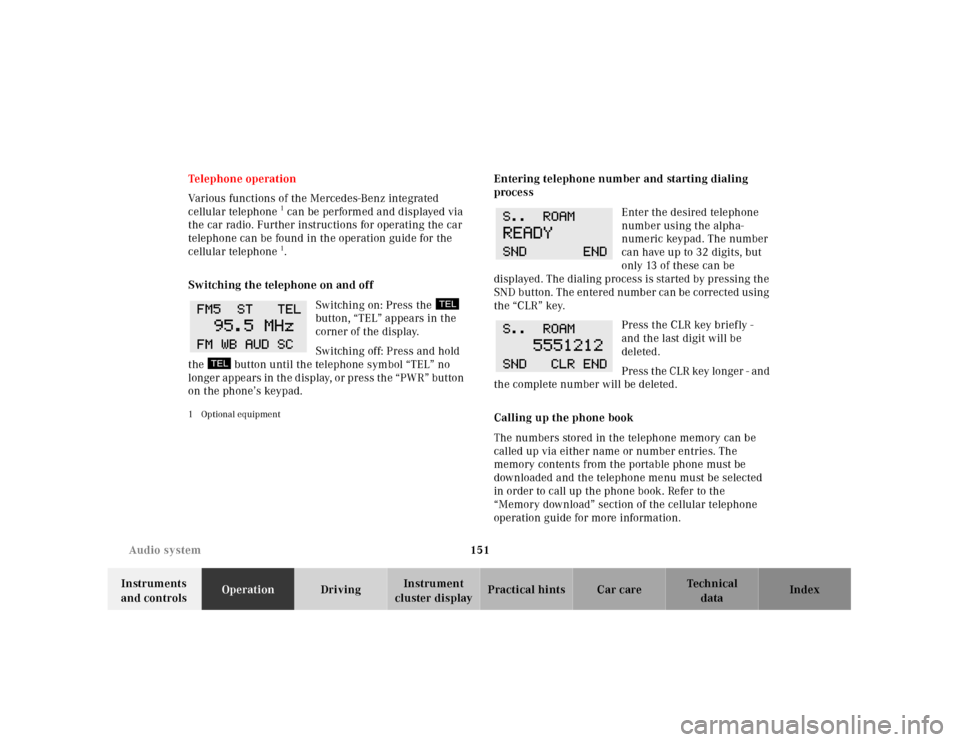
Switching on: Press the
button, “TEL” appears in the
corner of the display.
Switching off: Press and hold
the button until the telephone symbol “TEL” no
longer appears in the display, or press the “PWR” button
on the phone’s keypad.
1 Optional equipment
Entering telephone number and starting dialing
process
Enter the desired telephone
number using the alpha-
numeric keypad. The number
can have up to 32 digits, but
only 13 of these can be
displayed. The dialing process is started by pressing the
SND button. The entered number can be corrected using
the “CLR” key.
Press the CLR key briefly -
and the last digit will be
deleted.
Press the CLR key longer - and
the complete number will be deleted.
Calling up the phone book
The numbers stored in the telephone memory can be
called up via either name or number entries. The
memory contents from the portable phone must be
downloaded and the telephone menu must be selected
in order to call up the phone book. Refer to the
“Memory download” section of the cellular telephone
operation guide for more information.
Page 155 of 341
152 Audio system
Technical
data Instruments
and controlsOperationDrivingInstrument
cluster displayPractical hints Car care Index
Switching between name search and number search
Press ABC key - Name search
Press NUM key - Number search
Searching and selecting phone book entries by name
Press the ABC key. The current name is shown on the
display. The stored entries in alphabetical order can be
selected using the or button. By pressing the
or buttons, the stored entries can be selected
according to alphabetical initial letters (e.g. A-Adam,
B-Brown, M-Miller).
Searching and selecting phone book entries by
number
Press the NUM key. The current number is shown on
the display. The stored entries can be selected in
numerical order using the or button. By
pressing the or buttons, the stored entries
can be selected in increments of 5 (e.g. Entry no. 2,
Entry no. 7, etc.).Placing a call
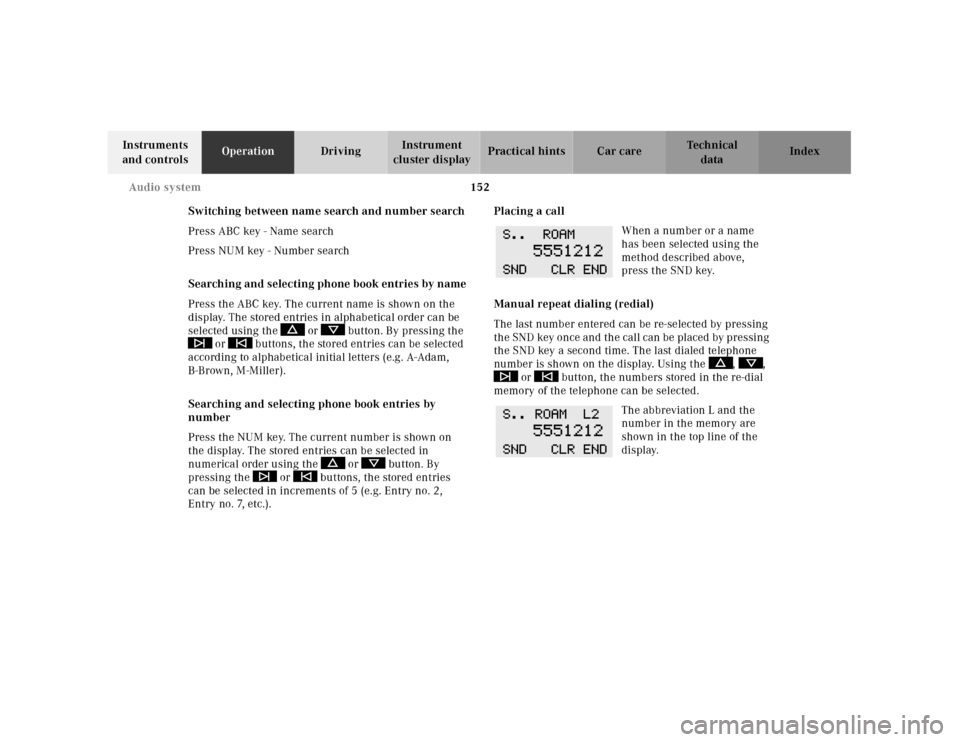
When a number or a name
has been selected using the
method described above,
press the SND key.
Manual repeat dialing (redial)
The last number entered can be re-selected by pressing
th e SND key once and th e cal l can be pl aced by pressing
the SND key a second time. The last dialed telephone
number is shown on the display. Using the , ,
or button, the numbers stored in the re-dial
memory of the telephone can be selected.
The abbreviation L and the
number in the memory are
shown in the top line of the
display.
Page 176 of 341
173 Garage door opener
Technical
data Instruments
and controlsOperationDrivingInstrument
cluster displayPractical hints Car care Index Note:
Following step 2, there are 30 seconds to initiate
step 3.
3. Firmly press and release the programmed
integrated remote control transmit button. Press
and release same button a second time to complete
the training process. (Some garage door openers
may require you to do this procedure a third time to
complete the training.)
4. Confirm the garage door operation by pressing the
programmed button on the integrated remote
control transmitter.
Canadian programming:
During programming, your hand-held transmitter may
automatically stop transmitting. Continue to press and
hold the integrated remote control transmitter button
(note steps 2 through 4 in the “Programming” portion)
while you press and re-press (“cycle”) your hand-held
transmitter every two seconds until the frequency
signal has been learned. The indicator lamp will flash
slowly and then rapidly after several seconds upon
successful training.Operation of remote control:
1. Turn electronic key in steering lock to position 1
or 2.
2. Select and press the appropriate button to activate
the remote controlled device. The integrated remote
control transmitter continues to send the signal as
long as the button is pressed – up to 20 seconds.
Erasing the remote control memory:
1. Turn electronic key in steering lock to position 1
or 2.
2. Simultaneously holding down the left and right side
buttons for approximately 20 seconds, or until the
control lamp blinks rapidly, will erase the codes of
all three channels.
Page 242 of 341
239 Malfunction and warning messages
Technical
data Instruments
and controlsOperation DrivingInstrument
cluster displayPractical hints Car care Index Malfunction and warning messages in the
multifunction display
Malfunction and warning messages for the following
systems will be displayed immediately in the
multifunction display.
These messages can be cleared from the instrument
cluster by:
•using the J button on the instrument cluster, or
•pressing buttonj, k, è or ÿ on the
multifunction steering wheel.
They are then stored in the malfunction message
memory. See page 108. Notes:
Certain malfunction and warning messages are
accompanied by an audible signal.
Malfunction and warning messages in red are always
accompanied by an audible signal.
Temporary messages such as “SWITCH OFF LIGHTS”
will not be stored in the malfunction message memory.
Wa r n i n g !
All messages contain important information which
should be taken note of and, where malfunction
indicated, addressed as soon as possible at an
authorized Mercedes-Benz Center.Failure to repair condition noted may cause
damage not covered by the Mercedes-Benz Limited
Warrant y, or resu lt in property damage or personal
injury.
Page 335 of 341

332 Index
Technical
data Instruments
and controlsOperation DrivingInstrument
cluster displayPractical hints Car careIndex
MMaintenance ................................................................... 177
Malfunction and indicator lamp
in the center console ................................................238
Malfunction and indicator lamps
in the instrument cluster .........................................234
Malfunction and warning messages ...........................239
ABS-SYSTEM .............................................................242
BATTERY / ALTERNATOR ....................................... 241
BRAKE ASSIST ..........................................................242
BRAKE FLUID ............................................................243
BRAKE LINING WEAR .............................................243
COOLANT (coolant level) .........................................245
COOLANT TEMP. .......................................................246
DISPLAY DEFECTIVE (engine control unit) .........240
DISPLAY DEFECTIVE (several systems) ...............240
ELEC. STABIL. PROG. ...............................................252
ENGINE FAN ..............................................................244
ENGINE OIL LEVEL ..................................................250
LIGHT SENSOR .........................................................248
LIGHTING SYSTEM ...................................................247
PARKING BRAKE ......................................................244
REMOVE KEY ............................................................248
STEERING GEAR OIL ...............................................249
TELE AID ....................................................................249WASHER FLUID ......................................................... 251
Malfunction message memory ....................................108
Manual release for fuel filler flap .............................. 296
Mechanical keys ............................................................... 34
Memory ................................................................ 49, 81, 84
Recalling ....................................................................... 50
Storing ........................................................................... 49
Mirror, exterior, adjusting ..............................................83
Mirror, exterior, rear view ..............................................83
Mirror, inside, rear view ................................................. 82
Multicontour seat ............................................................. 54
Multifunction display ...................................................... 92
Audio systems ..............................................................97
Engine oil level indicator ...........................................96
FSS (Flexible service system) ................................... 96
Individual settings .................................................... 110
Malfunction message memory ............................... 108
Navigation system .....................................................105
Telephone ...................................................................100
Trip and main odometer ............................................ 96
Trip computer ............................................................106
Vehicle speed ............................................................... 96
Multifunction steering wheel .........................................92
Setting the audio volume ......................................... 113
Page 336 of 341

333 Index
Technical
data Instruments
and controlsOperation DrivingInstrument
cluster displayPractical hints Car careIndex
NNavigation system - Multifunction display ................ 105
Night security illumination ......................................... 120OOn-board diagnostic system .........................................234
Operator’s manual ............................................................. 8
Outside temperature indicator ...................................... 90
Overhead control panel ................................................... 21PPanic button ...................................................................... 34
Parcel net in front passenger footwell ....................... 169
Parking ............................................................................205
Parking assist (Parktronic) ..........................................224
Malfunction ...............................................................228
Parktronic switch ......................................................228
Sensors .......................................................................225
Warning indicators ...................................................226
Parking brake ............................. 202, 204, 205, 221, 235
PA R K I N G BR A K E -
malfunction and warning messages ......................244Power assistance ........................................................... 204
Power seats front ..............................................................46
Power windows ............................................................... 154
Blocking of rear door window operation ............... 155
Opening and closing ...................................................33
Synchronizing power windows ............................... 156
Problems with your vehicle ............................................ 14
Product information .......................................................... 7
RRadio transmitters ......................................................... 176
Rain sensor ..................................................................... 123
Rear seat cushion .......................................................... 294
Rear view mirrors ............................................................82
Antiglare night position .............................................82
Exterior ......................................................................... 83
Inside ............................................................................82
Parking position ..........................................................85
Storing mirror positions in memory ........................84
Rear window defroster .................................................. 130
Rear window sunshade ................................................. 160
Remote control .................................................................29
Battery replacement .................................................291