Page 26 of 231
24
IntroductionAudioTelephone
Navigation
Index Info Services and
system settings
Radio operation
Automatic seek tuning
Press
or
on the rocker switch briefly.
FM- and AM-Bands:
The next receivable station in the direction of seek
(descending/ascending) will be tuned in and begin to
play. The station frequency will appear on the screen.
Weather Band (WB):
The next receivable station will be selected. Alterna-
tively press a number key
through
and that
station will be directly selected. Selecting a station
Different functions are available for selecting a station:
• Automatic seek tuning, page 24
• “Seek” tuning at the multifunction steering wheel,
page 25
• Manual tuning, page 25
• Station selection via number keypad (presets),
page 26
• Station selection via direct frequency entry, page 27
• Automatic Station Scan, page 28
• Station selection from the preset menu, page 35
P82.85-2516-26
Page 27 of 231
Introduction
AudioTelephone
Navigation
Index Info Services and
system settings Radio operation
25
P82.85-2517-26
Manual tuning (FM, AM)
Press
or
on the rocker switch longer than 2
seconds. The menu fields will appear in light grey
lettering.
FM band:
The frequency displayed will change in the correspond-
ing direction in increments of 0.2 MHz.
AM band (activate via “FM/AM/WB” menu field):
Tuning will take place in increments of 10 kHz. “Seek” tuning at multifunction steering wheel
With station frequency displayed in the multifunction
display:
Select next higher frequency preset – press
Select next lower frequency preset – switch Note:
The up/down arrows have different functions depend-
ing on which made the seek function in the multi-
function display is programmed to. The two available
options are Memory Scan or Frequency Scan. Refer to
the vehicle operator’s manual on how to program this
option.
Page 28 of 231
26
IntroductionAudioTelephone
Navigation
Index Info Services and
system settings
Radio operation
P82.85-2518-26
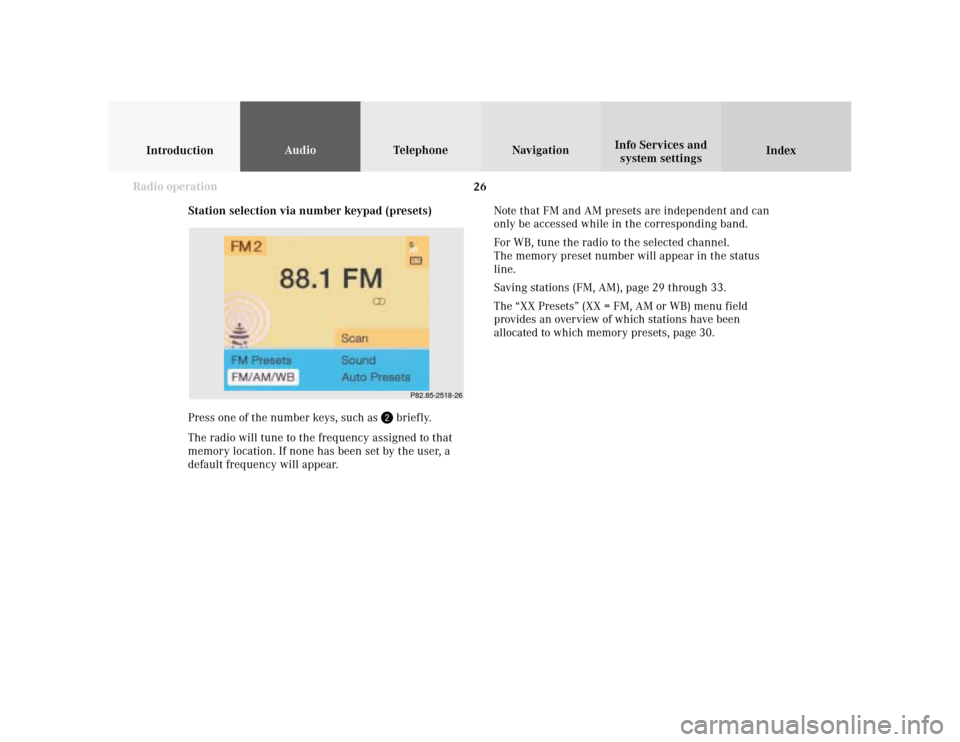
Station selection via number keypad (presets)
Press one of the number keys, such as
briefly.
The radio will tune to the frequency assigned to that
memory location. If none has been set by the user, a
default frequency will appear.Note that FM and AM presets are independent and can
only be accessed while in the corresponding band.
For WB, tune the radio to the selected channel.
The memory preset number will appear in the status
line.
Saving stations (FM, AM), page 29 through 33.
The “XX Presets” (XX = FM, AM or WB) menu field
provides an overview of which stations have been
allocated to which memory presets, page 30.
Page 29 of 231
Introduction
AudioTelephone
Navigation
Index Info Services and
system settings Radio operation
27 Station selection via direct frequency entry
It is possible to set a station by entering the station
frequency directly via the number keypad.
Press
(bottom left on the keypad). An input line will
appear in the main radio menu.
Use the number keys to enter the desired frequency,
e.g.
for 102.7 FM (FM waveband).
The display in the main radio menu will now indicate
the new frequency. The station will begin to play.Notes:
Frequencies can be entered only for FM and AM. If no
entry is completed within 8 seconds, the station last
tuned will resume play.
Enter in given frequency range.
Frequency ranges:
•
FM 87.9 – 107.9 FM
•
AM 530 – 1710 AM
If you enter a frequency that is outside the allowable
input range, you will see the display “Invalid input”.
Repeat entry with new frequency.
P82.85-2519-26
Page 30 of 231
28
IntroductionAudioTelephone
Navigation
Index Info Services and
system settings
Radio operation
P82.85-2520-26
Automatic Station Scan
The stations on same band (FM/AM/WB) can be
scanned one after the other for 8 seconds each.
Once the “Scan” menu field has been selceted, press
the right-hand rotary/pushbutton
to confirm it.
The scan function will begin, “Scan” will appear in red
lettering.To play a station (end scan function):
If the station you want is being played, press the right-
hand rotary/pushbutton
again.
The station selected will appear on the screen with the
frequency. “Scan” will appear in black lettering again.
Scanning Weather Band (WB)
With the scan function the individual weather stations
stored in the memory on 7 channels can be scanned
one after the other for 8 seconds each.
The scan function stops automatically when the first
station received has been scanned twice.
Page 31 of 231
Introduction
AudioTelephone
Navigation
Index Info Services and
system settings Radio operation
29
P82.85-2521-26
Memory functions
The following functions are available:
• Saving stations manually, FM, page 29
Saving stations manually, AM, page 31
• Saving stations automatically, FM/AM, page 32
• Selecting stations from the preset menu, FM/AM,
page 35
• Selecting channels from the WB preset menu,
page 36
• Selecting stations by entering the station frequency
in the presets, FM/AM, page 37
Note:
There are 2 memories for each of the FM and AM
waveband, standard FM/AM presets and the Auto
presets.
The standard FM/AM presets are not affected by the
automatic presets. This is a second possibility for
storing a station range you are currently receiving.Saving stations manually, FM
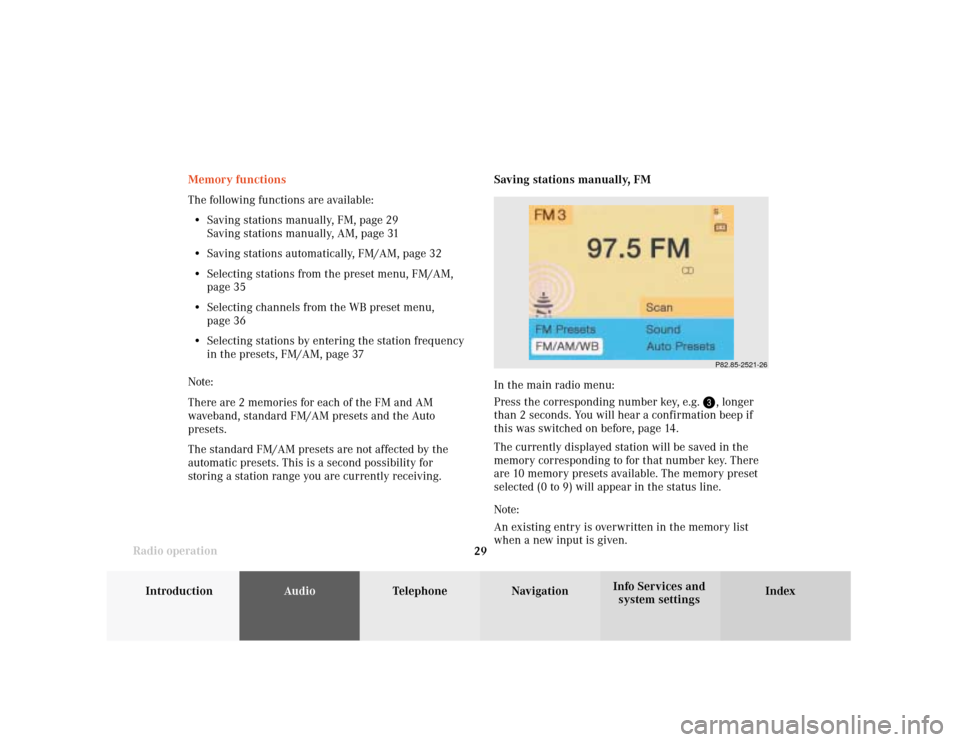
In the main radio menu:
Press the corresponding number key, e.g.
, longer
than 2 seconds. You will hear a confirmation beep if
this was switched on before, page 14
.
The currently displayed station will be saved in the
memory corresponding to for that number key. There
are 10 memory presets available. The memory preset
selected (0 to 9) will appear in the status line.
Note:
An existing entry is overwritten in the memory list
when a new input is given.
Page 32 of 231

30
IntroductionAudioTelephone
Navigation
Index Info Services and
system settings
Radio operation
On the memory list:
Use the right-hand rotary/pushbutton
to highlight
the “FM Presets” menu field in the main radio menu
and confirm it. The FM preset memory menu will
appear on the screen.
Use the right-hand rotary/pushbutton to move the
cursor to the desired memory location.
Press the right-hand rotary/pushbutton or corre-
sponding number key for longer than 2 seconds.
The main radio menu will appear, with the new
memory preset number, automatically after 3 seconds
or after you press the key
.
Note:
The standard FM presets are not affected by the
automatic presets. This is a second possibility for
storing a station range you are currently receiving. 1Preset of the station currently selected
2Frequency of the station currently selected
3Current frequency appears in red lettering,
cursor highlights memory preset no. 1
4Memory preset allocated
5Memory preset available
P82.85-2968-26
5
4
1
2
3
Page 33 of 231
Introduction
AudioTelephone
Navigation
Index Info Services and
system settings Radio operation
31
P82.85-2523-26
Saving stations manually, AM
Use the “FM/AM/WB” menu field in the main radio
menu to activate the AM band.
Use the “AM Presets” menu field to activate the corre-
sponding memory.Save a station in the same way as described for the FM
band, page 29.
Note:
The standard AM presets are not affected by the
automatic ones. This is a second possibility for storing
a station range you are currently receiving.
P82.85-2969-26