Page 6 of 460
Table of Contents (cont'd)
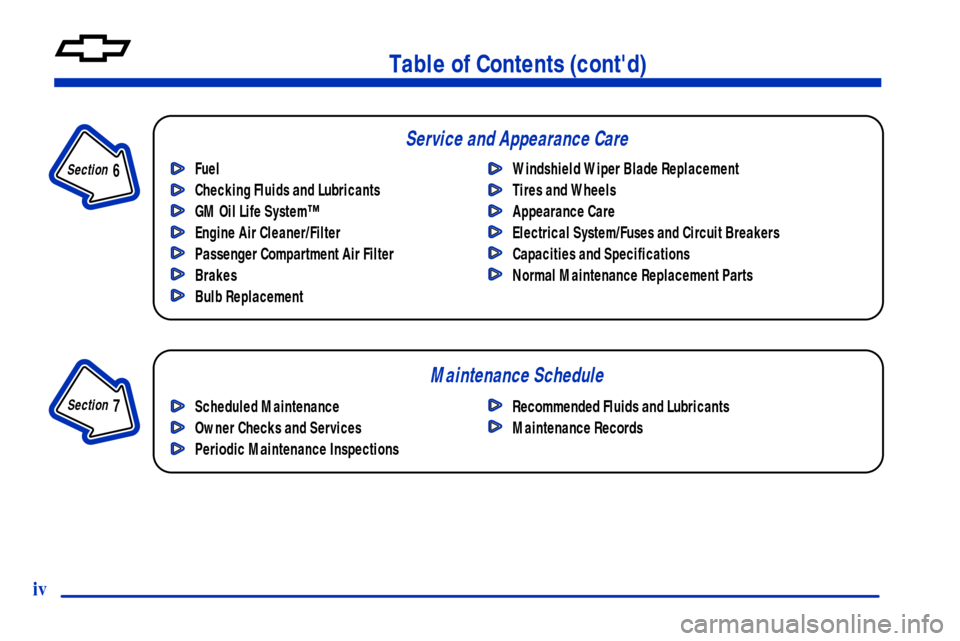
Maintenance Schedule Service and Appearance Care
Section
7
Section
6
Scheduled Maintenance
Owner Checks and Services
Periodic Maintenance InspectionsRecommended Fluids and Lubricants
Maintenance Records Fuel
Checking Fluids and Lubricants
GM Oil Life System™
Engine Air Cleaner/Filter
Passenger Compartment Air Filter
Brakes
Bulb ReplacementWindshield Wiper Blade Replacement
Tires and Wheels
Appearance Care
Electrical System/Fuses and Circuit Breakers
Capacities and Specifications
Normal Maintenance Replacement Parts
iv
Page 11 of 460

ix
For example,
these symbols
are used on an
original battery:
CAUTION
POSSIBLE
INJURY
PROTECT
EYES BY
SHIELDING
CAUSTIC
BATTERY
ACID COULD
CAUSE
BURNS
AVOID
SPARKS OR
FLAMES
SPARK OR
FLAME
COULD
EXPLODE
BATTERY
These symbols
are important for
you and your
passengers
whenever your
vehicle is driven:
CHILD
RESTRAINT
TOP STRAP
ANCHOR
DOOR LOCK
UNLOCK
FASTEN
SEAT
BELTS
POWER
WINDOW
AIR BAG
These symbols
have to do with
your lamps:
MASTER
LIGHTING
SWITCH
TURN
SIGNALS
PARKING
LAMPS
HAZARD
WARNING
FLASHER
DAYTIME
RUNNING
LAMPS
FOG LAMPS
These symbols
are on some of
your controls:
WINDSHIELD
WIPER
WINDSHIELD
WASHER
WINDSHIELD
DEFROSTER
REAR
WINDOW
DEFOGGER
VENTILATING
FAN
These symbols
are used on
warning and
indicator lights:
ENGINE
COOLANT
TEMP
BATTERY
CHARGING
SYSTEM
BRAKE
COOLANT
ENGINE OIL
PRESSURE
ANTI-LOCK
BRAKES
Here are some
other symbols
you may see:
FUSE
LIGHTER
HORN
FUEL
Vehicle Symbols
These are some of the symbols you may find on your vehicle. Also see ªWarning Lights and Gagesº in the Index.
Page 12 of 460
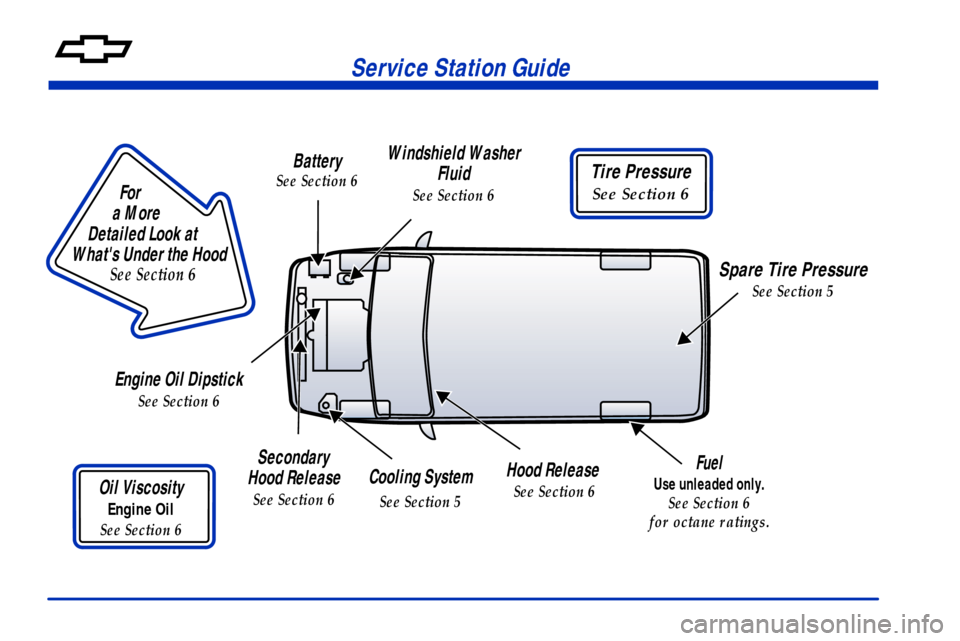
Service Station Guide
For
a More
Detailed Look at
What's Under the Hood
See Section 6
Battery
See Section 6
Windshield Washer
Fluid
See Section 6
Tire Pressure
See Section 6
Spare Tire Pressure
See Section 5
Hood Release
See Section 6Cooling System
See Section 5
Secondary
Hood Release
See Section 6Oil Viscosity
Engine Oil
See Section 6
Engine Oil Dipstick
See Section 6
Fuel
Use unleaded only.
See Section 6
for octane ratings.
Page 160 of 460
2-47
To Use the Engine Coolant Heater
1. Turn off the engine.
2. Open the hood and unwrap the electrical cord. The
electrical cord is located on the driver's side of the
engine compartment.
3. Plug it into a normal, grounded 110
-volt AC outlet.
CAUTION:
Plugging the cord into an ungrounded outlet
could cause an electrical shock. Also, the wrong
kind of extension cord could overheat and cause
a fire. You could be seriously injured. Plug the
cord into a properly grounded three
-prong
11 0
-volt AC outlet. If the cord won't reach, use a
heavy
-duty three-prong extension cord rated for
at least 15 amps.
4. Before starting the engine, be sure to unplug
and store the cord as it was before to keep it away
from moving engine parts. If you don't, it could
be damaged.
How long should you keep the coolant heater plugged
in? The answer depends on the outside temperature, the
kind of oil you have, and some other things. Instead of
trying to list everything here, we ask that you contact
your dealer in the area where you'll be parking your
vehicle. The dealer can give you the best advice for that
particular area.
Page 210 of 460

2-97
Speedometer and Tamper
Resistant Odometer
Your speedometer lets you see your speed in both miles
per hour (mph) and kilometers per hour (km/h). Your
odometer shows how far your vehicle has been driven,
in either miles (used in the United States) or
kilometers (used in Canada).
Your vehicle has a tamper
-resistant odometer.
You may wonder what happens if your vehicle needs a
new odometer installed. If the new one can be set to the
mileage total of the old odometer, then that will be done.
If it can't, then it's set at zero and a label must be put on
the driver's door to show the old mileage reading when
the new odometer was installed.
Dual Trip Odometers
In addition to the standard odometer, the cluster can also
display two separate trip odometers (designated by the
letter ªAº or ªBº in the display window) as well as your
vehicle's Engine Oil Life (designated by the word OIL in
the display window). The display can be toggled between
the odometer, the trip odometers and engine oil life by
quickly pressing and releasing the trip/reset button located
to the right of the temperature gage. The display toggles
once each time the trip/reset button is pressed for less
than 1.5 seconds. The display toggles in the following
sequence: Odometer
- Trip Odometer A - Trip Odometer
B
- Engine Oil Life. If the engine oil life is left on the
display, it will automatically toggle back to the odometer
after approximately 15 seconds. Each of the two trip
odometers can be used to keep track of different trip
distances (for example, the mileage of a long trip and the
mileage driven on the current tank of fuel). The trip
odometers will continue to keep track of miles (kilometers)
driven even if they are not currently displayed. To reset the
odometer to zero (0), push and hold the trip/reset button
for at least 1.5 seconds, but less than three seconds.
Only the trip odometer that is showing in the display
will be reset.
Page 224 of 460
2-111
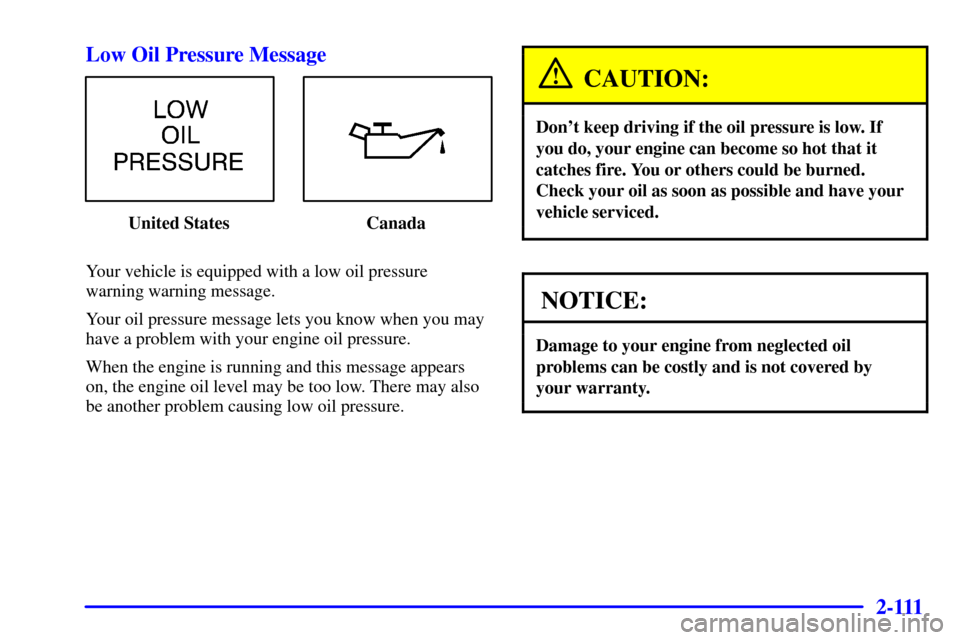
Low Oil Pressure Message
United States Canada
Your vehicle is equipped with a low oil pressure
warning warning message.
Your oil pressure message lets you know when you may
have a problem with your engine oil pressure.
When the engine is running and this message appears
on, the engine oil level may be too low. There may also
be another problem causing low oil pressure.
CAUTION:
Don't keep driving if the oil pressure is low. If
you do, your engine can become so hot that it
catches fire. You or others could be burned.
Check your oil as soon as possible and have your
vehicle serviced.
NOTICE:
Damage to your engine from neglected oil
problems can be costly and is not covered by
your warranty.
Page 225 of 460
2-112 Low Engine Oil Level Message
United States Canada
If this message comes on, it means your engine is
low on oil.
You need to check the oil level right away. Have your
vehicle serviced immediately.
Change Engine Oil Message
United States Canada
If the change engine oil message comes on and stays on
after you have started the engine, have the oil changed.
For additional information, see ªEngine Oil, When to
Changeº in the Index. After changing the engine oil the
system must be reset. See ªHow to Reset the Change
Engine Oil Messageº in the Index.
Page 300 of 460

4-22
The exit speed is usually posted.
Reduce your speed according to your speedometer, not
to your sense of motion. After driving for any distance
at higher speeds, you may tend to think you are going
slower than you actually are.
Before Leaving on a Long Trip
Make sure you're ready. Try to be well rested. If you
must start when you're not fresh
-- such as after a day's
work
-- don't plan to make too many miles that first
part of the journey. Wear comfortable clothing and shoes
you can easily drive in.
Is your vehicle ready for a long trip? If you keep it
serviced and maintained, it's ready to go. If it needs
service, have it done before starting out. Of course,
you'll find experienced and able service experts in
Chevrolet dealerships all across North America.
They'll be ready and willing to help if you need it.Here are some things you can check before a trip:
�Windshield Washer Fluid: Is the reservoir full?
Are all windows clean inside and outside?
�Wiper Blades: Are they in good shape?
�Fuel, Engine Oil, Other Fluids: Have you checked
all levels?
�Lamps: Are they all working? Are the lenses clean?
�Tires: They are vitally important to a safe,
trouble-free trip. Is the tread good enough for
long
-distance driving? Are the tires all inflated to
the recommended pressure?
�Weather Forecasts: What's the weather outlook
along your route? Should you delay your trip a short
time to avoid a major storm system?
�Maps: Do you have up
-to-date maps?