Page 156 of 460
2-43
New Vehicle ªBreak-Inº
NOTICE:
Your vehicle doesn't need an elaborate
ªbreak
-in.º But it will perform better in the long
run if you follow these guidelines:
�Don't drive at any one speed -- fast or
slow
-- for the first 500 miles (805 km).
Don't make full
-throttle starts.
�Avoid making hard stops for the first
200 miles (322 km) or so. During this time
your new brake linings aren't yet broken
in. Hard stops with new linings can mean
premature wear and earlier replacement.
Follow this breaking
-in guideline every
time you get new brake linings.
�Don't tow a trailer during break
-in.
See ªTowing a Trailerº in the Index for
more information.
Ignition Positions
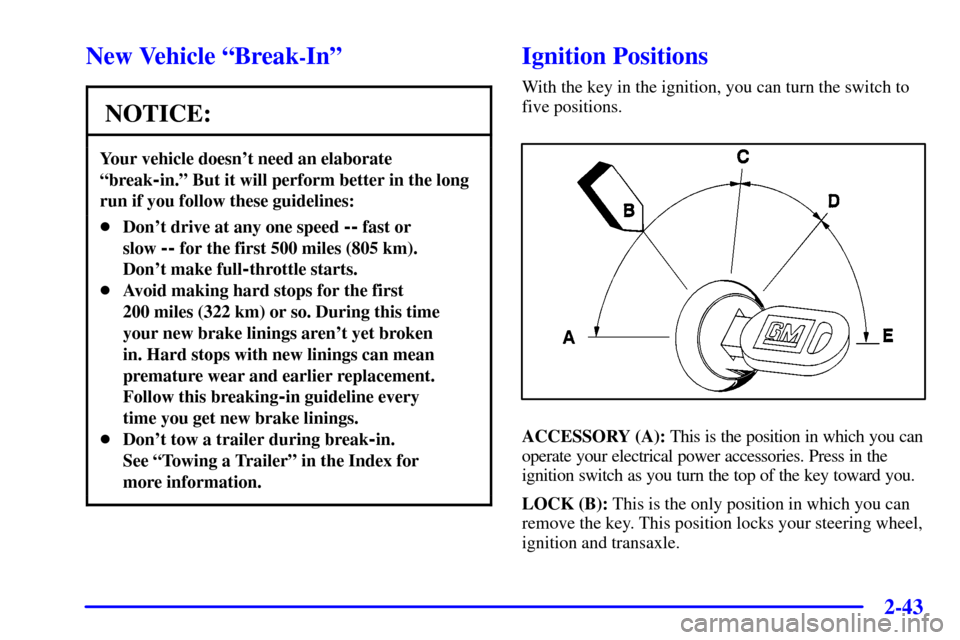
With the key in the ignition, you can turn the switch to
five positions.
ACCESSORY (A): This is the position in which you can
operate your electrical power accessories. Press in the
ignition switch as you turn the top of the key toward you.
LOCK (B): This is the only position in which you can
remove the key. This position locks your steering wheel,
ignition and transaxle.
Page 157 of 460
2-44
NOTICE:
If your key seems stuck in LOCK and you can't
turn it, be sure you are using the correct key; if
so, is it all the way in? If it is, then turn the
steering wheel left and right while you turn the
key hard. But turn the key only with your hand.
Using a tool to force it could break the key or the
ignition switch. If none of this works, then your
vehicle needs service.
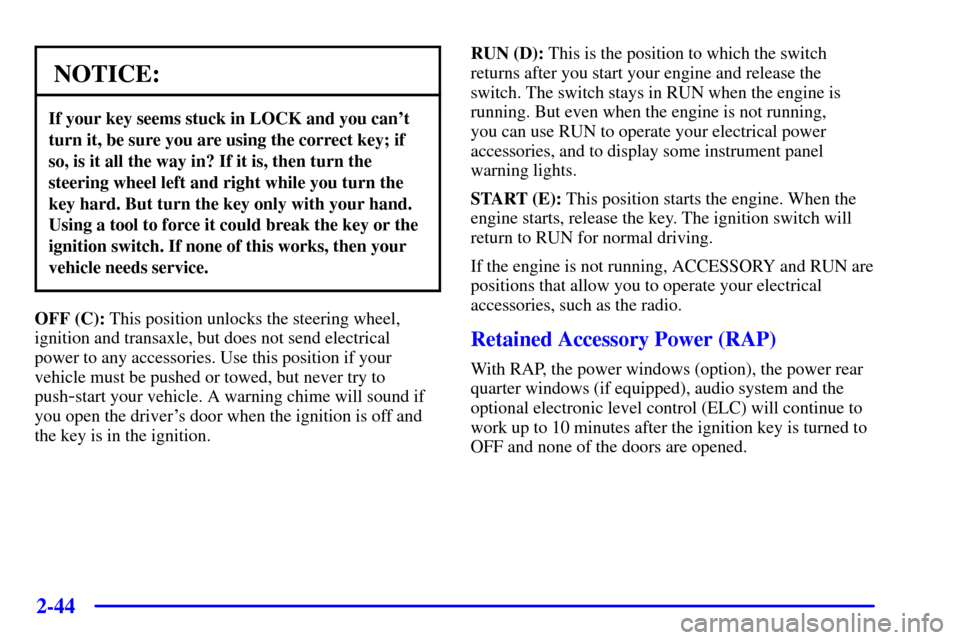
OFF (C): This position unlocks the steering wheel,
ignition and transaxle, but does not send electrical
power to any accessories. Use this position if your
vehicle must be pushed or towed, but never try to
push
-start your vehicle. A warning chime will sound if
you open the driver's door when the ignition is off and
the key is in the ignition.RUN (D): This is the position to which the switch
returns after you start your engine and release the
switch. The switch stays in RUN when the engine is
running. But even when the engine is not running,
you can use RUN to operate your electrical power
accessories, and to display some instrument panel
warning lights.
START (E): This position starts the engine. When the
engine starts, release the key. The ignition switch will
return to RUN for normal driving.
If the engine is not running, ACCESSORY and RUN are
positions that allow you to operate your electrical
accessories, such as the radio.
Retained Accessory Power (RAP)
With RAP, the power windows (option), the power rear
quarter windows (if equipped), audio system and the
optional electronic level control (ELC) will continue to
work up to 10 minutes after the ignition key is turned to
OFF and none of the doors are opened.
Page 287 of 460

4-9
Remember: Anti-lock doesn't change the time you need
to get your foot up to the brake pedal or always decrease
stopping distance. If you get too close to the vehicle in
front of you, you won't have time to apply your brakes
if that vehicle suddenly slows or stops. Always leave
enough room up ahead to stop, even though you
have anti
-lock brakes.
Using Anti
-Lock
Don't pump the brakes. Just hold the brake pedal down
firmly and let anti
-lock work for you. You may feel a
slight brake pedal pulsation or notice some noise, but
this is normal.
Braking in Emergencies
With anti-lock, you can steer and brake at the same
time. In many emergencies, steering can help you more
than even the very best braking.
Traction Control System (Option)
Your vehicle may have a traction control system that
limits wheel spin. This is especially useful in slippery
road conditions. The system operates only if it senses
that one or both of the front wheels are spinning or
beginning to lose traction. When this happens, the
system works the front brakes and reduces engine
power to limit wheel spin.
The TRACTION ACTIVE message will come on
when the traction control system is limiting wheel spin.
See ªTRACTION ACTIVE Messageº in the Index.
You may feel or hear the system working, but this
is normal.
If your vehicle is in cruise control when the traction
control system begins to limit wheel spin, the cruise
control will automatically disengage. When road
conditions allow you to safely use it again, you may
reengage the cruise control. See ªCruise Controlº
in the Index.
Page 289 of 460

4-11
Steering
Power Steering
If you lose power steering assist because the engine stops
or the system is not functioning, you can steer but it will
take much more effort.
Steering Tips
Driving on Curves
It's important to take curves at a reasonable speed.
A lot of the ªdriver lost controlº accidents mentioned
on the news happen on curves. Here's why:
Experienced driver or beginner, each of us is subject
to the same laws of physics when driving on curves.
The traction of the tires against the road surface makes it
possible for the vehicle to change its path when you turn
the front wheels. If there's no traction, inertia will keep
the vehicle going in the same direction. If you've ever
tried to steer a vehicle on wet ice, you'll understand this.
The traction you can get in a curve depends on the
condition of your tires and the road surface, the angle at
which the curve is banked, and your speed. While you're
in a curve, speed is the one factor you can control.Suppose you're steering through a sharp curve. Then you
suddenly accelerate. Both control systems
-- steering and
acceleration
-- have to do their work where the tires meet
the road. Adding the sudden acceleration can demand too
much of those places. You can lose control. Refer to
ªTraction Control Systemº in the Index.
What should you do if this ever happens? Ease up on
the accelerator pedal, steer the vehicle the way you want
it to go, and slow down.
Speed limit signs near curves warn that you should
adjust your speed. Of course, the posted speeds are
based on good weather and road conditions. Under
less favorable conditions you'll want to go slower.
If you need to reduce your speed as you approach a
curve, do it before you enter the curve, while your front
wheels are straight ahead.
Try to adjust your speed so you can ªdriveº through
the curve. Maintain a reasonable, steady speed. Wait
to accelerate until you are out of the curve, and then
accelerate gently into the straightaway.
Page 352 of 460

6-
6-1
Section 6 Service and Appearance Care
Here you will find information about the care of your vehicle. This section begins with service and fuel information,
and then it shows how to check important fluid and lubricant levels. There is also technical information about your
vehicle, and a part devoted to its appearance care.
6
-2 Service
6
-3 Fuel
6
-5 Fuels in Foreign Countries
6
-6 Filling Your Tank
6
-8 Filling a Portable Fuel Container
6
-9 Checking Things Under the Hood
6
-12 Engine Oil
6
-16 Engine Air Cleaner/Filter
6
-18 Passenger Compartment
Air Filter Replacement
6
-20 Automatic Transaxle Fluid
6
-23 Engine Coolant
6
-26 Radiator Pressure Cap
6
-27 Power Steering Fluid
6
-28 Windshield Washer Fluid
6
-29 Brakes6
-32 Battery
6
-33 Bulb Replacement
6
-40 Windshield Wiper Blade Replacement
6
-42 Tires
6
-51 Appearance Care
6
-51 Cleaning the Inside of Your Vehicle
6
-55 Cleaning the Outside of Your Vehicle
6
-58 Underbody Maintenance
6
-58 Chemical Paint Spotting
6
-59 GM Vehicle Care/Appearance Materials
6
-60 Vehicle Identification Number (VIN)
6
-61 Electrical System
6
-69 Replacement Bulbs
6
-69 Capacities and Specifications
6
-70 Normal Maintenance Replacement Parts
Page 362 of 460
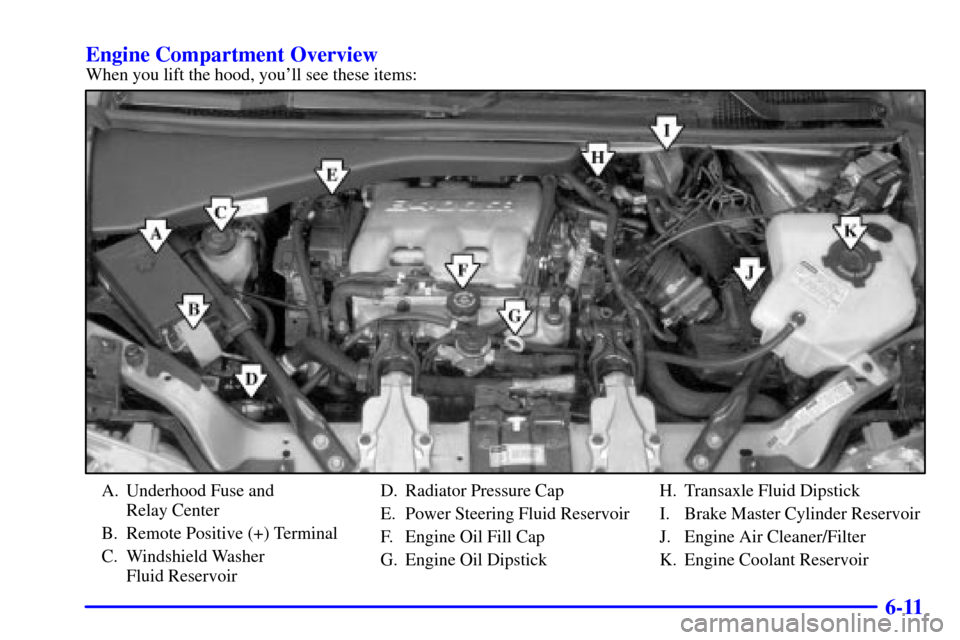
6-11 Engine Compartment Overview
When you lift the hood, you'll see these items:
A. Underhood Fuse and
Relay Center
B. Remote Positive (+) Terminal
C. Windshield Washer
Fluid ReservoirD. Radiator Pressure Cap
E. Power Steering Fluid Reservoir
F. Engine Oil Fill Cap
G. Engine Oil DipstickH. Transaxle Fluid Dipstick
I. Brake Master Cylinder Reservoir
J. Engine Air Cleaner/Filter
K. Engine Coolant Reservoir
Page 378 of 460
6-27
Power Steering Fluid
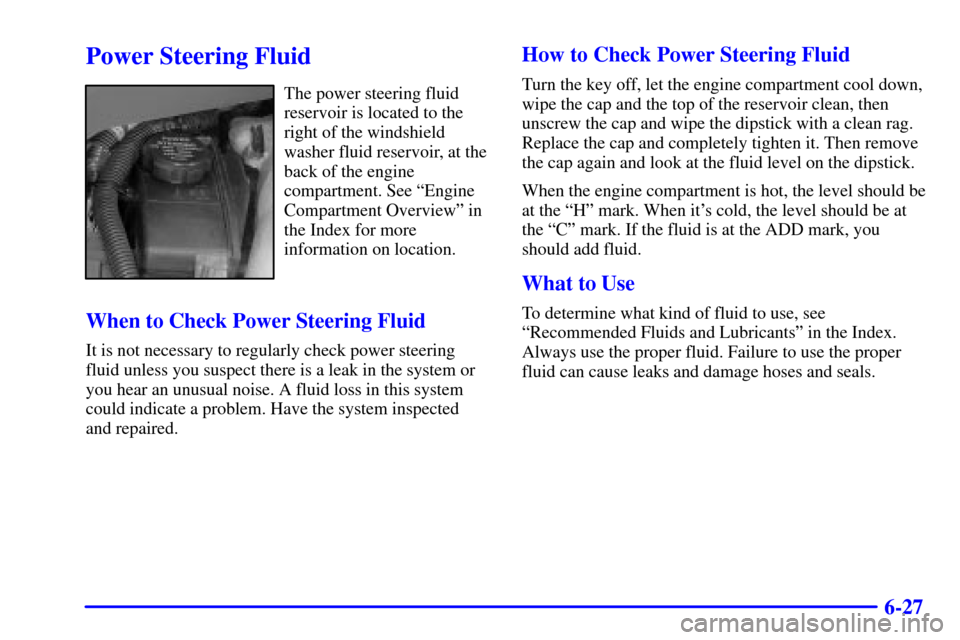
The power steering fluid
reservoir is located to the
right of the windshield
washer fluid reservoir, at the
back of the engine
compartment. See ªEngine
Compartment Overviewº in
the Index for more
information on location.
When to Check Power Steering Fluid
It is not necessary to regularly check power steering
fluid unless you suspect there is a leak in the system or
you hear an unusual noise. A fluid loss in this system
could indicate a problem. Have the system inspected
and repaired.
How to Check Power Steering Fluid
Turn the key off, let the engine compartment cool down,
wipe the cap and the top of the reservoir clean, then
unscrew the cap and wipe the dipstick with a clean rag.
Replace the cap and completely tighten it. Then remove
the cap again and look at the fluid level on the dipstick.
When the engine compartment is hot, the level should be
at the ªHº mark. When it's cold, the level should be at
the ªCº mark. If the fluid is at the ADD mark, you
should add fluid.
What to Use
To determine what kind of fluid to use, see
ªRecommended Fluids and Lubricantsº in the Index.
Always use the proper fluid. Failure to use the proper
fluid can cause leaks and damage hoses and seals.
Page 414 of 460
6-63
Circuit
BreakersUsage
1 Daytime Running Lamps (DRL)
Control Module, Headlamp and
Instrument Panel Dimmer Switch
2 Power Sliding Door
3 Front Power Windows
46
-Way Power Seat and Rear Side
Door Actuator Motor
5 Blower Motor Hi Speed
Relay ModuleFuses Usage
6 Steering Wheel Radio Control
Switches (Illumination)
7 Instrument Cluster to
PRNDL Indicators
8 Power Remote Control
Mirror Switch
9 Cruise Control Module,
Switch and Release Switch
10 Not Used
11 Power Control Module (PCM),
Ignition Crank
12 PASS
-Key� III System
13 Body Control Module (BCM)
14 Heated Mirrors
15 Not Used
16 Not Used
17 Cigarette Lighter, DIC, Front
Auxiliary Power Outlets
18 Turn Signal Switch
19 Interior Lamp and Multifunction
Switch (Power Vent Switch)