Page 180 of 460

2-67
A light sensor on top of the instrument panel makes the
DRL work, so be sure it isn't covered. The DRL system
will make front parking and turn signal lamps come on
in daylight when the following conditions are met:
�The ignition is on,
�the headlamp control is off, and
�the parking brake is released.
When the DRL are on, only your front parking and turn
signal lamps will be on. Your instrument panel won't be
lit up.
When it's dark enough outside, the exterior lamps will
come on automatically. When it's bright enough outside,
the exterior lamps will turn off and the DRL will turn
on. Of course, you may still turn on the headlamps any
time you need to.
To idle your vehicle with the DRL off, set the parking
brake while the ignition is in OFF or LOCK. Then start
the vehicle. The DRL will stay off until you release the
parking brake.
As with any vehicle, you should turn on the regular
headlamp system when you need it.Interior Lamps
Instrument Panel Intensity Control
Turn the thumbwheel, located below the headlamps
control, clockwise to increase the brightness of the
instrument panel lights, and counterclockwise to
decrease the brightness. Turn the thumbwheel all the
way counterclockwise to turn them off.
Interior Lamps Control
Turn the thumbwheel all the way clockwise to turn on
the interior lamps, if the interior lamps override switch
is off. Turn the thumbwheel counterclockwise to turn the
lamps off.
Page 184 of 460
2-71
Battery Saver
Your vehicle has a feature to help prevent you from
draining the battery, in case you accidentally leave the
interior lamps on. If you leave any interior lamps on
while the ignition is in LOCK or OFF, they will
automatically turn off after 10 minutes. The lamps won't
come back on again until you do one of the following:
�Turn the ignition to RUN or ACCESSORY,
�turn the interior lamps thumbwheel all the way
clockwise, then slightly back counterclockwise, or
�open (or close and reopen) a door that is closed.
If your vehicle has less than 15 miles (25 km) on the
odometer, the battery saver will turn off the lamps after
only three minutes.
Mirrors
Inside Day/Night Rearview Mirror
To reduce glare from lights behind you, pull the lever
toward you (to the night position). To return the mirror
to the day position, push the lever away from you.
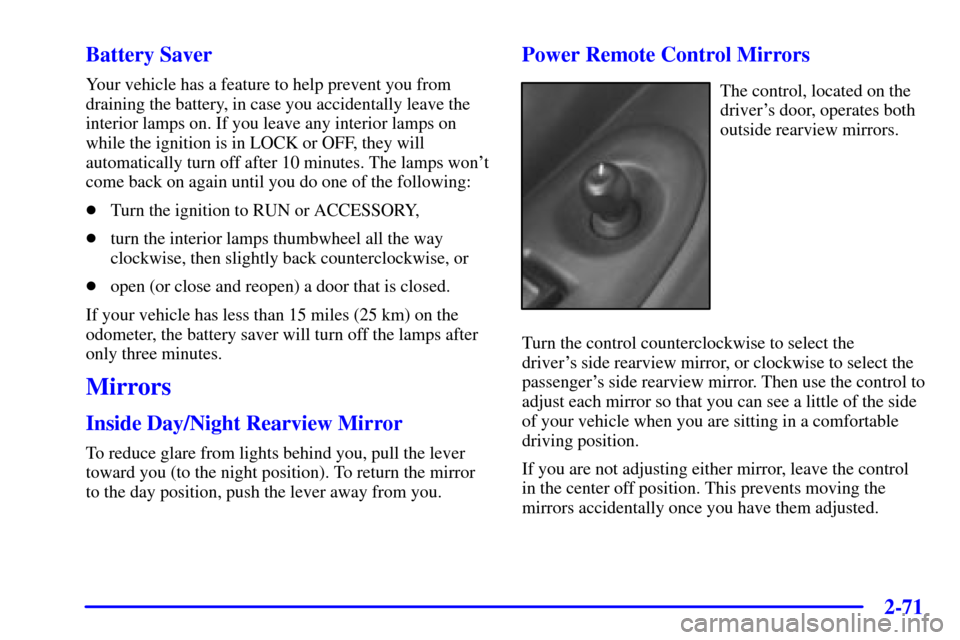
Power Remote Control Mirrors
The control, located on the
driver's door, operates both
outside rearview mirrors.
Turn the control counterclockwise to select the
driver's side rearview mirror, or clockwise to select the
passenger's side rearview mirror. Then use the control to
adjust each mirror so that you can see a little of the side
of your vehicle when you are sitting in a comfortable
driving position.
If you are not adjusting either mirror, leave the control
in the center off position. This prevents moving the
mirrors accidentally once you have them adjusted.
Page 185 of 460
2-72
Both outside mirrors can be folded forward or rearward.
In the rearward position, they will fold almost flush with
the vehicle. This feature is particularly useful in
automatic car washes.
Your mirrors have a blue tint to reduce glare while
driving at night.
Convex Outside Mirror
Your passenger's side mirror is convex. A convex
mirror's surface is curved so you can see more from the
driver's seat.
CAUTION:
A convex mirror can make things (like other
vehicles) look farther away than they really are.
If you cut too sharply into the right lane, you
could hit a vehicle on your right. Check your
inside mirror or glance over your shoulder before
changing lanes.
Heated Outside Mirrors (If Equipped)
The outside rearview mirrors are heated when you
activate the rear window defogger. See ªRear Window
Defoggerº in the Index.
Storage Compartments
Your vehicle's large carrying capacity can store many
items. If you have the extended wheelbase version, you
can carry things as large as a 4� x 8� piece of plywood.
You can also use the floor pins that are used to attach the
seats, to secure larger loads.
Glove Box
Your vehicle has a glove box below the instrument
panel. To open the glove box, lift the latch release.
Use the key to lock or unlock the glove box.
The glove box door has a detent to prevent the door
from lowering too far. Open the glove box until the door
is partway open, then pull the door down if you need it
fully open. To close the glove box, the door must be
pushed up past the detent.
In the door of the glove box, you will find a tissue pack
holder and clip for a pen or pencil.
Page 201 of 460

2-88
Emergency Button: In an emergency situation,
press the emergency service button. Upon receiving the
call, an advisor at the center will locate your vehicle and
assess the situation. If necessary, the advisor will alert
the nearest emergency service provider.
Call ANSWER/END Button: Use this button
to answer a call. (If you are receiving a call, the audio
system will mute, and the ring will be heard). Press this
button at the end of a call to disconnect and return the
audio system to its previous settings. This button will
also cancel a call if one of the buttons is accidentally
pressed or if the automatic redial function is activated.
Volume Control: You can control the volume of the OnStar
System using either the volume control knob on the radio or,
if equipped, the steering wheel volume control.
Telltale Light: This light will indicate the status of
the system. A solid green light will come on when you
start the vehicle to let you know that the system is on
and is ready to make or receive calls.
If the light blinks green it means that an incoming or
outgoing call is in progress. Press the Call ANSWER/END
button if you notice the light blinking and you are not
on a call.The light will be red in the event of an OnStar system
malfunction. If this occurs press the OnStar button to
attempt to contact an advisor. If the connection is made,
the advisor will assist you with steps to take to make
sure that the system is functioning properly. If you
cannot contact the advisor, take your vehicle to your
dealership as soon as possible for assistance.
Safety and Security Services
�Automatic Notification of Air Bag
Deployment
-- If an air bag deploys, a priority
emergency signal is automatically sent to the center.
An advisor will locate your vehicle's position, try to
contact you and assist you in the situation. If the
center is unable to contact you, an emergency service
provider will be contacted.
�Stolen Vehicle Tracking
-- Call the center at
1
-888-4-ONSTAR (1-888-466-7827) to report your
vehicle stolen. The system can then locate and track
your vehicle and the advisor will be able to notify
the proper authorities.
�Roadside Assistance with Location
-- For vehicle
breakdowns, press the OnStar button. An advisor
will contact the appropriate help.
Page 222 of 460

2-109
Service Traction System Warning
Message (Option)
United States Canada
If your vehicle has the traction control system and this
message is displayed when you're driving, there may be
a problem with your traction control system.
Your vehicle may need service.When this message is displayed, the traction control system
will not limit wheel spin. Adjust your driving accordingly.
The message may appear for the following reasons:
�If there's a brake system problem that is specifically
related to traction control, the traction control system
will turn off and the warning message will come on.
If your brakes begin to overheat, the traction control
system will turn off and the warning message will
come on until your brakes cool down.
�If the traction control system is affected by an
engine-related problem, the system will turn off and
the warning message will come on.
If the traction control system warning message comes on
and stays on for an extended period of time when the
system is turned on, your vehicle needs service.
Page 223 of 460
2-110 Traction Active Message (Option)
United States Canada
If your vehicle has the traction control system, the
TRACTION ACTIVE message will appear when the
traction control system is limiting wheel spin. You may
feel or hear the system working, but this is normal.
Slippery road conditions may exist if this message
appears, so adjust your driving accordingly. The
message will stay on for a few seconds after the traction
control system stops limiting wheel spin.
Engine Coolant Temperature
Warning Message
United States Canada
This message will come on when your engine
gets too hot.
If this message comes on, it means that your engine
coolant has overheated. If you have been operating your
vehicle under normal driving conditions, you should
pull off the road, stop your vehicle and turn off the
engine as soon as possible.
See ªEngine Overheatingº in the Index.
Page 241 of 460
3-8 Ventilation System
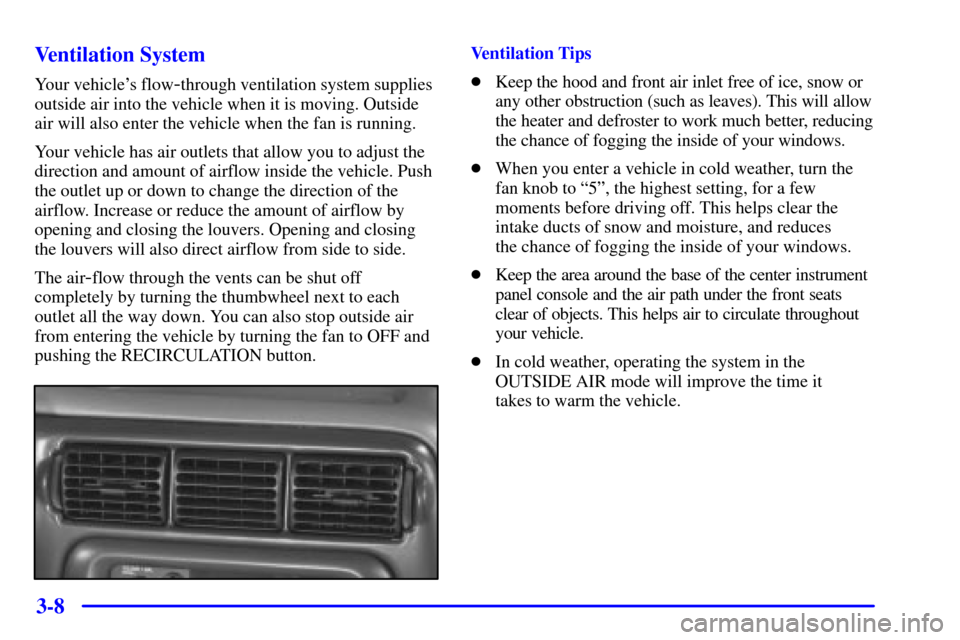
Your vehicle's flow-through ventilation system supplies
outside air into the vehicle when it is moving. Outside
air will also enter the vehicle when the fan is running.
Your vehicle has air outlets that allow you to adjust the
direction and amount of airflow inside the vehicle. Push
the outlet up or down to change the direction of the
airflow. Increase or reduce the amount of airflow by
opening and closing the louvers. Opening and closing
the louvers will also direct airflow from side to side.
The air
-flow through the vents can be shut off
completely by turning the thumbwheel next to each
outlet all the way down. You can also stop outside air
from entering the vehicle by turning the fan to OFF and
pushing the RECIRCULATION button.
Ventilation Tips
�Keep the hood and front air inlet free of ice, snow or
any other obstruction (such as leaves). This will allow
the heater and defroster to work much better, reducing
the chance of fogging the inside of your windows.
�When you enter a vehicle in cold weather, turn the
fan knob to ª5º, the highest setting, for a few
moments before driving off. This helps clear the
intake ducts of snow and moisture, and reduces
the chance of fogging the inside of your windows.
�Keep the area around the base of the center instrument
panel console and the air path under the front seats
clear of objects. This helps air to circulate throughout
your vehicle.
�In cold weather, operating the system in the
OUTSIDE AIR mode will improve the time it
takes to warm the vehicle.
Page 286 of 460
4-8
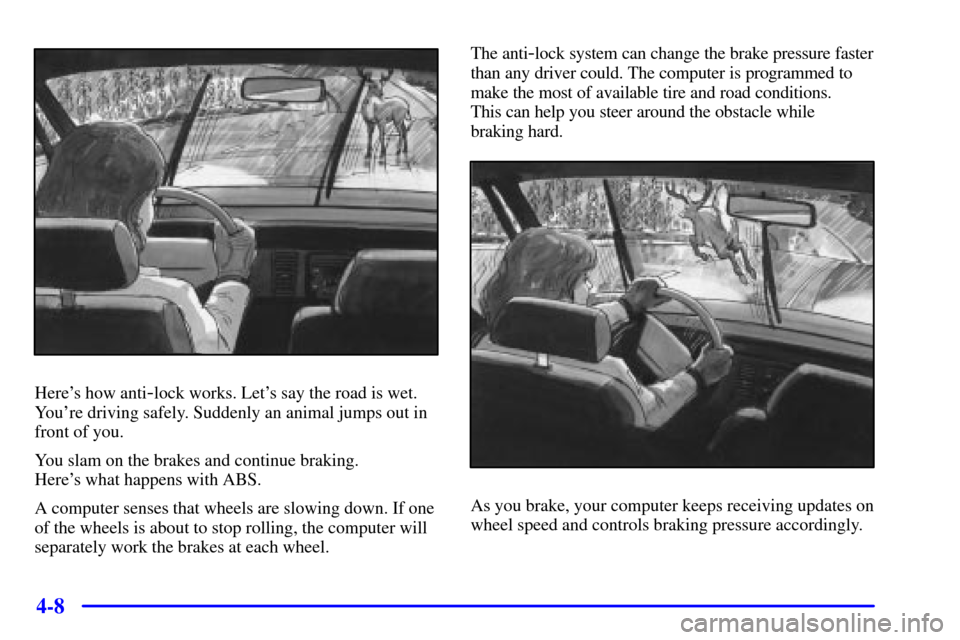
Here's how anti-lock works. Let's say the road is wet.
You're driving safely. Suddenly an animal jumps out in
front of you.
You slam on the brakes and continue braking.
Here's what happens with ABS.
A computer senses that wheels are slowing down. If one
of the wheels is about to stop rolling, the computer will
separately work the brakes at each wheel.The anti
-lock system can change the brake pressure faster
than any driver could. The computer is programmed to
make the most of available tire and road conditions.
This can help you steer around the obstacle while
braking hard.
As you brake, your computer keeps receiving updates on
wheel speed and controls braking pressure accordingly.