Page 62 of 392
1-50
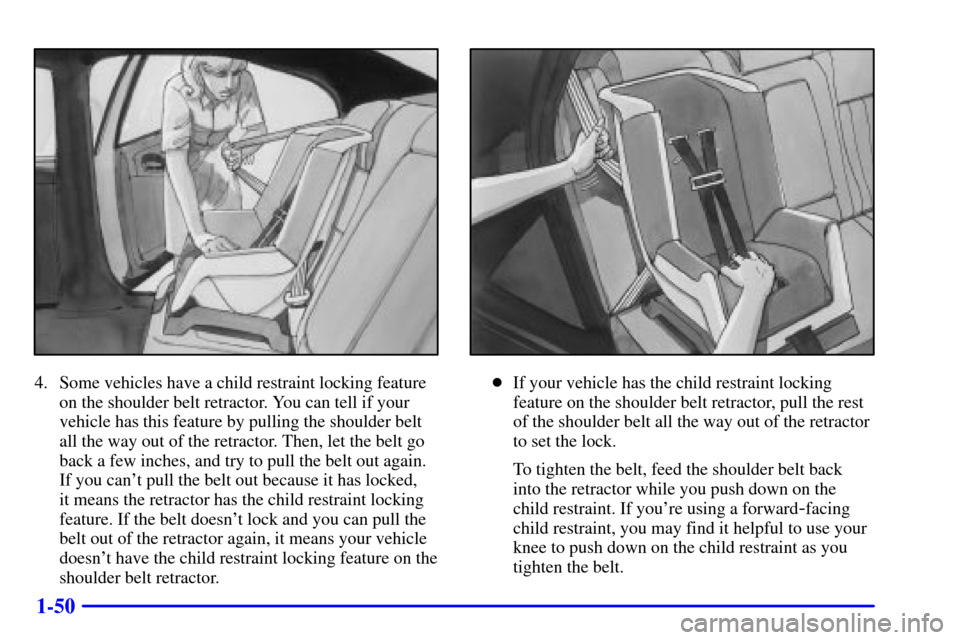
4. Some vehicles have a child restraint locking feature
on the shoulder belt retractor. You can tell if your
vehicle has this feature by pulling the shoulder belt
all the way out of the retractor. Then, let the belt go
back a few inches, and try to pull the belt out again.
If you can't pull the belt out because it has locked,
it means the retractor has the child restraint locking
feature. If the belt doesn't lock and you can pull the
belt out of the retractor again, it means your vehicle
doesn't have the child restraint locking feature on the
shoulder belt retractor.�If your vehicle has the child restraint locking
feature on the shoulder belt retractor, pull the rest
of the shoulder belt all the way out of the retractor
to set the lock.
To tighten the belt, feed the shoulder belt back
into the retractor while you push down on the
child restraint. If you're using a forward
-facing
child restraint, you may find it helpful to use your
knee to push down on the child restraint as you
tighten the belt.
Page 63 of 392
1-51
�If your vehicle doesn't have the child restraint
locking feature on the shoulder belt retractor,
tighten the belt by pulling up on the shoulder
belt while you push down on the child restraint.
If you're using a forward
-facing child restraint
you may find it helpful to use your knee to push
down on the child restraint as you tighten the belt.
5. Push and pull the child restraint in different
directions to be sure it is secure.
To remove the child restraint, just unbuckle the vehicle's
safety belt and let it go back all the way. The safety belt
will move freely again and be ready to work for an adult
or larger child passenger.
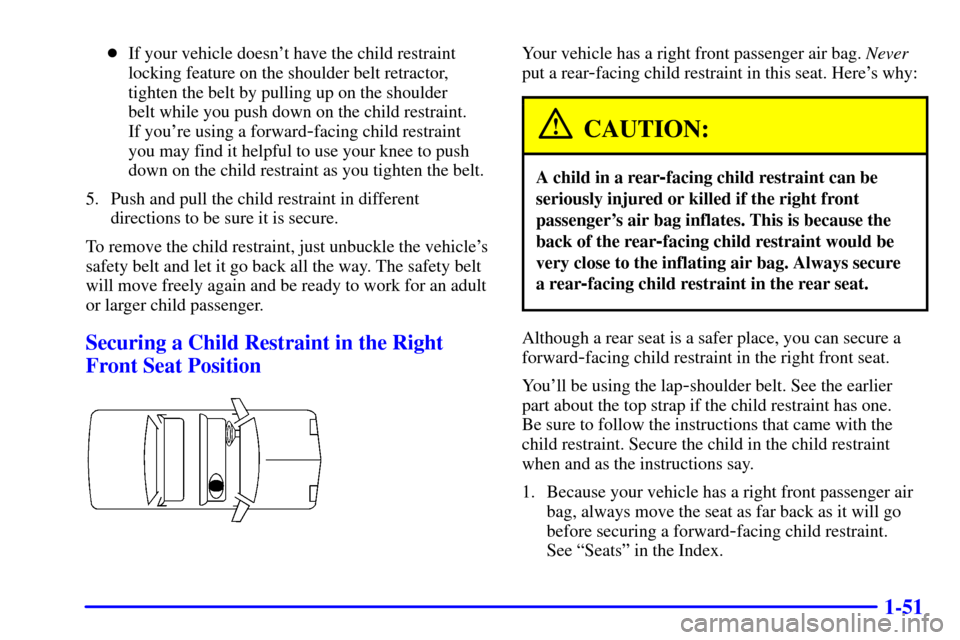
Securing a Child Restraint in the Right
Front Seat Position
Your vehicle has a right front passenger air bag. Never
put a rear
-facing child restraint in this seat. Here's why:
CAUTION:
A child in a rear-facing child restraint can be
seriously injured or killed if the right front
passenger's air bag inflates. This is because the
back of the rear
-facing child restraint would be
very close to the inflating air bag. Always secure
a rear
-facing child restraint in the rear seat.
Although a rear seat is a safer place, you can secure a
forward
-facing child restraint in the right front seat.
You'll be using the lap
-shoulder belt. See the earlier
part about the top strap if the child restraint has one.
Be sure to follow the instructions that came with the
child restraint. Secure the child in the child restraint
when and as the instructions say.
1. Because your vehicle has a right front passenger air
bag, always move the seat as far back as it will go
before securing a forward
-facing child restraint.
See ªSeatsº in the Index.
Page 65 of 392
1-53
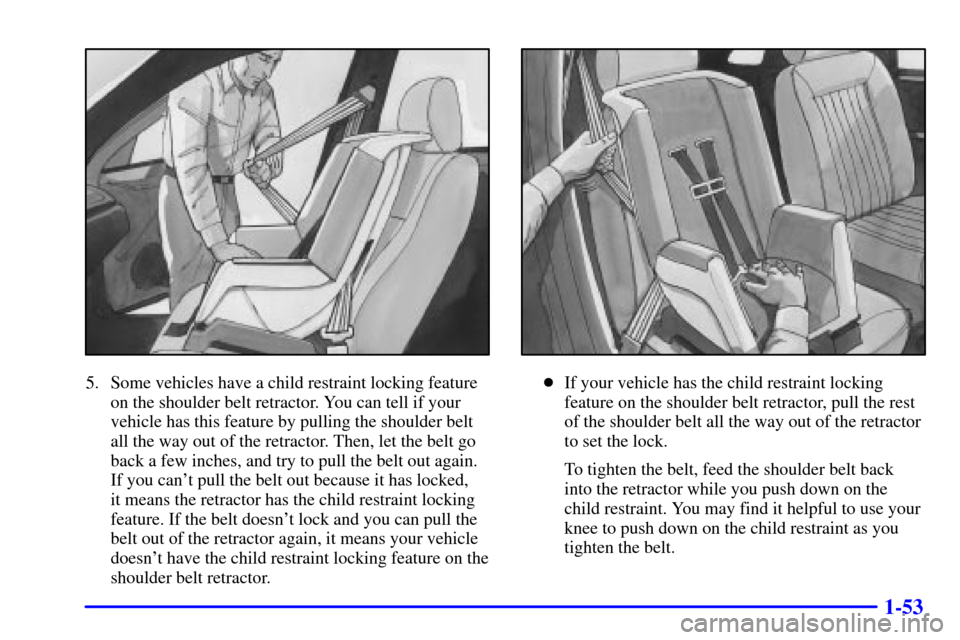
5. Some vehicles have a child restraint locking feature
on the shoulder belt retractor. You can tell if your
vehicle has this feature by pulling the shoulder belt
all the way out of the retractor. Then, let the belt go
back a few inches, and try to pull the belt out again.
If you can't pull the belt out because it has locked,
it means the retractor has the child restraint locking
feature. If the belt doesn't lock and you can pull the
belt out of the retractor again, it means your vehicle
doesn't have the child restraint locking feature on the
shoulder belt retractor.�If your vehicle has the child restraint locking
feature on the shoulder belt retractor, pull the rest
of the shoulder belt all the way out of the retractor
to set the lock.
To tighten the belt, feed the shoulder belt back
into the retractor while you push down on the
child restraint. You may find it helpful to use your
knee to push down on the child restraint as you
tighten the belt.
Page 66 of 392
1-54
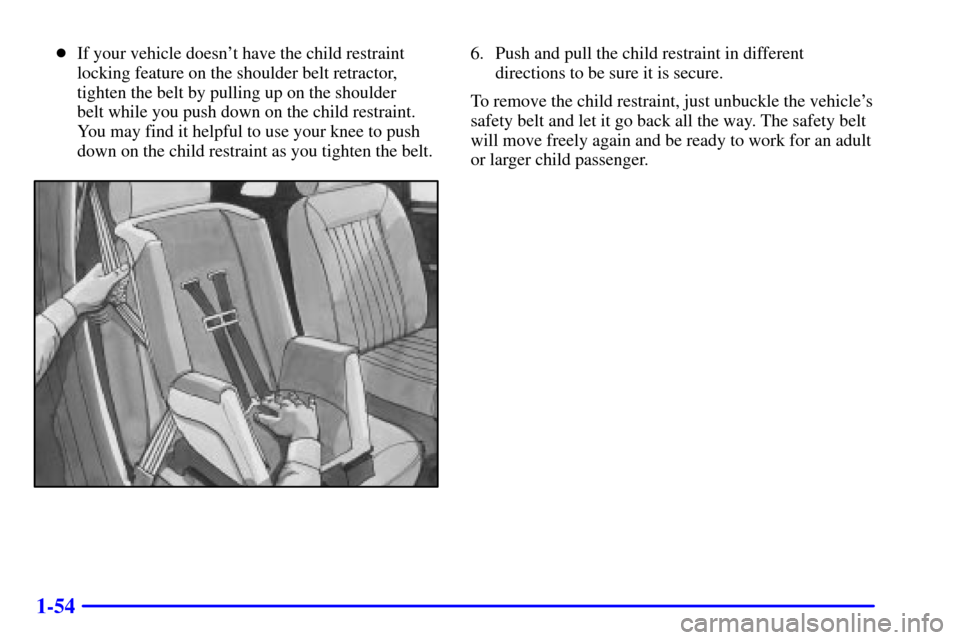
�If your vehicle doesn't have the child restraint
locking feature on the shoulder belt retractor,
tighten the belt by pulling up on the shoulder
belt while you push down on the child restraint.
You may find it helpful to use your knee to push
down on the child restraint as you tighten the belt.6. Push and pull the child restraint in different
directions to be sure it is secure.
To remove the child restraint, just unbuckle the vehicle's
safety belt and let it go back all the way. The safety belt
will move freely again and be ready to work for an adult
or larger child passenger.
Page 71 of 392
2-
2-1
Section 2 Features and Controls
Here you can learn about the many standard and optional features on your vehicle, and information on starting,
shifting and braking. Also explained are the instrument panel and the warning systems that tell you if everything is
working properly
-- and what to do if you have a problem.
2
-2 Windows
2
-4 Keys
2
-6 Door Locks
2
-9 Remote Keyless Entry (If Equipped)
2
-13 Trunk
2
-18 Theft
2
-19 Content Theft-Deterrent (Option)
2
-20 Vehicle Customization Settings
2
-28 Passlock�
2-29 New Vehicle ªBreak-Inº
2
-29 Ignition Positions
2
-30 Starting Your Engine
2
-33 Engine Coolant Heater (Option)
2
-34 Automatic Transaxle Operation
2
-39 Parking Brake
2
-40 Shifting Into PARK (P)
2
-43 Shifting Out of PARK (P)
2
-43 Parking Over Things That Burn
2
-44 Engine Exhaust2
-44 Running Your Engine While You're Parked
2
-45 Tilt Wheel
2
-46 Turn Signal/Multifunction Lever
2
-52 Exterior Lamps
2
-55 Interior Lamps
2
-57 Mirrors
2
-63 Accessory Power Outlet
2
-64 Auxiliary Power Connection (Power Drop)
2
-64 Cellular Phone Readiness Package (Option)
2
-65 OnStar� System (If Equipped)
2
-68 Power Sunroof (Option)
2
-69 HomeLink� Transmitter (Option)
2
-74 The Instrument Panel -- Your
Information System
2
-76 Instrument Panel Cluster
2
-79 Warning Lights, Gages and Indicators
2
-88 Message Center
2
-97 Driver Information Center (DIC) (Option)
Page 73 of 392
2-3
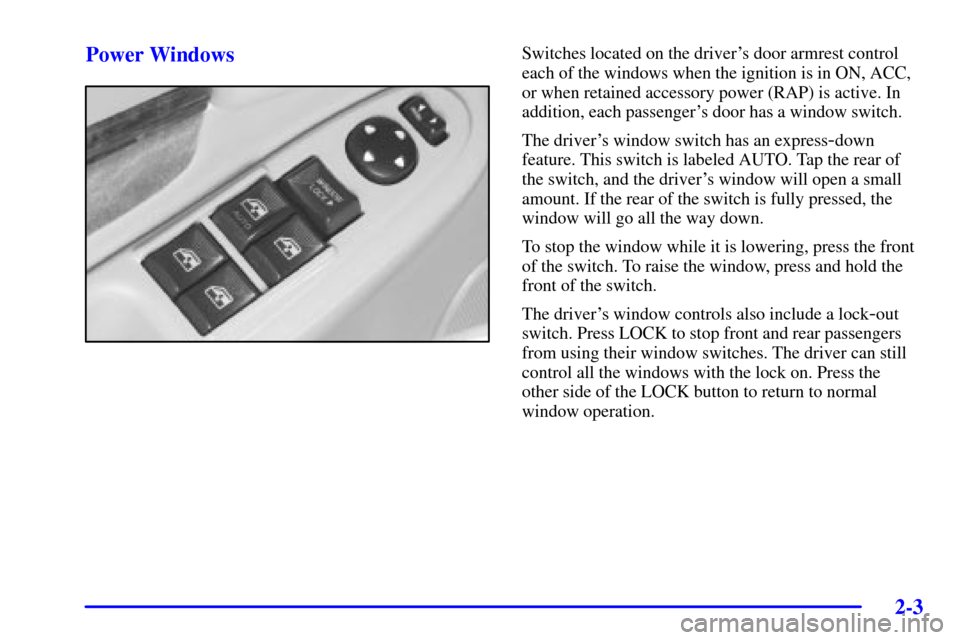
Power WindowsSwitches located on the driver's door armrest control
each of the windows when the ignition is in ON, ACC,
or when retained accessory power (RAP) is active. In
addition, each passenger's door has a window switch.
The driver's window switch has an express
-down
feature. This switch is labeled AUTO. Tap the rear of
the switch, and the driver's window will open a small
amount. If the rear of the switch is fully pressed, the
window will go all the way down.
To stop the window while it is lowering, press the front
of the switch. To raise the window, press and hold the
front of the switch.
The driver's window controls also include a lock
-out
switch. Press LOCK to stop front and rear passengers
from using their window switches. The driver can still
control all the windows with the lock on. Press the
other side of the LOCK button to return to normal
window operation.
Page 75 of 392
2-5
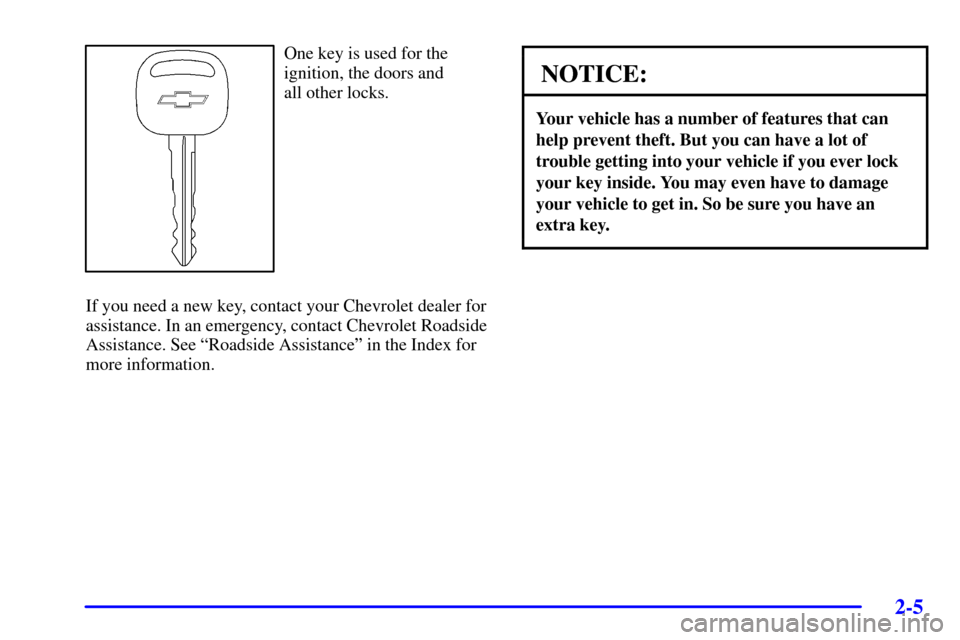
One key is used for the
ignition, the doors and
all other locks.
If you need a new key, contact your Chevrolet dealer for
assistance. In an emergency, contact Chevrolet Roadside
Assistance. See ªRoadside Assistanceº in the Index for
more information.
NOTICE:
Your vehicle has a number of features that can
help prevent theft. But you can have a lot of
trouble getting into your vehicle if you ever lock
your key inside. You may even have to damage
your vehicle to get in. So be sure you have an
extra key.
Page 76 of 392
2-6
Door Locks
CAUTION:
Unlocked doors can be dangerous.
�Passengers -- especially children -- can
easily open the doors and fall out of a
moving vehicle. When a door is locked, the
handle won't open it. You increase the
chance of being thrown out of the vehicle in
a crash if the doors aren't locked. So, wear
safety belts properly and lock the doors
whenever you drive.
�Young children who get into unlocked
vehicles may be unable to get out. A child
can be overcome by extreme heat and can
suffer permanent injuries or even death
from heat stroke. Always lock your vehicle
whenever you leave it.
�Outsiders can easily enter through an
unlocked door when you slow down or stop
your vehicle. Locking your doors can help
prevent this from happening.
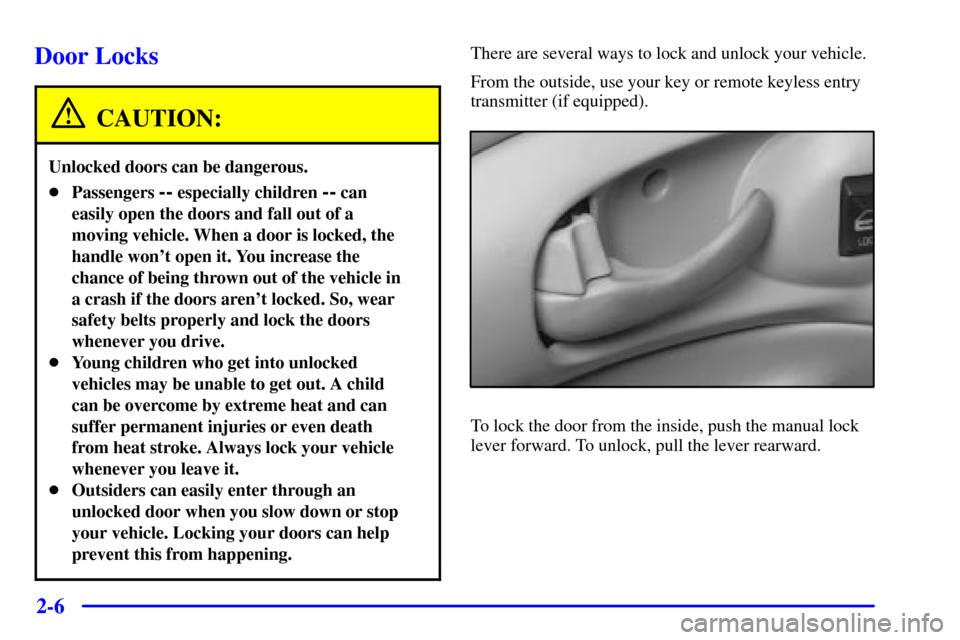
There are several ways to lock and unlock your vehicle.
From the outside, use your key or remote keyless entry
transmitter (if equipped).
To lock the door from the inside, push the manual lock
lever forward. To unlock, pull the lever rearward.