Page 98 of 392

2-28
3. Press the DISP button to start programming. When
the message PUSH FOB flashes, press and hold the
LOCK and UNLOCK buttons on the first transmitter
at the same time for 15 seconds. A chime will be
heard to verify the transmitter is learned.
4. Repeat Step 3 for each additional transmitter.
The transmitter is programmed now. You can either exit
the programming mode by following the instructions
later in this section or program the next feature available
on your vehicle.
EXIT (Exit Feature Customization Mode): This
feature allows you to exit the vehicle customization
programming. To exit do the following:
�Scroll until EXIT appears on the display.
�Press the DISP button to exit programming.
A chime will be heard to verify the exit.Passlock�
Your vehicle is equipped with the Passlock
theft
-deterrent system.
Passlock is a passive theft
-deterrent system. Passlock
enables fuel if the ignition lock cylinder is turned with a
valid key. If a correct key is not used or the ignition lock
cylinder is tampered with, fuel is disabled and the
engine will not start.
During normal operation, the SECURITY message will
be displayed after the key is turned to the ON ignition
position. See ªMessage Center, Securityº in the Index.
If the engine stalls and the SECURITY message flashes,
wait until the light stops flashing before trying to restart
the engine.
If the engine is running and the SECURITY message
comes on, you will be able to restart the engine if you turn
the engine off. However, your Passlock system is not
working properly and must be serviced by your dealer.
Your vehicle is not protected by Passlock at this time. You
may also want to check the fuse (see ªFuses and Circuit
Breakersº in the Index). See your dealer for service.
In an emergency, contact Chevrolet Roadside
Assistance. See ªRoadside Assistanceº in the Index for
more information.
Page 122 of 392
2-52
Using Cruise Control on Hills
How well your cruise control will work on hills depends
upon your speed, load and the steepness of the hills.
When going up steep hills, you may have to step on the
accelerator pedal to maintain your speed. When going
downhill, you may have to brake or shift to a lower gear
to keep your speed down. Of course, applying the brake
takes you out of cruise control. Many drivers find this to
be too much trouble and don't use cruise control on
steep hills.
Ending Cruise Control
There are three ways to cancel the cruise control:
�Step lightly on the brake pedal.
�Slide the lever on the turn signal lever to the left to
the OFF position.
�Press the COAST and ACCEL buttons at the
same time.
Erasing Cruise Speed Memory
When you turn off the cruise control or the ignition,
your cruise control set speed memory is erased.Exterior Lamps
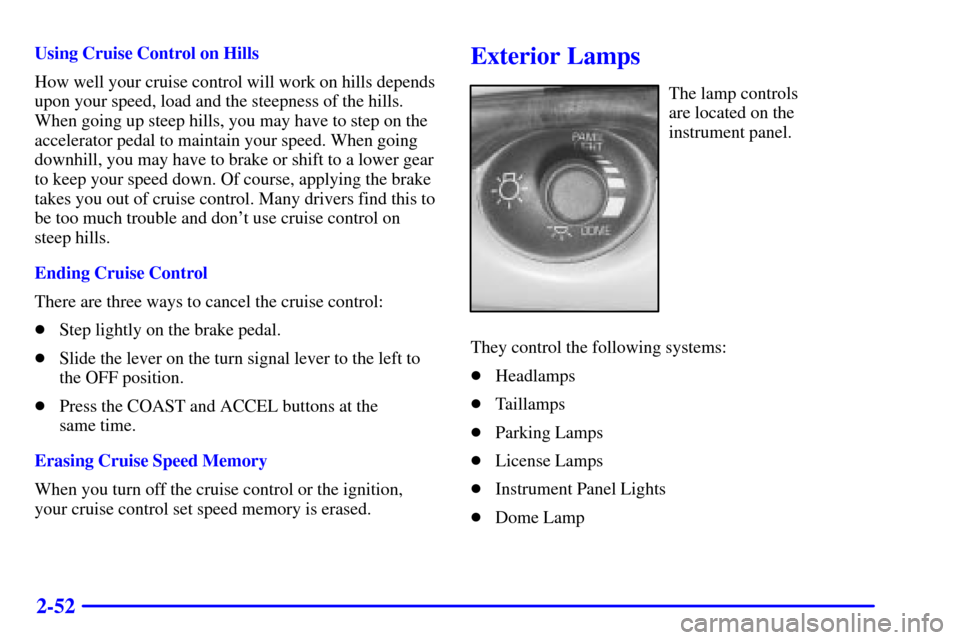
The lamp controls
are located on the
instrument panel.
They control the following systems:
�Headlamps
�Taillamps
�Parking Lamps
�License Lamps
�Instrument Panel Lights
�Dome Lamp
Page 128 of 392
2-58 Inside Day/Night Rearview Mirror with
OnStar
� and Map Lamps (Option)
This mirror has a lever located at the bottom of the
mirror between the two map lamps. This lever is used to
change the mirror from day to night position. To reduce
glare from headlamps behind you while driving at night,
turn the lever 90 degrees. To return to the mirror back to
the day position, return the lever to its original position.
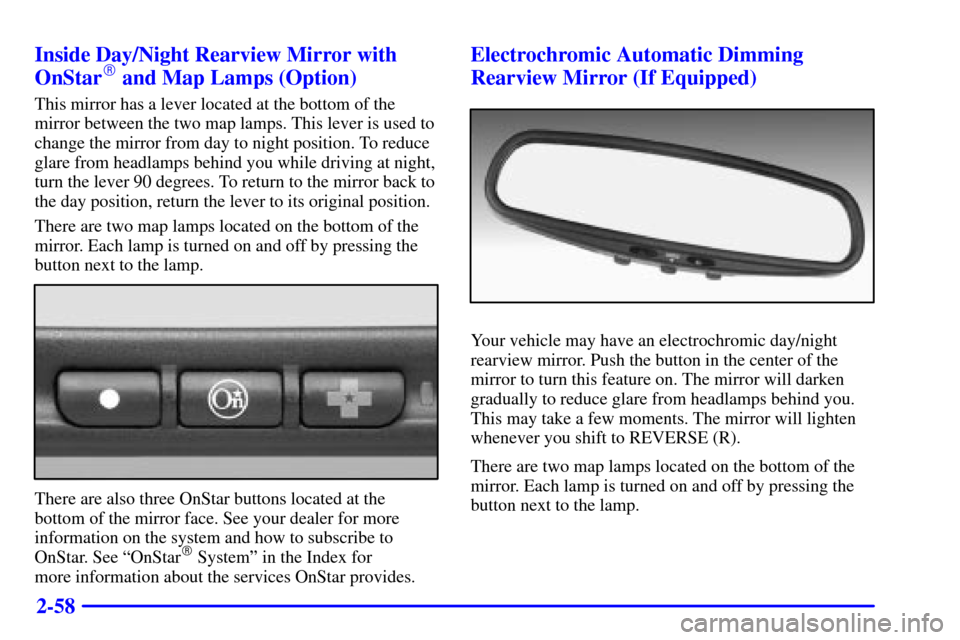
There are two map lamps located on the bottom of the
mirror. Each lamp is turned on and off by pressing the
button next to the lamp.
There are also three OnStar buttons located at the
bottom of the mirror face. See your dealer for more
information on the system and how to subscribe to
OnStar. See ªOnStar
� Systemº in the Index for
more information about the services OnStar provides.
Electrochromic Automatic Dimming
Rearview Mirror (If Equipped)
Your vehicle may have an electrochromic day/night
rearview mirror. Push the button in the center of the
mirror to turn this feature on. The mirror will darken
gradually to reduce glare from headlamps behind you.
This may take a few moments. The mirror will lighten
whenever you shift to REVERSE (R).
There are two map lamps located on the bottom of the
mirror. Each lamp is turned on and off by pressing the
button next to the lamp.
Page 129 of 392
2-59
One photocell on the front of the mirror senses when it
is becoming dark outside. Another photocell, facing
rearward, senses headlamps behind you. To turn the
electrochromic feature off, press the button in the center
of the mirror again.
To keep the photocells operating well, occasionally
clean them with a cotton swab and glass cleaner.
Electrochromic Day/Night Rearview Mirror
with OnStar� and Map Lamps (Option)
Your vehicle may have an automatic electrochromic
day/night rearview mirror with the OnStar System.
The automatic dimming feature is turned on or off by
pressing the far left button, located on the lower part of
the mirror face, for up to three seconds. When turned
on, this mirror functions exactly like the electrochromic
mirror described previously. See ªMirrors,
Electrochromic Day/Night Rearviewº in the Index for
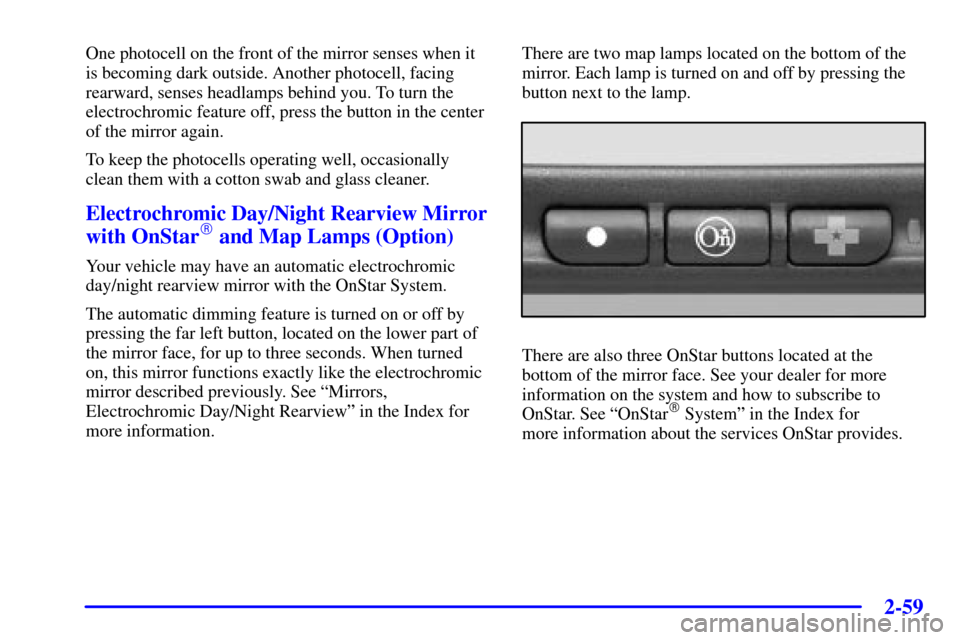
more information.There are two map lamps located on the bottom of the
mirror. Each lamp is turned on and off by pressing the
button next to the lamp.
There are also three OnStar buttons located at the
bottom of the mirror face. See your dealer for more
information on the system and how to subscribe to
OnStar. See ªOnStar
� Systemº in the Index for
more information about the services OnStar provides.
Page 135 of 392
2-65
OnStar� System (If Equipped)
OnStar is a vehicle communications system that offers a
variety of services and provides a hands
-free
communication link between you and the OnStar Center.
A service subscription agreement and fee are required in
order to receive OnStar service. Services are available
24 hours a day, 7 days a week. For more information,
call 1
-888-ONSTAR-7 (1-888-667-8277).
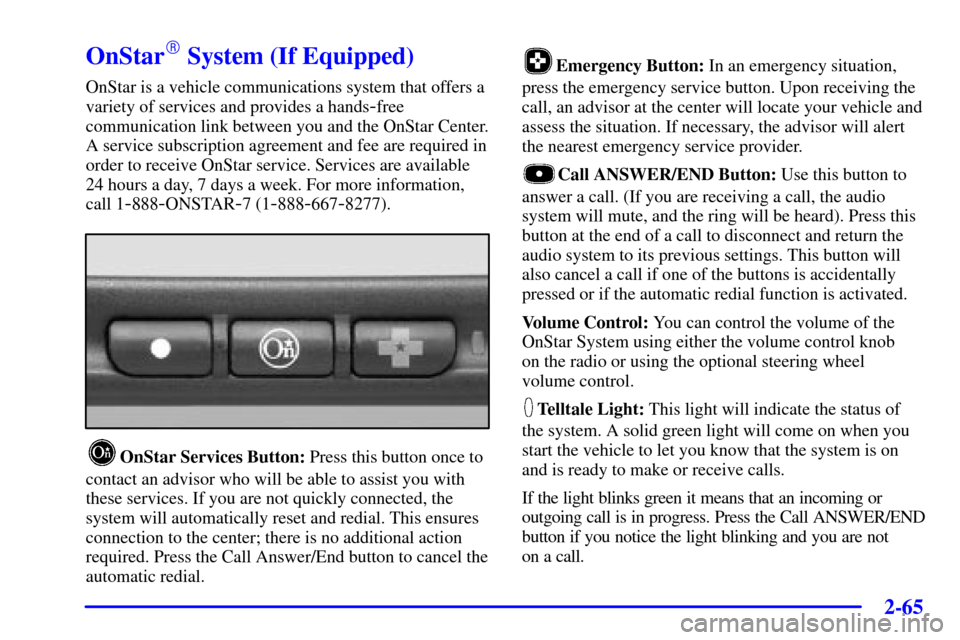
OnStar Services Button: Press this button once to
contact an advisor who will be able to assist you with
these services. If you are not quickly connected, the
system will automatically reset and redial. This ensures
connection to the center; there is no additional action
required. Press the Call Answer/End button to cancel the
automatic redial.
Emergency Button: In an emergency situation,
press the emergency service button. Upon receiving the
call, an advisor at the center will locate your vehicle and
assess the situation. If necessary, the advisor will alert
the nearest emergency service provider.
Call ANSWER/END Button: Use this button to
answer a call. (If you are receiving a call, the audio
system will mute, and the ring will be heard). Press this
button at the end of a call to disconnect and return the
audio system to its previous settings. This button will
also cancel a call if one of the buttons is accidentally
pressed or if the automatic redial function is activated.
Volume Control: You can control the volume of the
OnStar System using either the volume control knob
on the radio or using the optional steering wheel
volume control.
Telltale Light: This light will indicate the status of
the system. A solid green light will come on when you
start the vehicle to let you know that the system is on
and is ready to make or receive calls.
If the light blinks green it means that an incoming or
outgoing call is in progress. Press the Call ANSWER/END
button if you notice the light blinking and you are not
on a call.
Page 140 of 392

2-70 Programming the HomeLink
� Transmitter
Do not use the transmitter with any garage door opener
that does not have the ªstop and reverseº feature. This
includes any garage door opener model manufactured
before April 1, 1982.
Be sure that people and objects are clear of the garage
door you are programming!
The engine should be turned off while programming the
HomeLink Transmitter. Follow these steps to program
up to three channels:
1. If you have not previously programmed a universal
channel, proceed to Step 2. Otherwise, hold down
the two outside buttons on the HomeLink
Transmitter until the indicator light begins to flash
rapidly (approximately 20 seconds). Then release the
buttons. This procedure initializes the memory and
erases any previous settings for all three channels.2. Hold the end of the hand
-held transmitter
approximately one to three inches (three to eight cm)
away from the HomeLink Transmitter making sure
that you can still see the display.
3. Decide which one of the three channels you want to
program. Using both hands, press the hand
-held
transmitter button and the desired button on the
HomeLink Transmitter. Continue to hold both
buttons through Step 4.
4. Hold down both buttons until you see the indicator
light on the HomeLink Transmitter flash, first slowly
then rapidly. The rapid flashing, which could take
up to 90 seconds, indicates that the HomeLink
Transmitter has been programmed. Release both
buttons once the light starts to flash rapidly.
Page 143 of 392
2-73
Erasing Channels
To erase all three programmed channels, hold down the
two outside buttons until the indicator light begins to
flash. Individual channels cannot be erased, but can be
reprogrammed using the procedure for programming
the transmitter explained earlier.
Accessories
Accessories for the HomeLink� Transmitter
are available from the manufacturer of the unit.
If you would like additional information, please
call 1
-800-355-3515.
Page 168 of 392

2-98
RESET (Reset Button):
�You can reset the AVG ECON, FUEL USED or
AVG SPEED trip computer modes by pressing and
holding this button for three seconds while you are
in the mode you wish to reset. A chime will sound
to confirm that your requested change has been
made and all the segments of the display will briefly
light up.
To change the display to a metric or English reading,
press the RESET and MODE buttons at the same
time. Hold them down for three seconds, and the
display will change. A chime will be heard to
confirm the new selection.
�The reset button can be used to set the compass zone
variation. See ªCompass Varianceº in the Index.
�The reset button can also be used to manually
calibrate the compass. See ªManual Compass
Calibrationº in the Index.MODE (Mode Button):
�Press this button to cycle through three modes of
operation
-- Off, Compass/Temperature and Trip
Computer mode.
�In the Trip Computer mode, pressing the MODE
button cycles through the five displays. Press the
MODE button after the last Trip Computer display to
return the DIC to the OFF mode.
Off: No driver information is displayed in this mode
of operation.
Compass/Temperature Mode: One of eight compass
readings and the outside temperature are displayed.
If the temperature is below 38�F (3�C), the word
ªICEº is displayed for two minutes.