Page 115 of 383
2-53
Interior Lamps
Instrument Panel Brightness Control
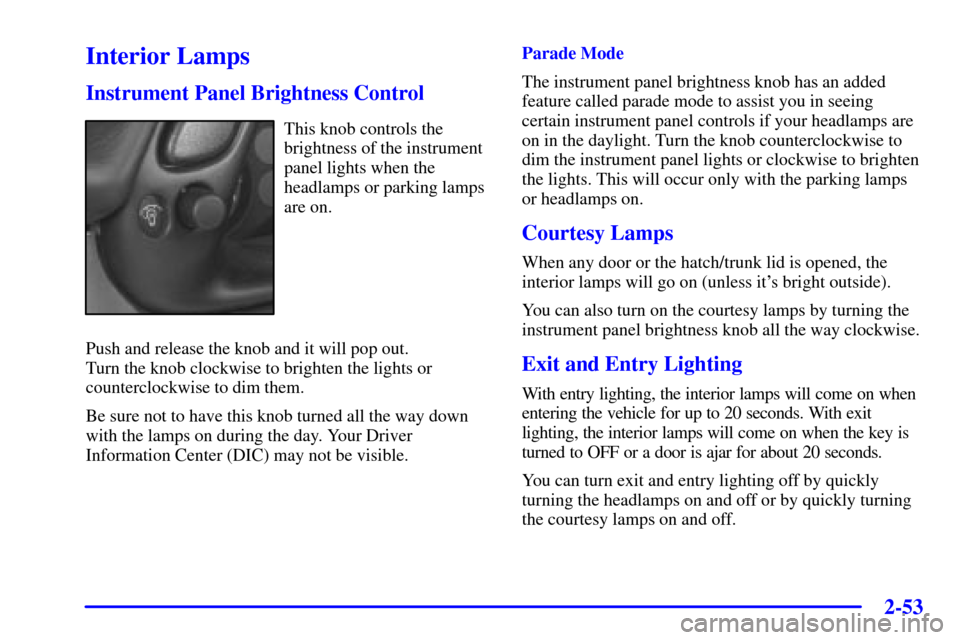
This knob controls the
brightness of the instrument
panel lights when the
headlamps or parking lamps
are on.
Push and release the knob and it will pop out.
Turn the knob clockwise to brighten the lights or
counterclockwise to dim them.
Be sure not to have this knob turned all the way down
with the lamps on during the day. Your Driver
Information Center (DIC) may not be visible.Parade Mode
The instrument panel brightness knob has an added
feature called parade mode to assist you in seeing
certain instrument panel controls if your headlamps are
on in the daylight. Turn the knob counterclockwise to
dim the instrument panel lights or clockwise to brighten
the lights. This will occur only with the parking lamps
or headlamps on.
Courtesy Lamps
When any door or the hatch/trunk lid is opened, the
interior lamps will go on (unless it's bright outside).
You can also turn on the courtesy lamps by turning the
instrument panel brightness knob all the way clockwise.
Exit and Entry Lighting
With entry lighting, the interior lamps will come on when
entering the vehicle for up to 20 seconds. With exit
lighting, the interior lamps will come on when the key is
turned to OFF or a door is ajar for about 20 seconds.
You can turn exit and entry lighting off by quickly
turning the headlamps on and off or by quickly turning
the courtesy lamps on and off.
Page 119 of 383
2-57
Storage Compartments
Glove Box
To open the glove box, lift up on the lever. Use your door
key to lock or unlock it. The glove box has a light inside.
Instrument Panel Cupholder
The cupholder is located on the center console in front
of the ashtray. To open it, place your thumb on the left
side of the lid and push down. Raise the right side with
your index finger.
Center Console Storage
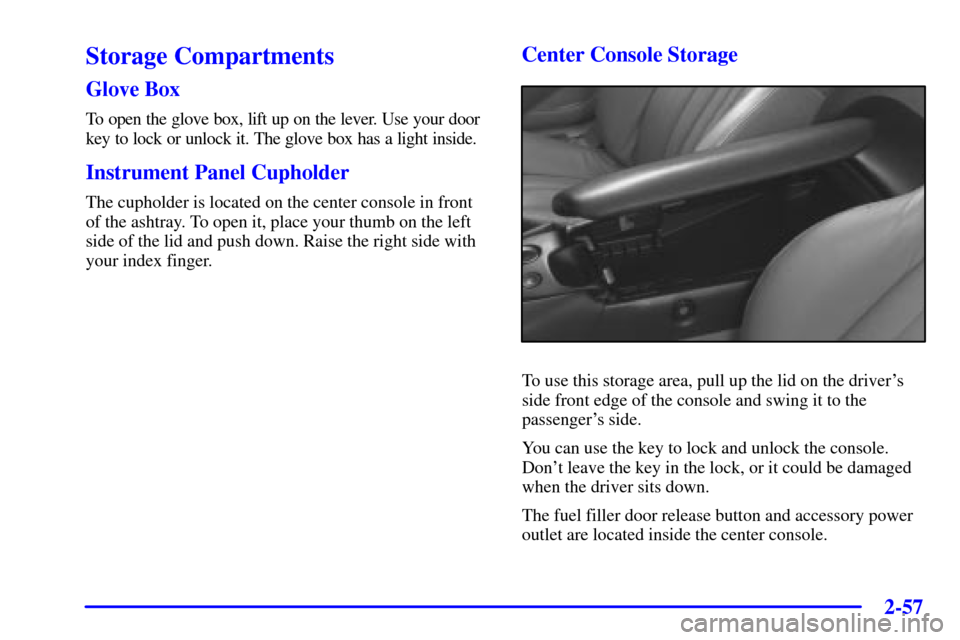
To use this storage area, pull up the lid on the driver's
side front edge of the console and swing it to the
passenger's side.
You can use the key to lock and unlock the console.
Don't leave the key in the lock, or it could be damaged
when the driver sits down.
The fuel filler door release button and accessory power
outlet are located inside the center console.
Page 122 of 383
2-60
Convenience Net (Option)
Your vehicle may have a convenience net. You will see
it on the back wall of the rear area of the vehicle.
Put small loads, like grocery bags, in the net. It can help
keep them from falling over during sharp turns or quick
starts and stops. The convenience net is not for larger,
heavier loads.
You can unhook the net and place it in one of the rear
storage compartments when you are not using it. On coupe
models only, a vinyl storage bag has also been provided.
Ashtray and Cigarette Lighter
The ashtray and cigarette lighter are located on the
instrument panel, in front of the shift lever. To use the
ashtray, lift up on the bottom of the door.
NOTICE:
Don't put papers and other things that burn into
the ashtray. If you do, cigarettes or other smoking
materials could set them on fire, causing damage.
Loose objects (such as paper clips) can lodge behind and
beneath the ashtray lid and prevent movement of the lid. You
should avoid putting small, loose objects near the ashtray.
To use the cigarette lighter, push it in all the way and
let go. When it's ready, it will pop back out by itself.
NOTICE:
Don't hold a cigarette lighter in with your hand
while it is heating. If you do, it won't be able to
back away from the heating element when it's
ready. That can make it overheat, damaging the
lighter and the heating element.
Sun Visors
To block out glare, you can swing down the visors.
You can also swing them to the side.
Lighted Visor Vanity Mirrors
Pull down the sun visor and lift the cover to expose the
lighted vanity mirror. When the cover is lifted, the lamps
will come on automatically, even if the ignition is off.
Page 125 of 383
2-63
NOTICE:
To avoid damage to the roof panel, paint and
weatherstripping, do not drop or rest it on its
edges. Place the roof panel in the egg
-shaped
stowage receivers after removing it from
the vehicle.
1. Park on a level surface, set the parking brake firmly
and shift an automatic transmission into PARK (P).
Shift a manual transmission into REVERSE (R).
2. Turn the ignition key to OFF. Lower both sun visors
and turn them toward the door glass.
3. Open the rear liftgate and remove any items that may
interfere with proper storage of the roof panel.
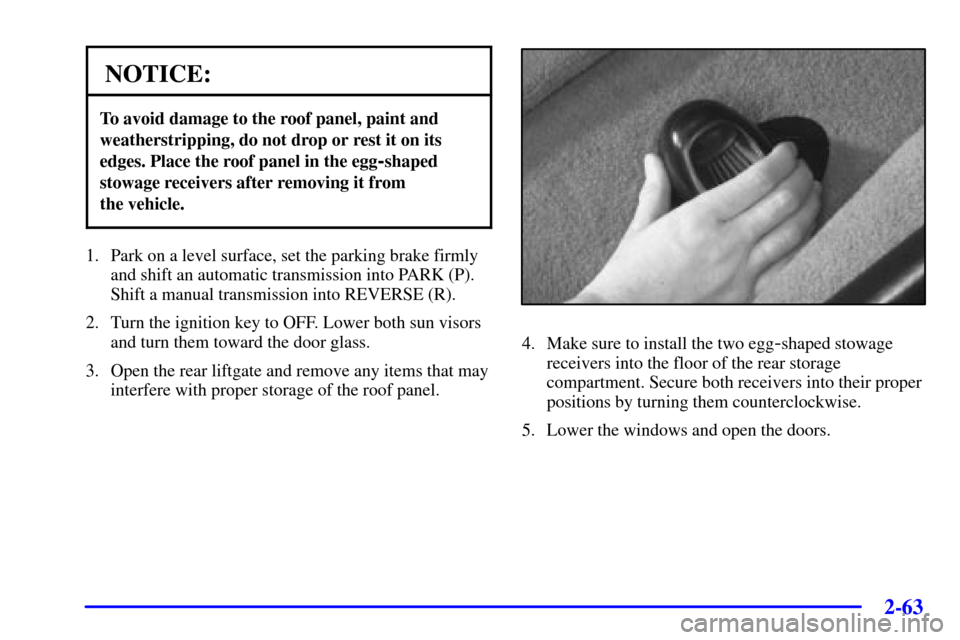
4. Make sure to install the two egg-shaped stowage
receivers into the floor of the rear storage
compartment. Secure both receivers into their proper
positions by turning them counterclockwise.
5. Lower the windows and open the doors.
Page 126 of 383
2-64
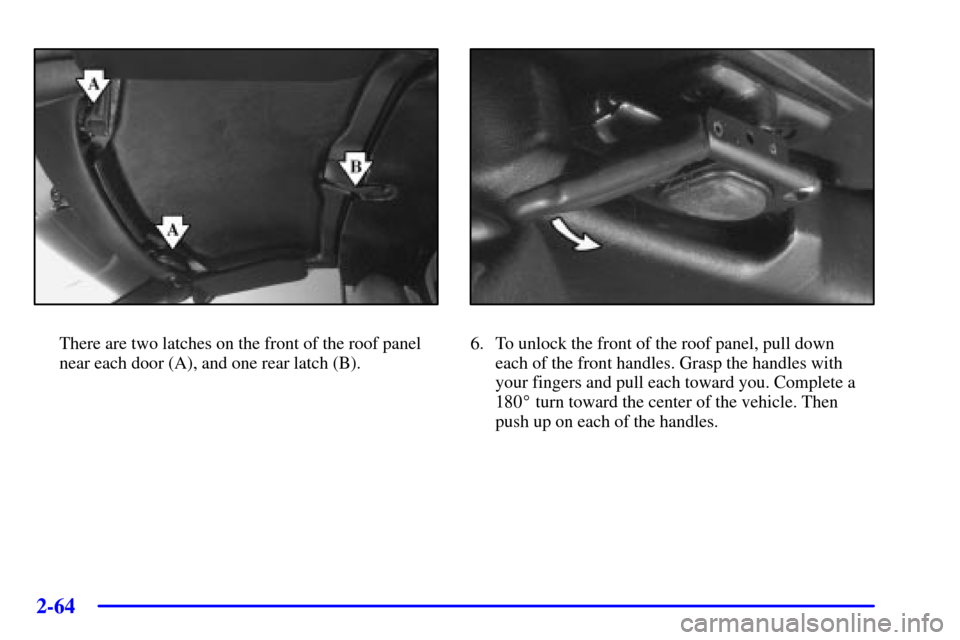
There are two latches on the front of the roof panel
near each door (A), and one rear latch (B).6. To unlock the front of the roof panel, pull down
each of the front handles. Grasp the handles with
your fingers and pull each toward you. Complete a
180� turn toward the center of the vehicle. Then
push up on each of the handles.
Page 131 of 383
2-69
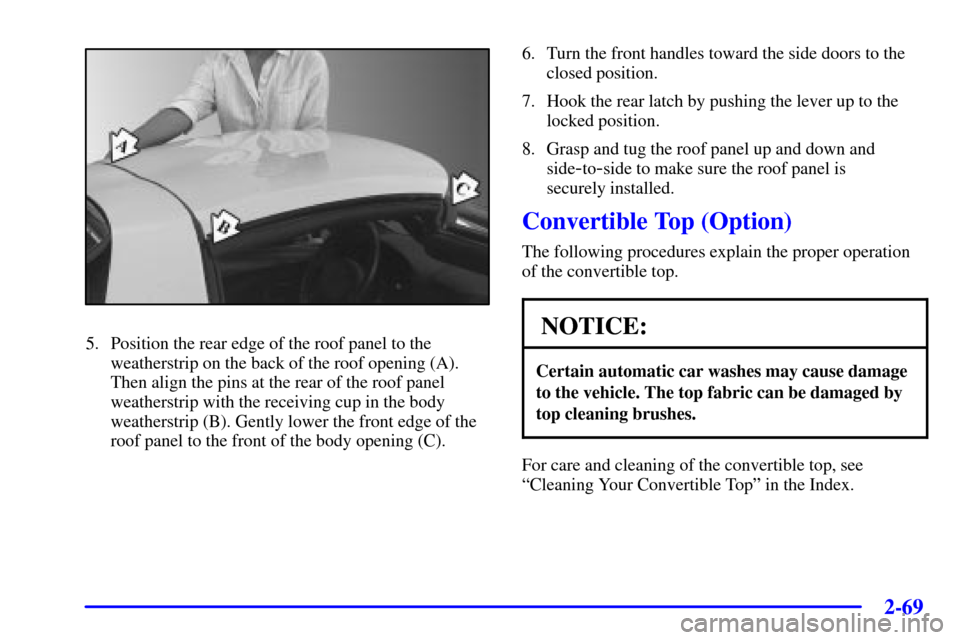
5. Position the rear edge of the roof panel to the
weatherstrip on the back of the roof opening (A).
Then align the pins at the rear of the roof panel
weatherstrip with the receiving cup in the body
weatherstrip (B). Gently lower the front edge of the
roof panel to the front of the body opening (C).6. Turn the front handles toward the side doors to the
closed position.
7. Hook the rear latch by pushing the lever up to the
locked position.
8. Grasp and tug the roof panel up and down and
side
-to-side to make sure the roof panel is
securely installed.
Convertible Top (Option)
The following procedures explain the proper operation
of the convertible top.
NOTICE:
Certain automatic car washes may cause damage
to the vehicle. The top fabric can be damaged by
top cleaning brushes.
For care and cleaning of the convertible top, see
ªCleaning Your Convertible Topº in the Index.
Page 139 of 383

2-77
The main components of your instrument panel are the following:
A. Instrument Panel Brightness Control
B. Head
-Up Display Controls (Option)
C. Turn Signal/Multifunction Lever
D. Driver Information Center (DIC)
(Located in the Instrument Cluster)
E. Instrument Panel Cluster
F. Windshield Wiper/Washer Lever
G. Driver Information Center (DIC) Buttons
H. Hazard Warning Flasher Button
I. Center Air Vents
J. Audio System
K. Comfort Controls
L. Fog Lamp Button (If Equipped)
M. Remote Hatch Release Button (Coupe) or
Remote Trunk Release Button (Convertible/Hardtop)
N. Ignition SwitchO. Shift Lever (Automatic Shown)
P. Traction Control System (TCS) Switch/Active
Handling Switch
Q. Accessory Power Outlet
(Located in the Center Console)
R. Selective Real Time Damping (SRTD) (Option)
S. Air Bag Off Light
T. Instrument Panel Cupholder
U. Remote Fuel Door Release Button
(Located in the Center Console)
V. Ashtray and Cigarette Lighter
W. Parking Brake
X. Glove Box
Y. Instrument Panel Fuse Block
(Located behind the Toe
-Board)
Z. Air Bag Off Switch (Located in Glove Box)
Page 155 of 383

2-93
Driver Information Center (DIC)
The Driver Information Center (DIC) will display
information about how your vehicle is functioning, as
well as warning messages if a system problem is
detected. The DIC display area is located in the
instrument panel cluster below the speedometer and
tachometer, directly above the steering column.
The following buttons are located on the DIC control panel
which is located to the right of the instrument panel cluster.
1 FUEL: Press this button to display fuel information
such as fuel economy and range.
2 GAGES: Use this button to display gage information
like oil pressure and temperature, coolant temperature,
automatic transmission fluid temperature, battery
voltage and front/rear tire pressures.
3 TRIP: Use this button to display your total and trip
miles, the elapsed time function, your average speed and
the engine oil life.
4 OPTIONS: This button allows you to choose personal
options that are available on your vehicle, depending on
the options your vehicle is equipped with, such as
security, door locks, easy entry seats and language.
5 E/M: Use this button to change the display between
English and metric units.
RESET: This button, used along with the other buttons,
will reset system functions and turn off or acknowledge
messages on the Driver Information Center (DIC).
At the top of the DIC control buttons is a light sensor.
Be sure not to block the sensor or your lighting
functions may be disrupted.