Page 5 of 335
Section
3
Comfort Controls and Audio Systems
Section
4
Your Driving and the Road
Section
5
Table of Contents (cont'd)
Defensive Driving
Drunken Driving
Control of a Vehicle
BrakingSteering
Driving Tips for Various Road Conditions
Loading Your Vehicle
Towing a Trailer Heating and Air Conditioning
Setting the Radio Clock
Radio/Cassette Player/CD Player (If Equipped)Radio Theft-Deterrent Feature
Steering Wheel Controls
Hazard Warning Flashers
Jump Starting
Towing Your VehicleEngine Overheating
Changing a Flat Tire
If You're Stuck
Problems on the Road
iii
Page 73 of 335
2-12
Trunk
CAUTION:
It can be dangerous to drive with the trunk lid
open because carbon monoxide (CO) gas can
come into your vehicle. You can't see or smell
CO. It can cause unconsciousness and even death.
If you must drive with the trunk lid open or if
electrical wiring or other cable connections must
pass through the seal between the body and the
trunk lid.
�Make sure all other windows are shut.
�Turn the fan on your heating or cooling
system to its highest speed with the setting
on AUTO and the temperature between
65�F (18�C) and 85�F (29�C). That
will force outside air into your vehicle.
See ªComfort Controlsº in the Index.
�If you have air outlets on or under the
instrument panel, open them all the way.
See ªEngine Exhaustº in the Index.
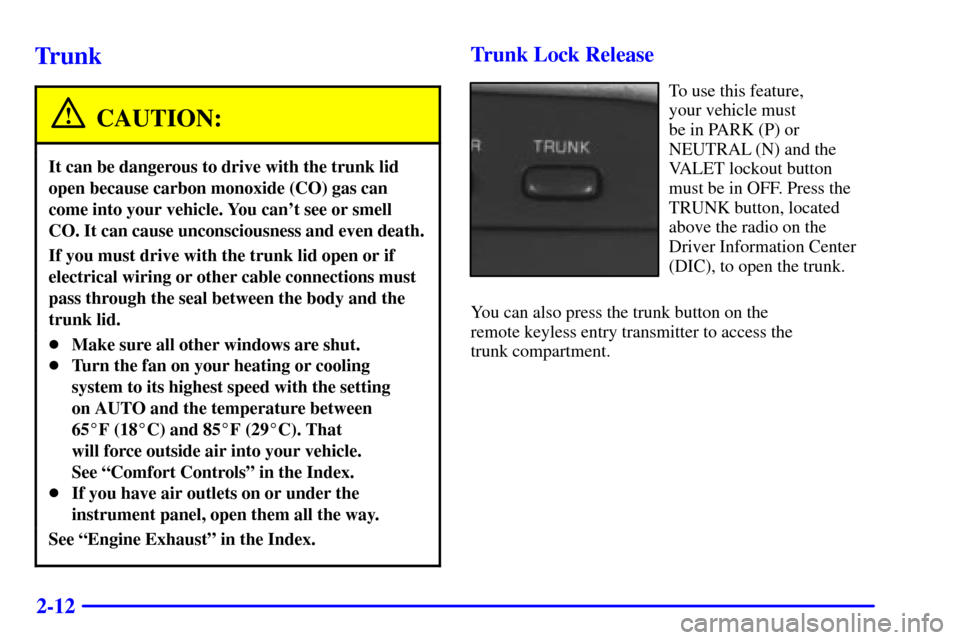
Trunk Lock Release
To use this feature,
your vehicle must
be in PARK (P) or
NEUTRAL (N) and the
VALET lockout button
must be in OFF. Press the
TRUNK button, located
above the radio on the
Driver Information Center
(DIC), to open the trunk.
You can also press the trunk button on the
remote keyless entry transmitter to access the
trunk compartment.
Page 108 of 335
2-47 Inadvertent Power Battery Saver
This feature is designed to protect your vehicle's battery
against drainage from the interior lamps, trunk lamp,
glove box lamp, cigarette lighters or the garage
door opener. When the ignition is turned off, the
power to these features will automatically turn off after
10 minutes (three minutes if a new car has 15 miles
(24 km) or less). Power will be restored for an additional
10 minutes if either door is opened, the trunk is opened
or the courtesy lamps are turned on.
Storage Mode Personalization
This feature is for long-term use and must be
programmed through the Driver Information Center
(DIC) while the ignition is in RUN. Storage mode
personalization protects the battery by placing your
vehicle in a storage mode so that the radio, amplifiers,
instrument panel cluster and remote keyless entry will
not drain the battery over a long period of time. For
programming information, see ªMemory and
Personalization Featuresº in the Index.
Mirrors
Electrochromic Day/Night Rearview Mirror
with Compass
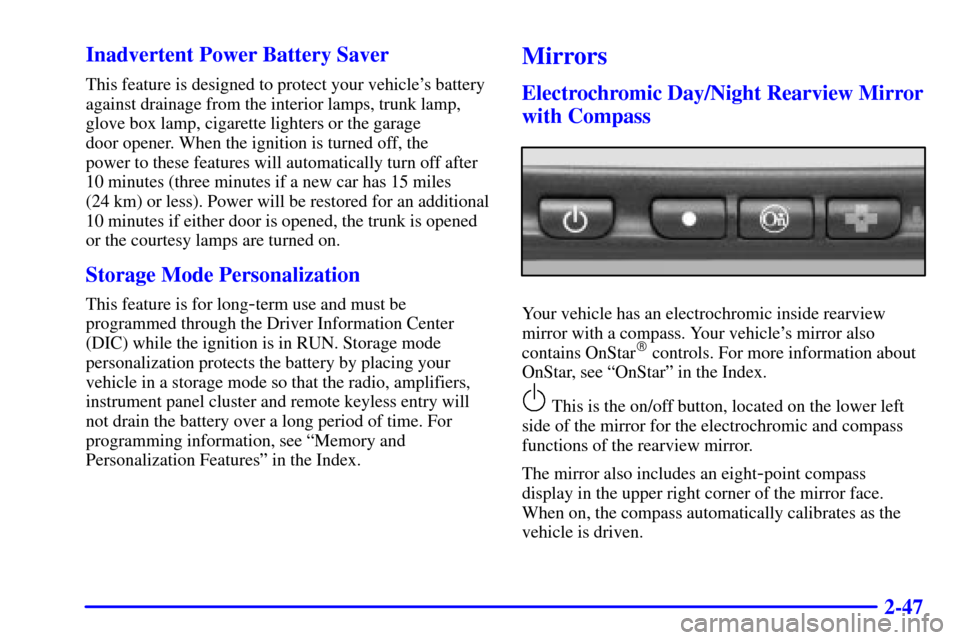
Your vehicle has an electrochromic inside rearview
mirror with a compass. Your vehicle's mirror also
contains OnStar
� controls. For more information about
OnStar, see ªOnStarº in the Index.
This is the on/off button, located on the lower left
side of the mirror for the electrochromic and compass
functions of the rearview mirror.
The mirror also includes an eight
-point compass
display in the upper right corner of the mirror face.
When on, the compass automatically calibrates as the
vehicle is driven.
Page 124 of 335
2-63
The main components of the instrument panel are:
A. Air Outlets
B. Turn Signal/Multifunction Lever
C. Instrument Panel Cluster
D. Radio (Audio System)
E. Driver Information Center Control Buttons
F. Lamp Controls
G. HVAC Steering Wheel ControlsH. Hood Release
I. Horn
J. Audio Steering Wheel Controls
K. Shift Lever
L. Climate Control System
M. Glove Box
Page 151 of 335

2-90
FEATURE ON appears when a yes response is made
and FEATURE OFF shows when a no response is made.
Since this is the last personalization feature available, a
yes or no response will end out of the Driver
Information Center (DIC) display.
Once the battery guard has been programmed, your
vehicle will enter the storage mode about 20 minutes
after the ignition key has been turned off.
Your vehicle will stay in the storage mode until the
ignition key is turned out of LOCK. The system will
ªwake
-upº when the door key is inserted into the door,
however, your vehicle will remain in the storage mode.
The ignition must be out of LOCK before the battery
guard is disabled.Comfort Controls and Radio System Personalization
These features allow both drivers to personalize their
own climate control settings as well as their radio
settings. For more information, see ªClimate Control
Personalizationº and ªRadio Personalizationº in
the Index.
Continuous Variable Road Sensing
Suspension (CVRSS) (ETC Only)
The CVRSS automatically adjusts the ride of your
vehicle. Automatic ride control is achieved through a
computer used to control and monitor the suspension
system. The controller receives input from various
sensors to determine the proper system response. If the
controller detects a problem within the system, the
Driver Information Center (DIC) will display a
SERVICE RIDE CONTROL message. If this message
appears, have your vehicle serviced at your dealership.
Page 153 of 335

3-
3-1
Section 3 Comfort Controls and Audio Systems
In this section, you'll find out how to operate the comfort control and audio systems offered with your vehicle.
Be sure to read about the particular systems supplied with your vehicle.
3
-2 Comfort Controls
3
-2 Climate Control Panel
3
-6 Electronic Solar Sensor
3
-6 Air Conditioning
3
-7 Heating
3
-7 Defrosting
3
-7 Rear Window Defogger
3
-8 Ventilation System
3
-9 HVAC Steering Wheel Controls
3
-10 Climate Control Personalization (If Equipped)
3
-10 Audio Systems
3
-10 Setting the Clock
3
-10 AM-FM Stereo with Cassette Tape Player
3
-14 AM-FM Stereo with Cassette Tape and
Compact Disc Player with Radio Data
Systems (RDS) and Digital Signal
Processing (DPS) (If Equipped)3
-24 Radio Data Systems (RDS) Program
Type (PTY) Selections
3
-25 CD Adapter Kits
3
-25 Trunk Mounted CD Changer (Option)
3
-29 Radio Personalization with Home and Away
Feature (If Equipped)
3
-30 Theft-Deterrent Feature
3
-31 Audio Steering Wheel Controls
3
-31 Understanding Radio Reception
3
-32 Tips About Your Audio System
3
-33 Care of Your Cassette Tape Player
3
-34 Care of Your Compact Discs
3
-34 Care of Your Compact Disc Player
3
-35 Power Antenna Mast Care
Page 154 of 335
3-2
Comfort Controls
This section tells you how to make your air system
work for you.
With the ECC system, you can control the heating,
cooling and ventilation in your vehicle. Your vehicle
also has a flow
-through ventilation system described
later in this section.
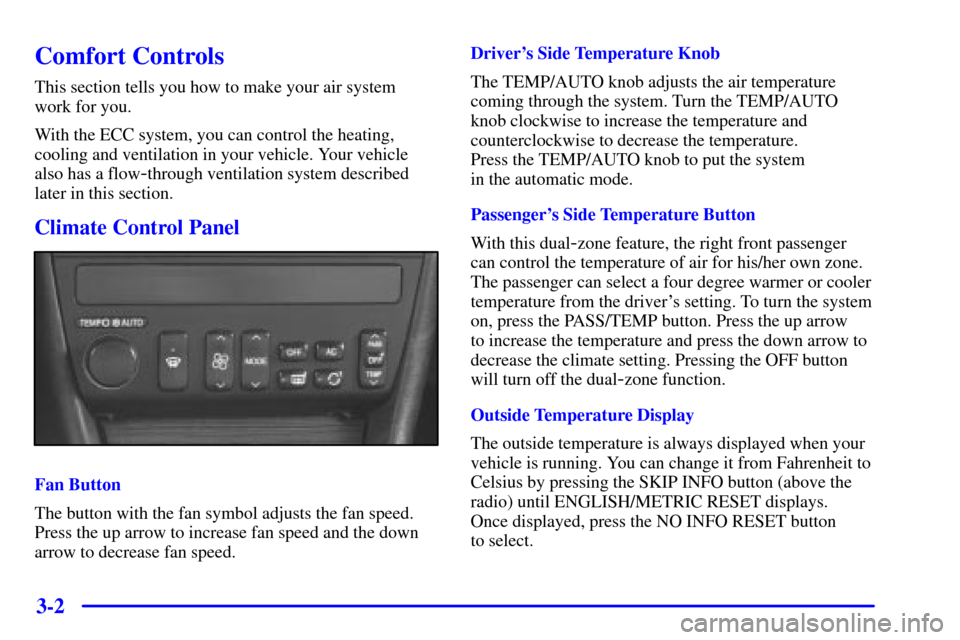
Climate Control Panel
Fan Button
The button with the fan symbol adjusts the fan speed.
Press the up arrow to increase fan speed and the down
arrow to decrease fan speed.Driver's Side Temperature Knob
The TEMP/AUTO knob adjusts the air temperature
coming through the system. Turn the TEMP/AUTO
knob clockwise to increase the temperature and
counterclockwise to decrease the temperature.
Press the TEMP/AUTO knob to put the system
in the automatic mode.
Passenger's Side Temperature Button
With this dual
-zone feature, the right front passenger
can control the temperature of air for his/her own zone.
The passenger can select a four degree warmer or cooler
temperature from the driver's setting. To turn the system
on, press the PASS/TEMP button. Press the up arrow
to increase the temperature and press the down arrow to
decrease the climate setting. Pressing the OFF button
will turn off the dual
-zone function.
Outside Temperature Display
The outside temperature is always displayed when your
vehicle is running. You can change it from Fahrenheit to
Celsius by pressing the SKIP INFO button (above the
radio) until ENGLISH/METRIC RESET displays.
Once displayed, press the NO INFO RESET button
to select.
Page 162 of 335
3-10 Climate Control Personalization
(If Equipped)
This feature allows both driver's (driver 1 or 2 depending
on the number on the back of your remote keyless entry
transmitter) to personalize their own climate control
settings. For more information, see ªMemory and
Personalization Featuresº in the Index.
Audio Systems
Your audio system has been designed to operate easily
and give years of listening pleasure. You will get the
most enjoyment out of it if you acquaint yourself with it
first. Find out what your audio system can do and how
to operate all its controls, to be sure you're getting the
most out of the advanced engineering that went into it.
Setting the Clock
Press and hold HR or MN until the time display begins
to change. Release the button as you get close to the
correct time. The time may be set anytime the clock is
displayed. There is a two
-second delay before the clock
goes into time
-set mode.
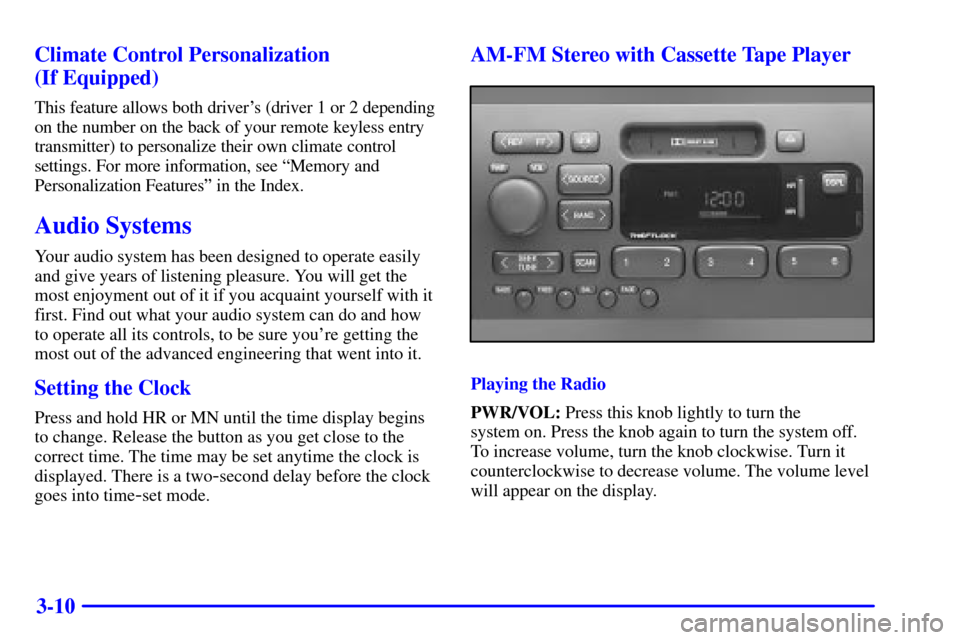
AM-FM Stereo with Cassette Tape Player
Playing the Radio
PWR/VOL: Press this knob lightly to turn the
system on. Press the knob again to turn the system off.
To increase volume, turn the knob clockwise. Turn it
counterclockwise to decrease volume. The volume level
will appear on the display.