Page 33 of 121
INSTRUMENT AND CONTROL FUNCTIONS
3-19
3
To lock
1. Lift up the lid completely, and then
close it.
NOTE:@ Be sure to push down on both sides of
the lid so that each latch snaps into
place. @2. Turn the key clockwise and re-
move it.
ECA00030
CAUTION:@ Be sure not to lock the key inside ei-
ther saddlebag or the travel trunk. @
EAU01878*
Front fork adjustmentThis front fork is equipped with a spring
preload adjuster.
EW000035
WARNING
@ Always adjust each fork leg to the
same setting. Uneven adjustment
can cause poor handling and loss of
stability. @Adjust spring preload as follows.
1. Put the motorcycle on the side-
stand.NOTE:@ There should be no weight on the
motorcycle when performing this job. @
E_5jc_Functions.fm Page 19 Saturday, October 16, 1999 1:08 PM
Page 35 of 121
INSTRUMENT AND CONTROL FUNCTIONS
3-21
3
EAU01879*
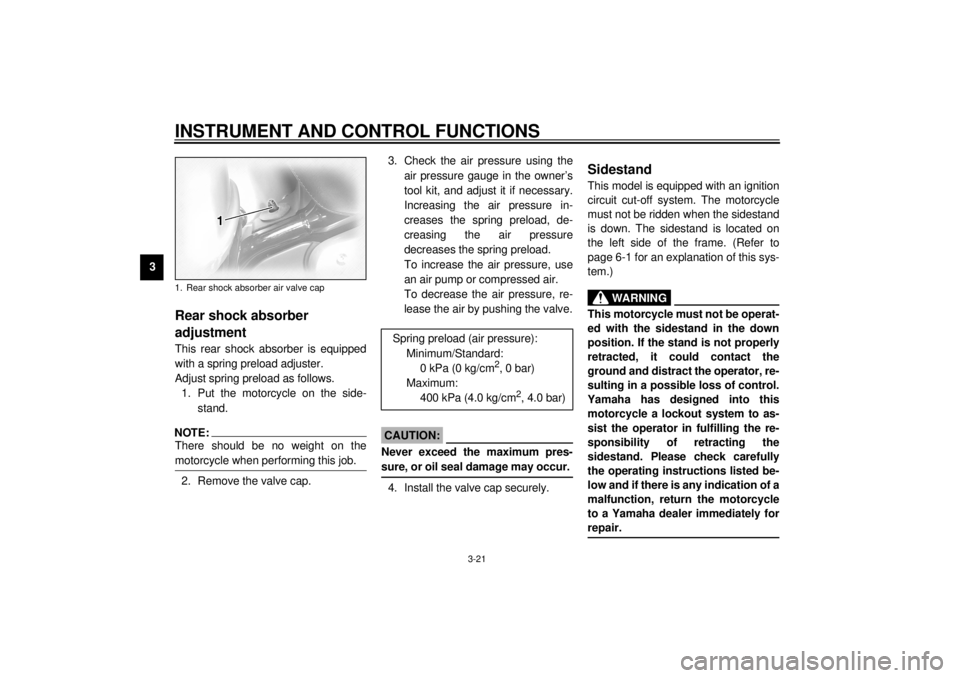
Rear shock absorber
adjustmentThis rear shock absorber is equipped
with a spring preload adjuster.
Adjust spring preload as follows.
1. Put the motorcycle on the side-
stand.NOTE:@ There should be no weight on the
motorcycle when performing this job. @2. Remove the valve cap.3. Check the air pressure using the
air pressure gauge in the owner’s
tool kit, and adjust it if necessary.
Increasing the air pressure in-
creases the spring preload, de-
creasing the air pressure
decreases the spring preload.
To increase the air pressure, use
an air pump or compressed air.
To decrease the air pressure, re-
lease the air by pushing the valve.
EC000012
CAUTION:@ Never exceed the maximum pres-
sure, or oil seal damage may occur. @4. Install the valve cap securely.
EAU00330
SidestandThis model is equipped with an ignition
circuit cut-off system. The motorcycle
must not be ridden when the sidestand
is down. The sidestand is located on
the left side of the frame. (Refer to
page 6-1 for an explanation of this sys-
tem.)
EW000044
WARNING
@ This motorcycle must not be operat-
ed with the sidestand in the down
position. If the stand is not properly
retracted, it could contact the
ground and distract the operator, re-
sulting in a possible loss of control.
Yamaha has designed into this
motorcycle a lockout system to as-
sist the operator in fulfilling the re-
sponsibility of retracting the
sidestand. Please check carefully
the operating instructions listed be-
low and if there is any indication of a
malfunction, return the motorcycle
to a Yamaha dealer immediately for
repair. @
1. Rear shock absorber air valve cap
Spring preload (air pressure):
Minimum/Standard:
0 kPa (0 kg/cm
2, 0 bar)
Maximum:
400 kPa (4.0 kg/cm
2, 4.0 bar)
E_5jc_Functions.fm Page 21 Saturday, October 16, 1999 1:08 PM
Page 36 of 121
INSTRUMENT AND CONTROL FUNCTIONS
3-22
3
EAU00331
Sidestand/clutch switch
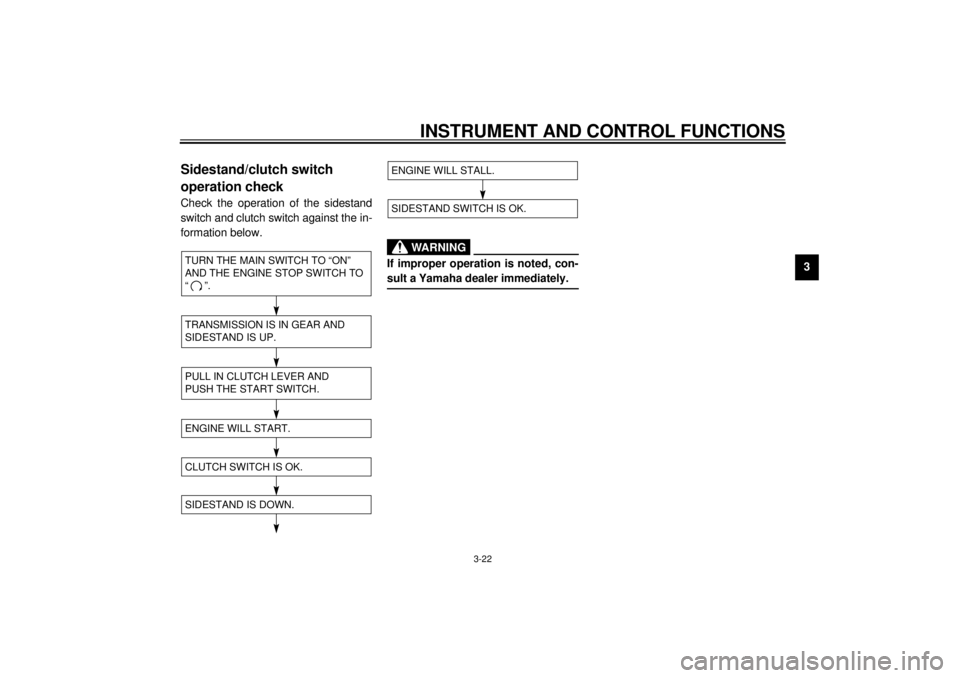
operation checkCheck the operation of the sidestand
switch and clutch switch against the in-
formation below.CD-11E
CD-11E
EW000045
WARNING
@ If improper operation is noted, con-
sult a Yamaha dealer immediately. @
TURN THE MAIN SWITCH TO “ON”
AND THE ENGINE STOP SWITCH TO
“”.TRANSMISSION IS IN GEAR AND
SIDESTAND IS UP.PULL IN CLUTCH LEVER AND
PUSH THE START SWITCH.ENGINE WILL START.SIDESTAND IS DOWN.CLUTCH SWITCH IS OK.
ENGINE WILL STALL.SIDESTAND SWITCH IS OK.
E_5jc_Functions.fm Page 22 Saturday, October 16, 1999 1:08 PM
Page 37 of 121
INSTRUMENT AND CONTROL FUNCTIONS
3-23
3
EAU01788
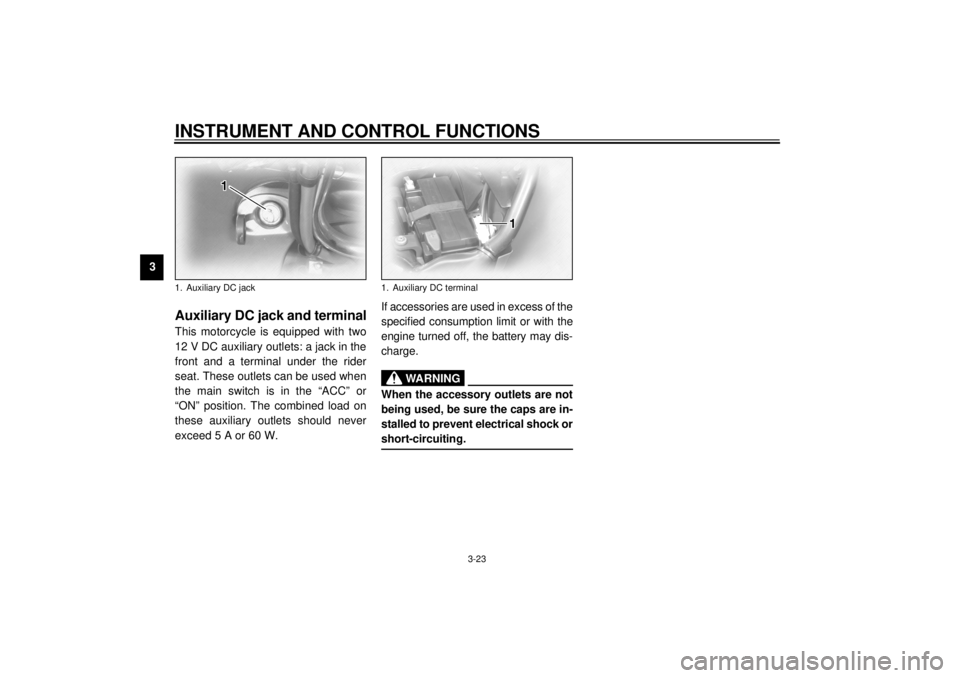
Auxiliary DC jack and terminalThis motorcycle is equipped with two
12 V DC auxiliary outlets: a jack in the
front and a terminal under the rider
seat. These outlets can be used when
the main switch is in the “ACC” or
“ON” position. The combined load on
these auxiliary outlets should never
exceed 5 A or 60 W.If accessories are used in excess of the
specified consumption limit or with the
engine turned off, the battery may dis-
charge.
EWA00017
WARNING
@ When the accessory outlets are not
being used, be sure the caps are in-
stalled to prevent electrical shock or
short-circuiting. @
1. Auxiliary DC jack
1. Auxiliary DC terminal
E_5jc_Functions.fm Page 23 Saturday, October 16, 1999 1:08 PM
Page 40 of 121
AUDIO SYSTEM
4-2
4
WARNING
@ l
It is dangerous to operate the
audio system controls while
riding. Never take your hands
off the handlebars while riding.
l
Keep the volume at a low
enough level to be aware of traf-
fic conditions and ensure safety.
@CAUTION:@ l
Do not use the audio system for
a long period of time when the
engine is not running as the bat-
tery may discharge.
l
The control unit, cassette deck
and speakers are water-resis-
tant; however, it is good prac-
tice to cover them with plastic
bags when washing the motor-
cycle.
l
When cleaning the control unit
display, use a neutral detergent.
Never use strong abrasive
cleaning products, fuel (gaso-
line), thinner, etc.
@
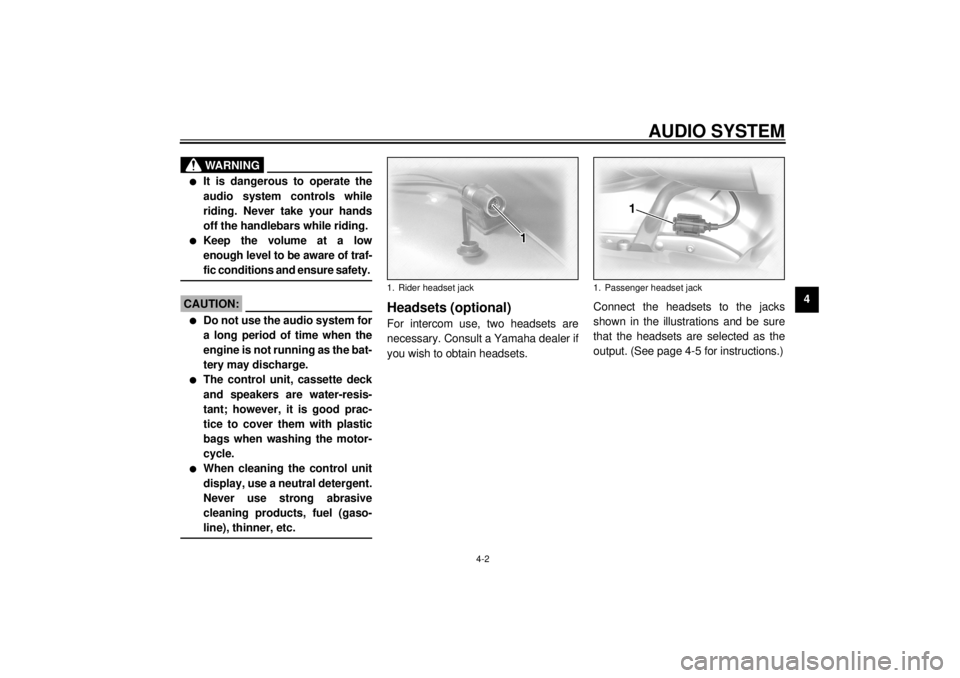
Headsets (optional)For intercom use, two headsets are
necessary. Consult a Yamaha dealer if
you wish to obtain headsets.Connect the headsets to the jacks
shown in the illustrations and be sure
that the headsets are selected as the
output. (See page 4-5 for instructions.)1. Rider headset jack
1. Passenger headset jack
E_5jc_Audio.fm Page 2 Saturday, October 16, 1999 1:09 PM
Page 46 of 121
AUDIO SYSTEM
4-8
4
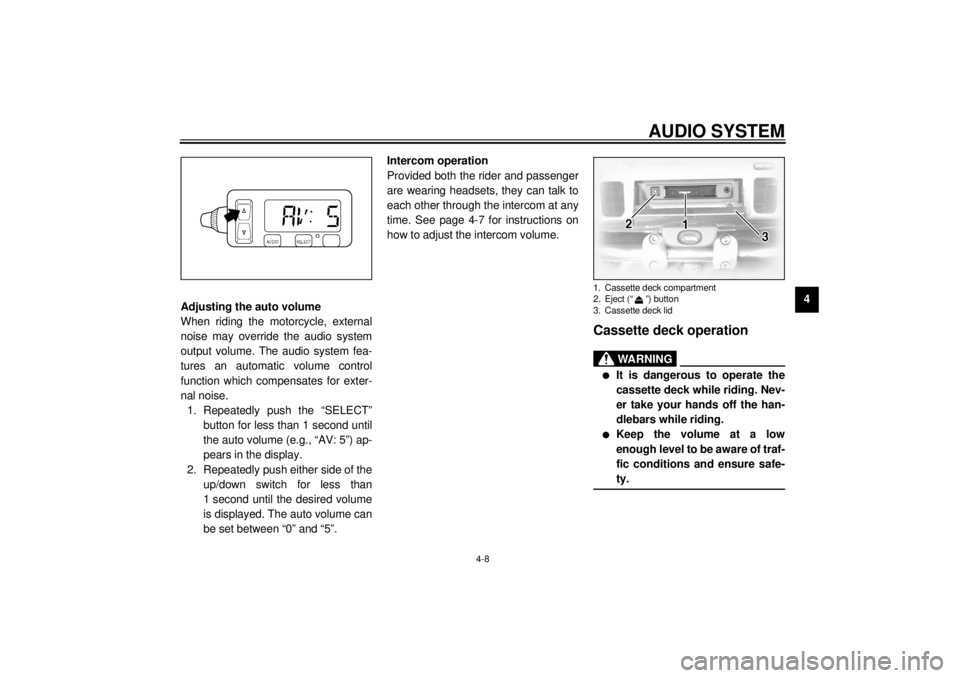
Adjusting the auto volume
When riding the motorcycle, external
noise may override the audio system
output volume. The audio system fea-
tures an automatic volume control
function which compensates for exter-
nal noise.
1. Repeatedly push the “SELECT”
button for less than 1 second until
the auto volume (e.g., “AV: 5”) ap-
pears in the display.
2. Repeatedly push either side of the
up/down switch for less than
1 second until the desired volume
is displayed. The auto volume can
be set between “0” and “5”.Intercom operation
Provided both the rider and passenger
are wearing headsets, they can talk to
each other through the intercom at any
time. See page 4-7 for instructions on
how to adjust the intercom volume.
Cassette deck operation
WARNING
@ l
It is dangerous to operate the
cassette deck while riding. Nev-
er take your hands off the han-
dlebars while riding.
l
Keep the volume at a low
enough level to be aware of traf-
fic conditions and ensure safe-
ty.
@1. Cassette deck compartment
2. Eject (“ ”) button
3. Cassette deck lid
E_5jc_Audio.fm Page 8 Saturday, October 16, 1999 1:09 PM
Page 50 of 121
AUDIO SYSTEM
4
WARNING@
@
NO TE:@
@
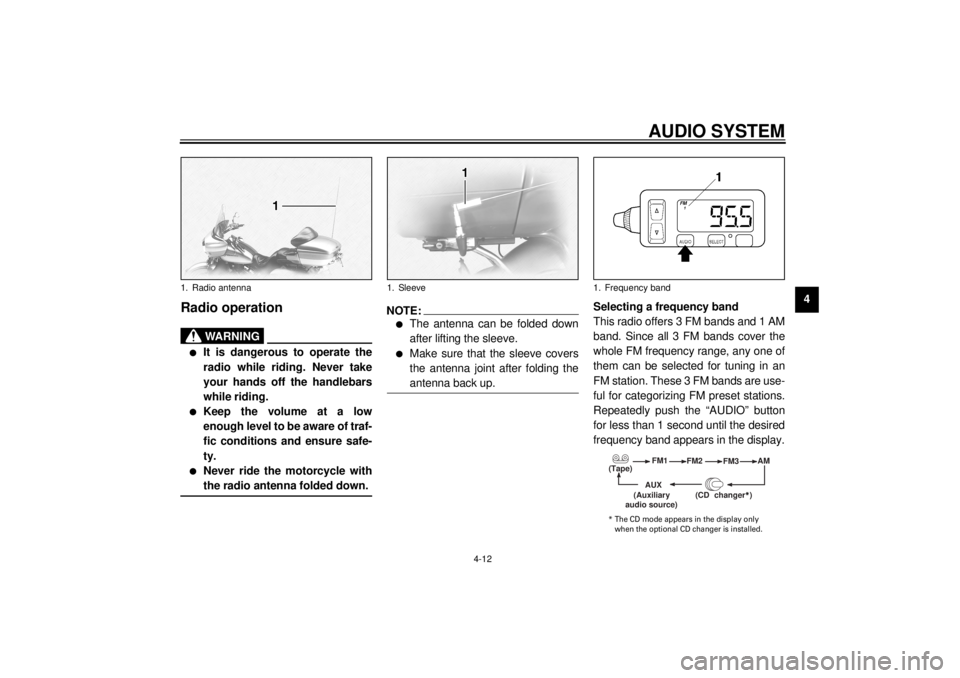
1. Sleeve1. Frequency band
(Tape)
(Auxiliary
* The CD mode appears in the display only
E_5jc_Audio.fm Page 12 Saturday, October 16, 1999 1:09 PM
Page 54 of 121
AUDIO SYSTEM
4-16
4
CD changer (optional)
operation
WARNING
@ l
It is dangerous to operate the
CD changer while riding. Never
take your hands off the handle-
bars while riding.
l
Keep the volume at a low
enough level to be aware of traf-
fic conditions and ensure safe-
ty.
@An optional 6-disc CD changer can be
mounted in the travel trunk. Ask a
Yamaha dealer to install the genuine
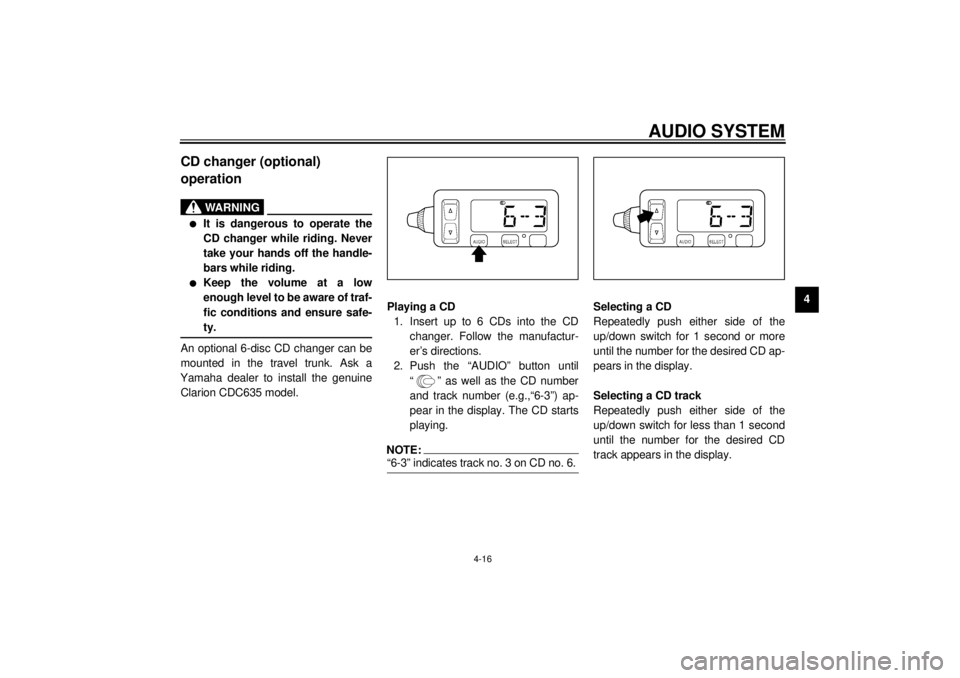
Clarion CDC635 model.Playing a CD
1. Insert up to 6 CDs into the CD
changer. Follow the manufactur-
er’s directions.
2. Push the “AUDIO” button until
“ ” as well as the CD number
and track number (e.g.,“6-3”) ap-
pear in the display. The CD starts
playing.
NOTE:@ “6-3” indicates track no. 3 on CD no. 6. @
Selecting a CD
Repeatedly push either side of the
up/down switch for 1 second or more
until the number for the desired CD ap-
pears in the display.
Selecting a CD track
Repeatedly push either side of the
up/down switch for less than 1 second
until the number for the desired CD
track appears in the display.
E_5jc_Audio.fm Page 16 Saturday, October 16, 1999 1:09 PM