INSTRUMENT AND CONTROL FUNCTIONS
3-5
3
EAU01736
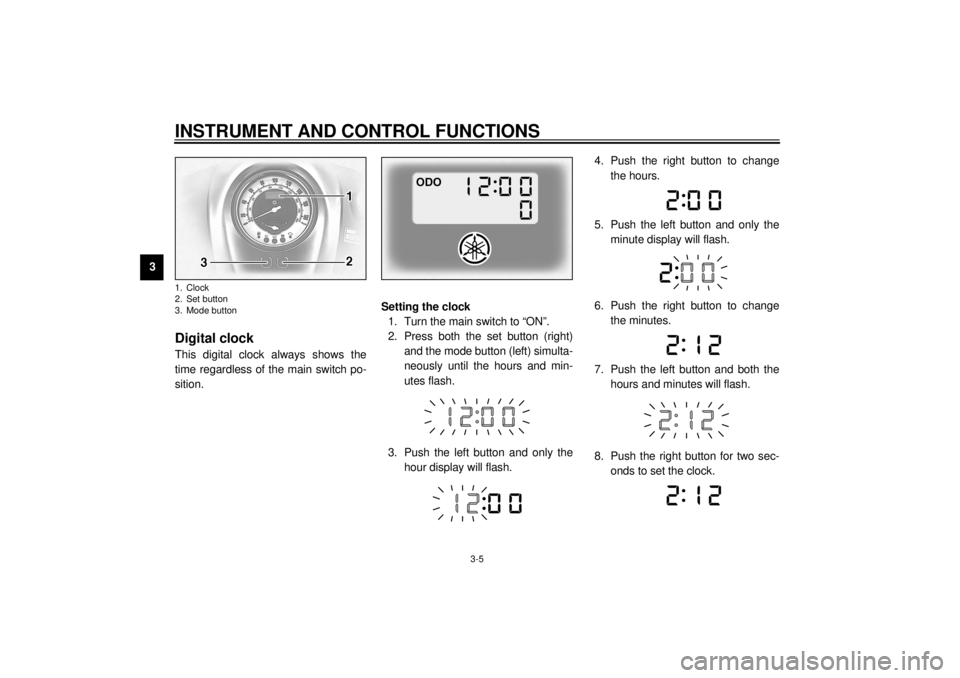
Digital clockThis digital clock always shows the
time regardless of the main switch po-
sition.Setting the clock
1. Turn the main switch to “ON”.
2. Press both the set button (right)
and the mode button (left) simulta-
neously until the hours and min-
utes flash.
3. Push the left button and only the
hour display will flash.4. Push the right button to change
the hours.
5. Push the left button and only the
minute display will flash.
6. Push the right button to change
the minutes.
7. Push the left button and both the
hours and minutes will flash.
8. Push the right button for two sec-
onds to set the clock.1. Clock
2. Set button
3. Mode buttonE_5ja_Functions.fm Page 5 Saturday, October 16, 1999 10:10 AM