Page 66 of 240
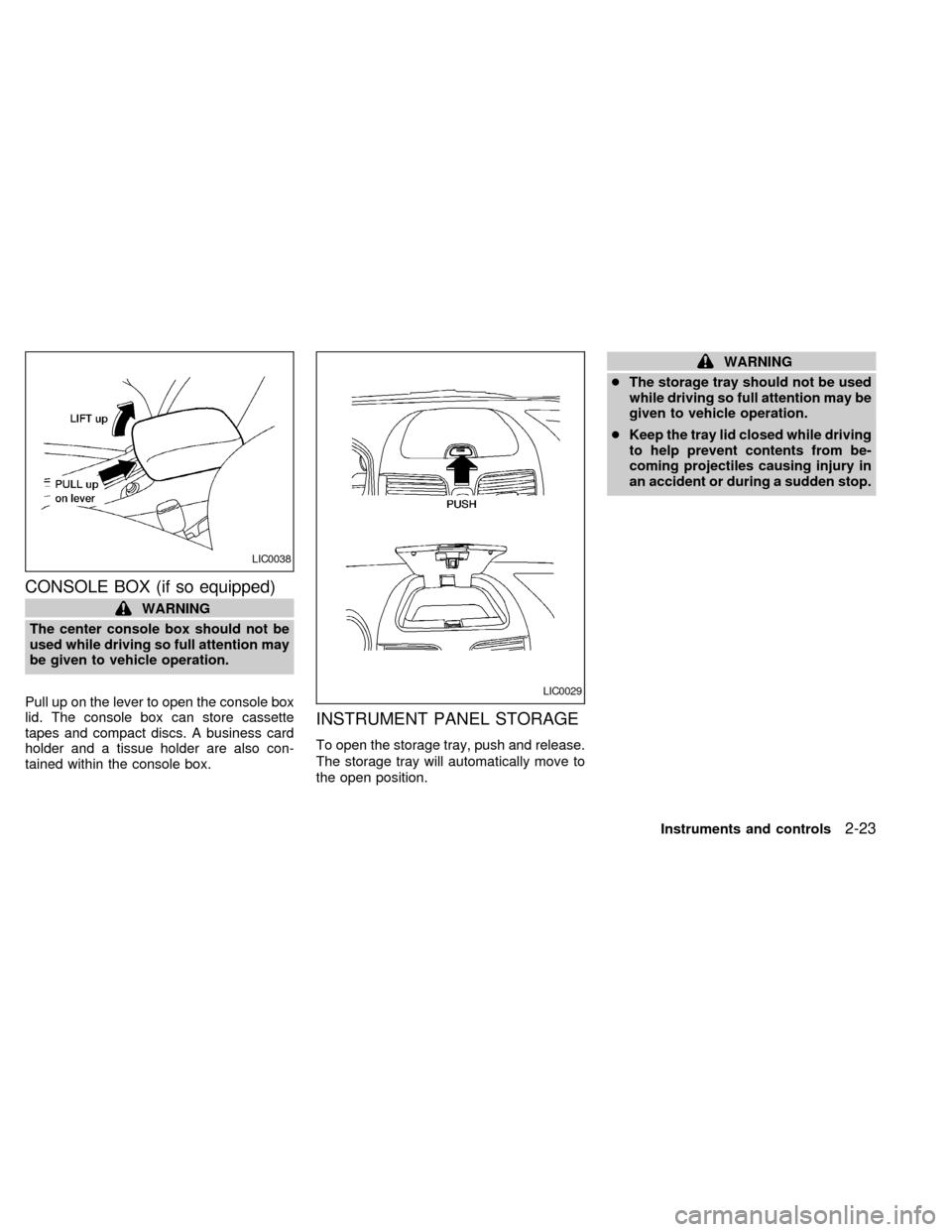
CONSOLE BOX (if so equipped)
WARNING
The center console box should not be
used while driving so full attention may
be given to vehicle operation.
Pull up on the lever to open the console box
lid. The console box can store cassette
tapes and compact discs. A business card
holder and a tissue holder are also con-
tained within the console box.
INSTRUMENT PANEL STORAGE
To open the storage tray, push and release.
The storage tray will automatically move to
the open position.
WARNING
cThe storage tray should not be used
while driving so full attention may be
given to vehicle operation.
cKeep the tray lid closed while driving
to help prevent contents from be-
coming projectiles causing injury in
an accident or during a sudden stop.
LIC0038
LIC0029
Instruments and controls2-23
ZX
Page 67 of 240
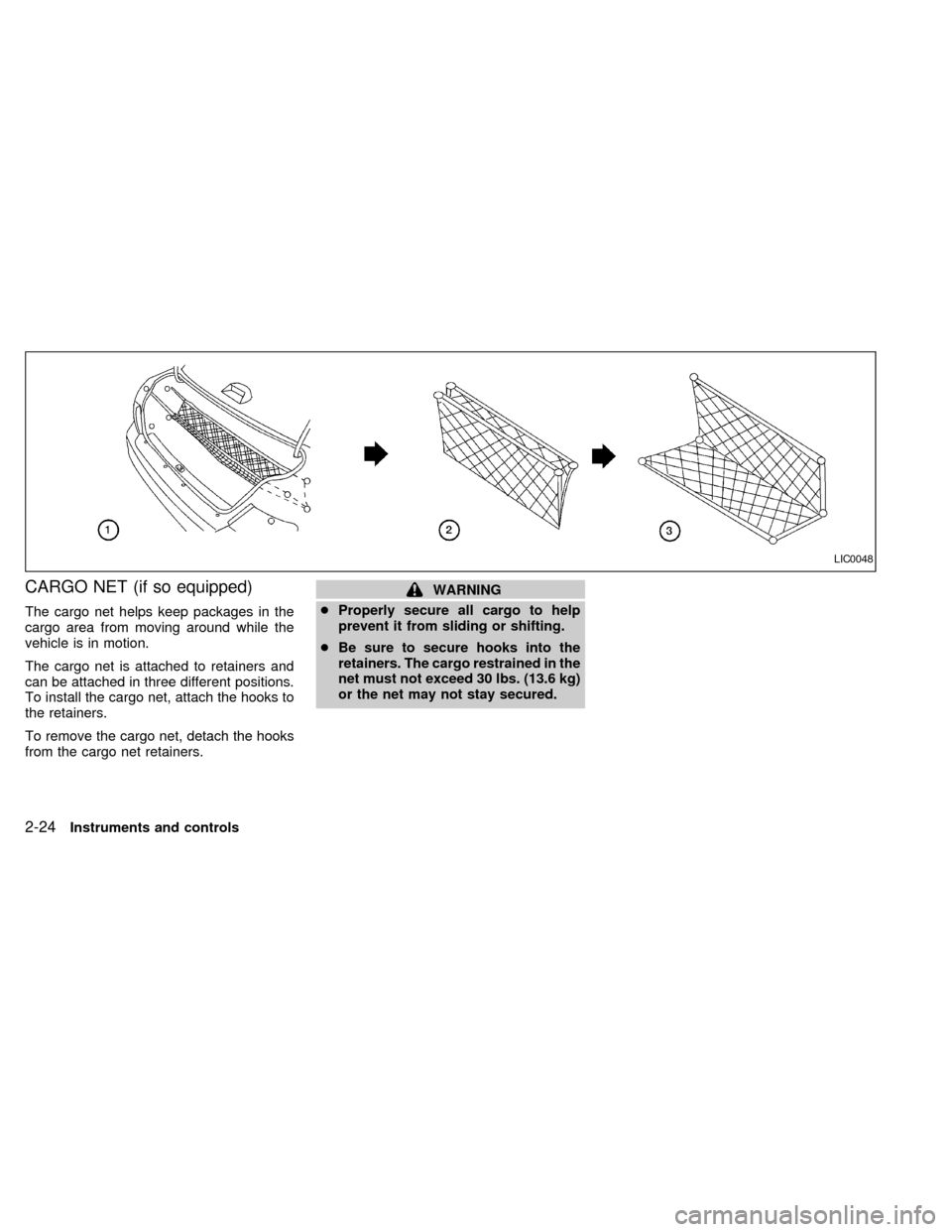
CARGO NET (if so equipped)
The cargo net helps keep packages in the
cargo area from moving around while the
vehicle is in motion.
The cargo net is attached to retainers and
can be attached in three different positions.
To install the cargo net, attach the hooks to
the retainers.
To remove the cargo net, detach the hooks
from the cargo net retainers.
WARNING
cProperly secure all cargo to help
prevent it from sliding or shifting.
cBe sure to secure hooks into the
retainers. The cargo restrained in the
net must not exceed 30 lbs. (13.6 kg)
or the net may not stay secured.
LIC0048
2-24Instruments and controls
ZX
Page 68 of 240
POWER WINDOWS
(if so equipped)
WARNING
cMake sure that all passengers have
their hands, etc. inside the vehicle
before closing the windows. Use the
window lock switch to prevent unex-
pected use of the power windows.
cDo not leave children unattended in-
side the vehicle. They could un-
knowingly activate switches or con-
trols and become trapped in a
window. Unattended children could
become involved in serious acci-
dents.The power windows operate only when the
ignition key is in the ON position.
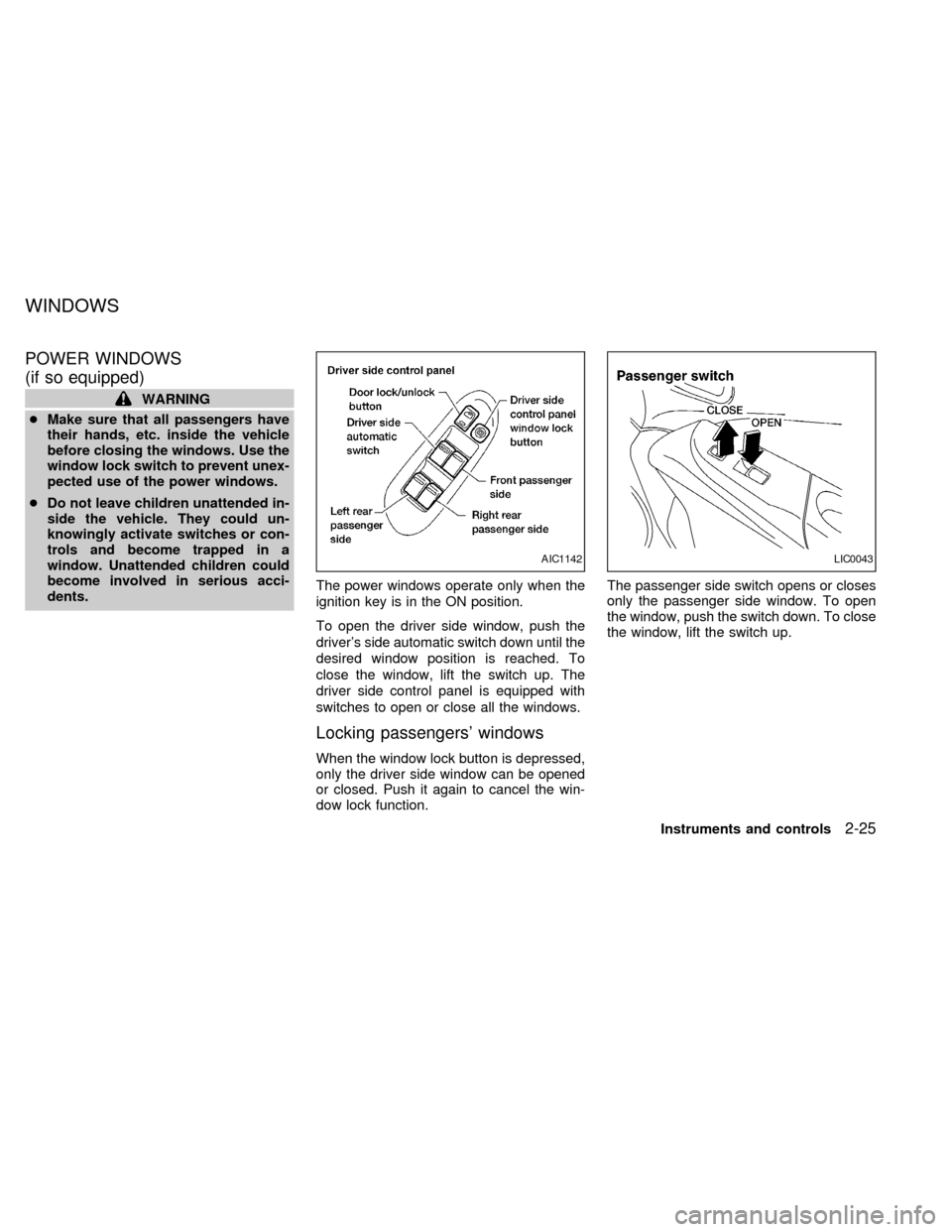
To open the driver side window, push the
driver's side automatic switch down until the
desired window position is reached. To
close the window, lift the switch up. The
driver side control panel is equipped with
switches to open or close all the windows.
Locking passengers' windows
When the window lock button is depressed,
only the driver side window can be opened
or closed. Push it again to cancel the win-
dow lock function.The passenger side switch opens or closes
only the passenger side window. To open
the window, push the switch down. To close
the window, lift the switch up.
AIC1142LIC0043
WINDOWS
Instruments and controls2-25
ZX
Page 70 of 240
The sunroof only operates with the ignition
key in the ON position.
NOTE:
If the battery is discharged or is discon-
nected, the sunroof may not operate cor-
rectly, and must be reset.
From any sunroof position (full open, par-
tially open, closed, partially vented and
vented), push and hold the button in the
forward position until the sunroof vents in
the full-up position. This resets the sunroof
motor memory and now the sunroof will
operate correctly.
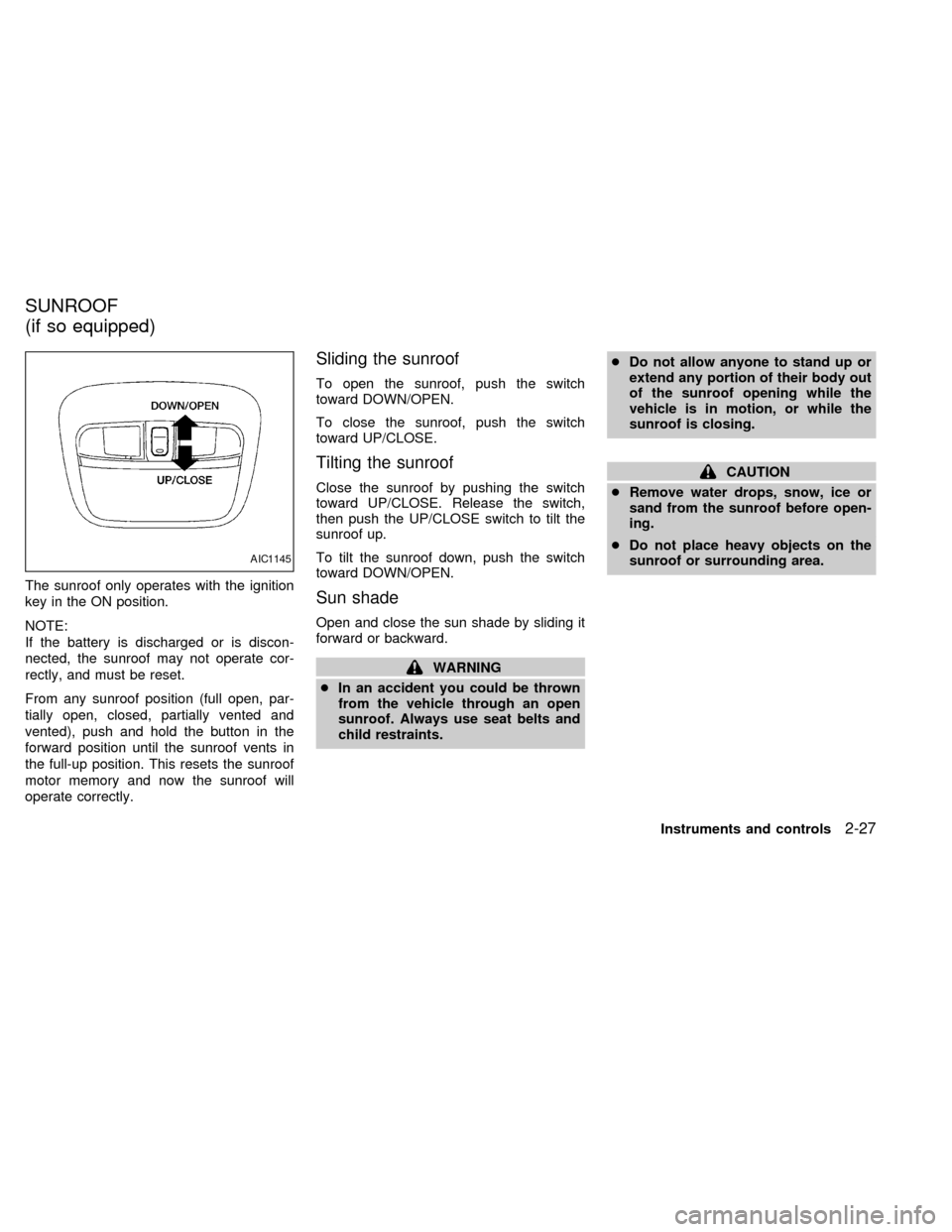
Sliding the sunroof
To open the sunroof, push the switch
toward DOWN/OPEN.
To close the sunroof, push the switch
toward UP/CLOSE.
Tilting the sunroof
Close the sunroof by pushing the switch
toward UP/CLOSE. Release the switch,
then push the UP/CLOSE switch to tilt the
sunroof up.
To tilt the sunroof down, push the switch
toward DOWN/OPEN.
Sun shade
Open and close the sun shade by sliding it
forward or backward.
WARNING
cIn an accident you could be thrown
from the vehicle through an open
sunroof. Always use seat belts and
child restraints.cDo not allow anyone to stand up or
extend any portion of their body out
of the sunroof opening while the
vehicle is in motion, or while the
sunroof is closing.
CAUTION
cRemove water drops, snow, ice or
sand from the sunroof before open-
ing.
cDo not place heavy objects on the
sunroof or surrounding area.
AIC1145
SUNROOF
(if so equipped)
Instruments and controls2-27
ZX
Page 76 of 240
WARNING
cAlways have the doors locked while
driving. Along with the use of seat
belts, this provides greater safety in
the event of an accident by helping
to prevent persons from being
thrown from the vehicle. This also
helps keep children and others from
unintentionally opening the doors,
and will help keep out intruders.
cBefore opening any door, always
look for and avoid oncoming traffic.
c
Do not leave children unattended in-
side the vehicle. They could unknow-
ingly activate switches and controls.
Unattended children could become
involved in serious accidents.
LOCKING WITH KEY
Manual
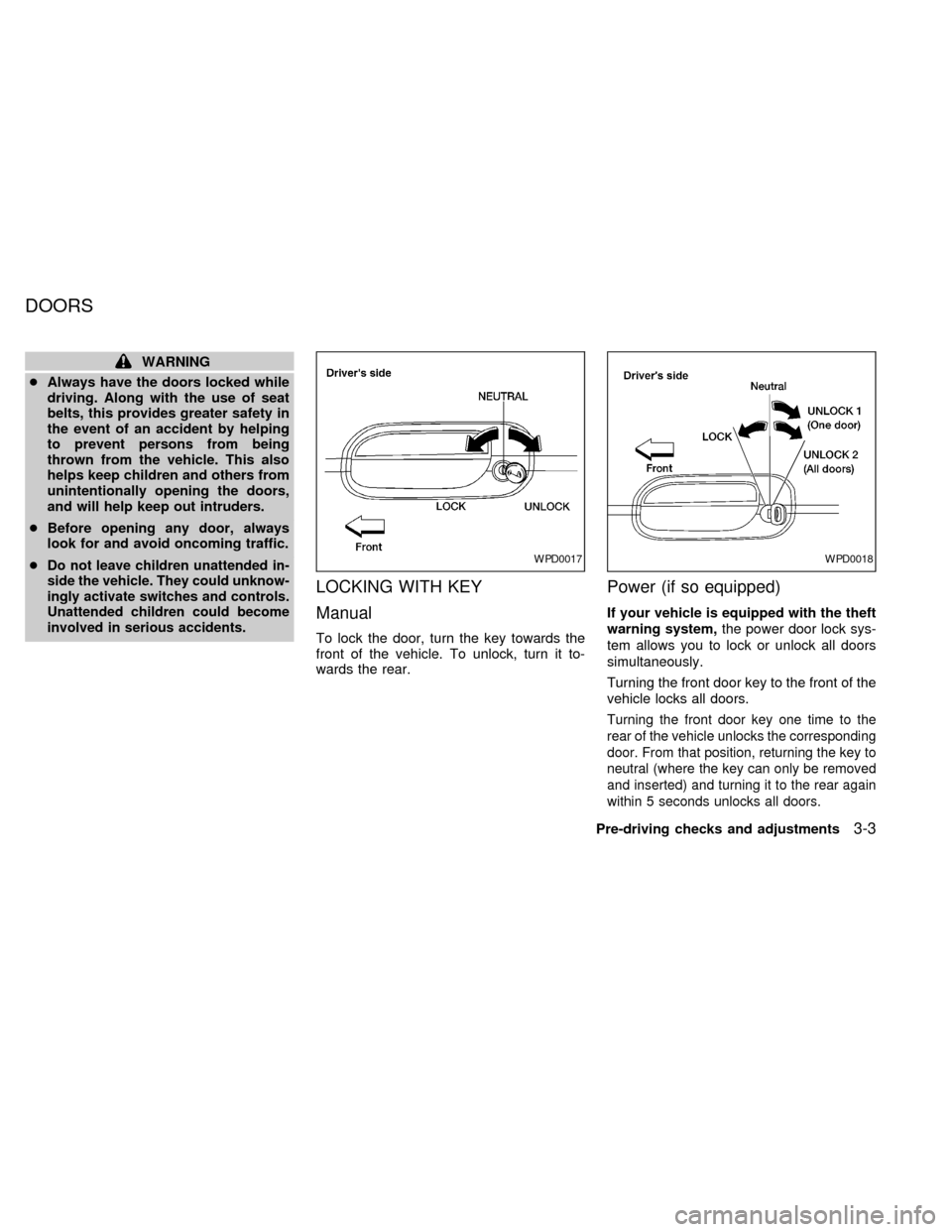
To lock the door, turn the key towards the
front of the vehicle. To unlock, turn it to-
wards the rear.
Power (if so equipped)
If your vehicle is equipped with the theft
warning system,the power door lock sys-
tem allows you to lock or unlock all doors
simultaneously.
Turning the front door key to the front of the
vehicle locks all doors.
Turning the front door key one time to the
rear of the vehicle unlocks the corresponding
door. From that position, returning the key to
neutral (where the key can only be removed
and inserted) and turning it to the rear again
within 5 seconds unlocks all doors.
WPD0017WPD0018
DOORS
Pre-driving checks and adjustments3-3
ZX
Page 82 of 240
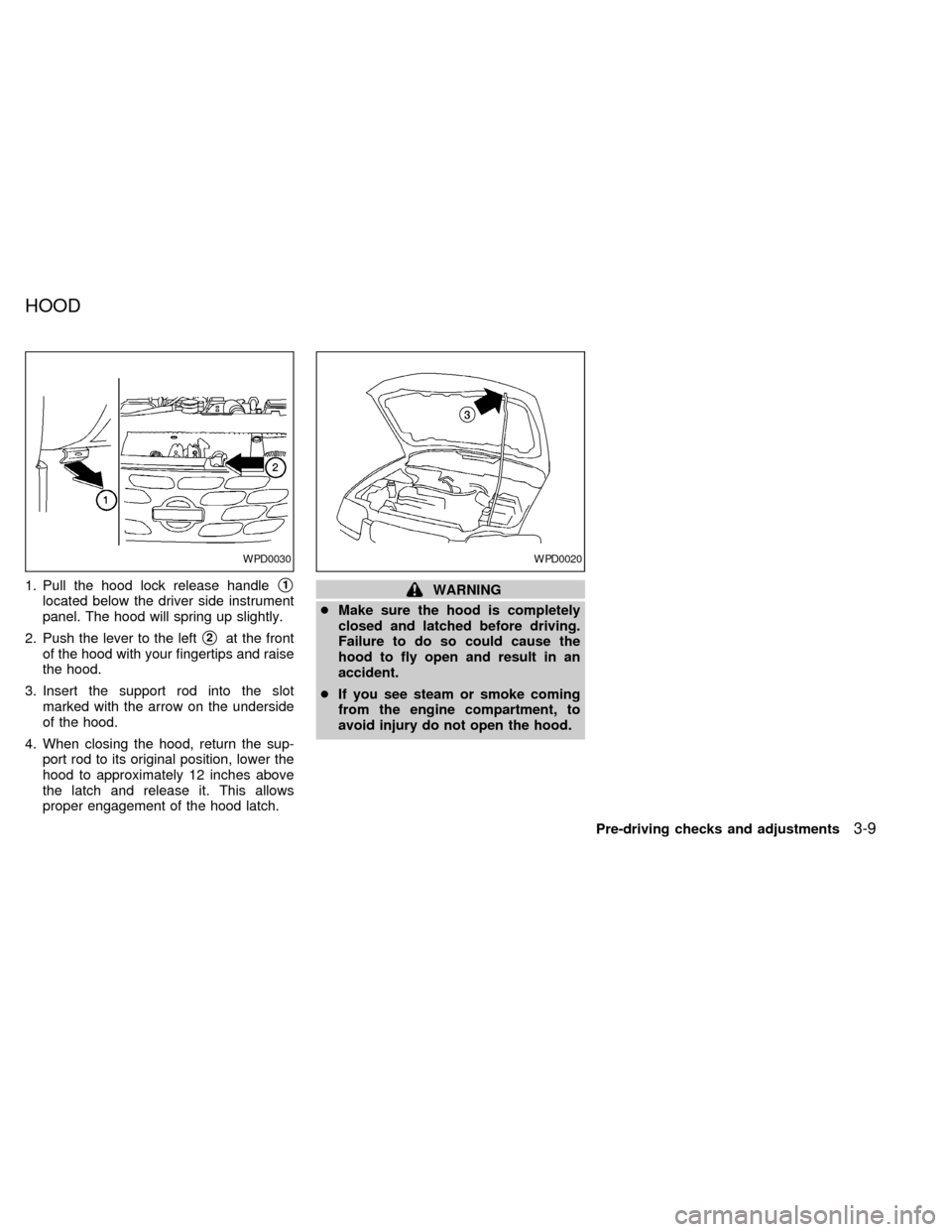
1. Pull the hood lock release handles1
located below the driver side instrument
panel. The hood will spring up slightly.
2. Push the lever to the left
s2at the front
of the hood with your fingertips and raise
the hood.
3. Insert the support rod into the slot
marked with the arrow on the underside
of the hood.
4. When closing the hood, return the sup-
port rod to its original position, lower the
hood to approximately 12 inches above
the latch and release it. This allows
proper engagement of the hood latch.
WARNING
cMake sure the hood is completely
closed and latched before driving.
Failure to do so could cause the
hood to fly open and result in an
accident.
cIf you see steam or smoke coming
from the engine compartment, to
avoid injury do not open the hood.
WPD0030WPD0020
HOOD
Pre-driving checks and adjustments3-9
ZX
Page 83 of 240
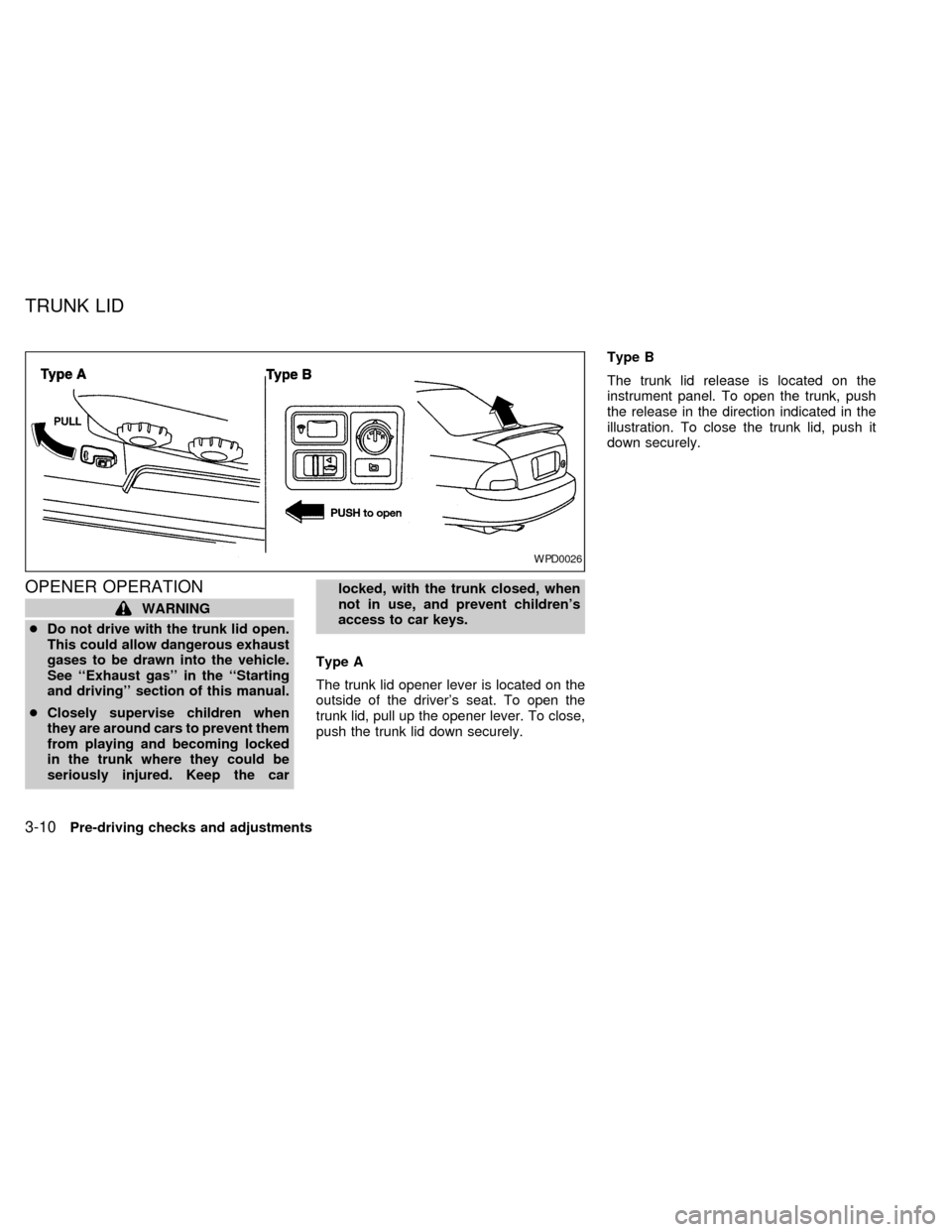
OPENER OPERATION
WARNING
cDo not drive with the trunk lid open.
This could allow dangerous exhaust
gases to be drawn into the vehicle.
See ``Exhaust gas'' in the ``Starting
and driving'' section of this manual.
cClosely supervise children when
they are around cars to prevent them
from playing and becoming locked
in the trunk where they could be
seriously injured. Keep the carlocked, with the trunk closed, when
not in use, and prevent children's
access to car keys.
Type A
The trunk lid opener lever is located on the
outside of the driver's seat. To open the
trunk lid, pull up the opener lever. To close,
push the trunk lid down securely.Type B
The trunk lid release is located on the
instrument panel. To open the trunk, push
the release in the direction indicated in the
illustration. To close the trunk lid, push it
down securely.
WPD0026
TRUNK LID
3-10Pre-driving checks and adjustments
ZX
Page 86 of 240
WARNING
cGasoline is extremely flammable and
highly explosive under certain con-
ditions. You could be burned or se-
riously injured if it is misused or
mishandled. Always stop the engine
and do not smoke or allow open
flames or sparks near the vehicle
when refueling.
cFuel may be under pressure. Turn
the cap one-half turn and wait for
any ``hissing'' sound to stop to pre-
vent fuel from spraying out and pos-
sibly causing personal injury. Then
remove the cap.
cDo not attempt to top off the fuel
tank after the fuel pump nozzle shuts
off automatically. Continued refuel-
ing may cause fuel overflow, result-
ing in fuel spray and possibly fire.
cUse only an original equipment type
fuel filler cap as a replacement. It has
a built-in safety valve needed for
proper operation of the fuel system
and emission control system. An in-
correct cap can result in a serious
malfunction and possible injury.cNever pour fuel into the throttle body
to attempt to start your vehicle.
CAUTION
cIf fuel is spilled on the vehicle body,
flush it away with water to avoid
paint damage.
cTighten until the fuel filler cap clicks.
Failure to tighten the fuel filler cap
properly may cause the
mal-
function indicator lamp (MIL) to illu-
minate. If the
lamp illuminates
because the fuel filler cap is loose or
missing, tighten or install the cap
and continue to drive the vehicle.
The
lamp should turn off after a
few driving trips. If thelamp
does not turn off after a few driving
trips, have the vehicle inspected by
an authorized NISSAN dealer.
cFor additional information, see the
``Malfunction indicator lamp (MIL)''
in the ``Instruments and controls''
section earlier in this manual.
TILT OPERATION
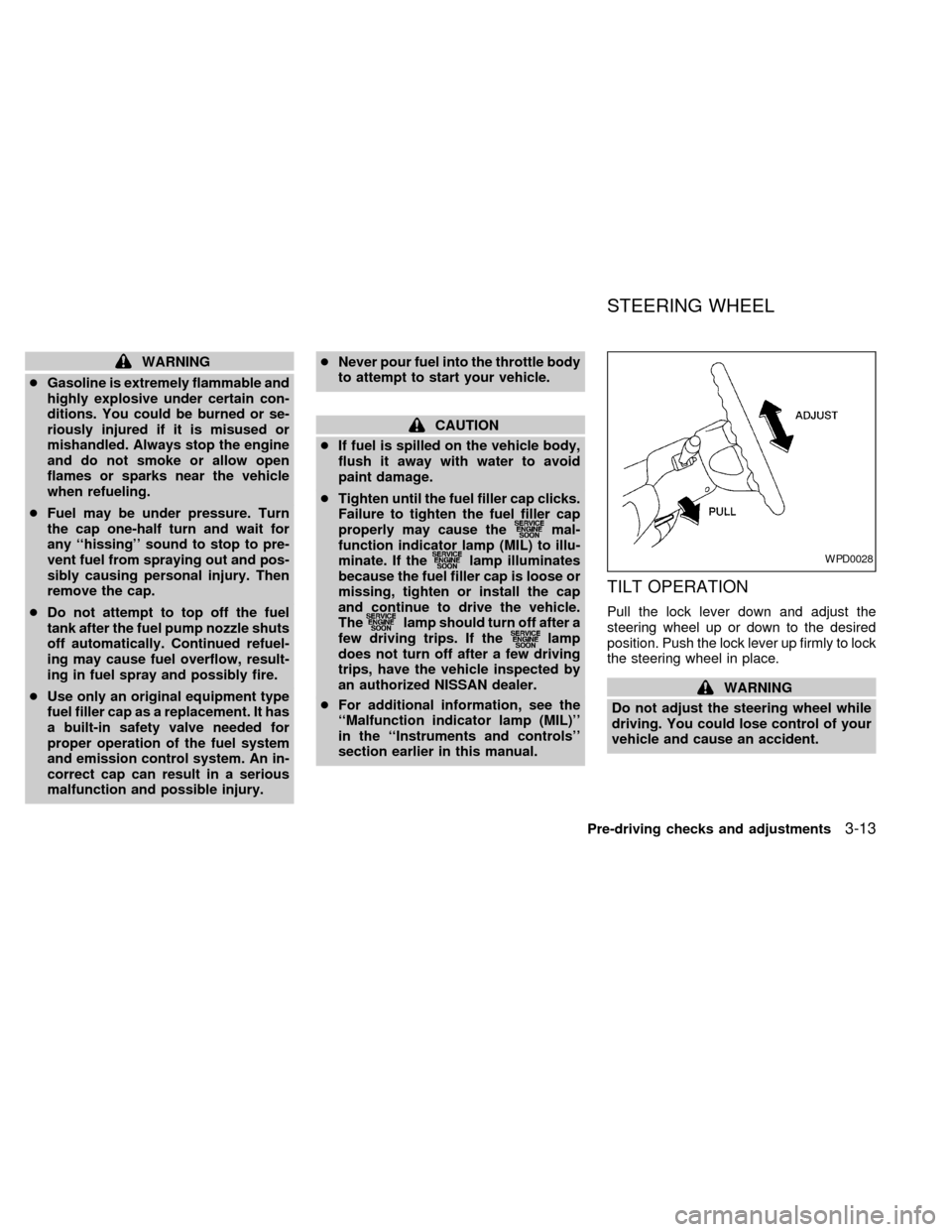
Pull the lock lever down and adjust the
steering wheel up or down to the desired
position. Push the lock lever up firmly to lock
the steering wheel in place.
WARNING
Do not adjust the steering wheel while
driving. You could lose control of your
vehicle and cause an accident.
WPD0028
STEERING WHEEL
Pre-driving checks and adjustments3-13
ZX