Page 101 of 272

REMOTE ENTRY SYSTEM
Your remote entry system contains two remote transmitters which
provide remote control of several features. Each remote transmitter will
allow you to:
²unlock the vehicle doors without a key.
²lock all the vehicle doors without a key.
²open the trunk without a key.
²activate the personal alarm.
²open all windows and moonroof (if equipped).
²arm and disarm the perimeter anti-theft system.
²operate the illuminated entry feature.
²operate the memory seat/mirror/steering column feature (if equipped).
The remote transmitter features only operate with the ignition in the
OFF or ACC positions. For vehicles equipped with an automatic
transmission, the remote transmitter features also operate if the ignition
is in the RUN position and the gear shift is in P (Park). The personal
alarm feature, however, will not operate when the ignition is in the RUN
position.
If there is any potential remote keyless entry problem with your vehicle,
ensureALL key fobs(remote entry transmitters) are brought to the
dealership, to aid in troubleshooting.
Unlocking the doors
Press this control to unlock the
driver door and disarm the
perimeter alarm (if armed). The
interior lamps will illuminate and
the turn signal lamps will display
two short flashes (to indicate
disarming of the perimeter alarm).
If the memory seat/mirror/steering
column feature (if equipped) is
activated, the corresponding
seat/mirror/steering column
positions will be recalled.
Refer toMemory seat/mirror/steering column featurefor more
information.
Controls and features
101
Page 102 of 272
Press the control a second time within three seconds to unlock all the
doors.
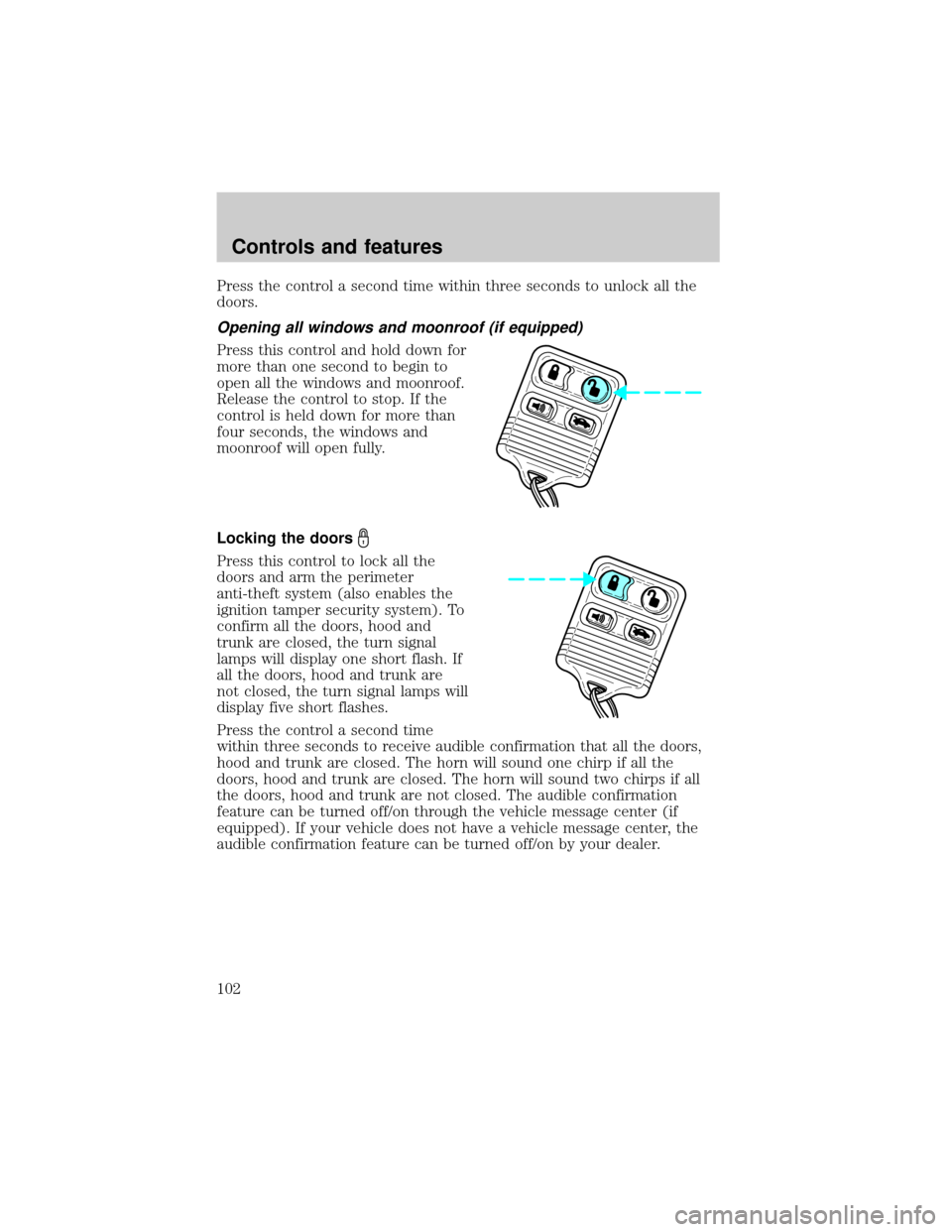
Opening all windows and moonroof (if equipped)
Press this control and hold down for
more than one second to begin to
open all the windows and moonroof.
Release the control to stop. If the
control is held down for more than
four seconds, the windows and
moonroof will open fully.
Locking the doors
Press this control to lock all the
doors and arm the perimeter
anti-theft system (also enables the
ignition tamper security system). To
confirm all the doors, hood and
trunk are closed, the turn signal
lamps will display one short flash. If
all the doors, hood and trunk are
not closed, the turn signal lamps will
display five short flashes.
Press the control a second time
within three seconds to receive audible confirmation that all the doors,
hood and trunk are closed. The horn will sound one chirp if all the
doors, hood and trunk are closed. The horn will sound two chirps if all
the doors, hood and trunk are not closed. The audible confirmation
feature can be turned off/on through the vehicle message center (if
equipped). If your vehicle does not have a vehicle message center, the
audible confirmation feature can be turned off/on by your dealer.
Controls and features
102
Page 103 of 272

Opening the trunk
Press this control to open the trunk.
Be certain the trunk is closed before
driving your vehicle. The trunk may
appear closed, but it may not be
latched. Failure to do so may cause
objects to fall out of the trunk or
block rear view vision.
Activating the personal alarm
Press this control to turn on the
personal alarm.
Press the control a second time to
turn off the personal alarm. The
personal alarm will also turn off if
the remote transmitter unlock
control is pressed, or if the ignition
switch is turned to the RUN
position, or after 30 seconds of
operation.
This device complies with part 15 of the FCC rules and with RS-210 of
Industry Canada. Operation is subject to the following two conditions:
(1) This device may not cause harmful interference, and (2) This device
must accept any interference received, including interference that may
cause undesired operation.
Changes or modifications not expressly approved by the party
responsible for compliance could void the user's authority to
operate the equipment.
Illuminated entry
The illuminated entry feature will automatically turn on the interior
lamps when the remote transmitter unlock control is pressed.
The illuminated entry feature will automatically turn off the interior
lamps if the ignition switch is turned to the RUN position, or if the
remote transmitter lock control is pressed, or after 20 seconds of
illumination.
Controls and features
103
Page 106 of 272

Memory seat/mirror/steering column feature (if equipped)
This feature allows you to recall
previously stored
seat/mirror/steering column
positions with your remote
transmitter(s). Up to four remote
transmitters can be activated to
utilize the two available memory
positions.
Press this control to move the
seat/mirror/steering column to the
previously stored positions.
Activating the memory seat/mirror/steering column feature
To activate this feature:
1. Position the seat, mirrors and steering column to the positions you
desire.
2. Press the SET control on the driver's door panel.
3. Within 5 five seconds, press one control on the remote transmitter and
then press the 1 or 2 button on the driver's door panel to which you
would like to associate with the seat/mirror/steering column and Driver 1
or Driver 2 positions.
4. Repeat this procedure for another remote transmitter if desired.
Deactivating the memory seat/mirror/steering column feature
To deactivate this feature:
1. Press the SET control on the driver's door panel.
2. Within 5 five seconds, press one control on the remote transmitter
which you would like to deactivate and then press the SET control on
the driver's door panel.
3. Repeat this procedure for another remote transmitter if desired.
PERIMETER ALARM SYSTEM
The perimeter anti-theft system will help protect your vehicle doors,
hood and trunk from unauthorized entry.
If there is any potential perimeter anti-theft problem with your vehicle,
ensureALL key fobs(remote entry transmitters) are brought to the
dealership, to aid in troubleshooting.
Controls and features
106
Page 110 of 272

If the programming procedure was not successful, the new SecuriLocky
key(s) will not operate the vehicle's engine. The theft indicator will flash
on and off. Wait at least one minute and then repeat the procedure from
step 1. If failure repeats, bring your vehicle to your dealership to have
the spare SecuriLockykey(s) programmed.
INTERIOR LUGGAGE COMPARTMENT RELEASE (IF EQUIPPED)
Your vehicle is equipped with a mechanical interior luggage compartment
release handle that provides a means of escape for children and adults in
the event they become locked inside the luggage compartment.
Adults are advised to familiarize themselves with the operation and
location of the release handle.
To open the luggage compartment
door (lid) from the inside, pull the
illuminated ªTº shaped handle and
push up on the trunk lid. The
material that the handle is made of
will glow for hours in the darkness
of the luggage compartment
following brief exposure to ambient
light.
The ªTº shaped handle will be
located either on the luggage
compartment door (lid) or inside
the luggage compartment near the
tail lamps.
Keep vehicle doors and
luggage compartment
locked and keep keys out of a
child's reach. Unsupervised
children could lock themselves in
an open trunk and risk injury.
Children should be taught not to
play in vehicles.
Controls and features
110
Page 111 of 272
On hot days, the temperature in the trunk or vehicle interior can
rise very quickly. Exposure of people or animals to these high
temperatures for even a short time can cause death or serious
heat-related injuries, including brain damage. Small children are
particularly at risk.
Controls and features
111
Page 116 of 272

Memory seats/steering column/mirrors (if equipped)
This system allows automatic
positioning of the driver seat,
outside rearview mirrors, and power
adjusted tilt/telescope steering
column to two programmable
positions.
The memory seat control is located
on the driver door.
²To program position one, move
the driver seat to the desired
position using the seat controls. Press the SET control. The SET
control indicator light will briefly illuminate. While the light is
illuminated, press control 1.
²To program position two, repeat the previous procedure using control
2.
A position can only be set or recalled when the transmission gearshift is
in Park (automatic transmission) or the park brake is set (manual
transmission). A memory seat position may be programmed at any time.
The memory seat positions are also recalled when you press your remote
entry transmitter UNLOCK control.
To program the memory seat to remote entry transmitter, refer to
Remote entry systemin theControls and features chapter.
2ND SEAT/SPLIT-FOLDING REAR SEAT
One or both rear seatbacks can be folded down to provide additional
cargo space.
To lower the seatback(s), pull the
release handle(s) located inside the
trunk.
SE T
12
Seating and safety restraints
116
Page 186 of 272
3. Lift the trunk cargo cover and
remove the spare tire, jack and lug
wrench. Use the hook to secure the
trunk cargo cover in the open
position.
4. Loosen each wheel lug nut
one-half turn counterclockwise but
do not remove them until the wheel
is raised off the ground.
5. Put the jack in the jack notch
next to the tire you are changing.
Turn the jack handle clockwise until
the wheel is completely off the
ground.
Roadside emergencies
186