Page 13 of 44
AUDIO
244
21G025
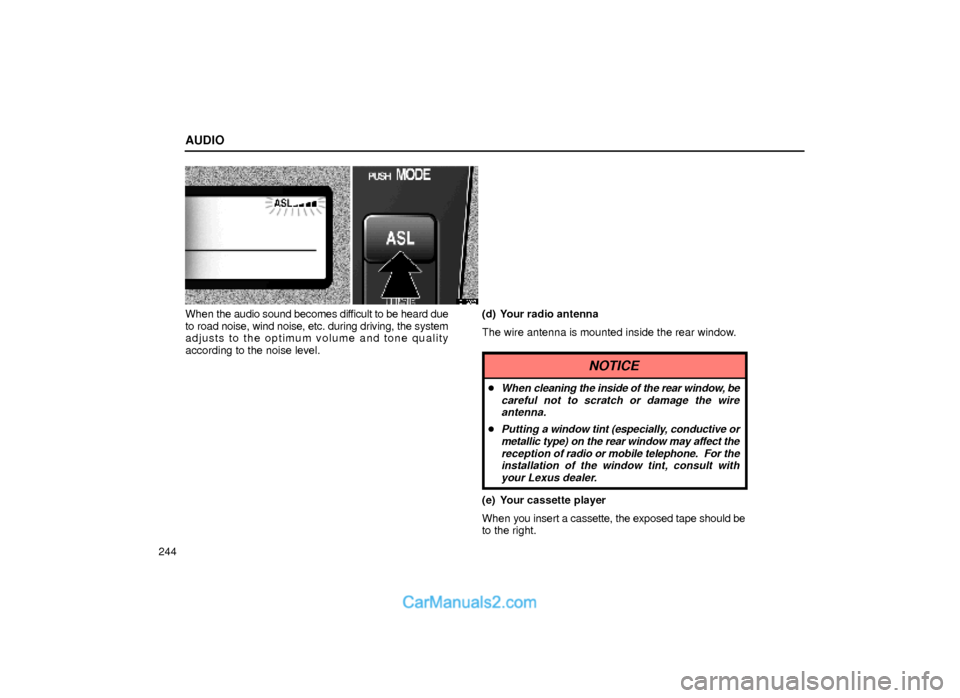
When the audio sound becomes difficult to be heard due
to road noise, wind noise, etc. during driving, the system
adjusts to the optimum volume and tone quality
according to the noise level.(d) Your radio antenna
The wire antenna is mounted inside the rear window.
NOTICE
�When cleaning the inside of the rear window, be
careful not to scratch or damage the wire
antenna.
�Putting a window tint (especially, conductive or
metallic type) on the rear window may affect the
reception of radio or mobile telephone. For the
installation of the window tint, consult with
your Lexus dealer.
(e) Your cassette player
When you insert a cassette, the exposed tape should be
to the right.
Page 24 of 44
AUDIO
255
20G016
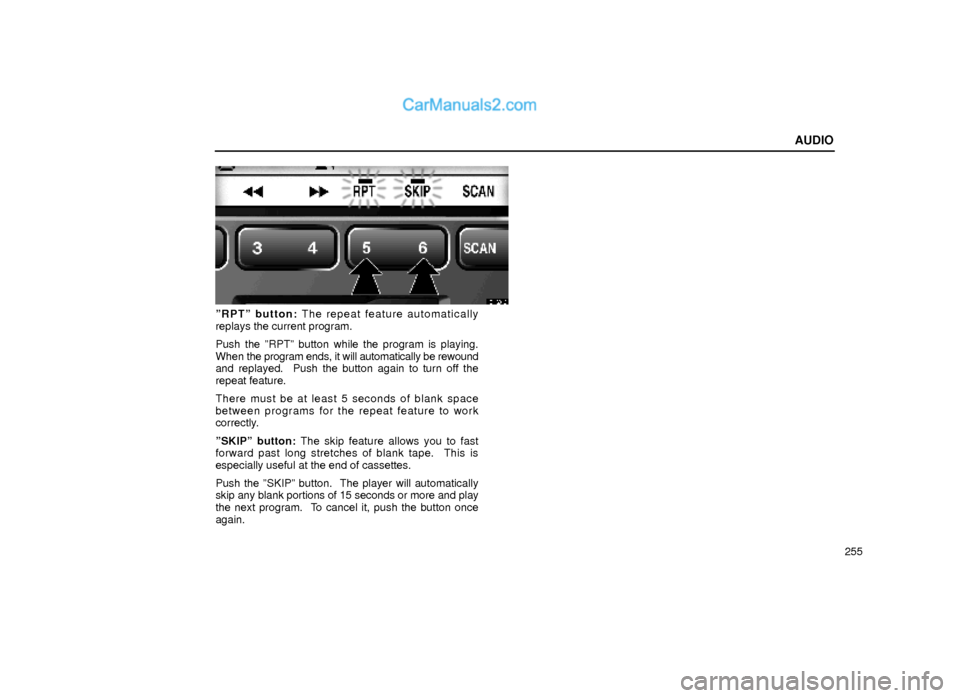
ºRPTº button: The repeat feature automatically
replays the current program.
Push the ºRPTº button while the program is playing.
When the program ends, it will automatically be rewound
and replayed. Push the button again to turn off the
repeat feature.
There must be at least 5 seconds of blank space
between programs for the repeat feature to work
correctly.
ºSKIPº button: The skip feature allows you to fast
forward past long stretches of blank tape. This is
especially useful at the end of cassettes.
Push the ºSKIPº button. The player will automatically
skip any blank portions of 15 seconds or more and play
the next program. To cancel it, push the button once
again.
Page 39 of 44
AUDIO
270AM
Fading ± AM broadcasts are reflected by the upper
atmosphere ± especially at night. These reflected
signals can interfere with those received directly from
the radio station, causing the radio station to sound
alternately strong and weak.
Station interference ± When a reflected signal and a
signal received directly from a radio station are very
nearly the same frequency, they can interfere with each
other, making it difficult to hear the broadcast.
Static ± AM is easily affected by external sources of
electrical noise, such as high tension power lines,
lightening, or electrical motors. This results in static.
Caring for your cassette player and tapes
For the best performance for your cassette player and
tapes:
Clean the tape head and other parts regularly.
�A dirty tape head or tape path can decrease sound
quality and tangle your cassette tapes. The easiest
way to clean them is by using a cleaning tape. (A wet
type is recommended.)Use high±quality cassettes:
�Low±quality cassette tapes can cause many
problems, including poor sound, inconsistent playing
speed, and constant auto±reversing. They can also
get stuck or tangled in the cassette player.
�Do not use a cassette if it has been damaged or
tangled or if its label is peeling off.
�Do not leave a cassette in the player if you are not
listening to it, especially if it is hot outside.
�Store cassettes in their cases and out of direct
sunlight.
�Avoid using cassettes with a total playing time longer
than 100 minutes (50 minutes per side). The tape
used in these cassette is thin and could get stuck or
tangled in the cassette player.
Page 42 of 44
AUDIO
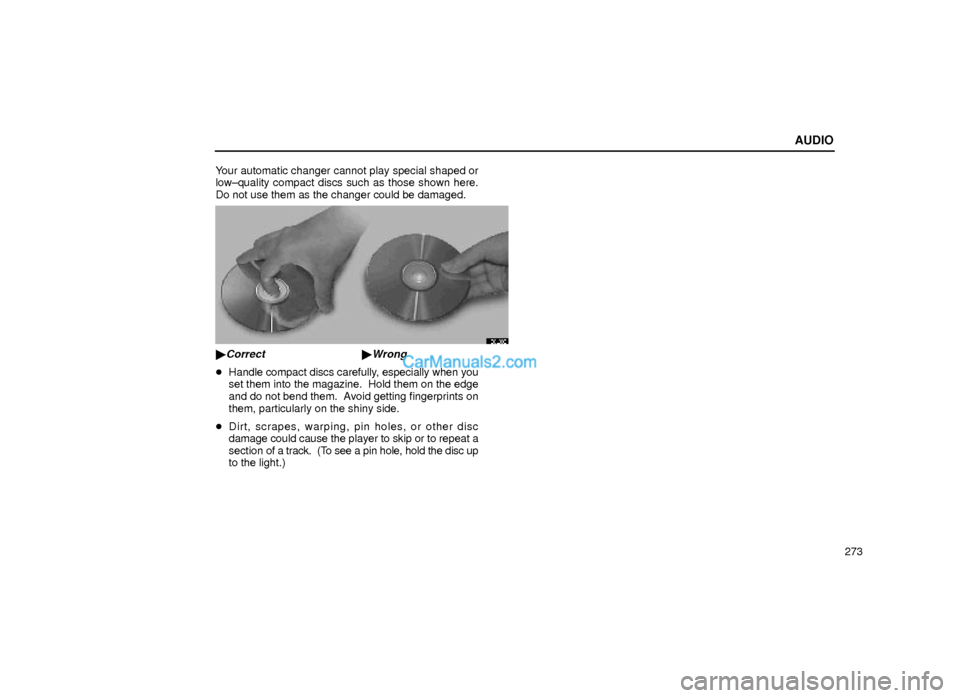
273 Your automatic changer cannot play special shaped or
low±quality compact discs such as those shown here.
Do not use them as the changer could be damaged.
20L038
�Correct �Wrong
�Handle compact discs carefully, especially when you
set them into the magazine. Hold them on the edge
and do not bend them. Avoid getting fingerprints on
them, particularly on the shiny side.
�Dirt, scrapes, warping, pin holes, or other disc
damage could cause the player to skip or to repeat a
section of a track. (To see a pin hole, hold the disc up
to the light.)