Page 54 of 273
Headlights
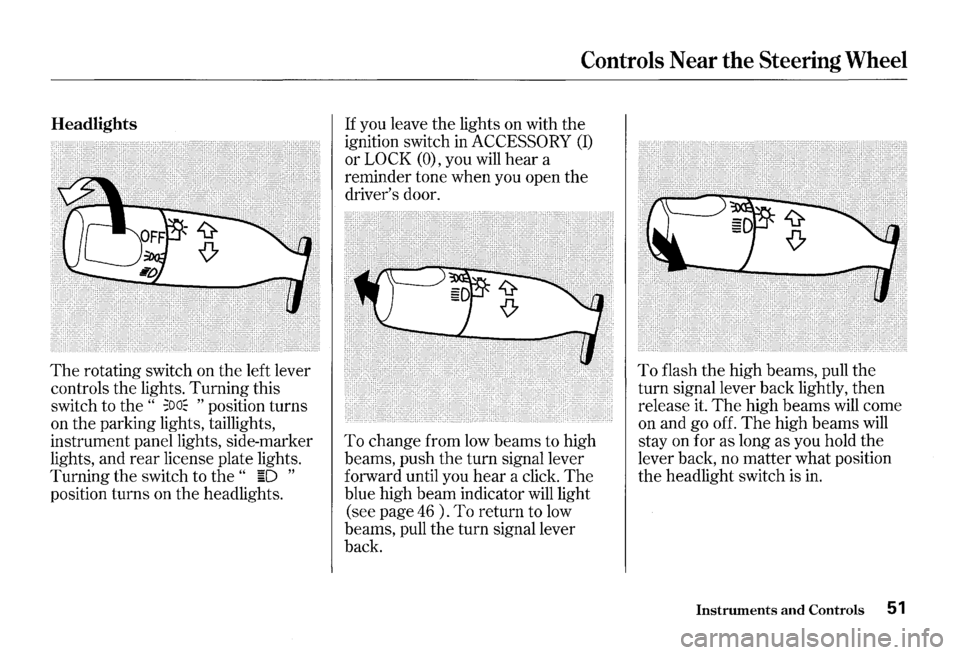
The rotating switch on the left lever
controls the lights. Turning this
switch to the
" ;oa~ " position turns
on the parking lights, taillights,
instrument panel lights, side-marker
lights, and
rear license plate lights.
Turning the switch to
the " ~D "
position turns on the headlights.
Controls Near the Steering Wheel
If you leave the lights on with the
ignition switch in
ACCESSORY (I)
or LOCK (O), you will hear a
reminder tone when you open the
driver's door.
To change from low beams to high
beams, push
the turn signal lever
forward until you
hear a click. The
blue high beam indicator will light
(see page
46 ) . To return to low
beams, pull the turn signal lever
back.
To flash the high beams, pull the
turn signal lever back lightly, then
release it.
The high beams will come
on and go off.
The high beams will
stay on for as long as you hold the
lever back, no matter what position
the headlight switch is in.
Instruments and Controls 51
Page 55 of 273

Controls Near the Steering Wheel
Daytime Running Lights
Canadian models only
With the headlight switch off, the
high beam headlights come on with
reduced brightness when you turn
the ignition switch to
0 N (II) and
release
the parking brake. They
remain on until you turn the ignition
off, even
if you set the parking brake.
The headlights revert to normal
operation when you turn
them on
with the switch.
52 Instruments and Controls
Instrument Panel Brightness
·.···.·.~.·.~.·~.· •. ~ ... · .. ~ ... · .. ~~.·~ .. ·.·.~.~.' .•.•.••.•. '. ). 3)1, .. ~·. ~~ .... 2;~··•············
• ~ •• < ; .~C~L!io'""'"i .... · •• :•. • .• •·•··.·····•·• cat'J +'f•H
} c .... ~ .... ,.., ... .;,., .... ,.., .. ..,..,..,.~~ ........ .
!0•~~/Tri
The buttons in the lower left corner
of the instrument panel adjust
the
brightness of the display in five steps.
Push the + or -button five times
to see the full range.
The display dims when the parking
lights or headlights are turned
on.
Adjust the brightness to the desired
level with the headlight switch off,
and also with the headlight switch
on.
Both settings will remain at those
levels until you change them.
With
the headlight switch on, you
can switch the display to full daytime
brightness by pushing and holding
the
+ button. Push the -button to
return the display to
the original
brightness.
Page 56 of 273
Turn Signals
Signal a turn or lane change with this
lever.
Push down on the lever to
signal a left turn, and up to signal a
right turn.
If you push it up or down
all the way, the turn signal continues
to blink even when you release the
lever.
It shuts off automatically as
you complete the turn.
Controls Near the Steering Wheel
To signal a lane change, push lightly Windshield Wipers
on the turn signal lever in the proper
direction and hold
it. The lever will
return to the center position as soon
as you release it.
This lever controls the windshield
wipers and washers.
It has five
positions;
MIST: mist
OFF: off
INT: intermittent
LO: low speed
HI: high speed
To select a position, push the lever
up or down.
CONTINUED
Instruments and Controls 53
Page 58 of 273
Cruise Control
Cruise control allows you to maintain
a
set speed above 25 mph ( 40 km/h)
without keeping your foot on the
accelerator pedal. It should be used
for cruising on straight, open
highways.
It is not recommended for
conditions such as city driving,
winding roads, slippery roads, heavy
rain, or bad weather. You should
have full control of
the car under
those conditions.
Improper use of the cruise
control can lead to a crash.
Use the cruise
control only
when traveling on open
highways
in good weather.
NOTICE
The cruise control, as it operates,
moves the accelerator pedal. You can
damage your vehicle's accelerator
mechanism by resting your
foot under
the pedal and blocking the movement.
Steering Wheel Controls
Using the Cruise Control
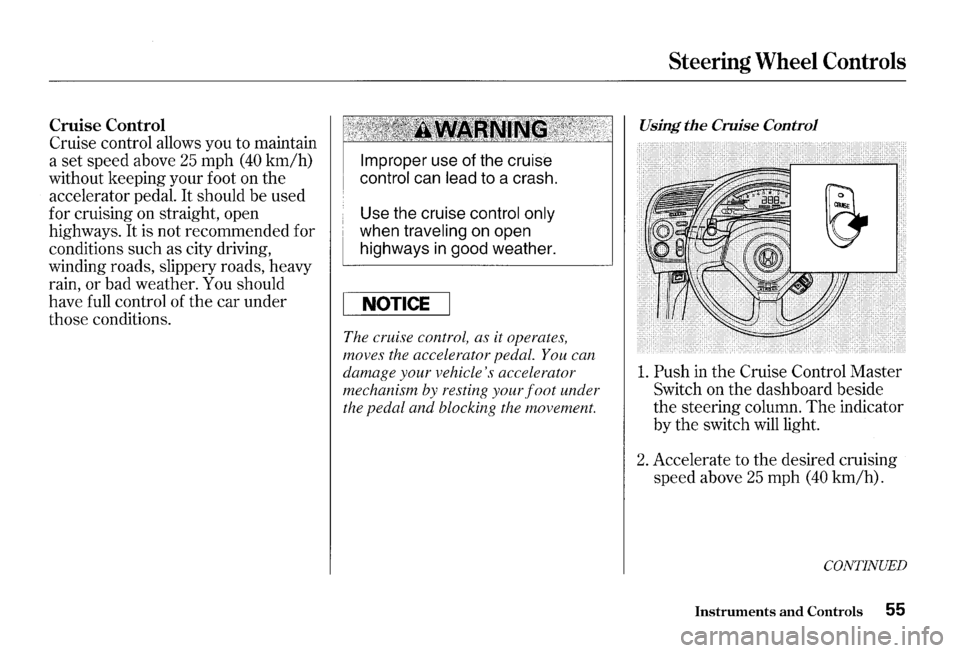
1. Push in the Cruise Control Master
Switch on the dashboard beside
the steering column. The indicator
by
the switch will light.
2. Accelerate to the desired cruising
speed above
25 mph (40 km/h).
CONTINUED
Instruments and Controls 55
Page 59 of 273
Steering Wheel Controls
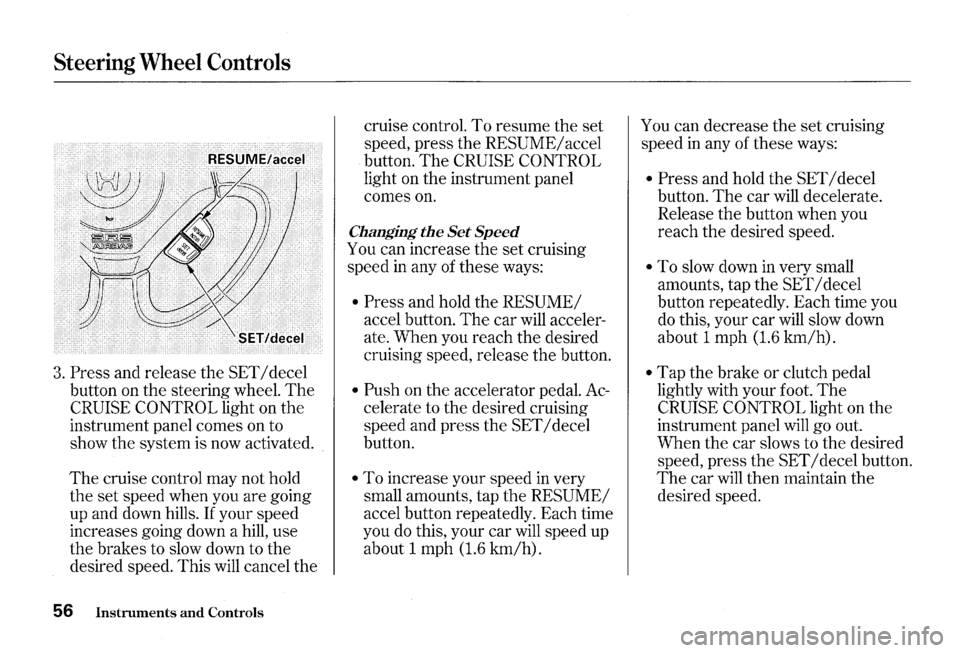
3. Press and release the SET I decel
button on the steering wheel.
The
CRUISE CONTROL light on the
instrument panel comes on to
show the system is now activated.
The cruise control may not hold
the set speed when you are going
up and down hills.
If your speed
increases going down a hill, use
the brakes to slow down to the
desired speed. This
will cancel the
56 Instruments and Controls
cruise control. To resume the set
speed, press the
RESUME/ accel
button.
The CRUISE CONTROL
light on the instrument panel
comes
on.
Changing the Set Speed
You can increase the set cruising
speed
in any of these ways:
• Press and hold the RESUME/
accel button. The car will acceler
ate. When you reach the desired
cruising speed, release the button.
• Push on the accelerator pedal. Ac
celerate to the desired cruising
speed and press the
SET I decel
button.
• To increase your speed in very
small amounts, tap the
RESUME/
accel button repeatedly. Each time
you
do this, your car will speed up
about 1 mph
(1.6 km/h).
You can decrease the set cruising
speed
in any of these ways:
• Press and hold the SET I decel
button.
The car will decelerate.
Release the button when you
reach the desired speed.
• To slow down in very small
amounts, tap the
SET I decel
button repeatedly. Each time you
do this, your car will slow down
about 1 mph
(1.6 km/h).
• Tap the brake or clutch pedal
lightly with your foot.
The
CRUISE CONTROL light on the
instrument panel
will go out.
When the car slows to the desired
speed, press
the SET I decel button.
The car will then maintain the
desired speed.
Page 60 of 273
Even with the cruise control turned
on, you can still use the accelerator
pedal to speed up for passing. After
completing the pass, take your foot
off the accelerator pedal.
The car
will return to the set cruising speed.
Resting your foot on the brake or
clutch pedal
will cause the cruise
control to cancel.
Cancelling the Cruise Control
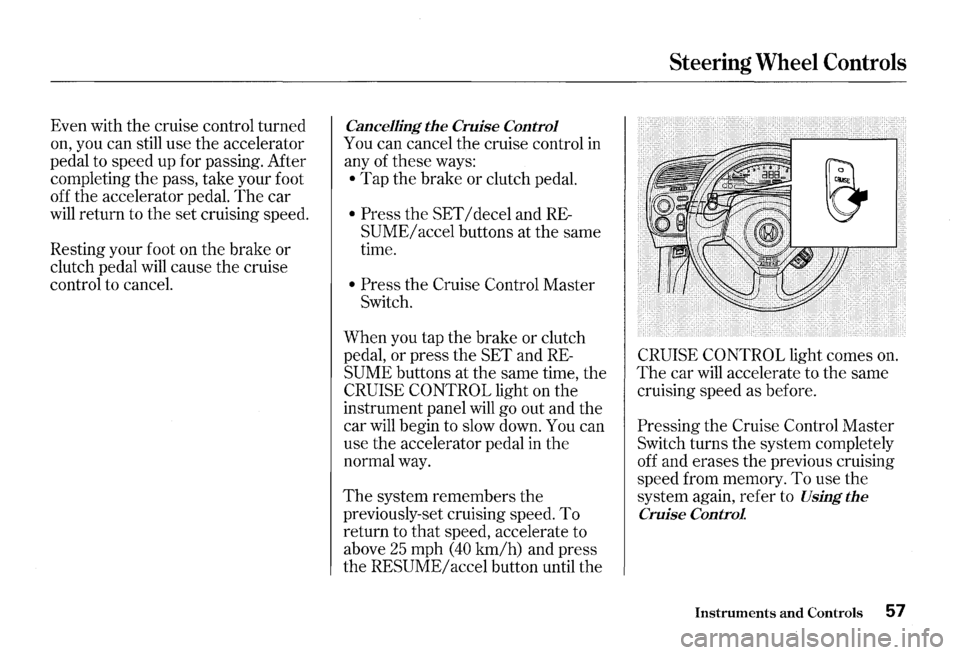
You can cancel the cruise control in
any
of these ways:
• Tap the brake or clutch pedal.
• Press the SET I decel and RE
SUME/ accel buttons at the same
time.
• Press the Cruise Control Master
Switch.
When you tap the brake or clutch
pedal, or press the SET and
RE
SUME buttons at the same time, the
CRUISE CONTROL light on the
instrument panel will
go out and the
car
will begin to slow down. You can
use the accelerator pedal in the
normal way.
The system remembers the
previously-set cruising speed. To
return to that speed, accelerate to
above
25 mph (40 km/h) and press
the
RESUME/ accel button until the
Steering Wheel Controls
CRUISE CONTROL light comes on.
The car will accelerate to the same
cruising speed as before.
Pressing the Cruise Control Master
Switch turns the system completely
off and erases the previous cruising
speed from memory.
To use the
system again, refer to
Using the
Cruise Control
Instruments and Controls 57
Page 61 of 273

Keys and Locks
Keys
Your car comes with two master
keys and a valet key.
The master key fits all the locks on
your car:
• Ignition
• Doors
• Trunk
• Lower console compartment
58 Instruments and Controls
The valet key works only in the
ignition and the door locks. You can
keep the trunk and the lower console
compartment locked when you leave
your car and the valet key at a
parking facility.
You should have received a key
number plate with your keys. You
will need this key number if you ever
have to
get a lost key replaced. Keep
the plate stored
in a safe place. If you
need to replace a key, use only
Honda-approved key blanks.
These keys contain electronic
circuits that are activated by the
Immobilizer System.
They will not
work to start the engine if the
circuits are damaged.
• Protect the keys from direct
sunlight, high temperature, and
high humidity.
• Do not drop the keys or set heavy
objects on them.
• Keep the keys away from liquids.
If they get wet, dry them immedi
ately with a soft cloth.
The keys do not contain batteries.
Do not try to take them apart.
Remote Transmitter
Your car also comes with two remote
transmitters; see page
63 for an
explanation of the operation.
Page 63 of 273
Keys and Locks
Ignition Switch
The ignition switch is on the right
side of the steering column.
It has
three positions:
• LOCK (0)
• ACCESSORY (I)
• ON (II)
60 Instruments and Controls
LOCK (0)-You can insert or
remove the key only in this position.
To switch from ACCESSORY to
LOCK, you must push the key in
slightly as you turn it. The anti-theft
lock will lock the steering column
when you remove the key.
If the
front wheels are turned, the anti
theft lock may sometimes make it
difficult to turn the key from
LOCK
to ACCESSORY. Firmly turn the
steering wheel to the left or to the
right as you turn the key.
Removing the key from the
ignition switch
while driving
locks the steering. This can
cause you to
lose control.
Remove the key from the
ignition switch
only when
parked.