Page 115 of 352
Powe
r Window s
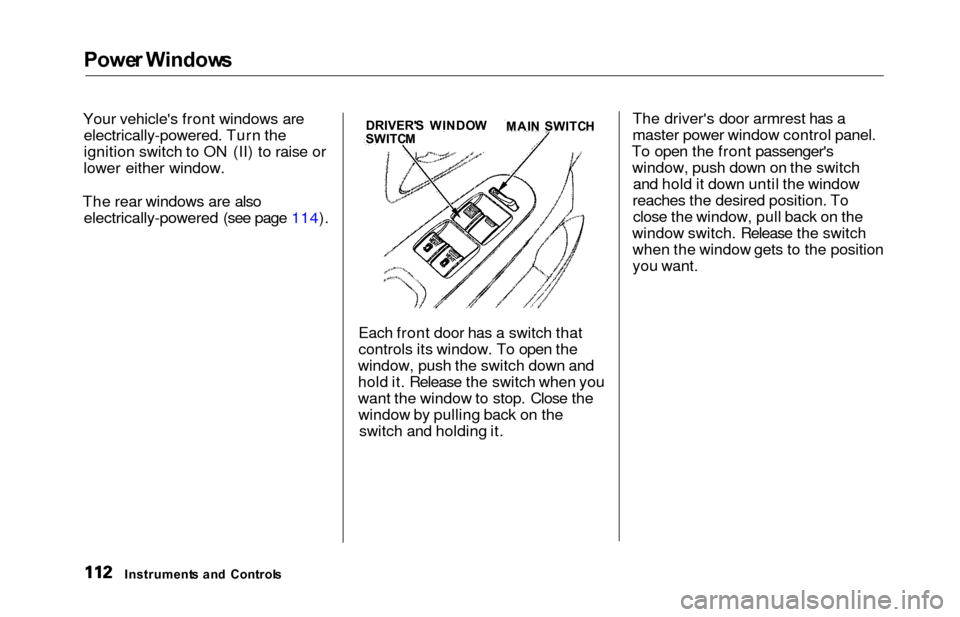
Your vehicle's front windows are
electrically-powered. Turn the
ignition switch to ON (II) to raise or
lower either window.
The rear windows are also electrically-powered (see page 114).
Each front door has a switch that
controls its window. To open the
window, push the switch down and
hold it. Release the switch when you
want the window to stop. Close the window by pulling back on the switch and holding it. The driver's door armrest has a
master power window control panel.
To open the front passenger's window, push down on the switch and hold it down until the window
reaches the desired position. To close the window, pull back on the
window switch. Release the switch when the window gets to the position
you want.
Instrument s an d
Control
s DRIVER'
S WINDO W
SWITC M MAI
N SWITC H
Page 117 of 352
Power Window s
The power window system has a key-
off delay function. The windows willstill operate for up to ten minutes
after you turn off the ignition.Opening either front door cancels
the delay function. You must turn
the ignition switch ON (II) again
before you can operate the windows.
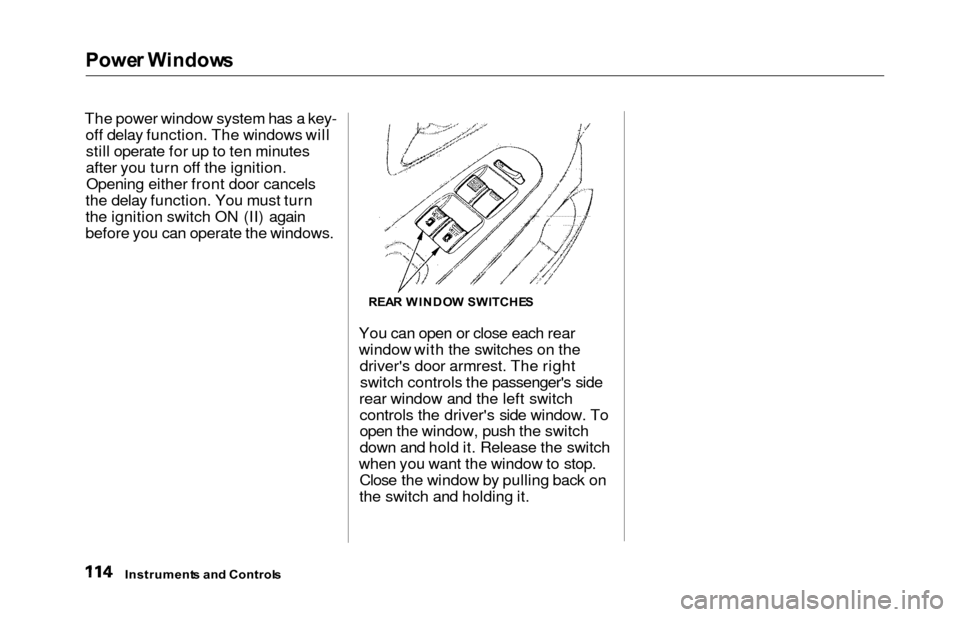
You can open or close each rear
window with the switches on thedriver's door armrest. The rightswitch controls the passenger's side
rear window and the left switch controls the driver's side window. To
open the window, push the switch
down and hold it. Release the switch
when you want the window to stop. Close the window by pulling back on
the switch and holding it.
Instrument s an d Control s
REAR WINDO W SWITCHE S
Page 128 of 352
Interior Light s
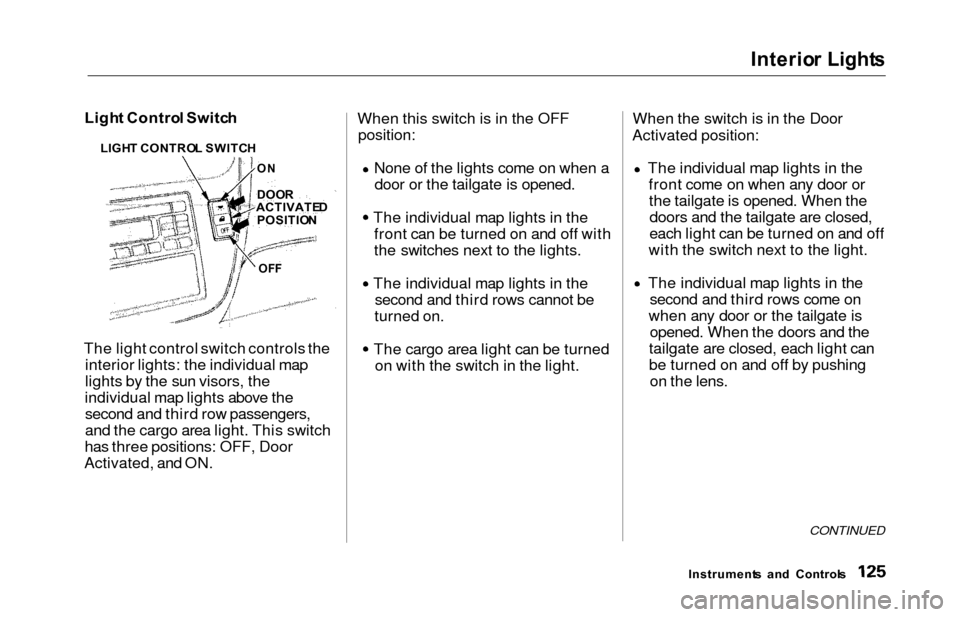
Light Contro l Switc h
The light control switch controls the interior lights: the individual map
lights by the sun visors, the
individual map lights above the second and third row passengers,
and the cargo area light. This switch
has three positions: OFF, Door
Activated, and ON. When this switch is in the OFF
position:
None of the lights come on when a
door or the tailgate is opened.
The individual map lights in the front can be turned on and off with
the switches next to the lights.
The individual map lights in the second and third rows cannot be
turned on.
The cargo area light can be turned on with the switch in the light. When the switch is in the Door
Activated position:
The individual map lights in thefront come on when any door orthe tailgate is opened. When thedoors and the tailgate are closed,
each light can be turned on and off
with the switch next to the light.
The individual map lights in the second and third rows come on
when any door or the tailgate is opened. When the doors and the
tailgate are closed, each light can
be turned on and off by pushing on the lens.
CONTINUED
Instrument s an d Control s
LIGH
T CONTRO L SWITC H
DOO R
ACTIVATE D
POSITIO N
OFF
O
N
Page 129 of 352
Interio
r Light s
The cargo area light comes on when any door or the tailgate is opened if the switch in the light is
in the door activated (center)
position. When the doors and the
tailgate are closed, it can be turned on with the switch in the light. When the switch is in the ON
position:
All the individual map lights come
on and stay on as long as the
switch remains in the ON position. The cargo area light comes on and
stays on if the switch in the light is
in the door activated (center)
position.
On EX model
The lights go out about six seconds after all the doors and the tailgate
have closed.
With the light control switch in the Door Activated position, all the
individual map lights and the cargo
area light (with the switch in the
center position) come on when you
unlock the door with the remote
transmitter (see page 81).
With any door or the tailgate left open, the lights stay on about three
minutes, then go out.
Instrument s an d Control s
Page 131 of 352
Interior Light s
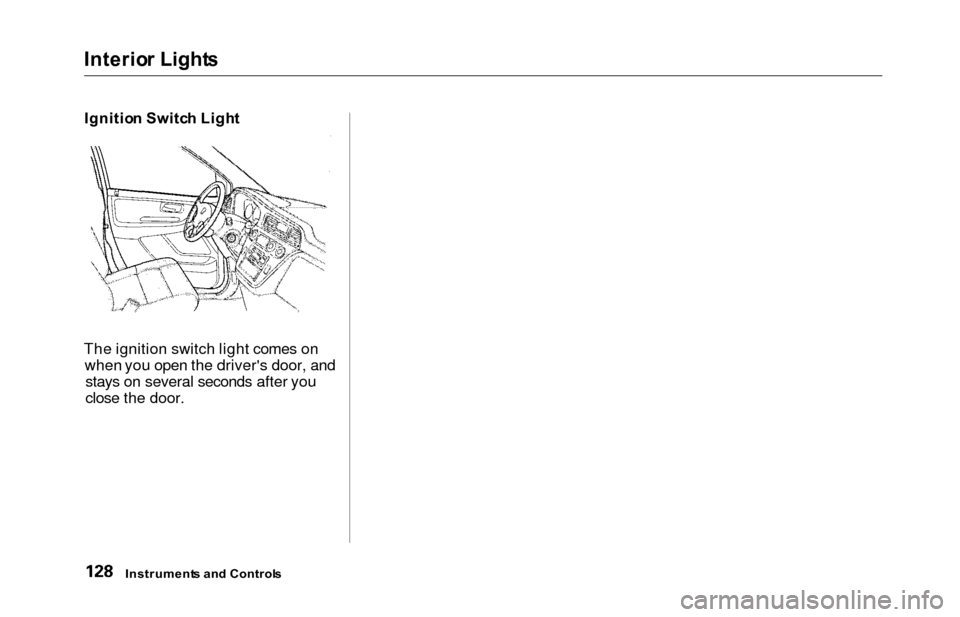
Ignitio n Switc h Ligh t
The ignition switch light comes on when you open the driver's door, andstays on several seconds after you
close the door.
Instrument s an d Control s
Page 192 of 352
Gasoline, Servic e Statio n Procedure s
In Canada, some gasolines contain
an octane-enhancing additive called
MMT. If you use such gasolines,
your emission control system performance may deteriorate and
the Malfunction Indicator Lamp on
your instrument panel may turn on. If this happens, contact yourauthorized Honda dealer for service.Fillin g th e Fue l Tan k
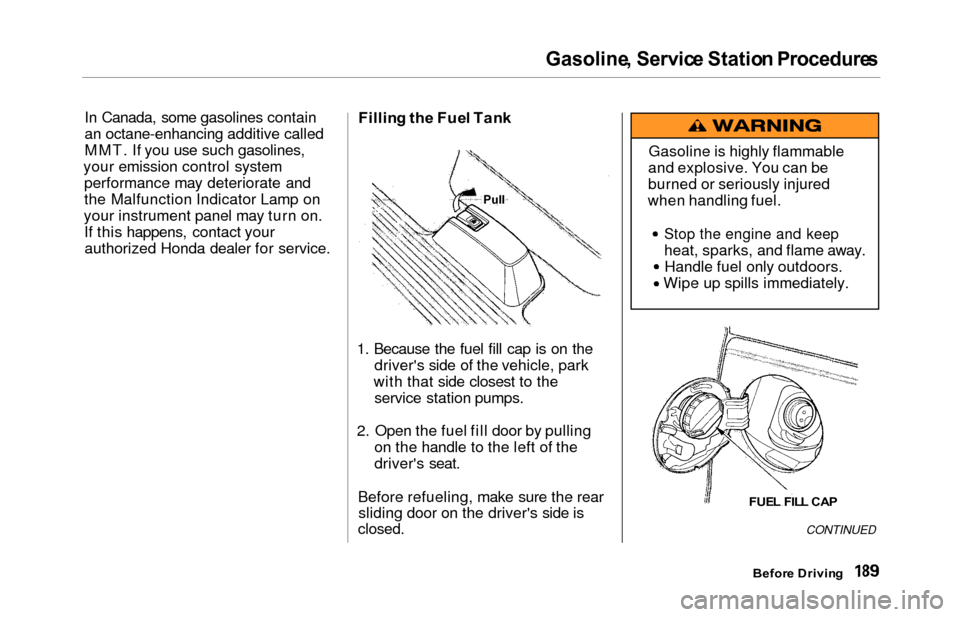
1. Because the fuel fill cap is on the
driver's side of the vehicle, park
with that side closest to the service station pumps.
2. Open the fuel fill door by pulling on the handle to the left of the
driver's seat.
Before refueling, make sure the rear sliding door on the driver's side is
closed.CONTINUED
Befor e Drivin g
Gasoline is highly flammable
and explosive. You can be
burned or seriously injured
when handling fuel.
Stop the engine and keep
heat, sparks, and flame away. Handle fuel only outdoors.
Wipe up spills immediately.
FUE L FIL L CA P
Pull
Page 193 of 352
Service Statio n Procedure s
3. Remove the fuel fill cap slowly.
You may hear a hissing sound aspressure inside the tank escapes.
Place the cap in the holder on the
fuel fill door.
4. Stop filling the tank after the fuel nozzle automatically clicks off. Do
not try to "top off" the tank, leavesome room for the fuel to expand
with temperature changes.
5. Screw the fuel fill cap back on, tighten it until it clicks several
times. If you do not properly
tighten the cap, the Malfunction
Indicator Lamp may come on (seepage 309 ).
6. Push the fuel fill door closed until it latches.Openin g th e Hoo d
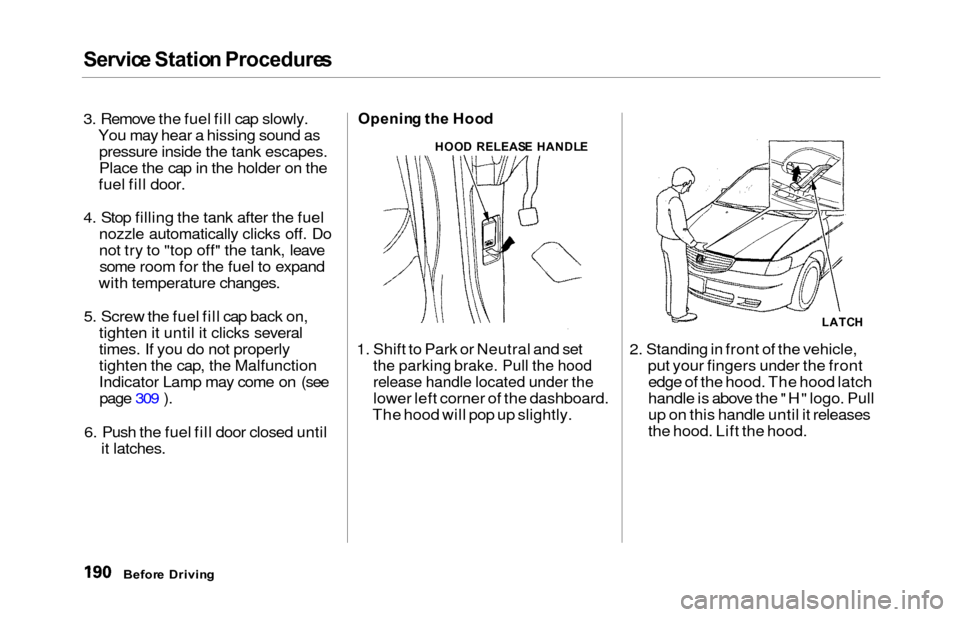
1. Shift to Park or Neutral and set
the parking brake. Pull the hood
release handle located under the
lower left corner of the dashboard.
The hood will pop up slightly. 2. Standing in front of the vehicle,
put your fingers under the frontedge of the hood. The hood latch
handle is above the "H" logo. Pull
up on this handle until it releases
the hood. Lift the hood.
Befor e Drivin g
HOOD RELEAS E HANDL E
LATCH
Page 200 of 352
Carryin
g Carg o
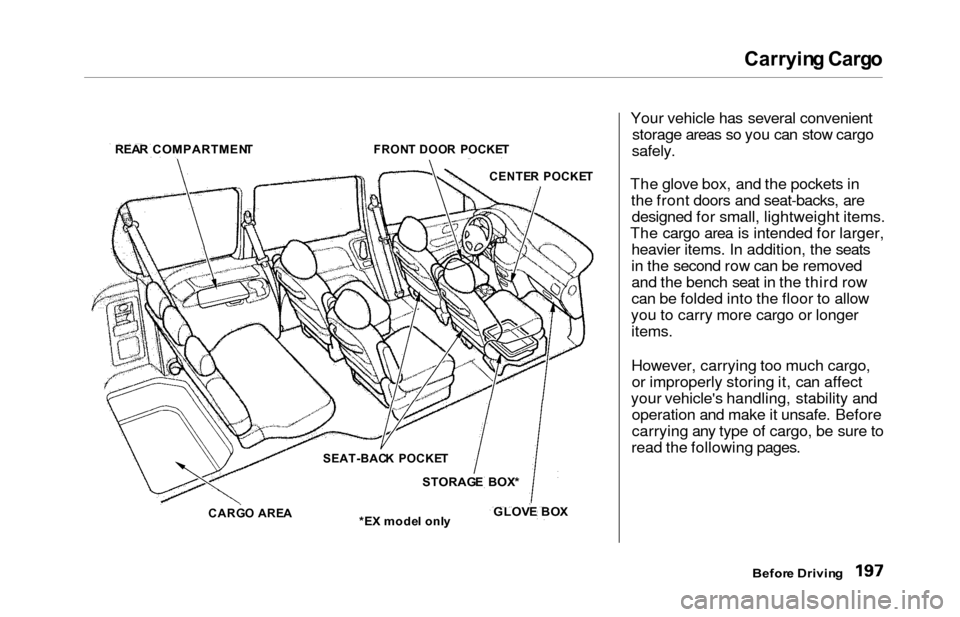
Your vehicle has several convenient storage areas so you can stow cargo
safely.
The glove box, and the pockets in the front doors and seat-backs, aredesigned for small, lightweight items.
The cargo area is intended for larger, heavier items. In addition, the seats
in the second row can be removed
and the bench seat in the third row
can be folded into the floor to allow
you to carry more cargo or longer items.
However, carrying too much cargo,or improperly storing it, can affect
your vehicle's handling, stability and operation and make it unsafe. Before
carrying any type of cargo, be sure to
read the following pages.
Before Drivin g
REA
R COMPARTMEN T
FRONT DOO R POCKE T
CENTE R POCKE T
SEAT-BAC K POCKE T
STORAG E BOX *
GLOV E BO X
*E X mode l onl y
CARG
O ARE A