Page 4 of 224
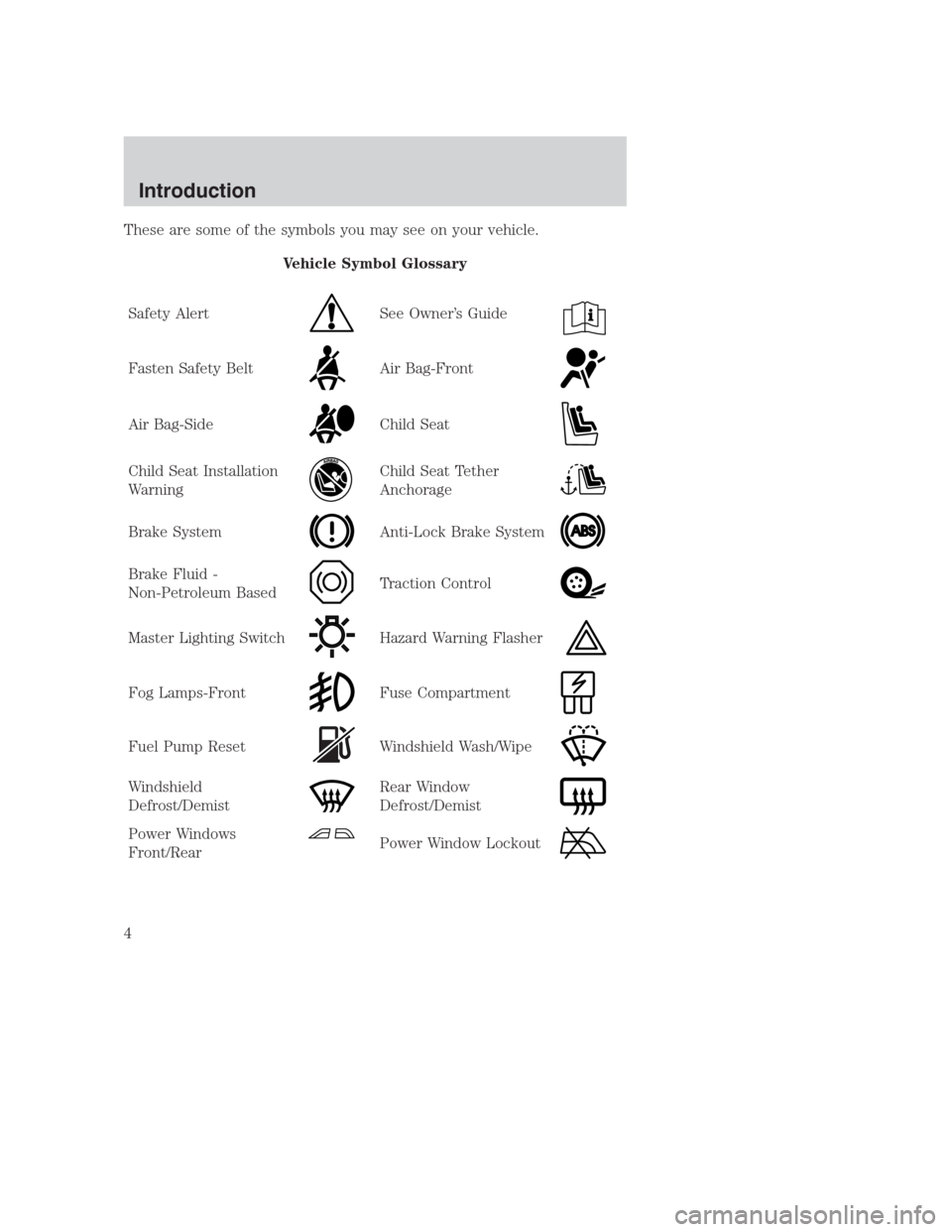
These are some of the symbols you may see on your vehicle.
Vehicle Symbol Glossary
Safety Alert
See Owner’s Guide
Fasten Safety BeltAir Bag-Front
Air Bag-SideChild Seat
Child Seat Installation
WarningChild Seat Tether
Anchorage
Brake SystemAnti-Lock Brake System
Brake Fluid -
Non-Petroleum BasedTraction Control
Master Lighting SwitchHazard Warning Flasher
Fog Lamps-FrontFuse Compartment
Fuel Pump ResetWindshield Wash/Wipe
Windshield
Defrost/DemistRear Window
Defrost/Demist
Power Windows
Front/RearPower Window Lockout
Introduction
4
Page 18 of 224
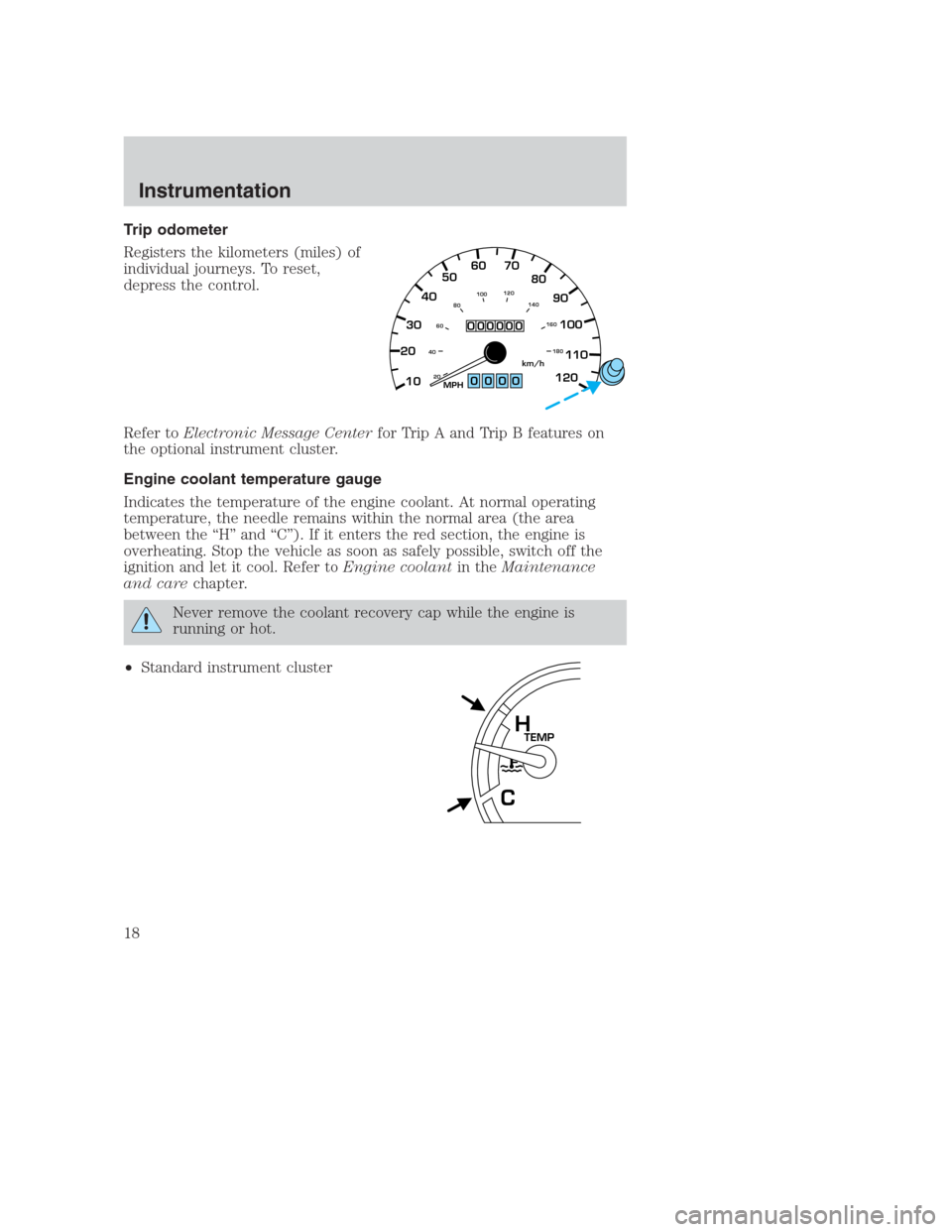
Trip odometer
Registers the kilometers (miles) of
individual journeys. To reset,
depress the control.
Refer toElectronic Message Centerfor Trip A and Trip B features on
the optional instrument cluster.
Engine coolant temperature gauge
Indicates the temperature of the engine coolant. At normal operating
temperature, the needle remains within the normal area (the area
between the “H” and “C”). If it enters the red section, the engine is
overheating. Stop the vehicle as soon as safely possible, switch off the
ignition and let it cool. Refer toEngine coolantin theMaintenance
and carechapter.
Never remove the coolant recovery cap while the engine is
running or hot.
•Standard instrument cluster
0000
2030405060 70
80
90
100
110
120
10
20 406080100120
140
160
180MPHkm/h
000000
TEMPH
C
Instrumentation
18
Page 20 of 224
Add oil if needed (refer toEngine oilin theMaintenance and care
chapter). If the oil level is correct, have your vehicle checked at your
dealership or by a qualified technician.
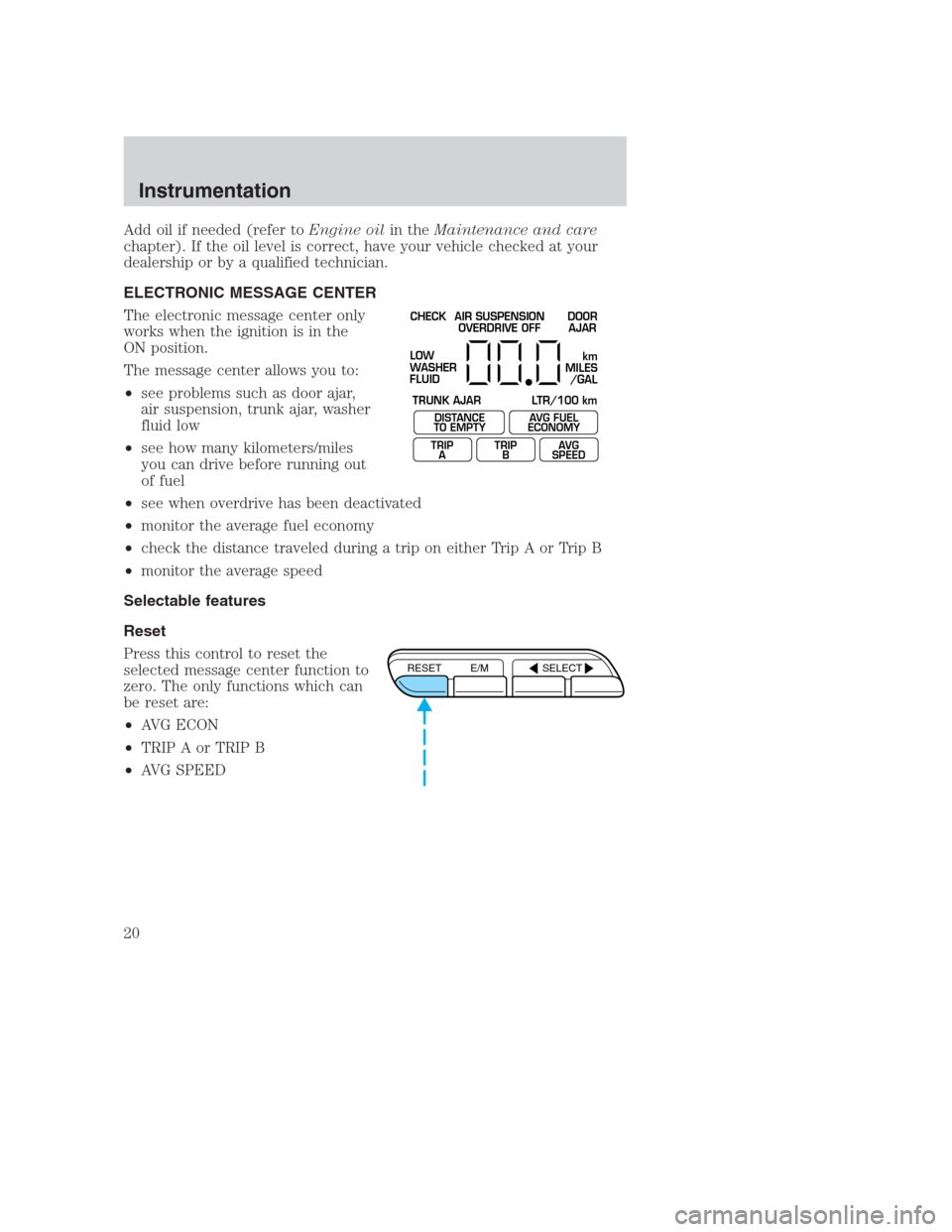
ELECTRONIC MESSAGE CENTER
The electronic message center only
works when the ignition is in the
ON position.
The message center allows you to:
•see problems such as door ajar,
air suspension, trunk ajar, washer
fluid low
•see how many kilometers/miles
you can drive before running out
of fuel
•see when overdrive has been deactivated
•monitor the average fuel economy
•check the distance traveled during a trip on either Trip A or Trip B
•monitor the average speed
Selectable features
Reset
Press this control to reset the
selected message center function to
zero. The only functions which can
be reset are:
•AVG ECON
•TRIP A or TRIP B
•AVG SPEED
CHECK
TRUNK AJAR LTR/100 kmAIR SUSPENSION
OVERDRIVE OFFDOOR
AJAR
LOW
WASHER
FLUID
DISTANCE
TO EMPTY
TRIP
AAVG FUEL
ECONOMY
TRIP
BAVG
SPEED
km
MILES
/GAL
RESET E/M SELECT
Instrumentation
20
Page 21 of 224
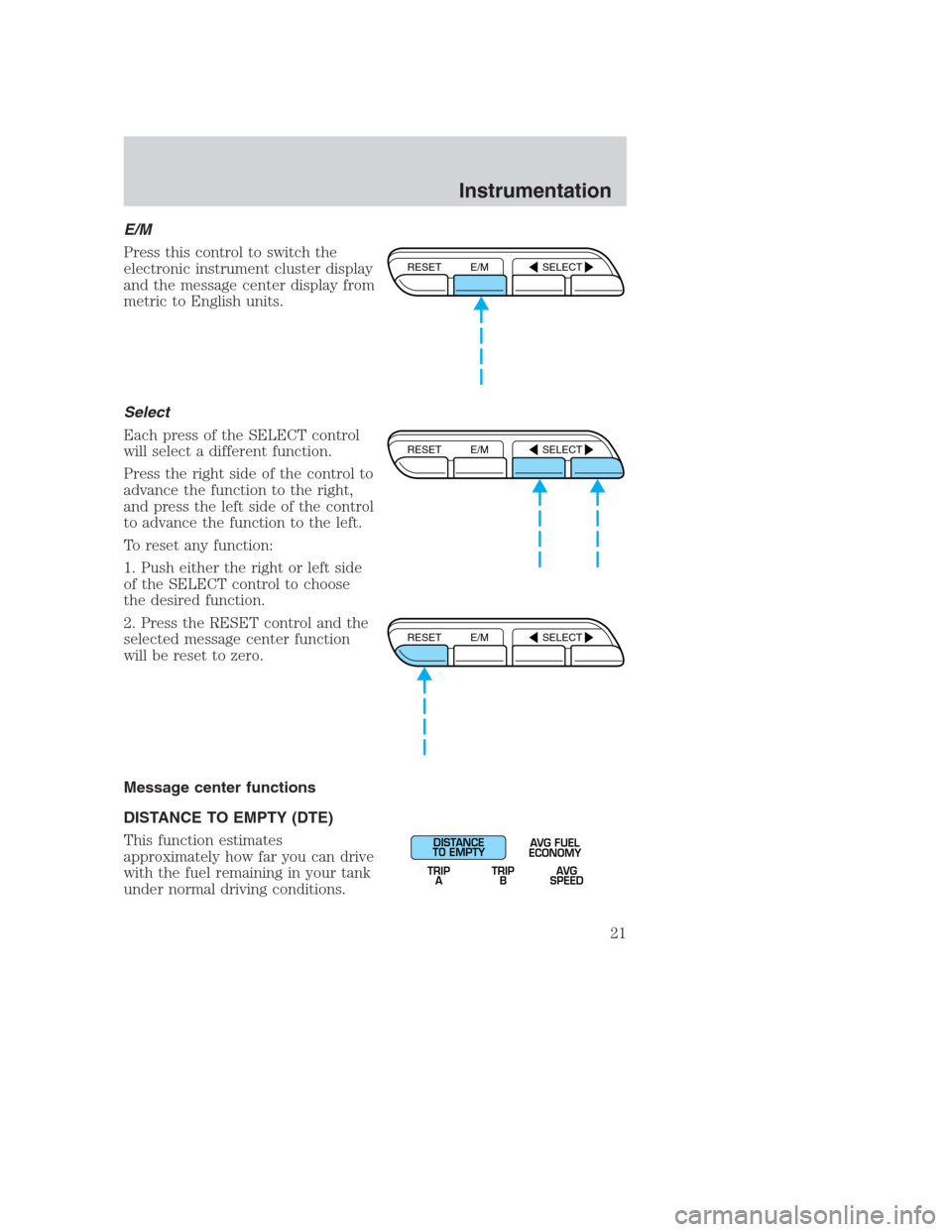
E/M
Press this control to switch the
electronic instrument cluster display
and the message center display from
metric to English units.
Select
Each press of the SELECT control
will select a different function.
Press the right side of the control to
advance the function to the right,
and press the left side of the control
to advance the function to the left.
To reset any function:
1. Push either the right or left side
of the SELECT control to choose
the desired function.
2. Press the RESET control and the
selected message center function
will be reset to zero.
Message center functions
DISTANCE TO EMPTY (DTE)
This function estimates
approximately how far you can drive
with the fuel remaining in your tank
under normal driving conditions.
RESET E/M SELECT
RESET E/M SELECT
RESET E/M SELECT
DISTANCE
TO EMPTY
TRIP
AAVG FUEL
ECONOMY
TRIP
BAVG
SPEED
Instrumentation
21
Page 22 of 224
Remember to turn the ignition OFF when refueling your vehicle.
Otherwise, the display will not show the addition of fuel for a few miles.
At least four gallons of fuel must be added for the fuel gauge to
immediately show the new fuel level.
The DTE function will flash for 5 seconds and sound a tone for 1 second
when you have approximately:
•80 km (50 miles) left before you run out of fuel
•40 km (25 miles)
•16 km (10 miles)
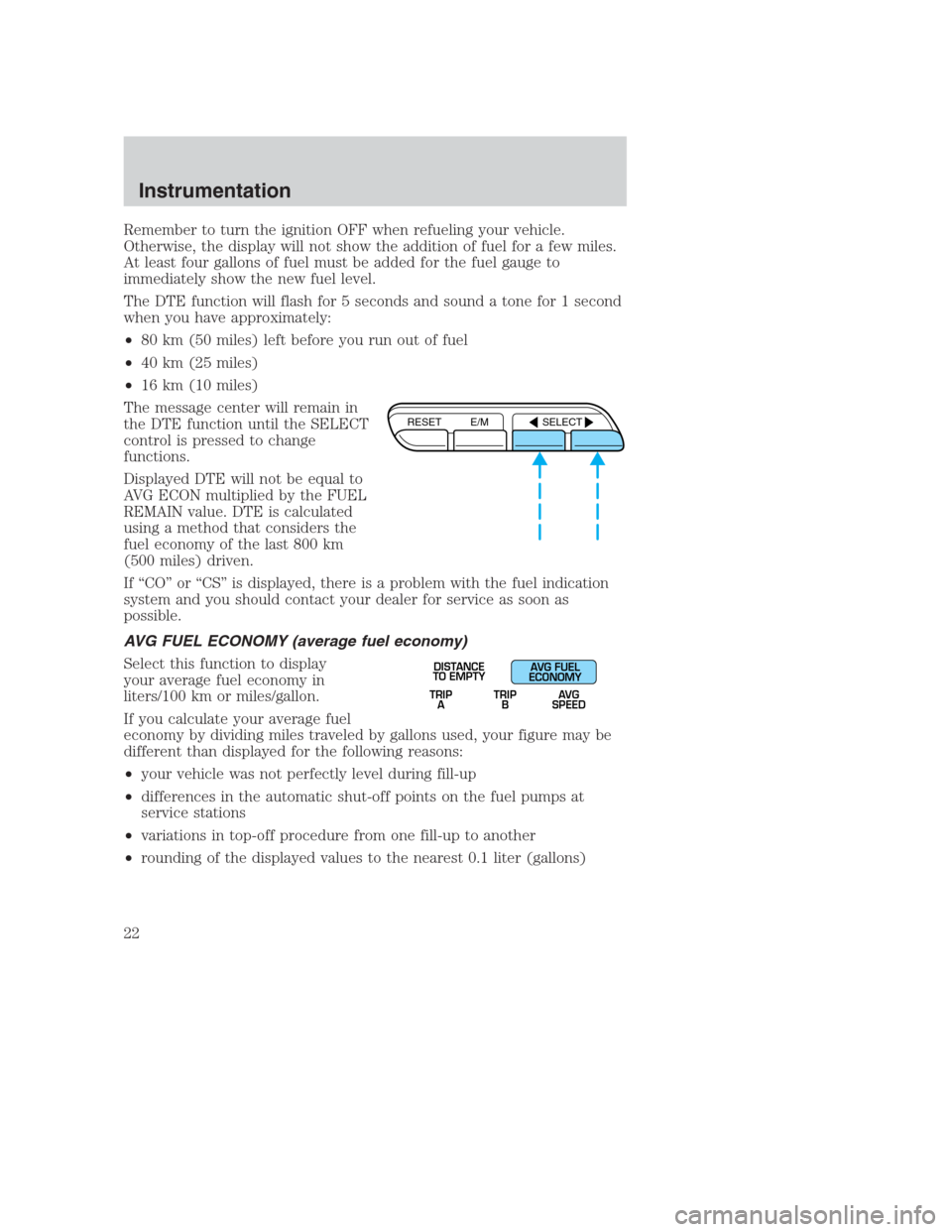
The message center will remain in
the DTE function until the SELECT
control is pressed to change
functions.
Displayed DTE will not be equal to
AVG ECON multiplied by the FUEL
REMAIN value. DTE is calculated
using a method that considers the
fuel economy of the last 800 km
(500 miles) driven.
If “CO” or “CS” is displayed, there is a problem with the fuel indication
system and you should contact your dealer for service as soon as
possible.
AVG FUEL ECONOMY (average fuel economy)
Select this function to display
your average fuel economy in
liters/100 km or miles/gallon.
If you calculate your average fuel
economy by dividing miles traveled by gallons used, your figure may be
different than displayed for the following reasons:
•your vehicle was not perfectly level during fill-up
•differences in the automatic shut-off points on the fuel pumps at
service stations
•variations in top-off procedure from one fill-up to another
•rounding of the displayed values to the nearest 0.1 liter (gallons)
RESET E/M SELECT
TRIP
ATRIP
BAVG
SPEED
DISTANCE
TO EMPTYAVG FUEL
ECONOMY
Instrumentation
22
Page 23 of 224
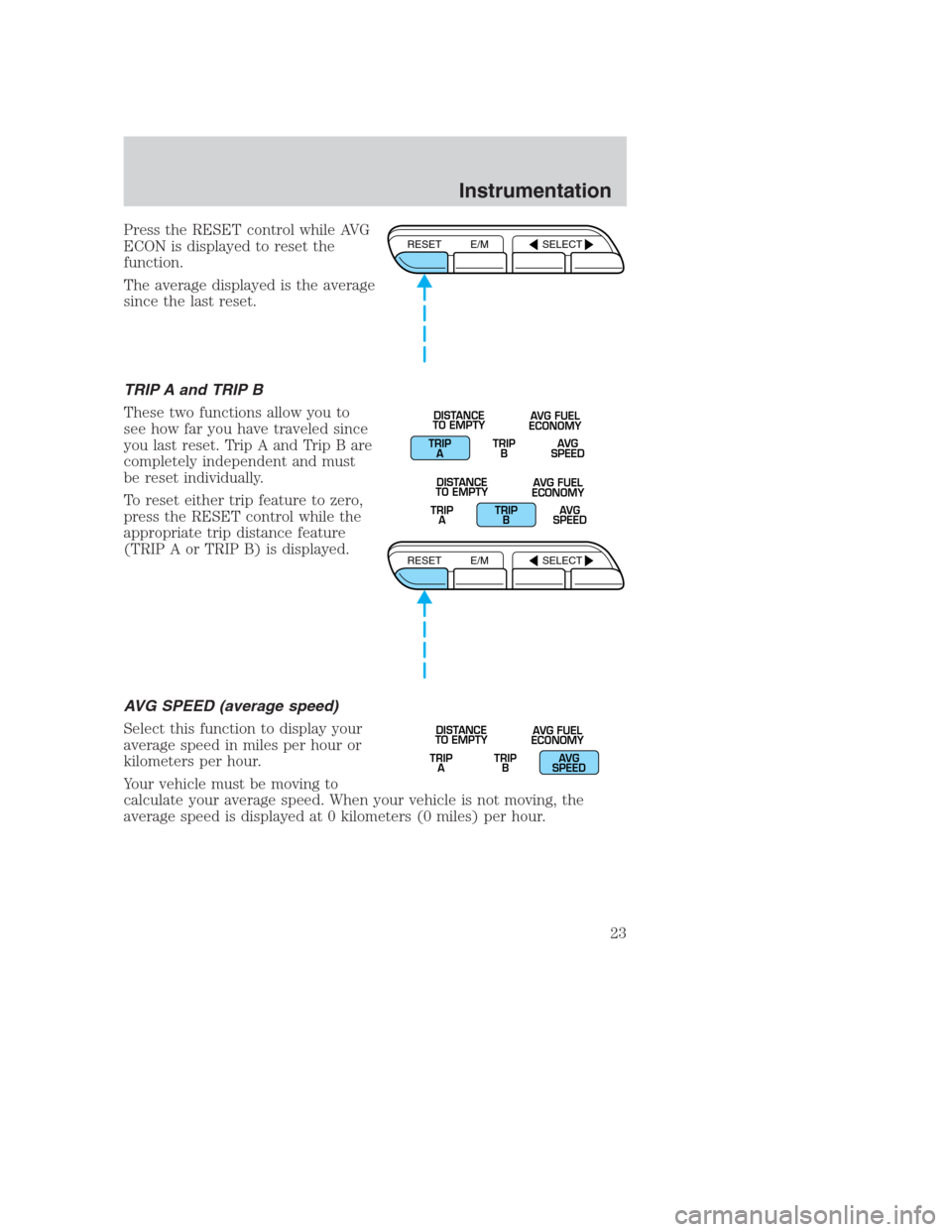
Press the RESET control while AVG
ECON is displayed to reset the
function.
The average displayed is the average
since the last reset.
TRIP A and TRIP B
These two functions allow you to
see how far you have traveled since
you last reset. Trip A and Trip B are
completely independent and must
be reset individually.
To reset either trip feature to zero,
press the RESET control while the
appropriate trip distance feature
(TRIP A or TRIP B) is displayed.
AVG SPEED (average speed)
Select this function to display your
average speed in miles per hour or
kilometers per hour.
Your vehicle must be moving to
calculate your average speed. When your vehicle is not moving, the
average speed is displayed at 0 kilometers (0 miles) per hour.RESET E/M SELECT
TRIP
ATRIP
BAVG
SPEED DISTANCE
TO EMPTYAVG FUEL
ECONOMY
TRIP
ATRIP
BAVG
SPEED DISTANCE
TO EMPTYAVG FUEL
ECONOMY
RESET E/M SELECT
TRIP
ATRIP
BAVG
SPEED DISTANCE
TO EMPTYAVG FUEL
ECONOMY
Instrumentation
23
Page 36 of 224
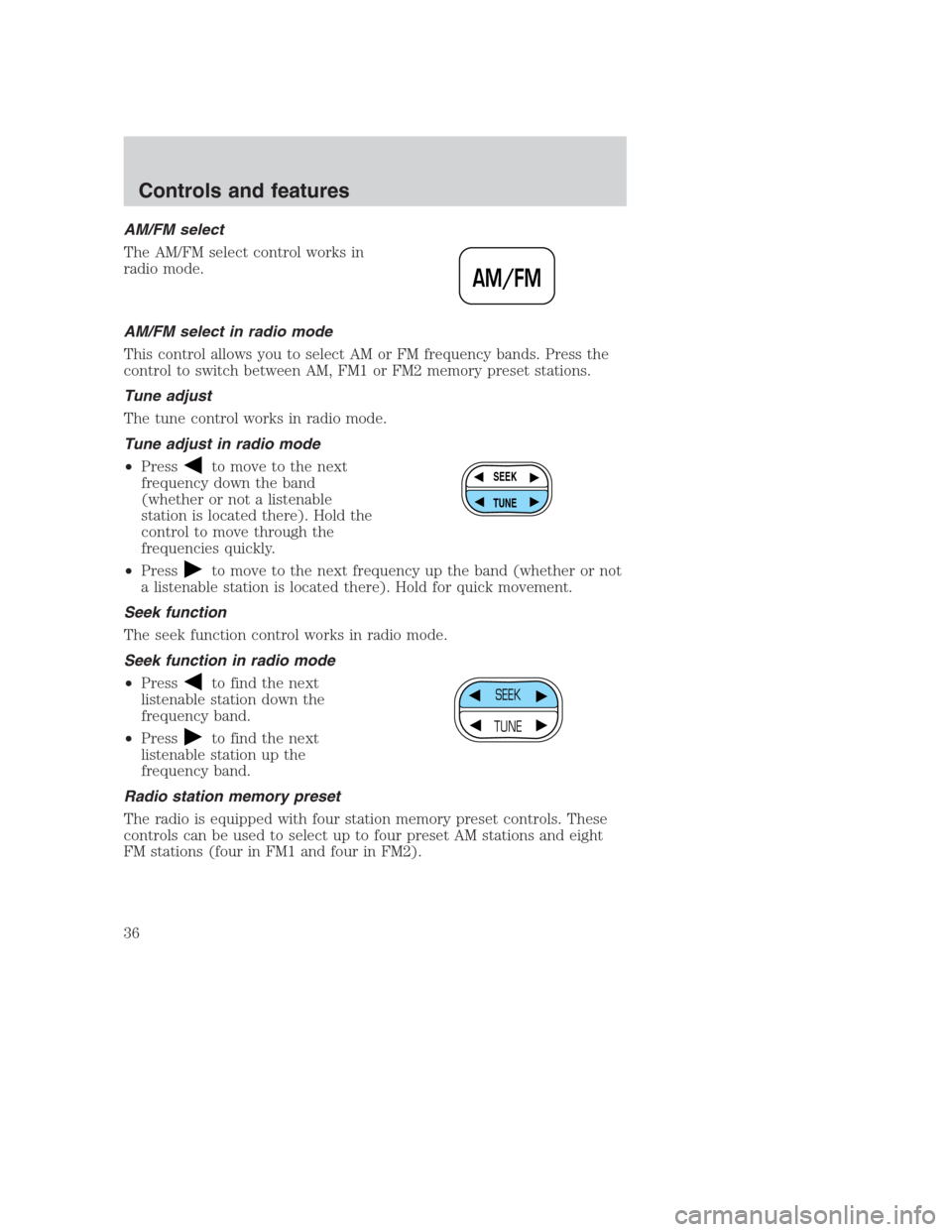
AM/FM select
The AM/FM select control works in
radio mode.
AM/FM select in radio mode
This control allows you to select AM or FM frequency bands. Press the
control to switch between AM, FM1 or FM2 memory preset stations.
Tune adjust
The tune control works in radio mode.
Tune adjust in radio mode
•Press
to move to the next
frequency down the band
(whether or not a listenable
station is located there). Hold the
control to move through the
frequencies quickly.
•Press
to move to the next frequency up the band (whether or not
a listenable station is located there). Hold for quick movement.
Seek function
The seek function control works in radio mode.
Seek function in radio mode
•Press
to find the next
listenable station down the
frequency band.
•Press
to find the next
listenable station up the
frequency band.
Radio station memory preset
The radio is equipped with four station memory preset controls. These
controls can be used to select up to four preset AM stations and eight
FM stations (four in FM1 and four in FM2).
AM/FM
SEEK
TUNE
SEEK
TUNE
Controls and features
36
Page 37 of 224
Setting memory preset stations
1. Select the frequency band with the AM/FM select control.
2. Select a station. Refer toTune adjustorSeek functionfor more
information on selecting a station.
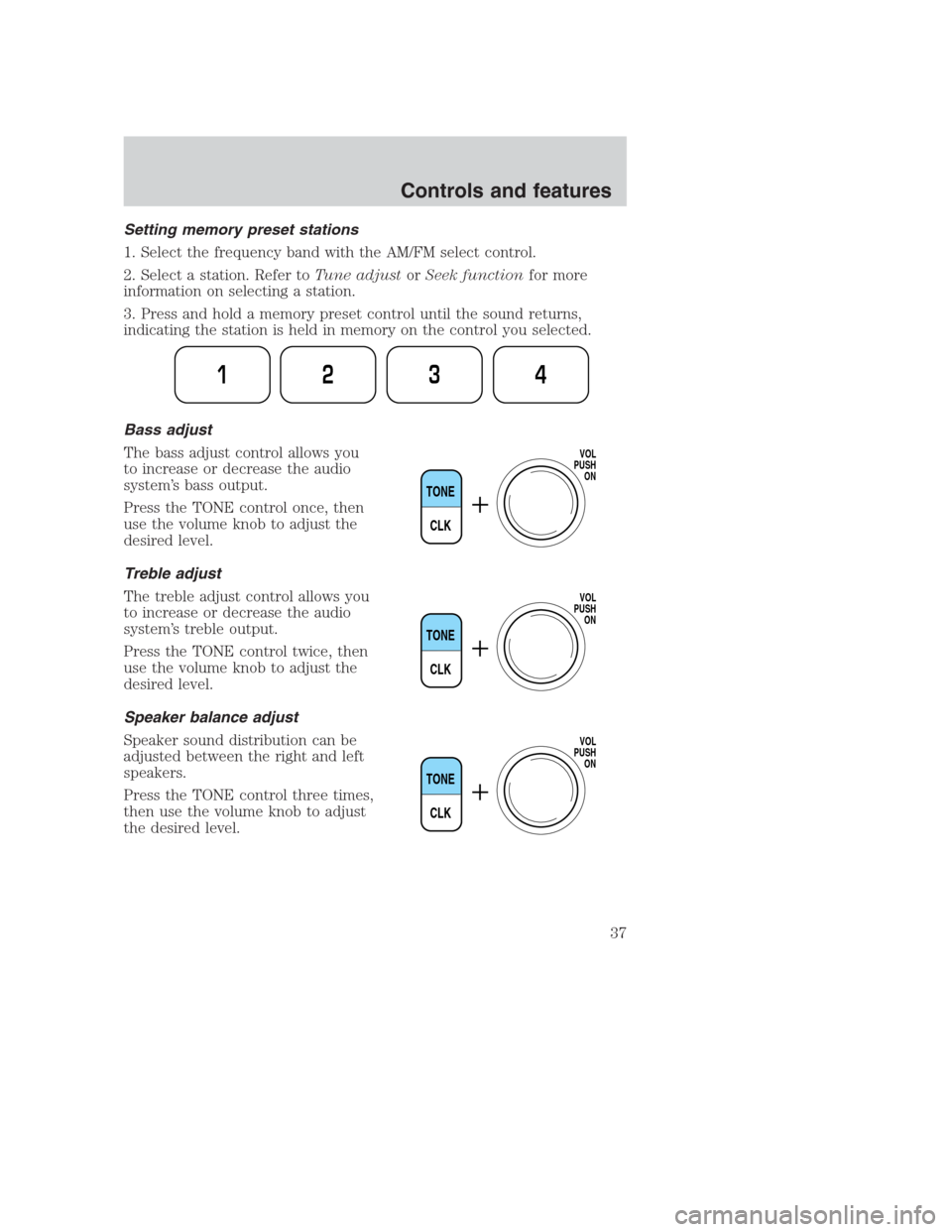
3. Press and hold a memory preset control until the sound returns,
indicating the station is held in memory on the control you selected.
Bass adjust
The bass adjust control allows you
to increase or decrease the audio
system’s bass output.
Press the TONE control once, then
use the volume knob to adjust the
desired level.
Treble adjust
The treble adjust control allows you
to increase or decrease the audio
system’s treble output.
Press the TONE control twice, then
use the volume knob to adjust the
desired level.
Speaker balance adjust
Speaker sound distribution can be
adjusted between the right and left
speakers.
Press the TONE control three times,
then use the volume knob to adjust
the desired level.
1234
TONE
CLK
VOL
PUSH
ON
TONE
CLK
VOL
PUSH
ON
TONE
CLK
VOL
PUSH
ON
Controls and features
37