Page 4 of 361
Table of Contents
Keys and Door Locks
Remote Keyless Entry (RKE) System
Hatch/Trunk Lid Release
Automatic Transmission (If Equipped)
Manual Transmission (If Equipped)
Parking Brake
Windows
Tilt Wheel
Turn Signal/Multifunction Lever
Windshield WipersCruise Control
Interior and Exterior Lamps
Mirrors
Storage Compartments
Convenience Net
Accessory Power Outlet
Instrument Panel, Warning Lights and Gages
Head-Up Display
Driver Information Center
Memory Seats and Seat Controls
Safety BeltsAir Bag System
Child Restraints
Section
1
Section
2
Seats and Restraint Systems
Features and Controls
ii
Page 59 of 361

2-
2-1
Section 2 Features and Controls
Here you can learn about the many standard and optional features on your vehicle, and information on starting,
shifting and braking. Also explained are the instrument panel and the warning systems that tell you if everything is
working properly
-- and what to do if you have a problem.
2
-4 Door Locks
2
-5 Memory (Option)
2
-7 Remote Keyless Entry System
2
-12 Hatch/Trunk Lid Release
2
-15 Theft-Deterrent System
2
-17 PASS-Key�
2-18 New Vehicle ªBreak-Inº
2
-18 Ignition Switch
2
-20 Starting Your Engine
2
-22 Engine Coolant Heater (If Equipped)
2
-24 Automatic Transmission Operation
2
-27 Manual Transmission Operation
2
-31 Parking Brake
2
-32 Shifting Into PARK (P)
(Automatic Transmission Only)
2
-34 Shifting Out of PARK (P)
(Automatic Transmission)
2
-34 Parking Your Vehicle (Manual Transmission)2
-35 Parking Over Things That Burn
2
-35 Engine Exhaust
2
-36 Running Your Engine While You're Parked
(Automatic Transmission)
2
-36 Limited-Slip Rear Axle
2
-37 Selective Real Time Damping (SRTD) (Option)
2
-38 Windows
2
-40 Turn Signal/Multifunction Lever
2
-47 Exterior Lamps
2
-49 Interior Lamps
2
-51 Mirrors
2
-52 Storage Compartments
2
-57 Roof Panel (Option)
2
-63 Convertible Top (Option)
2
-70 The Instrument Panel -- Your
Information System
2
-73 Warning Lights, Gages and Messages
2
-88 Driver Information Center (DIC)
Page 70 of 361
2-12
Loss of synchronization will occur after transmitter
battery replacement or disconnection of the vehicle's
battery, fore more than three days.
If attempts to resynchronize your transmitter to the
vehicle are not successful, you may need to match the
transmitter to the vehicle. See ªMatching Transmitter(s)
to Your Vehicleº in the Index.
Hatch/Trunk Lid Release
To use the hatch/trunk lid release on automatic
transmission vehicles, your vehicle must be in PARK (P)
or NEUTRAL (N). For manual transmissions, set the
parking brake. See ªParking Brakeº in the Index.
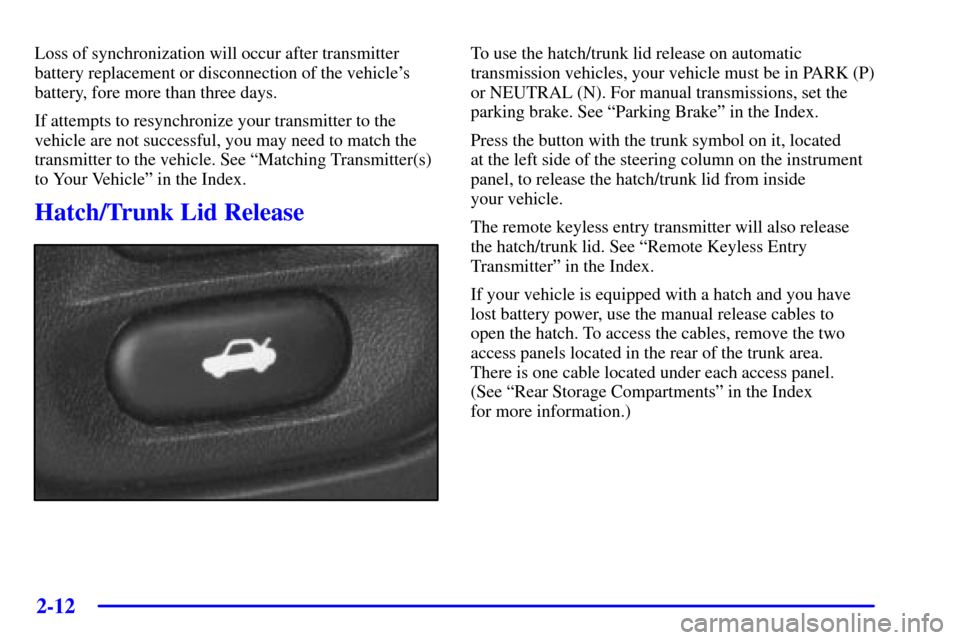
Press the button with the trunk symbol on it, located
at the left side of the steering column on the instrument
panel, to release the hatch/trunk lid from inside
your vehicle.
The remote keyless entry transmitter will also release
the hatch/trunk lid. See ªRemote Keyless Entry
Transmitterº in the Index.
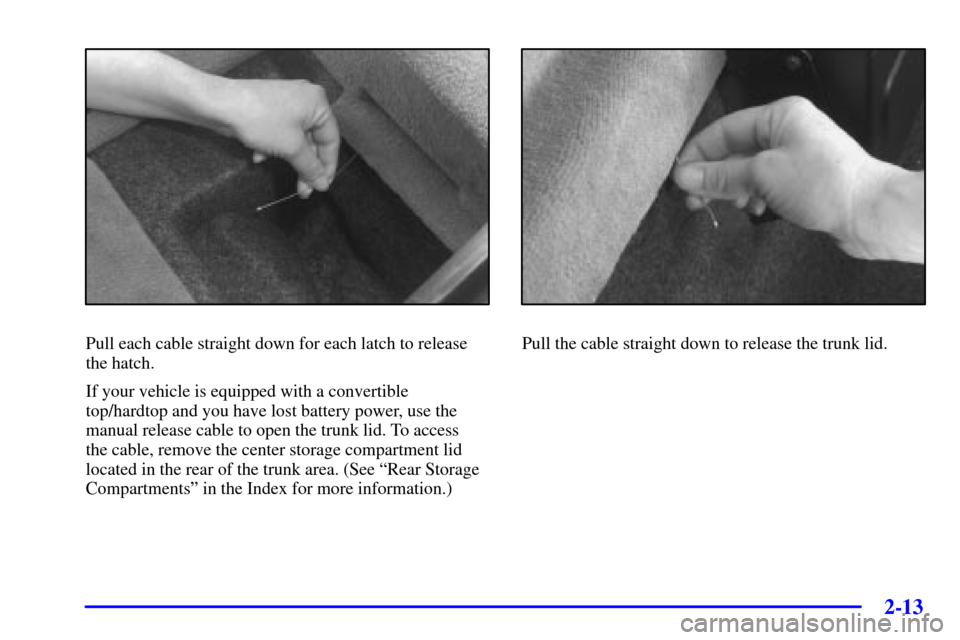
If your vehicle is equipped with a hatch and you have
lost battery power, use the manual release cables to
open the hatch. To access the cables, remove the two
access panels located in the rear of the trunk area.
There is one cable located under each access panel.
(See ªRear Storage Compartmentsº in the Index
for more information.)
Page 71 of 361
2-13
Pull each cable straight down for each latch to release
the hatch.
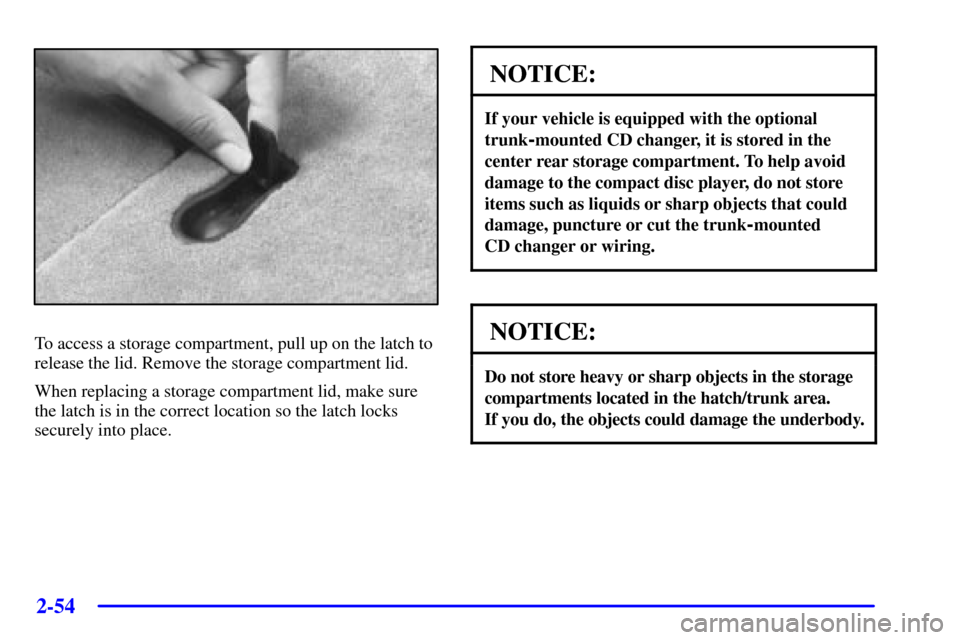
If your vehicle is equipped with a convertible
top/hardtop and you have lost battery power, use the
manual release cable to open the trunk lid. To access
the cable, remove the center storage compartment lid
located in the rear of the trunk area. (See ªRear Storage
Compartmentsº in the Index for more information.)Pull the cable straight down to release the trunk lid.
Page 112 of 361
2-54
To access a storage compartment, pull up on the latch to
release the lid. Remove the storage compartment lid.
When replacing a storage compartment lid, make sure
the latch is in the correct location so the latch locks
securely into place.
NOTICE:
If your vehicle is equipped with the optional
trunk
-mounted CD changer, it is stored in the
center rear storage compartment. To help avoid
damage to the compact disc player, do not store
items such as liquids or sharp objects that could
damage, puncture or cut the trunk
-mounted
CD changer or wiring.
NOTICE:
Do not store heavy or sharp objects in the storage
compartments located in the hatch/trunk area.
If you do, the objects could damage the underbody.
Page 124 of 361
2-66
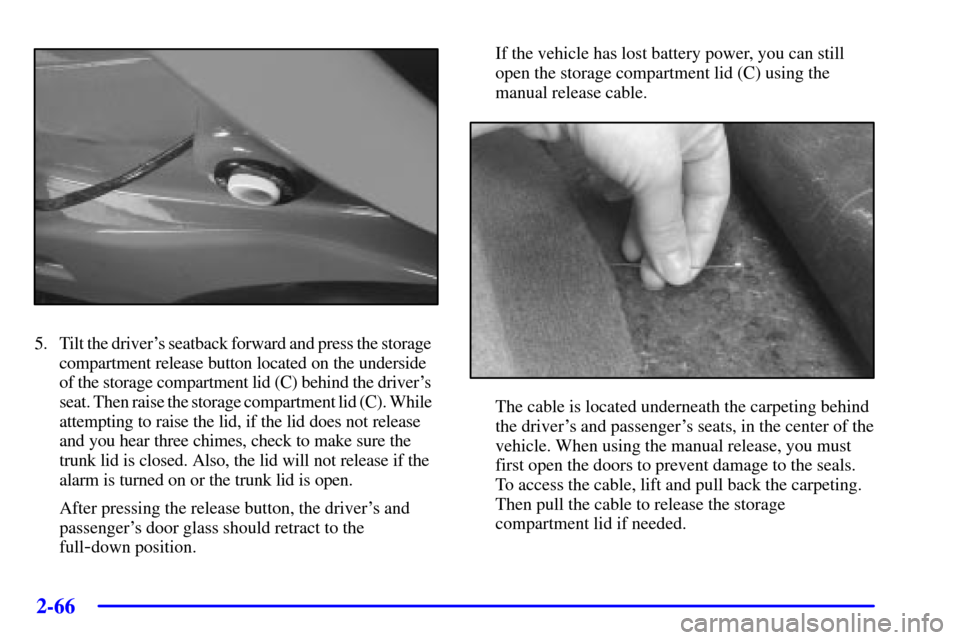
5. Tilt the driver's seatback forward and press the storage
compartment release button located on the underside
of the storage compartment lid (C) behind the driver's
seat. Then raise the storage compartment lid (C). While
attempting to raise the lid, if the lid does not release
and you hear three chimes, check to make sure the
trunk lid is closed. Also, the lid will not release if the
alarm is turned on or the trunk lid is open.
After pressing the release button, the driver's and
passenger's door glass should retract to the
full
-down position.If the vehicle has lost battery power, you can still
open the storage compartment lid (C) using the
manual release cable.
The cable is located underneath the carpeting behind
the driver's and passenger's seats, in the center of the
vehicle. When using the manual release, you must
first open the doors to prevent damage to the seals.
To access the cable, lift and pull back the carpeting.
Then pull the cable to release the storage
compartment lid if needed.
Page 129 of 361

2-71
The main components of your instrument panel are:
A. Instrument Panel Brightness Control
B. Head
-Up Display Controls (Option)
C. Turn Signal/Multifunction Lever
D. Driver Information Center (DIC)
(Located in the Instrument Cluster)
E. Instrument Panel Cluster
F. Windshield Wiper/Washer Lever
G. Driver Information Center (DIC) Buttons
H. Hazard Warning Flasher Button
I. Center Air Vents
J. Audio System
K. Comfort Controls
L. Fog Lamp Button (Option)
M. Remote Hatch Release Button (Coupe) or Remote
Trunk Release Button (Convertible/Hardtop)N. Horn
O. Ignition Switch
P. Shift Lever (Automatic Shown)
Q. Traction Control System (TCS) Switch/Active
Handling Switch (Option)
R. Accessory Power Outlet
(Located in the Center Console)
S. Selective Real Time Damping (SRTD) (Option)
T. Instrument Panel Cupholder
U. Remote Fuel Door Release Button
(Located in the Center Console)
V. Ashtray and Cigarette Lighter
W. Parking Brake
X. Glove Box
Y. Instrument Panel Fuse Block
(Located behind the Toe
-Board)
Page 190 of 361

3-24
Whenever a CD magazine with discs is loaded in the
changer, the CD symbol will appear on the radio display.
If the CD changer is checking the magazine for CDs, the
CD symbol will flash on the display until the changer is
ready to play. When a CD begins playing, a disc and
track number will be displayed. The disc numbers are
listed on the front of the magazine.
If your vehicle is equipped with the AM
-FM Stereo with
Cassette Tape Player and Automatic Tone Control, the
following buttons are used for the trunk
-mounted CD
changer except the EJECT button for ejecting the
CD magazine.
PREV (1): Press this button or the SEEK left arrow to
go to the previous track if the current selection has been
playing for less than eight seconds. If the PREV button
is pressed and the current selection has been playing for
more than eight seconds, it will go to the beginning of
the current selection. If you hold or press this button
more than once, the player will continue moving back
through the disc. The sound will mute while seeking.
PROG (2): Press this button to select a disc. The disc
number and track number will be displayed.
NEXT (3): Press this button or the SEEK right arrow to
go to the next track. If you hold the button or press it
more than once, the player will continue moving forward
through the disc. The sound will mute while seeking.REV (4): Press and hold this button to reverse quickly
through a track selection. Release it to resume playing.
FWD (6): Press and hold this button to advance quickly
through a track selection. Release it to resume playing.
SEEK: Press the right arrow to seek to the next
selection on the CD. Press the left arrow to search for
the previous selection on the CD. The sound will mute
while seeking.
P.SCAN: Press this button to hear the tracks in random,
rather than sequential, order. RANDOM will appear on
the display. Press P.SCAN again to turn off random play.
TAPE AUX: Press this button if you have a disc loaded
in the changer and the radio is turned on, to play a
compact disc. Press AM
-FM to return to the radio when
a compact disc is playing. Press TAPE AUX to switch
between the tape and compact disc if both are loaded.
To eject the disc holder in the trunk
-mounted CD
changer, slide the CD changer door all the way open and
the disc holder will automatically eject.
If your vehicle is equipped with the AM
-FM Stereo with
CD Player and Automatic Tone Control, the following
buttons are used for the trunk
-mounted CD changer
except the EJECT button for ejecting the CD magazine.