2000 CHEVROLET CORVETTE brake
[x] Cancel search: brakePage 126 of 361
2-68
Raising the Convertible Top
1. Park on a level surface, set the parking brake firmly
and shift an automatic transmission into PARK (P).
Shift a manual transmission into REVERSE (R).
Lower both windows and sunshades and turn the
ignition key to OFF.
2. Tilt the driver's seat forward and press the storage
compartment release button, or use the manual
release cable if battery power has been lost. Lift the
storage compartment lid (C). (After pressing the
release button, the driver and passenger door glass
should retract to the full
-down position, if they have
not already been lowered.)
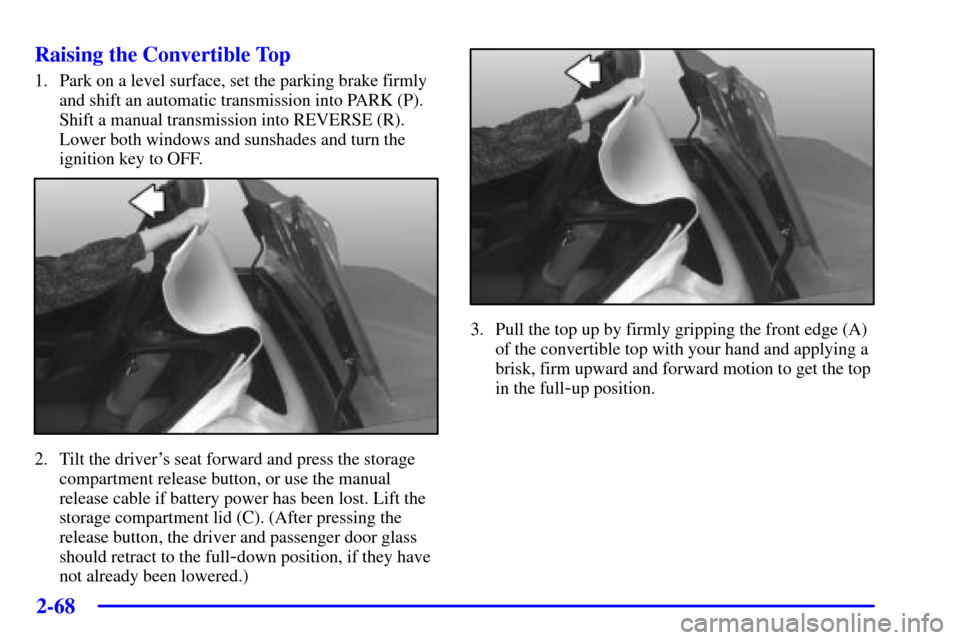
3. Pull the top up by firmly gripping the front edge (A)
of the convertible top with your hand and applying a
brisk, firm upward and forward motion to get the top
in the full
-up position.
Page 129 of 361

2-71
The main components of your instrument panel are:
A. Instrument Panel Brightness Control
B. Head
-Up Display Controls (Option)
C. Turn Signal/Multifunction Lever
D. Driver Information Center (DIC)
(Located in the Instrument Cluster)
E. Instrument Panel Cluster
F. Windshield Wiper/Washer Lever
G. Driver Information Center (DIC) Buttons
H. Hazard Warning Flasher Button
I. Center Air Vents
J. Audio System
K. Comfort Controls
L. Fog Lamp Button (Option)
M. Remote Hatch Release Button (Coupe) or Remote
Trunk Release Button (Convertible/Hardtop)N. Horn
O. Ignition Switch
P. Shift Lever (Automatic Shown)
Q. Traction Control System (TCS) Switch/Active
Handling Switch (Option)
R. Accessory Power Outlet
(Located in the Center Console)
S. Selective Real Time Damping (SRTD) (Option)
T. Instrument Panel Cupholder
U. Remote Fuel Door Release Button
(Located in the Center Console)
V. Ashtray and Cigarette Lighter
W. Parking Brake
X. Glove Box
Y. Instrument Panel Fuse Block
(Located behind the Toe
-Board)
Page 134 of 361
2-76
Brake System Warning Light
Your vehicle's hydraulic brake system is divided into
two parts. If one part isn't working, the other part can
still work and stop you. For good braking, though,
you need both parts working well.
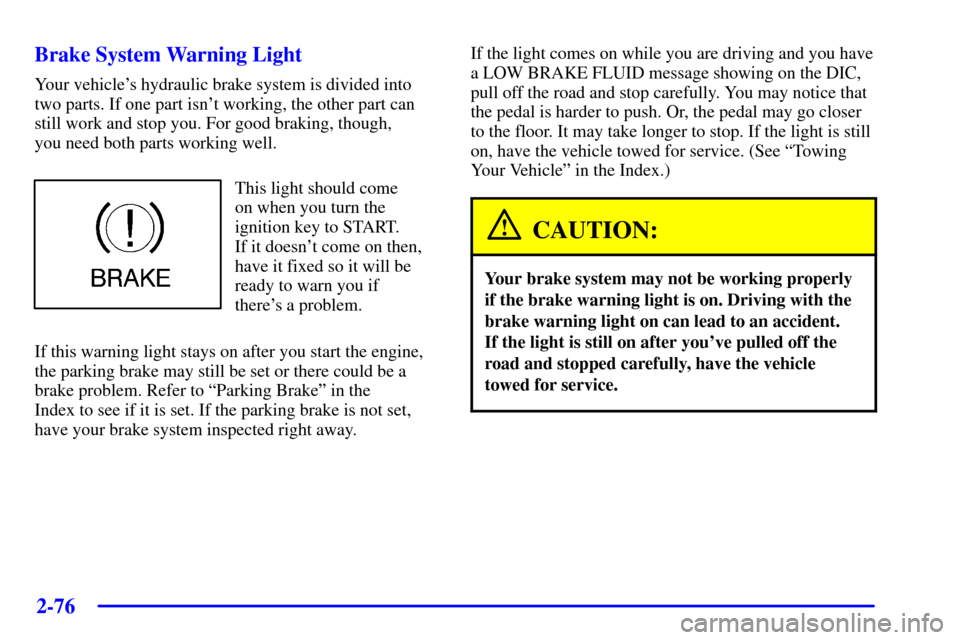
This light should come
on when you turn the
ignition key to START.
If it doesn't come on then,
have it fixed so it will be
ready to warn you if
there's a problem.
If this warning light stays on after you start the engine,
the parking brake may still be set or there could be a
brake problem. Refer to ªParking Brakeº in the
Index to see if it is set. If the parking brake is not set,
have your brake system inspected right away.If the light comes on while you are driving and you have
a LOW BRAKE FLUID message showing on the DIC,
pull off the road and stop carefully. You may notice that
the pedal is harder to push. Or, the pedal may go closer
to the floor. It may take longer to stop. If the light is still
on, have the vehicle towed for service. (See ªTowing
Your Vehicleº in the Index.)
CAUTION:
Your brake system may not be working properly
if the brake warning light is on. Driving with the
brake warning light on can lead to an accident.
If the light is still on after you've pulled off the
road and stopped carefully, have the vehicle
towed for service.
Page 135 of 361

2-77 Anti-Lock Brake System Warning Light
With the anti-lock brake
system, the light will come
on when you start your
engine and may stay on
for several seconds.
That's normal.
If the light stays on, turn the ignition to OFF. Or, if the
light comes on when you're driving, stop as soon as
possible and turn the ignition off. Then start the engine
again to reset the system. If the light still stays on, or
comes on again while you're driving, your vehicle needs
service. If the regular brake system warning light isn't
on, you still have brakes, but you don't have anti
-lock
brakes. If the regular brake system warning light is
also on, you don't have anti
-lock brakes and there's a
problem with your regular brakes. See ªBrake System
Warning Lightº earlier in this section. Also see
ªSERVICE ABSº under ªDriver Information
Center (DIC) Messagesº in the Index.
The anti
-lock brake system warning light should come
on briefly when you turn the ignition key to ON. If the
light doesn't come on then, have it fixed so it will be
ready to warn you if there is a problem.
Traction Control System (TCS) Light
This light should come on
briefly as you start the
engine. If the light doesn't
come on then, have it fixed
so it will be ready to warn
you if there's a problem.
If it stays on, or comes on and the DIC shows a
SERVICE TRACTION SYSTEM message when you're
driving, there's a problem with your TCS system and
your vehicle needs service. When this light is on, the
system will not limit wheel spin. Adjust your driving
accordingly. If the driver turns off the Traction Control
System by pressing the button on the console, the
TCS system light will come on and the TRACTION
SYSTEM OFF message will show on the DIC.
Page 155 of 361

2-97
Blank Page
There is a blank page at the end of the OPTIONS menu.
When the blank page is displayed, you can access the
following items:
FOB TRAINING: This option allows you to match
the RKE transmitter(s) to your vehicle. You can access
this option by pressing and holding RESET for three
seconds while you are on the blank page at the end of
the OPTIONS menu. The message FOB TRAINING
will be displayed. See ªMatching Transmitter(s) To Your
Vehicleº in the Index for more information.
TIRE TRAINING: The Tire Pressure Monitor (TPM)
operates with battery
-powered sensors that are located
inside the valve stems on each tire. Each sensor has a
unique ID code so the vehicle knows the tire location of
the sensor. When the vehicle reaches a speed of greater
than 15 mph (24 km/h), the sensors begin to send the
tire pressure readings to a receiver inside the vehicle.
These readings are displayed when using the GAGES
button on the DIC. If you are unable to display your tire
pressures while the vehicle speed is greater than 15 mph
(24 km/h), you may need to have your sensor ID codes
learned by the vehicle. See your dealer.
DIC Warnings and Messages
The following messages and warnings may appear in
the DIC display. The DIC display area is located in the
instrument panel cluster below the speedometer and
tachometer, directly above the steering column.
You may receive more than one message at a time.
Messages will appear one behind the other. To
acknowledge a message and remove it from the
display, press RESET. You may scroll through the
messages that may have been sent at the same time.
The message center is continuously updated with the
vehicle performance status.
ABS ACTIVE (Anti
-Lock Brake System Active):
When your anti
-lock system is adjusting brake pressure
to help avoid a braking skid, the ABS ACTIVE message
will be displayed.
Slippery road conditions may exist if this message
is displayed, so adjust your driving accordingly.
The message will stay on for a few seconds after the
system stops adjusting brake pressure.
Page 156 of 361

2-98
ACT HNDLG - WARMING UP: When you first start
your vehicle (especially during cold winter weather),
and begin to drive away (up to 6 mph (10 km/h)), the
message ACT HNDLG
- WARMING UP may be
displayed in the DIC, the instrument panel cluster
light will be on, and a chime will sound. This is normal.
You can acknowledge this message by pressing the
RESET button. The Active Handling System
performance is affected until the next message
WARM UP COMPLETE is displayed in the DIC.
Under cold weather conditions, this message may
continue up to 12 mph (20 kph) for 30 seconds.
The Active Handling system is off until the WARM UP
COMPLETE message is displayed.
WARM UP COMPLETE: If you receive this message
and hear a chime, the system has completed the
functional check of the Active Handling System.
TRAC/ACT HNDLG
- ON: If the Traction Control
and Active Handling Systems are off, depressing the
Active Handling System console button momentarily
will turn both systems on. The message TRAC/ACT
HNDLG
- ON will be displayed temporarily in the DIC,
the instrument panel cluster light will be off and a chime
will sound.TRAC/ACT HNDLG
- OFF: By pressing the Active
Handling System console button briefly, the driver can
turn the Traction Control and Active Handling Systems
off. The message TRAC/ACT HNDLG
- OFF will be
displayed in the DIC, the instrument panel cluster
light will be on and a chime will sound. You can
acknowledge this message by pressing the RESET
button. The anti
-lock brake systems remains on with the
Traction Control and Active Handling Systems off.
You should adjust your driving accordingly.
COMPETITIVE DRIVING: When the Competitive
Driving mode is selected, this message will be displayed
in the DIC. The instrument panel cluster light will not be
on when the Competitive Driving mode is selected. The
Traction Control System will not be operating while in
the Competitive Driving mode. You should adjust your
driving accordingly.
Page 157 of 361

2-99
SERVICE ABS (Anti-Lock Brake System): If the
SERVICE ABS message is displayed when you are
driving, stop as soon as possible and turn the ignition
off. Then start the engine again to reset the system.
If the message stays on, or comes back on again while
you are driving, your vehicle is in need of service.
If the regular brake system warning light isn't on, you
still have brakes, but don't have anti
-lock brakes.
If the regular brake system light is also on, you don't
have anti
-lock brakes and there is a problem with your
brakes. See ªBrake System Warning Lightº earlier in
this section.
If the SERVICE ABS message is being displayed, your
traction control system and the optional active handling
system will also be disabled. The driver information
center will scroll three messages: SERVICE ABS,
SERVICE TRACTION SYS and SERVICE ACTIVE
HNDLG, and the instrument cluster car icon will be
illuminated. The driver can acknowledge these messages
by pressing the reset button three times. When the
service message is displayed the computer controlled
systems will not assist the driver and you should have
the system repaired as soon as possible. Adjust your
driving accordingly.SERVICE COLUMN LOCK: If the system that
controls the locking and unlocking of the steering
column does not work properly, have the vehicle towed
to a dealer for service.
PULL KEY
- WAIT 10 SEC: If this message comes
on, the steering column lock system has detected a
problem while engaging the steering column lock. This
message may occur when the ignition key is removed
and reinserted before the steering column lock system
fully locks or unlocks the steering column. To
acknowledge that you have read this message, and to
clear it from the display, remove the ignition key and
wait 10 seconds before reinserting the key into the
ignition. If you attempt to operate your vehicle without
removing the key for 10 seconds, the vehicle's fuel
system will shut when you reach 1.5 mph (2.4 km/h).
If the message stays on after removing the key and
waiting 10 seconds, have your vehicle taken to an
authorized dealer as soon as possible for diagnosis
and repair.
Page 162 of 361
2-104
ACTIVE HANDLING: Your vehicle is equipped with
an optional computer controlled system to assist the
driver in controlling the vehicle in difficult driving
conditions. You may feel or hear the system working
and see the ACTIVE HANDLING message displayed in
the DIC. This is normal when the system is operating.
Also see ªAnti
-Lock Brakesº in the Index.
LOW TIRE PRESSURE: You will hear two chimes
when this message is displayed. To acknowledge the
warning, press RESET. After you press RESET,
a message will reappear every 10 minutes until this
condition changes. This message indicates that the
pressure in one of your tires is less than 25 psi
(172 kPa). Next to the LOW TIRE PRESSURE
message, you can see either LF (left front), LR
(left rear), RF (right front) or RR (right rear) to indicate
to you which tire is low on pressure. You can receive
more than one tire pressure message at a time. To read
other messages that may have been sent at the same
time, press RESET. If a tire pressure message appears
on the DIC, stop as soon as you can. Have the tire
pressures checked and set to those shown on your
Tire Loading Information Label. See ªExtended
Mobility Tiresº in the Index.
CAUTION:
When the LOW TIRE PRESSURE or FLAT
TIRE message is displayed on the Driver
Information Center, your vehicle's handling
capabilities will be reduced during severe
maneuvers. If you drive too fast, you could lose
control of your vehicle. You or others could be
injured. Don't drive over 55 mph (90 km/h) when
the LOW TIRE PRESSURE or FLAT TIRE
message is displayed. Drive cautiously, and check
your tire pressures as soon as you can.