Page 69 of 361
2-11 Replacing the Battery in the Remote
Keyless Entry Transmitter
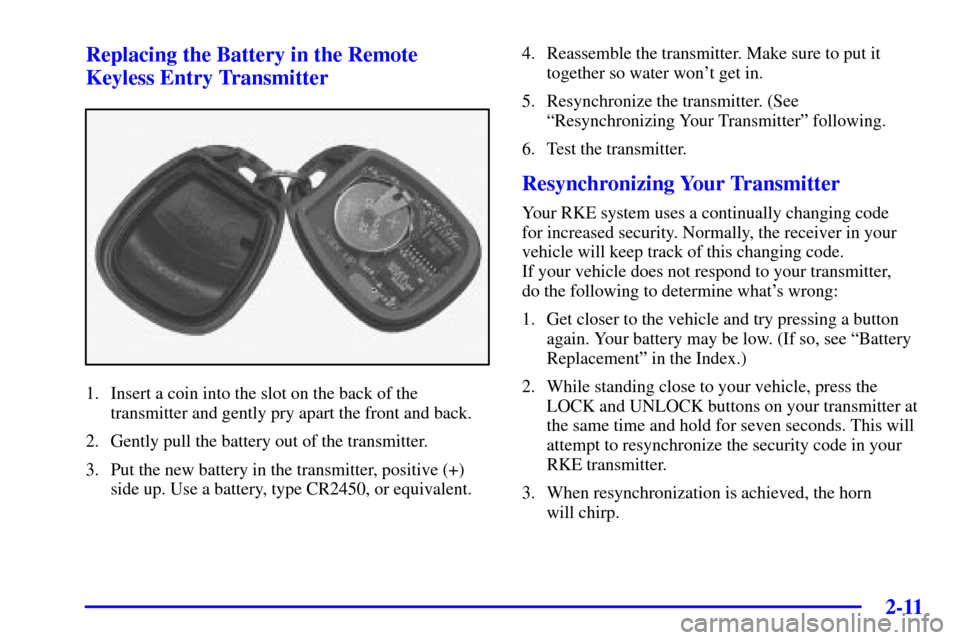
1. Insert a coin into the slot on the back of the
transmitter and gently pry apart the front and back.
2. Gently pull the battery out of the transmitter.
3. Put the new battery in the transmitter, positive (+)
side up. Use a battery, type CR2450, or equivalent.4. Reassemble the transmitter. Make sure to put it
together so water won't get in.
5. Resynchronize the transmitter. (See
ªResynchronizing Your Transmitterº following.
6. Test the transmitter.
Resynchronizing Your Transmitter
Your RKE system uses a continually changing code
for increased security. Normally, the receiver in your
vehicle will keep track of this changing code.
If your vehicle does not respond to your transmitter,
do the following to determine what's wrong:
1. Get closer to the vehicle and try pressing a button
again. Your battery may be low. (If so, see ªBattery
Replacementº in the Index.)
2. While standing close to your vehicle, press the
LOCK and UNLOCK buttons on your transmitter at
the same time and hold for seven seconds. This will
attempt to resynchronize the security code in your
RKE transmitter.
3. When resynchronization is achieved, the horn
will chirp.
Page 70 of 361
2-12
Loss of synchronization will occur after transmitter
battery replacement or disconnection of the vehicle's
battery, fore more than three days.
If attempts to resynchronize your transmitter to the
vehicle are not successful, you may need to match the
transmitter to the vehicle. See ªMatching Transmitter(s)
to Your Vehicleº in the Index.
Hatch/Trunk Lid Release
To use the hatch/trunk lid release on automatic
transmission vehicles, your vehicle must be in PARK (P)
or NEUTRAL (N). For manual transmissions, set the
parking brake. See ªParking Brakeº in the Index.
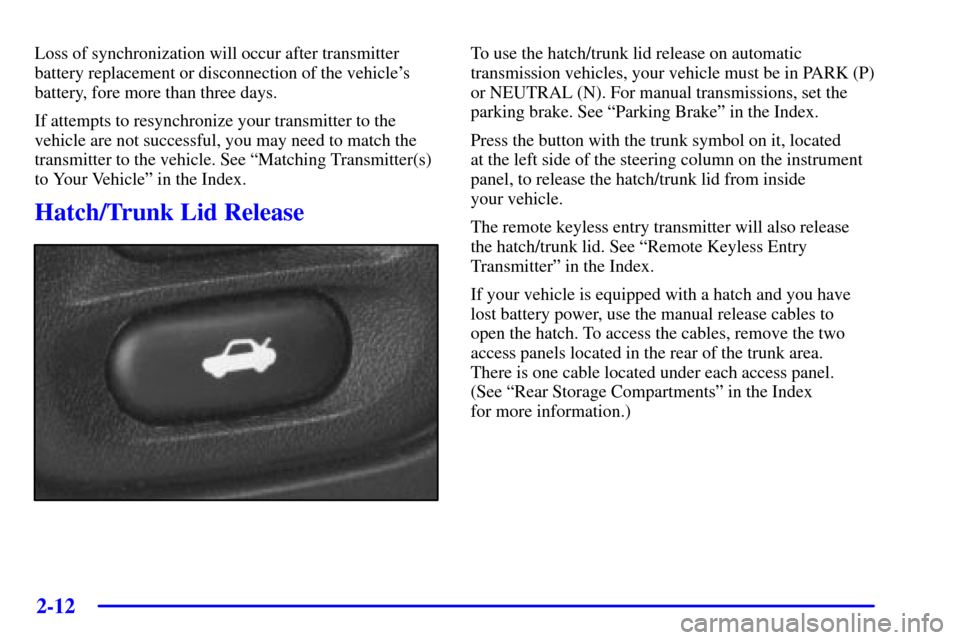
Press the button with the trunk symbol on it, located
at the left side of the steering column on the instrument
panel, to release the hatch/trunk lid from inside
your vehicle.
The remote keyless entry transmitter will also release
the hatch/trunk lid. See ªRemote Keyless Entry
Transmitterº in the Index.
If your vehicle is equipped with a hatch and you have
lost battery power, use the manual release cables to
open the hatch. To access the cables, remove the two
access panels located in the rear of the trunk area.
There is one cable located under each access panel.
(See ªRear Storage Compartmentsº in the Index
for more information.)
Page 74 of 361

2-16
Arming the System
Use one of the two following items listed here to arm
the system:
�Press the LOCK button on the remote keyless
entry transmitter.
�Open the door. (The SECURITY light should flash.)
Lock the door with the power door lock switch.
The SECURITY light will stop flashing and stay on.
Close the door. The SECURITY light should go off.
Testing the Alarm
Use the following to test the system:
1. Make sure the hatch/trunk lid is latched.
2. Lower a window on the door.
3. Manually arm the system.
4. Close the doors and wait 15 seconds.
5. Reach through the open window and manually
unlock the driver's door.
6. Open the door. The alarm should sound.
7. Turn off the alarm.
If the alarm is inoperative, check to see if the horn
works. If not, check the horn fuse. See ªFuses and
Circuit Breakersº in the Index. If the horn works, but the
alarm doesn't go off, see your dealer.
Disarming the System
Always use your key or the remote keyless entry
transmitter to unlock a door. Unlocking a door any other
way will set off the alarm. If your alarm sounds,
listed below are the ways you can disarm it:
�Unlock the driver's door with your key.
�Put the key in the ignition.
�Press the UNLOCK button on the remote keyless
entry transmitter.
Now, if a door or the hatch/trunk lid is opened without
the key or the remote keyless entry transmitter, the
alarm will go off. Your horn will sound for two minutes,
then it will go off to save battery power. And, your
vehicle won't start.
The theft
-deterrent system won't arm if you lock the
driver's door with a key, the manual door lock, or if you
use the power door lock after the doors are closed.
If your passenger stays in the vehicle when you leave
with the keys, have the passenger lock the vehicle after
the doors are closed. This way the alarm won't arm,
and your passenger won't set it off.
Page 151 of 361

2-93
Average Speed
Press the TRIP button until the average speed is
displayed, such as:
�AVERAGE SPEED 62 MPH or
�AVERAGE SPEED 100 km/h
Press reset in this mode to start calculating the average
speed. Press and hold RESET to clear.
Engine Oil Life
Press the TRIP button until the engine oil life is
displayed, such as OIL LIFE REMAIN 89%.
This is an estimate of the engine oil's remaining useful
life. It will show 99% when the system is reset after an
oil change. It will alert you to change your oil on a
schedule consistent with your driving conditions.
When the remaining oil life is low, the system will alert
you with the message CHANGE OIL SOON.
When the oil life is down to zero, you will receive the
message CHANGE OIL NOW.Remember, you must reset the OIL LIFE yourself after
each oil change. It will not reset itself. Also, be careful
not to reset the OIL LIFE accidentally at any time other
than when the oil has just been changed. It can't be reset
accurately until the next oil change.
To reset the system, see ªHow to Reset the Change Oil
Soon Messageº in the Index.
Also, see ªEngine Oil, When to Changeº and
ªMaintenance Scheduleº in the Index.
4 OPTIONS
This button allows you to choose personal options that
may be available on your vehicle, depending on the
options your vehicle is equipped with, such as easy entry
seats and language. Some of these functions work along
with the remote keyless entry transmitter.
When returning to the options menu, the first item of
the options list will always be displayed, not the one you
were last in when you changed buttons.
Page 153 of 361

2-95
If you choose LOCK & ARM - LIGHTS ONLY,
only your exterior lamps will flash to let you know
when your alarm system has armed when locking
your vehicle.
If you choose LOCK & ARM
- HORN & LIGHTS,
the horn will chirp and the exterior lamps will flash
briefly to let you know the system has armed when
locking your vehicle.
Alarm
Press the OPTIONS button until ALARM appears on
the display, then use the RESET button to page through
the following selections:
�ALARM
-HORN
�ALARM HORN & LIGHTS
If you choose ALARM
-HORN, the horn will sound
during an alarm.
If you choose ALARM HORN & LIGHTS, the horn
will sound and the interior and exterior lamps will flash
during an alarm.Approach Lights
Press the OPTIONS button until APPROACH LIGHTS
appears on the display, then use the RESET button to
page through the following choices:
�APPROACH LIGHTS ON
�APPROACH LIGHTS OFF
If you choose APPROACH LIGHTS ON, the fog lamps,
front turn signal, rear back
-up and courtesy lamps will
come on for 30 seconds when you press UNLOCK on
the remote keyless entry transmitter. This will occur
only when it is dark outside.
APPROACH LIGHTS OFF turns off this option.
See ªRemote Keyless Entry Systemº in the Index for
more information.
Auto Lock
Press the OPTIONS button until AUTO LOCK appears
on the display, then use the RESET button to page
through the following choices:
�AUTO LOCK ON
�AUTO LOCK OFF