2000 BMW 540I SEDAN key battery
[x] Cancel search: key batteryPage 22 of 217
22n
Indicator and warning lampsTechnology that monitors itselfMany of the systems of your BMW mon-
itor themselves automatically, both dur-
ing engine starts and while you are driv-
ing. Indicator and warning lamps that
are identified by "l" are tested for
proper functioning whenever the igni-
tion key is turned. They each light up
once for different periods of time.
If a fault should occur in one of these
systems, the corresponding lamp does
not go out after the engine is started or
it lights up while the vehicle is moving.
You will see how to react to this below.
Red: Stop immediately
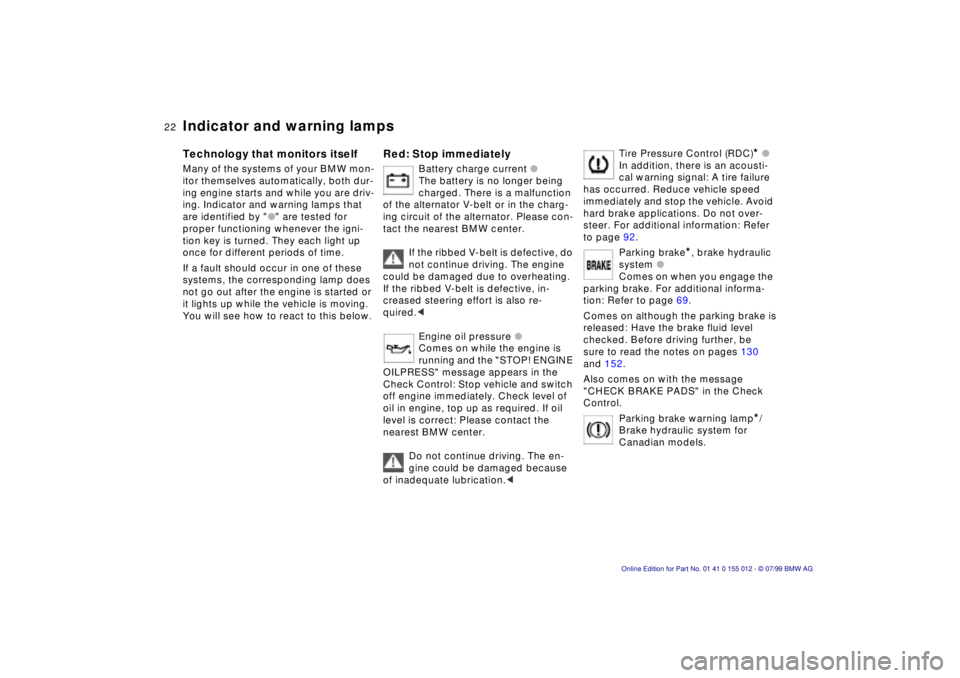
Battery charge current l
The battery is no longer being
charged. There is a malfunction
of the alternator V-belt or in the charg-
ing circuit of the alternator. Please con-
tact the nearest BMW center.
If the ribbed V-belt is defective, do
not continue driving. The engine
could be damaged due to overheating.
If the ribbed V-belt is defective, in-
creased steering effort is also re-
quired.<
Engine oil pressure l
Comes on while the engine is
running and the "STOP! ENGINE
OILPRESS" message appears in the
Check Control: Stop vehicle and switch
off engine immediately. Check level of
oil in engine, top up as required. If oil
level is correct: Please contact the
nearest BMW center.
Do not continue driving. The en-
gine could be damaged because
of inadequate lubrication.<
Tire Pressure Control (RDC)
* l
In addition, there is an acousti-
cal warning signal: A tire failure
has occurred. Reduce vehicle speed
immediately and stop the vehicle. Avoid
hard brake applications. Do not over-
steer. For additional information: Refer
to page 92.
Parking brake
*, brake hydraulic
system l
Comes on when you engage the
parking brake. For additional informa-
tion: Refer to page 69.
Comes on although the parking brake is
released: Have the brake fluid level
checked. Before driving further, be
sure to read the notes on pages 130
and 152.
Also comes on with the message
"CHECK BRAKE PADS" in the Check
Control.
Parking brake warning lamp
*/
Brake hydraulic system for
Canadian models.
Page 34 of 217
34n
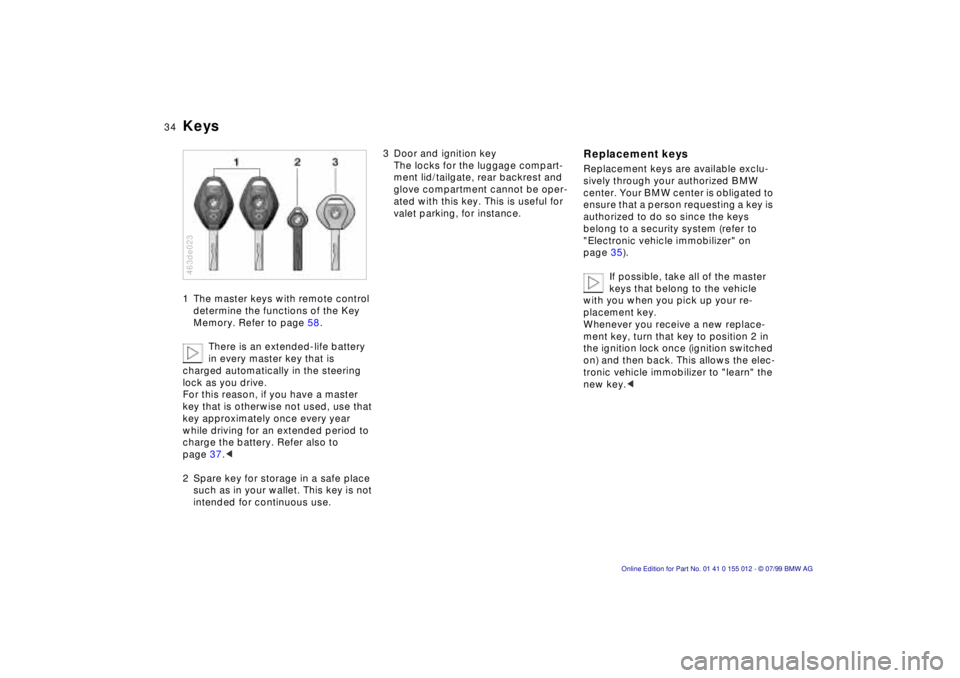
Keys1 The master keys with remote control
determine the functions of the Key
Memory. Refer to page 58.
There is an extended-life battery
in every master key that is
charged automatically in the steering
lock as you drive.
For this reason, if you have a master
key that is otherwise not used, use that
key approximately once every year
while driving for an extended period to
charge the battery. Refer also to
page 37.<
2 Spare key for storage in a safe place
such as in your wallet. This key is not
intended for continuous use.463de023
3 Door and ignition key
The locks for the luggage compart-
ment lid/tailgate, rear backrest and
glove compartment cannot be oper-
ated with this key. This is useful for
valet parking, for instance.
Replacement keysReplacement keys are available exclu-
sively through your authorized BMW
center. Your BMW center is obligated to
ensure that a person requesting a key is
authorized to do so since the keys
belong to a security system (refer to
"Electronic vehicle immobilizer" on
page 35).
If possible, take all of the master
keys that belong to the vehicle
with you when you pick up your re-
placement key.
Whenever you receive a new replace-
ment key, turn that key to position 2 in
the ignition lock once (ignition switched
on) and then back. This allows the elec-
tronic vehicle immobilizer to "learn" the
new key.<
Page 37 of 217
37n
RepairsIndexOverview Controls Car care Technology Data
Opening and closing Ð from the outsideWith the remote controlThe remote control makes opening and
locking the doors of your vehicle very
convenient. Furthermore, it provides
three additional functions which you
can only execute via the remote control:
>To switch on interior lamps:
With this function, you can also
"search for" your vehicle, when
parked in an underground garage, for
instance.
>To open the luggage compartment:
The luggage compartment lid/tail-
gate will open slightly, regardless of
whether it was previously locked or
unlocked.
>Panic Mode:
In case of danger, you can trigger an
alarm.
When the vehicle is unlocked, the anti-
theft system is simultaneously deacti-
vated, the alarm system is disarmed
and the interior lamps are switched on.
Locking the vehicle activates the anti-
theft and alarm systems and switches
the interior lamps off.
You can have an acknowledgment
message set to confirm that the
vehicle has been secured correctly (not
released at this time).<
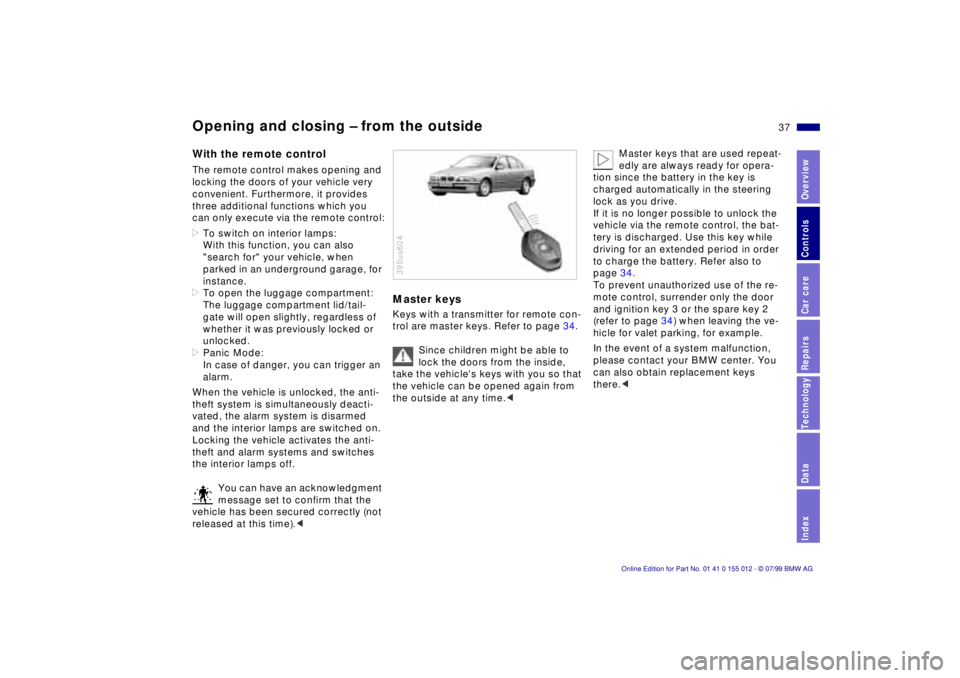
Master keysKeys with a transmitter for remote con-
trol are master keys. Refer to page 34.
Since children might be able to
lock the doors from the inside,
take the vehicle's keys with you so that
the vehicle can be opened again from
the outside at any time.< 390us604
Master keys that are used repeat-
edly are always ready for opera-
tion since the battery in the key is
charged automatically in the steering
lock as you drive.
If it is no longer possible to unlock the
vehicle via the remote control, the bat-
tery is discharged. Use this key while
driving for an extended period in order
to charge the battery. Refer also to
page 34.
To prevent unauthorized use of the re-
mote control, surrender only the door
and ignition key 3 or the spare key 2
(refer to page 34) when leaving the ve-
hicle for valet parking, for example.
In the event of a system malfunction,
please contact your BMW center. You
can also obtain replacement keys
there.<
Page 45 of 217
45n
RepairsIndexOverview Controls Car care Technology Data
Alarm systemThe conceptThe vehicle alarm system responds:
>When a door, the hood or the lug-
gage compartment lid/tailgate is
opened
>To movement inside the vehicle
(interior motion sensor)
>To variations in the vehicle tilt sensor
such as occur during attempts to
steal the wheels or tow the vehicle
>To interruption of battery voltage.
The system responds to unauthorized
vehicle entry and attempted theft by
simultaneously activating the following:
>Sounding an acoustical alarm for
30 seconds
>The hazard warning flashers are
activated for approx. five minutes
>The high beams flash on and off in
the same rhythm.
To activate and deactivate the
alarm systemWhen the vehicle is locked or unlocked
with the key or the remote control, the
alarm system is also simultaneously
armed or disarmed.
The interior motion sensor is activated
approx. 30 seconds after you have fin-
ished locking the car.
The system indicates that it has been
correctly armed by switching on the
hazard flashers for a single cycle and by
emitting an acoustical signal.
You can have different acknowl-
edgment messages set to confirm
arming and disarming (not released at
this time).<
When the system is active, you can still
gain access to the luggage compart-
ment by pressing button 3 on the
remote control transmitter (refer to
page 39). When you close the luggage
compartment lid/tailgate, it locks again.
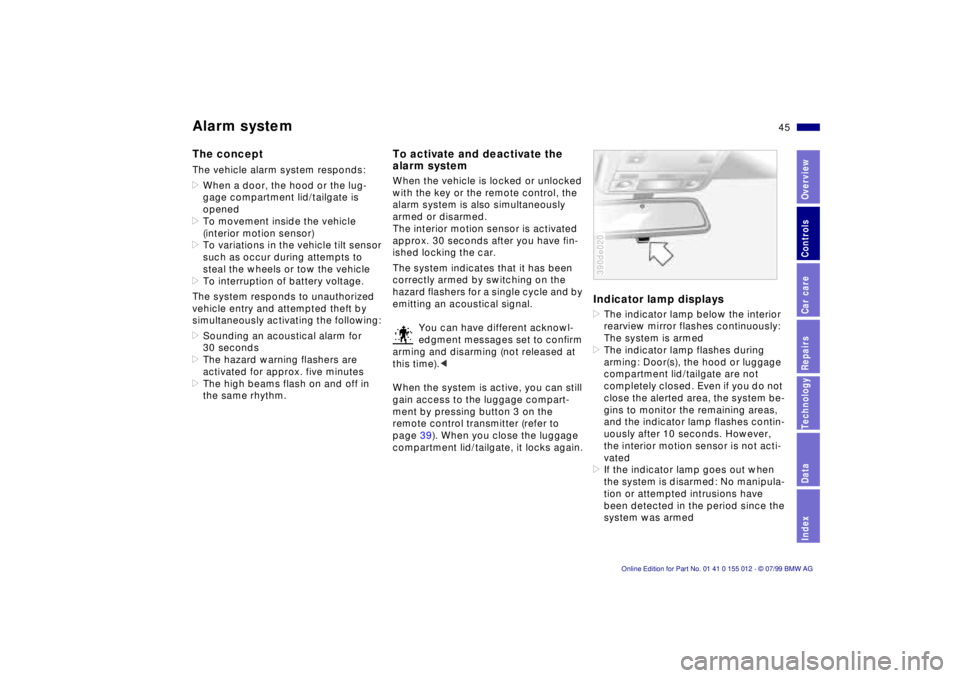
Indicator lamp displays>The indicator lamp below the interior
rearview mirror flashes continuously:
The system is armed
>The indicator lamp flashes during
arming: Door(s), the hood or luggage
compartment lid/tailgate are not
completely closed. Even if you do not
close the alerted area, the system be-
gins to monitor the remaining areas,
and the indicator lamp flashes contin-
uously after 10 seconds. However,
the interior motion sensor is not acti-
vated
>If the indicator lamp goes out when
the system is disarmed: No manipula-
tion or attempted intrusions have
been detected in the period since the
system was armed390de020
Page 68 of 217

68n
Starting the engineBefore starting>Engage the parking brake
>Be sure that the transmission selector
is in "Neutral" (or "Park" if the vehicle
is equipped with an automatic trans-
mission)
>Step on the clutch pedal.
Do not allow the engine to run in
enclosed spaces. The exhaust
gases contain carbon monoxide, an
odorless and colorless, but highly toxic
gas. Breathing the exhaust gases poses
an extreme health risk, and can lead to
unconsciousness and death.
Never leave the car unattended with the
engine running. An unattended vehicle
with a running engine represents a po-
tential safety hazard.<
Starting the engine>Start the engine. Do not press the
accelerator pedal.
BMW 528i, BMW 540i with man-
ual transmission:
Do not actuate the starter for too short
a time. Do not turn it for more than ap-
prox. 20 seconds. Release the ignition
key immediately as soon as the engine
starts.
Do not allow the engine to warm up by
leaving it running while the vehicle re-
mains stationary. Instead, begin driving
immediately at a moderate engine
speed.
BMW 540i with automatic transmission:
Your BMW is equipped with the conve-
nience starting feature. Simply turn the
key to position 3 (starter) and then re-
lease it immediately.
The starter continues to operate auto-
matically.
The automatic starting mode will not
operate if the battery voltage is low.
Should this condition arise, it remains
possible to jump-start the engine (refer
to page 182).<
Should the engine fail to start on the
first attempt (if it is very hot or cold, for
instance):
>Press the accelerator pedal halfway
down while engaging the starter.
Cold starts at extremely low tempera-
tures, from approx. +57 (Ð156)
and at elevations above 3,300 feet
(1,000 meters):
>It may be necessary to allow the
starter to remain engaged somewhat
longer than under normal operating
conditions (approx. 10 seconds)
>Press the accelerator pedal halfway
down while engaging the starter.
Engine idle speed is controlled by the
engine computer system. Increased
speeds at startup are normal and
should decrease as the engine warms
up. If engine speed does not decrease,
service is required.
To prevent the battery from discharg-
ing, always deactivate electrical de-
vices which are not in use. Switch the
ignition off when the vehicle is not
being driven.
Page 96 of 217
96n
Interior lamps Reading lampsThe interior lamps operate automati-
cally.Switching interior lamps on
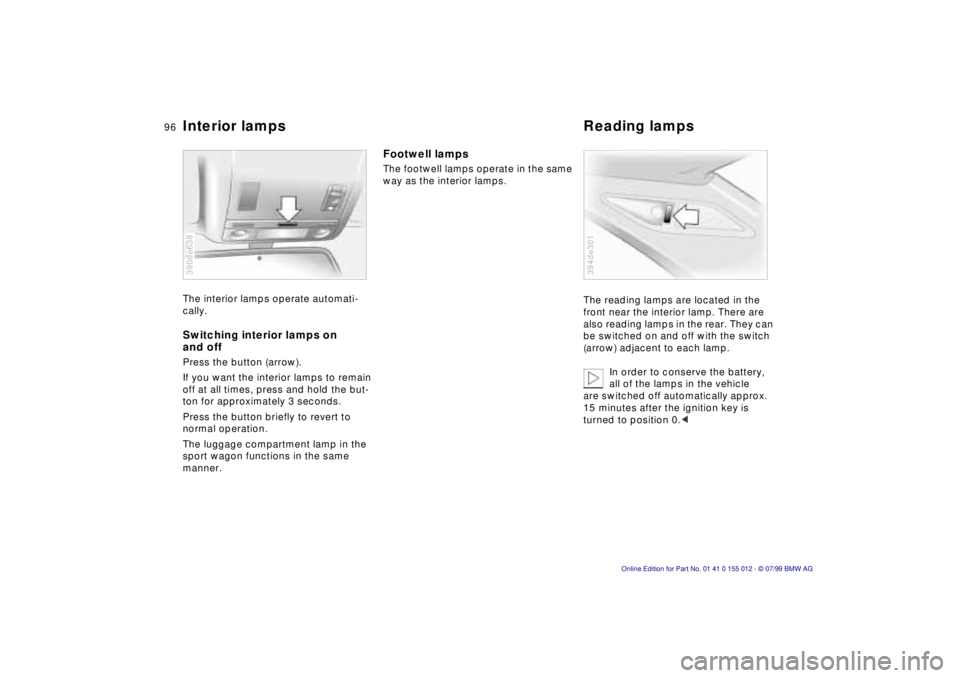
and offPress the button (arrow).
If you want the interior lamps to remain
off at all times, press and hold the but-
ton for approximately 3 seconds.
Press the button briefly to revert to
normal operation.
The luggage compartment lamp in the
sport wagon functions in the same
manner.390de638
Footwell lamps The footwell lamps operate in the same
way as the interior lamps.
The reading lamps are located in the
front near the interior lamp. There are
also reading lamps in the rear. They can
be switched on and off with the switch
(arrow) adjacent to each lamp.
In order to conserve the battery,
all of the lamps in the vehicle
are switched off automatically approx.
15 minutes after the ignition key is
turned to position 0.<
394de301
Page 102 of 217
102n
Automatic climate control
If the windows should fog over in
the recirculated air mode, switch
the recirculated air mode off and in-
crease the air supply as required.<
Rear window defroster
When the rear window de-
froster is activated, the indica-
tor lamp comes on. The rear window
defroster switches off automatically.
Residual heat mode
The heat which is stored in
the engine is utilized for
heating the interior when the engine has
been switched off (while waiting at a
railroad crossing, for instance). In igni-
tion key position 1, you can alter the
settings of the automatic climate con-
trol. In ignition key position 0, the sys-
tem automatically directs heated air to
the windshield, side windows and foot-
wells.
This function may be activated
when the outside temperature is
below approx. 597 (156), the engine
is at operating temperature, and the
battery is adequately charged.<
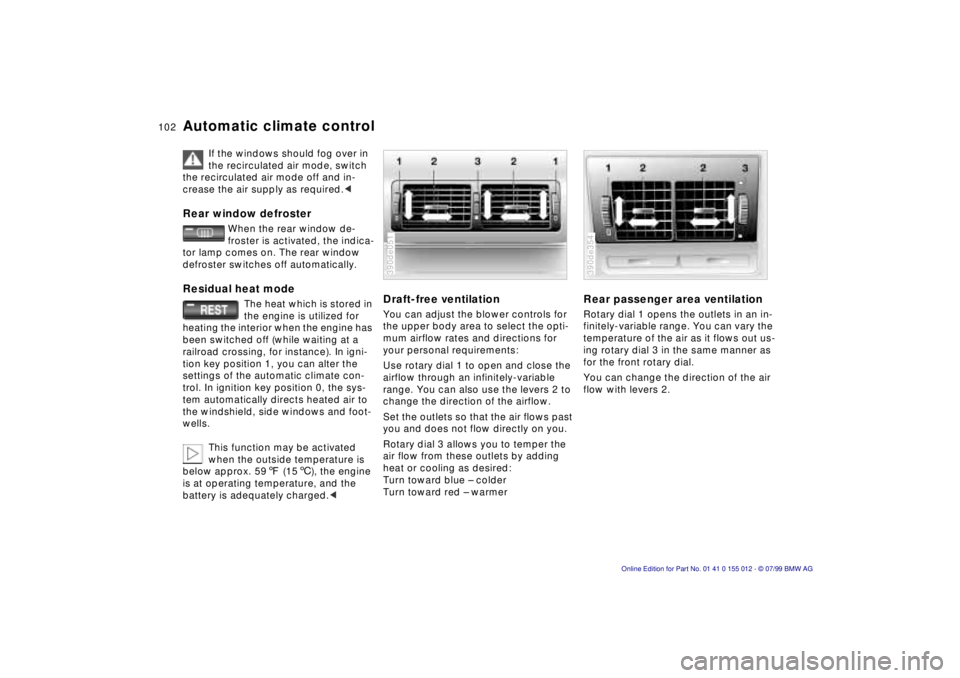
Draft-free ventilationYou can adjust the blower controls for
the upper body area to select the opti-
mum airflow rates and directions for
your personal requirements:
Use rotary dial 1 to open and close the
airflow through an infinitely-variable
range. You can also use the levers 2 to
change the direction of the airflow.
Set the outlets so that the air flows past
you and does not flow directly on you.
Rotary dial 3 allows you to temper the
air flow from these outlets by adding
heat or cooling as desired:
Turn toward blue Ð colder
Turn toward red Ð warmer390de051
Rear passenger area ventilationRotary dial 1 opens the outlets in an in-
finitely-variable range. You can vary the
temperature of the air as it flows out us-
ing rotary dial 3 in the same manner as
for the front rotary dial.
You can change the direction of the air
flow with levers 2.390de354
Page 104 of 217
104n
Roller sun blind
*
Independent ventilation system
*
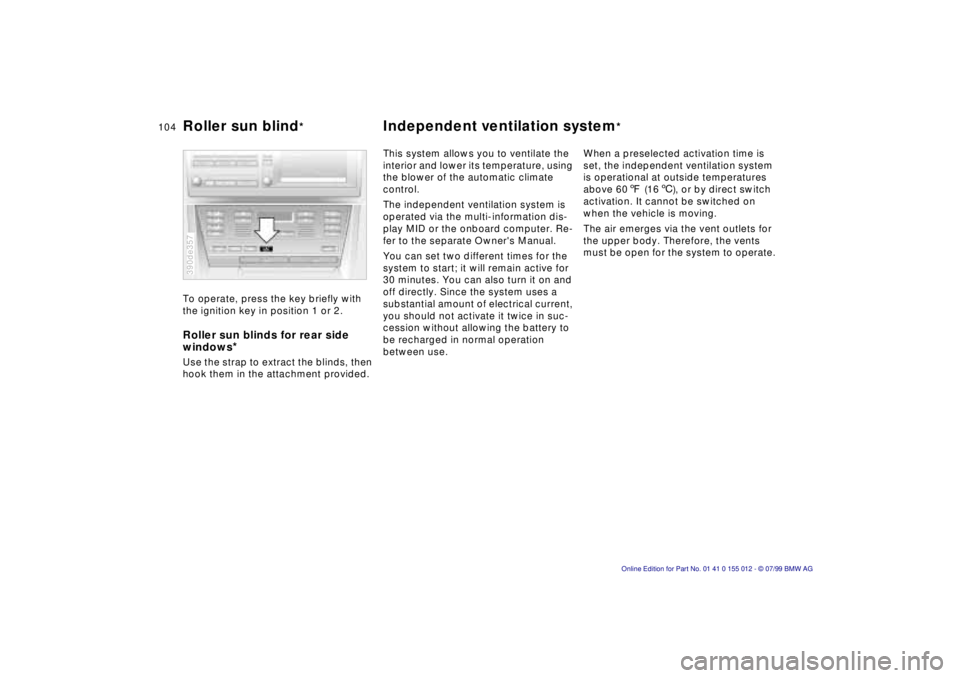
To operate, press the key briefly with
the ignition key in position 1 or 2.Roller sun blinds for rear side
windows
*
Use the strap to extract the blinds, then
hook them in the attachment provided.390de357
This system allows you to ventilate the
interior and lower its temperature, using
the blower of the automatic climate
control.
The independent ventilation system is
operated via the multi-information dis-
play MID or the onboard computer. Re-
fer to the separate Owner's Manual.
You can set two different times for the
system to start; it will remain active for
30 minutes. You can also turn it on and
off directly. Since the system uses a
substantial amount of electrical current,
you should not activate it twice in suc-
cession without allowing the battery to
be recharged in normal operation
between use.When a preselected activation time is
set, the independent ventilation system
is operational at outside temperatures
above 607 (166), or by direct switch
activation. It cannot be switched on
when the vehicle is moving.
The air emerges via the vent outlets for
the upper body. Therefore, the vents
must be open for the system to operate.