1999 HONDA ODYSSEY traction control
[x] Cancel search: traction controlPage 210 of 343
Traction Control System
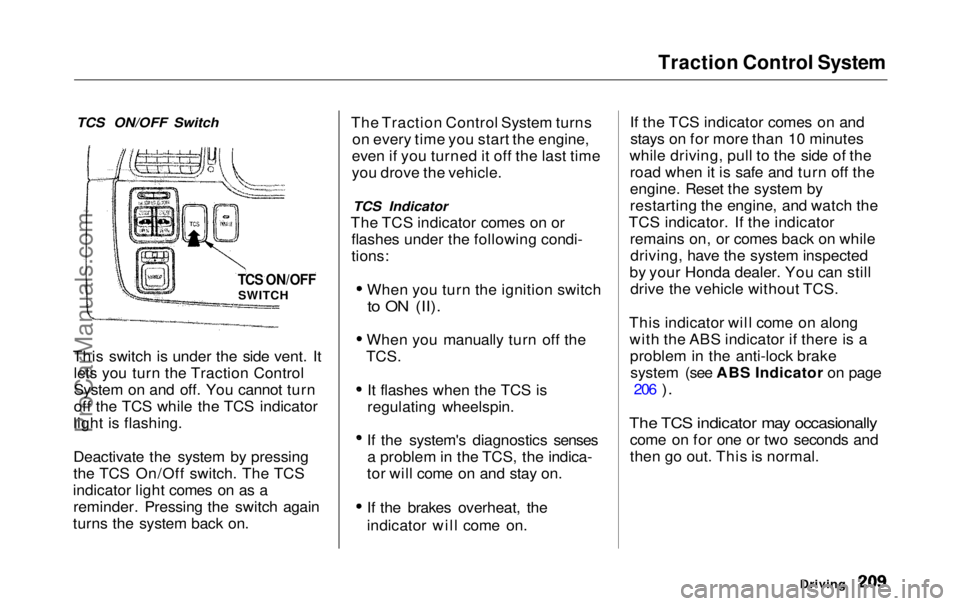
TCS ON/OFF Switch
This switch is under the side vent. It lets you turn the Traction Control
System on and off. You cannot turn
off the TCS while the TCS indicator
light is flashing.
Deactivate the system by pressing
the TCS On/Off switch. The TCS
indicator light comes on as a reminder. Pressing the switch again
turns the system back on. The Traction Control System turns
on every time you start the engine,
even if you turned it off the last time
you drove the vehicle.
TCS Indicator
The TCS indicator comes on or flashes under the following condi-
tions:
When you turn the ignition switch
to ON (II).
When you manually turn off the
TCS.
It flashes when the TCS is
regulating wheelspin.
If the system's diagnostics senses a problem in the TCS, the indica-
tor will come on and stay on.
If the brakes overheat, the
indicator will come on. If the TCS indicator comes on and
stays on for more than 10 minutes
while driving, pull to the side of the road when it is safe and turn off the
engine. Reset the system by
restarting the engine, and watch the
TCS indicator. If the indicator remains on, or comes back on whiledriving, have the system inspected
by your Honda dealer. You can still drive the vehicle without TCS.
This indicator will come on along with the ABS indicator if there is aproblem in the anti-lock brakesystem (see ABS Indicator on page 206
).
The TCS indicator may occasionally
come on for one or two seconds and
then go out. This is normal.
Driving
TCS ON/OFF
SWITCHProCarManuals.comMain Menu Table of Contents s t
Page 211 of 343

Driving in Bad Weather
Rain, fog, and snow conditions re-quire a different driving technique
because of reduced traction and
visibility. Keep your vehicle well- maintained and exercise greater
caution when you need to drive in
bad weather. The cruise control should not be used in these condi-
tions.
Driving Technique — Always drive
slower than you would in dry
weather. It takes your vehicle longer to react, even in conditions that mayseem just barely damp. Applysmooth, even pressure to all the
controls. Abrupt steering wheel
movements or sudden, hard appli-
cation of the brakes can cause loss of control in wet weather. Be extra
cautious for the first few miles (kilometers) of driving while you
adjust to the change in driving
conditions. This is especially true in snow. A person can forget some
snow-driving techniques during the
summer months. Practice is needed
to relearn those skills.
Exercise extra caution when driving
in rain after a long dry spell. After
months of dry weather, the first
rains bring oil to the surface of the
roadway, making it slippery. Visibility — Being able to see
clearly in all directions and being
visible to other drivers are important in all weather conditions. This ismore difficult in bad weather. To beseen more clearly during daylight
hours, turn on your headlights.
Inspect your windshield wipers and
washers frequently. Keep the wind- shield washer reservoir full of the
proper fluid. Have the windshield
wiper blades replaced if they start to streak the windshield or leave parts
unwiped. Use the defroster and air conditioning to keep the windows
from fogging up on the inside (see
pages 135 and 144 ).
DrivingProCarManuals.comMain Menu Table of Contents s t
Page 212 of 343
Driving in Bad Weather
Traction — Check your tires frequently for wear and properpressure. Both are important in
preventing "hydroplaning" (loss of
traction on a wet surface). In the
winter, mount snow tires on all four wheels for the best handling.
Watch road conditions carefully, they can change from moment tomoment. Wet leaves can be as slip-
pery as ice. "Clear" roads can have
patches of ice. Driving conditionscan be very hazardous when the
outside temperature is near freezing.
The road surface can become covered with areas of water puddles
mixed with areas of ice, so your
traction can change without warning.
Be careful when downshifting. If
traction is low, you can lock up the drive wheels for a moment and cause
a skid.
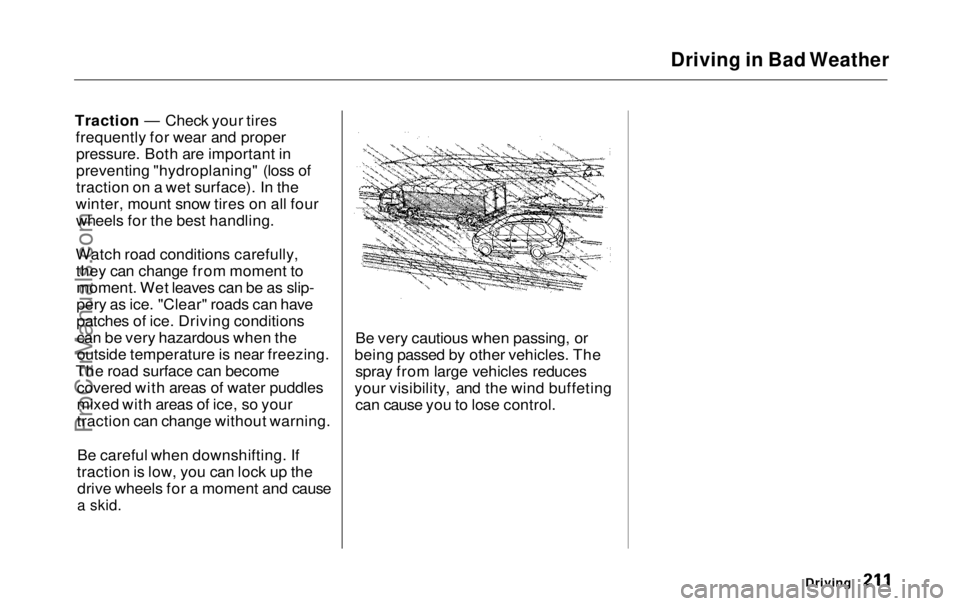
Be very cautious when passing, or
being passed by other vehicles. The spray from large vehicles reduces
your visibility, and the wind buffeting can cause you to lose control.
DrivingProCarManuals.comMain Menu Table of Contents s t
Page 213 of 343
Towing a Trailer
Your Odyssey has been designed totow a trailer, as well as for carrying
passengers and their cargo.
To safely tow a trailer, you must observe the load limits, use the
proper equipment, and follow the
guidelines in this section.
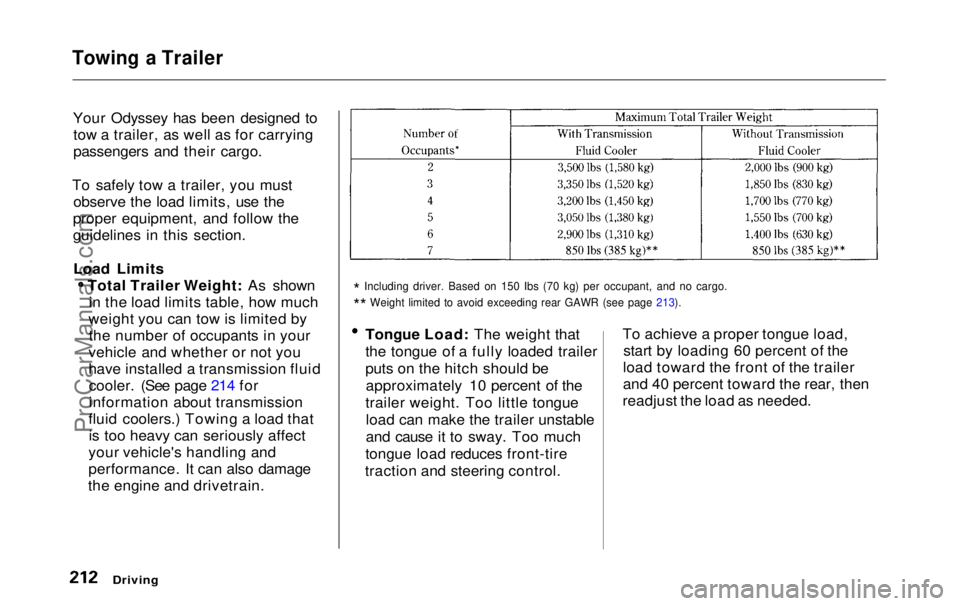
Load Limits Total Trailer Weight: As shownin the load limits table, how much
weight you can tow is limited by the number of occupants in your
vehicle and whether or not you
have installed a transmission fluid cooler. (See page 214 for
information about transmission
fluid coolers.) Towing a load that is too heavy can seriously affect
your vehicle's handling and
performance. It can also damage
the engine and drivetrain.
*
Including driver. Based on 150 Ibs (70 kg) per occupant, and no cargo\
.
*
*
Weight limited to avoid exceeding rear GAWR (see page 213).
Tongue Load: The weight that
the tongue of a fully loaded trailer
puts on the hitch should be
approximately 10 percent of the
trailer weight. Too little tongue load can make the trailer unstable
and cause it to sway. Too much
tongue load reduces front-tire
traction and steering control. To achieve a proper tongue load,
start by loading 60 percent of the
load toward the front of the trailer
and 40 percent toward the rear, then
readjust the load as needed.
Driving
ProCarManuals.comMain Menu Table of Contents s t
Page 285 of 343
Compact Spare Tire
Your vehicle has a compact spare tire that takes up less space. Use thisspare tire as a temporary replace-
ment only. Get your regular tire
repaired or replaced and put back on
your vehicle as soon as you can.
Check the inflation pressure of the
compact spare tire every time you
check the other tires. It should be
inflated to: 60 psi (420 kPa , 4.2 kgf/cm2)
Follow these precautions whenever
you are using the compact spare tire: Do not exceed 50 mph (80 km/h)
under any circumstances. This tire gives a harsher ride and
less traction on some road sur-
faces than the regular tire. Use
greater caution while driving on this tire. Do not mount snow chains on the
compact spare.
Do not use the compact spare tire
if you are towing a trailer. The wheel of the compact spare
tire is designed especially to fit
your vehicle. Do not use your spare tire on another vehicle
unless it is the same make and
model.
On EX model
Turn off the Traction Control
System (see page 207 ). Driving
with the compact spare tire may activate the TCS.
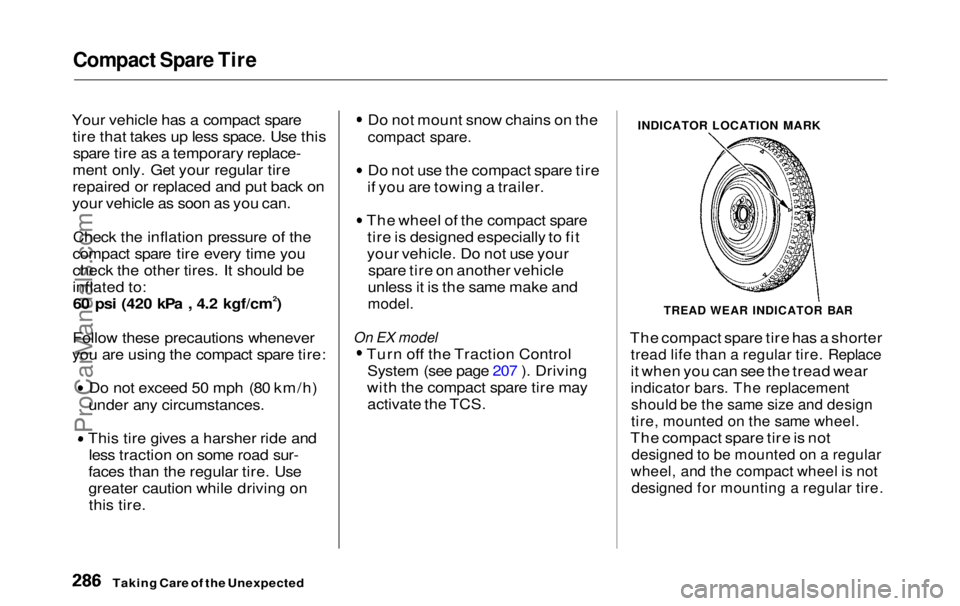
INDICATOR LOCATION MARK
TREAD WEAR INDICATOR BAR
The compact spare tire has a shorter
tread life than a regular tire. Replace
it when you can see the tread wear
indicator bars. The replacement
should be the same size and design
tire, mounted on the same wheel.
The compact spare tire is not
designed to be mounted on a regular
wheel, and the compact wheel is not
designed for mounting a regular tire.
Taking Care of the UnexpectedProCarManuals.comMain Menu Table of Contents s t
Page 312 of 343

Technical Information
The diagrams in this section give you the dimensions and capacities of
your Honda, and the locations of the identification numbers. The expla-
nations of several electronic and
mechanical systems on your Honda
are for the more technically-orientedowner. Identification Numbers................. 314
Specifications................................. 316
Tire Information............................ 318 Tire Size Designation................ 318
Wheel Size Designation............ 318
Tire Speed Ratings.................... 318DOT Tire Quality Grading....... 319 Treadwear.............................. 319
Traction.................................. 319
Temperature.......................... 320 Oxygenated Fuels.......................... 321
Driving in Foreign Countries....... 322
Emissions Controls........................ 323 The Clean Air Act...................... 323Crankcase Emissions Control
System.....................................323
Evaporative Emissions Control System..................................... 323
Exhaust Emissions Controls.... 324 PGM-FI System..................... 324
Ignition Timing Control
System.................................324
Exhaust Gas Recirculation (EGR) System.................... 324
Three Way Catalytic Converter............................ 324
Replacement Parts................ 324
Three Way Catalytic Converter... 325
Technical InformationProCarManuals.comMain Menu s t
Page 318 of 343

Tire Information
DOT Tire Quality Grading
(U.S. Vehicles)
The tires on your vehicle meet all U.S. Federal Safety Requirements.
All tires are also graded for treadwear, traction, and temperature
performance according toDepartment of Transportation (DOT) standards. The following
explains these gradings.
Treadwear
The treadwear grade is a compara- tive rating based on the wear rate of
the tire when tested under controlledconditions on a specified government
test course. For example, a tire
graded 150 would wear one and one half (1-1/2) times as well on the
government course as a tire graded 100. The relative performance of
tires depends upon the actual condi-
tions of their use, however, and may depart significantly from the norm
due to variations in driving habits,service practices, and differences in
road characteristics and climate. Traction
The traction grades, from highest to lowest, are A, B, and C, and they
represent the tire's ability to stop on
wet pavement as measured under controlled conditions on specified
government test surfaces of asphalt and concrete. A tire marked C may
have poor traction performance.
Warning: The traction grade as- signed to this tire is based on brak-
ing (straight ahead) traction tests and does not include cornering (turning) traction.
CONTINUED
Technical InformationProCarManuals.comMain Menu Table of Contents s t
Page 341 of 343

Index
Tachometer...................................... 62
Tailgate............................................. 85
Opening the.................................. 85
Open Monitor Light.................... 60
Taillights, Changing Bulbs in....... 269
Taking Care of the Unexpected .. 285
Tape Player ........................... 154, 175
Technical Descriptions Driving in Foreign Countries... 322
Emissions Control Systems...... 323
Oxygenated Fuels...................... 321
Three Way Catalytic
Converter................................ 325
Tire Information........................ 318
Temperature Gauge........................ 63
Tensioners, Seat Belts .................... 50
Tether Attachment Points.............. 43
Theft Protection............................. 180 Three Way Catalytic Converter... 325
Time, Setting the........................... 117
Timing Belt..................................... 257
Tire Chains..................................... 263
Tire, How to Change a Flat.......... 287 Tires................................................ 257
Air Pressure............................... 257Balancing.................................... 260Checking Wear.......................... 259
Compact Spare........................... 286
DOT Tire Quality Grading....... 319
Inflation....................................... 257
Inspection................................... 259
Replacing.................................... 261
Rotating....................................... 260
Snow............................................ 263 Specifications............................. 317
Tire Chains................................. 263
Technical Information.............. 318
Towing
ATrailer..................................... 212
Emergency Wrecker.................
311
Traction Contro l
System (TCS)... 207
Transmission
Checking Fluid Level................ 243
Fluid Selection............................ 243
Identification Number............... 315
Shifting the Automatic..............199
Treadwear...................................... 319
Trip Meter........................................ 63
Turn Signals..................................... 68
Tools, Tire Changing.................... 287
Underside, Cleaning...................... 282
Unexpected, Taking Care
of the........................................... 285
Uniform Tire Quality Grading..... 319
Unleaded Gasoline......................... 182
Upholstery Cleaning...................... 280
Used Oil, How to Dispose of........ 236
Vanity Mirror................................. 121
Vehicle Capacity Load......... 192, 212
Vehicle Dimensions....................... 316
Vehicle Identification Number..... 314
Vehicle Storage.............................. 275
Ventilation............................. 133, 138
VIN.................................................. 314
Vinyl Cleaning................................ 280
Viscosity, Oil................................... 234
CONTINUEDProCarManuals.comMain Menu s t