Page 87 of 343
Keys and Locks
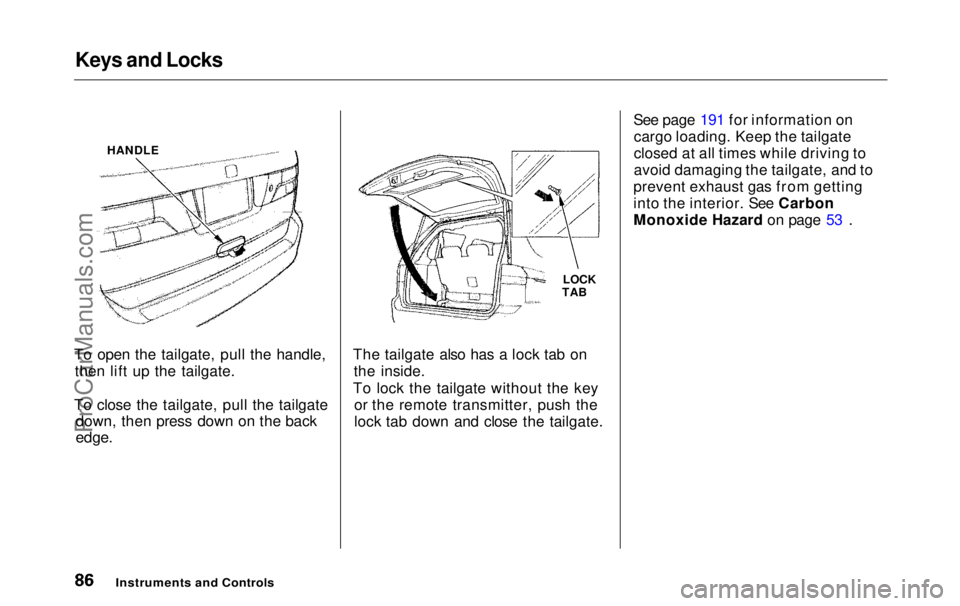
To open the tailgate, pull the handle, then lift up the tailgate.
To close the tailgate, pull the tailgate down, then press down on the back
edge.
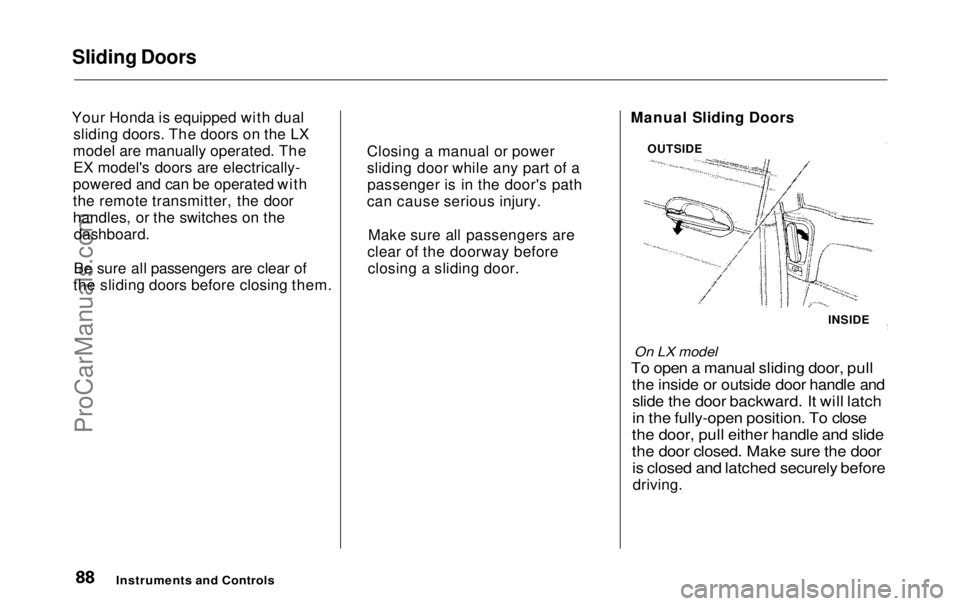
The tailgate also has a lock tab on
the inside.
To lock the tailgate without the key or the remote transmitter, push the
lock tab down and close the tailgate. See page 191 for information on
cargo loading. Keep the tailgate
closed at all times while driving to
avoid damaging the tailgate, and to
prevent exhaust gas from getting
into the interior. See Carbon
Monoxide Hazard on page 53 .
Instruments an d
Controls
LOCK
TAB
HANDLEProCarManuals.comMain Menu Table of Contents s t
Page 89 of 343
Sliding Doors
Your Honda is equipped with dual sliding doors. The doors on the LX
model are manually operated. The EX model's doors are electrically-
powered and can be operated with
the remote transmitter, the door
handles, or the switches on the dashboard.
Be sure all passengers are clear of
the sliding doors before closing them. Manual Sliding Doors
On LX model
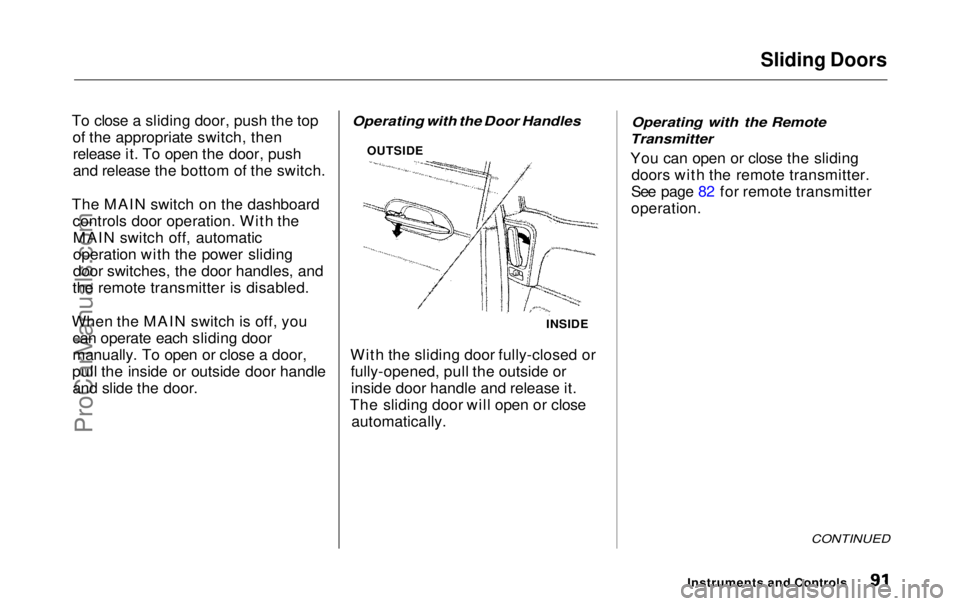
To open a manual sliding door, pull
the inside or outside door handle and
slide the door backward. It will latch
in the fully-open position. To close
the door, pull either handle and slide
the door closed. Make sure the door
is closed and latched securely before
driving.
Instruments and Controls
OUTSIDE
INSIDE
Closing a manual or power
sliding door while any part of a
passenger is in the door's path
can cause serious injury.
Make sure all passengers are
clear of the doorway before closing a sliding door.ProCarManuals.comMain Menu Table of Contents s t
Page 91 of 343
Sliding Doors
Power Sliding Doors
On EX model
The sliding doors on your vehicle are electrically-powered. You can openor close each power sliding door with
the switches on the dashboard, with
the inside or outside door handles, or
with the remote transmitter. The power sliding doors operate
with the ignition switch in anyposition. In addition: The shift lever must be in Park.
The MAIN switch on the
dashboard must be in the ON
position.
The sliding door you want to
operate must be unlocked. To open the door with the inside
handle, the childproof door lockon the door you want to operate
must be unlocked (see page 85).
You should close each sliding door before you start driving.
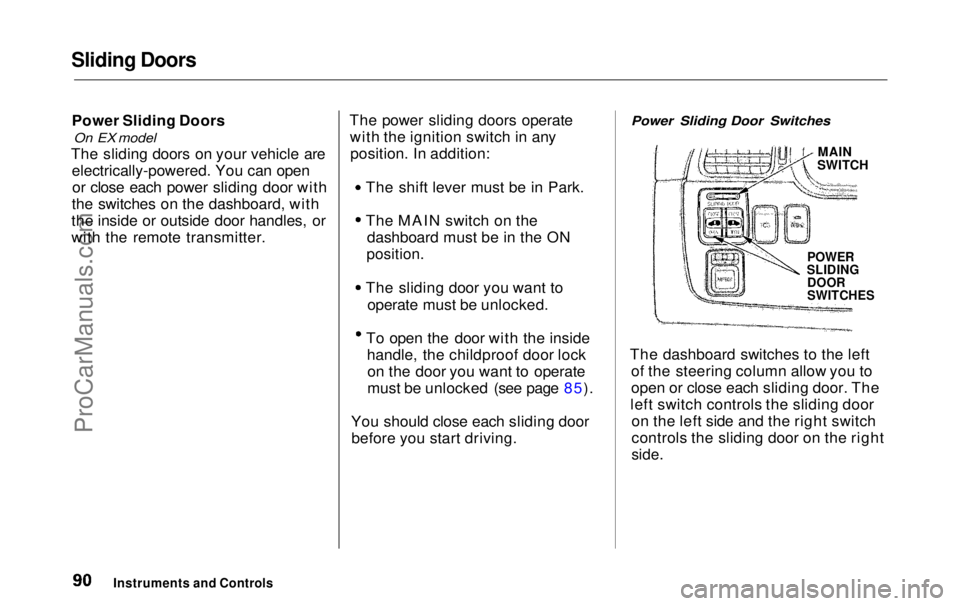
Power Sliding Door Switches
MAIN
SWITCH
POWER
SLIDING
DOOR
SWITCHES
The dashboard switches to the left of the steering column allow you to
open or close each sliding door. The
left switch controls the sliding door on the left side and the right switch
controls the sliding door on the right
side.
Instruments and ControlsProCarManuals.comMain Menu Table of Contents s t
Page 92 of 343
Sliding Doors
To close a sliding door, push the top of the appropriate switch, thenrelease it. To open the door, push
and release the bottom of the switch.
The MAIN switch on the dashboard controls door operation. With theMAIN switch off, automatic
operation with the power sliding
door switches, the door handles, and
the remote transmitter is disabled.
When the MAIN switch is off, you can operate each sliding door
manually. To open or close a door,
pull the inside or outside door handle and slide the door.
Operating with the Door Handles
With the sliding door fully-closed or fully-opened, pull the outside orinside door handle and release it.
The sliding door will open or close automatically.
Operating with the Remote
Transmitter
You can open or close the sliding doors with the remote transmitter.
See page 82 for remote transmitter
operation.
CONTINUED
Instruments and Controls
INSIDE
OUTSIDEProCarManuals.comMain Menu Table of Contents s t
Page 93 of 343
Sliding Doors
Stopping Power Sliding Door
Movement
To stop automatic operation: Push either side of the dashboard
power sliding door switch for the moving door. Push the button on the remote
transmitter for the moving door. If
you push the same button a second time, the door reverses
direction.
When you stop automatic operation with the dashboard
switch or the remote transmitter,
you will hear three beeps. If you try to open a locked sliding
door with the power sliding door
switch or the remote transmitter,
you will hear three beeps. Unlock the door, then try again.
If you shift out of Park while a door
is opening, you will hear a
continuous tone and the door willstop moving. If you keep driving with
the door open, the tone continues
until you stop and close the door.
If you shift out of Park while a door
is closing, the door will close
completely. You will hear a beep
until the door is completely closed. When parked on steep hills, the
power sliding doors may not open or
close as they do normally.
If a power sliding door runs into any
obstacle while it is closing, the doorwill stop, and then reverse direction.
You will hear three beeps.
Even with this safety feature, you
should still check that all passengers
and objects are away from the sliding
doors before closing them as this
feature stops working when the door is almost closed.
Instruments and ControlsProCarManuals.comMain Menu Table of Contents s t
Page 96 of 343
HomeLink Universal Transmitter
On EX model
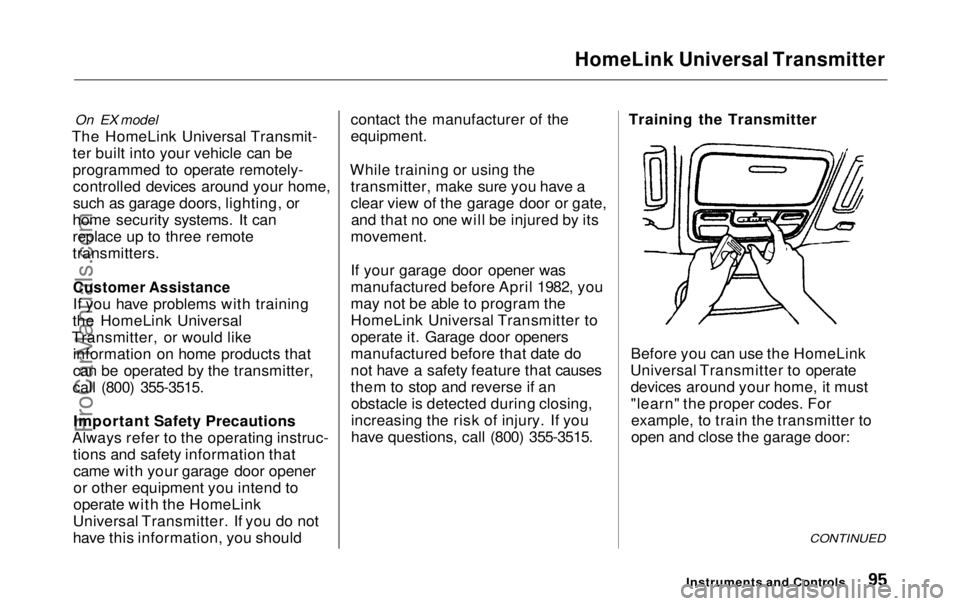
The HomeLink Universal Transmit- ter built into your vehicle can be
programmed to operate remotely-controlled devices around your home,
such as garage doors, lighting, or
home security systems. It can
replace up to three remote
transmitters.
Customer Assistance
If you have problems with training
the HomeLink Universal
Transmitter, or would like information on home products that
can be operated by the transmitter,
call (800) 355-3515.
Important Safety Precautions
Always refer to the operating instruc- tions and safety information thatcame with your garage door opener
or other equipment you intend to
operate with the HomeLink
Universal Transmitter. If you do not
have this information, you should contact the manufacturer of the
equipment.
While training or using the transmitter, make sure you have a
clear view of the garage door or gate,and that no one will be injured by its
movement.
If your garage door opener was
manufactured before April 1982, you
may not be able to program the
HomeLink Universal Transmitter to operate it. Garage door openers
manufactured before that date do
not have a safety feature that causes
them to stop and reverse if an obstacle is detected during closing,
increasing the risk of injury. If you
have questions, call (800) 355-3515. Training the Transmitter
Before you can use the HomeLink
Universal Transmitter to operate devices around your home, it must
"learn" the proper codes. Forexample, to train the transmitter to
open and close the garage door:
CONTINUED
Instruments and ControlsProCarManuals.comMain Menu Table of Contents s t
Page 97 of 343
HomeLink Universal Transmitter
1. This step erases all previously learned
codes. Perform this step before
training the transmitter for the very
first time. Press and hold the two
outside buttons until the red light
in the transmitter flashes (approximately 20 seconds).
Release the buttons.
2. Hold the end of the garage door opener remote control 1 to 3
inches from the HomeLink
transmitter. Make sure you are
not blocking your view of the redlight in the transmitter.
3. Select the transmitter button you want to train.
4. Press the button on the remote control and the button on the
transmitter at the same time. Holddown both buttons. 5. The red light in the transmitter
should begin flashing. It will flashslowly at first, then rapidly.
6. When the red light flashes rapidly, release both buttons. The
transmitter should have learned
the code from the remote control.
7. Test the transmitter button by pushing it. It should operate the
garage door.
8. Repeat these steps to train the other two transmitter buttons to
operate any other remotely-
controlled devices around your
home (lighting, automatic gate, security system, etc.).
Canadian Owners:
The remote control you are training from may stop transmitting after twoseconds. This is not long enough for
the HomeLink transmitter to learn
the code. Release and press the
button on the remote control every
two seconds until the transmitter has
learned the code.
If you are programming the
transmitter to operate a garage door or gate, it is recommended that you
unplug the motor for that device during programming. Repeatedly
pressing the remote control button could burn out the motor.
The HomeLink transmitter stores the code in a permanent memory.
There should be no need to retrain the transmitter if your vehicle's
battery goes dead or is disconnected.
Instruments and ControlsProCarManuals.comMain Menu Table of Contents s t
Page 98 of 343
HomeLink Universal Transmitter
Retrainings Button
To train an already programmed transmitter button to operate a new
device:
1. Select the transmitter button you want to train.
2. Press and hold the transmitter button until the red light begins to
flash slowly (approximately 20
seconds).
3. While continuing to hold the transmitter button, place the
remote control for the device 1 to 3 inches from the HomeLink
transmitter.
4. Press and hold the button on the remote control. Hold both buttons
until the red light begins to flash
rapidly.
5. Release both buttons. The transmitter, should now be trained
to operate the device. Training With a Rolling Code
System
For security purposes, newer garage
door opening systems use a "rolling"
or variable code. If you know that
your garage door opener has a rolling code, or you have been
unable to train the transmitter afterseveral attempts, use the following
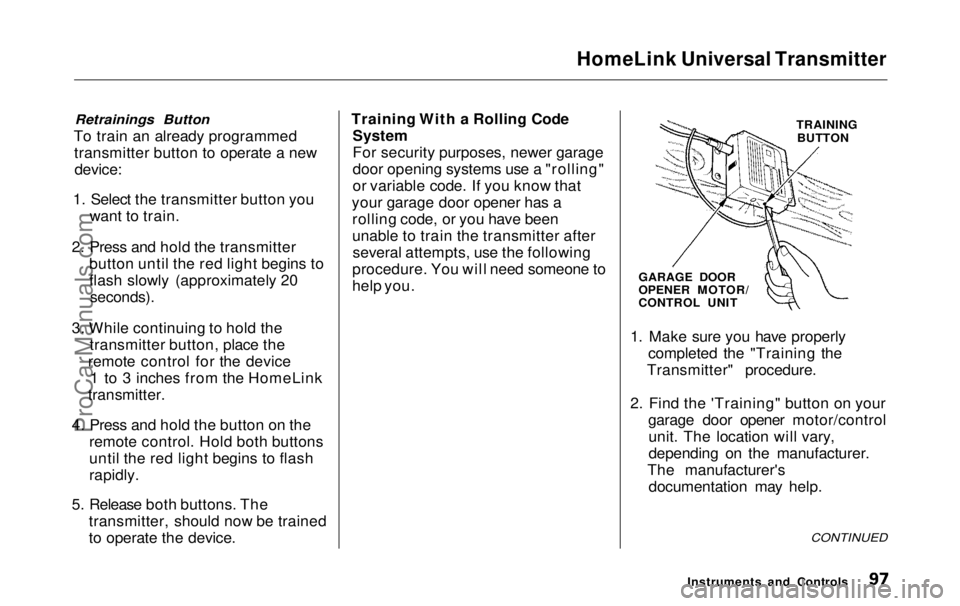
procedure. You will need someone to
help you. TRAINING
BUTTON
GARAGE DOOR
OPENER MOTOR/
CONTROL UNIT
1. Make sure you have properly completed the "Training the
Transmitter" procedure.
2. Find the 'Training" button on your garage door opener motor/controlunit. The location will vary,
depending on the manufacturer.
The manufacturer's documentation may help.
CONTINUED
Instruments and ControlsProCarManuals.comMain Menu Table of Contents s t