1999 HONDA ODYSSEY brakes
[x] Cancel search: brakesPage 205 of 343

The Braking System
Your Honda is equipped with front disc brakes. The brakes on the rear
wheels are drum. A power assist helps reduce the effort needed on
the brake pedal. The ABS helps you retain steering control when braking
very hard.
Put your foot on the brake pedal only
when you intend to brake. Resting
your foot on the pedal keeps the brakes applied lightly, causing themto build up heat. Heat build-up can
reduce how well your brakes work. Italso keeps your brake lights on all
the time, confusing drivers behind
you.
Constant application of the brakes
when going down a long hill builds up heat and reduces their effective-
ness. Use the engine to assist the
brakes by downshifting to a lower gear and taking your foot off the
accelerator pedal.
Check your brakes after driving
through deep water. Apply the
brakes moderately to see if they feel normal. If not, apply them gently and
frequently until they do. Since a
longer distance is needed to stop
with wet brakes, be extra cautious and alert in your driving. Brake Wear Indicators
The front disc brakes on all vehicles have audible brake wear indicators.
When the brake pads need replacing,
you will hear a distinctive metallic "screeching" sound when you apply
the brakes. If you do not have the
brake pads replaced, they will begin screeching all the time.
Your brakes may sometimes squeal or squeak when you apply them
lightly. Do not confuse this with the
brake wear indicators. They make a
very audible "screeching."
DrivingProCarManuals.comMain Menu Table of Contents s t
Page 206 of 343
The Braking System
Brake System Design
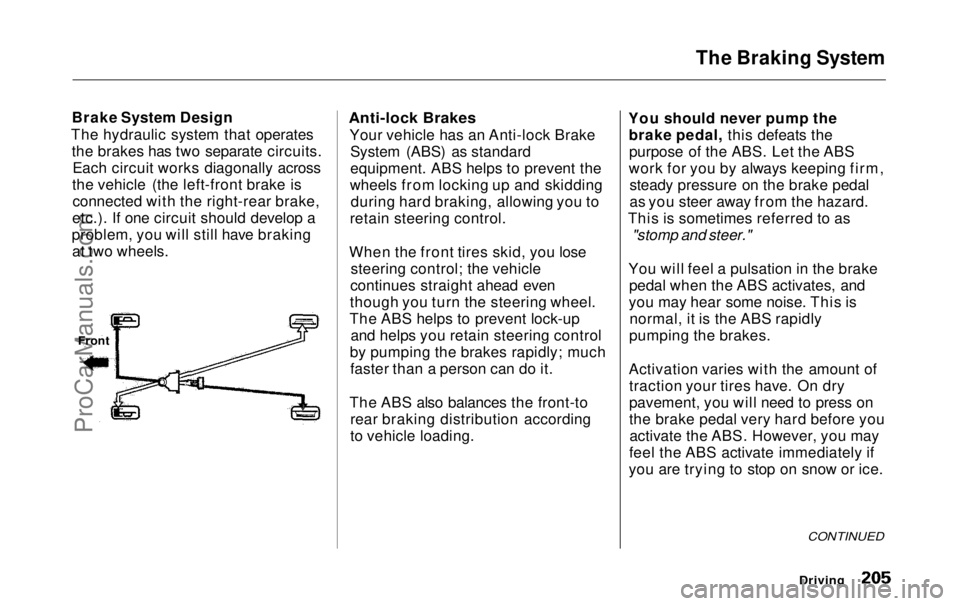
The hydraulic system that operates the brakes has two separate circuits.Each circuit works diagonally across
the vehicle (the left-front brake is connected with the right-rear brake,
etc.). If one circuit should develop a
problem, you will still have braking at two wheels.
Anti-lock Brakes
Your vehicle has an Anti-lock BrakeSystem (ABS) as standard
equipment. ABS helps to prevent the
wheels from locking up and skidding during hard braking, allowing you to
retain steering control.
When the front tires skid, you lose steering control; the vehicle
continues straight ahead even
though you turn the steering wheel.
The ABS helps to prevent lock-up and helps you retain steering control
by pumping the brakes rapidly; much faster than a person can do it.
The ABS also balances the front-to rear braking distribution according
to vehicle loading. You should never pump the
brake pedal, this defeats thepurpose of the ABS. Let the ABS
work for you by always keeping firm, steady pressure on the brake pedal
as you steer away from the hazard.
This is sometimes referred to as
"stomp and steer."
You will feel a pulsation in the brake pedal when the ABS activates, and
you may hear some noise. This is normal, it is the ABS rapidly
pumping the brakes.
Activation varies with the amount of traction your tires have. On dry
pavement, you will need to press on
the brake pedal very hard before youactivate the ABS. However, you may
feel the ABS activate immediately if
you are trying to stop on snow or ice.
Driving
Front
CONTINUEDProCarManuals.comMain Menu Table of Contents s t
Page 207 of 343

The Braking System
Important Safety Reminders
ABS does not reduce the time or distance it takes to stop the
vehicle, it only helps with steering control during braking. You should
always maintain a safe followingdistance from other vehicles.
ABS will not prevent a skid that results from changing direction
abruptly, such as trying to take a
corner too fast or making a sudden
lane change. Always drive at a safe, prudent speed for the road and
weather conditions.
ABS cannot prevent a loss of stability. Always steer moderately
when you are braking hard. Severe or sharp steering wheel movement
can still cause your vehicle to veer
into oncoming traffic or off the road. A vehicle with ABS may require a
longer distance to stop on loose or
uneven surfaces, such as gravel orsnow, than a vehicle without anti-
lock. Slow down and allow a greater distance between vehicles under
those conditions.
ABS Indicator
U.S. indicator shown
The ABS is self-checking. It does a self-check every time you start the
engine, and it also checks itself
whenever you use the brakes.
Driving
ABS INDICATOR*ProCarManuals.comMain Menu Table of Contents s t
Page 208 of 343

The Braking System, Traction Control System
If anything goes wrong, the ABS
indicator on the instrument panel
comes on (see page 59 ). This means
the anti-lock function of the braking system has shut down. The brakes
still work like a conventional system
without anti-lock, providing normal stopping ability. You should have the
dealer inspect your vehicle as soon
as possible.
If the ABS indicator and the brake
system indicator come on together,
and the parking brake is fully
released, the front-to-rear braking distribution system may also shut
down.
Test your brakes as instructed on page 304 . If the brakes feel normal,drive slowly and have your vehicle
repaired by your dealer as soon as
possible. Avoid sudden hard braking
which could cause the rear wheels to lock up and possibly lead to a loss of
control.
On EX model
The TCS indicator will come on along with the ABS indicator. Traction Control System
On EX model
Your Honda is equipped with a
Traction Control System (TCS) to assist you in maintaining traction
while driving slowly on loose or slippery surfaces. The TCS assists
only in low-speed, low-traction
conditions; up to approximately 18
mph (30km/h).
The TCS monitors the speed of all four wheels. When it senses a front
wheel losing traction, it applies
braking to that wheel. The TCSindicator flashes when this occurs.
Driving
CONTINUEDProCarManuals.comMain Menu Table of Contents s t
Page 209 of 343
Traction Control System
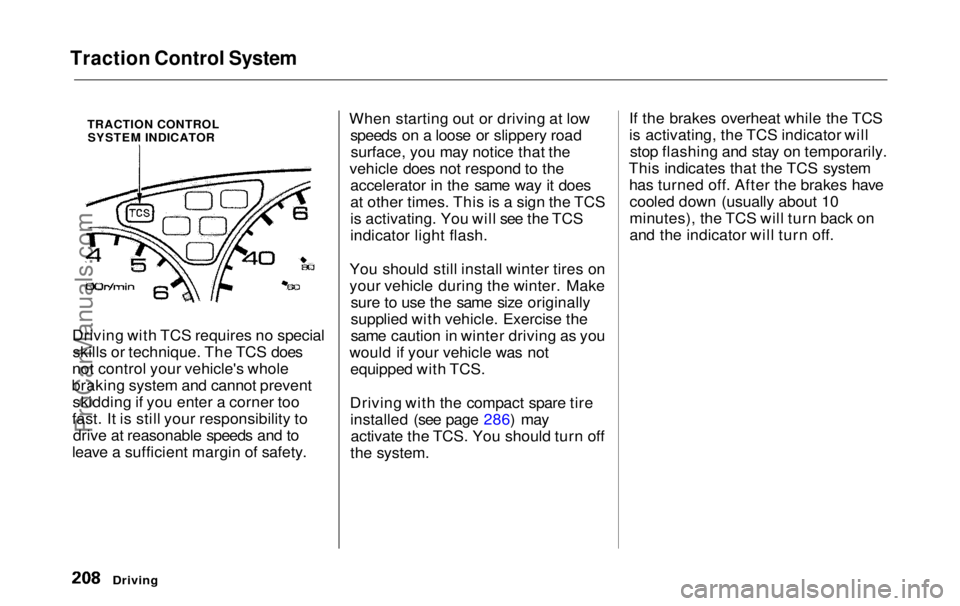
TRACTION CONTROLSYSTEM INDICATOR
Driving with TCS requires no special skills or technique. The TCS does
not control your vehicle's whole
braking system and cannot prevent skidding if you enter a corner too
fast. It is still your responsibility to drive at reasonable speeds and to
leave a sufficient margin of safety. When starting out or driving at low
speeds on a loose or slippery roadsurface, you may notice that the
vehicle does not respond to the accelerator in the same way it does
at other times. This is a sign the TCS
is activating. You will see the TCS
indicator light flash.
You should still install winter tires on
your vehicle during the winter. Make sure to use the same size originally
supplied with vehicle. Exercise the
same caution in winter driving as you
would if your vehicle was not equipped with TCS.
Driving with the compact spare tire installed (see page 286) mayactivate the TCS. You should turn off
the system. If the brakes overheat while the TCS
is activating, the TCS indicator will
stop flashing and stay on temporarily.
This indicates that the TCS system has turned off. After the brakes havecooled down (usually about 10
minutes), the TCS will turn back on
and the indicator will turn off.
DrivingProCarManuals.comMain Menu Table of Contents s t
Page 210 of 343
Traction Control System
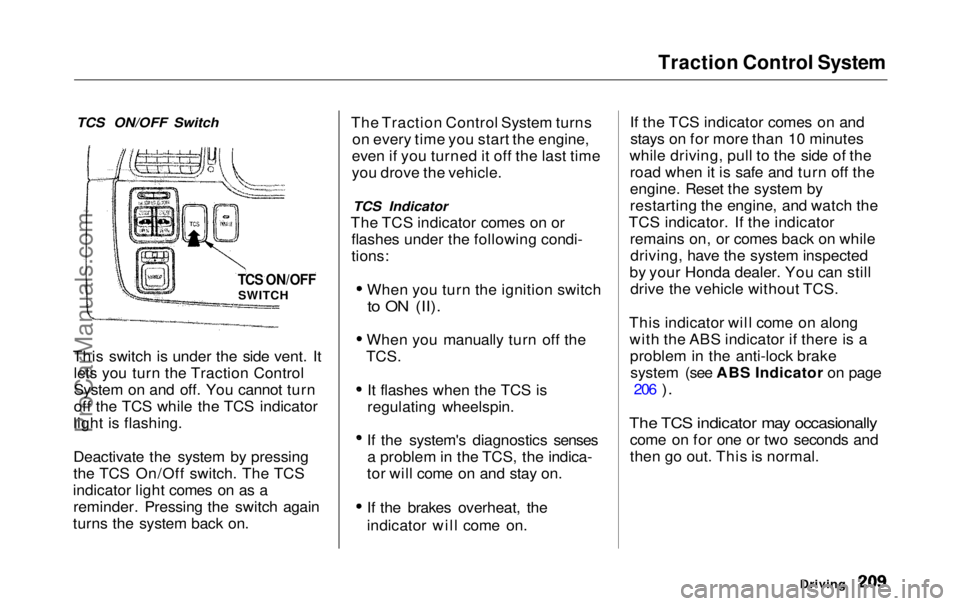
TCS ON/OFF Switch
This switch is under the side vent. It lets you turn the Traction Control
System on and off. You cannot turn
off the TCS while the TCS indicator
light is flashing.
Deactivate the system by pressing
the TCS On/Off switch. The TCS
indicator light comes on as a reminder. Pressing the switch again
turns the system back on. The Traction Control System turns
on every time you start the engine,
even if you turned it off the last time
you drove the vehicle.
TCS Indicator
The TCS indicator comes on or flashes under the following condi-
tions:
When you turn the ignition switch
to ON (II).
When you manually turn off the
TCS.
It flashes when the TCS is
regulating wheelspin.
If the system's diagnostics senses a problem in the TCS, the indica-
tor will come on and stay on.
If the brakes overheat, the
indicator will come on. If the TCS indicator comes on and
stays on for more than 10 minutes
while driving, pull to the side of the road when it is safe and turn off the
engine. Reset the system by
restarting the engine, and watch the
TCS indicator. If the indicator remains on, or comes back on whiledriving, have the system inspected
by your Honda dealer. You can still drive the vehicle without TCS.
This indicator will come on along with the ABS indicator if there is aproblem in the anti-lock brakesystem (see ABS Indicator on page 206
).
The TCS indicator may occasionally
come on for one or two seconds and
then go out. This is normal.
Driving
TCS ON/OFF
SWITCHProCarManuals.comMain Menu Table of Contents s t
Page 211 of 343

Driving in Bad Weather
Rain, fog, and snow conditions re-quire a different driving technique
because of reduced traction and
visibility. Keep your vehicle well- maintained and exercise greater
caution when you need to drive in
bad weather. The cruise control should not be used in these condi-
tions.
Driving Technique — Always drive
slower than you would in dry
weather. It takes your vehicle longer to react, even in conditions that mayseem just barely damp. Applysmooth, even pressure to all the
controls. Abrupt steering wheel
movements or sudden, hard appli-
cation of the brakes can cause loss of control in wet weather. Be extra
cautious for the first few miles (kilometers) of driving while you
adjust to the change in driving
conditions. This is especially true in snow. A person can forget some
snow-driving techniques during the
summer months. Practice is needed
to relearn those skills.
Exercise extra caution when driving
in rain after a long dry spell. After
months of dry weather, the first
rains bring oil to the surface of the
roadway, making it slippery. Visibility — Being able to see
clearly in all directions and being
visible to other drivers are important in all weather conditions. This ismore difficult in bad weather. To beseen more clearly during daylight
hours, turn on your headlights.
Inspect your windshield wipers and
washers frequently. Keep the wind- shield washer reservoir full of the
proper fluid. Have the windshield
wiper blades replaced if they start to streak the windshield or leave parts
unwiped. Use the defroster and air conditioning to keep the windows
from fogging up on the inside (see
pages 135 and 144 ).
DrivingProCarManuals.comMain Menu Table of Contents s t
Page 216 of 343
Towing a Trailer
Trailer Brakes
Honda recommends that any trailer
having a total weight of 1,000 Ibs (450 kg) or more be equipped with
its own electric or surge-type brakes.
If you choose electric brakes, be
sure they are electronically actuated.
Do not attempt to tap into your
vehicle's hydraulic system. No matter how successful it may seem,
any attempt to attach trailer brakes
to your vehicle's hydraulic system
will lower braking effectiveness and create a potential hazard.
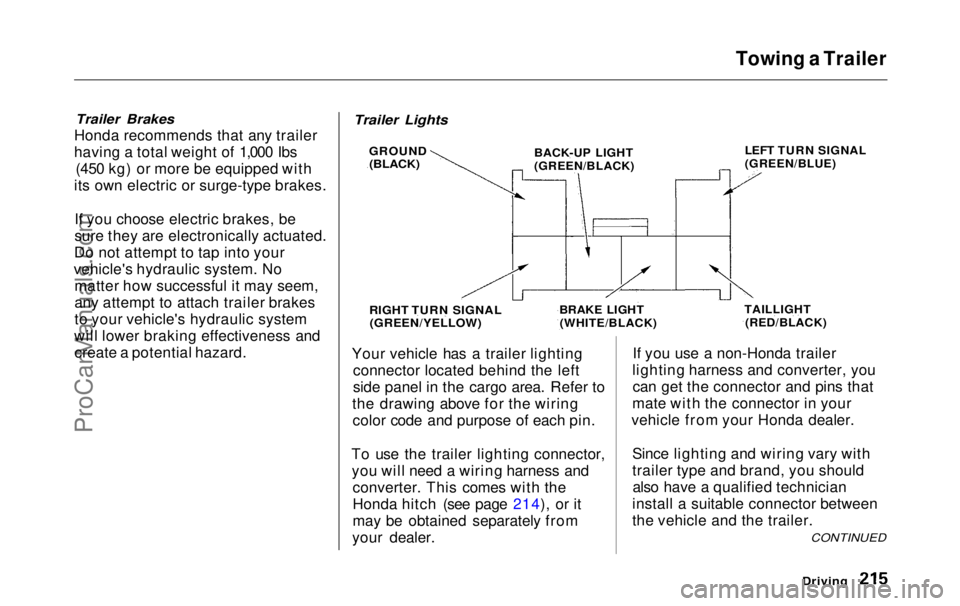
Your vehicle has a trailer lighting
connector located behind the left
side panel in the cargo area. Refer to
the drawing above for the wiring color code and purpose of each pin.
To use the trailer lighting connector, you will need a wiring harness and converter. This comes with the
Honda hitch (see page 214), or it
may be obtained separately from
your dealer. If you use a non-Honda trailer
lighting harness and converter, you can get the connector and pins that
mate with the connector in your
vehicle from your Honda dealer.
Since lighting and wiring vary with
trailer type and brand, you shouldalso have a qualified technician
install a suitable connector between
the vehicle and the trailer.
Driving
CONTINUED
Trailer Lights
GROUND
(BLACK)
BACK-UP LIGHT
(GREEN/BLACK)
LEFT TURN SIGNAL
(GREEN/BLUE)
TAILLIGHT
(RED/BLACK)
BRAKE LIGHT
(WHITE/BLACK)
RIGHT TURN SIGNAL
(GREEN/YELLOW)ProCarManuals.comMain Menu Table of Contents s t