Page 22 of 224
Do not place objects on top of the
instrument panel, as these objects may
become projectiles in a collision or sudden stop.
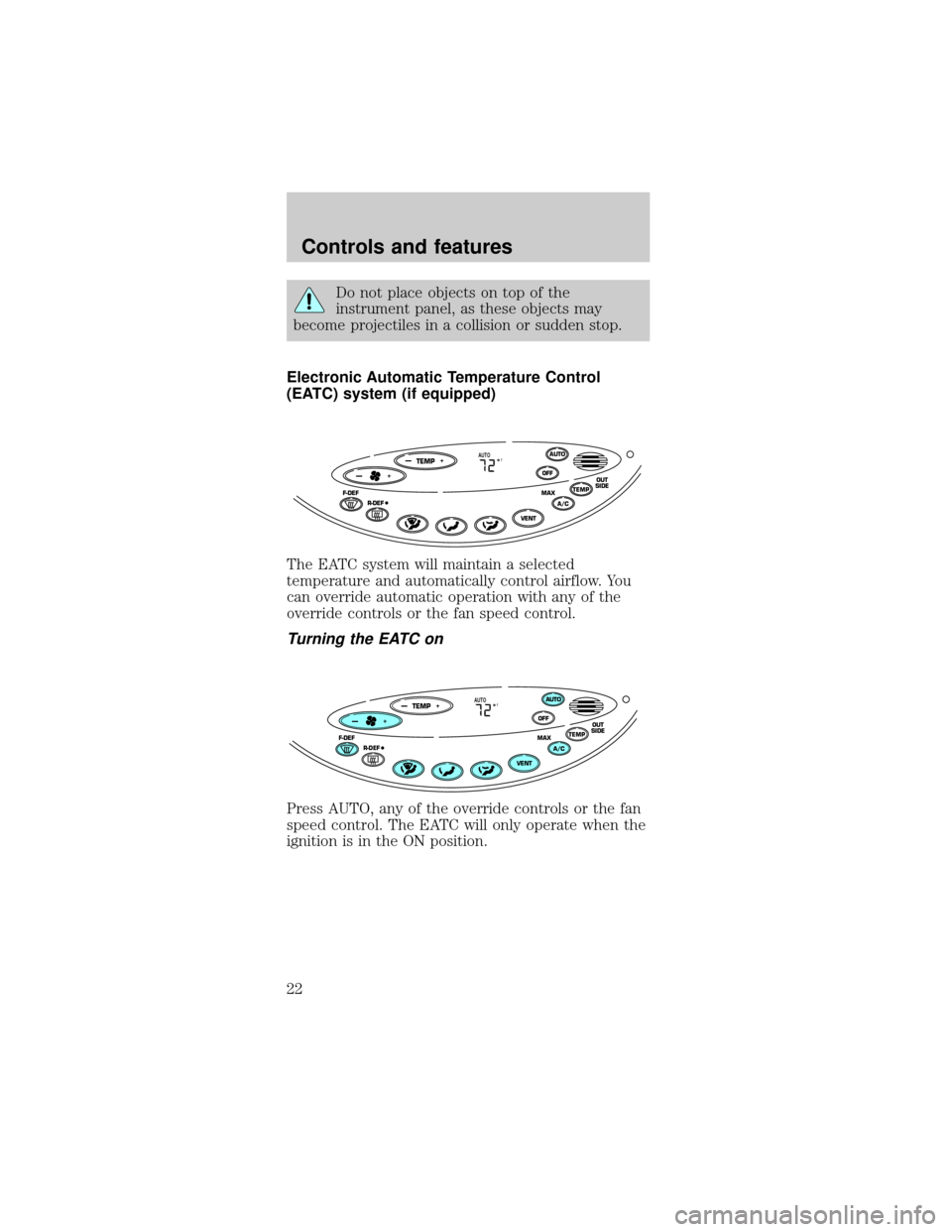
Electronic Automatic Temperature Control
(EATC) system (if equipped)
The EATC system will maintain a selected
temperature and automatically control airflow. You
can override automatic operation with any of the
override controls or the fan speed control.
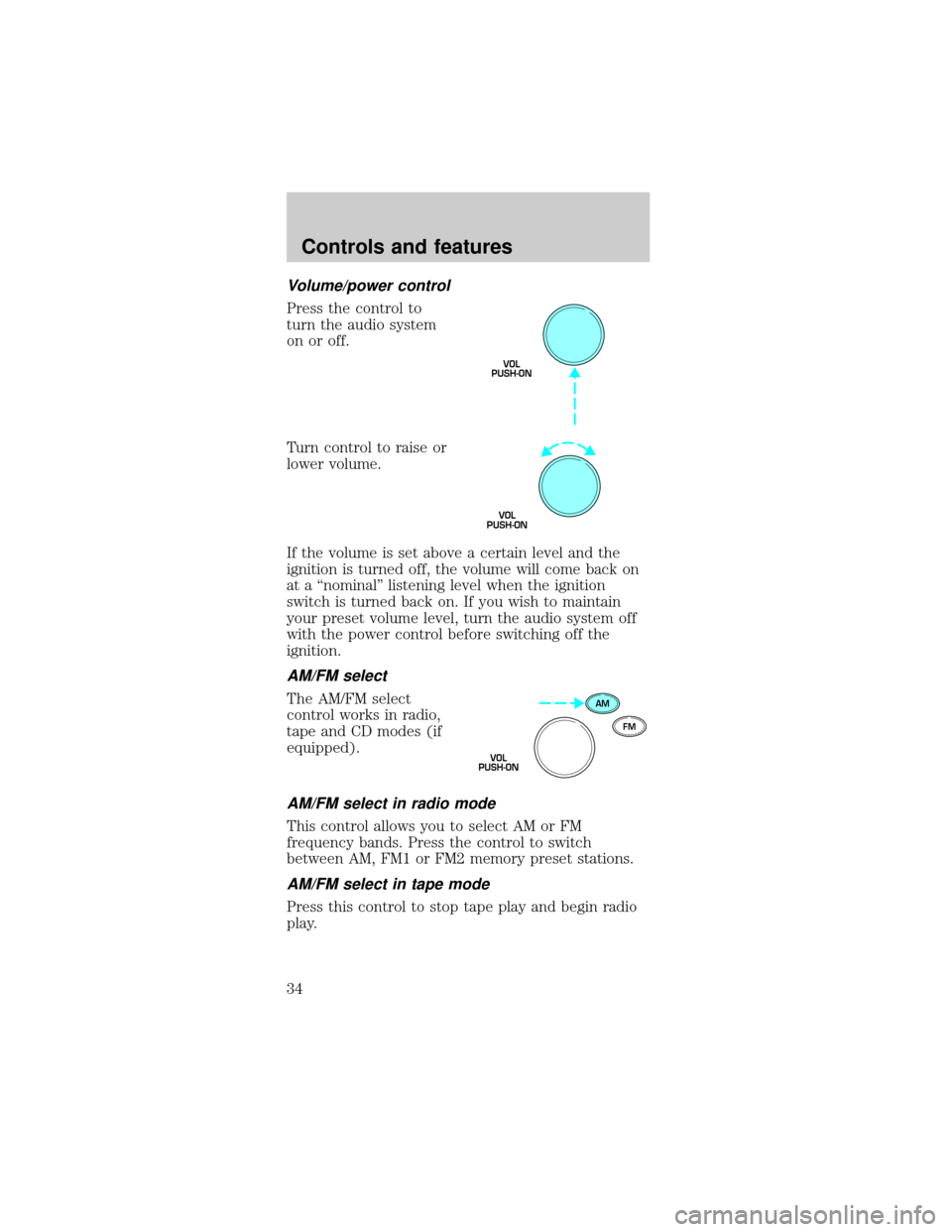
Turning the EATC on
Press AUTO, any of the override controls or the fan
speed control. The EATC will only operate when the
ignition is in the ON position.
TEMP
—+OFFAUTO
TEMPOUT
SIDEA/C MAXF-DEF
R-DEF
AUTO
VENT
F—+
TEMP
—+OFFAUTO
TEMPOUT
SIDEA/C MAXF-DEF
R-DEF
AUTO
VENT
F—+
Controls and features
22
Page 23 of 224

Turning the EATC off
Press OFF. The
Outside Temperature
function will continue
to operate until the
ignition is turned off.
Automatic operation
Press AUTO and select the desired temperature.
The selected temperature and the word AUTO will
appear in the display window. The EATC system will
either heat or cool to achieve the selected
temperature. The system will automatically
determine fan speed, airflow location and if fresh
outside air or recirculated air is required. Fan speed
remains automatic unless the fan speed control is
pressed.
When in AUTO and weather conditions require heat,
air will be sent to the floor. However, if the engine is
not warm enough to provide heat, the fan will be at
a low speed and the air will be directed to the
windshield. In 3
1¤2minutes or less, the fan speed will
start to increase and the airflow location will change
to the floor area.
If unusual conditions exist (i.e.-window fogging,
etc.), the manual override controls allow you to
select airflow locations and the fan control allows
you to adjust fan speed as necessary.
Temperature selection
The display window
indicates the selected
temperature, function
(AUTO or one of the
override controls) and
manual control of fan
speed (
)if
automatic fan speed is not desired.
OFFAUTO
TEMPOUT
SIDE
A/C MAX
VENT
FAUTO
FAN• • •
Controls and features
23
Page 26 of 224

Since the air conditioner removes considerable
moisture from the air during operation, it is normal
if clear water drips on the ground under the air
conditioner drain while the system is working and
even after you have stopped the vehicle.
Under normal conditions, your vehicle's climate
control system should be left in any position other
than MAX A/C or OFF when the vehicle is parked.
This allows the vehicle to ªbreatheº through the
outside air inlet duct. Prior to turning off the
ignition in snowy or dirty conditions, ensure that the
climate control system is turned off.
²F
-Distributes outside air through the
windshield defroster ducts. It can be used to clear
ice or fog from the windshield. If the outside air
temperature is about 10ÉC (50ÉF) or higher, the
air conditioner will automatically dehumidify the
air to reduce fogging.
²
-Distributes outside air through the
windshield defroster ducts and the floor ducts.
Heating and air conditioning capabilities are
provided in this mode. The air will be heated or
cooled based on the temperature selection. For
added customer comfort, the air distributed
through the floor ducts will be slightly warmer
than the air sent to the windshield defroster
ducts. If the temperature is about 10ÉC (50ÉF) or
higher, the air conditioner will automatically
dehumidify the air to reduce fogging.
²
-Allows for maximum heating by distributing
outside air through the floor ducts. However, the
air cannot be cooled below the outside
temperature because the air conditioning does not
operate in this mode.
²
-Distributes outside air through the
instrument panel registers. However, the air
cannot be cooled below the outside temperature
because the air conditioning does not operate in
this mode.
Controls and features
26
Page 30 of 224
If the volume is set above a certain level and the
ignition is turned off, the volume will come back on
at a ªnominalº listening level when the ignition
switch is turned back on. If you wish to maintain
your preset volume level, turn the audio system off
with the power control before switching off the
ignition.
AM/FM select
The AM/FM select
control works in radio
mode.
AM/FM select in radio mode
This control allows you to select AM or FM
frequency bands. Press the control to switch
between AM, FM1 or FM2 memory preset stations.
Tune adjust
The tune control works
in radio.
Tune adjust in radio mode
²Press theto move to the next frequency down
the band (whether or not a listenable station is
located there). Hold the control to move through
the frequencies quickly.
²Press the right side of the control to move to the
next frequency up the band (whether or not a
listenable station is located there). Hold for quick
movement.
Seek function
The seek function
control works in radio
mode.
AM
FM
VOL
PUSH-ON
TUNE
SEEK
Controls and features
30
Page 34 of 224
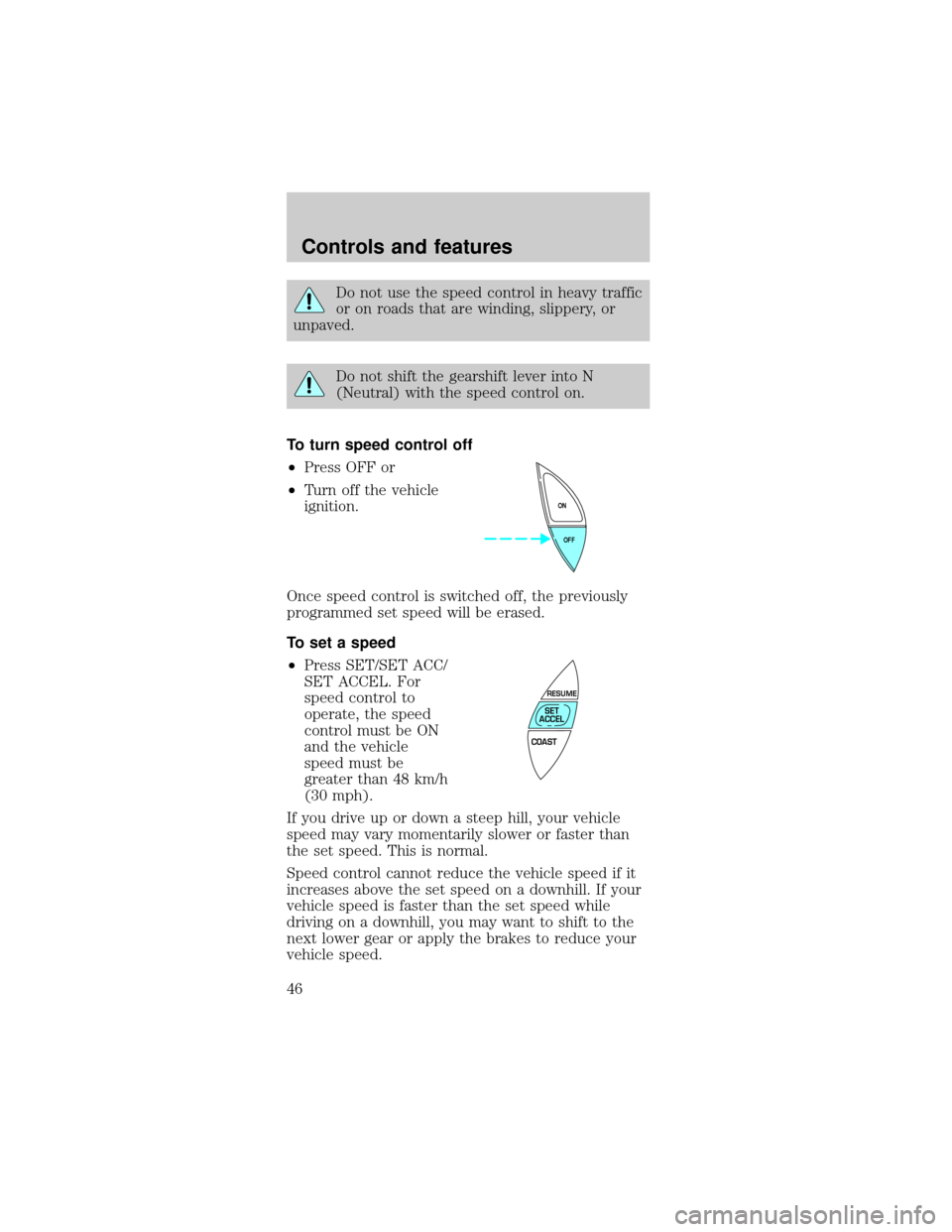
Volume/power control
Press the control to
turn the audio system
on or off.
Turn control to raise or
lower volume.
If the volume is set above a certain level and the
ignition is turned off, the volume will come back on
at a ªnominalº listening level when the ignition
switch is turned back on. If you wish to maintain
your preset volume level, turn the audio system off
with the power control before switching off the
ignition.
AM/FM select
The AM/FM select
control works in radio,
tape and CD modes (if
equipped).
AM/FM select in radio mode
This control allows you to select AM or FM
frequency bands. Press the control to switch
between AM, FM1 or FM2 memory preset stations.
AM/FM select in tape mode
Press this control to stop tape play and begin radio
play.
VOL
PUSH-ON
VOL
PUSH-ON
AM
FM
VOL
PUSH-ON
Controls and features
34
Page 45 of 224
Audio system warranties and service
Refer to the ªWarranty Guideº for audio system
warranty information.
If service is necessary, see your dealer or a qualified
technician.
POSITIONS OF THE IGNITION
1. ACCESSORY, allows
the electrical
accessories such as the
radio to operate while
the engine is not
running.
2. LOCK, locks the
steering wheel,
automatic transmission gearshift lever and allows
key removal.
3. OFF, shuts off the engine and all accessories
without locking the steering wheel.
4. ON, all electrical circuits operational. Warning
lights illuminated. Key position when driving.
5. START, cranks the engine. Release the key as
soon as the engine starts.
SPEED CONTROL (IF EQUIPPED)
To turn speed control on
²Press ON.
Vehicle speed cannot
be controlled until the
vehicle is traveling at
or above 48 km/h
(30 mph).
1
23
4
5
OFF ON
Controls and features
45
Page 46 of 224
Do not use the speed control in heavy traffic
or on roads that are winding, slippery, or
unpaved.
Do not shift the gearshift lever into N
(Neutral) with the speed control on.
To turn speed control off
²Press OFF or
²Turn off the vehicle
ignition.
Once speed control is switched off, the previously
programmed set speed will be erased.
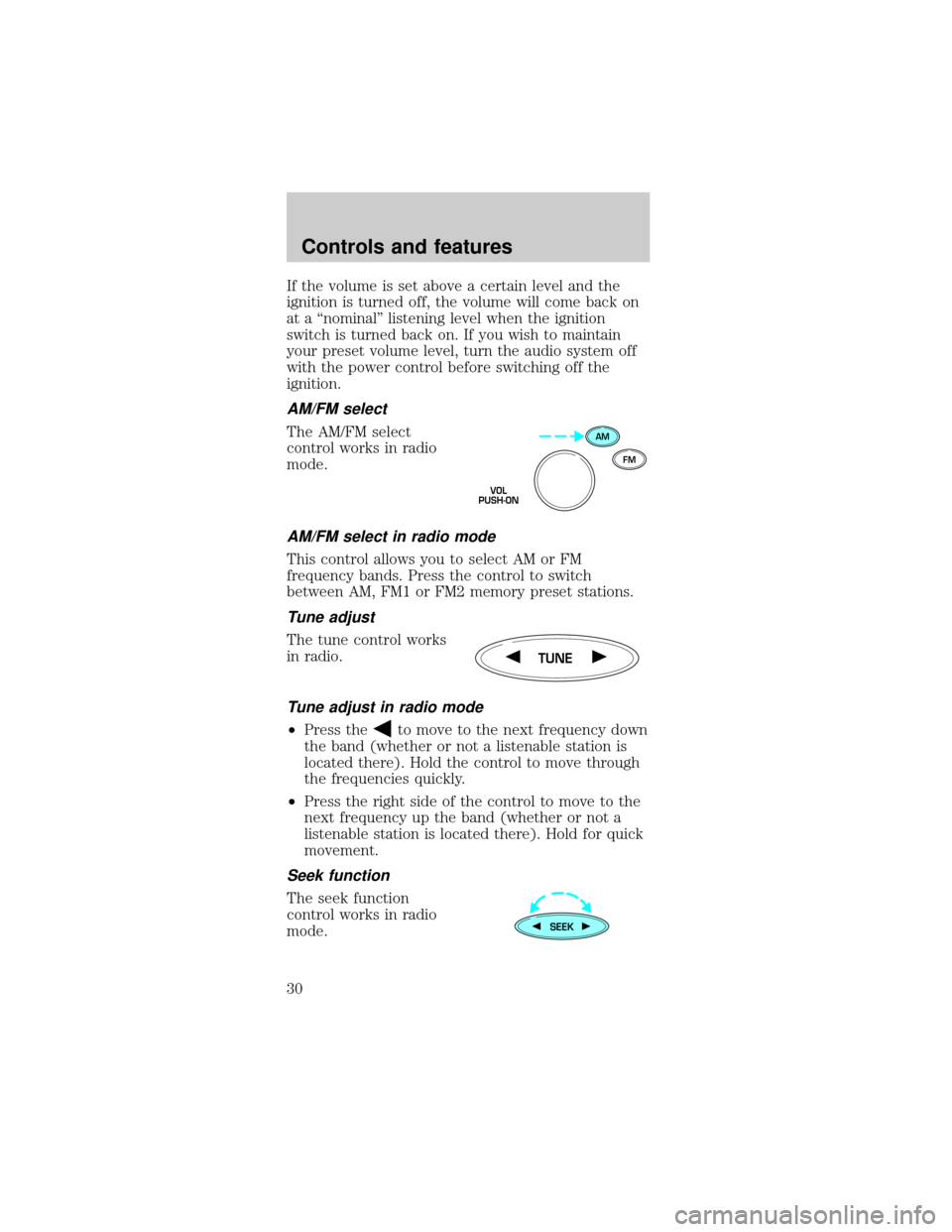
To set a speed
²Press SET/SET ACC/
SET ACCEL. For
speed control to
operate, the speed
control must be ON
and the vehicle
speed must be
greater than 48 km/h
(30 mph).
If you drive up or down a steep hill, your vehicle
speed may vary momentarily slower or faster than
the set speed. This is normal.
Speed control cannot reduce the vehicle speed if it
increases above the set speed on a downhill. If your
vehicle speed is faster than the set speed while
driving on a downhill, you may want to shift to the
next lower gear or apply the brakes to reduce your
vehicle speed.
OFF ON
COAST
RESUME
SET
ACCEL
Controls and features
46
Page 49 of 224
Indicator light
This light comes on
when either the SET
ACC/SET ACCEL or
RES/RSM/RESUME
controls are pressed. It
turns off when the speed control OFF control is
pressed, the brake is applied or the ignition is
turned to the OFF position.
TURN SIGNAL CONTROL
²Push down to
activate the left turn
signal.
²Push up to activate
the right turn signal.
WINDSHIELD WIPER/WASHER CONTROLS
Rotate the windshield
wiper control to the
desired interval, low or
high speed position.
The bars of varying length are for intermittent
wipers. When in this position rotate the control
upward for fast intervals and downward for slow
intervals.
Push the control on
the end of the stalk to
activate washer. Push
and hold for a longer
wash cycle. The washer will automatically shut off
after ten seconds of continuous use.
CRUISE
LOF
OFFS
HI
LOF
OFFS
HI
Controls and features
49