Page 199 of 440
yellowblue
2-99
NOTICE:
Damage to your engine from neglected oil
problems can be costly and is not covered by your
warranty.
Low Oil Level Light
If this light comes on, it
means your engine is low
on oil.
You need to check the oil level right away. Have your
vehicle serviced immediately.
Power Sliding Door Warning Light
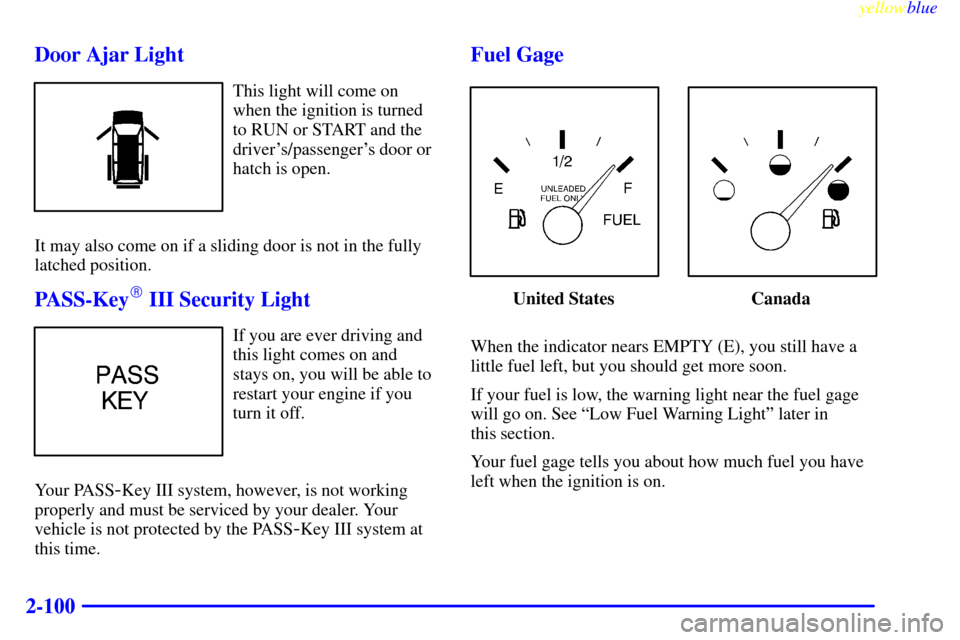
This light will come on if
the power sliding door is
not completely closed and
the ignition is turned to
RUN or START.
If you shift the transaxle out of PARK (P) while the
power sliding door is open or in the process of closing,
and the power sliding door override feature is disabled,
a buzzer will sound. This is a warning that the power
sliding door is not completely closed.
CAUTION:
If you shift the transaxle out of PARK (P) and
accelerate before the power sliding door latches
closed, the door may reverse to the open position.
A child or others could fall out of the vehicle and
be injured. Always make sure the power sliding
door is closed and latched before you drive away.
Page 200 of 440
yellowblue
2-100Door Ajar Light
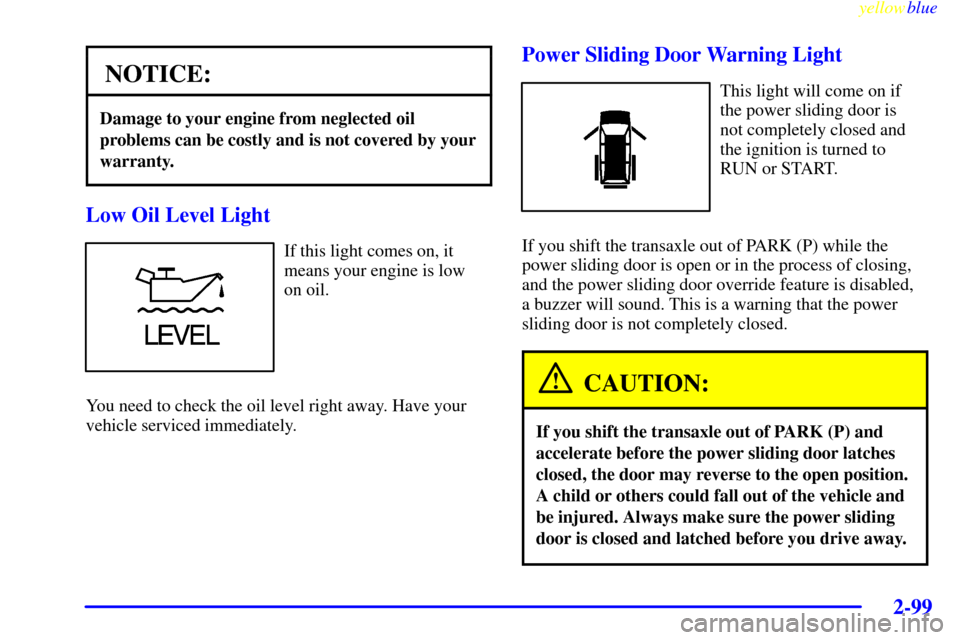
This light will come on
when the ignition is turned
to RUN or START and the
driver's/passenger's door or
hatch is open.
It may also come on if a sliding door is not in the fully
latched position.
PASS-Key� III Security Light
If you are ever driving and
this light comes on and
stays on, you will be able to
restart your engine if you
turn it off.
Your PASS
-Key III system, however, is not working
properly and must be serviced by your dealer. Your
vehicle is not protected by the PASS
-Key III system at
this time.
Fuel Gage
United States Canada
When the indicator nears EMPTY (E), you still have a
little fuel left, but you should get more soon.
If your fuel is low, the warning light near the fuel gage
will go on. See ªLow Fuel Warning Lightº later in
this section.
Your fuel gage tells you about how much fuel you have
left when the ignition is on.
Page 201 of 440
yellowblue
2-101
Here are four things that some owners ask about. All
these things are normal and do not indicate that anything
is wrong with the fuel gage.
�At the gas station, the gas pump shuts off before the
gage reads FULL (F).
�It takes a little more (or less) fuel to fill up than the
gage reads. For example, the gage reads half full, but
it took more (or less) than half of the tank's capacity
to fill it.
�The gage pointer may move while cornering, braking
or speeding up.
�The gage may not indicate EMPTY (E) when the
ignition is turned off.Low Fuel Warning Light
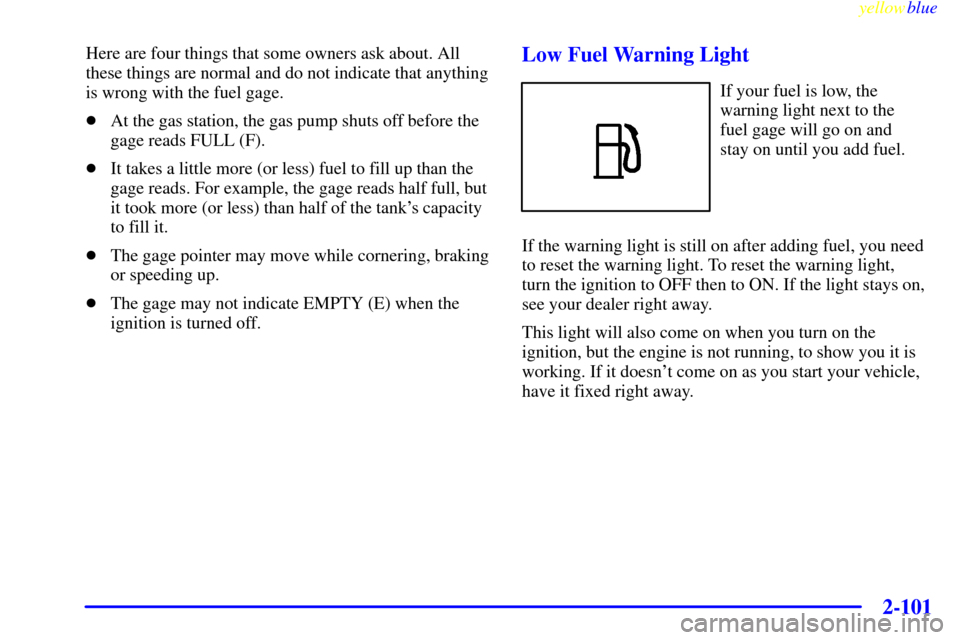
If your fuel is low, the
warning light next to the
fuel gage will go on and
stay on until you add fuel.
If the warning light is still on after adding fuel, you need
to reset the warning light. To reset the warning light,
turn the ignition to OFF then to ON. If the light stays on,
see your dealer right away.
This light will also come on when you turn on the
ignition, but the engine is not running, to show you it is
working. If it doesn't come on as you start your vehicle,
have it fixed right away.
Page 203 of 440
yellowblue
2-103
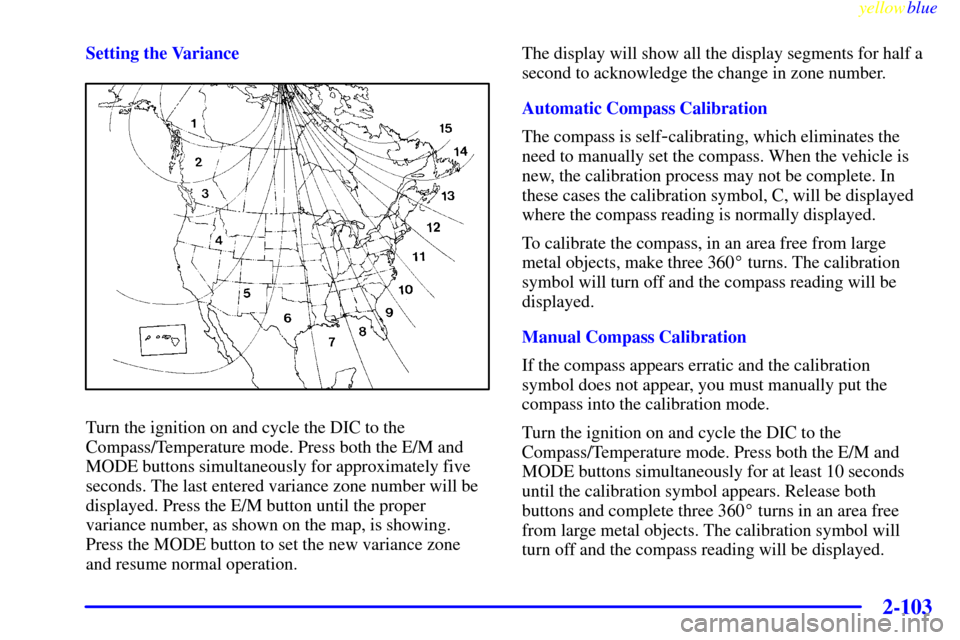
Setting the Variance
Turn the ignition on and cycle the DIC to the
Compass/Temperature mode. Press both the E/M and
MODE buttons simultaneously for approximately five
seconds. The last entered variance zone number will be
displayed. Press the E/M button until the proper
variance number, as shown on the map, is showing.
Press the MODE button to set the new variance zone
and resume normal operation.The display will show all the display segments for half a
second to acknowledge the change in zone number.
Automatic Compass Calibration
The compass is self
-calibrating, which eliminates the
need to manually set the compass. When the vehicle is
new, the calibration process may not be complete. In
these cases the calibration symbol, C, will be displayed
where the compass reading is normally displayed.
To calibrate the compass, in an area free from large
metal objects, make three 360� turns. The calibration
symbol will turn off and the compass reading will be
displayed.
Manual Compass Calibration
If the compass appears erratic and the calibration
symbol does not appear, you must manually put the
compass into the calibration mode.
Turn the ignition on and cycle the DIC to the
Compass/Temperature mode. Press both the E/M and
MODE buttons simultaneously for at least 10 seconds
until the calibration symbol appears. Release both
buttons and complete three 360� turns in an area free
from large metal objects. The calibration symbol will
turn off and the compass reading will be displayed.
Page 209 of 440
yellowblue
3-5 Rear Window Defogger
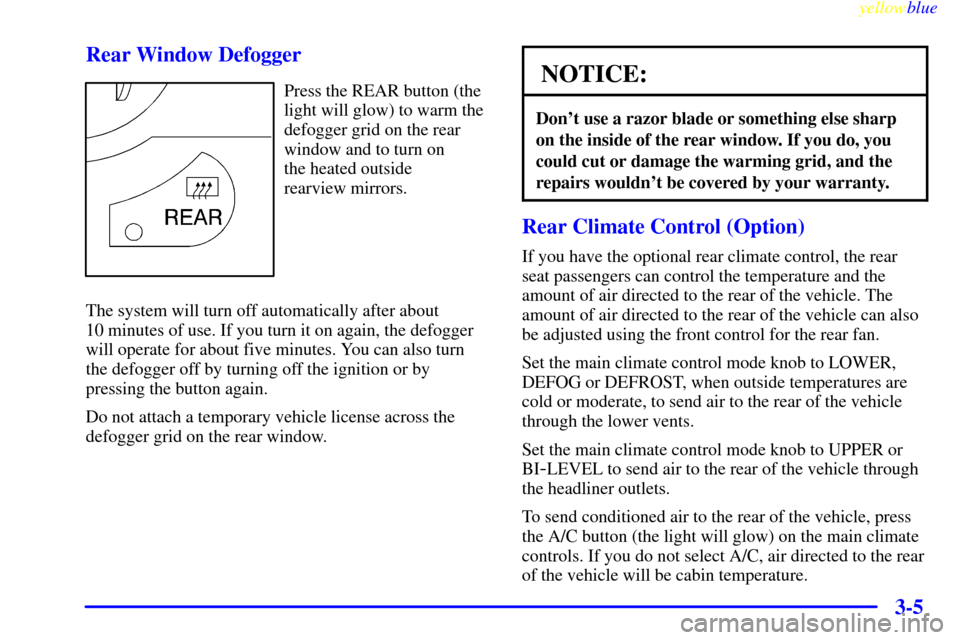
Press the REAR button (the
light will glow) to warm the
defogger grid on the rear
window and to turn on
the heated outside
rearview mirrors.
The system will turn off automatically after about
10 minutes of use. If you turn it on again, the defogger
will operate for about five minutes. You can also turn
the defogger off by turning off the ignition or by
pressing the button again.
Do not attach a temporary vehicle license across the
defogger grid on the rear window.NOTICE:
Don't use a razor blade or something else sharp
on the inside of the rear window. If you do, you
could cut or damage the warming grid, and the
repairs wouldn't be covered by your warranty.
Rear Climate Control (Option)
If you have the optional rear climate control, the rear
seat passengers can control the temperature and the
amount of air directed to the rear of the vehicle. The
amount of air directed to the rear of the vehicle can also
be adjusted using the front control for the rear fan.
Set the main climate control mode knob to LOWER,
DEFOG or DEFROST, when outside temperatures are
cold or moderate, to send air to the rear of the vehicle
through the lower vents.
Set the main climate control mode knob to UPPER or
BI
-LEVEL to send air to the rear of the vehicle through
the headliner outlets.
To send conditioned air to the rear of the vehicle, press
the A/C button (the light will glow) on the main climate
controls. If you do not select A/C, air directed to the rear
of the vehicle will be cabin temperature.
Page 213 of 440
yellowblue
3-9
Audio Systems
Your Delco Electronics audio system has been designed
to operate easily and give years of listening pleasure.
You will get the most enjoyment out of it if you acquaint
yourself with it first. Find out what your Delco
Electronics system can do and how to operate all its
controls, to be sure you're getting the most out of the
advanced engineering that went into it.
Setting the Clock for Systems without
Automatic Tone Control
Press SET. SET will appear on the display for five
seconds. Within five seconds, press and hold the right
arrow on the SEEK button until the correct minute
appears. Press and hold the left arrow on the SEEK
button until the correct hour appears.
Setting the Clock for Systems with
Automatic Tone Control
Press and hold HR until the correct hour appears. Press
and hold MN until the correct minute appears.
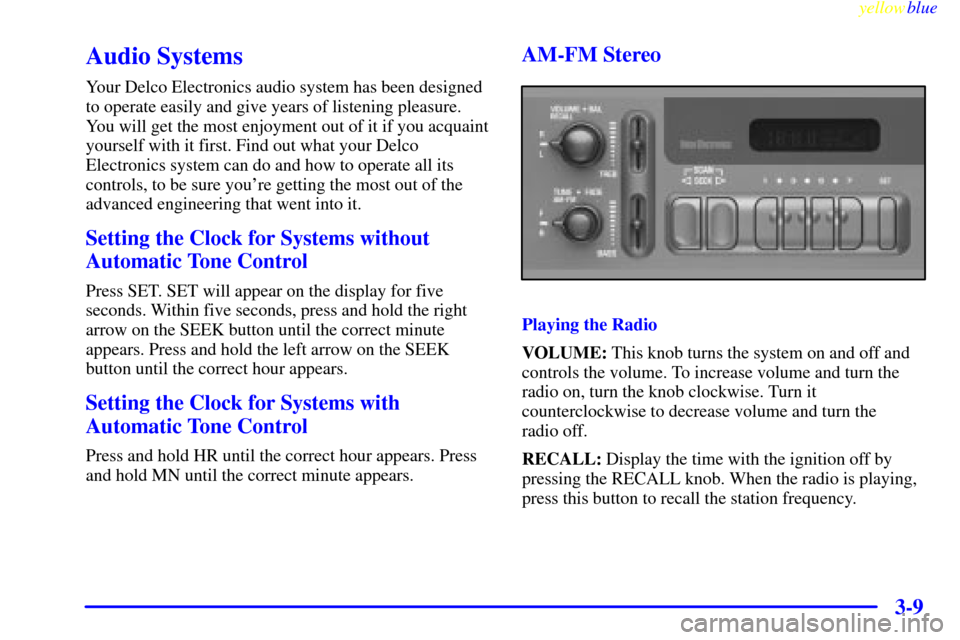
AM-FM Stereo
Playing the Radio
VOLUME: This knob turns the system on and off and
controls the volume. To increase volume and turn the
radio on, turn the knob clockwise. Turn it
counterclockwise to decrease volume and turn the
radio off.
RECALL: Display the time with the ignition off by
pressing the RECALL knob. When the radio is playing,
press this button to recall the station frequency.
Page 215 of 440
yellowblue
3-11
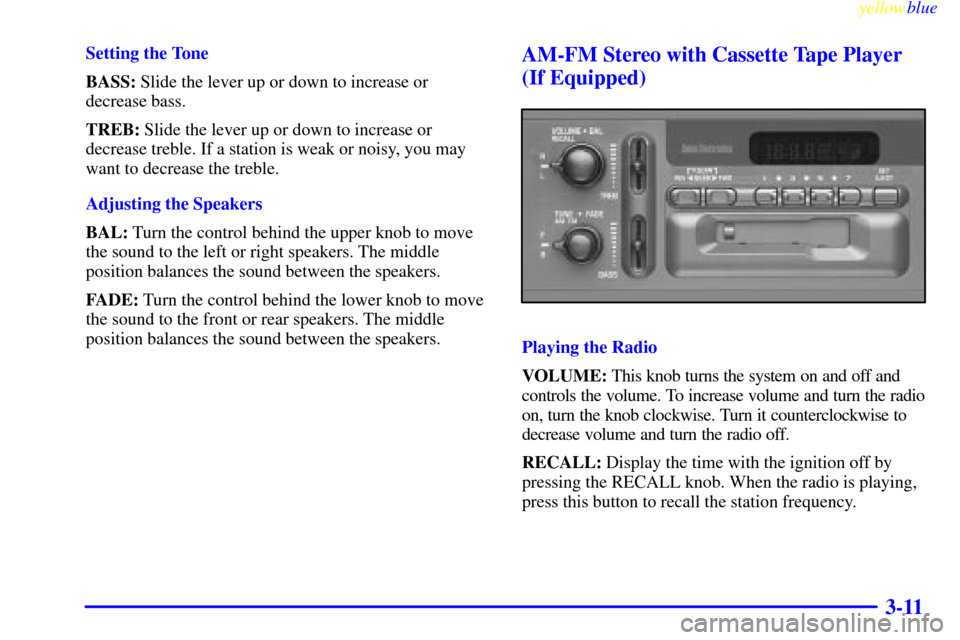
Setting the Tone
BASS: Slide the lever up or down to increase or
decrease bass.
TREB: Slide the lever up or down to increase or
decrease treble. If a station is weak or noisy, you may
want to decrease the treble.
Adjusting the Speakers
BAL: Turn the control behind the upper knob to move
the sound to the left or right speakers. The middle
position balances the sound between the speakers.
FADE: Turn the control behind the lower knob to move
the sound to the front or rear speakers. The middle
position balances the sound between the speakers.AM-FM Stereo with Cassette Tape Player
(If Equipped)
Playing the Radio
VOLUME: This knob turns the system on and off and
controls the volume. To increase volume and turn the radio
on, turn the knob clockwise. Turn it counterclockwise to
decrease volume and turn the radio off.
RECALL: Display the time with the ignition off by
pressing the RECALL knob. When the radio is playing,
press this button to recall the station frequency.
Page 218 of 440
yellowblue
3-14
CD Adapter Kits
It is possible to use a CD adapter kit with your cassette
tape player after activating the bypass feature on your
tape player.
To activate the bypass feature, use the following steps:
1. Turn the ignition to RUN or ACCESSORY.
2. Turn the radio on.
3. Insert the adapter.
4. Within five seconds, press and hold the REV and
FWD buttons at the same time for three seconds. The
tape symbol on the display will flash, showing that
the cut tape detection feature is no longer active.
This override routine will remain active until EJECT
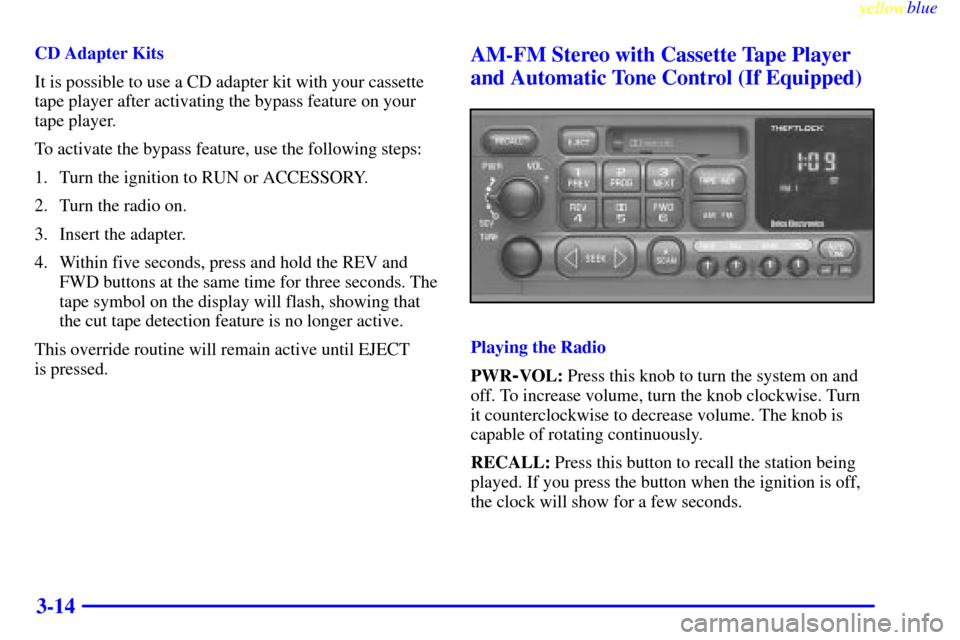
is pressed.AM-FM Stereo with Cassette Tape Player
and Automatic Tone Control (If Equipped)
Playing the Radio
PWR
-VOL: Press this knob to turn the system on and
off. To increase volume, turn the knob clockwise. Turn
it counterclockwise to decrease volume. The knob is
capable of rotating continuously.
RECALL: Press this button to recall the station being
played. If you press the button when the ignition is off,
the clock will show for a few seconds.