Page 5 of 432
yellowblue
v
For example,
these symbols
are used on an
original battery:
CAUTION
POSSIBLE
INJURY
PROTECT
EYES BY
SHIELDING
CAUSTIC
BATTERY
ACID COULD
CAUSE
BURNS
AVOID
SPARKS OR
FLAMES
SPARK OR
FLAME
COULD
EXPLODE
BATTERY
These symbols
are important
for you and
your passengers
whenever your
vehicle is
driven:
DOOR LOCK
UNLOCK
FASTEN
SEAT
BELTS
POWER
WINDOW
AIR BAG
These symbols
have to do with
your lamps:
MASTER
LIGHTING
SWITCH
TURN
SIGNALS
PARKING
LAMPS
HAZARD
WARNING
FLASHER
DAYTIME
RUNNING
LAMPS
FOG LAMPS
These symbols
are on some of
your controls:
WINDSHIELD
WIPER
WINDSHIELD
WASHER
WINDSHIELD
DEFROSTER
REAR
WINDOW
DEFOGGER
VENTILATING
FAN
These symbols
are used on
warning and
indicator lights:
ENGINE
COOLANT
TEMP
BATTERY
CHARGING
SYSTEM
BRAKE
COOLANT
ENGINE OIL
PRESSURE
ANTI-LOCK
BRAKES
Here are some
other symbols
you may see:
FUSE
LIGHTER
HORN
SPEAKER
FUEL
Vehicle Symbols
These are some of the symbols you may find on your vehicle.
Page 13 of 432
yellowblue
1-7 Heated Front Seats (If Equipped)
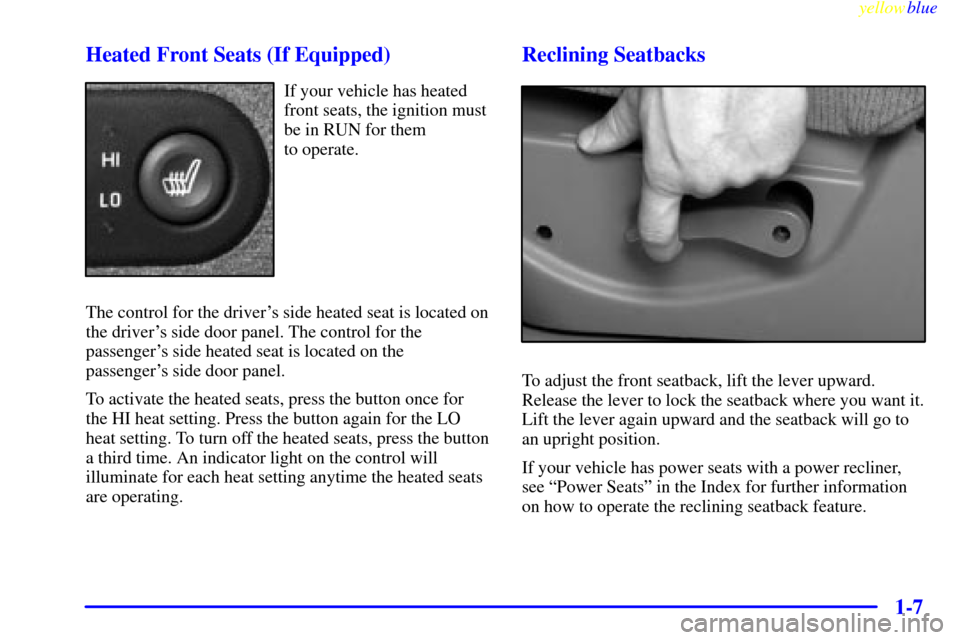
If your vehicle has heated
front seats, the ignition must
be in RUN for them
to operate.
The control for the driver's side heated seat is located on
the driver's side door panel. The control for the
passenger's side heated seat is located on the
passenger's side door panel.
To activate the heated seats, press the button once for
the HI heat setting. Press the button again for the LO
heat setting. To turn off the heated seats, press the button
a third time. An indicator light on the control will
illuminate for each heat setting anytime the heated seats
are operating.
Reclining Seatbacks
To adjust the front seatback, lift the lever upward.
Release the lever to lock the seatback where you want it.
Lift the lever again upward and the seatback will go to
an upright position.
If your vehicle has power seats with a power recliner,
see ªPower Seatsº in the Index for further information
on how to operate the reclining seatback feature.
Page 24 of 432
yellowblue
1-18
Driver Position
This part describes the driver's restraint system.
Lap-Shoulder Belt
The driver has a lap-shoulder belt. Here's how to wear
it properly.
1. Close and lock the door.
2. Adjust the seat (to see how, see ªSeatsº in the Index)
so you can sit up straight.
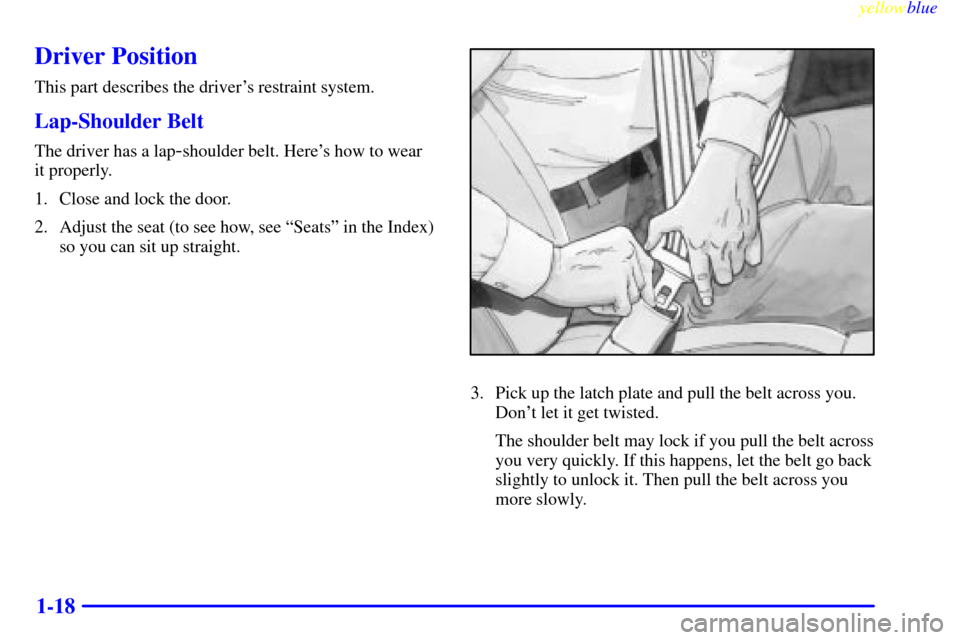
3. Pick up the latch plate and pull the belt across you.
Don't let it get twisted.
The shoulder belt may lock if you pull the belt across
you very quickly. If this happens, let the belt go back
slightly to unlock it. Then pull the belt across you
more slowly.
Page 73 of 432

2-
yellowblue
2-1
Section 2 Features and Controls
Here you can learn about the many standard and optional features on your vehicle, and information on starting,
shifting and braking. Also explained are the instrument panel and the warning systems that tell you if everything is
working properly
-- and what to do if you have a problem.
2
-2 Keys
2
-3 Rear Access Door (Extended Cab)
2
-4 Door Locks
2
-6 Keyless Entry System (If Equipped)
2
-8 Tailgate
2
-10 Theft
2
-11 Content Theft-Deterrent (If Equipped)
2
-12 Passlock�
2-13 New Vehicle ªBreak-Inº
2
-13 Ignition Positions
2
-16 Starting Your Gasoline Engine
2
-19 Engine Coolant Heater (If Equipped)
2
-20 Automatic Transmission Operation
2
-24 Manual Transmission Operation
2
-27 Four-Wheel Drive (If Equipped)
2
-33 Parking Brake
2
-34 Shifting Into Park (P)
(Automatic Transmission Only)2
-37 Shifting Out of Park (P)
(Automatic Transmission)
2
-38 Parking Your Vehicle
(Manual Transmission Models Only)
2
-38 Parking Over Things That Burn
2
-39 Engine Exhaust
2
-40 Running Your Engine While You're Parked
(Automatic Transmission)
2
-41 Manual Selectable Ride (If Equipped)
2
-42 Locking Rear Axle
2
-42 Windows
2
-44 Turn Signal/Multifunction Lever
2
-51 Exterior Lamps
2
-54 Interior Lamps
2
-56 Mirrors
2
-66 Instrument Panel
2
-68 Instrument Panel Cluster
2
-70 Warning Lights, Gages and Indicators
2
-82 Message Center
Page 75 of 432
yellowblue
2-3
Your vehicle has one
double
-sided key for the
ignition and all door locks.
Your vehicle may also have
a key that locks and unlocks
the center floor console
only (if equipped).
If you ever lose your
keys, your dealer will be
able to assist you with
obtaining replacements.
Rear Access Door (Extended Cab)
Your vehicle is equipped with a rear access door that
allows easier access to the rear area of the extended cab.
To open the rear access door
from the outside, first open
the passenger's side front
door. Then, use the handle
located on the front edge of
the access door to open it.
You must fully close the rear access door before you can
close the front passenger door.
Page 76 of 432
yellowblue
2-4
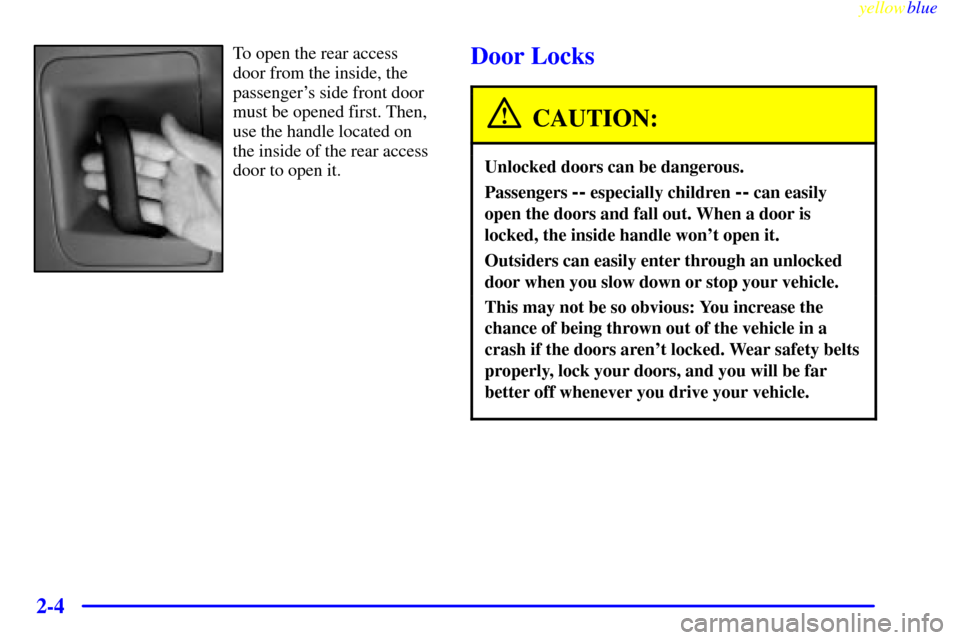
To open the rear access
door from the inside, the
passenger's side front door
must be opened first. Then,
use the handle located on
the inside of the rear access
door to open it.Door Locks
CAUTION:
Unlocked doors can be dangerous.
Passengers -- especially children -- can easily
open the doors and fall out. When a door is
locked, the inside handle won't open it.
Outsiders can easily enter through an unlocked
door when you slow down or stop your vehicle.
This may not be so obvious: You increase the
chance of being thrown out of the vehicle in a
crash if the doors aren't locked. Wear safety belts
properly, lock your doors, and you will be far
better off whenever you drive your vehicle.
Page 77 of 432
yellowblue
2-5
There are several ways to lock and unlock your vehicle.
You can use the keyless entry system (if equipped).
You can also use your key.
Use only the key or the keyless entry transmitter if your
vehicle is equipped with the content theft
-deterrent
system and the system is on.
From the inside, to lock the
door, slide the lever
rearward.
To unlock the door, slide the
lever forward.
Power Door Locks (If Equipped)
If your vehicle has this
power door lock switch,
press the raised side of the
switch, marked ªLº on
either front door to lock
all the doors at once.
Press the recessed side of the switch marked ªUº to
unlock all the doors at once.
If your vehicle has this
power door lock switch,
press the bottom of the
switch on either front door
to lock all the doors at once.
Press the top of the switch to unlock all the doors at once.
Page 78 of 432

yellowblue
2-6
The power door locks will operate at any time without
the ignition being on.
The power door locks will also automatically lock when
the vehicle reaches 15 mph (24 km/h). To unlock the
doors, refer to the instructions listed previously. The
automatic locking feature can be disabled, if you prefer.
See your dealer for assistance.
Operating the power locks may interact with the
theft
-deterrent system. See ªContent Theft-Deterrentº
in the Index.
Lockout Prevention
To protect you from locking your key in the vehicle, this
feature stops the power door locks from locking when
the keys are in the ignition and a door is open.
If the power lock switch is pressed when a door is open
and the key is in the ignition, all of the doors will lock
and then the driver's door will unlock.
Keyless Entry System (If Equipped)
If your vehicle has this option, you can lock and unlock
your doors from about 3 feet (1 m) up to 100 feet (30 m)
away using the remote keyless entry transmitter supplied
with your vehicle.
Your keyless entry system operates on a radio frequency
subject to Federal Communications Commission (FCC)
Rules and with Industry Canada.This device complies with Part 15 of the FCC Rules.
Operation is subject to the following two conditions:
(1) this device may not cause harmful interference, and
(2) this device must accept any interference received,
including interference that may cause undesired operation.
This device complies with RSS
-210 of Industry Canada.
Operation is subject to the following two conditions:
(1) this device may not cause interference, and (2) this device
must accept any interference received, including interference
that may cause undesired operation of the device.
Changes or modifications to this system by other than
an authorized service facility could void authorization to
use this equipment.
At times you may notice a decrease in range. This is
normal for any remote keyless entry system. If the
transmitter does not work or if you have to stand closer to
your vehicle for the transmitter to work, try this:
�Check to determine if battery replacement or
resynchronization is necessary. See the instructions
that follow.
�Check the distance. You may be too far from your
vehicle. You may need to stand closer during rainy
or snowy weather.